Use of the Instore Resource Mapping in MioSalon ?
Overview
In-Store Resource Mapping in MioSalon allows salon managers to link specific salon and spa services directly to designated physical rooms, chairs, and machines for front-desk bookings.
When front-desk receptionists create an in-store appointment, the system dynamically filters and displays only the resources mapped to the chosen service.
This ensures that specialized facilities are automatically assigned to eligible treatments while preventing scheduling conflicts across different salon departments.
Follow the guided step-by-step instructions below to configure and use In-Store Resource Mapping in MioSalon.
Navigation Path
Settings → Modules Settings → Resource → In-Store Resource Mapping
Steps to Configure Instore Resource Mapping
1. Ensure Assign Resource at Service Level is enabled under Resource Settings.
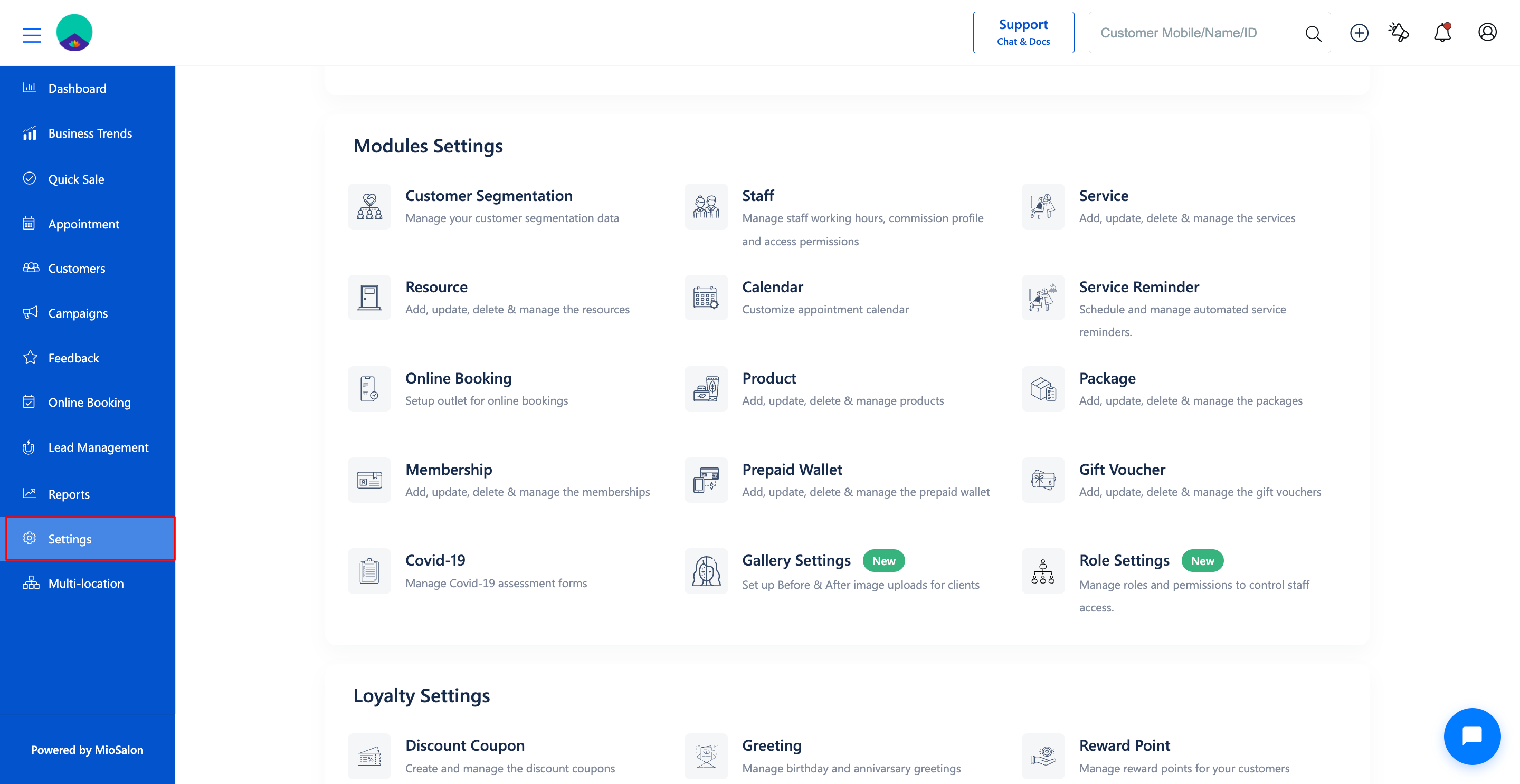
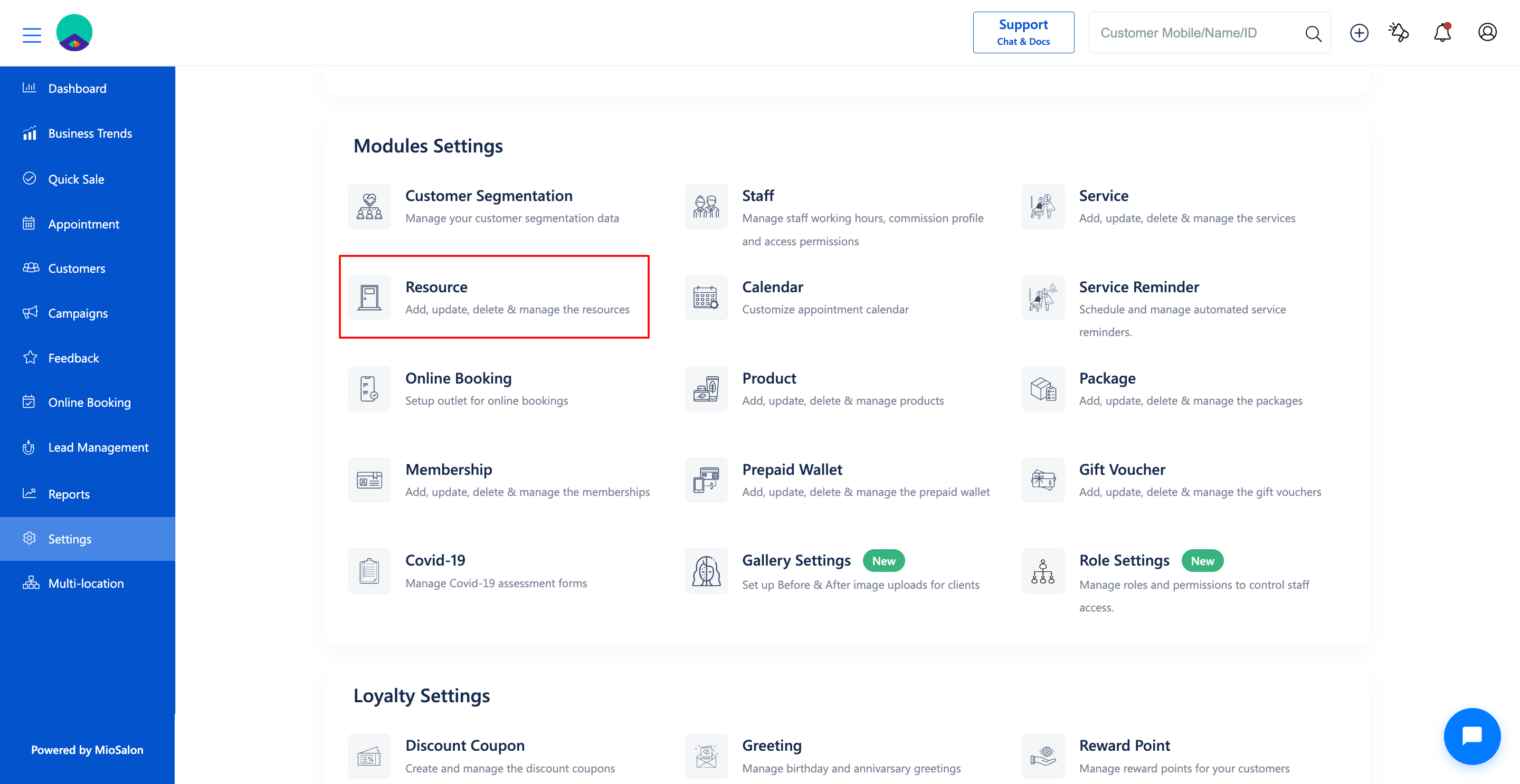
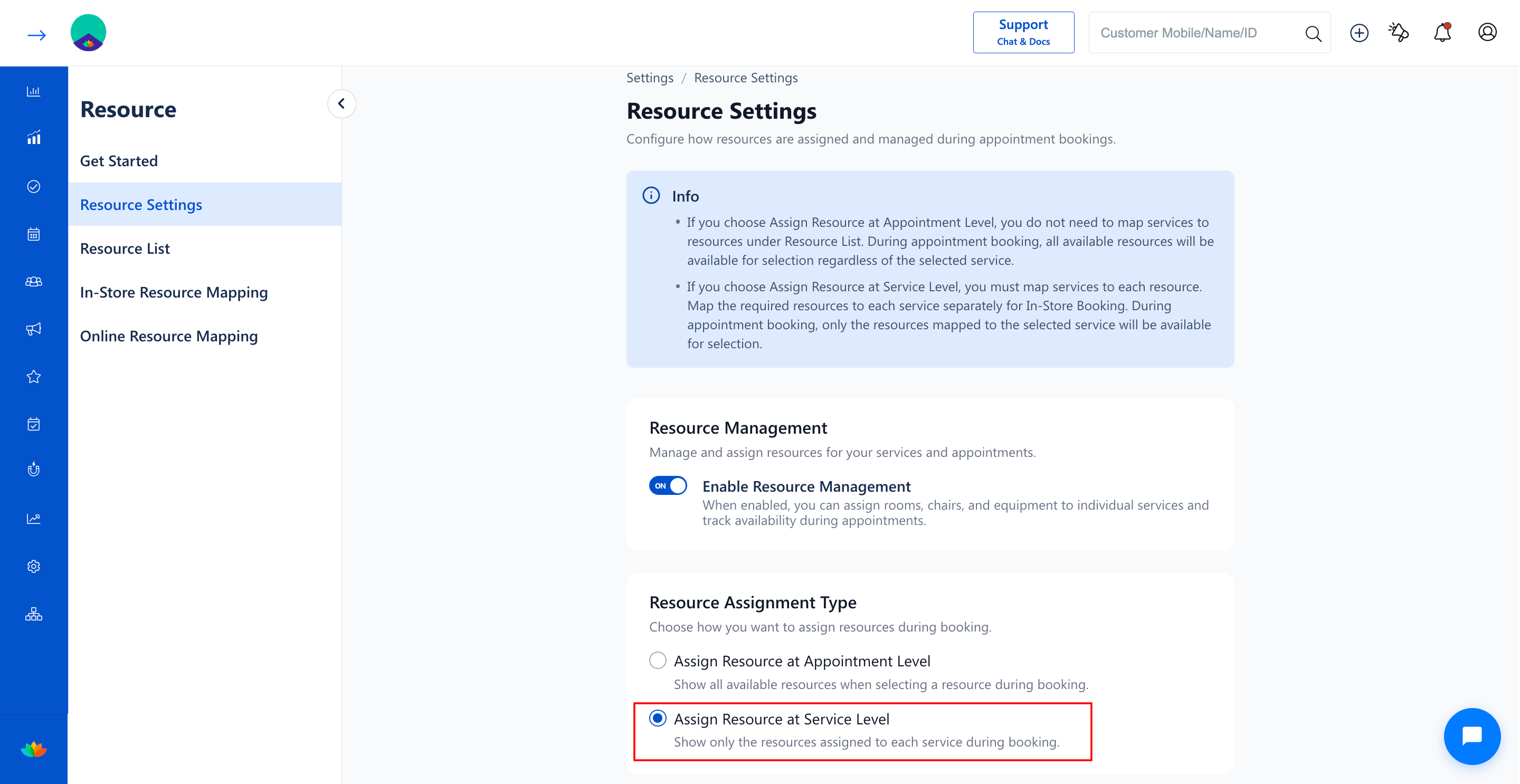
2. Navigate to the In-Store Resource Mapping tab from the left sub-navigation menu.
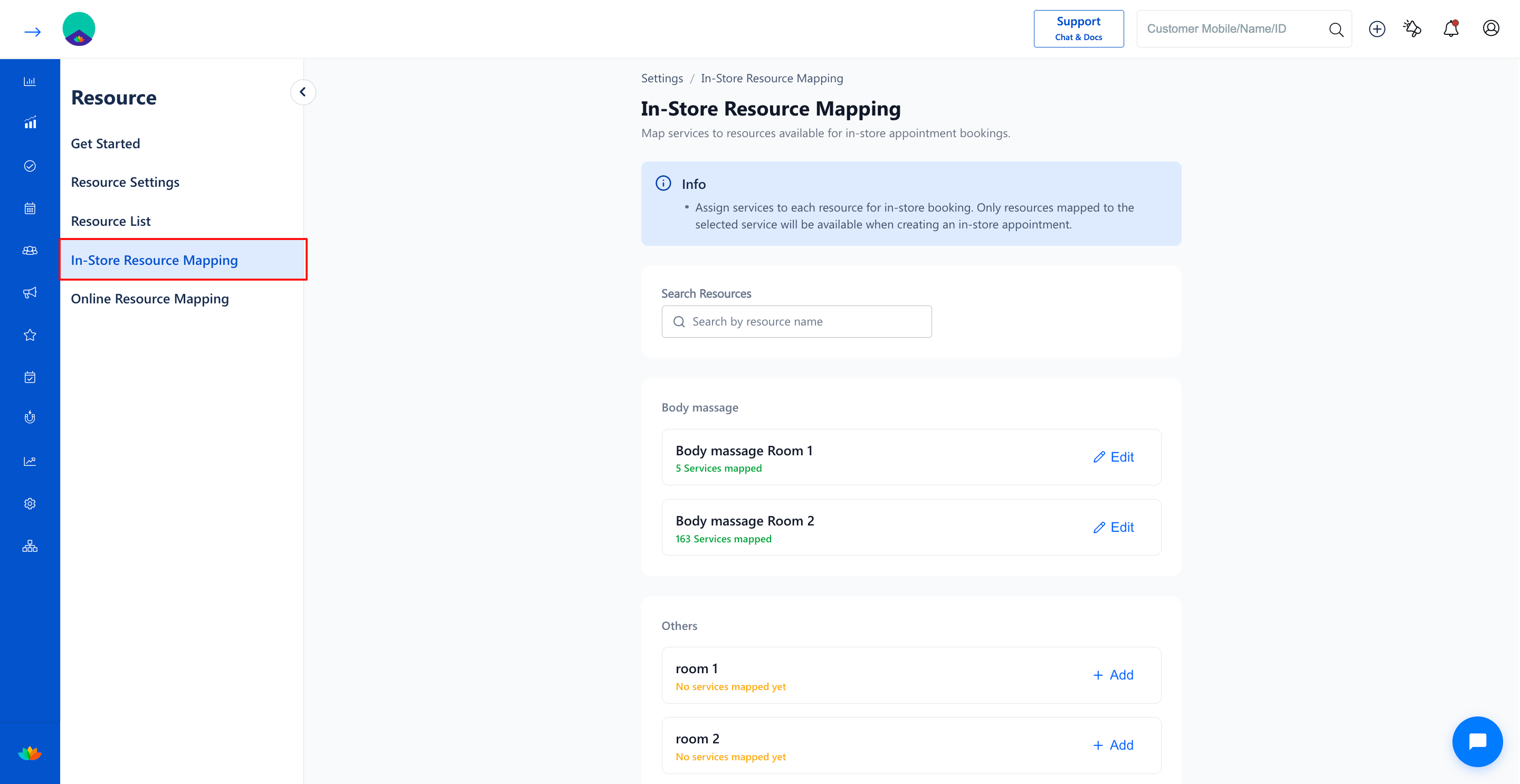
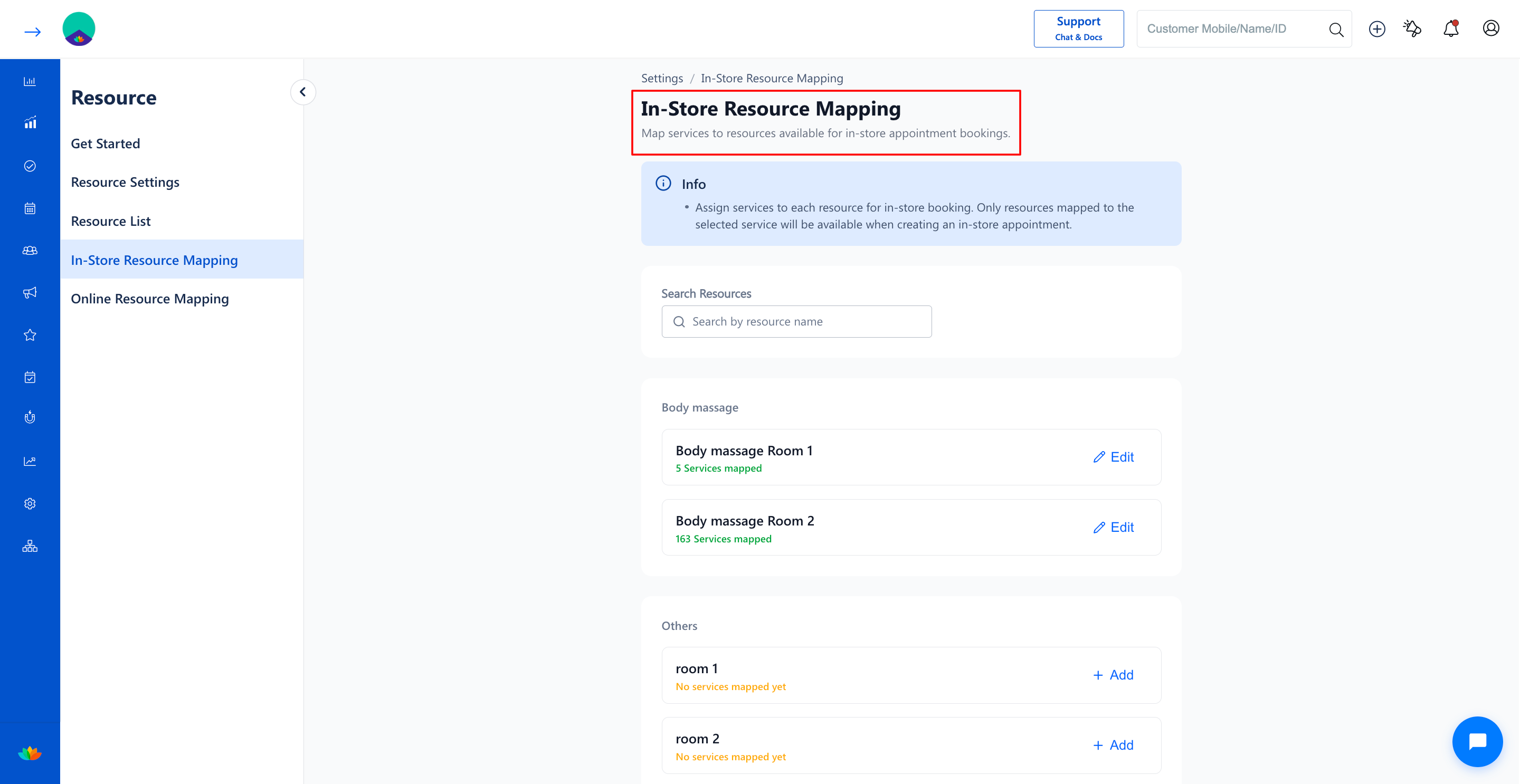
3. Review the list of resource groups and individual resources. Locate the resource you want to configure (E.g., Body massage Room 1).
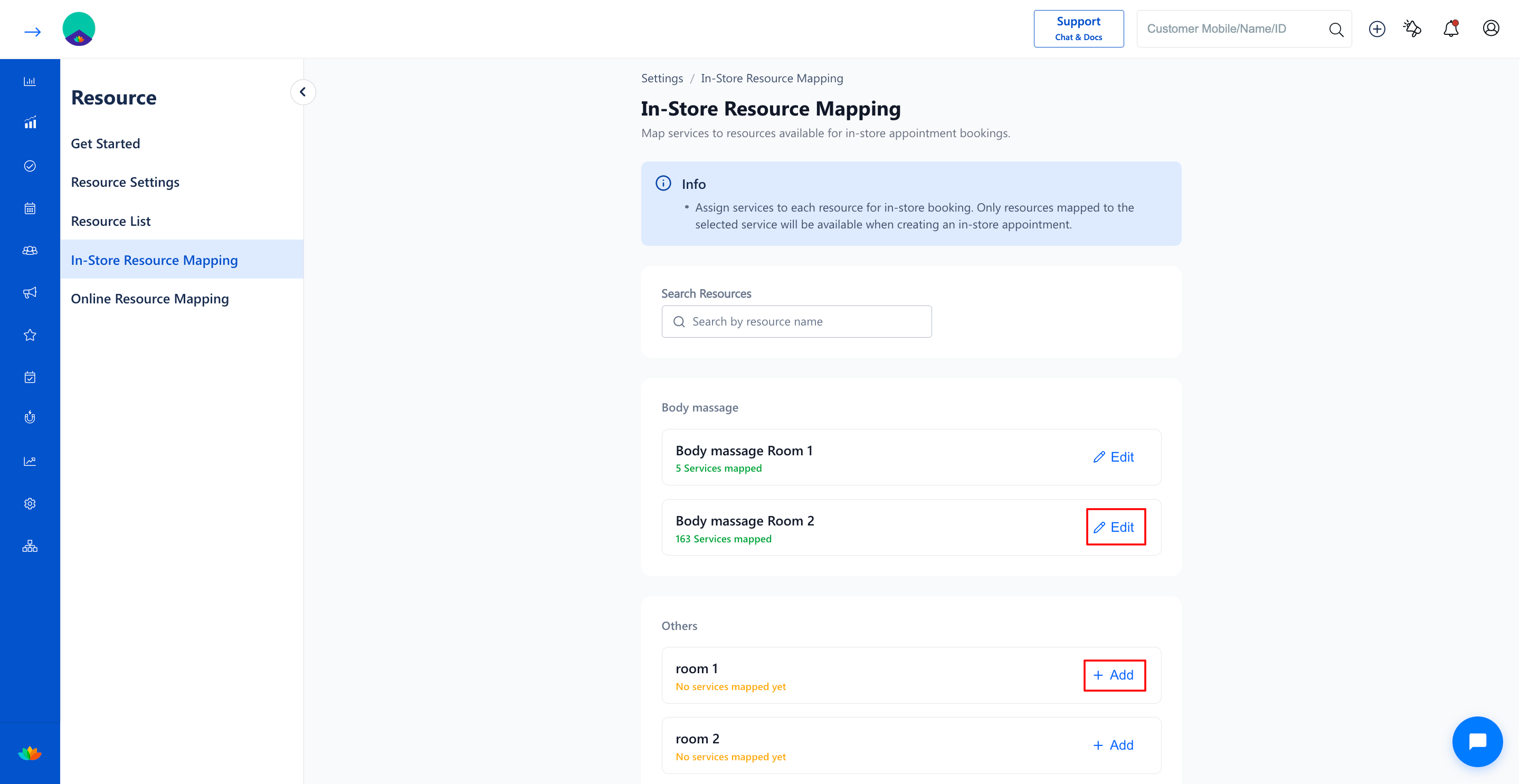
4. Click on the + Add button (if unmapped) or the Edit button (if services are already mapped) next to the target resource.
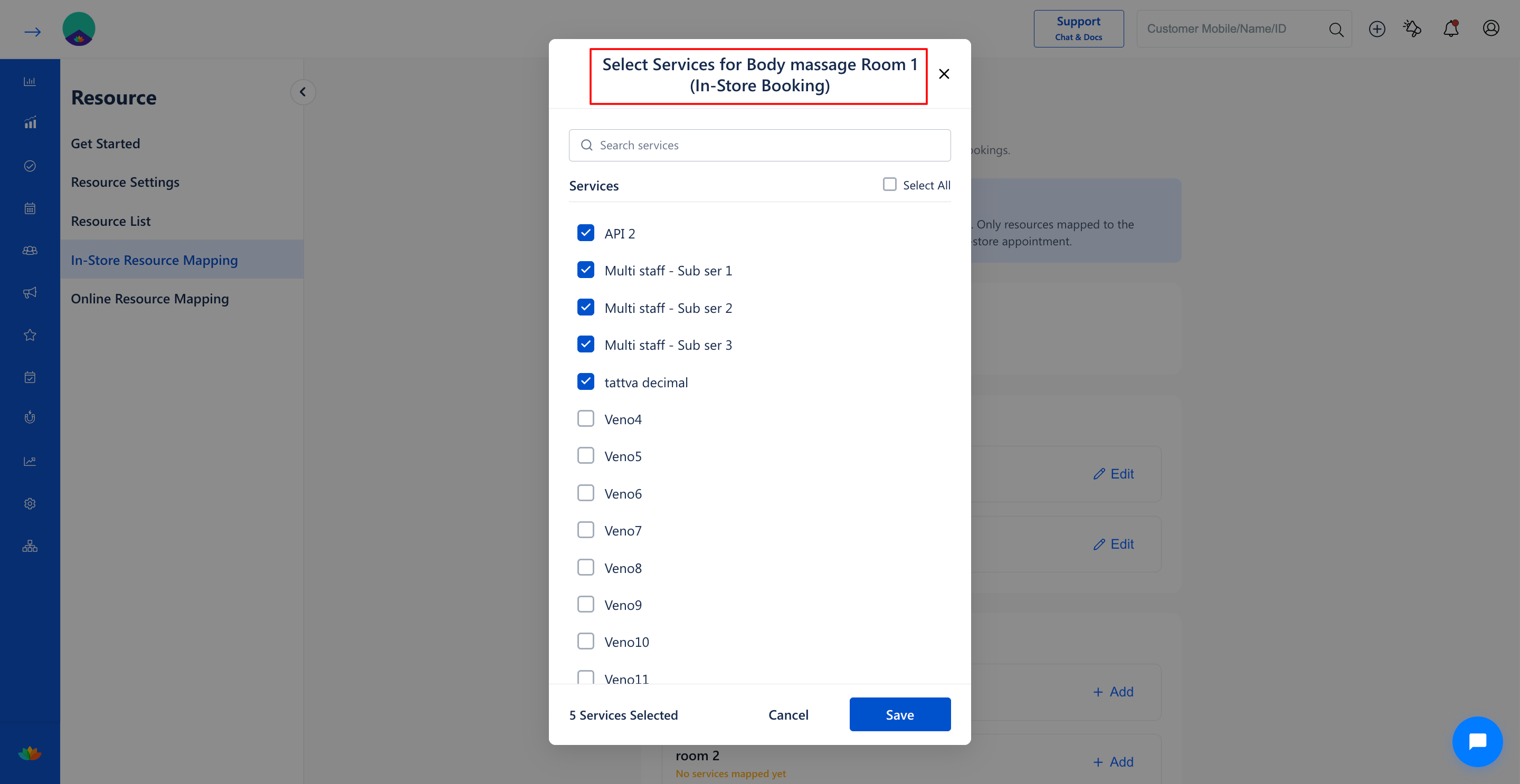
5. In the Select Services for [Resource Name] (In-Store Booking) pop-up window, select the eligible services:
• Use the search bar to locate specific services quickly (E.g., Multi staff - Sub ser 1, Swedish Massage).
• Click on individual service checkboxes or use the Select All checkbox to map multiple services at once.
6. Verify the selected service count displayed at the bottom left (E.g., 5 Services Selected) and click on the Save button.
Note
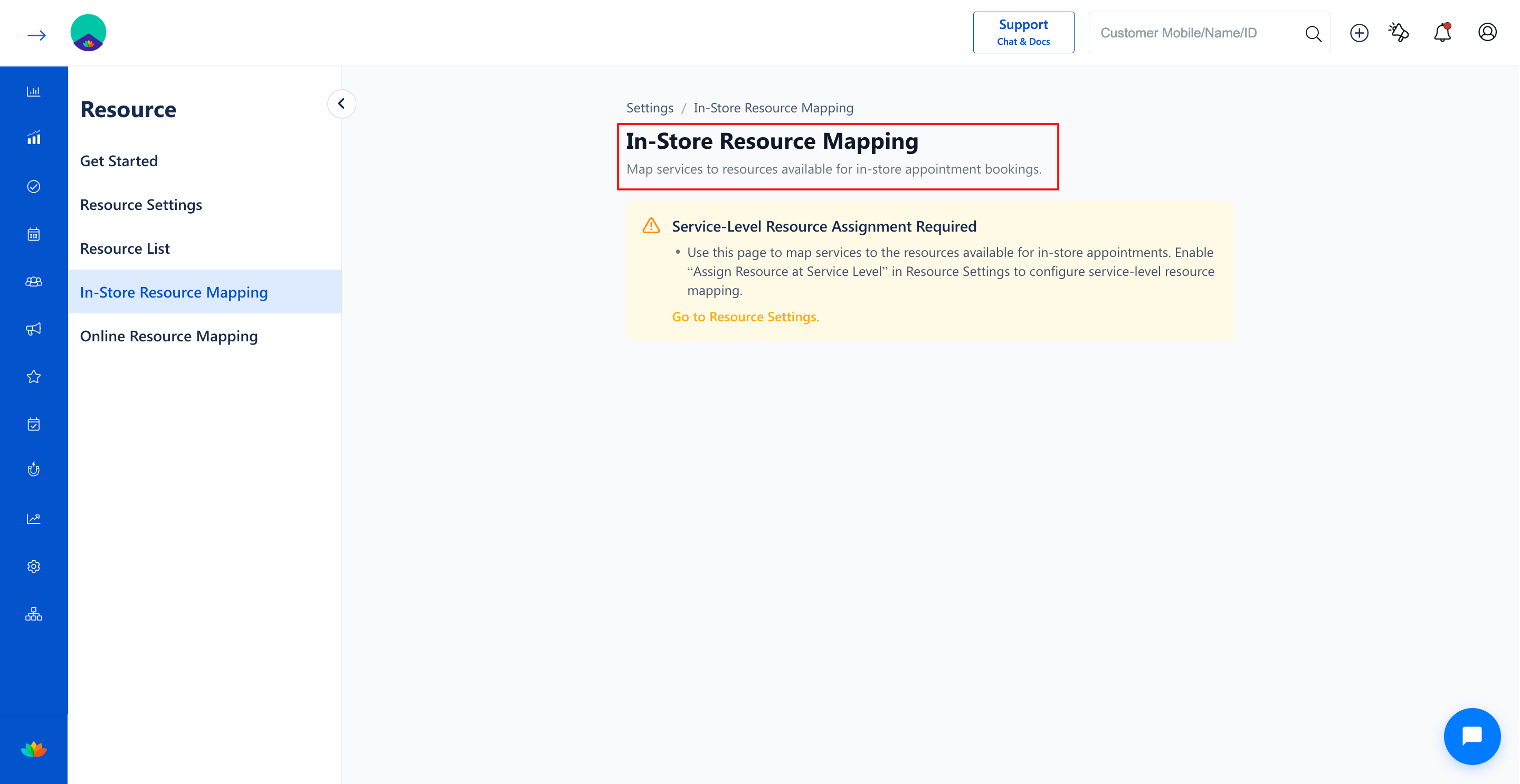
1. If Assign Resource at Service Level is not enabled in Resource Settings, an alert banner will appear advising you to activate service-level assignment before mapping services.
2. You can't able tio View and Access the page on while Choosing the Assign Resource at Appointment Level.
Use Cases
1. Restricting body polish and deep tissue therapies exclusively to equipped Body massage rooms.
2. Mapping nail art and gel extension services only to designated Manicure & Pedicure stations.
3. Assigning doctor consultation services to specific clinical examination cabins in medical spas.
Benefits
1. Prevents front-desk staff from booking services in incompatible or unequipped salon rooms.
2. Ensures optimal room turnaround time and eliminates scheduling overlap between treatments.
3. Provides transparent visibility over which services can run concurrently across salon facilities.
Was this article helpful?
That’s Great!
Thank you for your feedback
Sorry! We couldn't be helpful
Thank you for your feedback
Feedback sent
We appreciate your effort and will try to fix the article