How to Delete a Resource from a Resource Group in MioSalon ?
Overview
Deleting a resource from a Resource Group in MioSalon allows salon managers to decommission individual rooms, chairs, or equipment that are no longer operational.
Removing inactive resources keeps the salon booking calendar accurate and prevents staff from assigning non-functioning assets to clients.
Once a resource is deleted, it is unlinked from mapped services and removed from appointment selection screens.
Follow the guided step-by-step instructions below to remove a resource from a resource group in MioSalon.
Navigation Path
Settings → Modules Settings → Resource → Resource List
Steps to Delete a Resource from a Resource Group
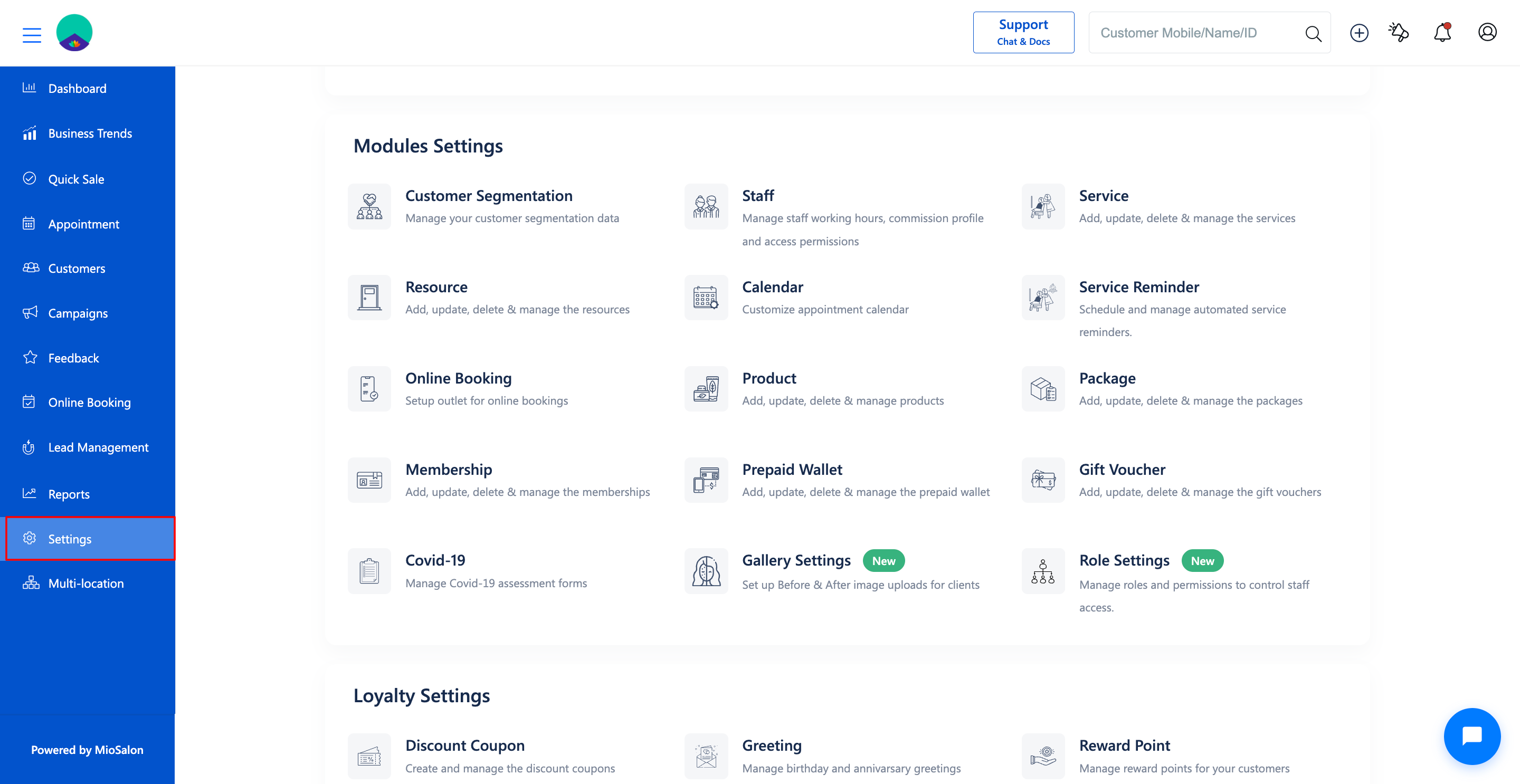
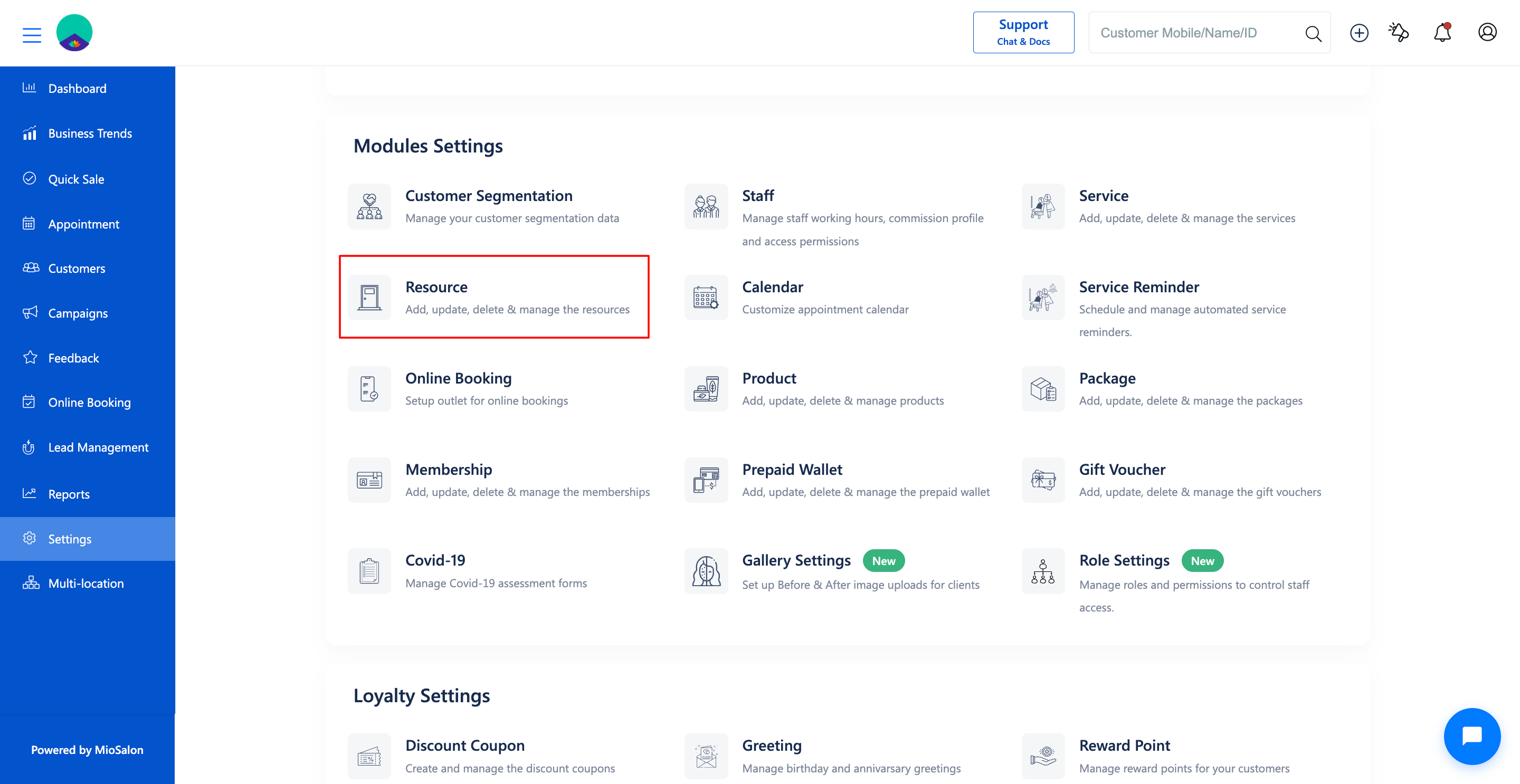
1. Navigate to Settings from the main navigation menu and click on Resource under Modules Settings.
2. Click on the Resource List tab in the left sub-navigation menu.
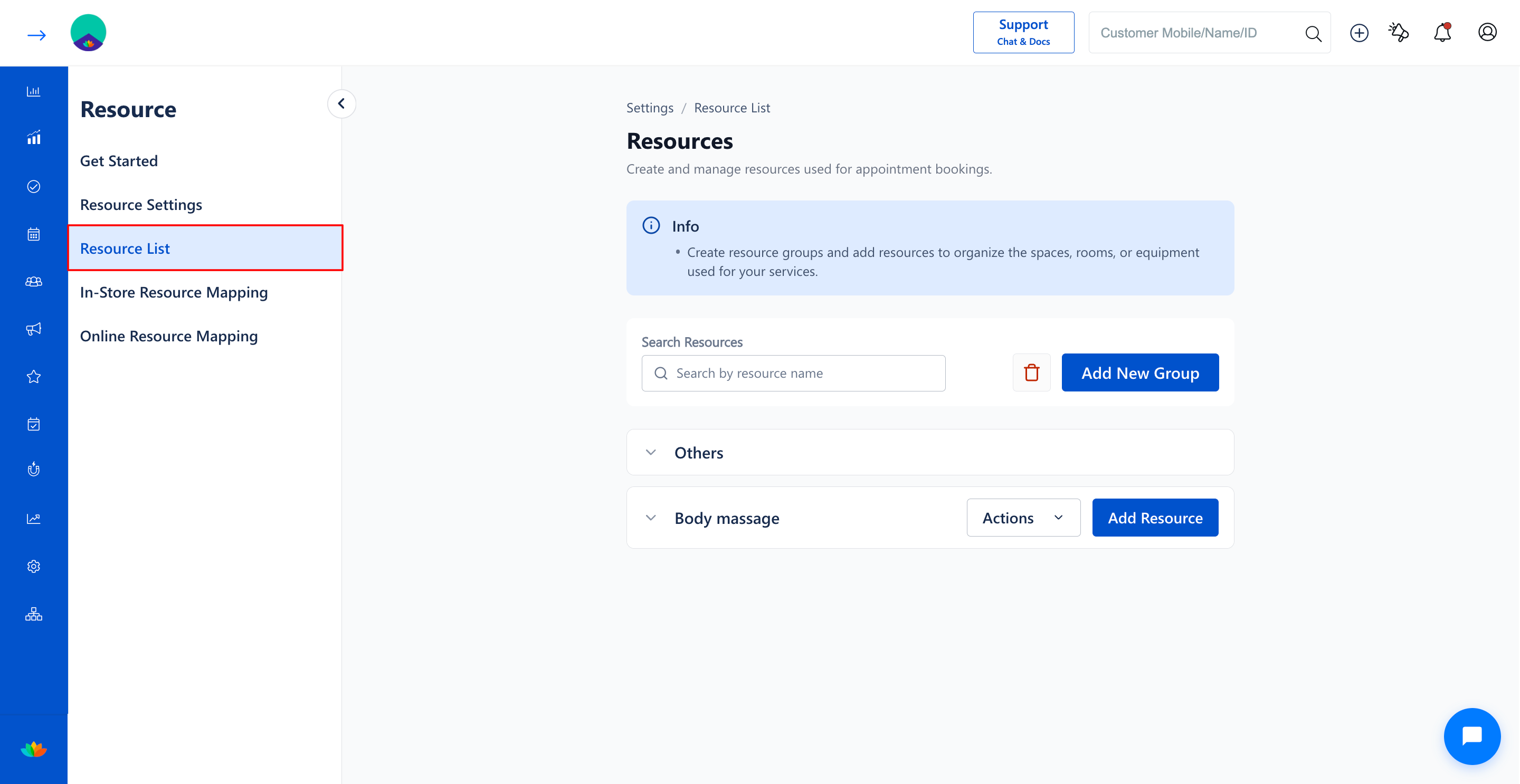
3. Click on the target resource group accordion (E.g., Body massage) to expand and view the list of individual resources.
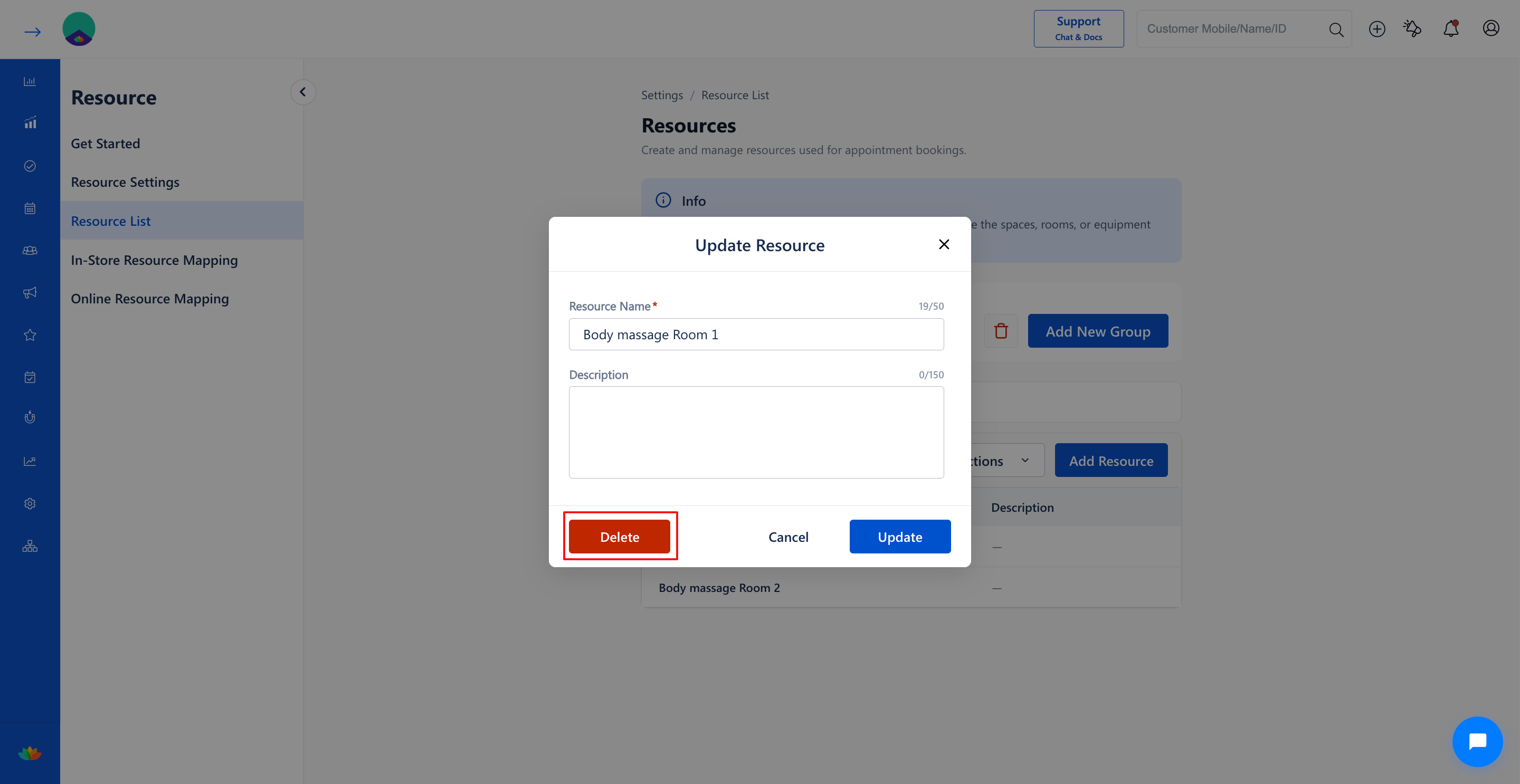
4. Locate the specific resource row you wish to delete (E.g., Body massage Room 2) and click on the delete icon or action menu on that row.
5. In the confirmation dialog window, review the details and click on Delete to confirm the permanent removal of the resource.
Note
Verify that the resource is not scheduled for future appointments before deletion. Reassign any upcoming bookings to alternative rooms or chairs prior to removing the resource.
Use Cases
1. Decommissioning damaged styling chairs or treatment tables undergoing permanent replacement.
2. Removing retired aesthetic machinery or laser devices from the bookable equipment registry.
3. Downsizing facility room inventory following salon floor space reconfiguration.
Benefits
1. Eliminates accidental scheduling of out-of-order equipment or unavailable treatment rooms.
2. Keeps appointment calendar resource dropdowns clean, accurate, and up-to-date.
3. Ensures online booking availability accurately mirrors actual salon capacity.
Was this article helpful?
That’s Great!
Thank you for your feedback
Sorry! We couldn't be helpful
Thank you for your feedback
Feedback sent
We appreciate your effort and will try to fix the article