How to Update a Resource Group in MioSalon ?
Overview
Updating a Resource Group in MioSalon enables salon managers to modify group names and descriptions as business needs, room allocations, or service menus evolve.
Maintaining accurate resource group titles ensures receptionists and stylists always select the right operational facilities during booking.
Modifications made to a resource group instantly update across the system without disrupting existing appointments or mapped services.
Follow the guided step-by-step instructions below to update an existing resource group in MioSalon.
Navigation Path
Settings → Modules Settings → Resource → Resource List
Steps to Update a Resource Group
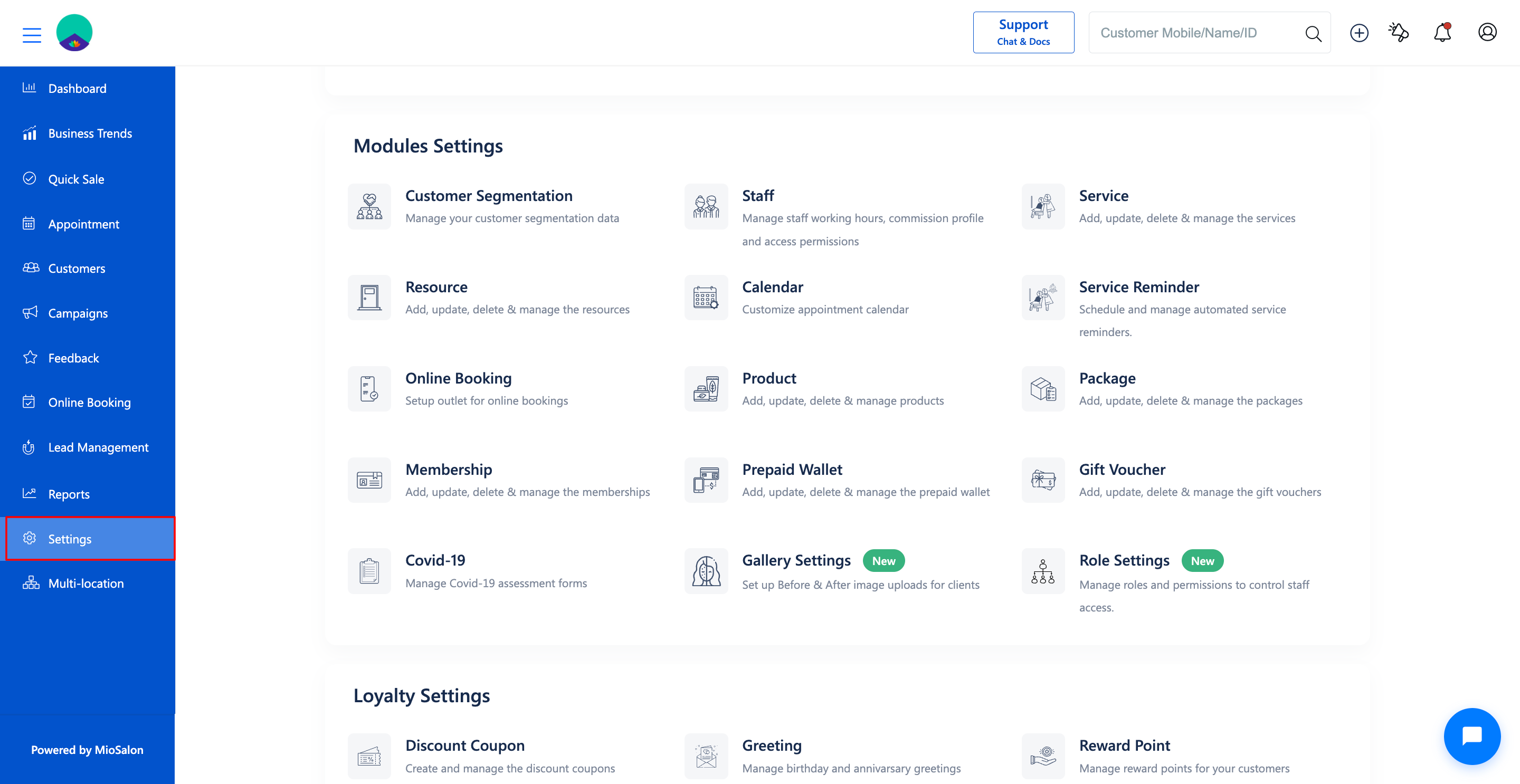
1. Navigate to Settings from the main navigation menu and select Resource under Modules Settings.
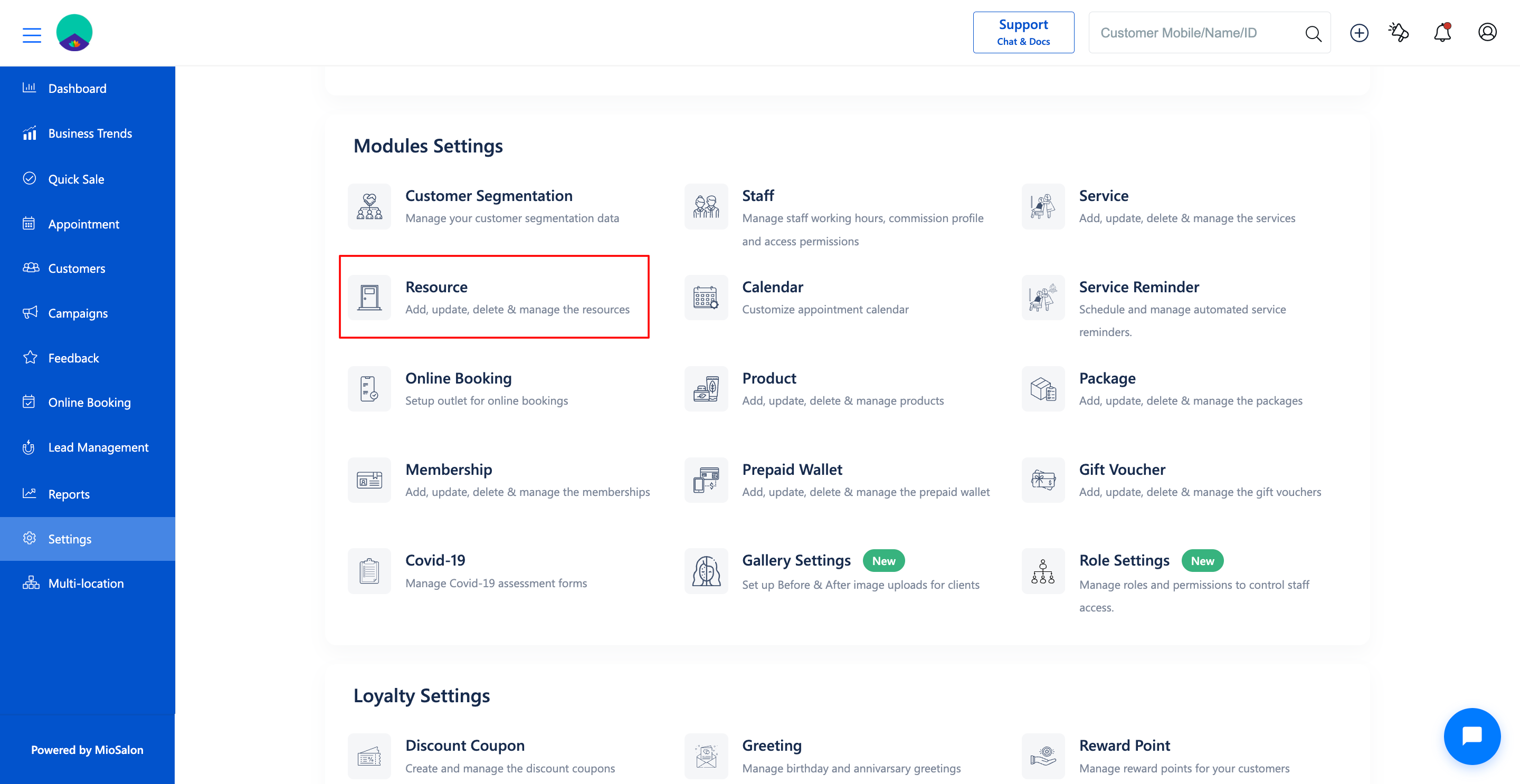
2. Click on the Resource List tab from the left sub-navigation menu to view all existing resource groups.
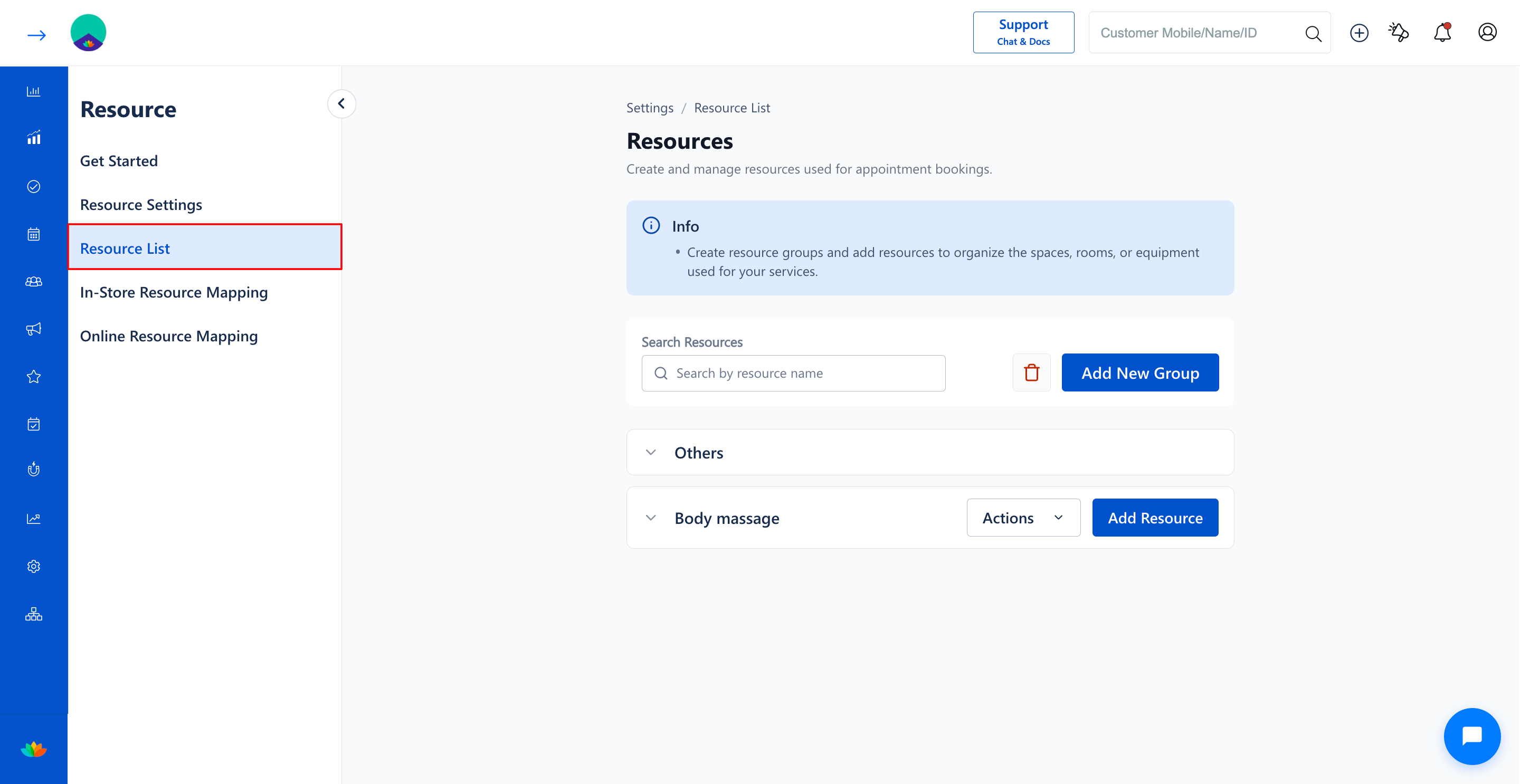
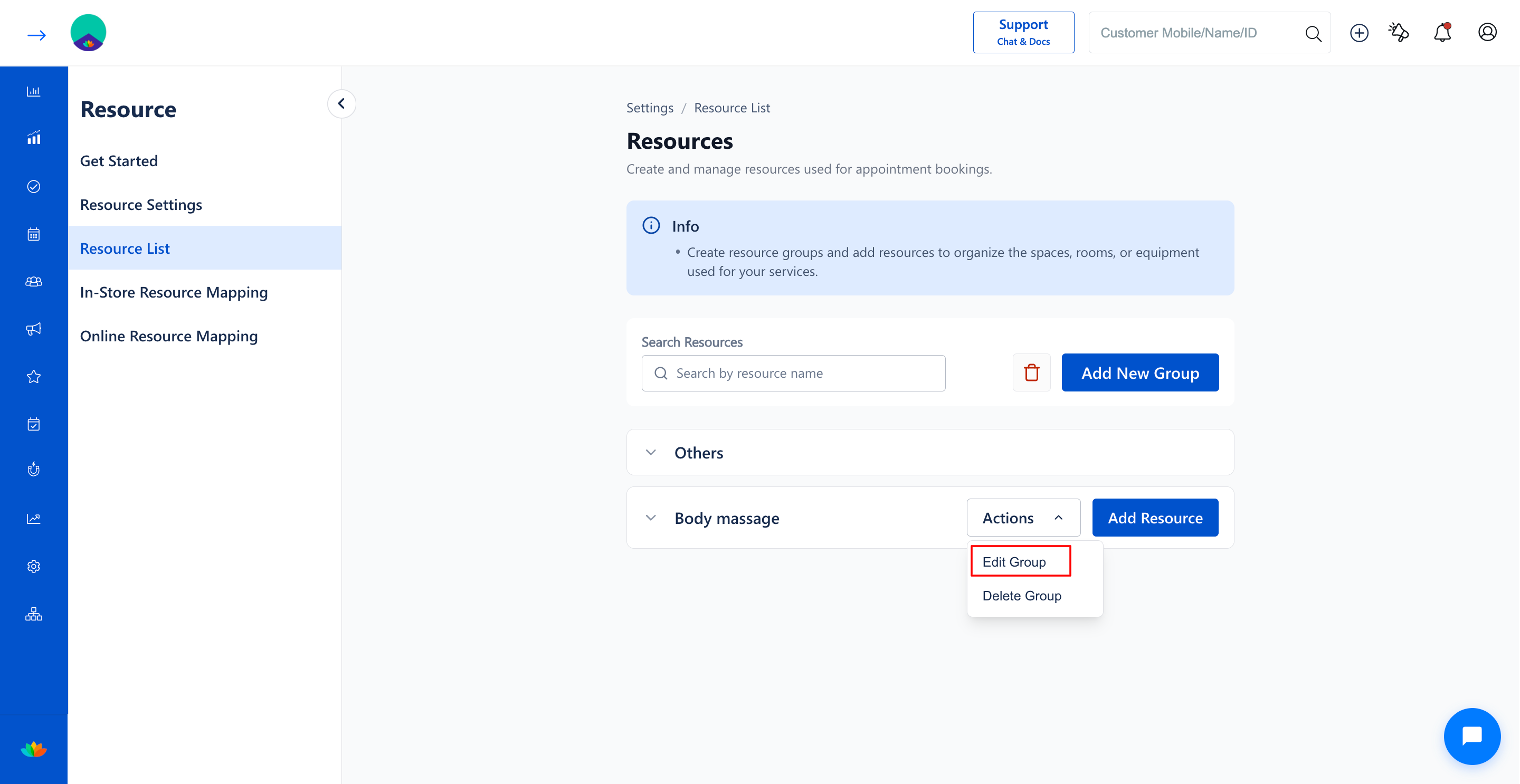
3. Locate the resource group you want to modify (E.g., Body massage) and click on the Actions dropdown button.
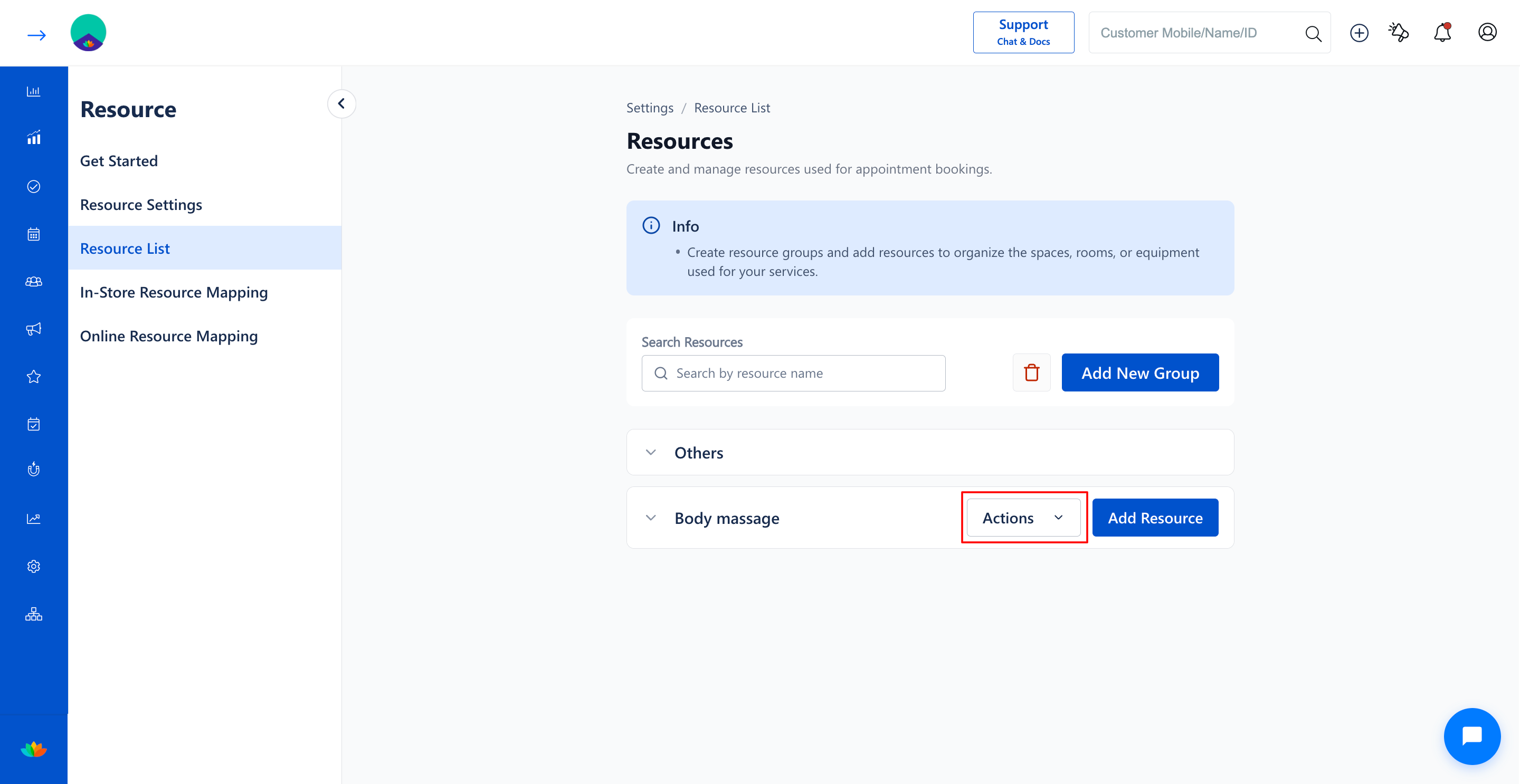
4. Select Edit Group from the actions dropdown menu.
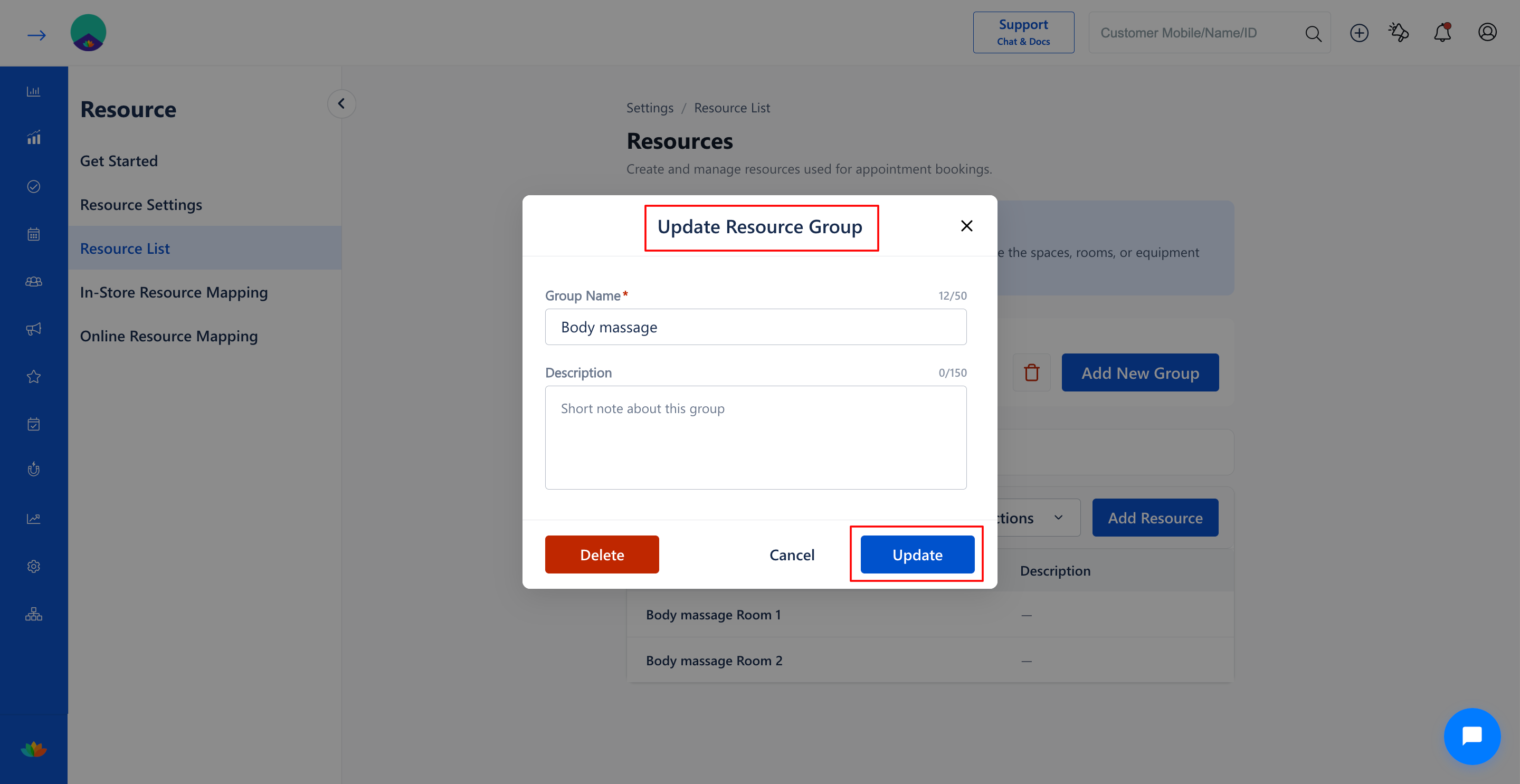
5. In the Update Resource Group pop-up window, update the necessary fields:
• Group Name*: Modify the name of the resource group. (E.g., Body Massage & Spa Rooms).
• Description: Update the description or usage guidelines for the group. (E.g., Fully equipped therapy rooms for Swedish and Deep Tissue massages).
6. Click on the Update button to save your changes.
Note
Renaming a resource group automatically reflects in In-Store Resource Mapping and Online Resource Mapping without unlinking previously assigned services.
Use Cases
1. Renaming an existing room group after salon facility renovation or departmental restructuring.
2. Updating descriptive usage guidelines to help newly joined front-desk staff assign rooms accurately.
3. Refining category classifications to match newly introduced salon and spa service packages.
Benefits
1. Keeps resource inventory records fully aligned with ongoing physical salon expansions.
2. Ensures seamless operational continuity without requiring re-configuration of individual resources.
3. Maintains consistent naming conventions across salon branches and reporting modules.
Was this article helpful?
That’s Great!
Thank you for your feedback
Sorry! We couldn't be helpful
Thank you for your feedback
Feedback sent
We appreciate your effort and will try to fix the article