How to Add a Resource to a Resource Group in MioSalon ?
Overview
Adding individual resources to a Resource Group in MioSalon allows businesses to define physical assets such as specific rooms, chairs, beds, and equipment.
Each individual resource represents a distinct bookable unit that can be scheduled for appointments and mapped to specific salon services.
Properly adding resources ensures granular tracking of facility availability and prevents room or chair scheduling clashes.
Follow the guided step-by-step instructions below to add a resource to a resource group in MioSalon.
Navigation Path
Settings → Modules Settings → Resource → Resource List
Steps to Add a Resource to a Resource Group
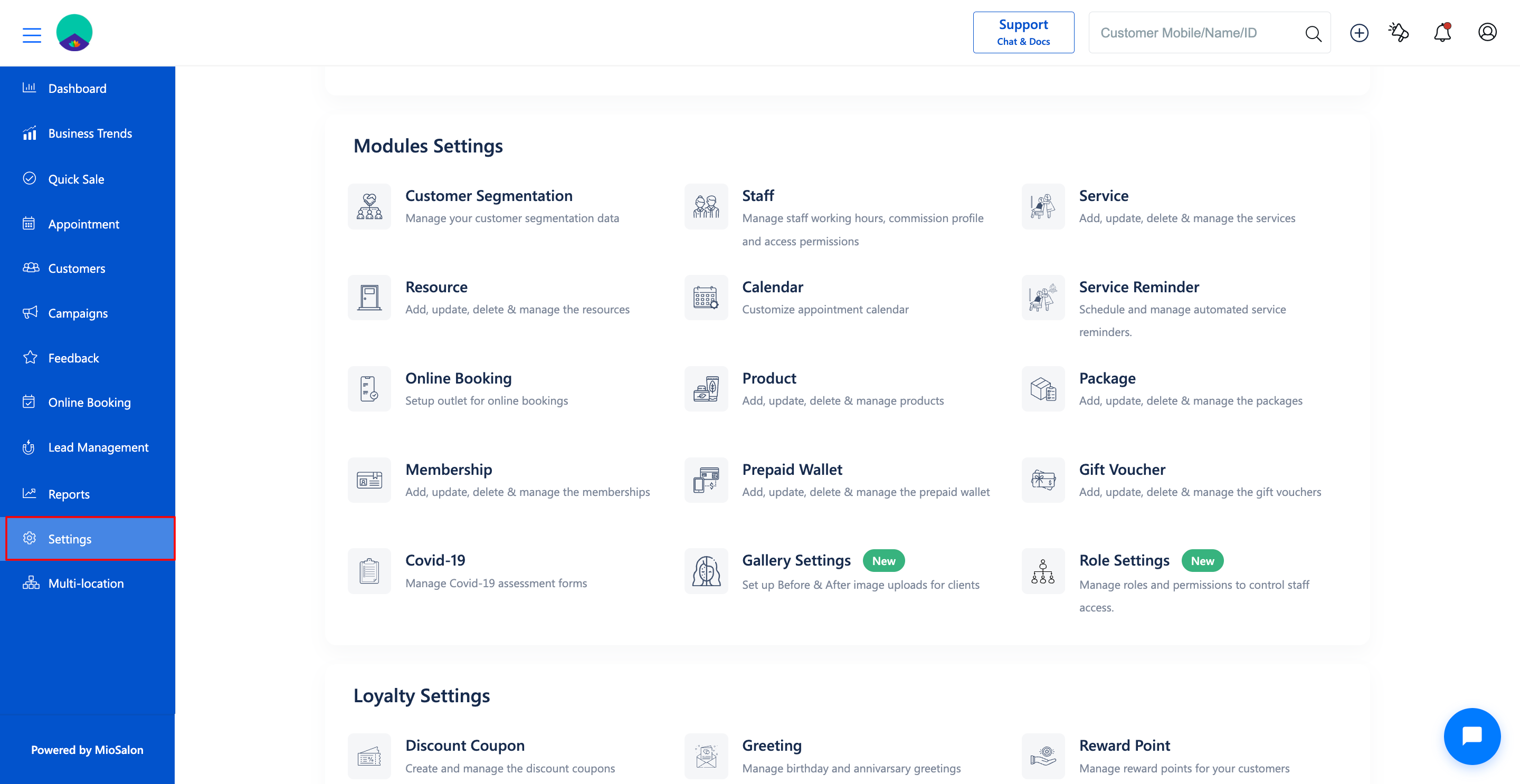
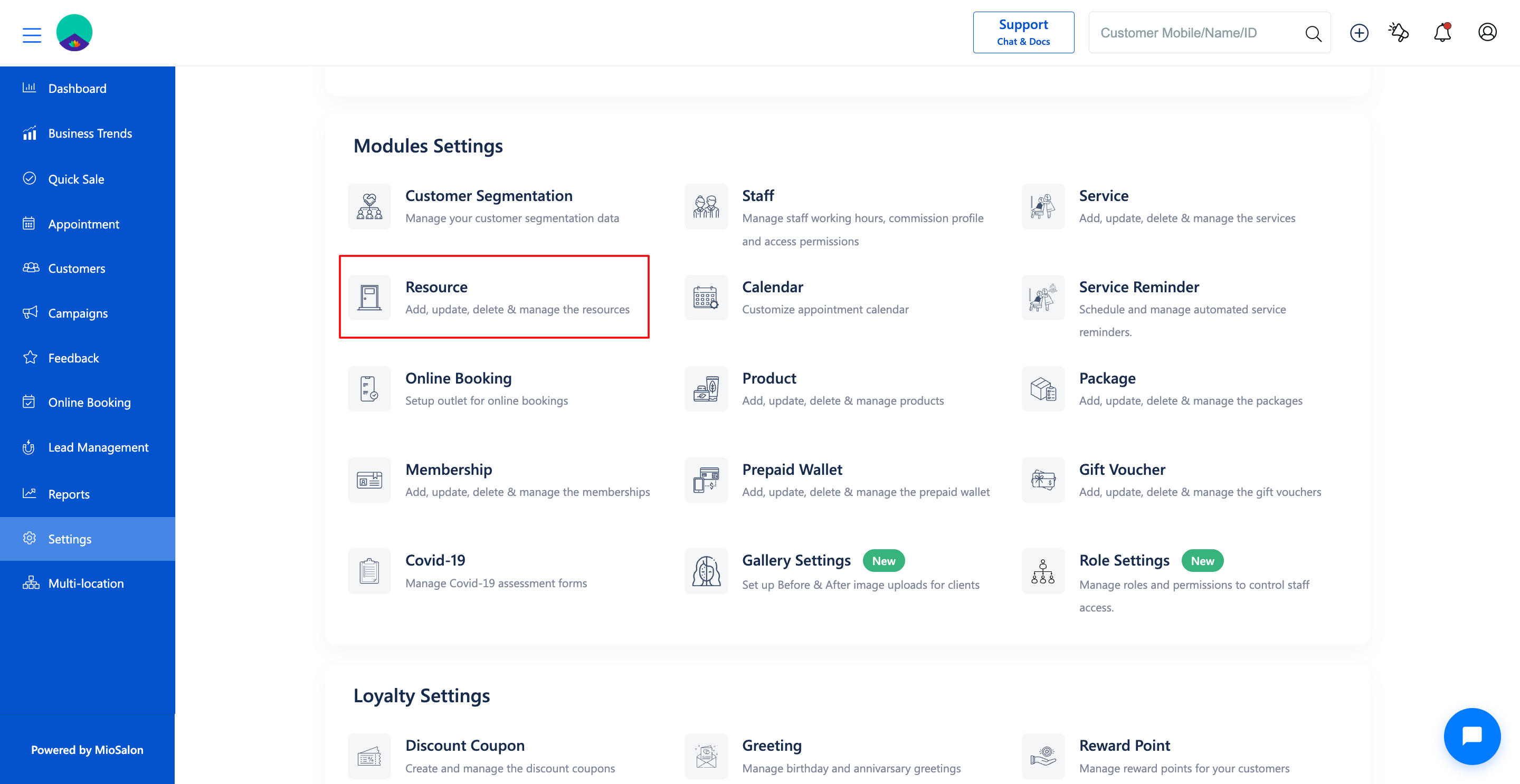
1. Navigate to Settings from the main navigation panel and select Resource under Modules Settings.
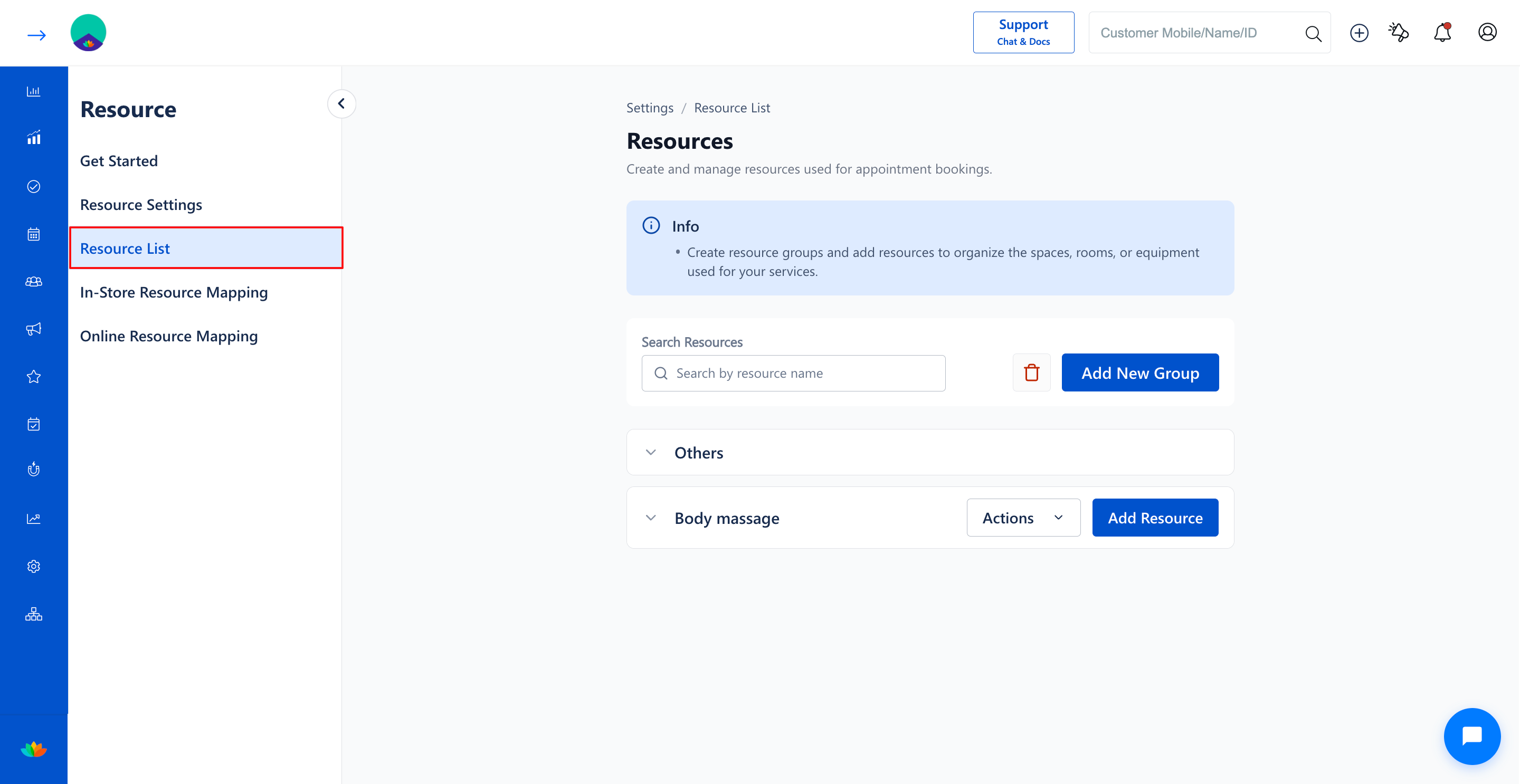
2. Click on the Resource List tab in the left sub-navigation menu to view all resource groups.
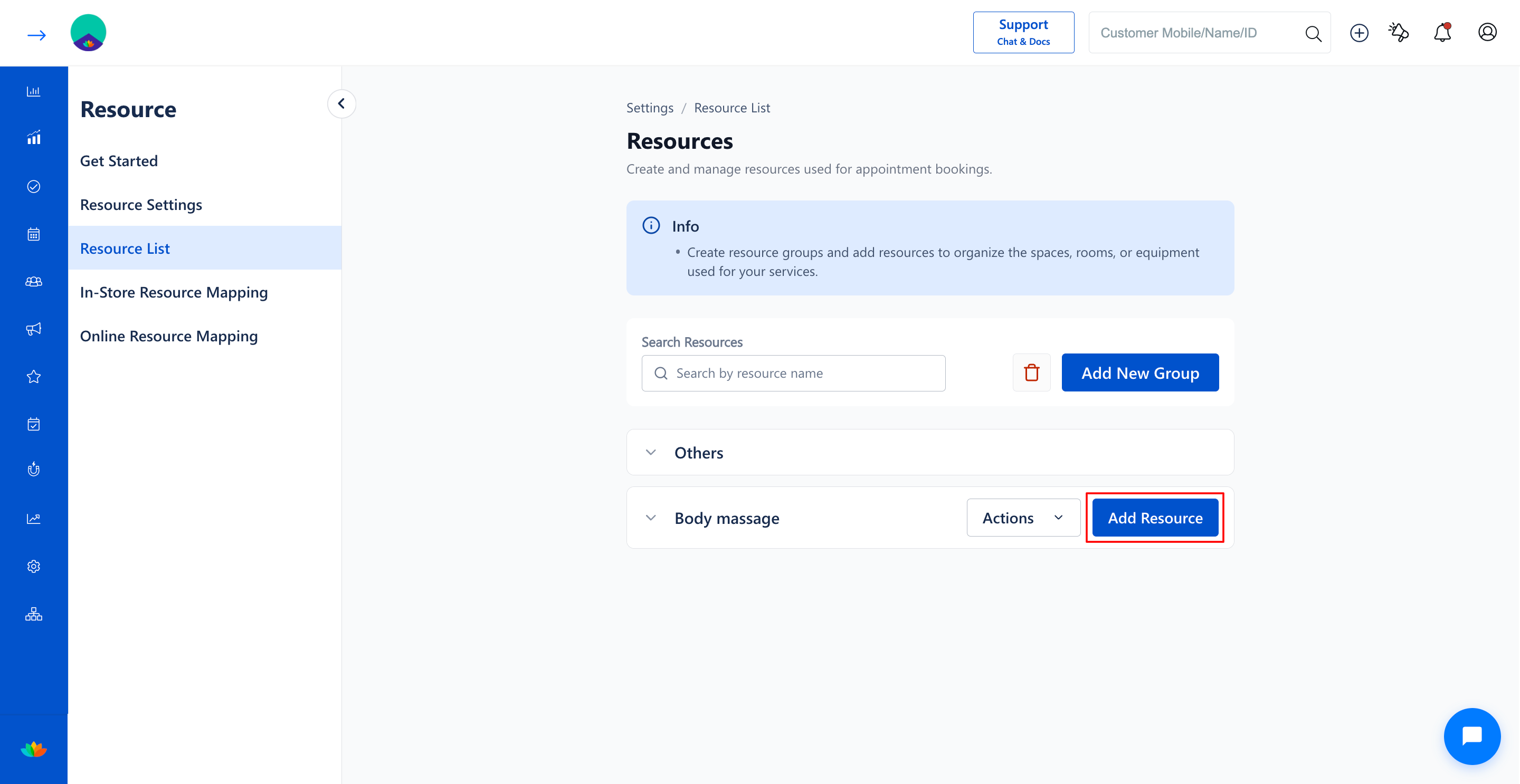
3. Locate the target resource group accordion (E.g., Body massage) and click on the Add Resource button.
4. In the Add Resource pop-up window, fill in the specific resource details:
• Resource Name*: Enter a distinct name for the individual resource. (E.g., Body massage Room 1). Note: Maximum 50 characters allowed.
• Description: Enter optional descriptive notes regarding facility specifications. (E.g., Equipped with aroma diffuser and hydraulic massage bed). Note: Maximum 150 characters allowed.
5. Click on the Save button to add the resource under the chosen group.
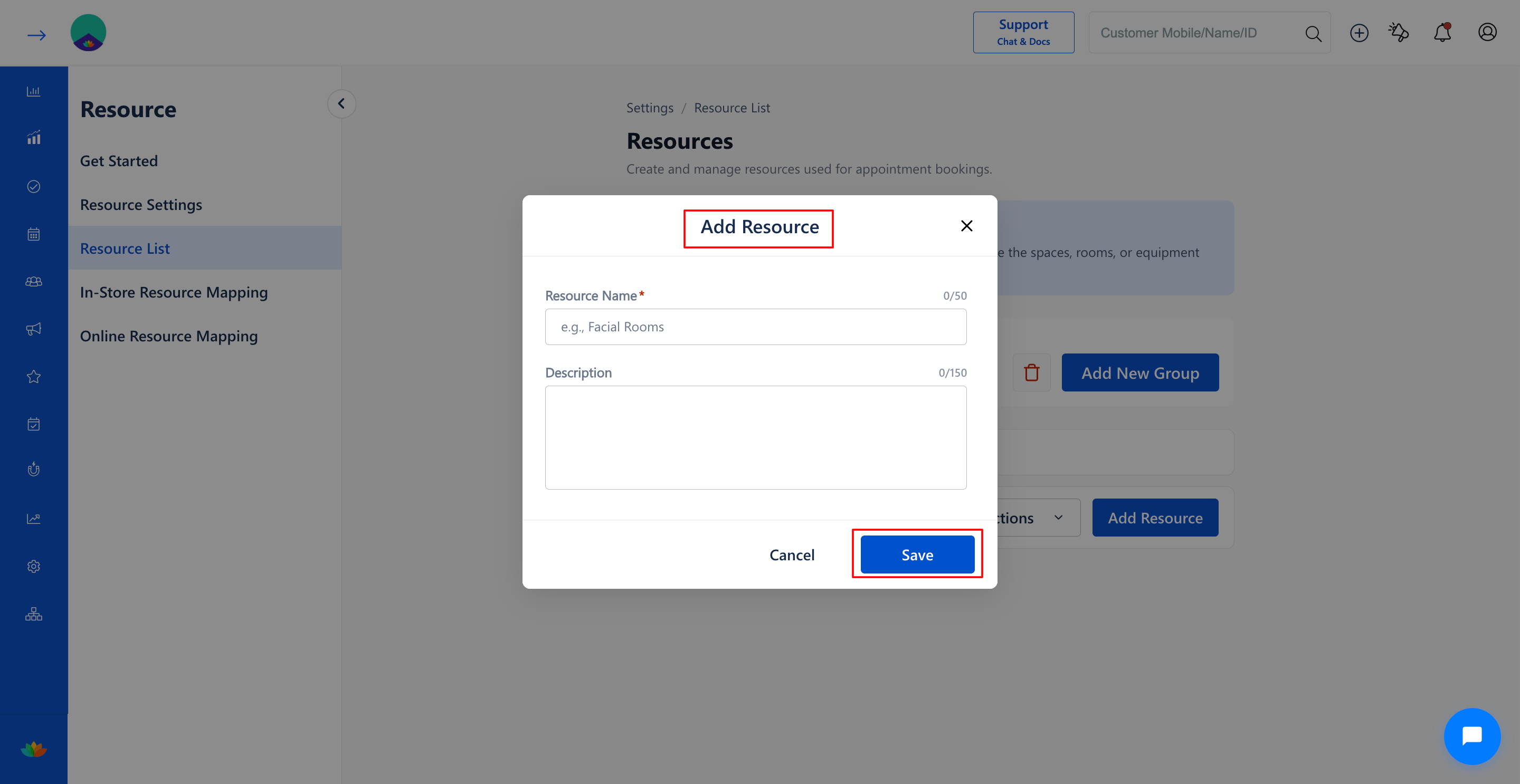
6. Expand the resource group accordion to verify that the newly added resource appears in the resource table.
Note
Ensure every individual resource has an identifiable unique name (such as Room 1, Chair A, Laser Unit 2) so reception staff can easily distinguish between units.
Use Cases
1. Adding specific massage cabins such as Body massage Room 1 and Body massage Room 2 under a Massage group.
2. Configuring individual hair washing stations, styling chairs, and pedicure tubs in high-traffic salons.
3. Registering specialized equipment such as HydraFacial machines, laser devices, and sauna cabins.
Benefits
1. Guarantees that no two concurrent services are booked for the same physical room or machine.
2. Enables precise allocation of salon facilities during both walk-in and advance bookings.
3. Forms the essential building block for In-Store and Online service-level resource mappings.
Was this article helpful?
That’s Great!
Thank you for your feedback
Sorry! We couldn't be helpful
Thank you for your feedback
Feedback sent
We appreciate your effort and will try to fix the article