How to Delete a Resource Group in MioSalon ?
Overview
Deleting a Resource Group in MioSalon allows salon administrators to remove obsolete or decommissioned facility categories from the active system.
Cleaning up unused resource groups keeps the resource management dashboard clutter-free and prevents accidental booking of decommissioned assets.
MioSalon provides both individual group deletion and bulk resource cleanup options with built-in confirmation safety checks.
Follow the guided step-by-step instructions below to safely delete a resource group in MioSalon.
Navigation Path
Settings → Modules Settings → Resource → Resource List
Steps to Delete a Resource Group
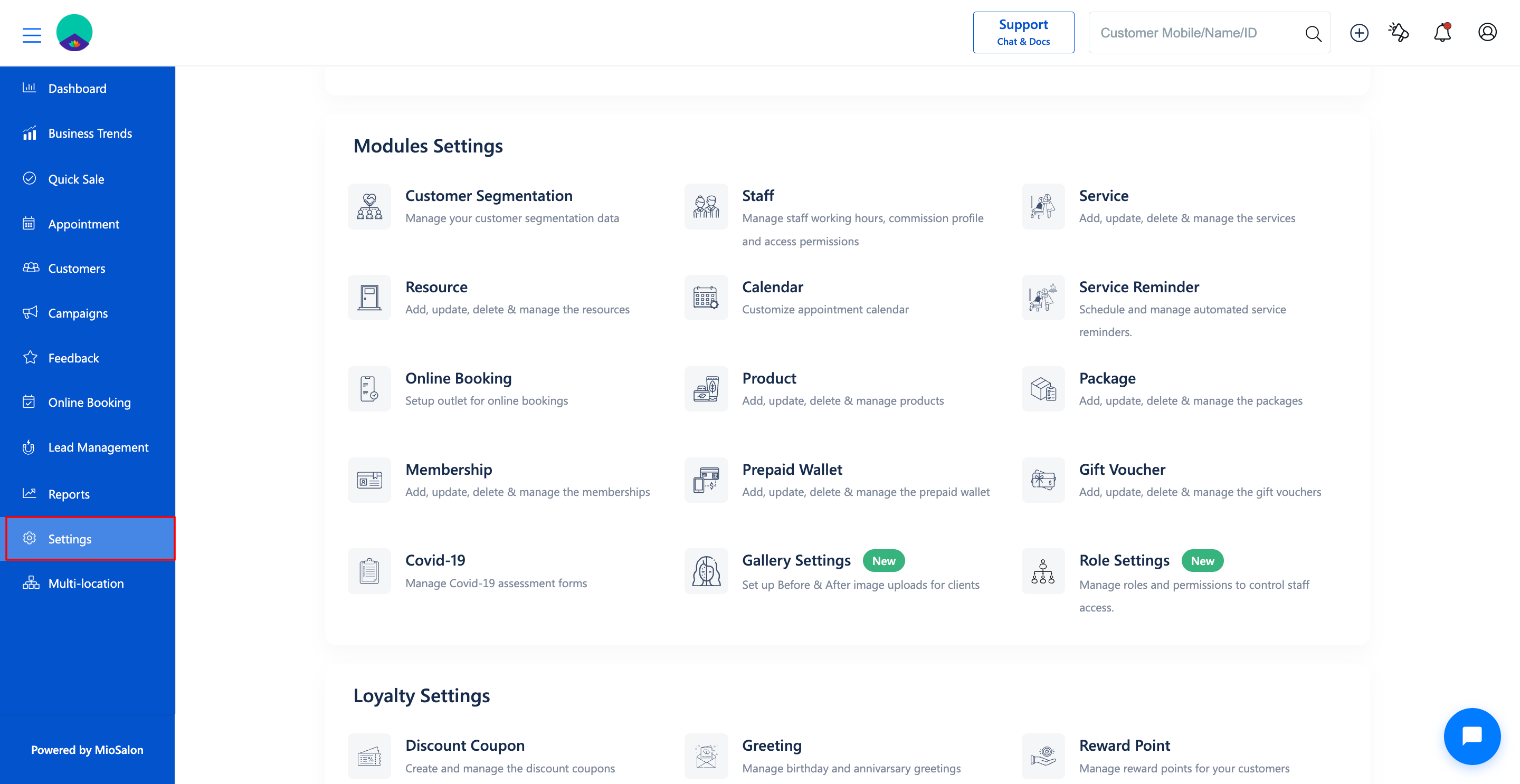
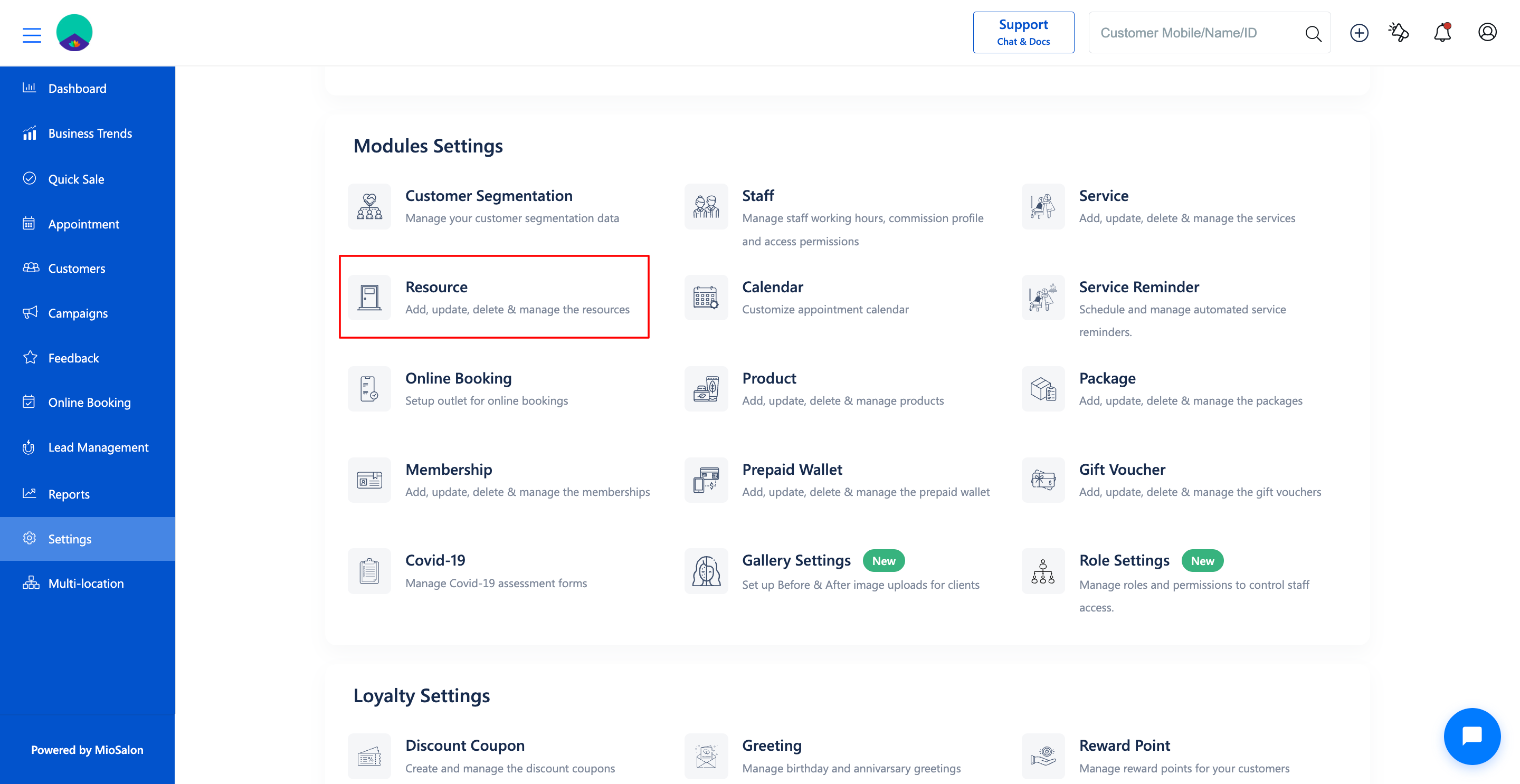
1. Navigate to Settings from the main navigation panel and click on Resource under Modules Settings.
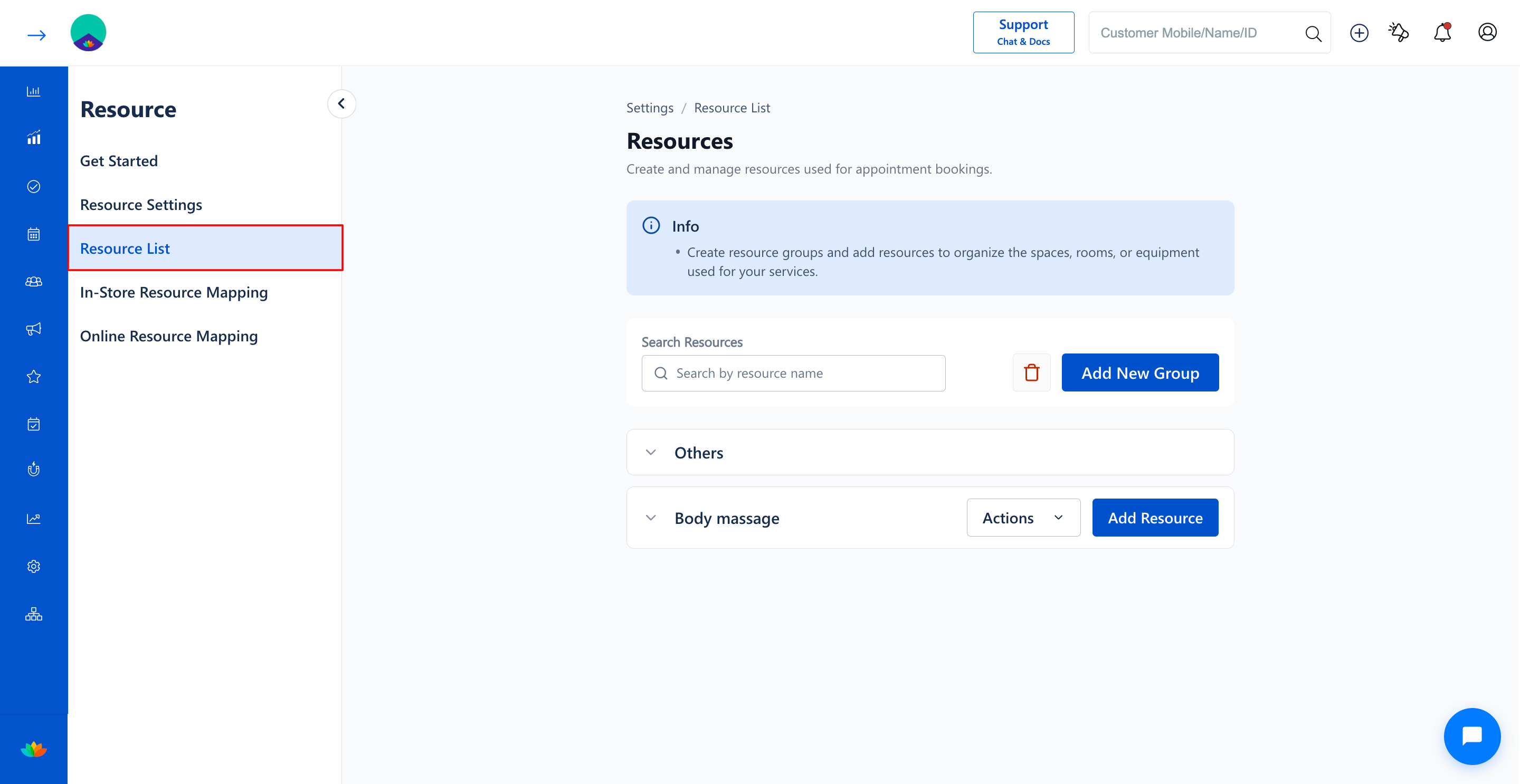
2. Click on the Resource List tab in the left sub-navigation menu.
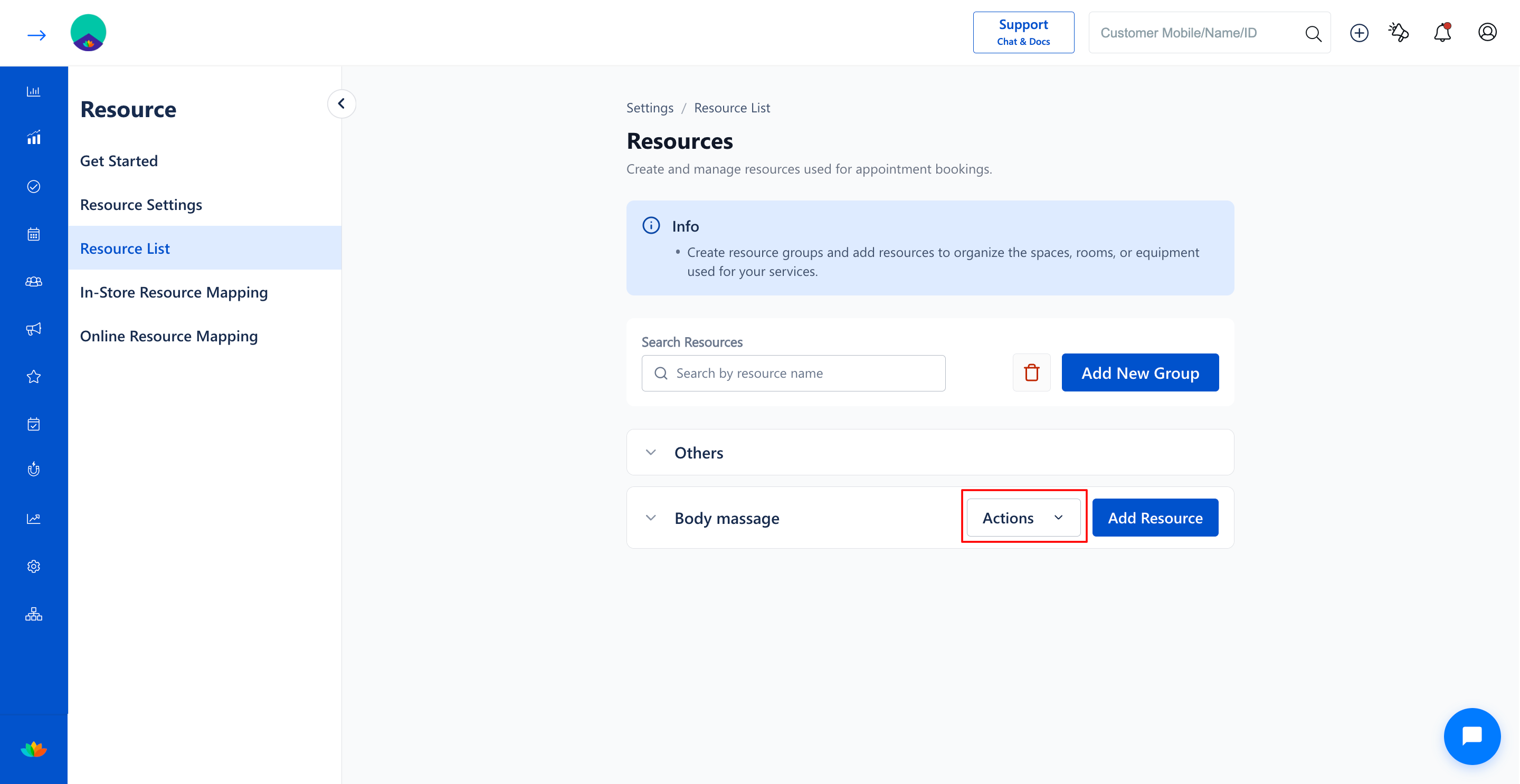
3. Locate the specific resource group you wish to delete (E.g., Body massage) and click on the Actions button.
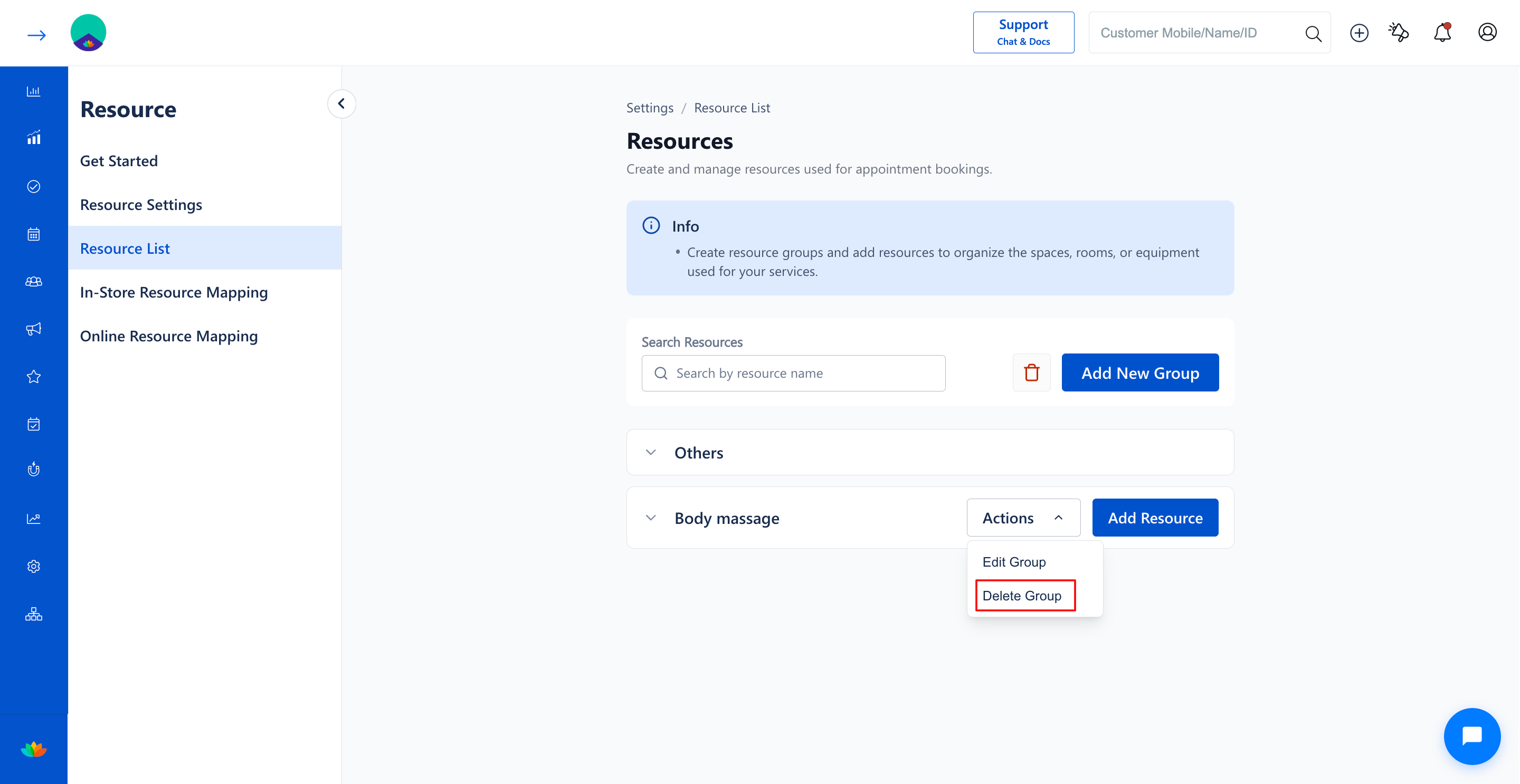
4. Select Delete Group from the dropdown menu, or click Delete inside the Update Resource Group modal.
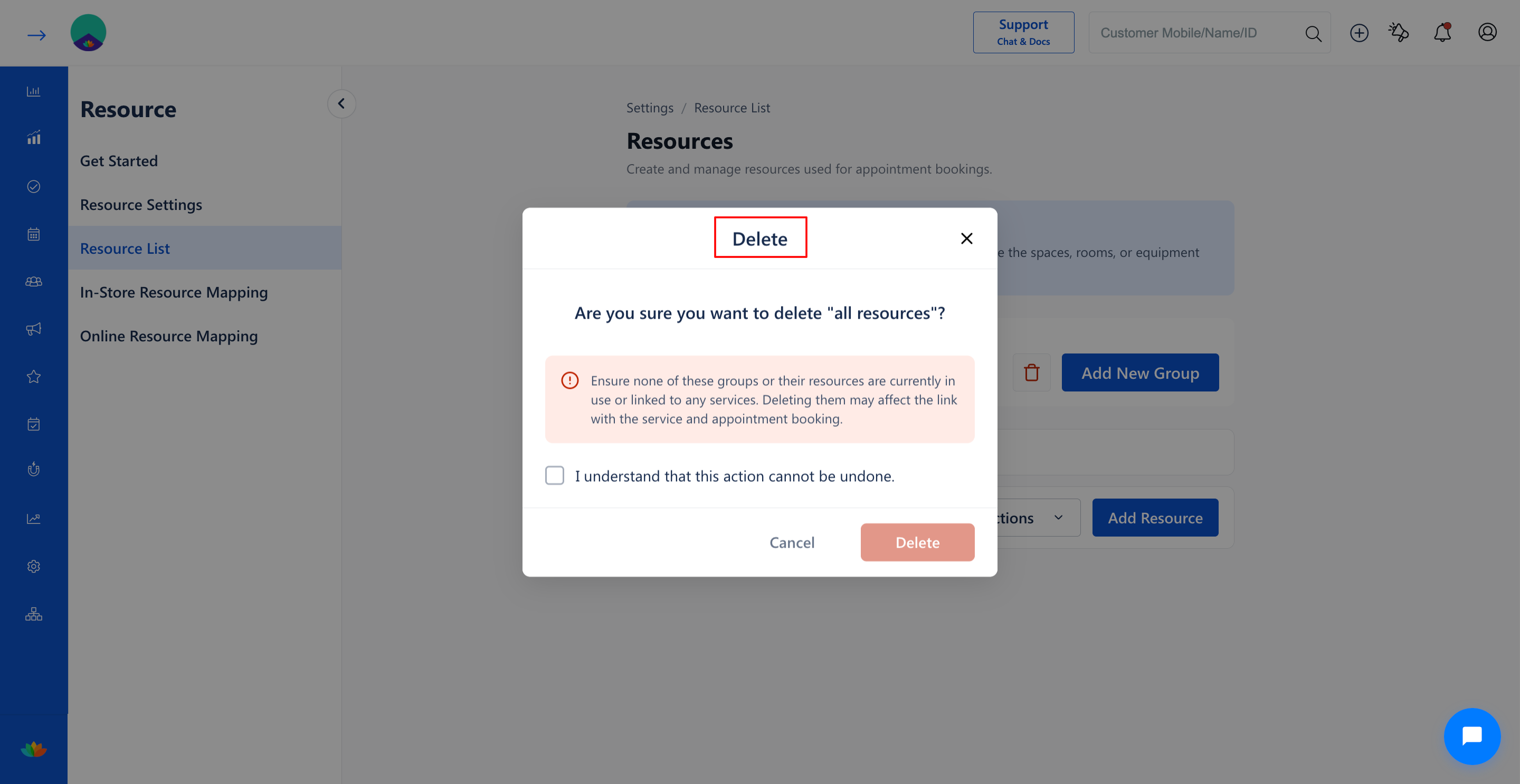
5. In the Delete Confirmation dialog window, verify the group name and click on the Delete button to confirm permanent deletion.
6. To perform a bulk deletion of all resources simultaneously, click on the Delete All trash icon next to the Add New Group button, check the acknowledgment box, and click Delete.
Note
Before deleting a resource group, ensure that none of the associated resources are currently mapped to active services or linked to pending future appointments.
Use Cases
1. Removing discontinued service departments such as retired tanning booths or specialized spa sections.
2. Clearing test or temporary resource categories created during initial software onboarding.
3. Restructuring overall salon operational floor plans during major business renovations.
Benefits
1. Prevents staff from mistakenly assigning obsolete rooms or equipment to new appointments.
2. Maintains an accurate and streamlined resource list for front-desk receptionists.
3. Reduces clutter across service mapping tables and booking calendar filters.
Was this article helpful?
That’s Great!
Thank you for your feedback
Sorry! We couldn't be helpful
Thank you for your feedback
Feedback sent
We appreciate your effort and will try to fix the article