How to Create a Resource Group in MioSalon ?
Overview
Resource Groups in MioSalon allow businesses to categorize and organize physical assets such as treatment rooms, styling chairs, spa beds, and specialized equipment into logical clusters.
Structuring resources into dedicated groups simplifies booking workflows, prevents scheduling conflicts, and streamlines staff assignment across multi-service salon operations.
Creating well-defined resource groups provides full visibility over facility capacity and ensures smooth day-to-day salon scheduling.
Follow the guided step-by-step instructions below to create a new resource group in MioSalon.
Navigation Path
Settings → Modules Settings → Resource → Resource List
Steps to Create a Resource Group
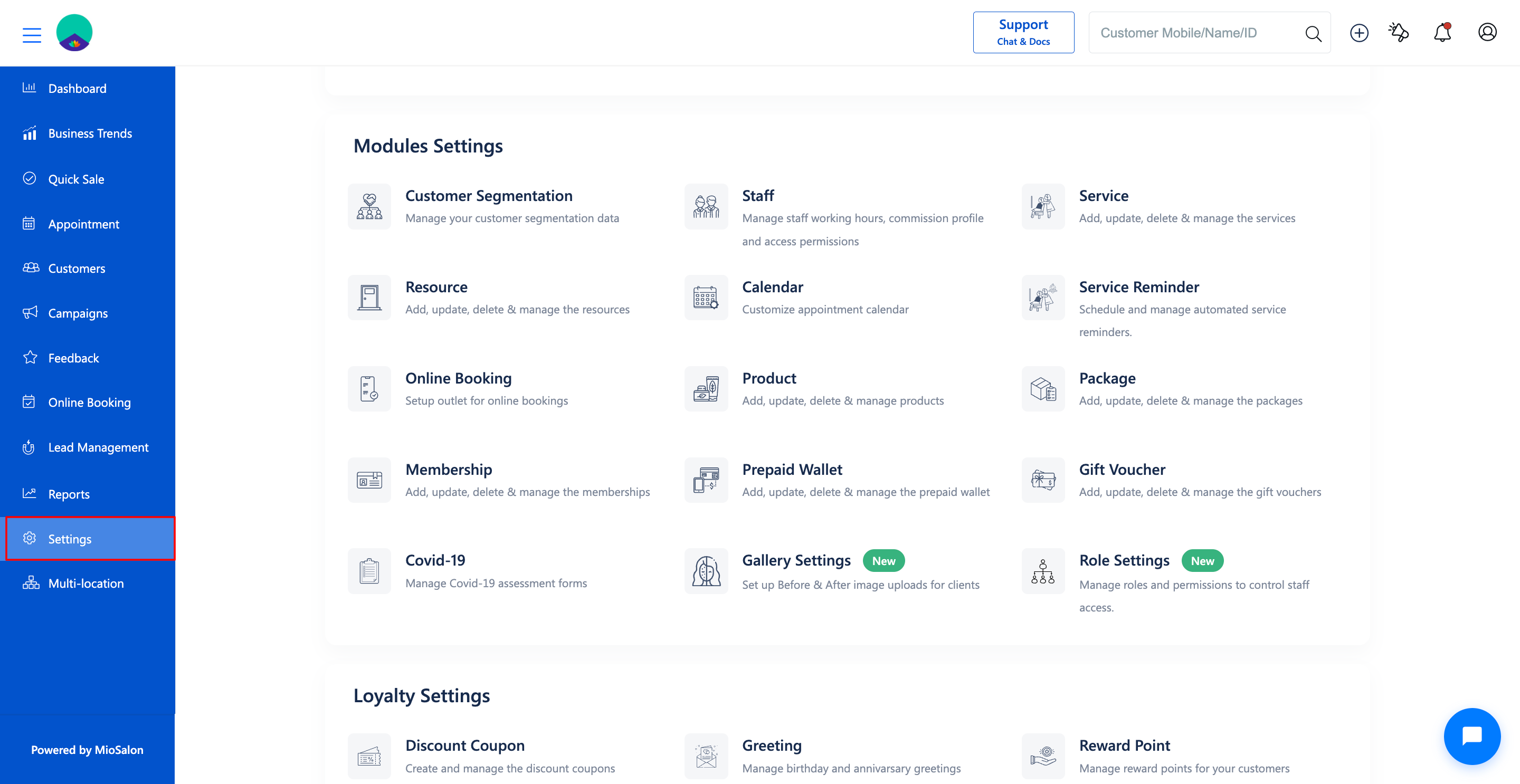
1. Navigate to the Settings module from the main left navigation bar.
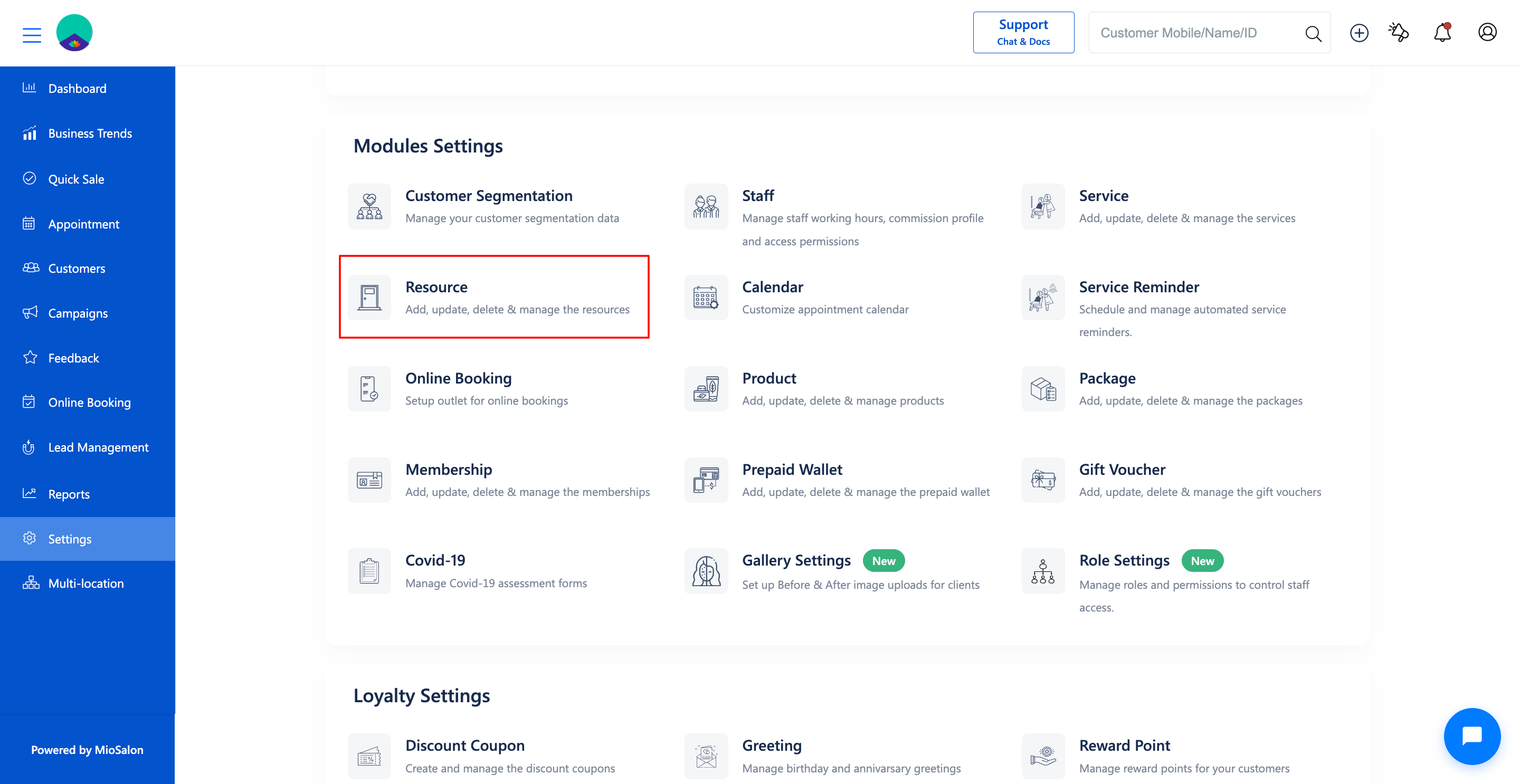
2. Click on the Resource card located under the Modules Settings section.
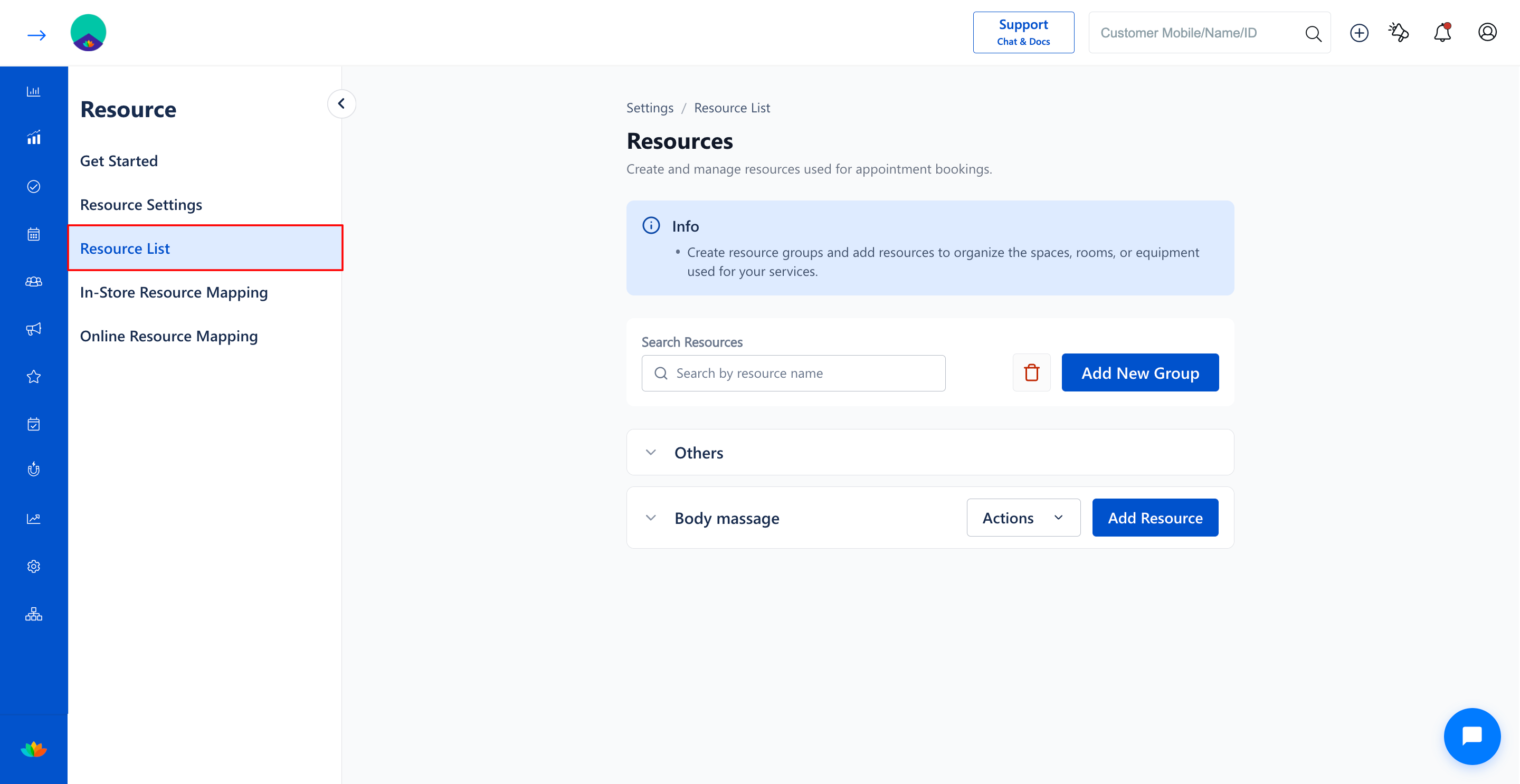
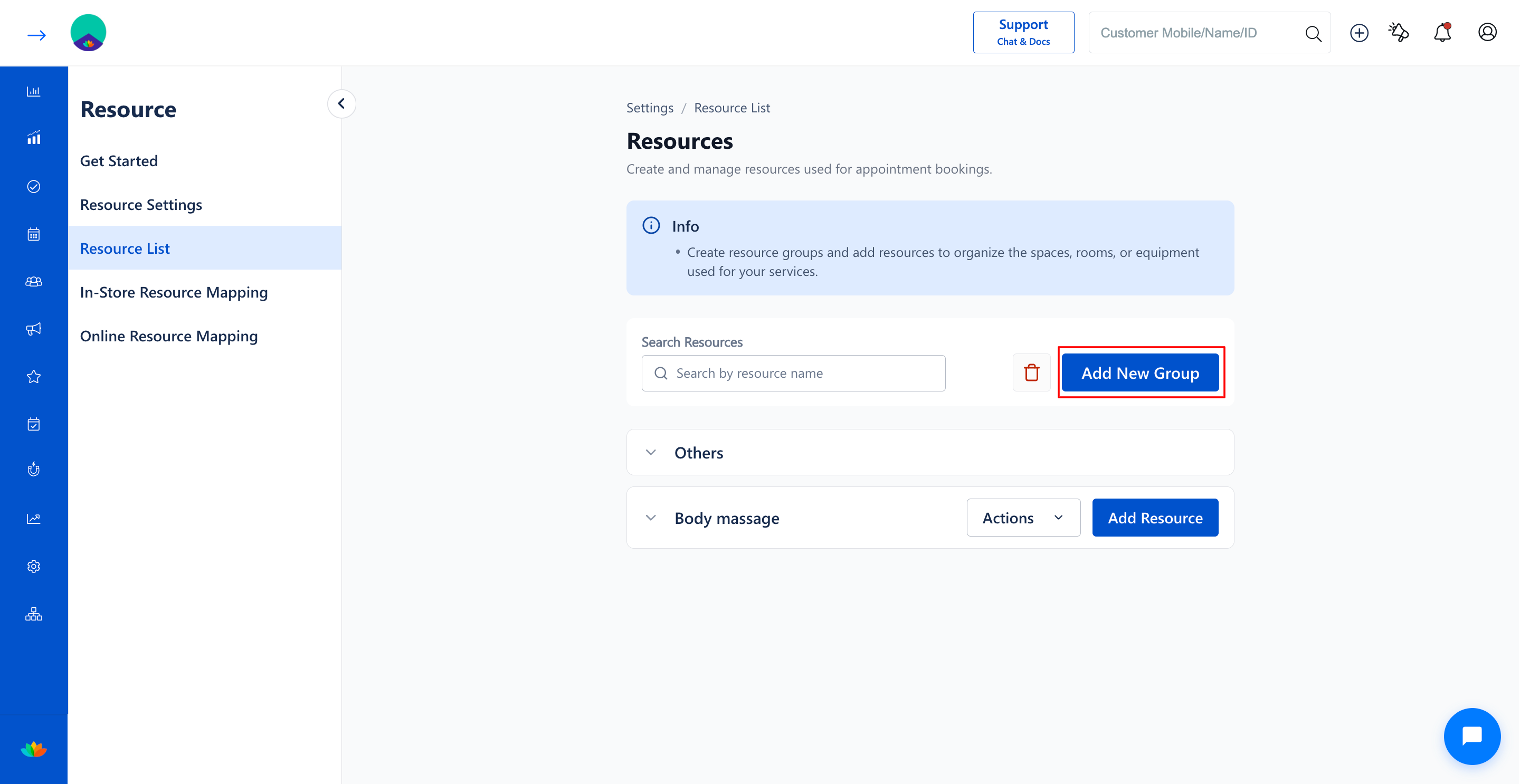
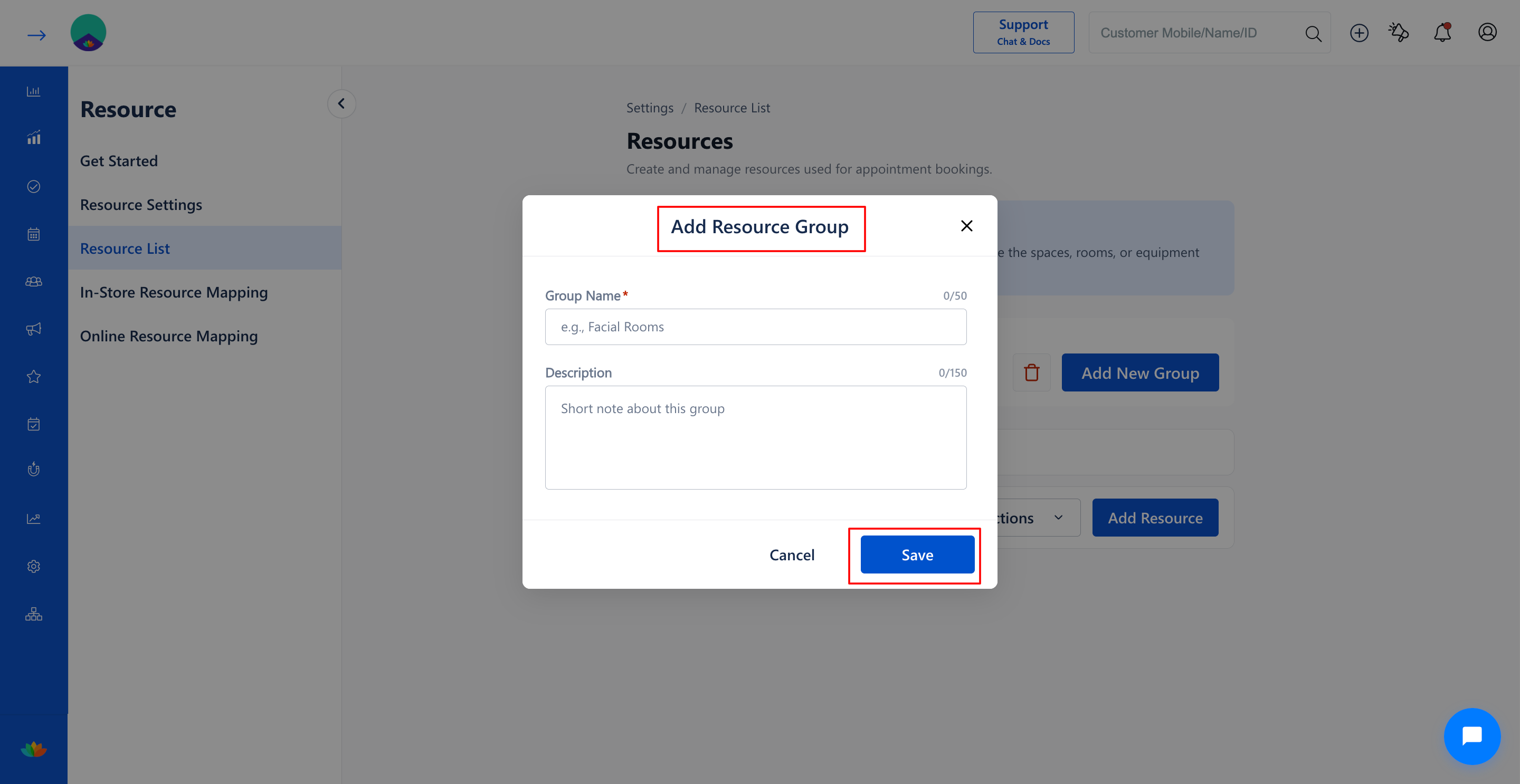
3. Select the Resource List tab from the left sub-navigation menu, then click on the Add New Group button on the top right.
4. In the Add Resource Group pop-up window, fill in the required group details:
• Group Name*: Enter a descriptive name for the resource group. (E.g., Facial Rooms). Note: Maximum 50 characters allowed.
• Description: Enter relevant details or usage notes about the group. (E.g., Dedicated private rooms for premium skincare and facial therapies). Note: Maximum 150 characters allowed.
5. Click on the Save button to create and add the new resource group to the list.
Note
Resource group names must be unique within your salon outlet to avoid confusion during appointment booking and resource mapping.
Use Cases
1. Classifying private treatment rooms into dedicated groups like Body Massage, Facial Rooms, and Hair Spa Suites.
2. Segmenting salon workstations such as Pedicure Stations, Manicure Tables, and Hair Styling Chairs.
3. Organizing high-demand aesthetic machinery and laser equipment for specialized salon services.
Benefits
1. Eliminates double-booking of salon rooms, chairs, and equipment during peak business hours.
2. Improves appointment booking speed by allowing receptionists to locate appropriate facilities instantly.
3. Enables precise service-to-resource mapping for both in-store appointments and online customer bookings.
Was this article helpful?
That’s Great!
Thank you for your feedback
Sorry! We couldn't be helpful
Thank you for your feedback
Feedback sent
We appreciate your effort and will try to fix the article