Overview
Deleting an hourly package in MioSalon allows administrators to permanently remove discontinued time-based packages from the salon service catalog.
Salons delete hourly packages when restructuring service packages or discontinuing promotional time bundles.
Removing obsolete hourly packages keeps the package catalog clean and prevents front-desk staff from mistakenly selling retired packages.
Follow the guided step-by-step instructions below to delete an hourly package in MioSalon.
Navigation Path
Settings → Modules Settings → Package → Package List
Steps to Delete a Hourly Package
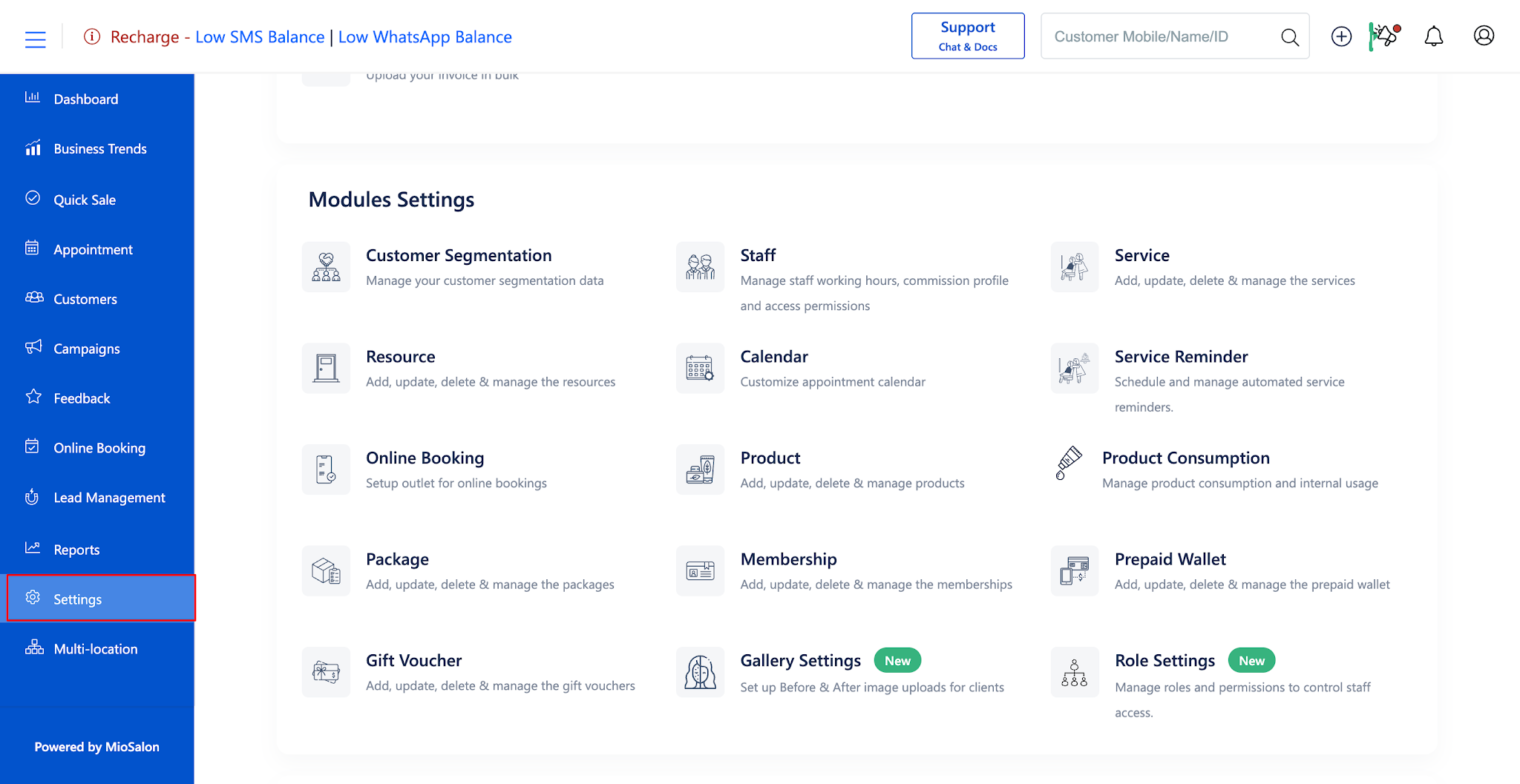
1. Navigate to the Settings module from the main left navigation bar and click on the Package card under the Modules Settings section.
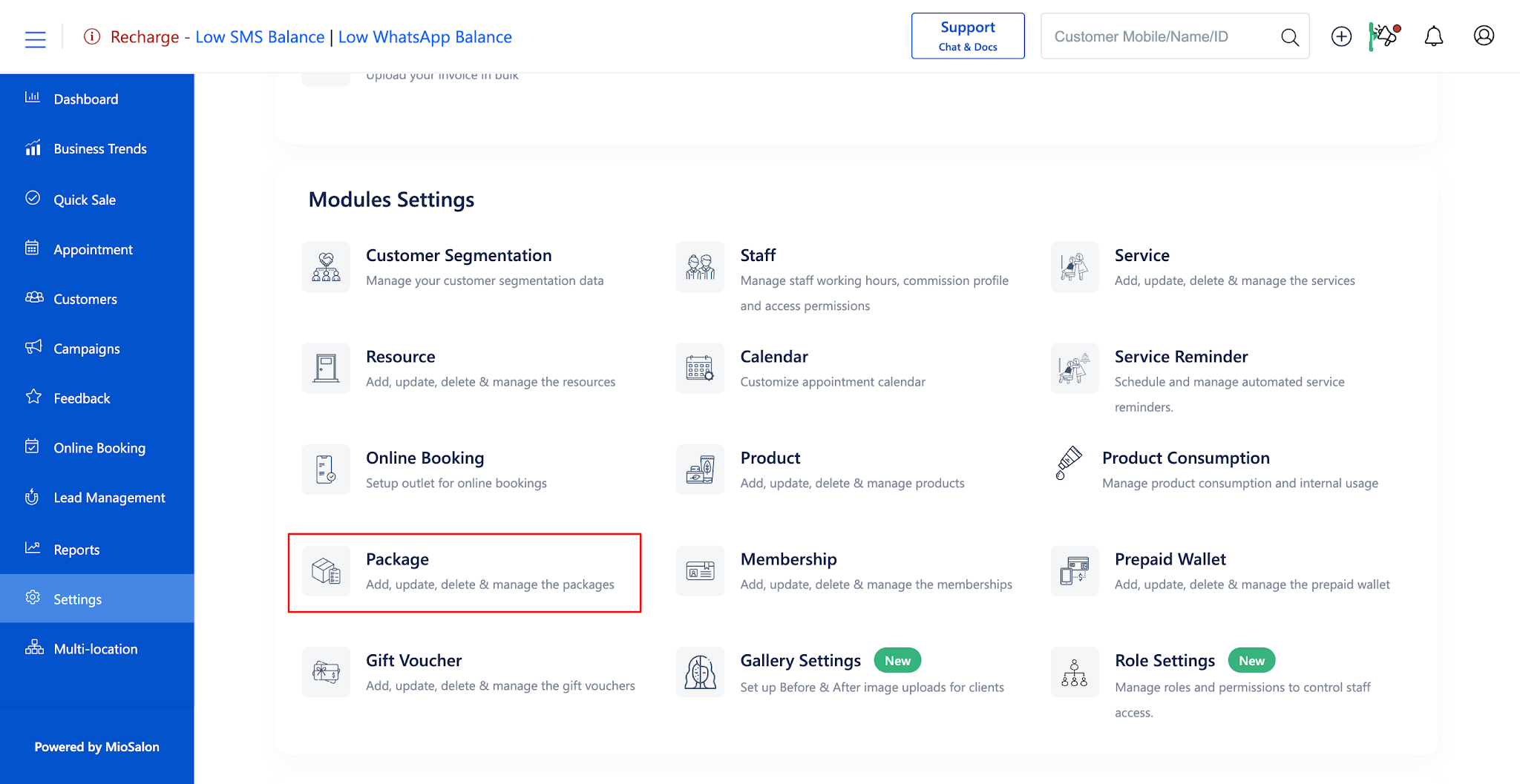
2. Select the Package List tab from the left sub-navigation menu to view all active packages.
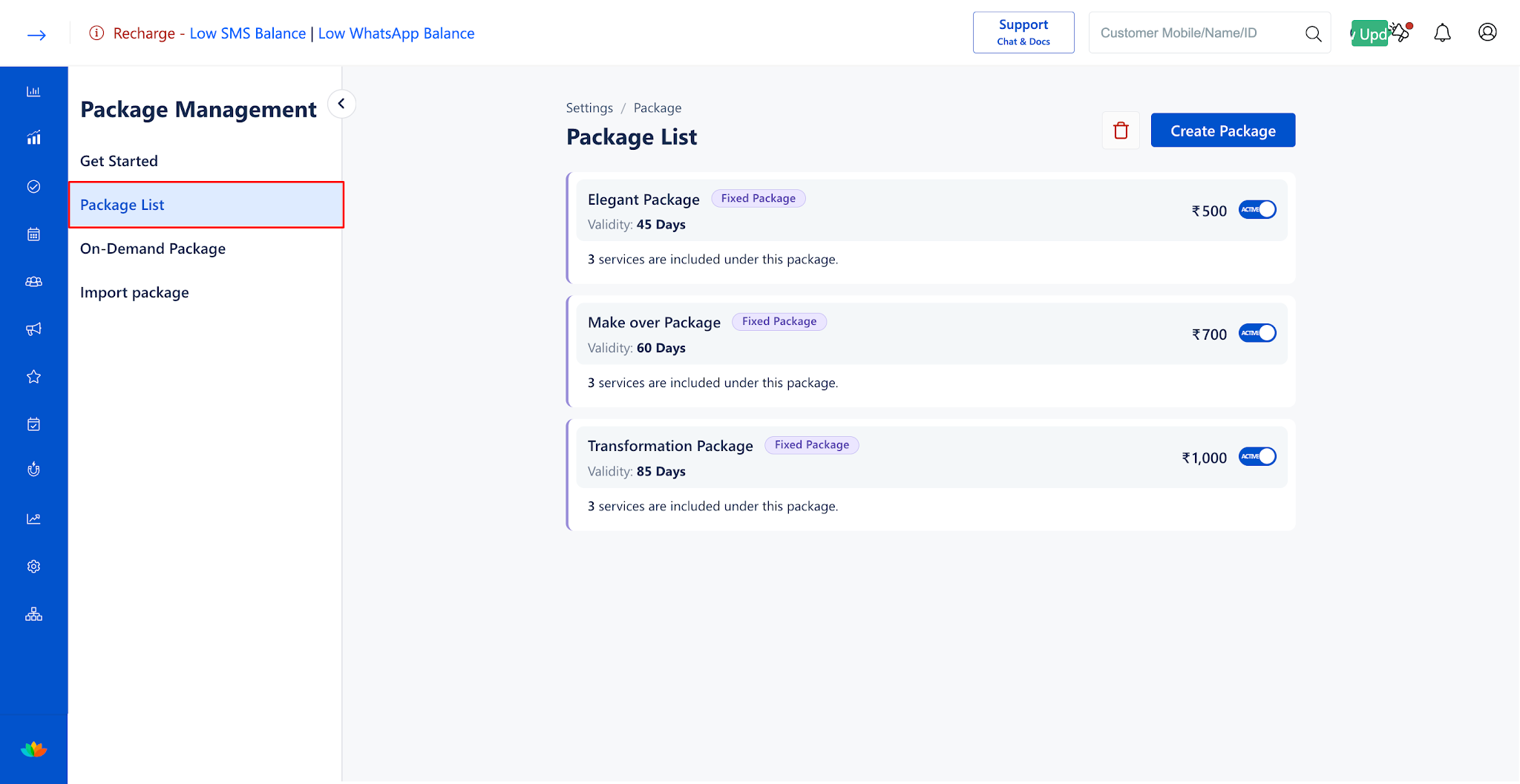
3. Locate the target hourly package and click on the package card to open the package details screen.
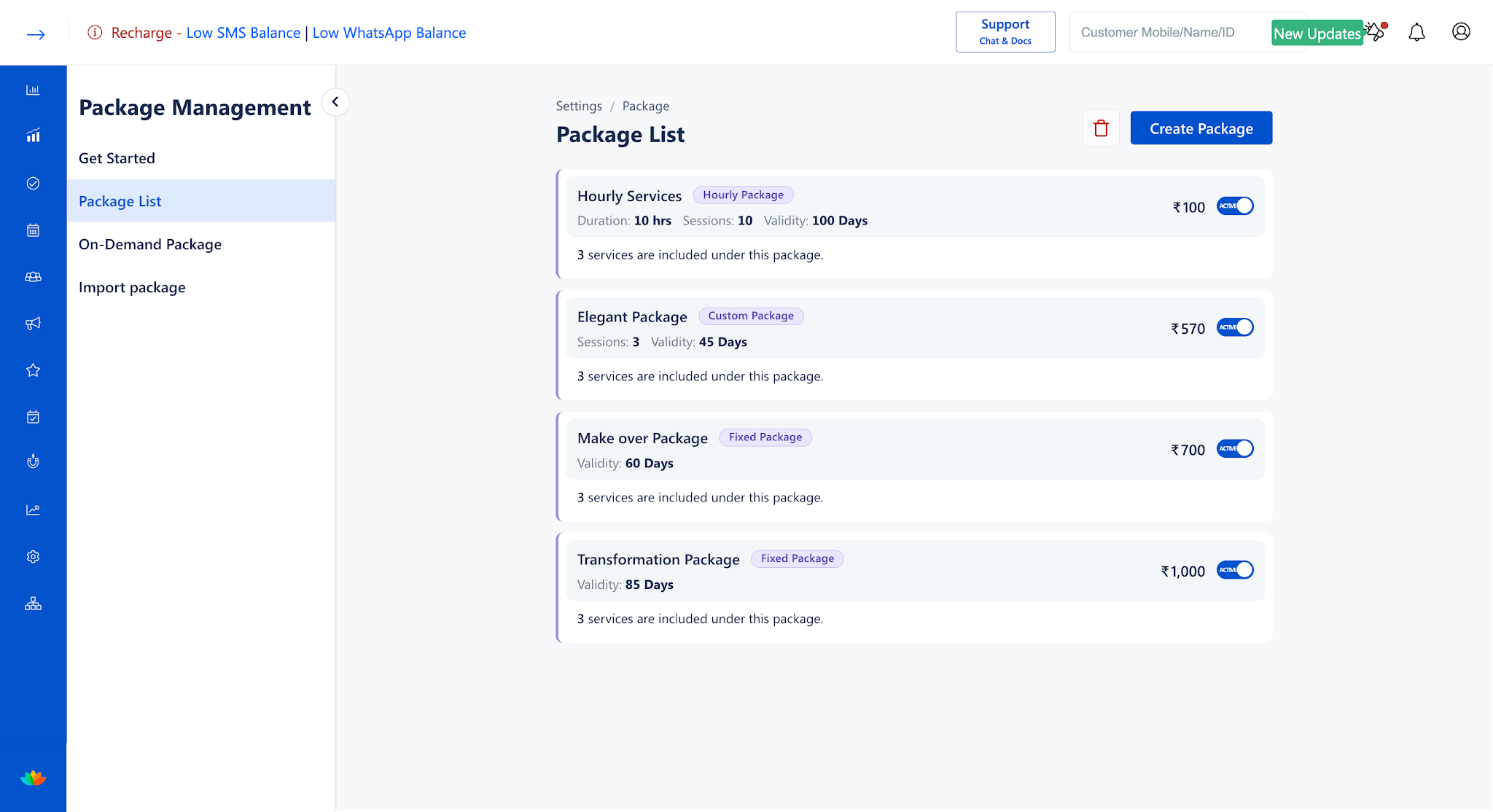
4. Scroll to the bottom of the page and click on the red Delete button located on the bottom-left corner.
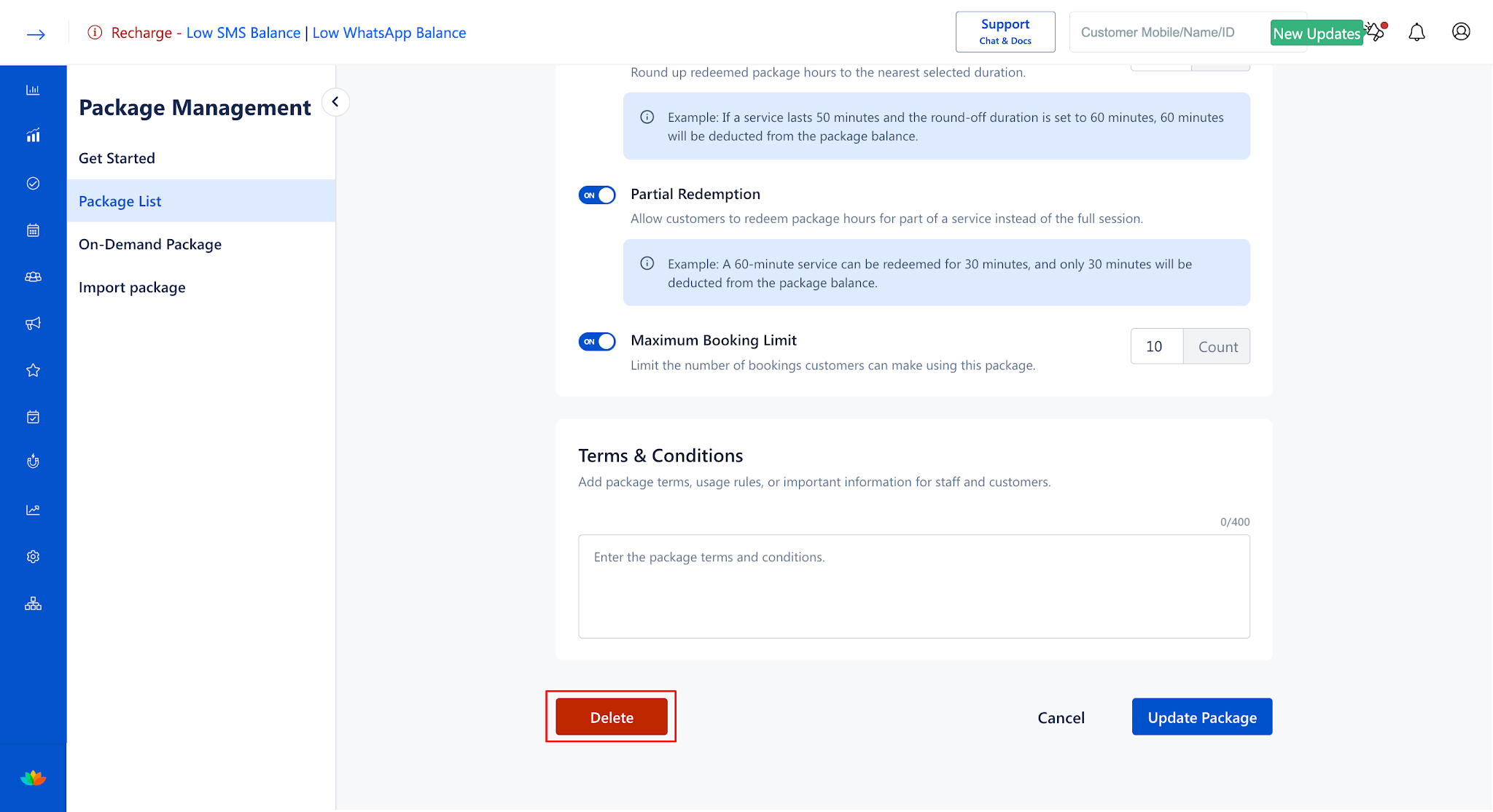
5. In the delete confirmation prompt, review the alert notice and confirm the deletion to permanently remove the hourly package from your catalog.
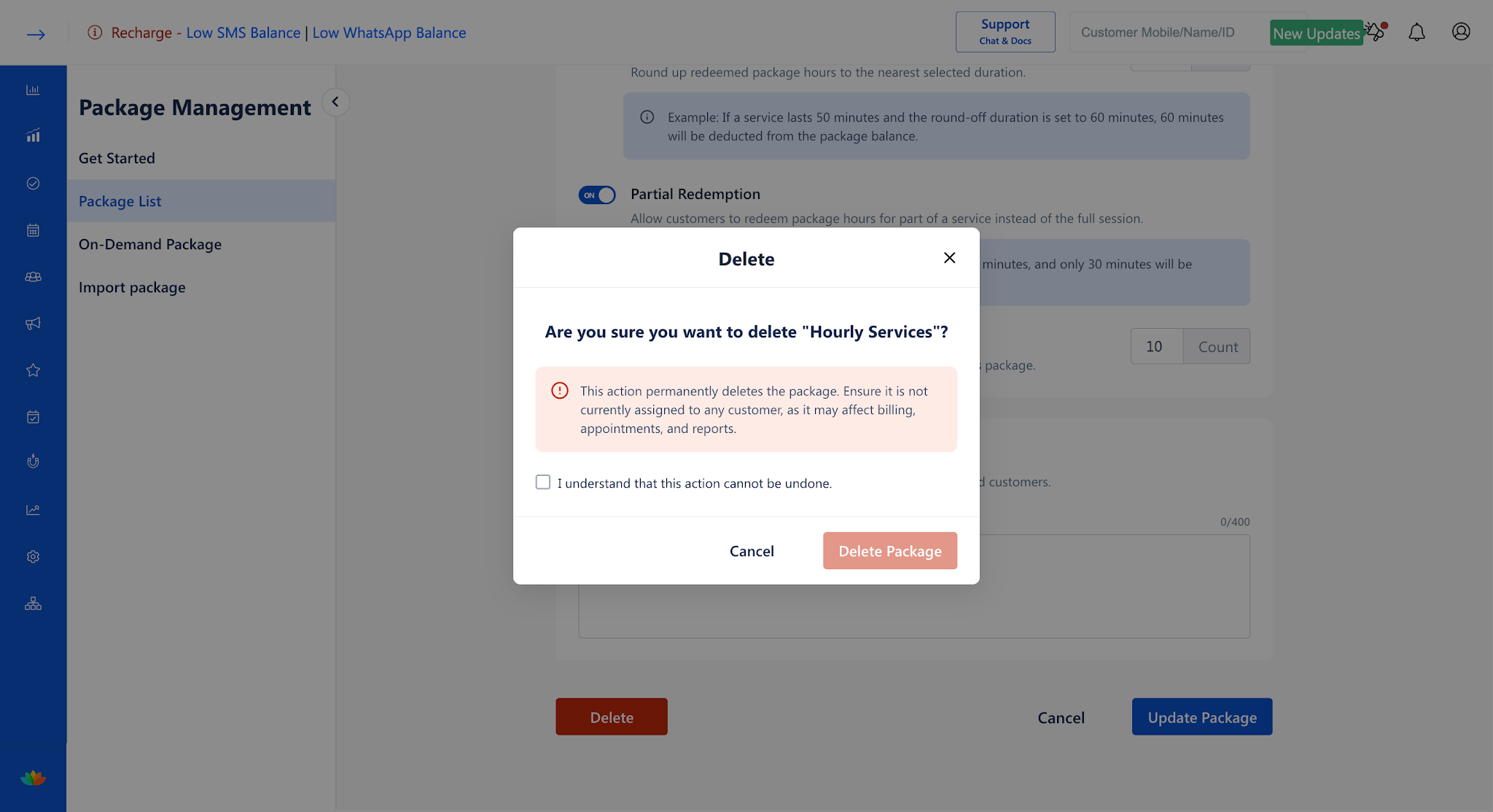
Note
Package deletion is irreversible and permanently removes the package template. Ensure that all active customer time balances have been fully redeemed prior to deletion.
Use Cases
1. Retiring promotional seasonal time packages after marketing campaigns conclude.
2. Removing obsolete test hourly packages created during staff software training.
3. Purging discontinued service hours packages during annual menu overhaul.
Benefits
1. Prevents staff from accidentally selling discontinued time packages at checkout.
2. Maintains an uncluttered and efficient package selection screen for cashiers.
3. Ensures complete alignment between salon promotional campaigns and active packages.
Was this article helpful?
That’s Great!
Thank you for your feedback
Sorry! We couldn't be helpful
Thank you for your feedback
Feedback sent
We appreciate your effort and will try to fix the article