Overview
The Delete Hourly Package On-Demand feature in MioSalon allows front-desk staff to remove a time-based hourly package and all booked service durations from the Quick Sale cart.
Salons utilize this feature when a customer chooses an alternative payment method, opts for standalone service billing, or cancels the time pass purchase.
Deleting an on-demand hourly package resets duration deductions, removes bundled services, and recalculates the grand total instantly.
Follow the guided step-by-step instructions below to delete an on-demand package for an hourly package in MioSalon.
Navigation Path
Navigation Bar → Quick Sale
Steps to Delete an On-Demand package for Hourly Package
1. Click on the Quick Sale icon from the main left navigation bar.
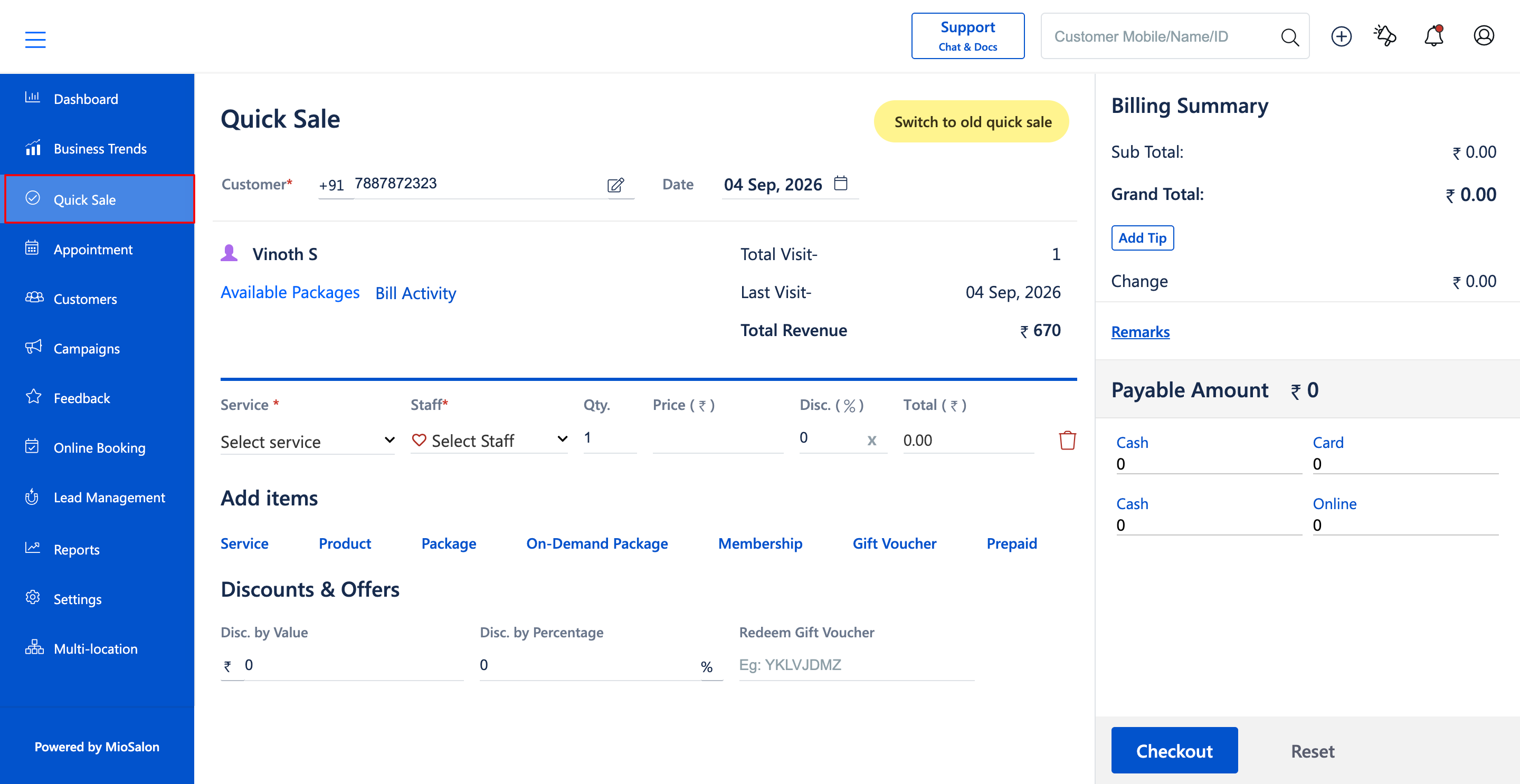
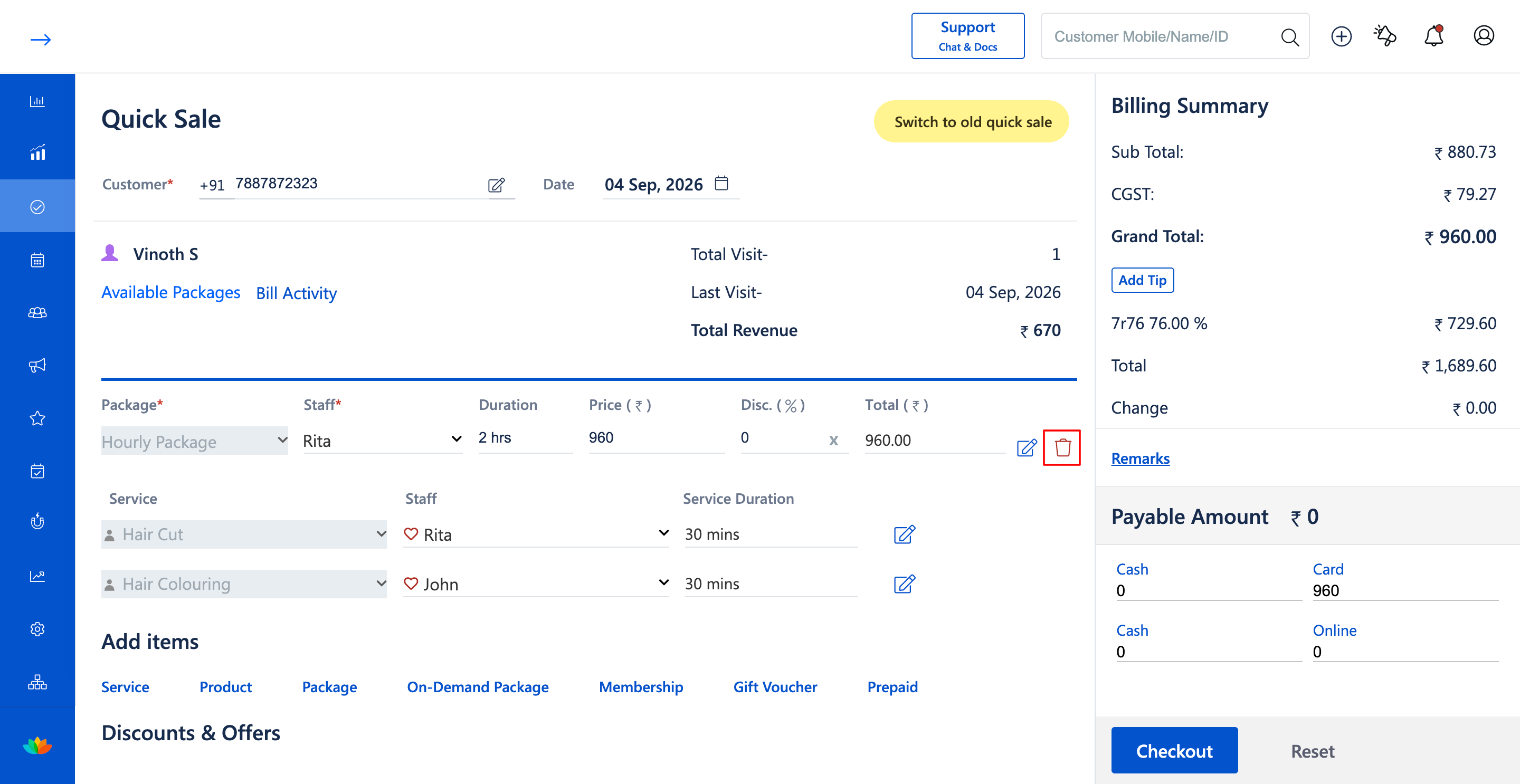
2. In the Quick Sale cart, locate the Hourly Package line item (E.g., Hourly Package - Price ₹960.00, 2 hrs).
3. Click on the Delete icon (red trash can icon) next to the Hourly Package entry.
4. Confirm the deletion prompt to remove the hourly package from the current sale.
5. Confirm that the hourly package and all scheduled service durations (E.g., Hair Cut, Hair Colouring) are removed from the item list.
6. Verify that the Billing Summary updates to reflect the removed package charge and tax values.
Note
Deleting an hourly package cancels the time allotment and removes all associated time-deducted services from the current invoice. If the client still wishes to receive the services, add them as regular standalone services.
Use Cases
1. Removing an hourly package when a client decides against prepaid time blocks.
2. Clearing unconfirmed time passes before closing out other cart items.
Benefits
1. Eliminates accidental time pass sales with instant one-click deletion.
2. Removes all associated time-slotted services simultaneously.
3. Keeps billing records clean and error-free.
Was this article helpful?
That’s Great!
Thank you for your feedback
Sorry! We couldn't be helpful
Thank you for your feedback
Feedback sent
We appreciate your effort and will try to fix the article