How to Create a Custom Package in MioSalon ?
Overview
Custom packages in MioSalon provide clients with the flexibility to choose and redeem a set number of services from an eligible group of treatments.
Salons and spas use custom packages to cater to personalized client preferences, such as allowing customers to pick any 5 wellness services from a pool of 10 options.
Offering customizable service bundles enhances customer satisfaction, boosts package sales, and encourages clients to experience diverse salon offerings.
Follow the guided step-by-step instructions below to create a custom package in MioSalon.
Navigation Path
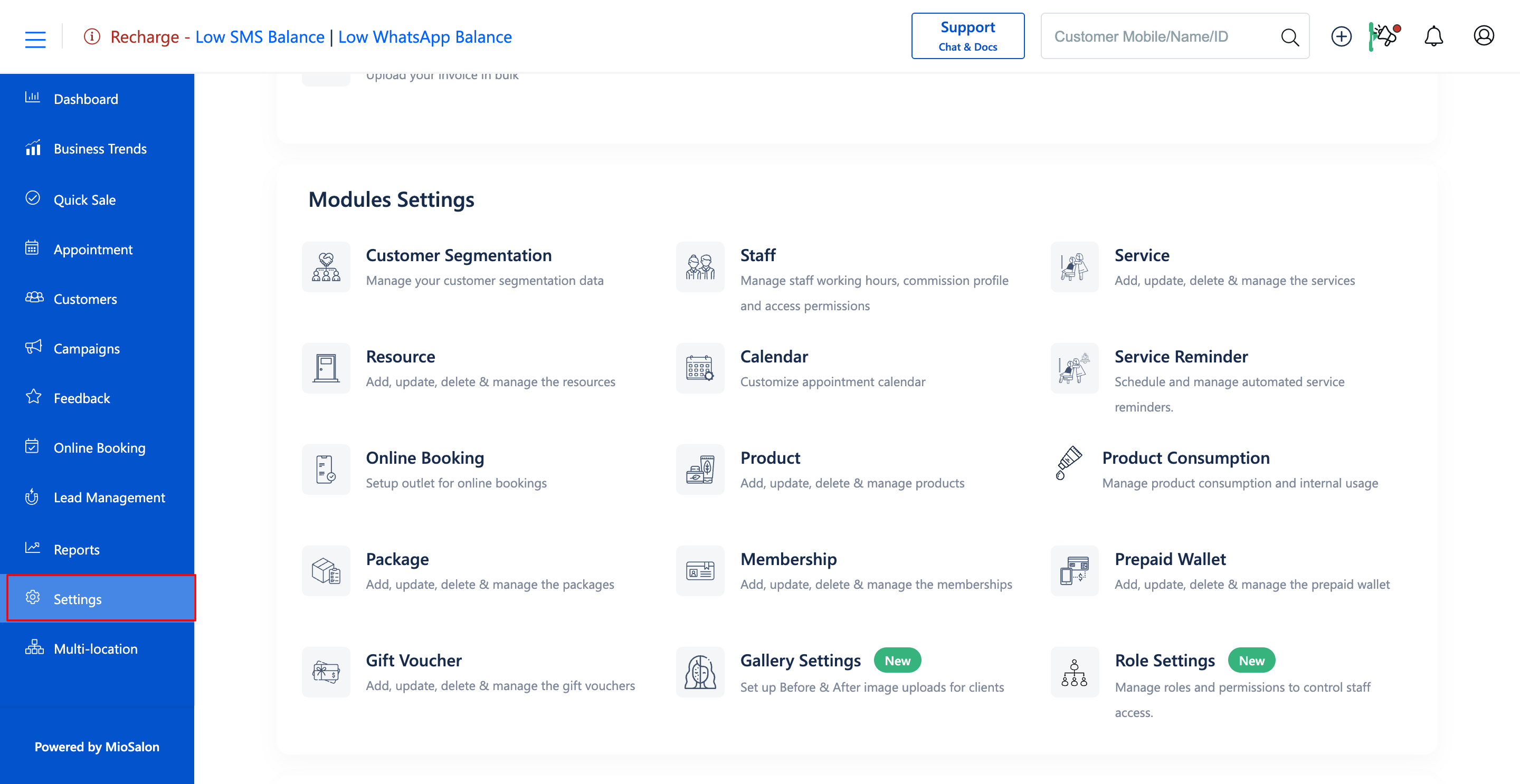
Settings → Modules Settings → Package → Package List
Steps to Create a Custom Package
1. Navigate to the Settings module from the main left navigation bar and click on the Package card under the Modules Settings section.
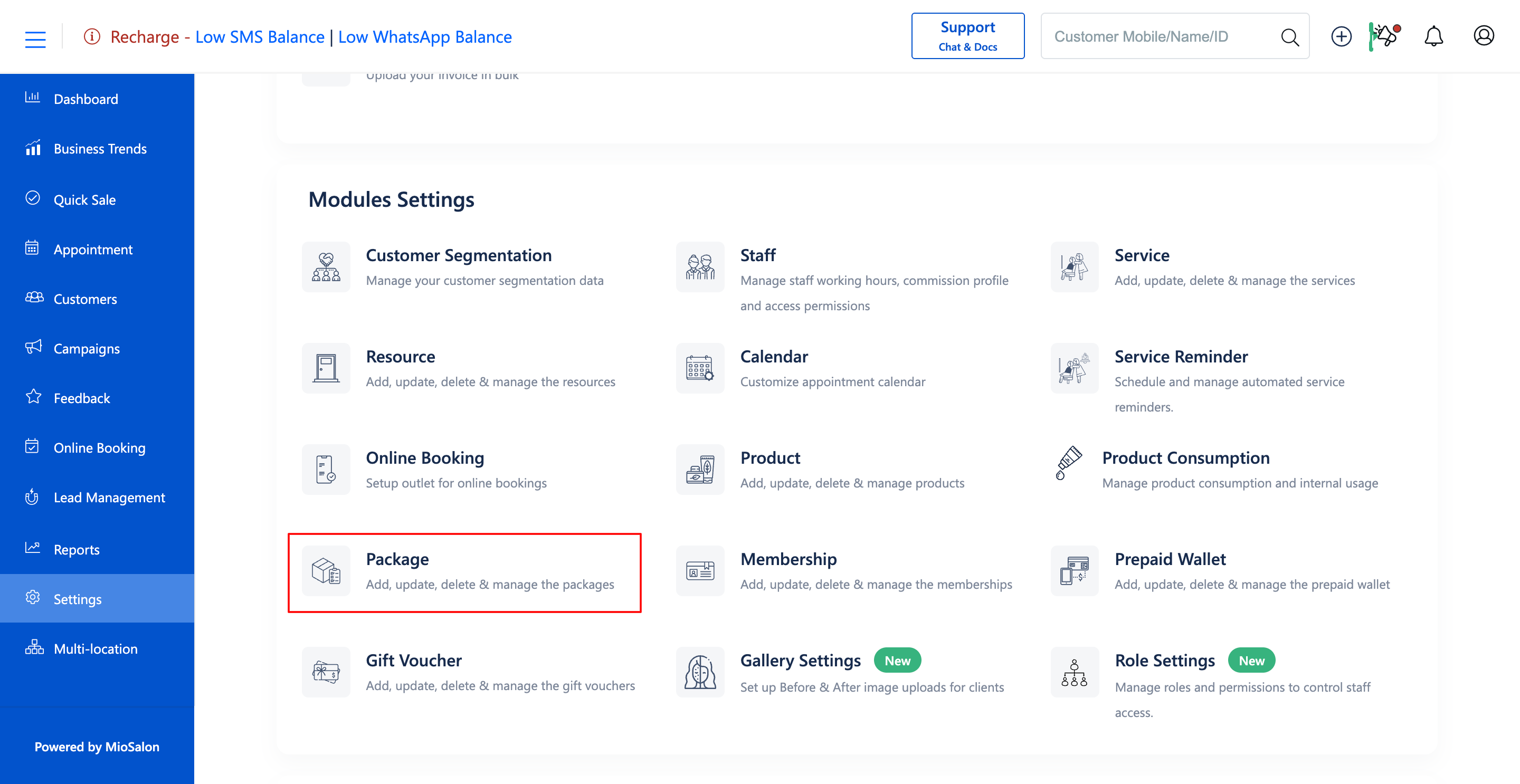
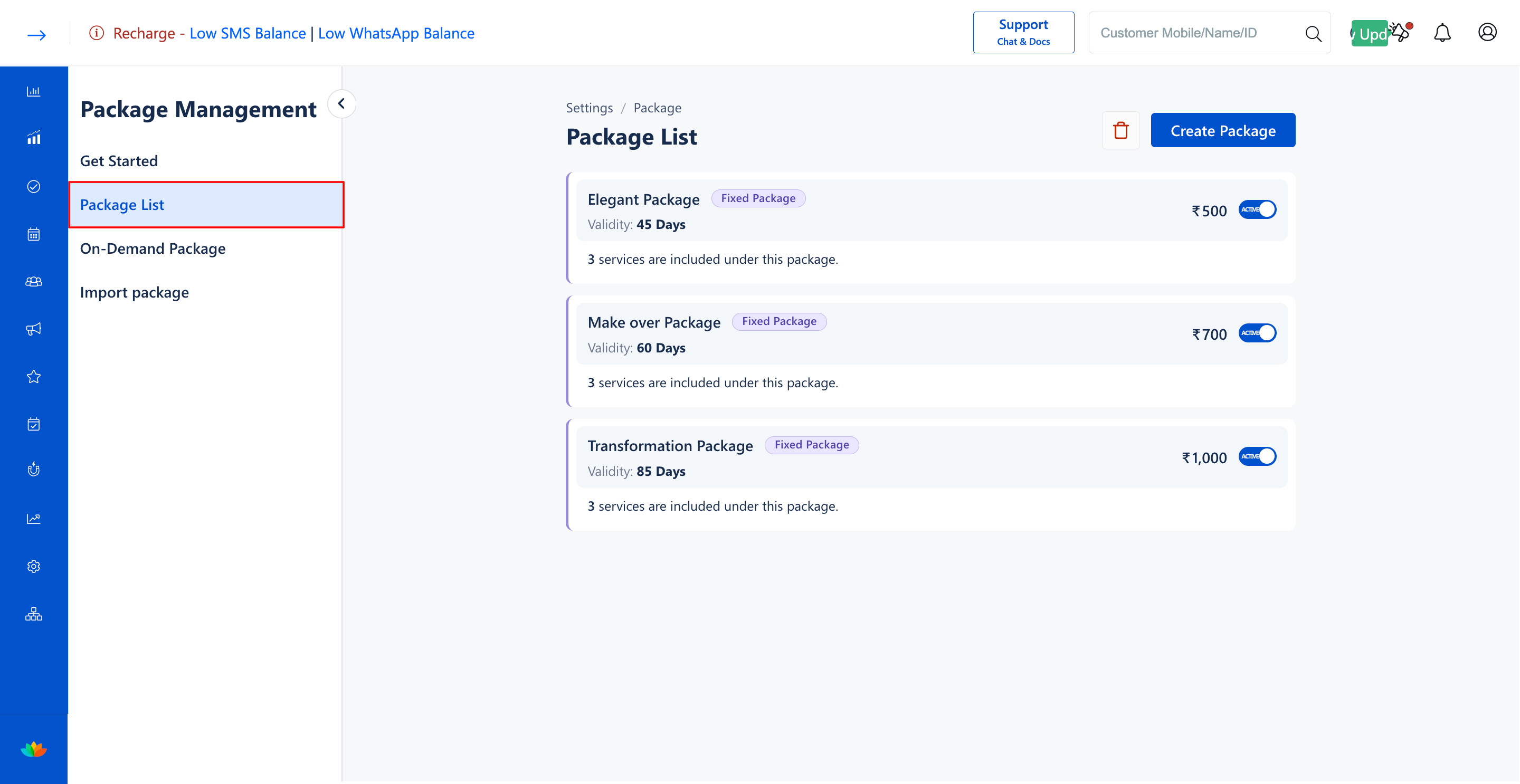
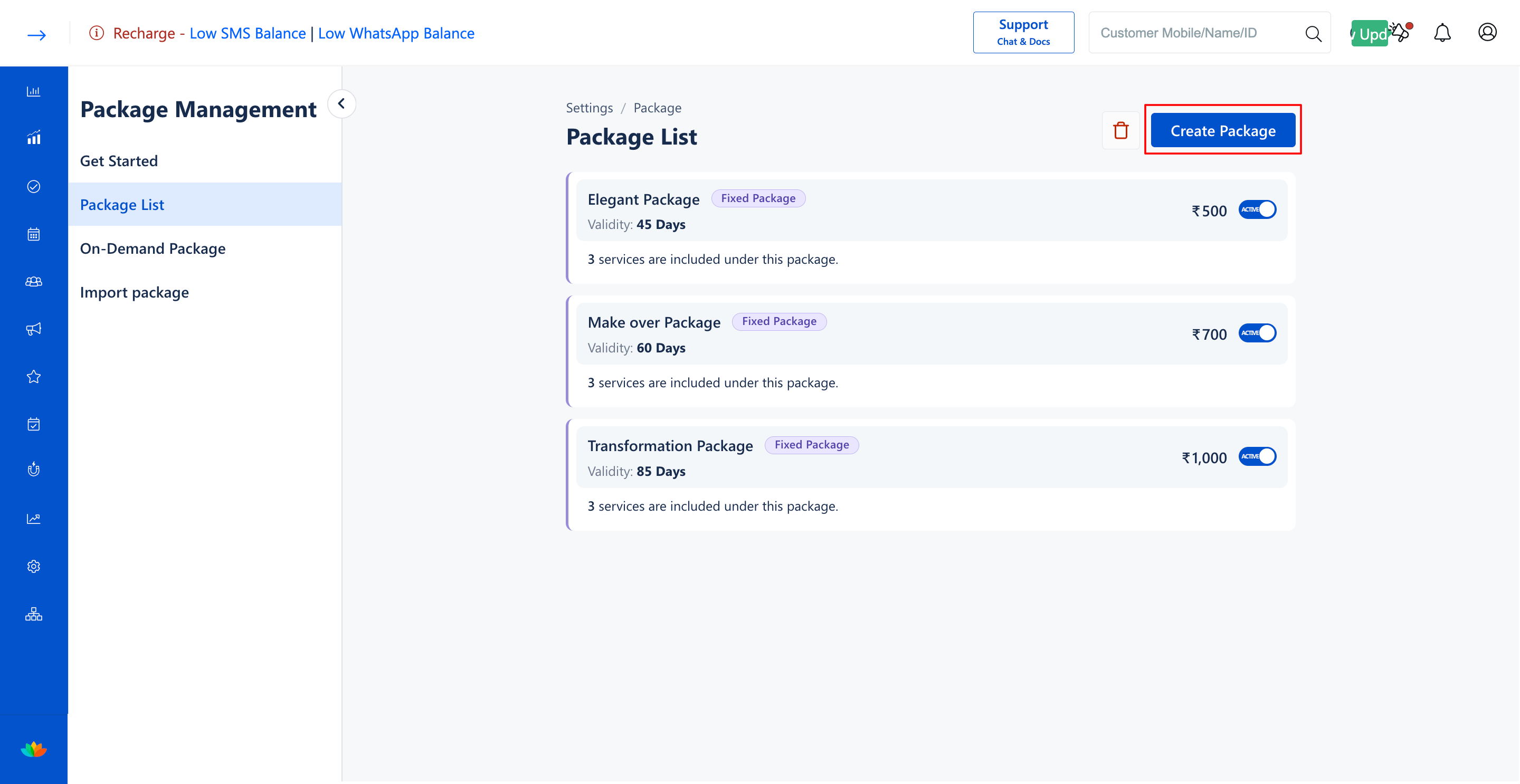
2. Select the Package List tab from the left sub-navigation menu and click on the Create Package button.
3. In the Package Type section, click on the Package Type* dropdown and select Custom Package.
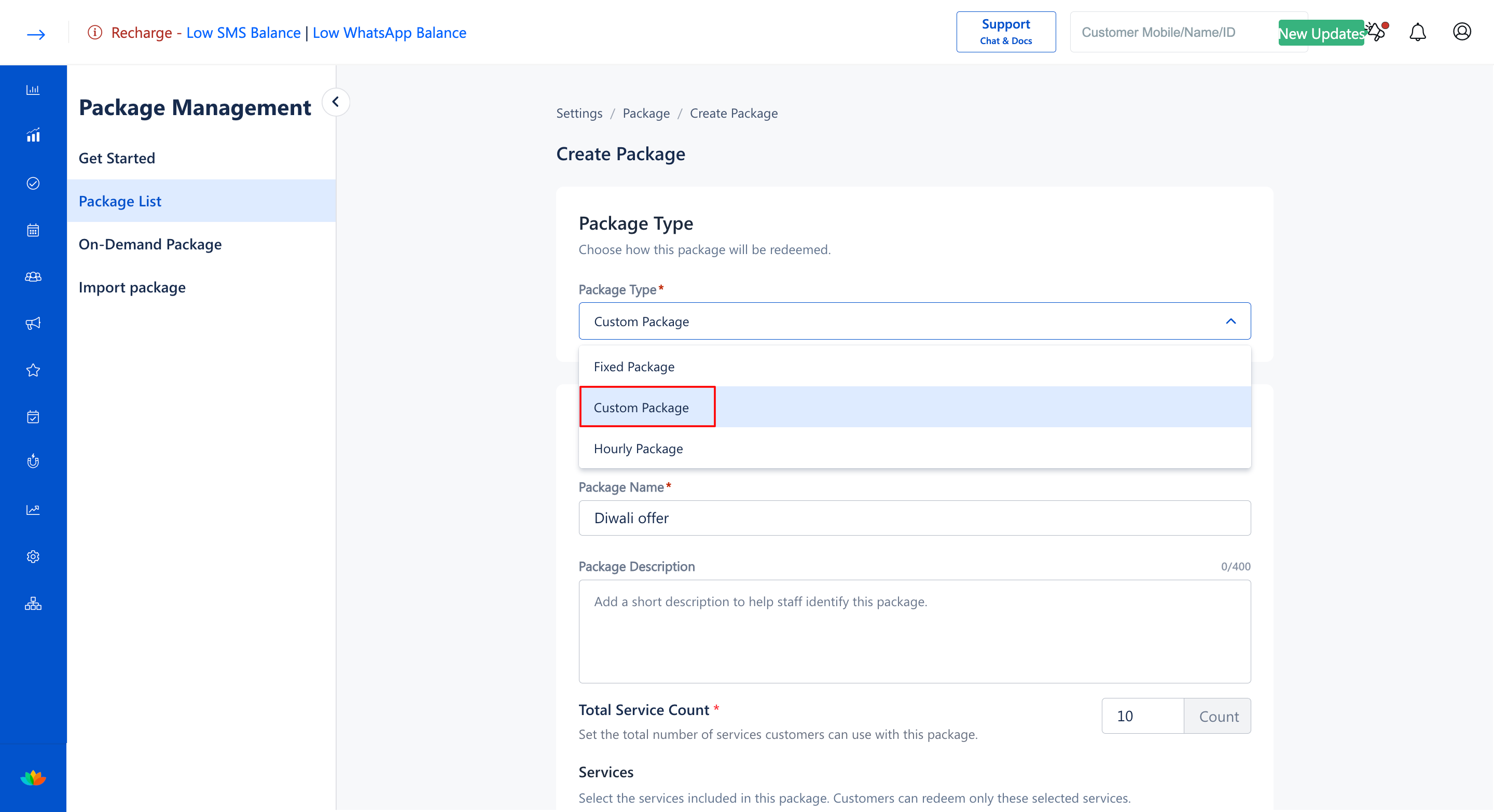
4. In the Package Details section, fill in the following package attributes:
• Package Name*: Enter a name for the custom package. (E.g., Weekend Spa Retreat)
• Package Description: Enter a helpful description for salon staff. (E.g., Flexible wellness package allowing clients to select any 5 premium spa treatments.)
• Total Service Count*: Enter the maximum total number of services the customer can redeem under this package. (E.g., 5 Count)
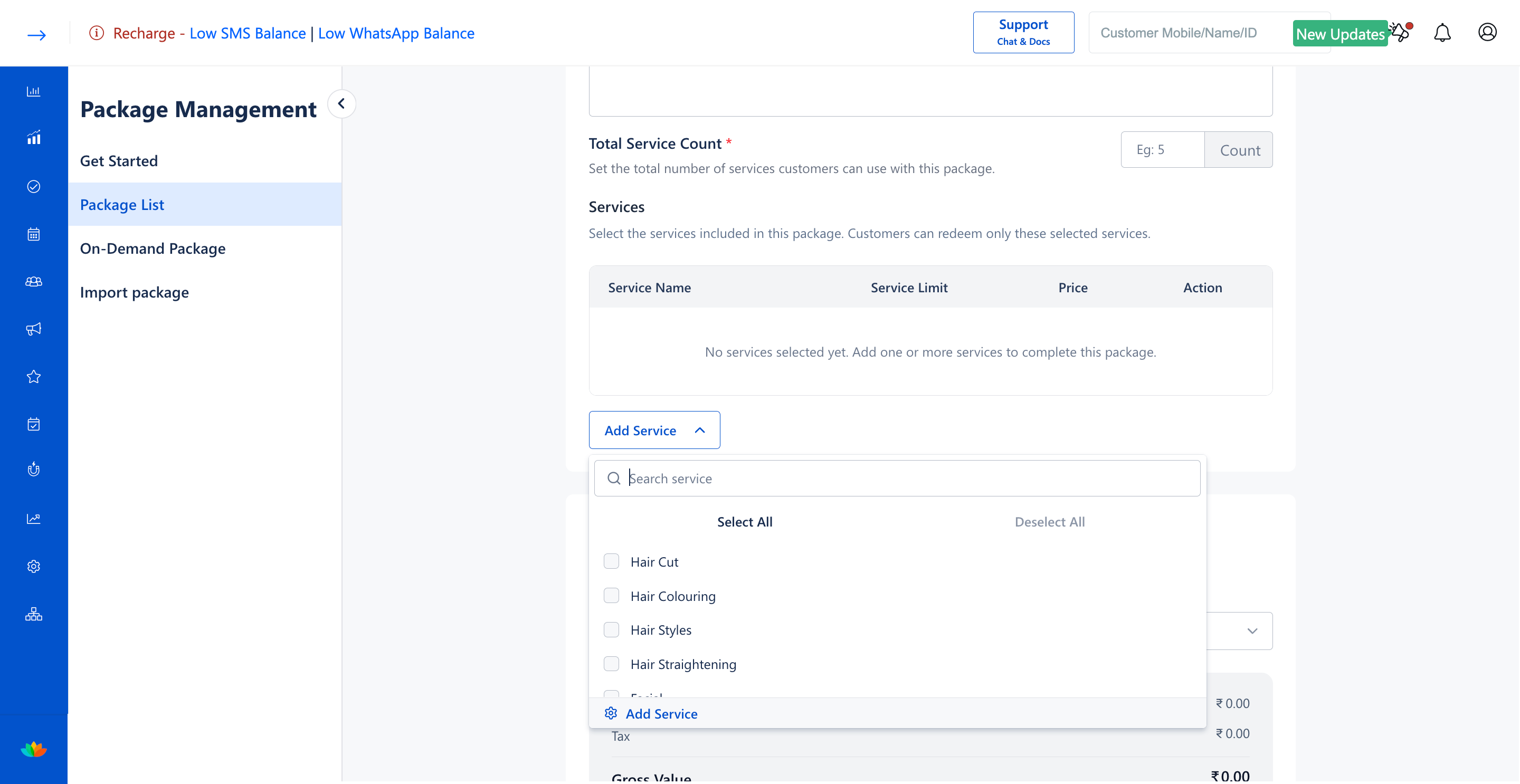
5. In the Services section, click on the Add Service button and select the eligible pool of services from which customers can choose. (E.g., Hair Cut, Hair Colouring, Facial, Hair Straightening).
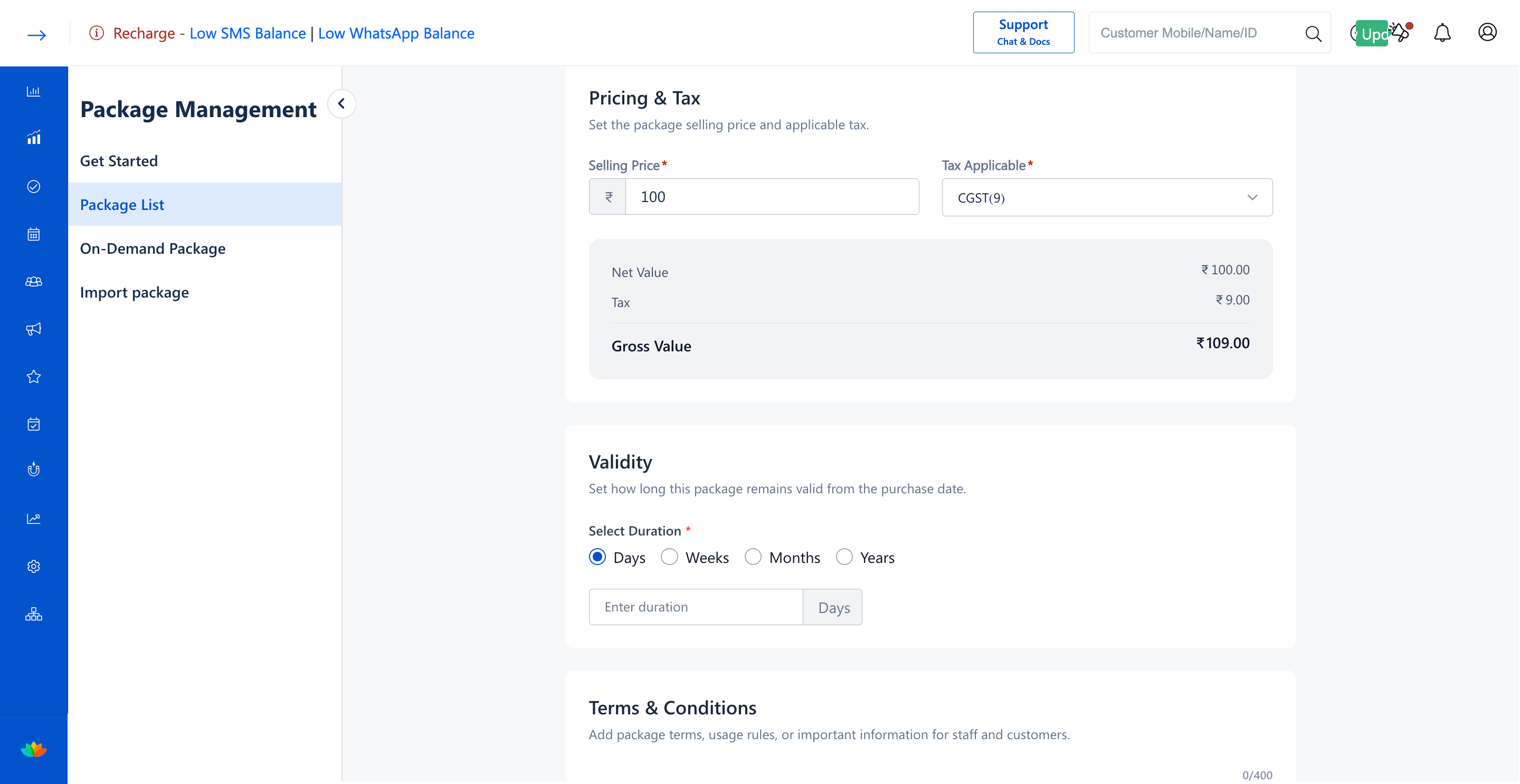
6. In the Pricing & Tax section, configure the total selling price and applicable tax:
• Selling Price*: Enter the fixed selling price of the custom package. (E.g., 3000)
• Tax Applicable*: Choose the applicable tax slab from the dropdown. (E.g., GST(18.0))
7. In the Validity section, specify how long the custom package remains valid from the purchase date. (E.g., 90 Days).
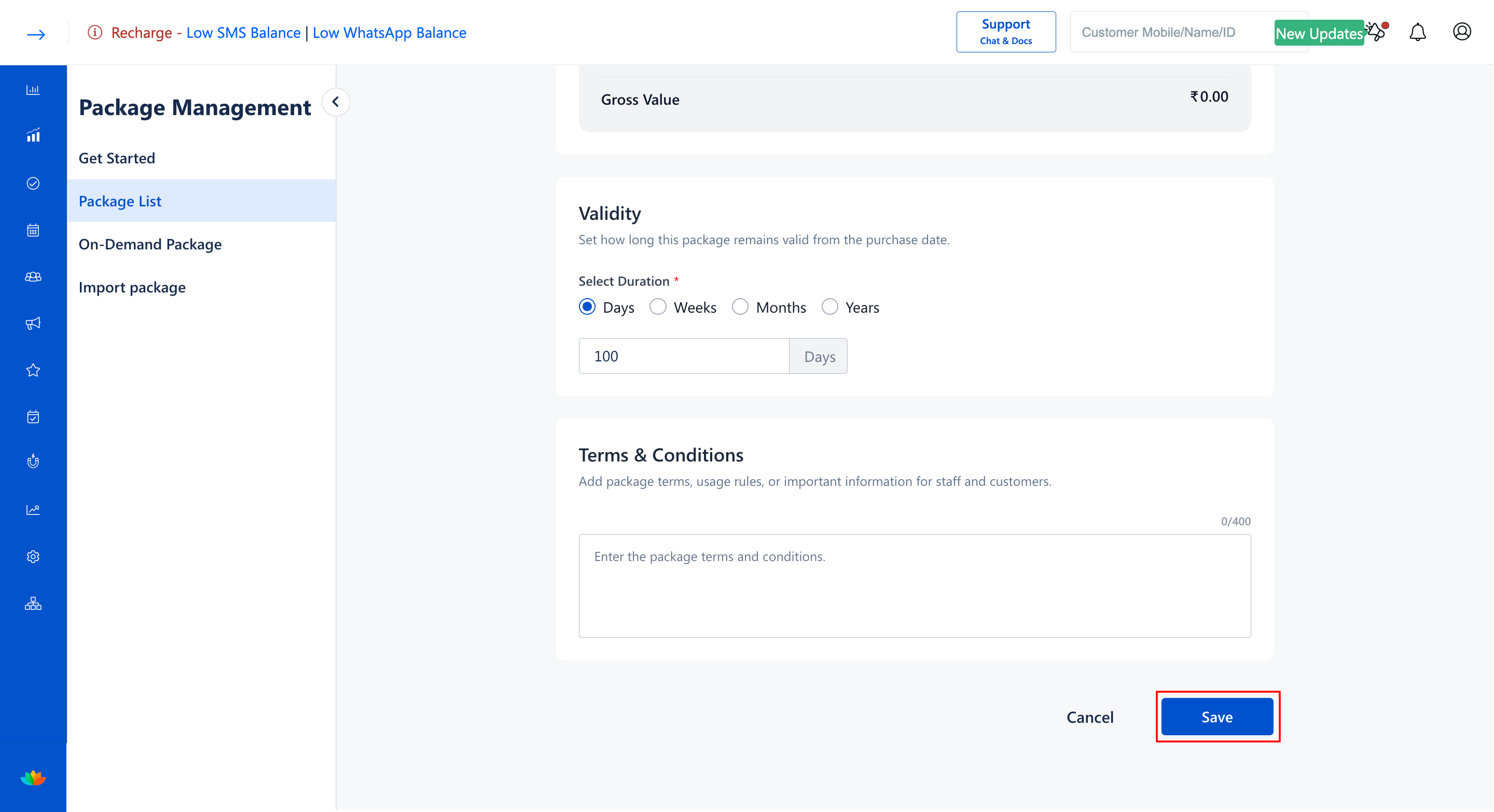
8. In the Terms & Conditions section, enter redemption guidelines or terms. (E.g., Services subject to prior appointment booking.)
9. Click on the Save button to finalize and publish the custom package.
Note
Under a custom package, clients can choose any combination of eligible services during future visits until the defined total service count is fully exhausted.
Use Cases
1. Offering Pick Any 5 packages where clients select 5 services from haircuts, pedicures, facials, and massages.
2. Creating bridal party bundles allowing bridesmaids to choose their preferred styling treatments.
3. Designing corporate wellness vouchers with flexible grooming choices.
Benefits
1. Increases package sales by empowering customers with personalized treatment choices.
2. Simplifies inventory and booking management for multi-service salons.
3. Provides automated deduction of service credits regardless of the specific eligible service chosen.
Was this article helpful?
That’s Great!
Thank you for your feedback
Sorry! We couldn't be helpful
Thank you for your feedback
Feedback sent
We appreciate your effort and will try to fix the article