Overview
Updating hourly packages in MioSalon enables salon administrators to modify total hour allocations, adjust service scopes, update pricing, and refine redemption rules.
Businesses need to update hourly packages when adjusting hourly service rates or revising booking duration restrictions.
Modifying active hourly packages ensures your package offerings stay synchronized with current business policies while preserving existing client balances.
Follow the guided step-by-step instructions below to update an hourly package in MioSalon.
Navigation Path
Settings → Modules Settings → Package → Package List
Steps to Update a Hourly Package
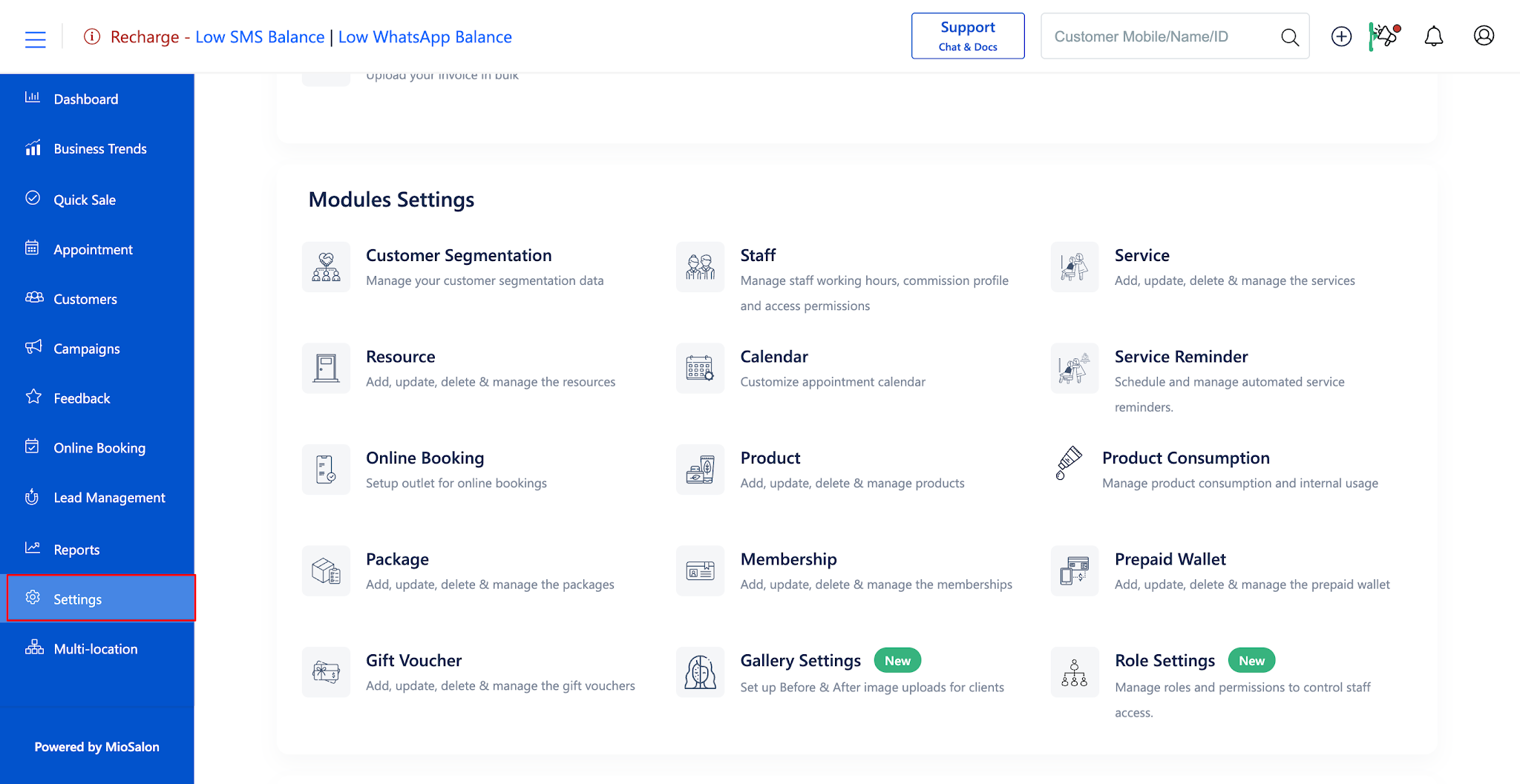
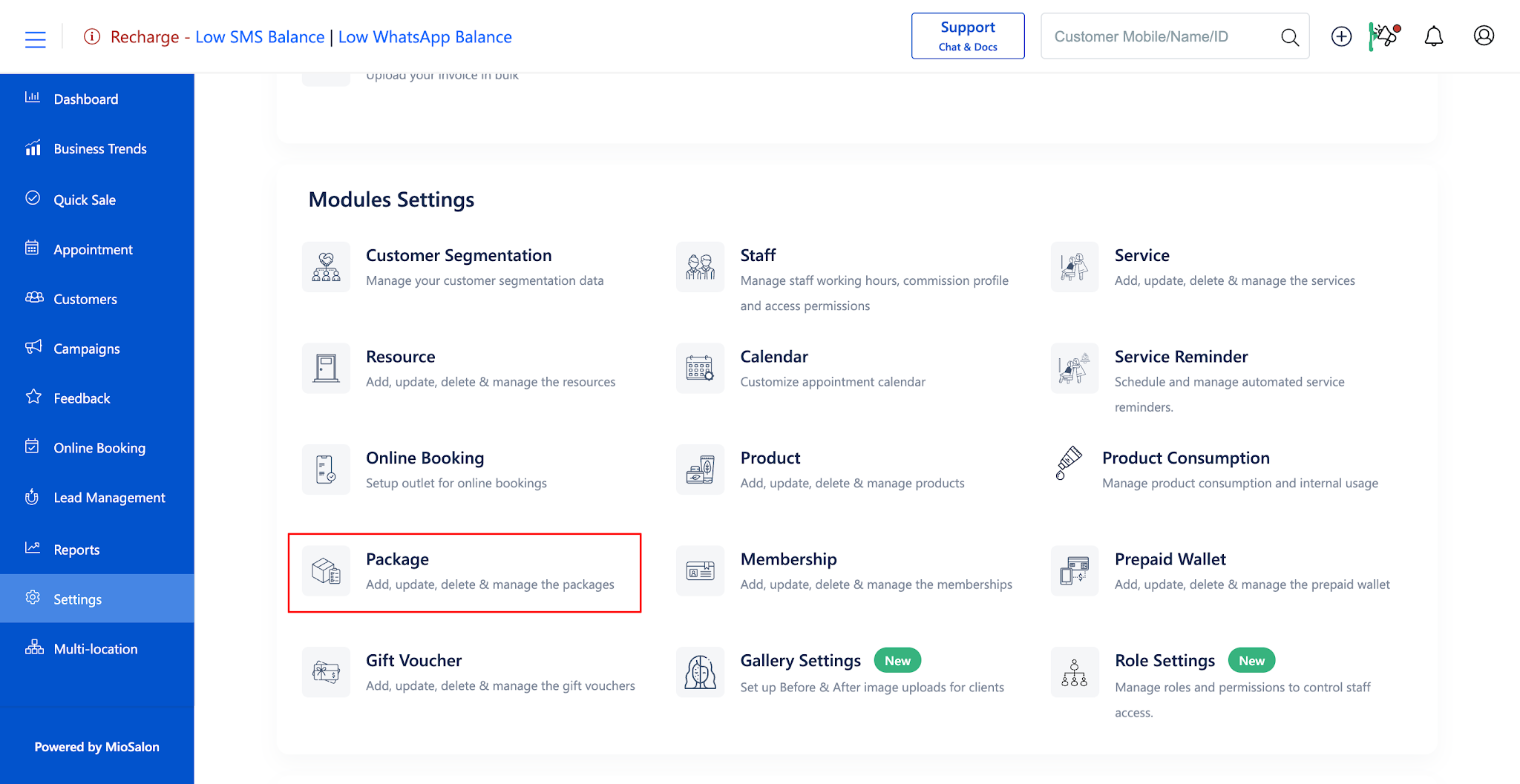
1. Navigate to the Settings module from the main left navigation bar and click on the Package card under the Modules Settings section.
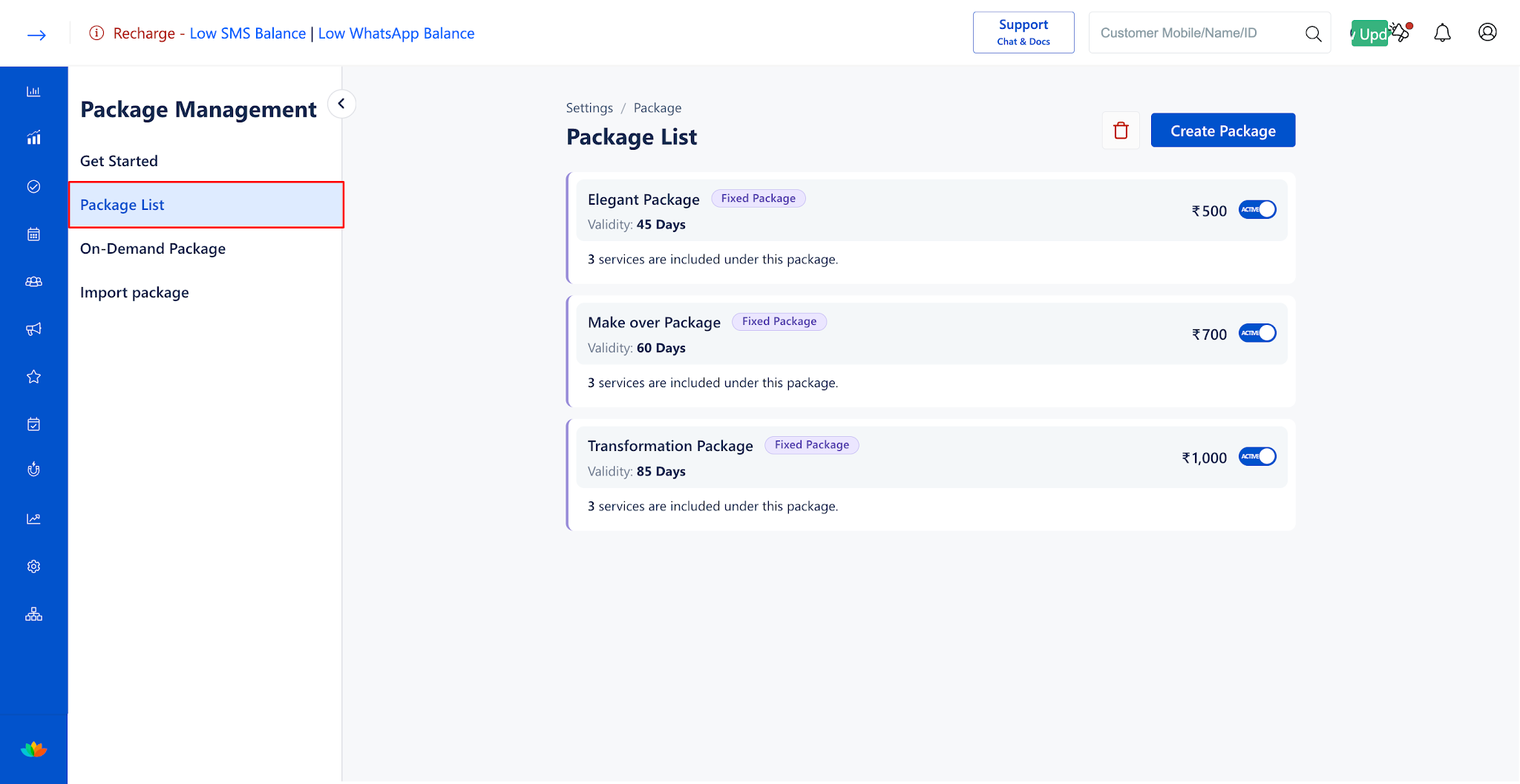
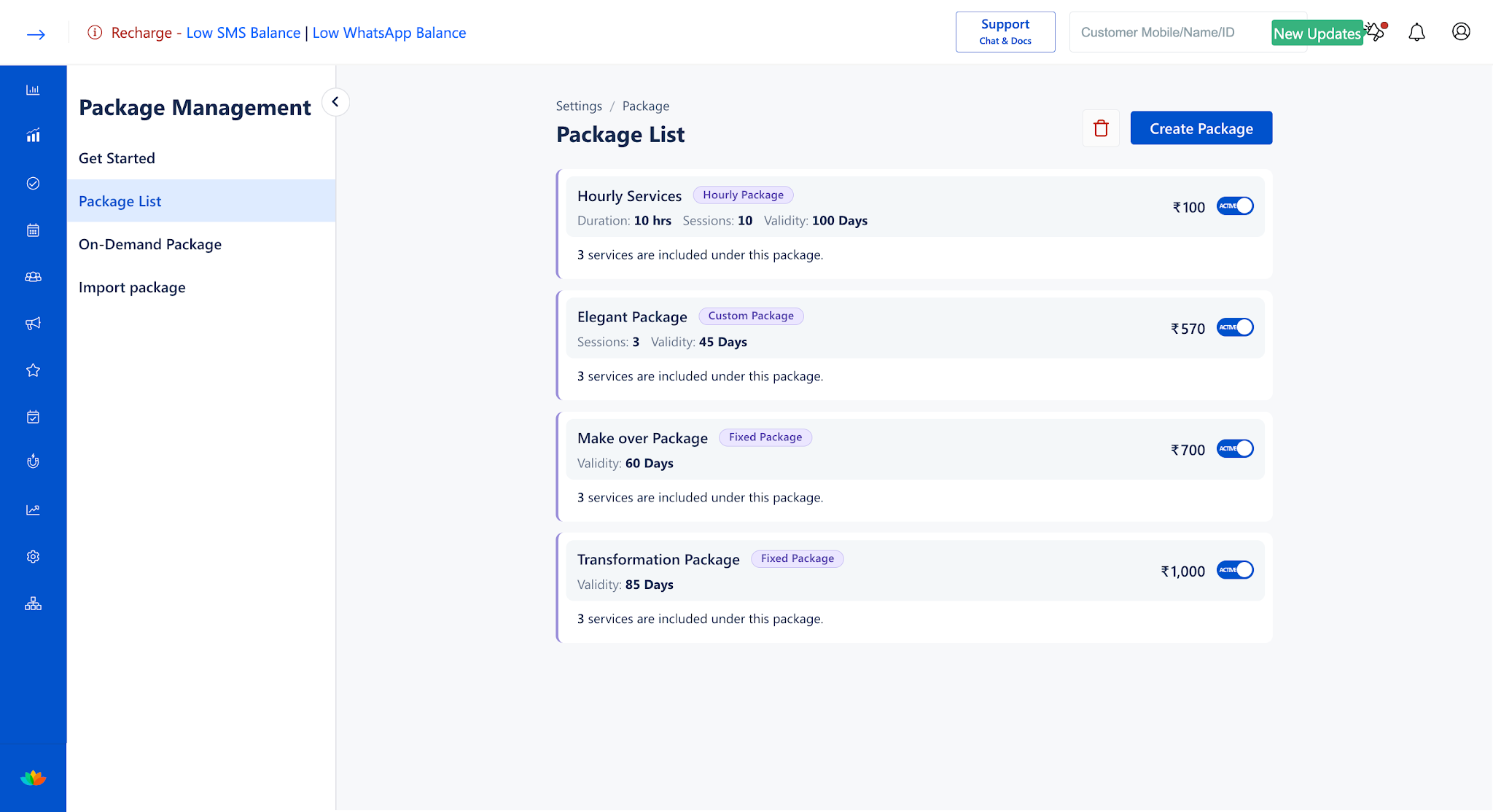
2. In the Package List tab, locate the hourly package and click on the package card to open the edit page.
3. In the Package Details section, update the Package Name, Package Description, or Total Hours. (E.g., 6 Hrs)
4. In the Services section, adjust the service eligibility between Selected Services Only and All Services.
5. In the Pricing & Tax section, adjust the Cost Price, Selling Price (E.g., 4500) or change the Tax Applicable dropdown rate.
6. In the Validity section, modify the package duration value. (E.g., 120 Days)
7. In the Redemption Rules section, update any of the following toggles and values as needed:
• Minimum Redemption Duration: Update the minimum minutes per service duration. (E.g., 30 Mins)
• Round-off Duration: Adjust the round-off interval. (E.g., 30 Mins)
• Partial Redemption: Enable or disable partial service redemption.
• Maximum Booking Limit: Update the booking count limit. (E.g., 12 Count)
8. In the Terms & Conditions section, update any business policies or notes.
9. Click on the Update button to apply and save all updates to the hourly packag
Note
Modifications made to an hourly package apply only to future package sales. Clients who purchased the package before the update will retain their original total hours and redemption rules.
Use Cases
1. Updating hourly package selling prices following general salon rate revisions.
2. Changing package service scope from Selected Services Only to All Services.
3. Increasing the Maximum Booking Limit during festive promotional periods.
Benefits
1. Maintains up-to-date pricing and rules without disrupting historical client packages.
2. Allows quick adjustments to time redemption policies based on operational requirements.
3. Ensures centralized control over time-based package offerings across all billing counters.
Was this article helpful?
That’s Great!
Thank you for your feedback
Sorry! We couldn't be helpful
Thank you for your feedback
Feedback sent
We appreciate your effort and will try to fix the article