Overview
The Edit Hourly Package On-Demand feature in MioSalon allows salon administrators to adjust total hours, eligible service scope, pricing, validity, or redemption rules for time-based packages.
Front-desk staff use hourly package editing to tailor time quotas, toggle partial redemptions, or revise maximum booking limits during client checkout.
Editing hourly packages on-demand ensures accurate time-tracking calculations and real-time synchronization with booked appointment durations.
Follow the guided step-by-step instructions below to edit an on-demand package for an hourly package in MioSalon.
Navigation Path
Navigation → Quick Sale
Steps to Edit an On-Demand package for Hourly Package
1. Click on the Quick Sale icon from the main left navigation bar.
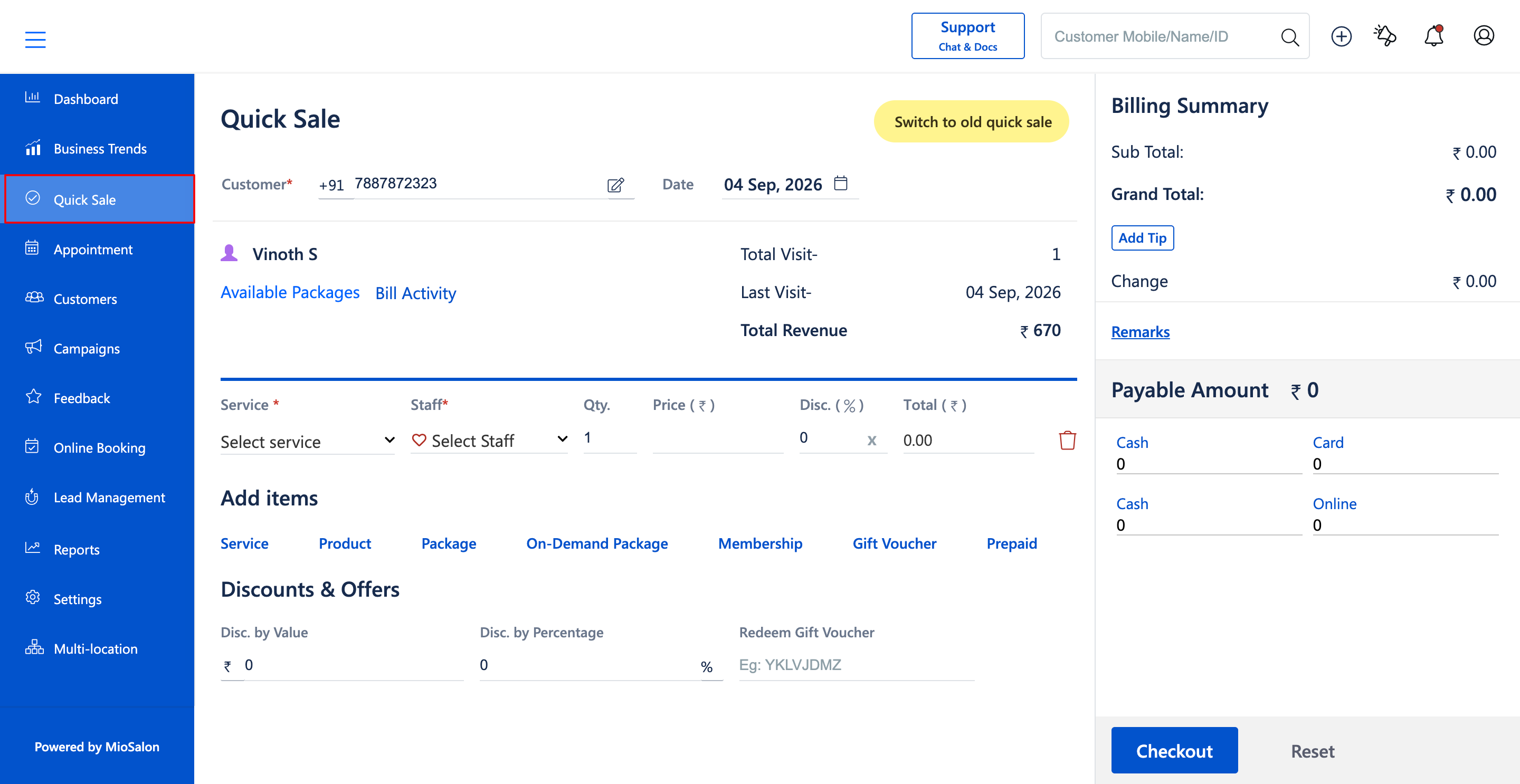
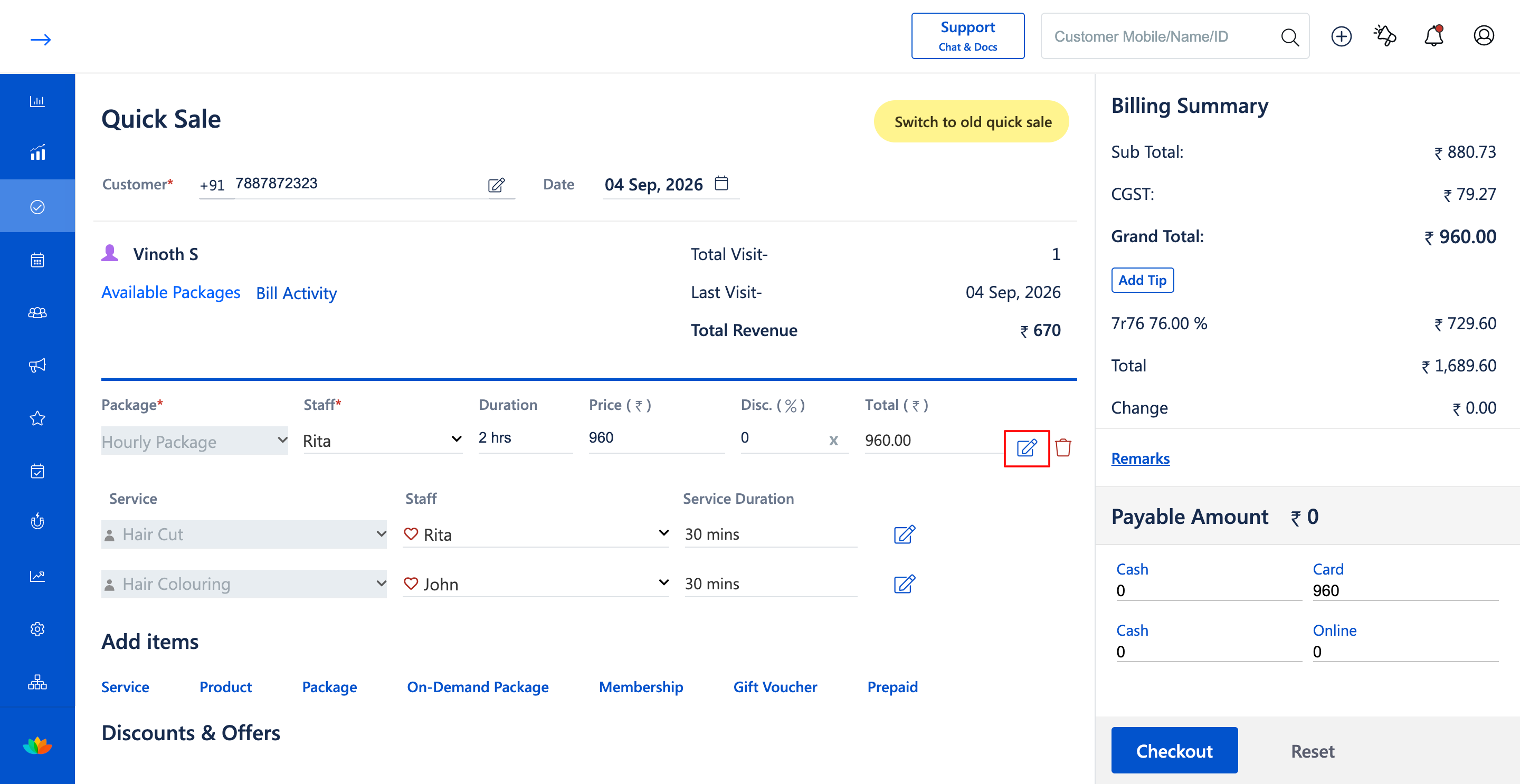
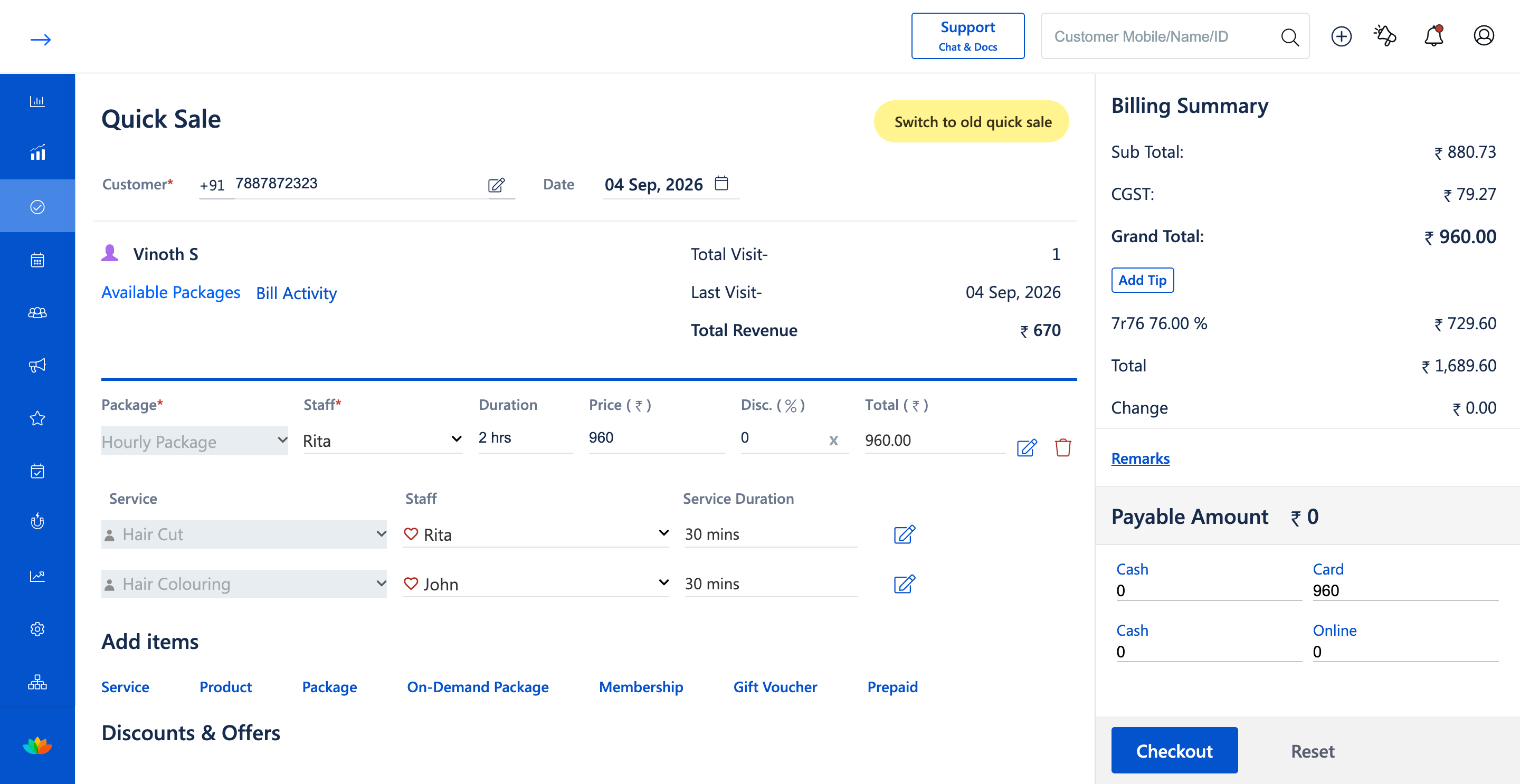
2. In the Quick Sale cart, locate the added Hourly Package row.
3. Click on the Edit icon (pencil icon) next to the Hourly Package entry.
4. In the Edit On-Demand Package pop-up window, modify the Package Name (E.g., Hourly Package) or adjust the Total Hours (E.g., 2 Hrs).
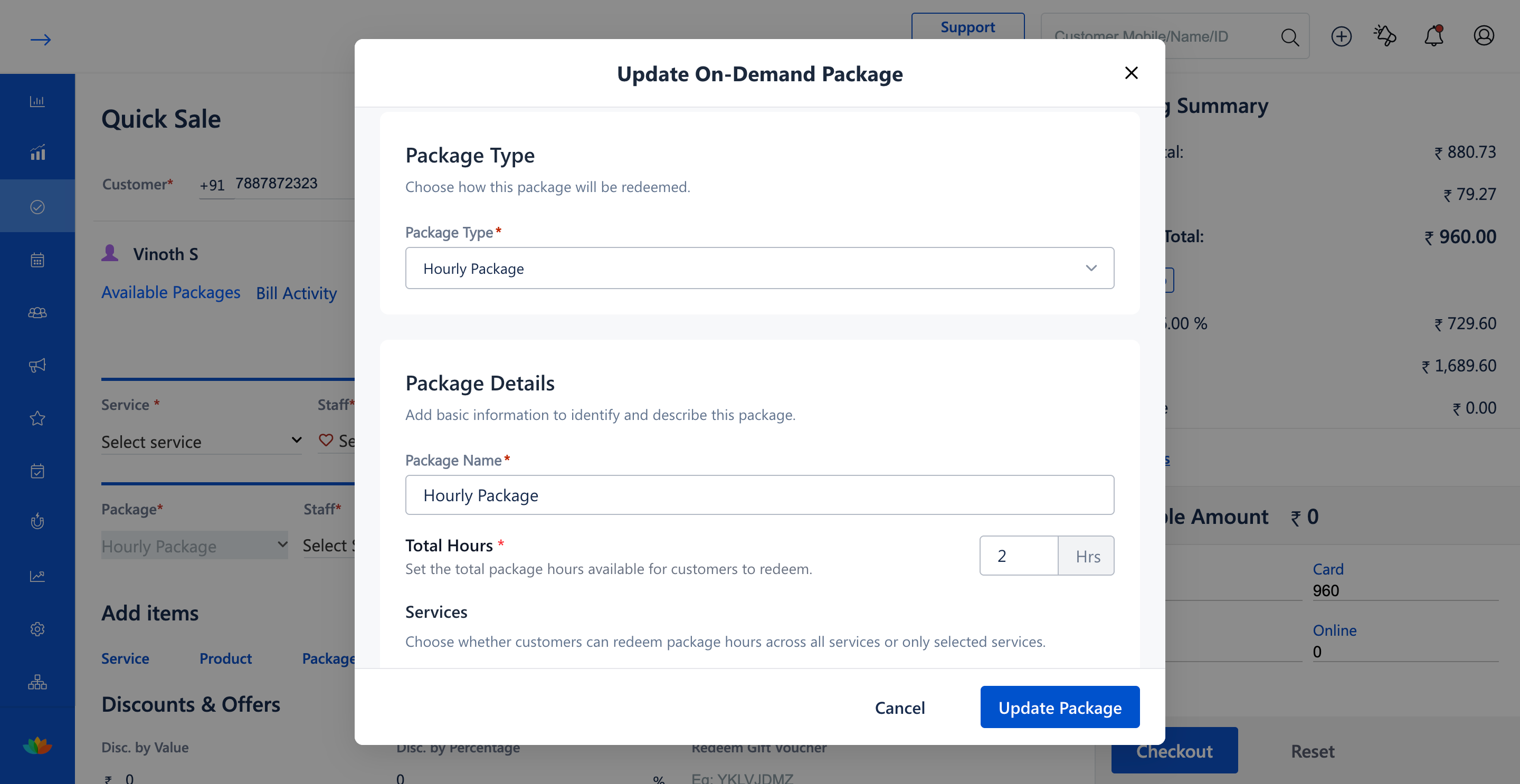
5. Update the service selection scope (Selected Services Only vs All Services) and modify specific treatments and durations if needed.
6. Adjust the Selling Price (E.g., 960) and update the Package Validity period (E.g., 10 Days).
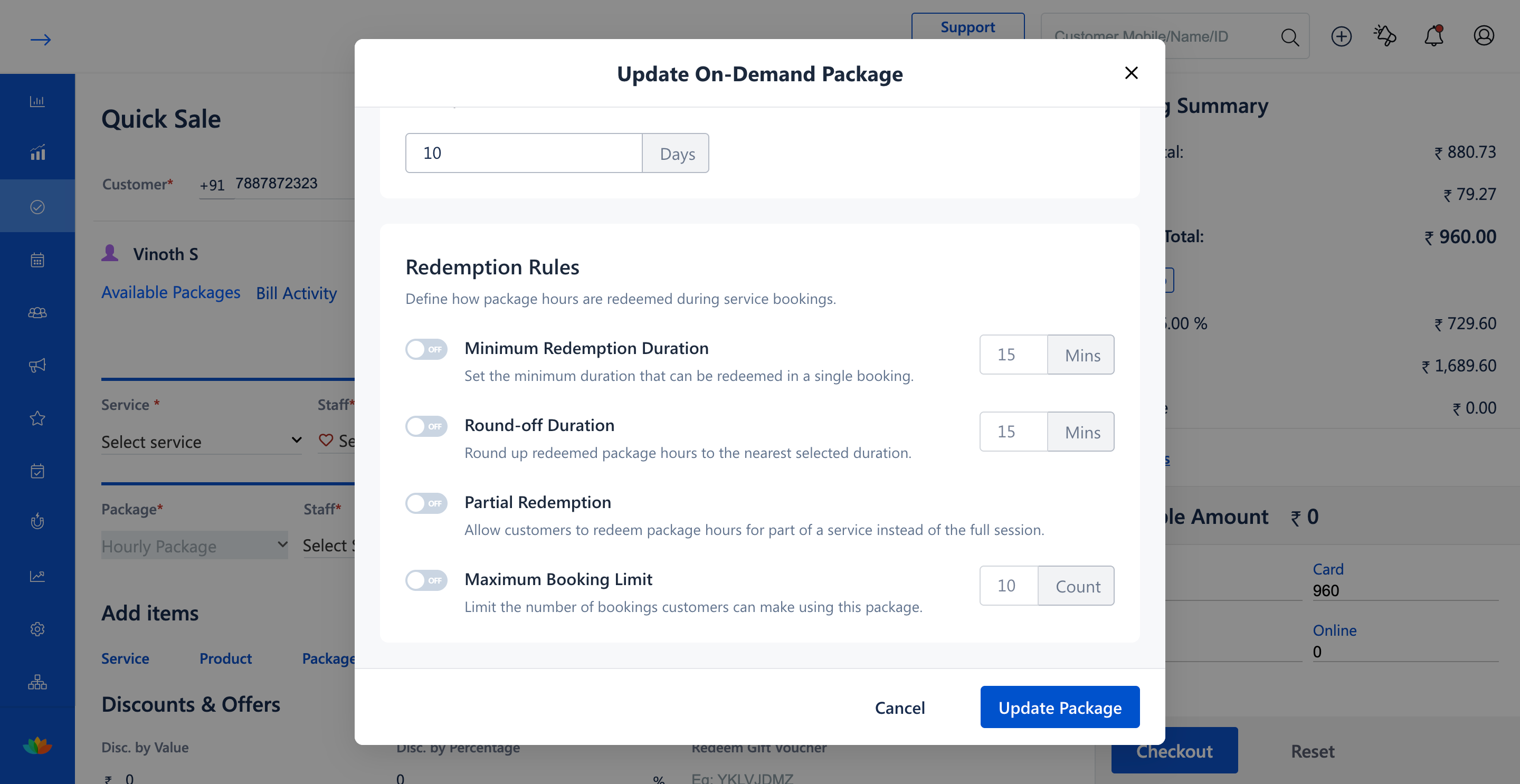
7. Under Redemption Rules, toggle or revise settings such as Minimum Redemption Duration, Round-off Duration, Partial Redemption, or Maximum Booking Limit, then click Update package.
8. In the Edit Selected Service window, review and adjust the allocated durations for scheduled services, verify remaining time (E.g., Time remaining: 1 hrs), and click Confirm.
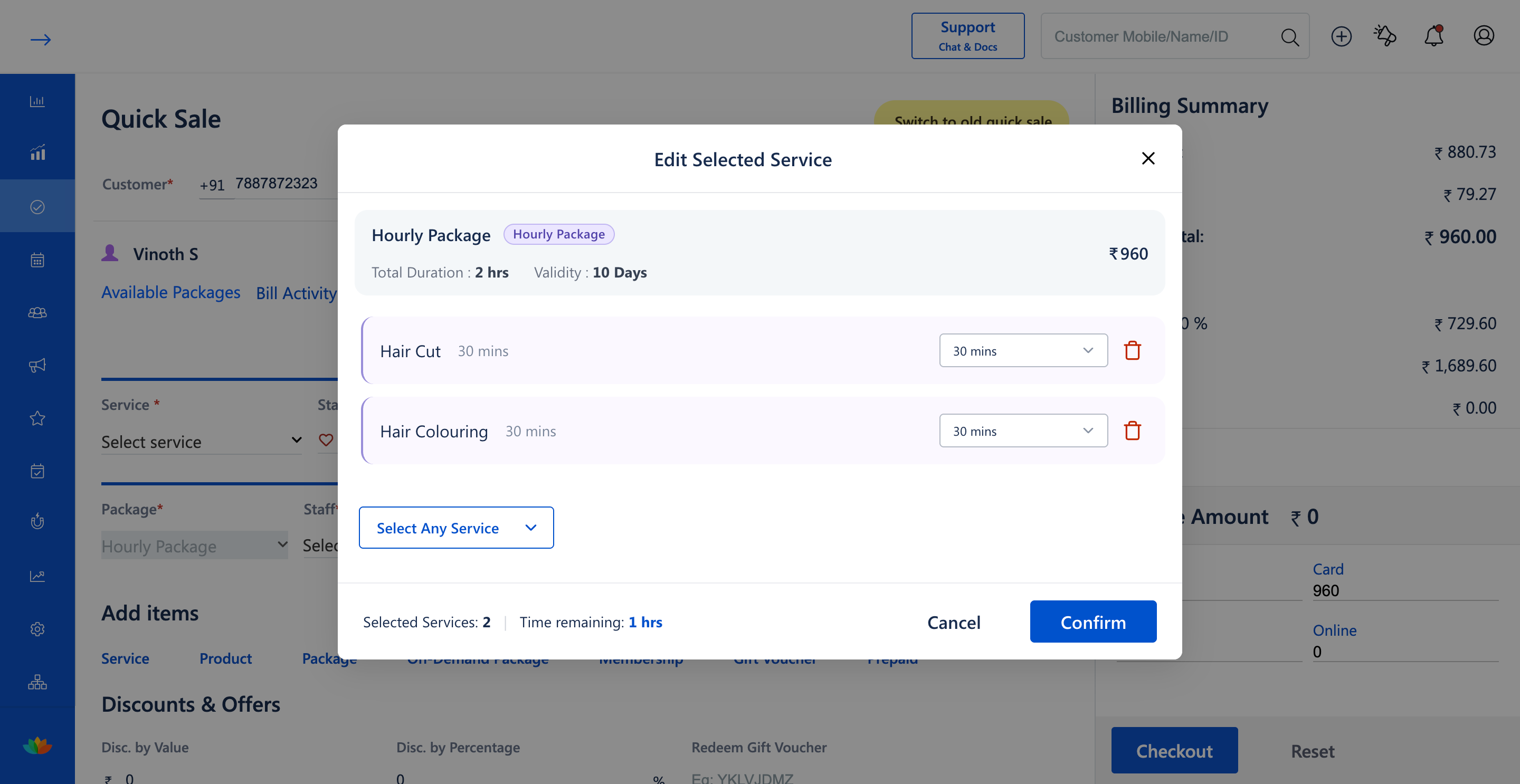
9. Review the updated hourly package line items and grand total in the Quick Sale cart before finalizing Checkout.
Note
Updating hourly package duration or redemption rules automatically re-evaluates the scheduled service time deductions to ensure the total booked duration does not exceed the new package limits.
Use Cases
1. Adjusting total package hours from 2 hours to 3 hours based on customer upgrade requests.
2. Enabling partial redemption or adjusting round-off duration rules during checkout.
Benefits
1. Provides total administrative flexibility over time-based packages directly from Quick Sale.
2. Enforces updated minute-level deduction rules automatically without manual math.
3. Keeps customer billing receipts clear and transparent.
Was this article helpful?
That’s Great!
Thank you for your feedback
Sorry! We couldn't be helpful
Thank you for your feedback
Feedback sent
We appreciate your effort and will try to fix the article