How to Setup the Ondemand Package in MioSalon ?
Overview
Setting up on-demand packages in MioSalon involves defining automated discount rules and price tier thresholds that staff must follow during billing.
Salons configure discount rules to specify exact discount percentages allowed for various bill amount ranges when creating custom on-the-spot bundles.
Establishing structured discount rules empowers front-desk staff to close deals while safeguarding the business against excessive discounting.
Follow the guided step-by-step instructions below to setup on-demand package discount rules in MioSalon.
Navigation Path
Settings → Modules Settings → Package → On-Demand Package
Steps to Setup the On-Demand Package
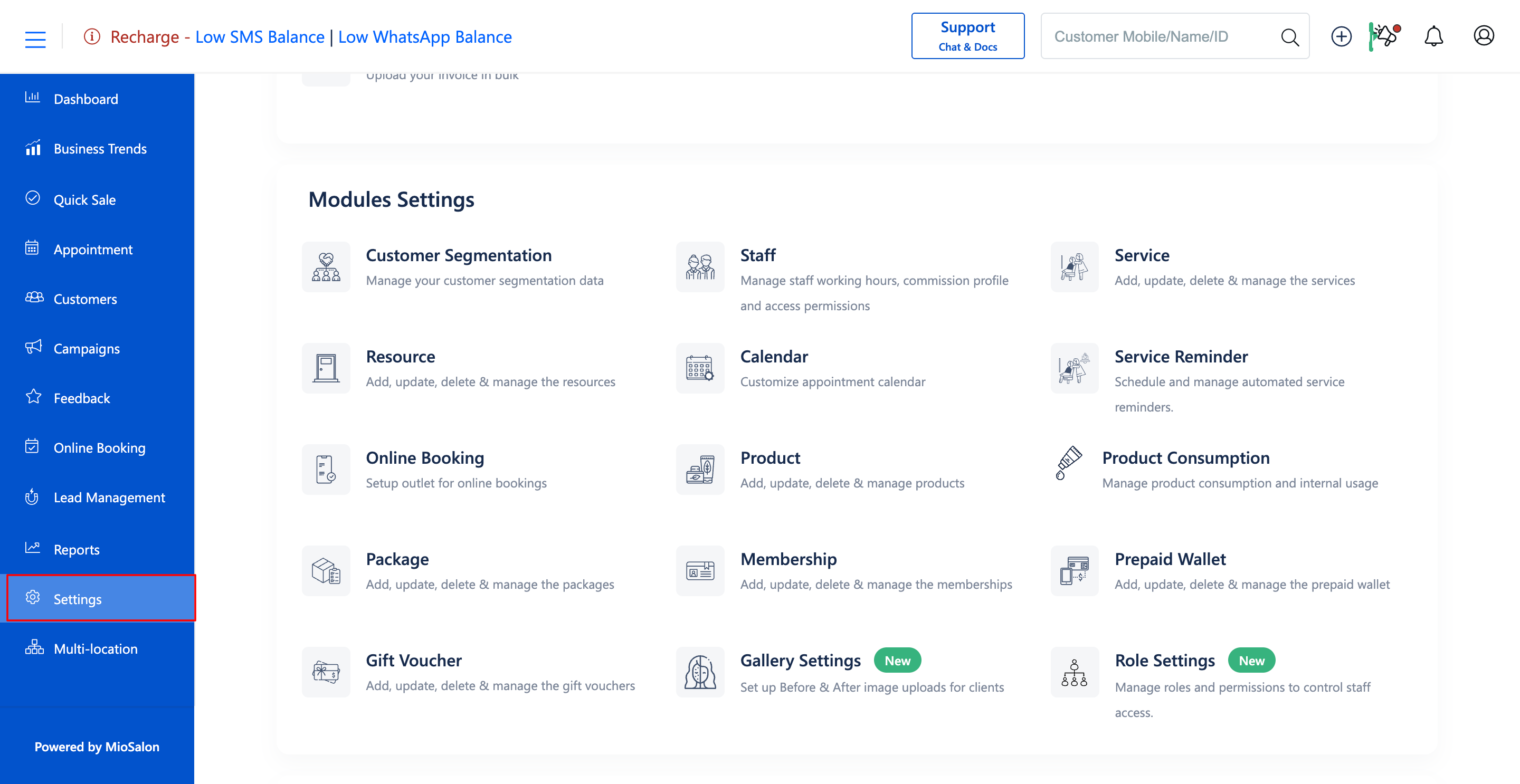
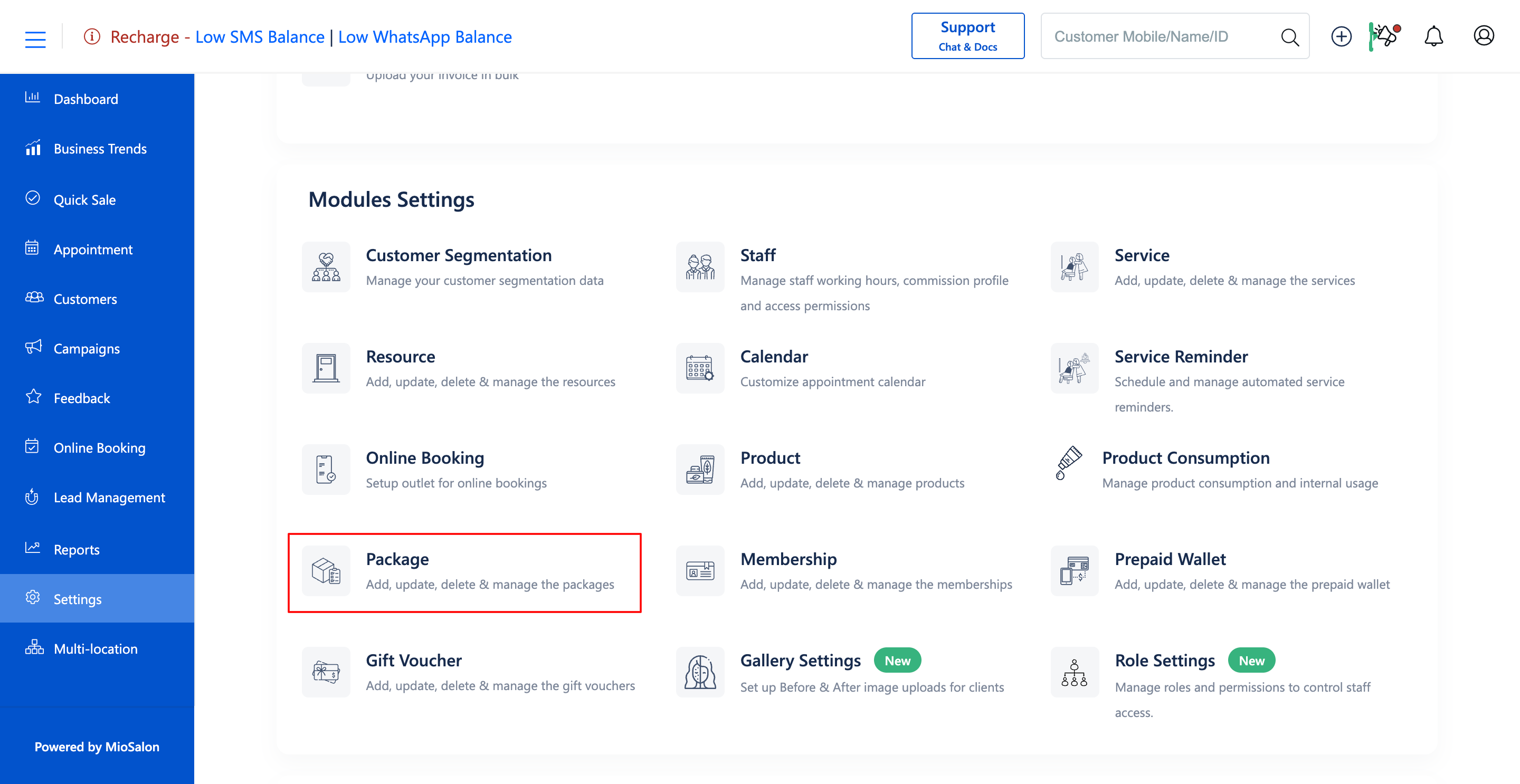
1. Navigate to the Settings module from the main left navigation bar and click on the Package card under the Modules Settings section.
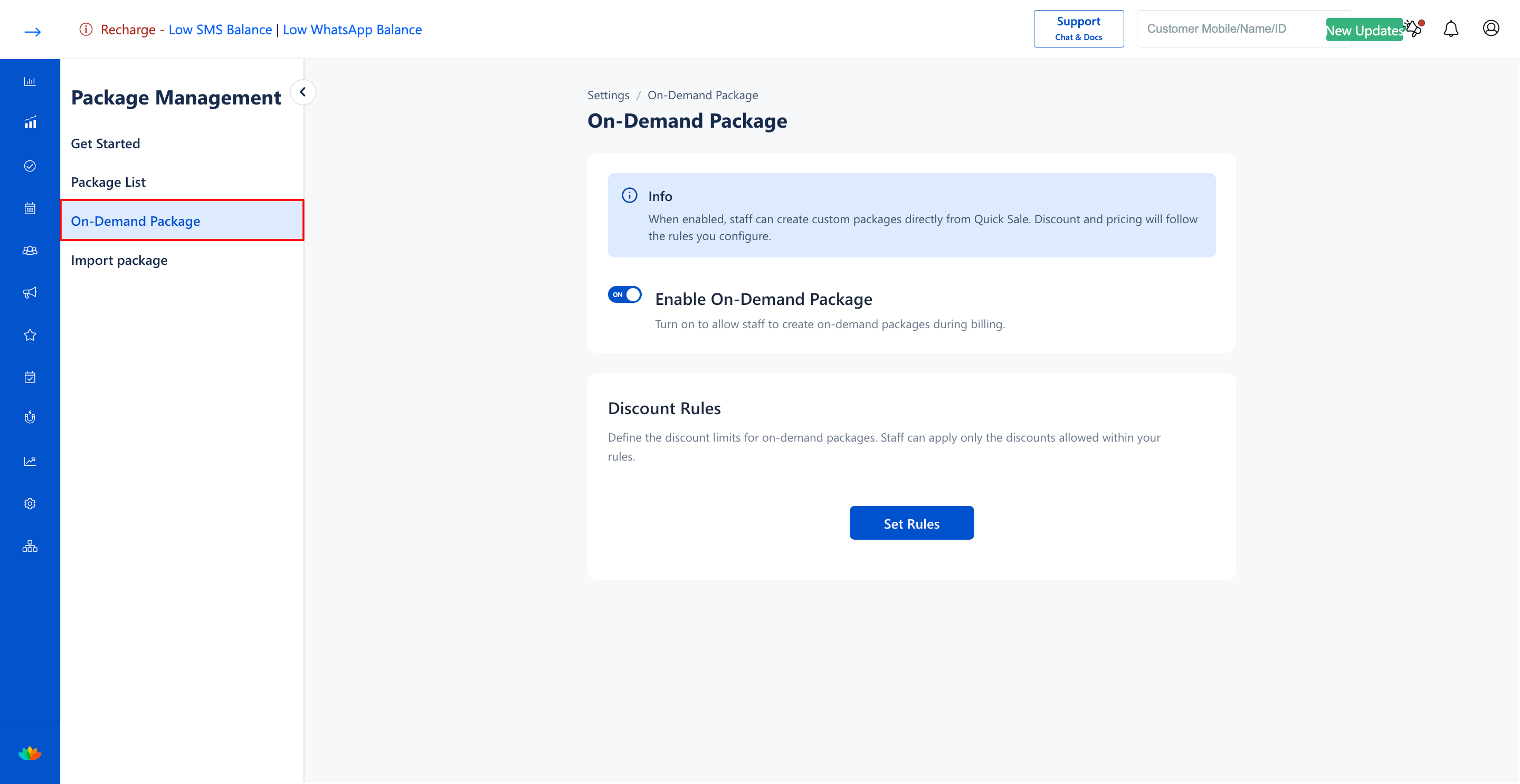
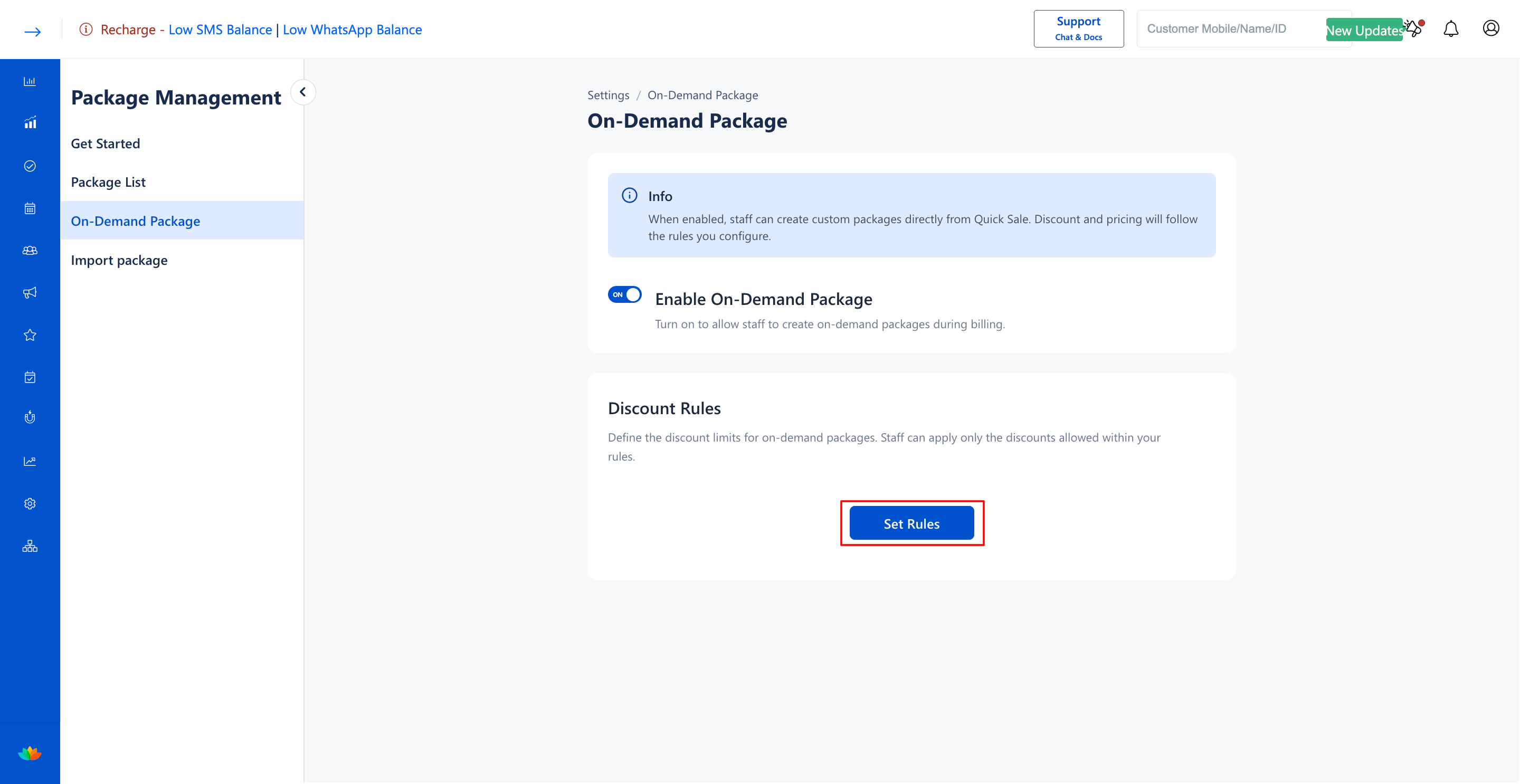
2. Select the On-Demand Package tab from the left sub-navigation menu.
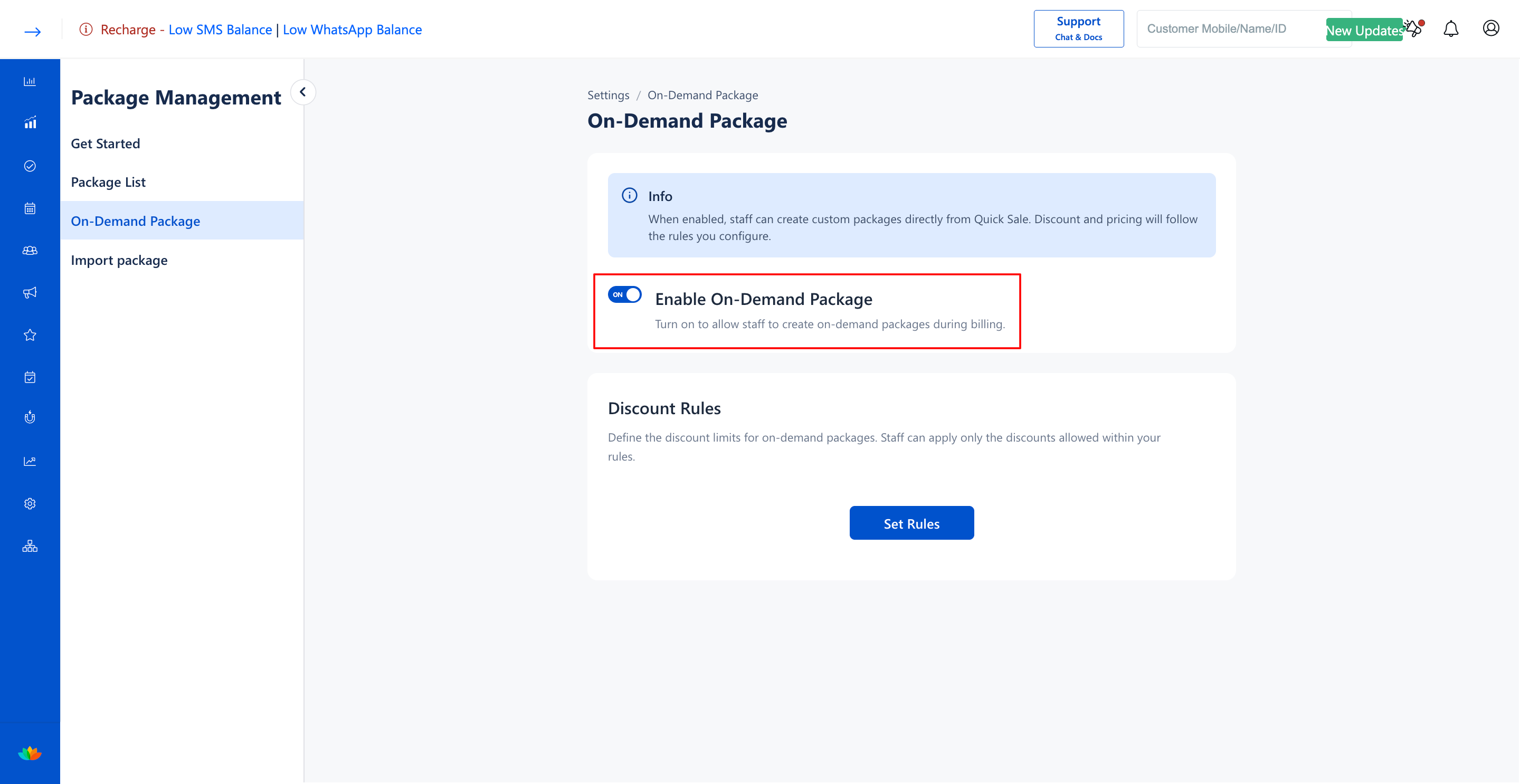
3. Ensure the Enable On-Demand Package toggle switch is turned ON.
4. In the Discount Rules card, click on the Set Rules button to open the discount rule builder.
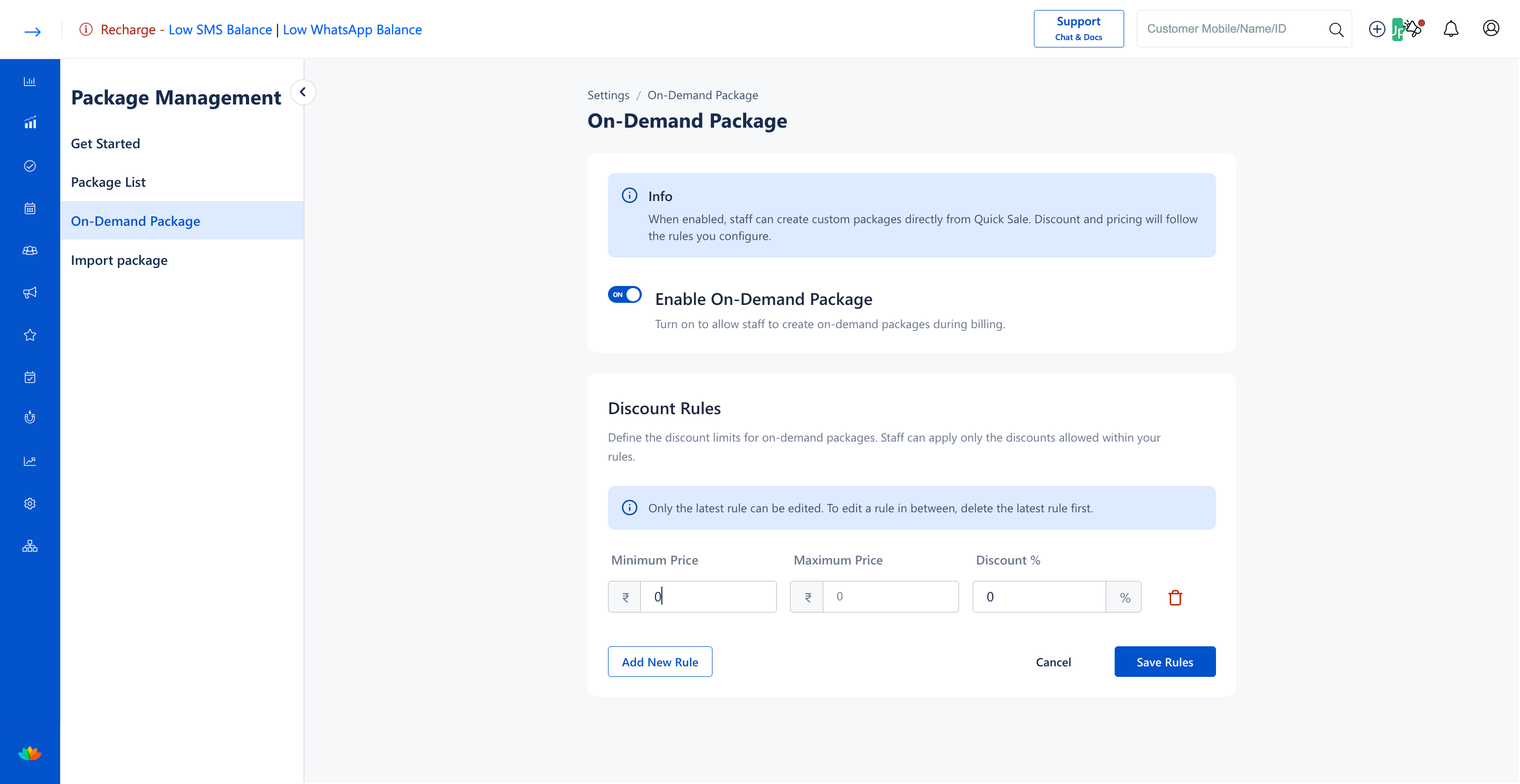
5. In the rule row, enter the pricing tier parameters:
• Minimum Price: Enter the lower price threshold in currency. (E.g., 0)
• Maximum Price: Enter the upper price threshold in currency. (E.g., 1000)
• Discount %: Enter the maximum discount percentage allowed within this tier. (E.g., 10 %)
6. Click on the Add New Rule button to define additional price tiers with corresponding discount percentages. (E.g., Min Price 1000, Max Price 2500, Discount 15 %).
7. Click on the Save Rules button to activate and enforce the discount limits across the salon system.
Note
Only the latest rule row can be edited directly. To modify a rule created earlier in the sequence, delete the later rules first.
Use Cases
1. Establishing tiered discount limits such as 10% off for packages under ₹1,000 and 20% off for packages above ₹2,500.
2. Standardizing cashier negotiation limits across multiple franchise branches.
3. Enforcing automated price caps to prevent staff input errors at the checkout counter.
Benefits
1. Automates cashier discounting with strict boundary rules and zero manual calculation errors.
2. Motivates higher customer ticket sizes by offering tiered volume discounts.
3. Provides transparent pricing guardrails that align with overall salon profitability goals.
Was this article helpful?
That’s Great!
Thank you for your feedback
Sorry! We couldn't be helpful
Thank you for your feedback
Feedback sent
We appreciate your effort and will try to fix the article