How to Enable the Ondemand Package in MioSalon ?
Overview
The On-Demand package feature in MioSalon allows front-desk staff and cashiers to create instant, customized service packages directly during checkout in Quick Sale.
Salons use on-demand packages to offer spontaneous bundle discounts when clients decide to add multiple services during their visit.
Enabling this feature provides cashier flexibility while adhering strictly to predefined business discount limits and pricing rules.
Follow the guided step-by-step instructions below to enable the on-demand package feature in MioSalon.
Navigation Path
Settings → Modules Settings → Package → On-Demand Package
Steps to Enable the On-Demand Package
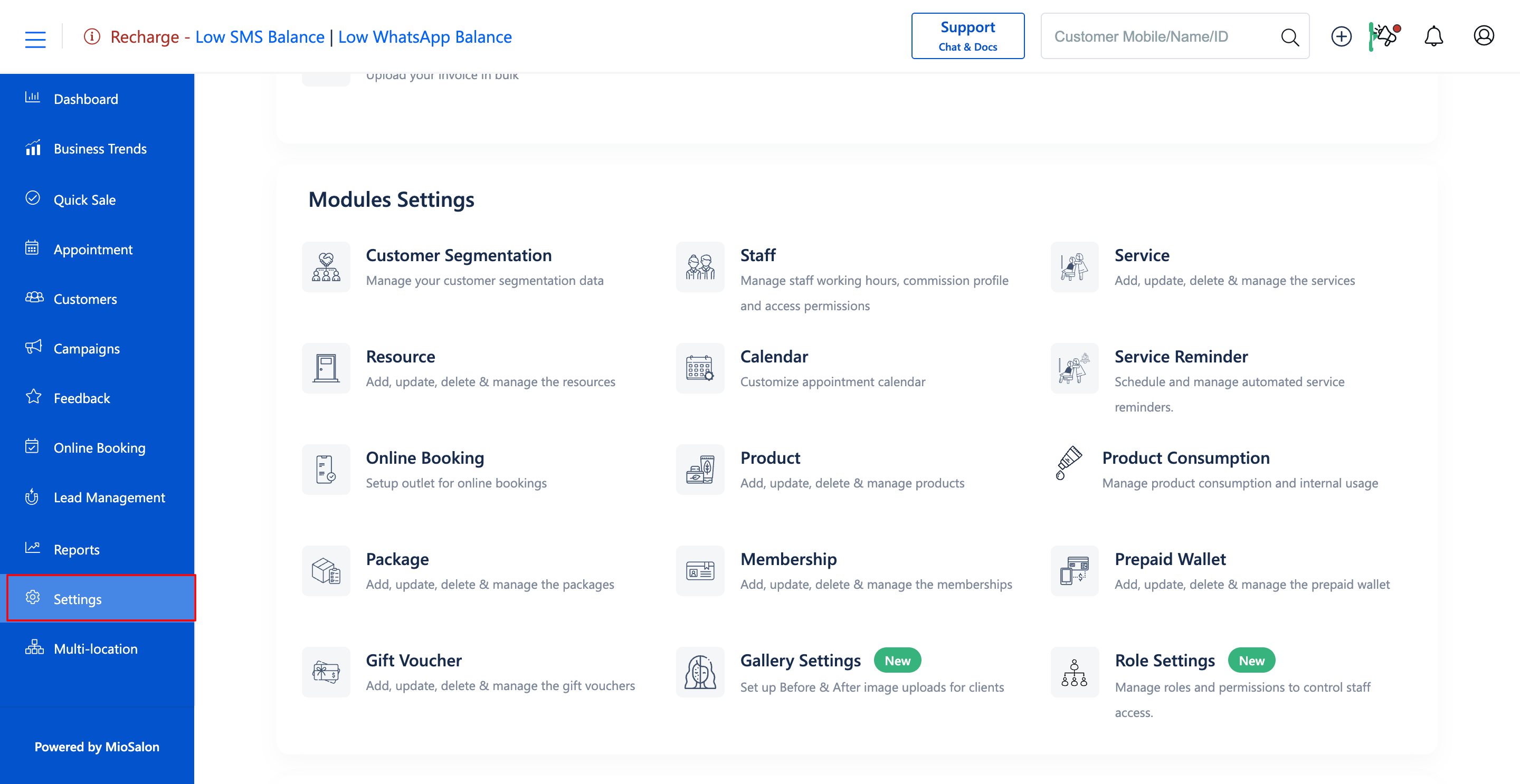
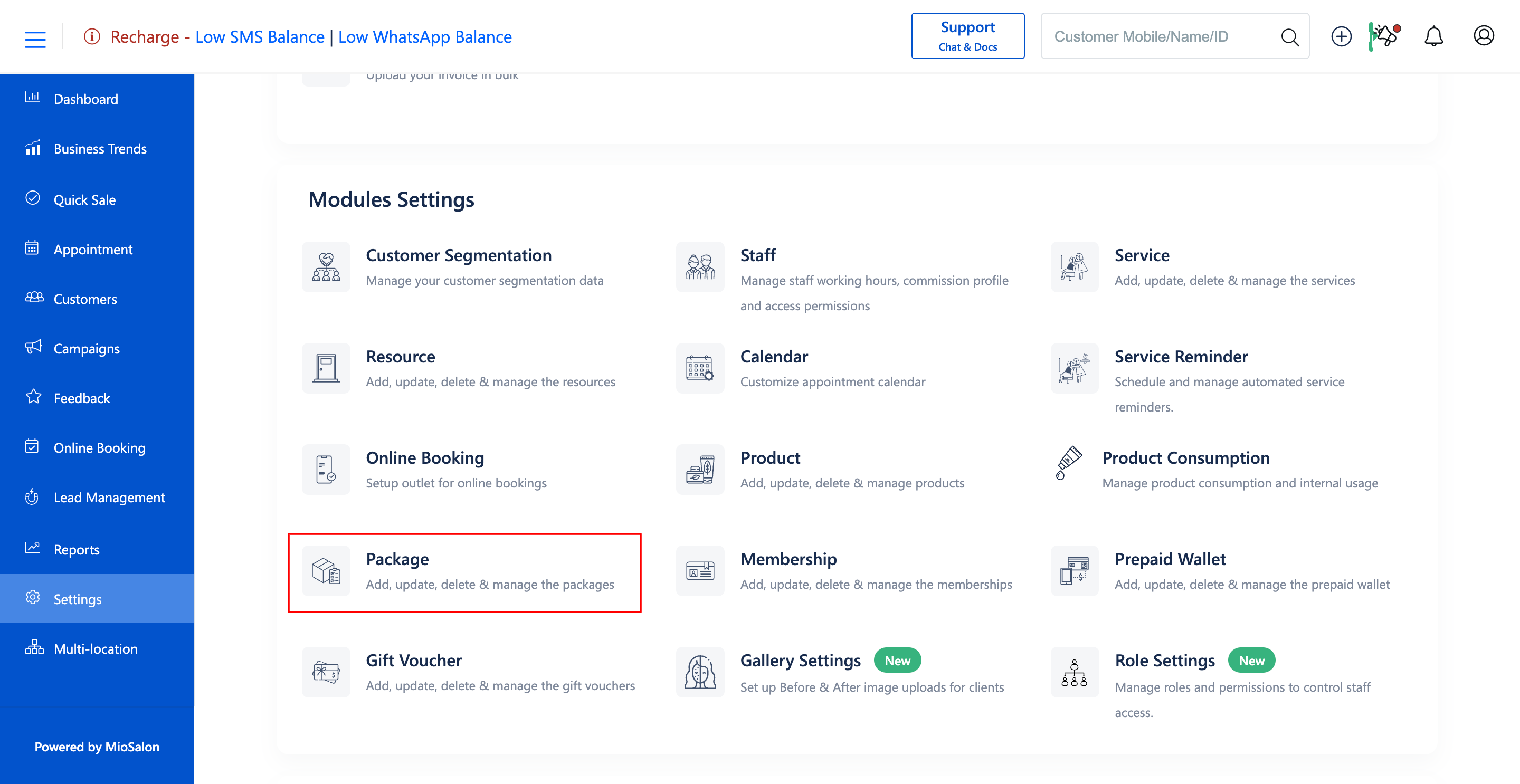
1. Navigate to the Settings module from the main left navigation bar and click on the Package card under the Modules Settings section.
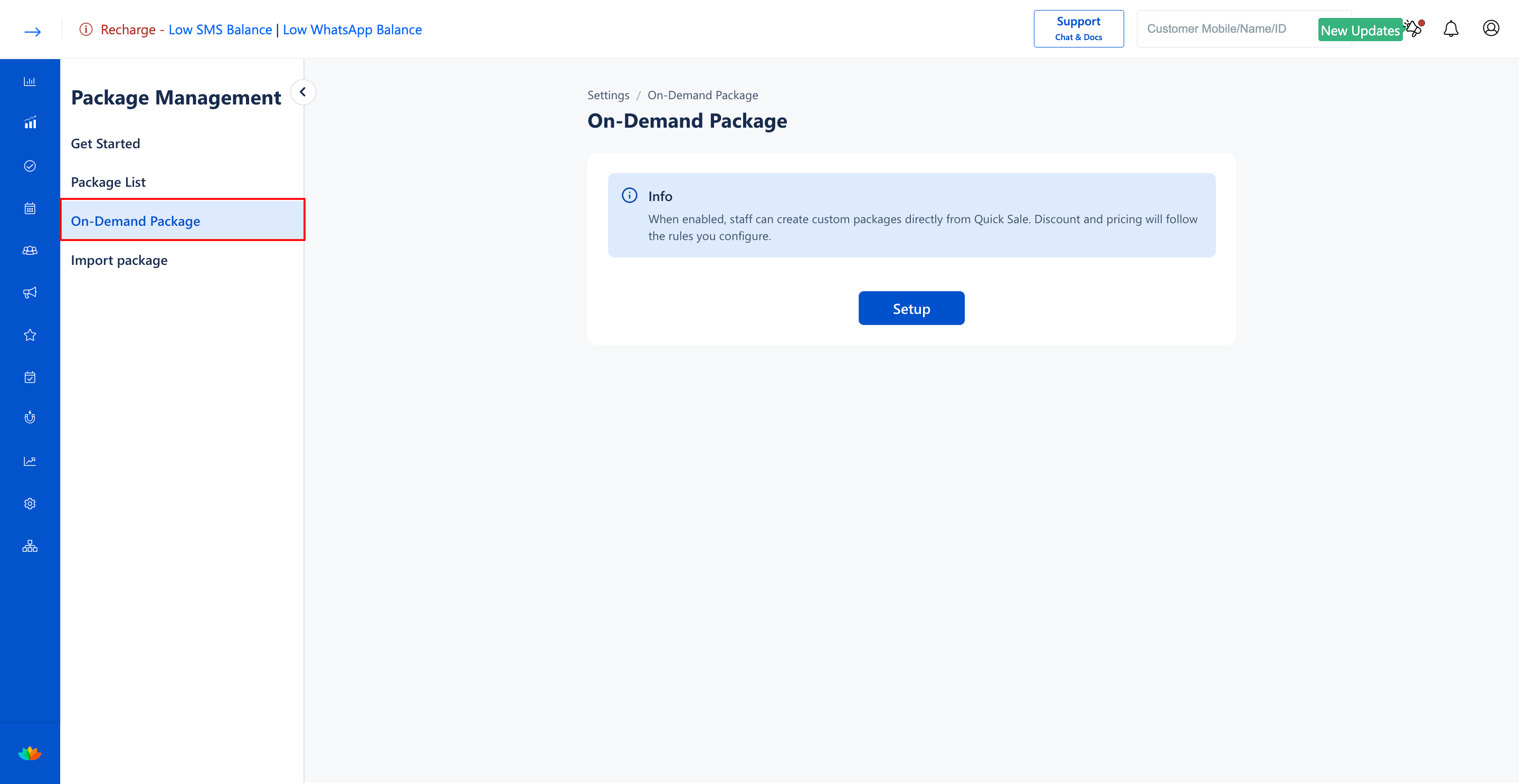
2. Select the On-Demand Package tab from the left sub-navigation menu.
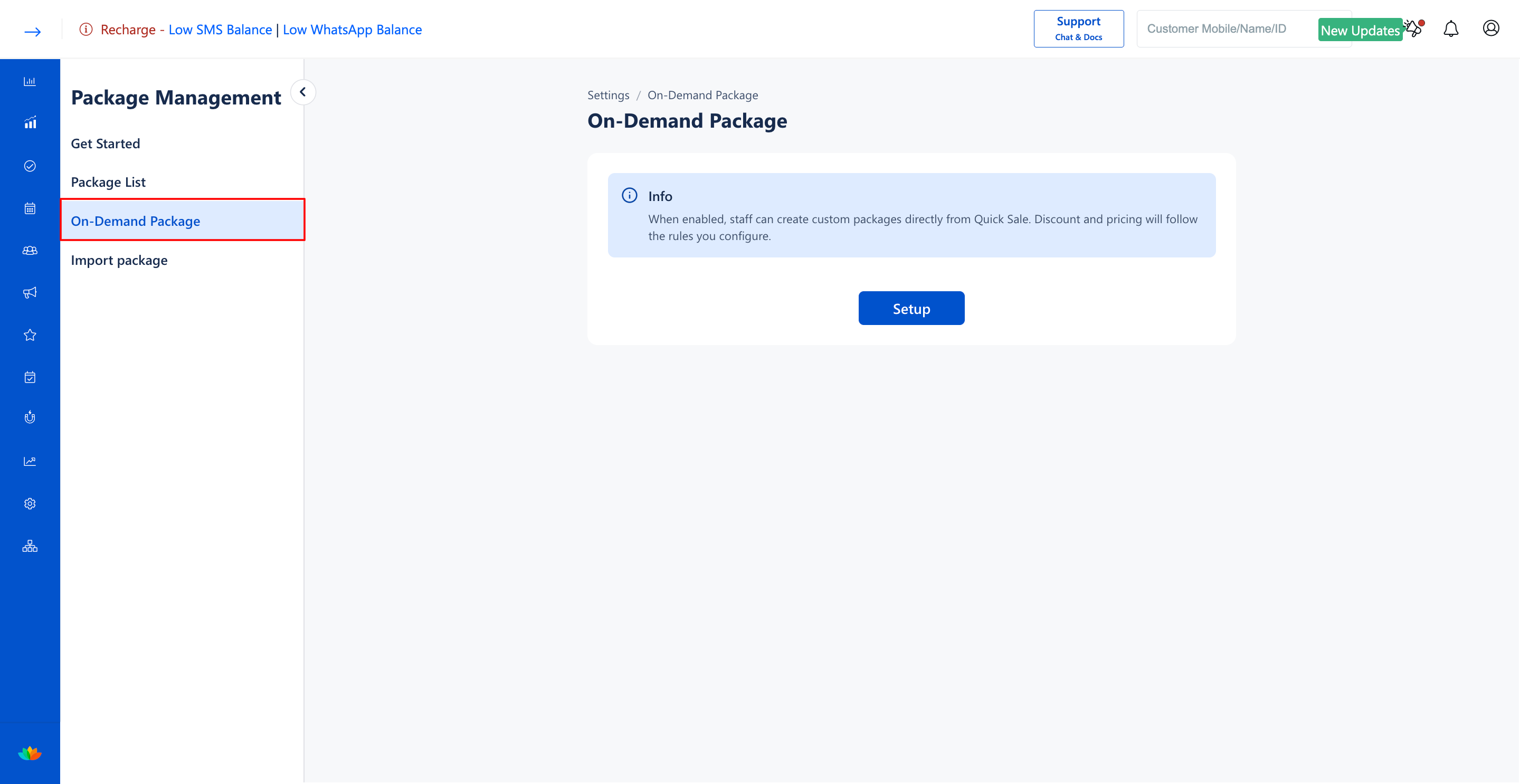
3. On the On-Demand Package configuration screen, locate the Enable On-Demand Package toggle switch.
4. Toggle the switch to ON (blue state) to activate on-demand package creation during billing.
Note
Before staff members can create on-demand packages at checkout, you must configure discount rules to define the allowed price tiers and maximum discount percentages.
Use Cases
1. Permitting cashiers to bundle an impromptu facial and hair spa requested by a client at the billing counter.
2. Providing custom discount packages for loyal clients negotiating multi-service appointments.
3. Accelerating high-value ticket conversions during off-peak salon hours.
Benefits
1. Gives frontline staff the agility to close higher-value sales with customized bundles.
2. Protects profit margins by enforcing business-defined discount parameters.
3. Speeds up checkout workflows without requiring manual manager overrides for every custom deal.
Was this article helpful?
That’s Great!
Thank you for your feedback
Sorry! We couldn't be helpful
Thank you for your feedback
Feedback sent
We appreciate your effort and will try to fix the article