How to Disable the Ondemand Package in MioSalon ?
Overview
Disabling the On-Demand package feature in MioSalon restricts frontline staff from assembling custom packages on the fly during Quick Sale checkout.
Business owners disable on-demand packages when enforcing strict standard menu pricing or during promotional freeze periods.
Turning off this feature ensures that all sales follow predefined fixed or custom package templates without ad-hoc cashier modifications.
Follow the guided step-by-step instructions below to disable the on-demand package feature in MioSalon.
Navigation Path
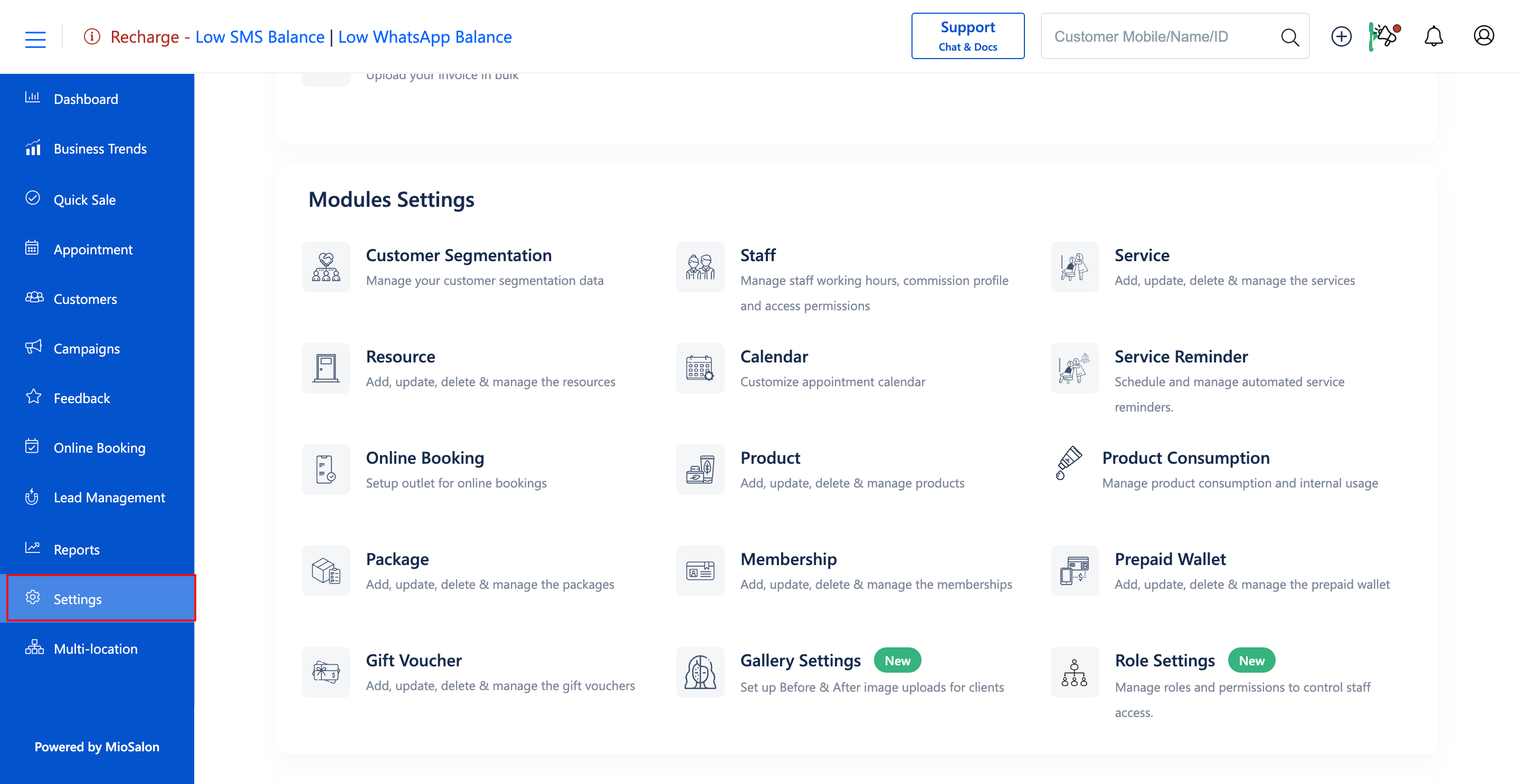
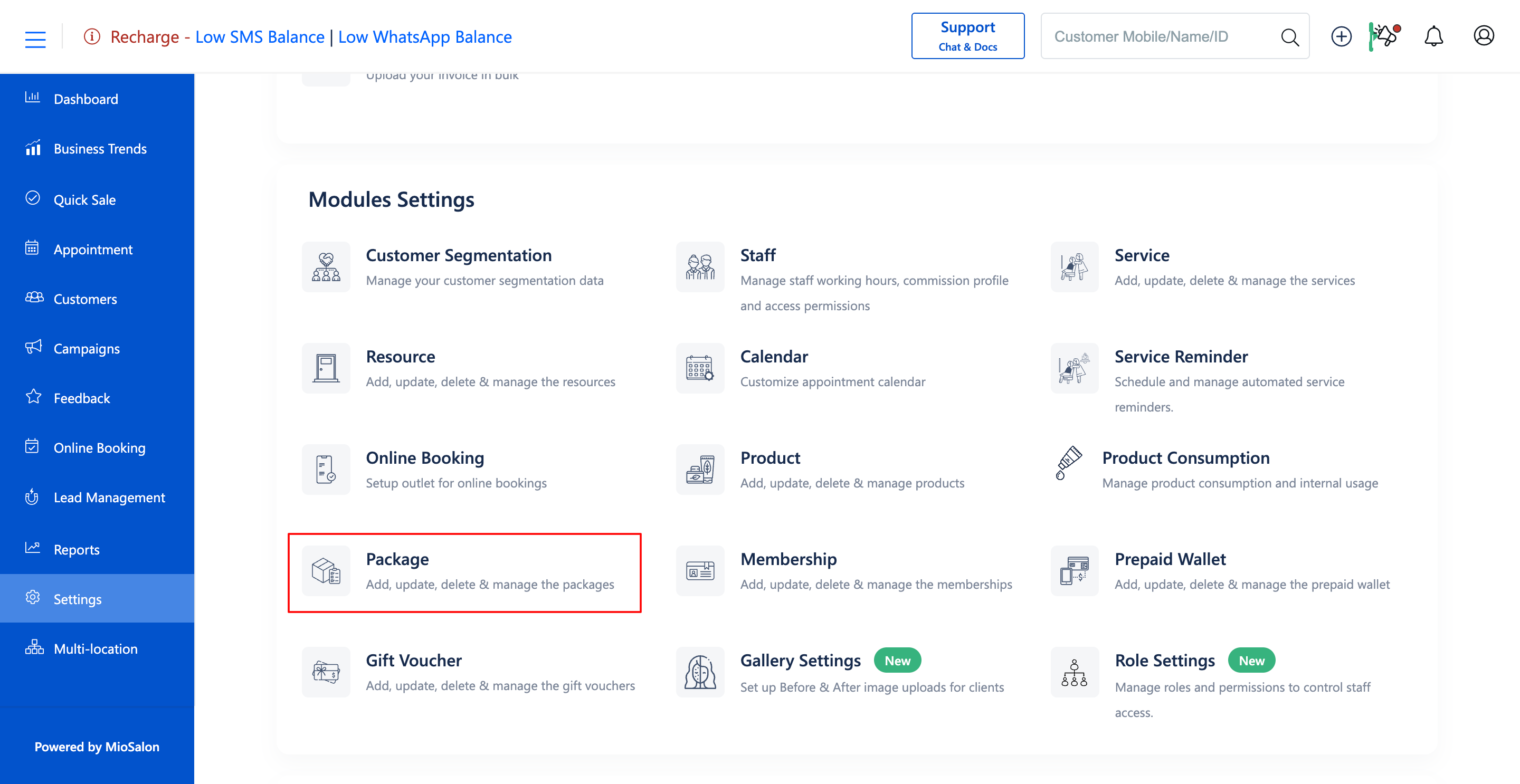
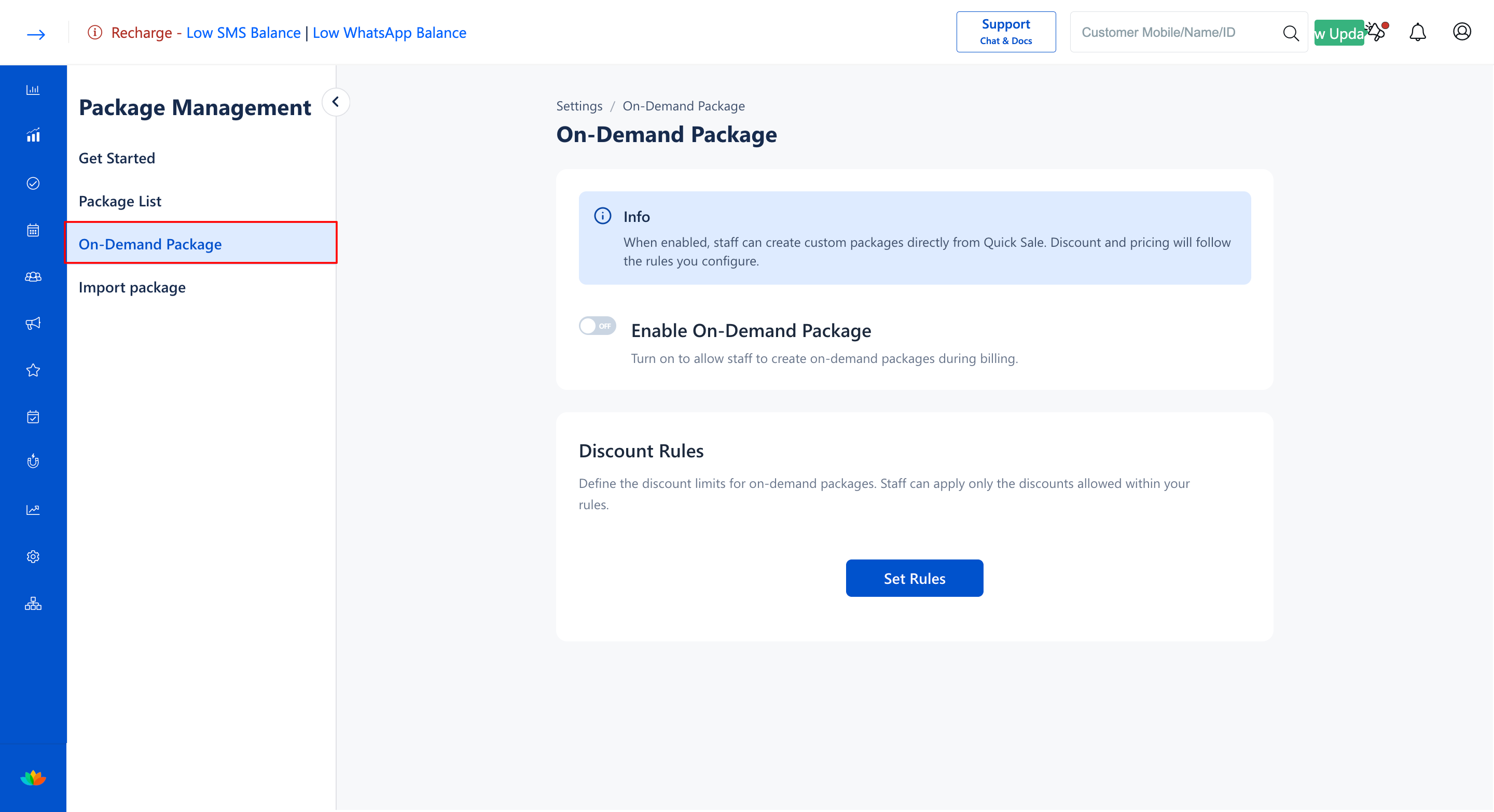
Settings → Modules Settings → Package → On-Demand Package
Steps to Disable the On-Demand Package
1. Navigate to the Settings module from the main left navigation bar and click on the Package card under the Modules Settings section.
2. Select the On-Demand Package tab from the left sub-navigation menu.
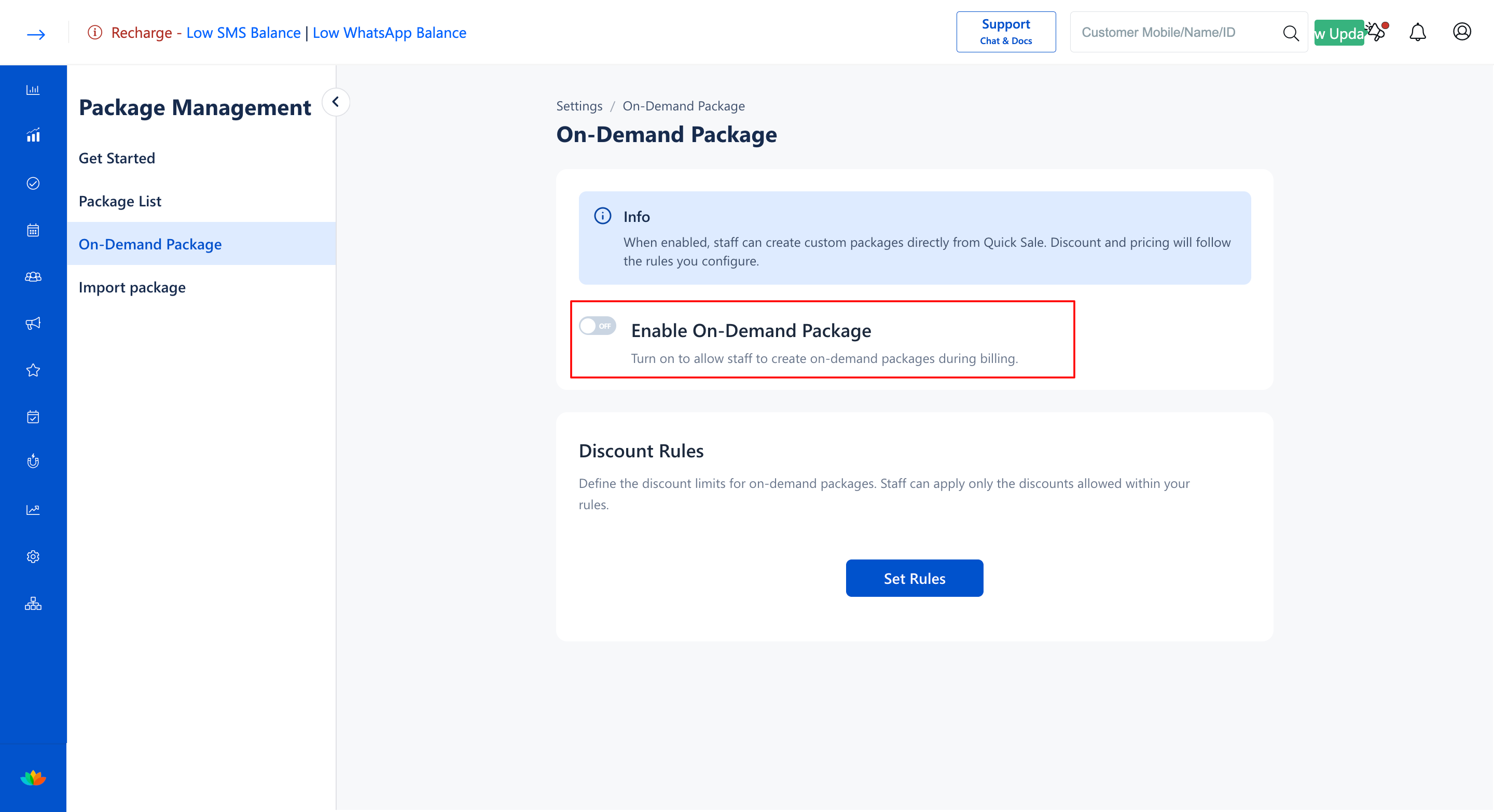
3. Locate the Enable On-Demand Package toggle switch on the configuration screen.
4. Toggle the switch to OFF (gray state) to immediately disable on-demand package creation across all billing counters.
Note
Disabling the on-demand package feature does not affect previously created or sold packages. It only prevents the generation of new on-demand packages during future checkout sessions.
Use Cases
1. Standardizing salon billing procedures during high-demand festival seasons where custom discounts are paused.
2. Enforcing strict fixed-price menu policies to maintain brand consistency.
3. Preventing unauthorized cashier discounting during staff transitions.
Benefits
1. Enforces strict administrative control over billing and discount policies.
2. Eliminates billing discrepancies caused by unauthorized ad-hoc cashier packages.
3. Protects salon revenue margins during peak business periods.
Was this article helpful?
That’s Great!
Thank you for your feedback
Sorry! We couldn't be helpful
Thank you for your feedback
Feedback sent
We appreciate your effort and will try to fix the article