How to Edit a On-Demand package for Custom Package?
Overview
The Edit Custom Package On-Demand feature in MioSalon allows salon teams to modify package parameters, total service counts, eligible services, and pricing for custom packages during billing.
Businesses use custom package editing to update service limits or swap eligible treatments based on customer requests during the appointment checkout.
Editing custom packages on-demand ensures flexible package configuration while maintaining strict enforcement of service quotas and automated invoice totals.
Follow the guided step-by-step instructions below to edit an on-demand package for a custom package in MioSalon.
Navigation Path
Dashboard → Quick Sale
Steps to Edit an On-Demand package for Custom Package
1. Click on the Quick Sale icon from the main left navigation bar.
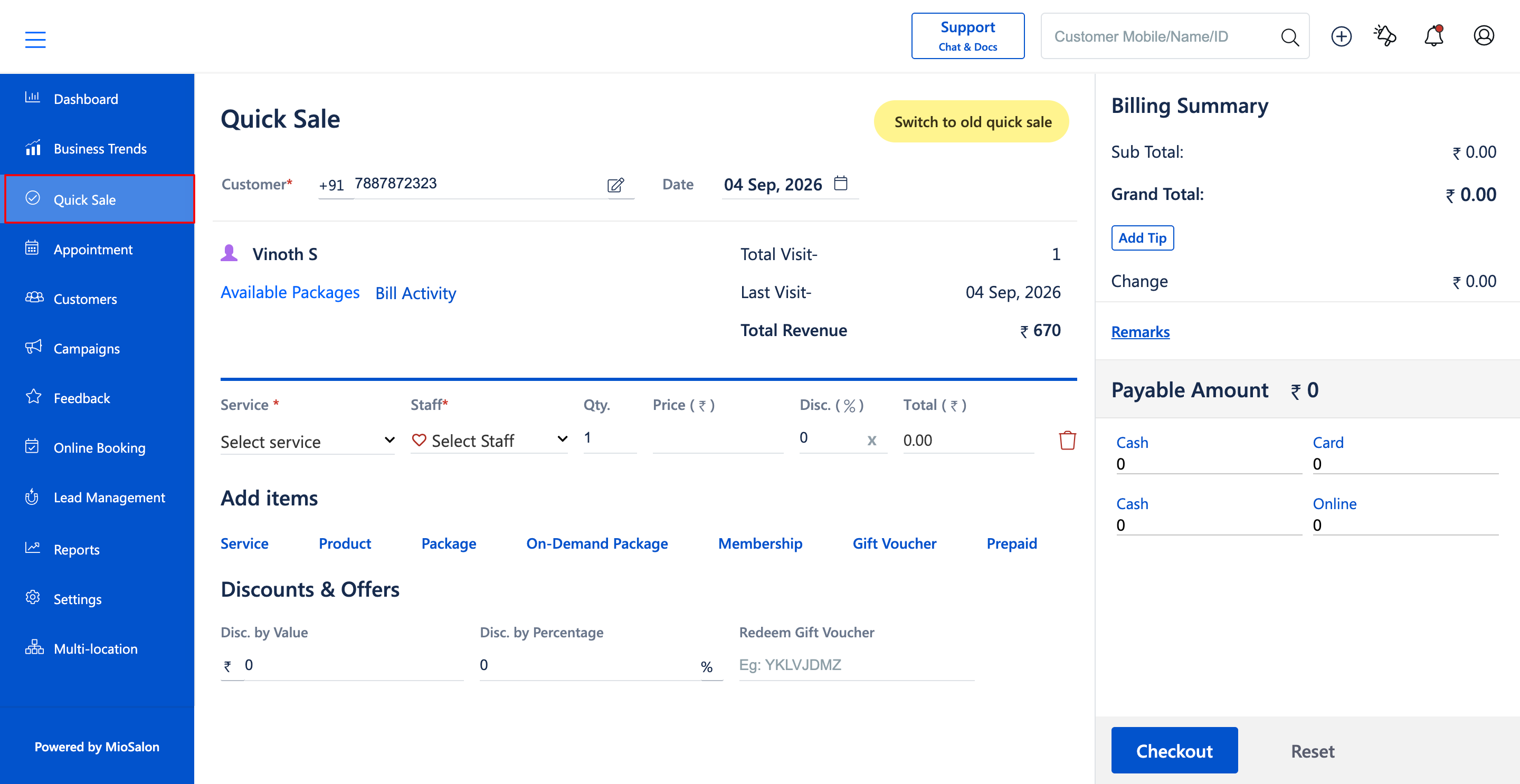
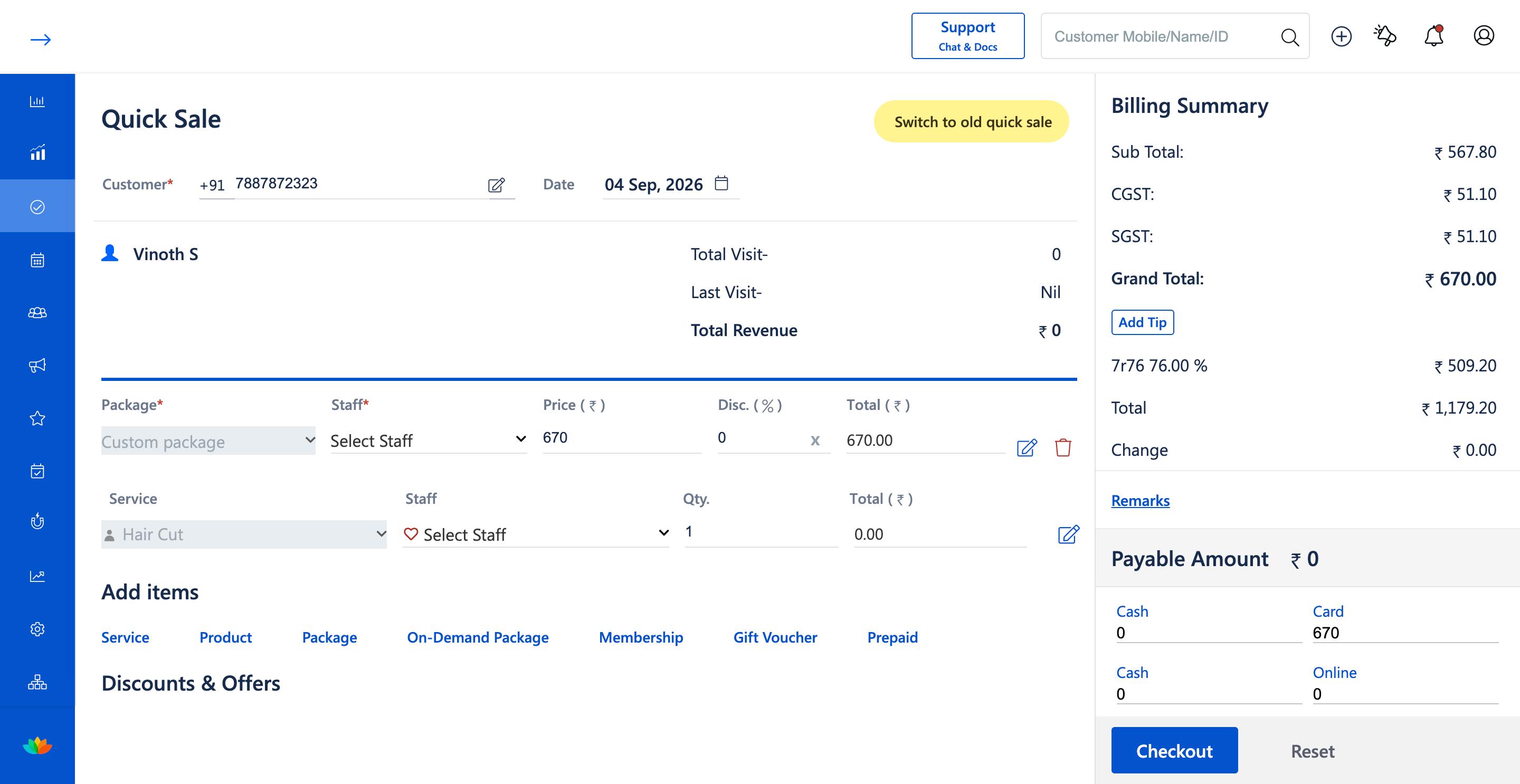
2. In the Quick Sale cart, locate the added Custom package line item.
3. Click on the Edit icon (pencil icon) next to the Custom package row.
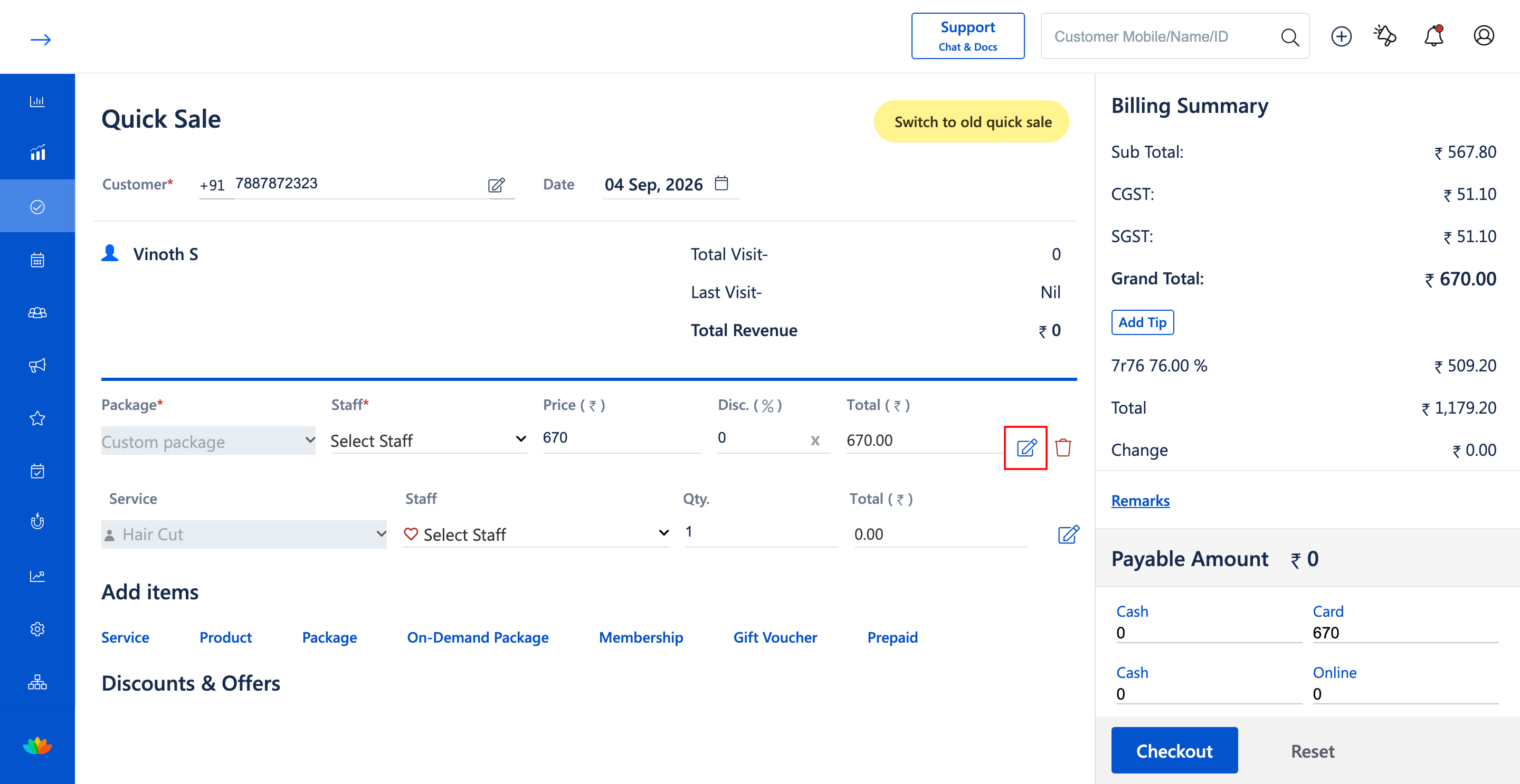
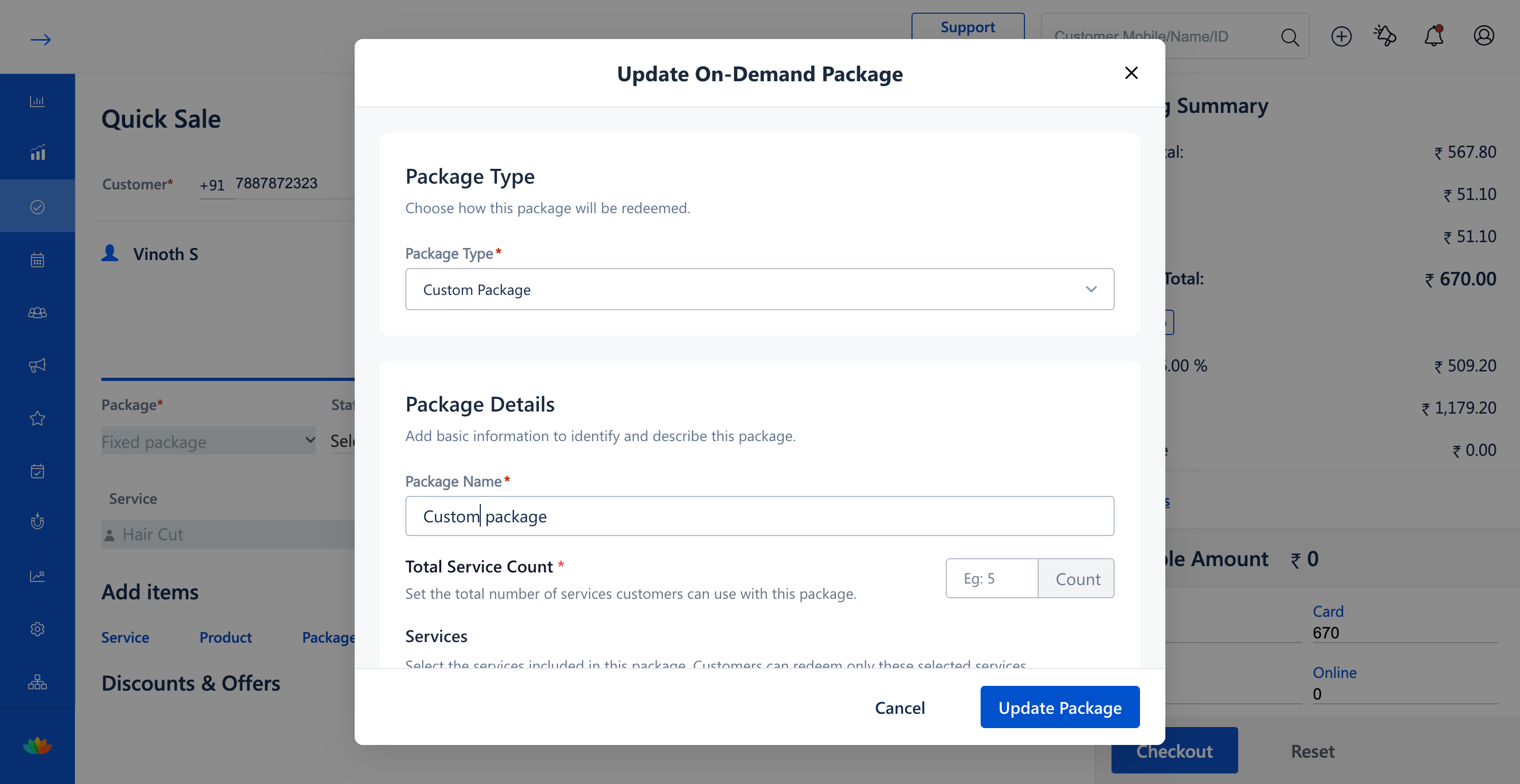
4. In the Edit On-Demand Package pop-up window, update the Package Name or modify the Total Service Count (E.g., 3 Count).
5. In the Services section, add or remove treatments using the Add Service dropdown, or adjust individual Service Limits (E.g., 1 per service).
6. Review the updated Suggested Package Price, modify the Selling Price (E.g., 670), update Package Validity (E.g., 100 Days), and click on Update Package.
7. In the Edit Selected Service modal, adjust the selected service appointment (E.g., Hair Cut 30 mins) and click on Confirm.
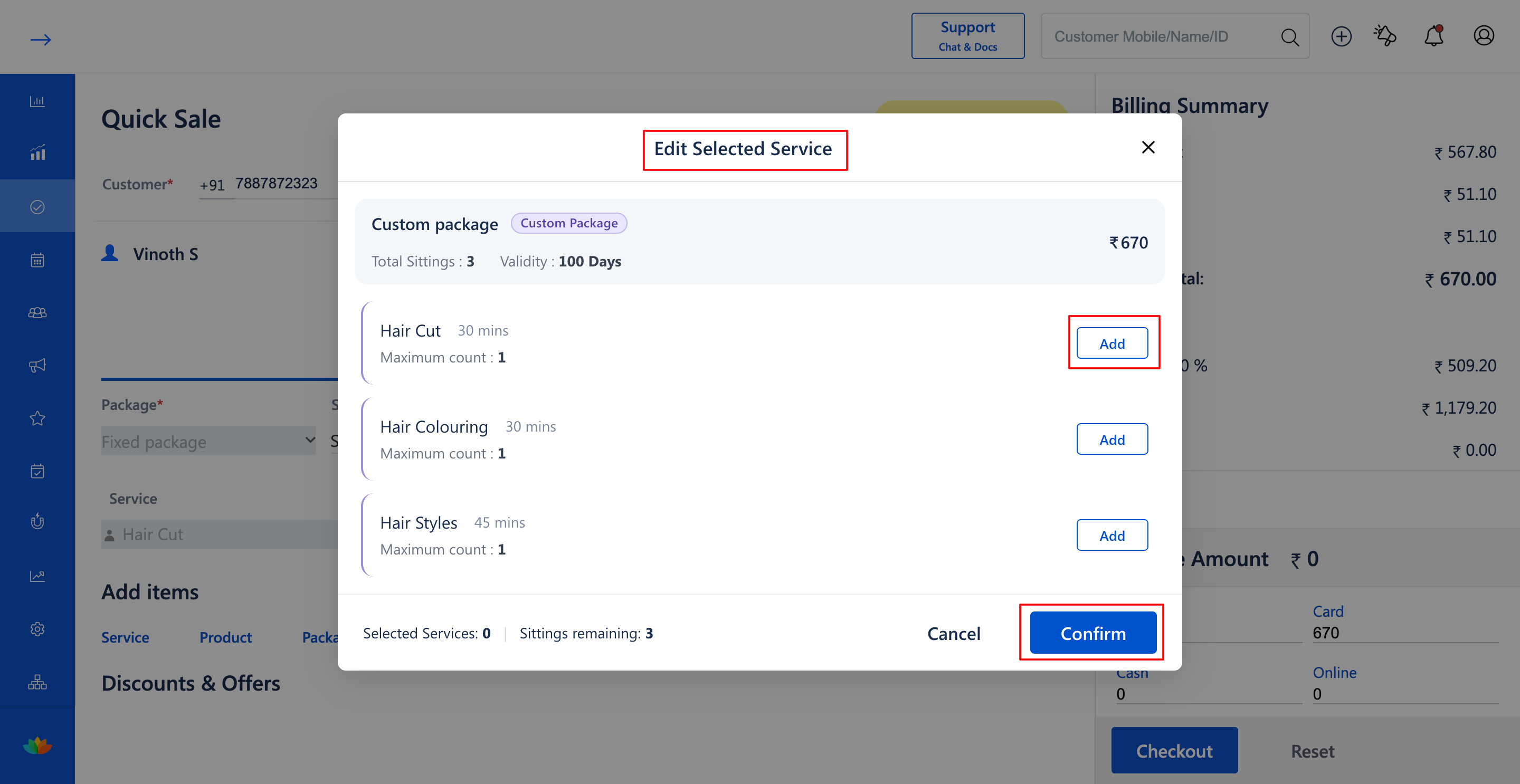
8. Verify that the updated custom package details reflect accurately in the Quick Sale cart before completing Checkout.
Note
When modifying total service count or individual service limits in a custom package, ensure that already scheduled appointment services do not exceed the newly defined limits.
Use Cases
1. Adding an extra grooming treatment to an existing custom package as requested by the client.
2. Adjusting service limits or package pricing on the fly during appointment billing.
Benefits
1. Delivers dynamic flexibility for customized client package combinations.
2. Prevents billing discrepancies by automatically recalculating suggested package pricing.
3. Enforces updated treatment quotas immediately upon confirmation.
Was this article helpful?
That’s Great!
Thank you for your feedback
Sorry! We couldn't be helpful
Thank you for your feedback
Feedback sent
We appreciate your effort and will try to fix the article