Overview
If you need to remove all gift vouchers from your account at once, the Delete All option provides a bulk deletion capability directly from the Gift Voucher List page.
This is useful during system cleanup, account migration, or when you want to start fresh with a new set of vouchers.
Because this action permanently removes every voucher in the system, it requires an additional security step of entering your account password before proceeding. This action cannot be undone.
Navigation Path
Settings → Gift Voucher → Gift Voucher List → Delete All
Steps to Delete All Gift Vouchers
Step 1: Navigate to the Gift Voucher List
From the left sidebar, click on Settings
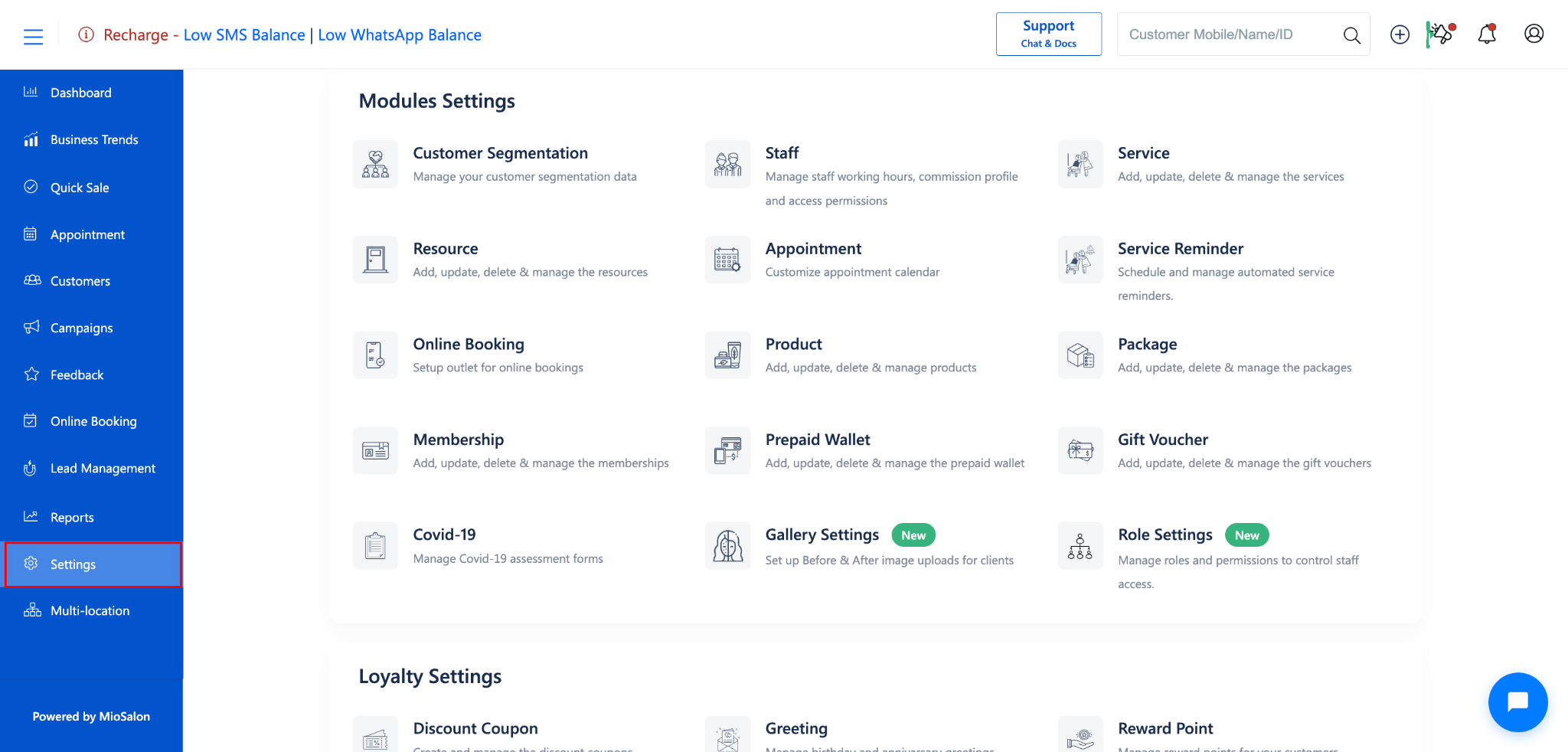
Under Settings, select Gift Voucher.
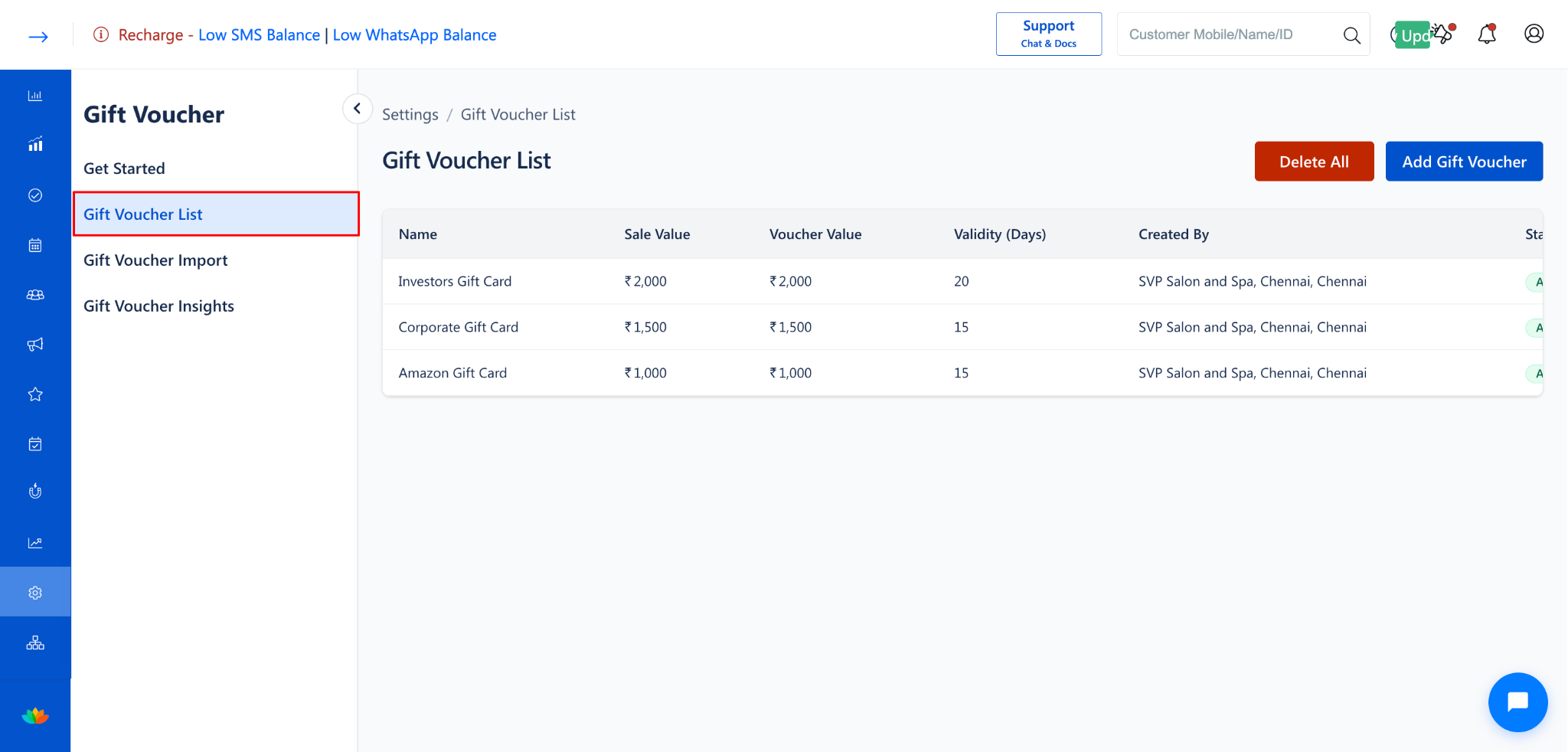
Click on Gift Voucher List from the left-side menu.
Step 2: Click the "Delete All" Button
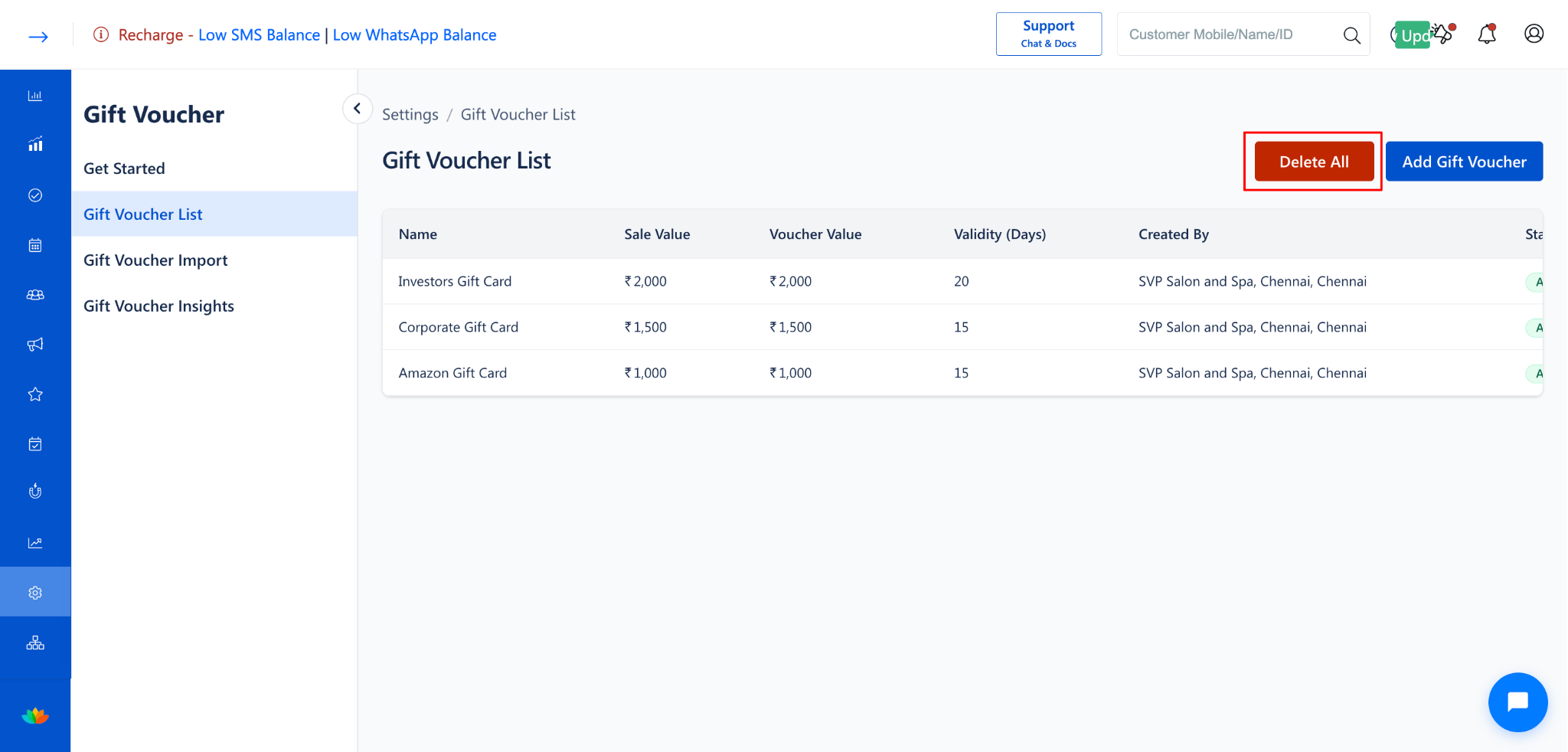
Click the Delete All button (in red) at the top-right corner of the Gift Voucher List page
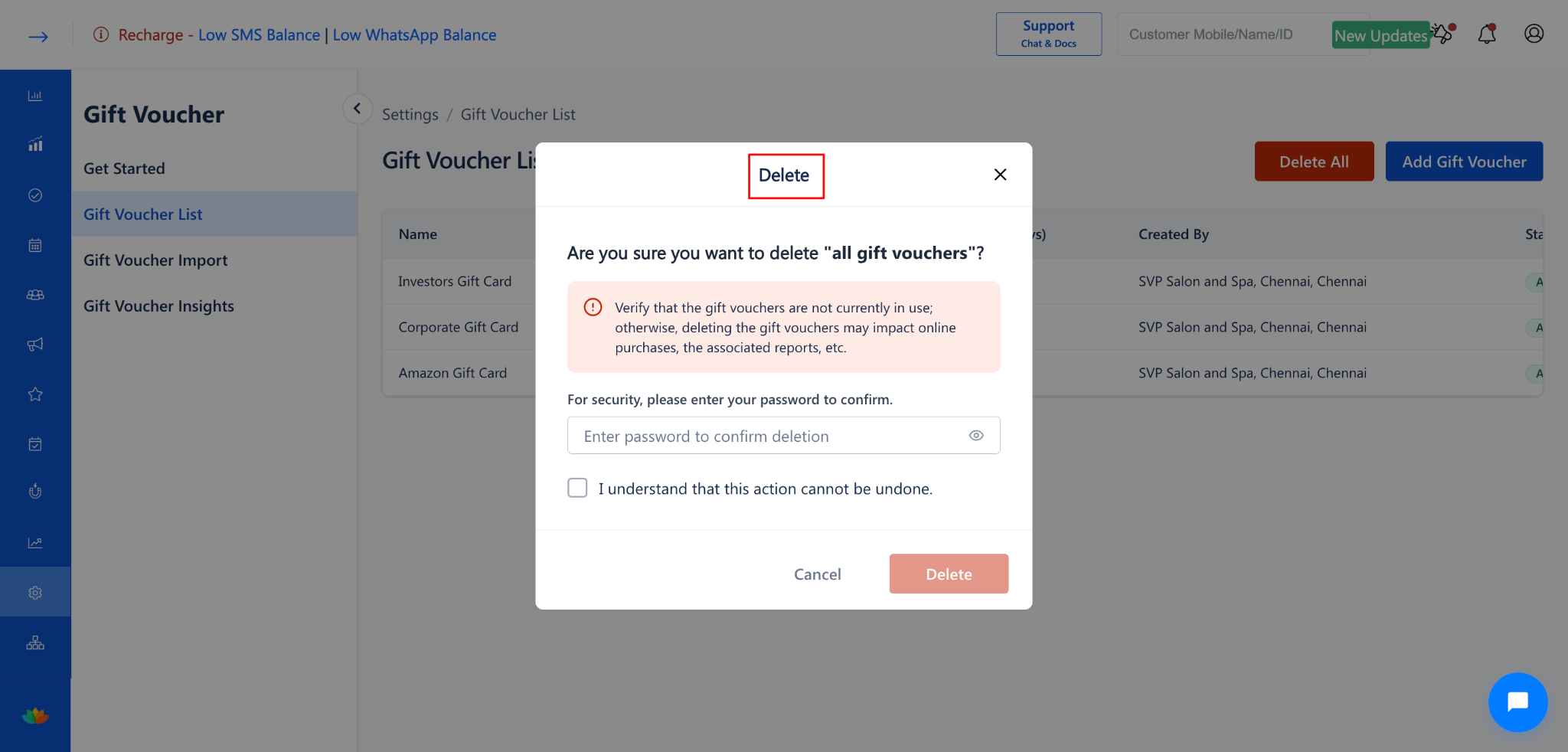
A confirmation dialog will appear.
Step 3: Review the Warning
The confirmation dialog will display:
A message: "Are you sure you want to delete 'all gift vouchers'?"
A warning: "Verify that the gift vouchers are not currently in use; otherwise, deleting the gift vouchers may impact online purchases, the associated reports, etc."
A password field: "For security, please enter your password to confirm."
A checkbox: "I understand that this action cannot be undone."
Step 4: Confirm the Deletion
Read the warning message carefully.
Enter your account password in the password field to confirm your identity.
Check the checkbox "I understand that this action cannot be undone."
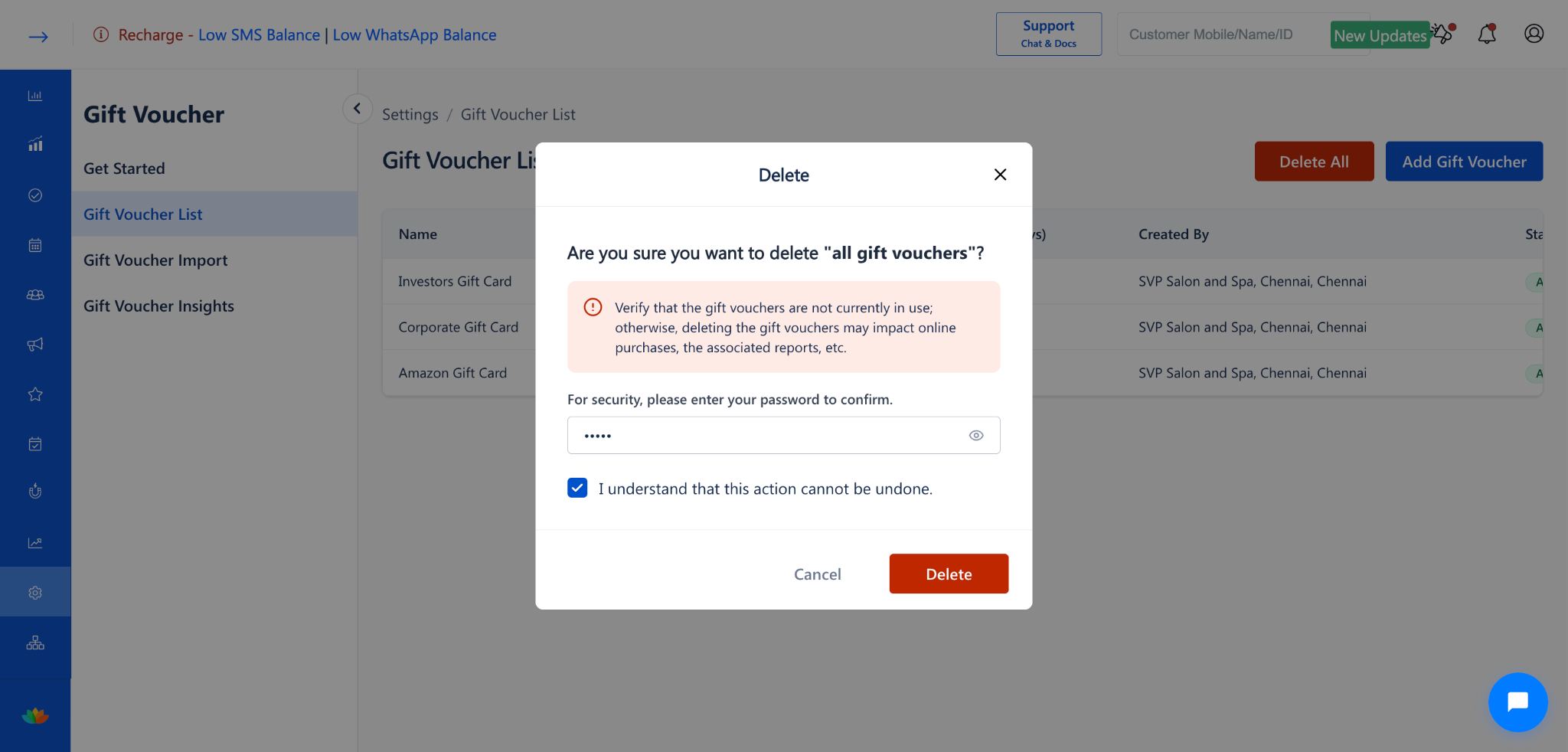
Click the Delete button to permanently delete all gift vouchers.
To cancel, click Cancel to close the dialog and return to the Gift Voucher List.
Delete vs. Delete All: Comparison
Use Cases
Clear all gift vouchers during system cleanup or end-of-year housekeeping.
Remove all vouchers before migrating to a new voucher structure or pricing model.
Start fresh when restructuring your gift voucher offerings across branches.
Benefits
Saves time by removing all vouchers in a single action instead of deleting them one by one.
Provides a secure deletion process with password verification to prevent accidental removal.
Ensures a clean slate for implementing new gift voucher strategies.
Was this article helpful?
That’s Great!
Thank you for your feedback
Sorry! We couldn't be helpful
Thank you for your feedback
Feedback sent
We appreciate your effort and will try to fix the article