Overview
Gift vouchers are prepaid value cards that customers can purchase and redeem against services or products at your business.
Creating gift vouchers helps drive upfront revenue, attract new customers through gifting, and encourage repeat visits.
Each voucher can be customized with a unique name, sales price, redeemable value, validity period, tax settings, and branch-level availability.
This guide walks you through the complete process of adding a new gift voucher in your account.
Navigation Path:
Settings → Gift Voucher → Gift Voucher List
Steps to Add a Gift Voucher
Step 1: Navigate to Gift Voucher List
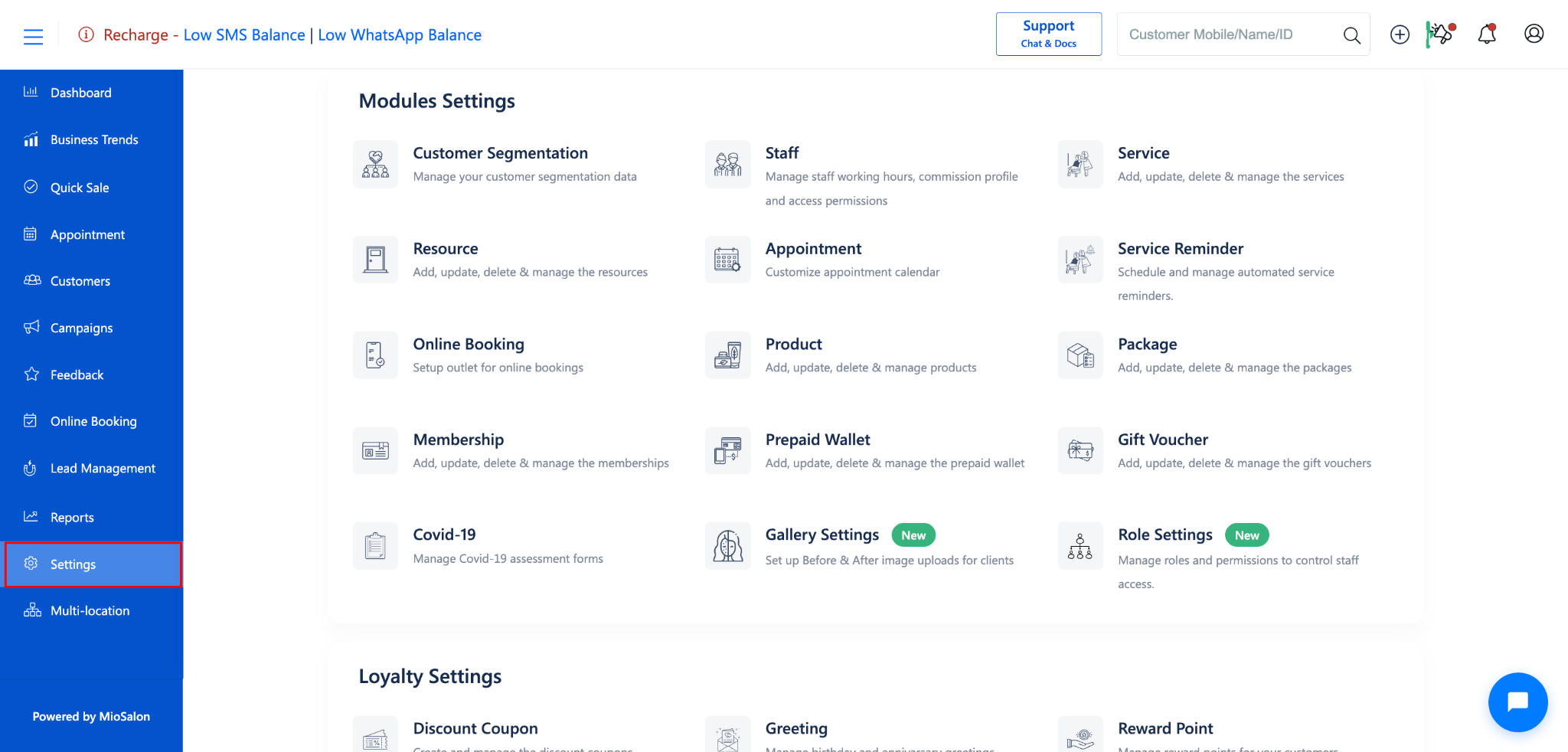
From the left sidebar, click on Settings
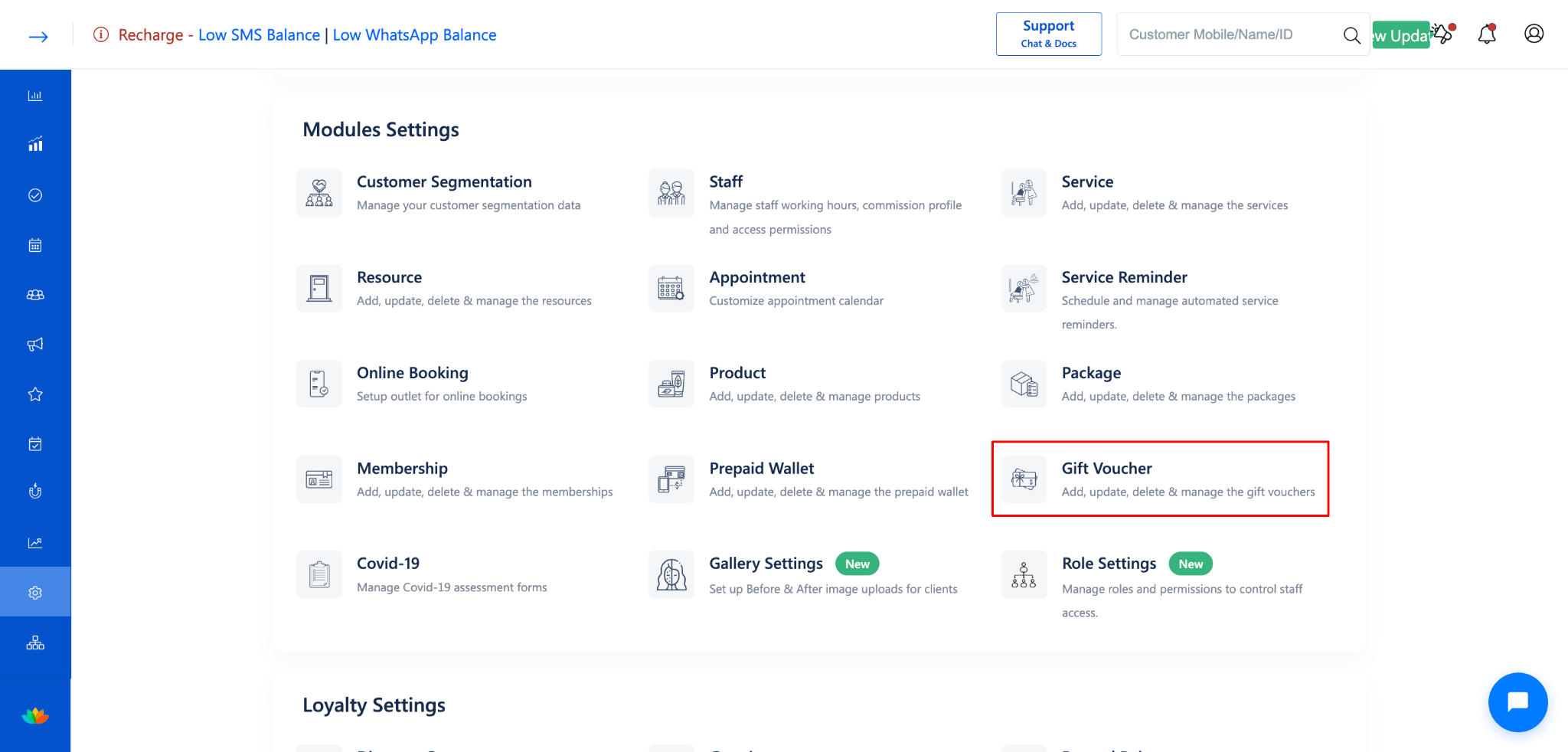
Under Settings, select Gift Voucher.
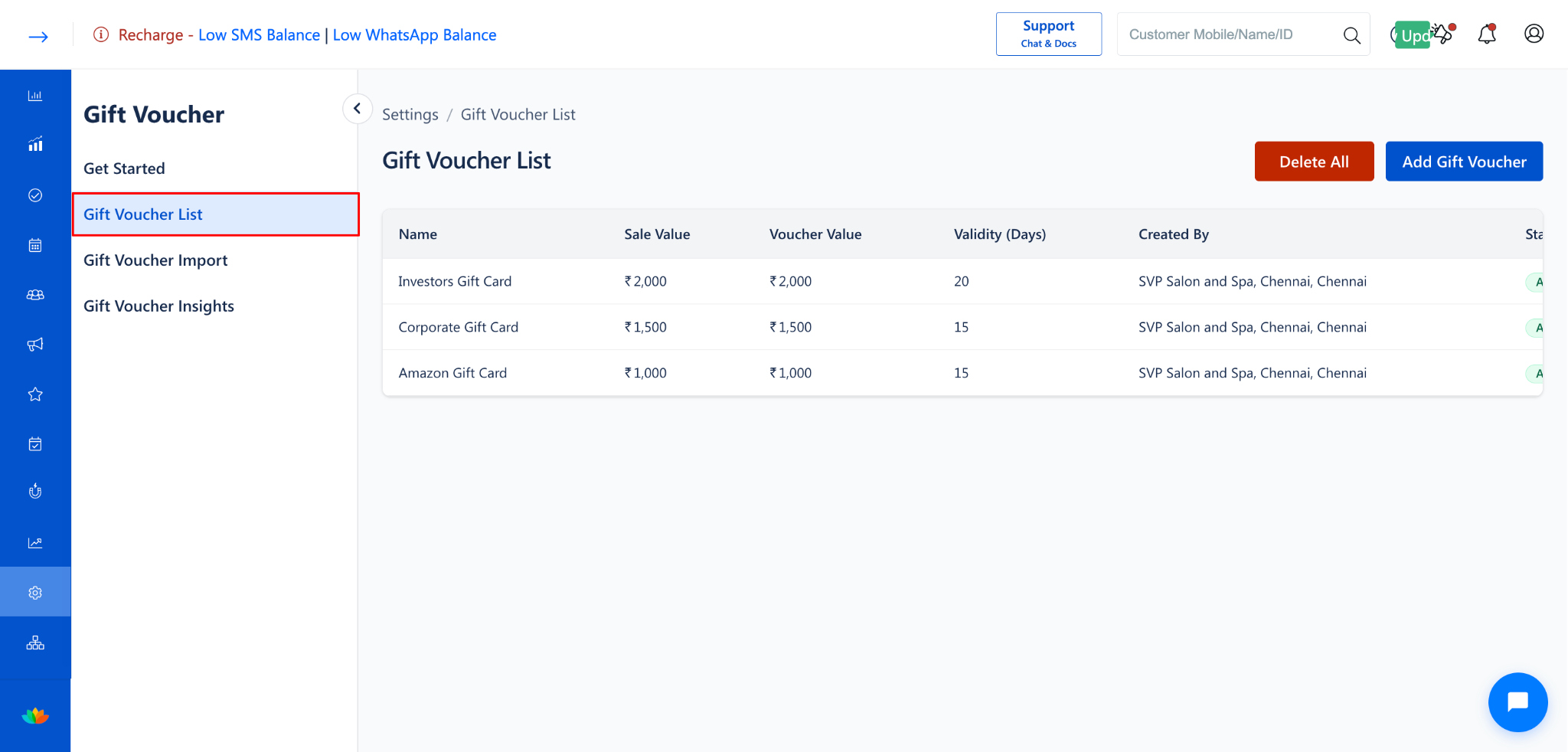
Click on Gift Voucher List from the left-side menu.
Step 2: Open the Add Gift Voucher Form
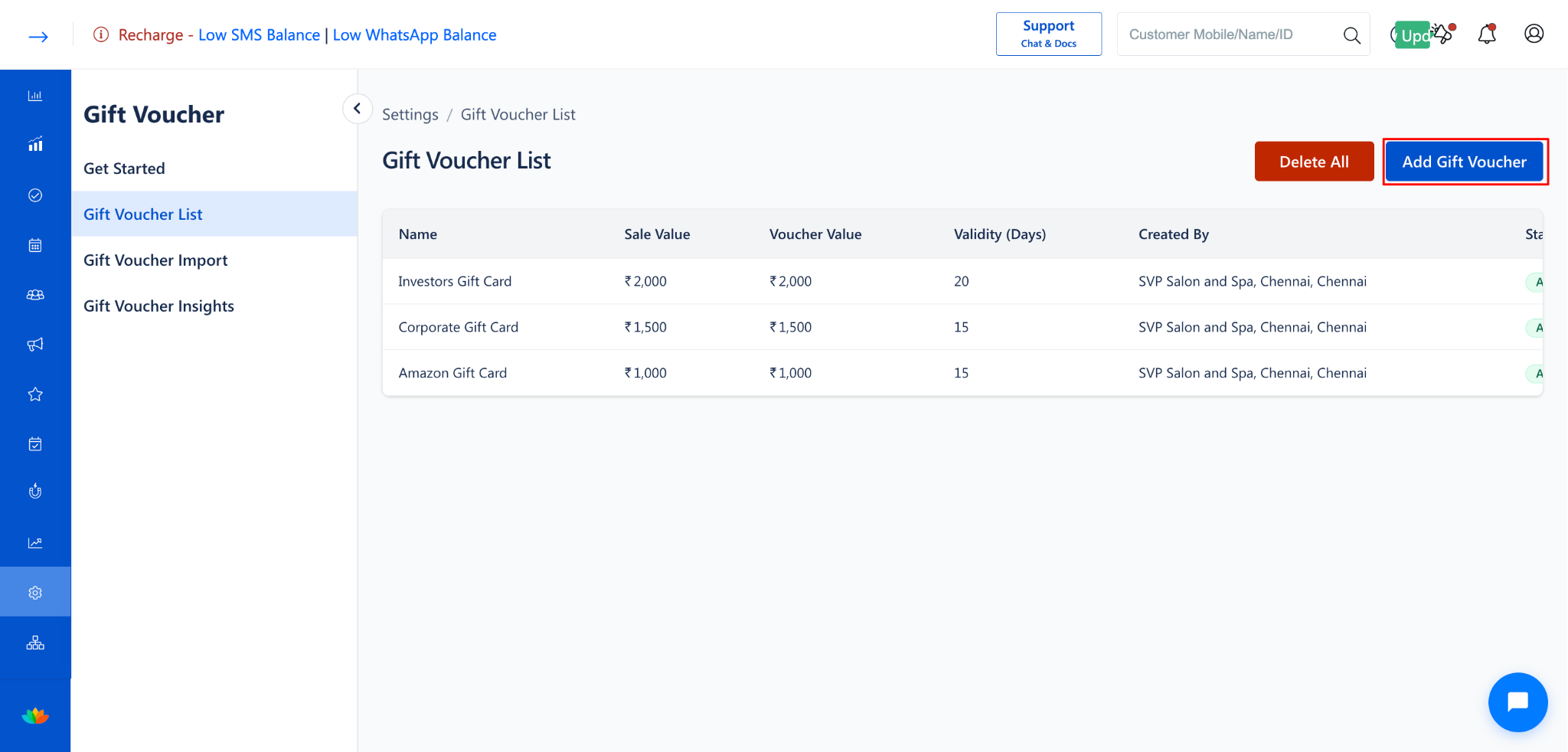
Click the Add Gift Voucher button at the top-right corner of the Gift Voucher List page.
The Add Gift Voucher form will open.
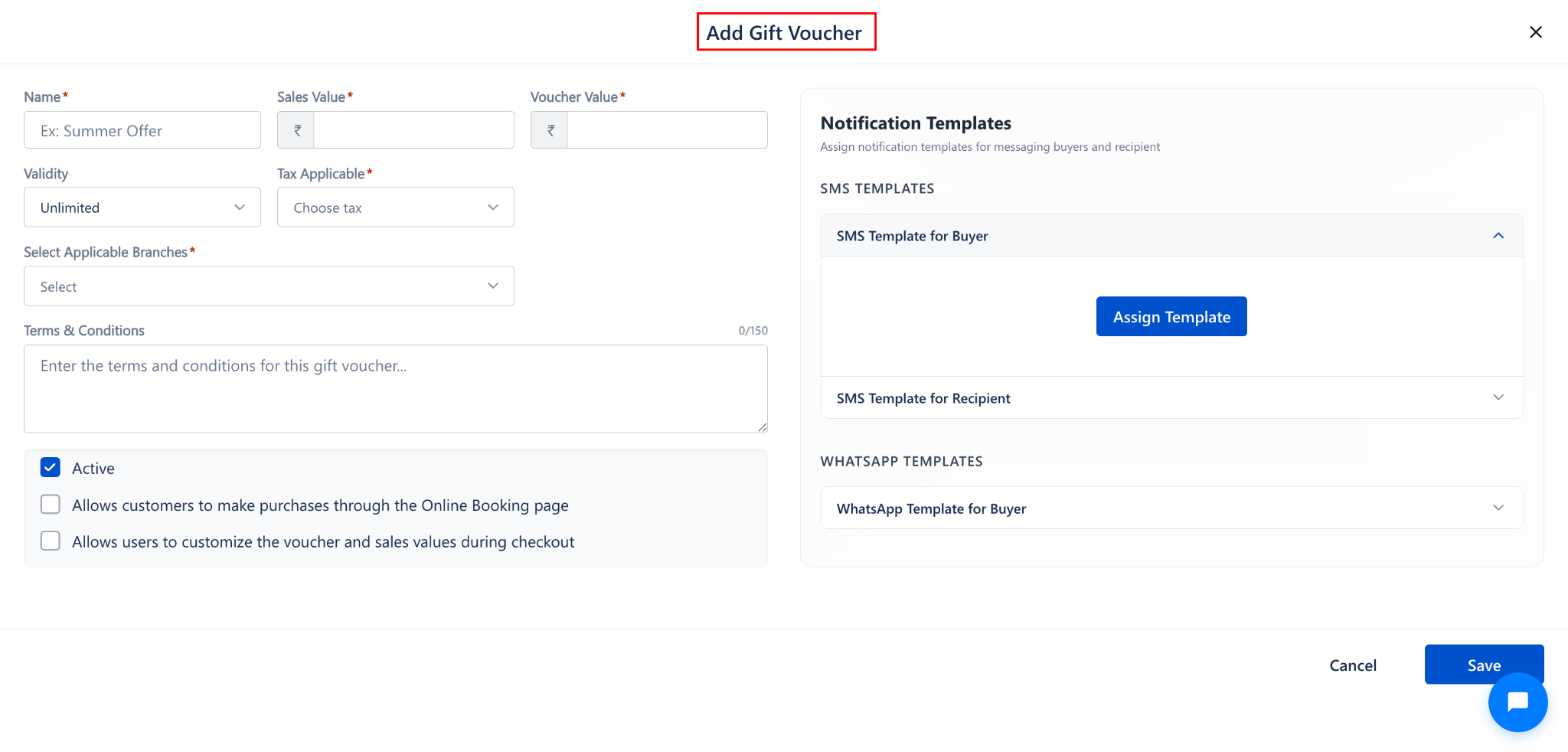
Step 3: Fill in the Gift Voucher Details
Enter the following details in the form:
NOTE:
Fields marked with * are mandatory.
Select Applicable Branches; this option is only available in our Gift Voucher settings at Network Level.
(Check Your Gift Voucher Configuration Settings in Business Location → Settings → Gift Voucher)
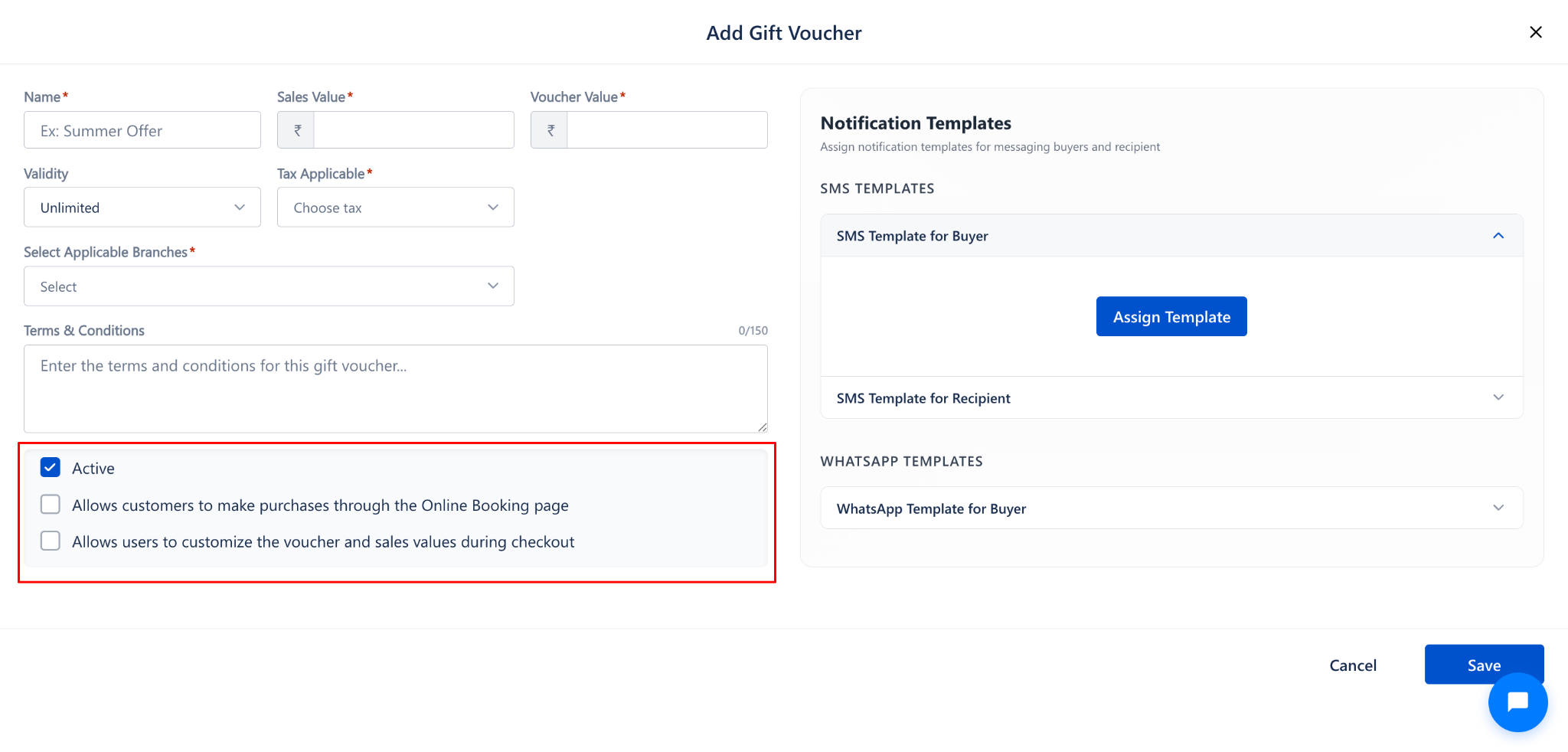
Step 4: Configure Additional Options
Enable or disable the following options based on your business needs:
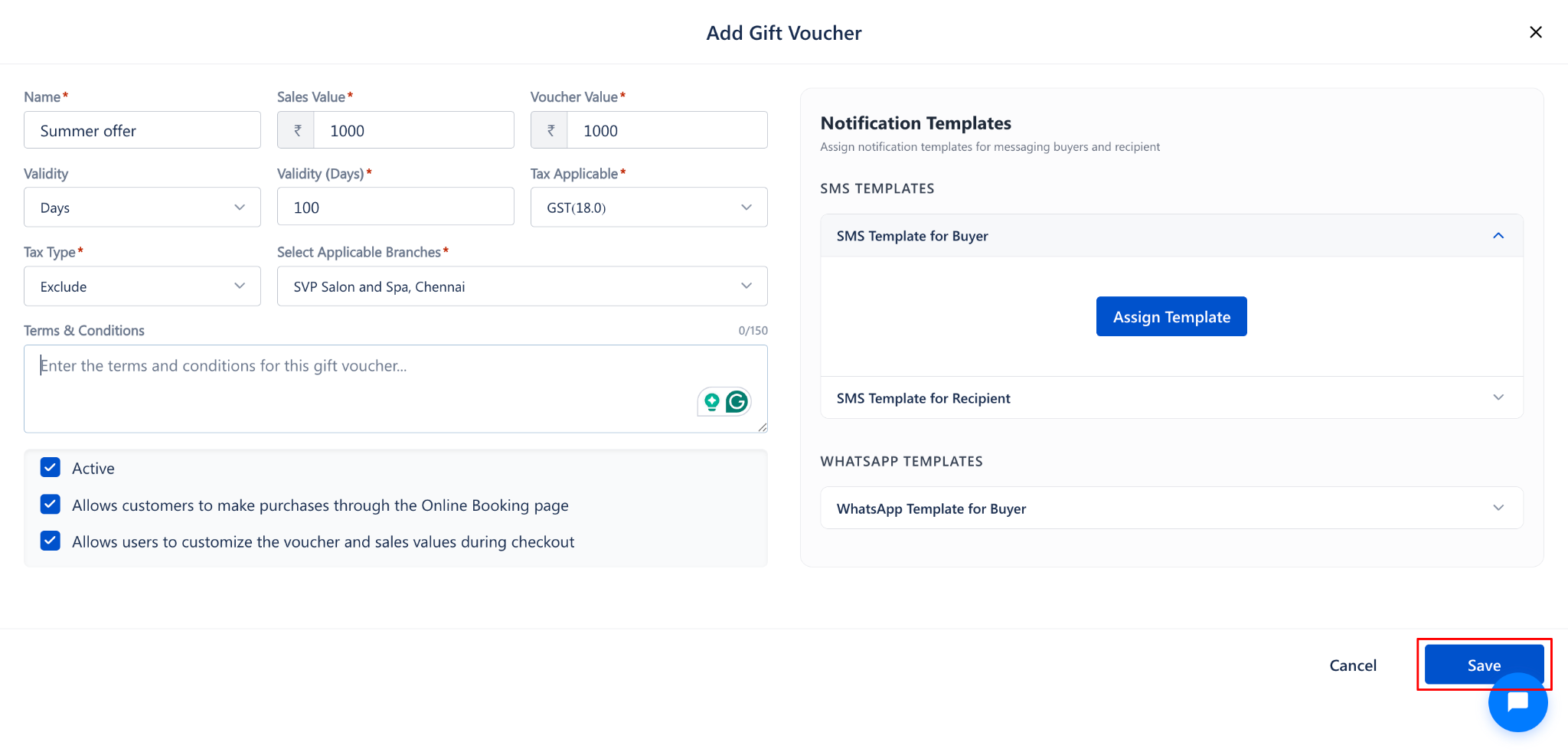
Step 5: Save the Gift Voucher
Click the Save button at the bottom-right corner to save the gift voucher.
The new gift voucher will appear in the Gift Voucher List.
To discard the changes, click Cancel to close the form without saving.
Use Cases
Sell gift vouchers for festive seasons or special promotions to boost revenue.
Allow customers to gift vouchers to friends and family, expanding your customer base.
Offer vouchers as rewards for loyal customers to encourage repeat visits.
Create vouchers with different pricing tiers for various customer segments.
Benefits
Generates upfront revenue before the service is delivered.
Increases foot traffic by attracting new customers through gifting.
Provides a flexible promotional tool with customizable values and validity.
Supports multi-branch operations with branch-level voucher assignment.
Simplifies tax compliance with built-in tax configuration for each voucher.
Was this article helpful?
That’s Great!
Thank you for your feedback
Sorry! We couldn't be helpful
Thank you for your feedback
Feedback sent
We appreciate your effort and will try to fix the article