Overview
When a gift voucher is no longer needed or has been created by mistake, you can permanently remove it from the system.
Deleting a gift voucher removes it from the Gift Voucher List and prevents it from being used for future transactions.
Before deleting, it is important to verify that the voucher is not currently in use, as the deletion may impact online purchases, other branch locations, and associated reports. This action cannot be undone.
Navigation Path:
Settings → Gift Voucher → Gift Voucher List → Select Gift Voucher → Delete
Steps to Delete a Gift Voucher
Step 1: Navigate to the Gift Voucher List
From the left sidebar, click on Settings.
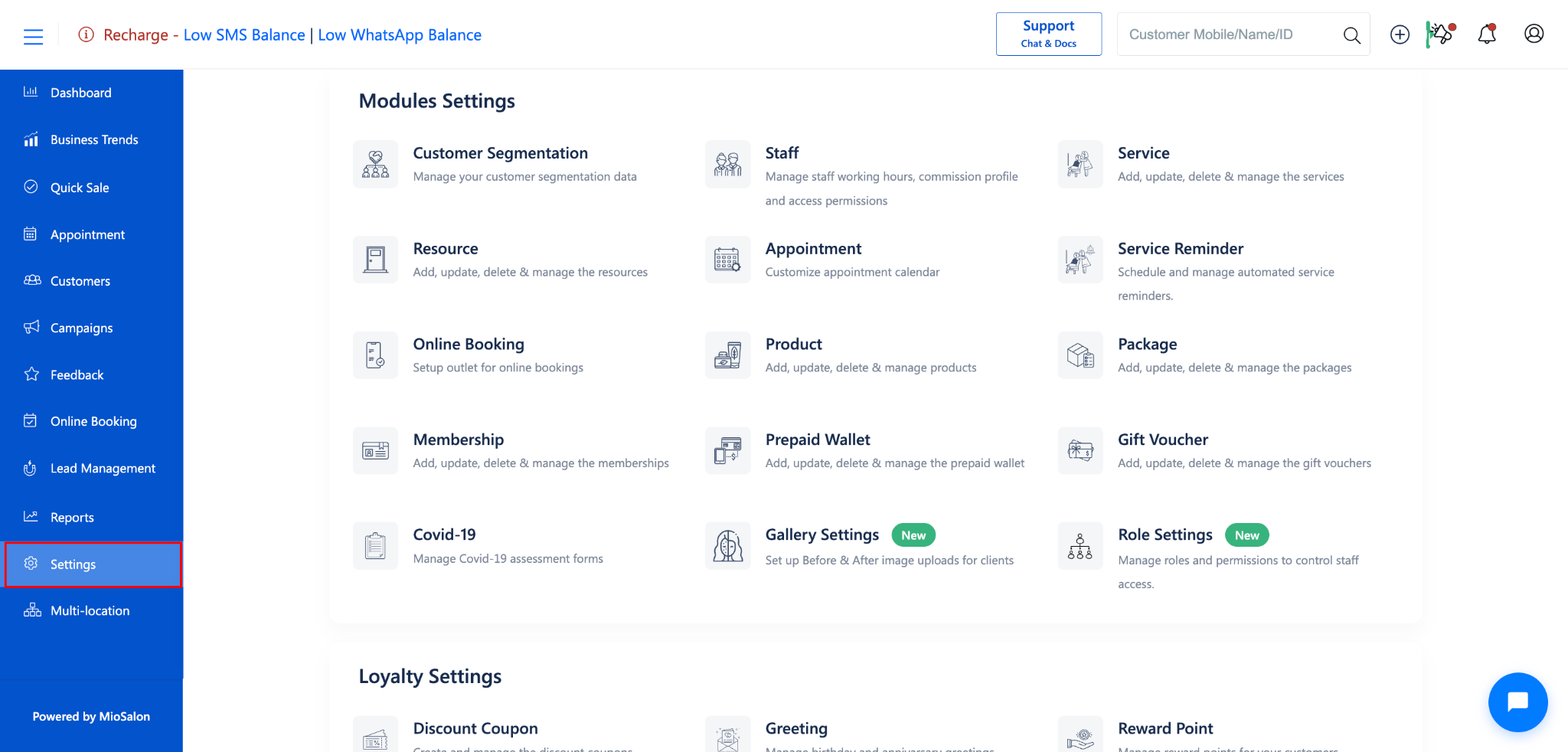
Under Settings, select Gift Voucher.
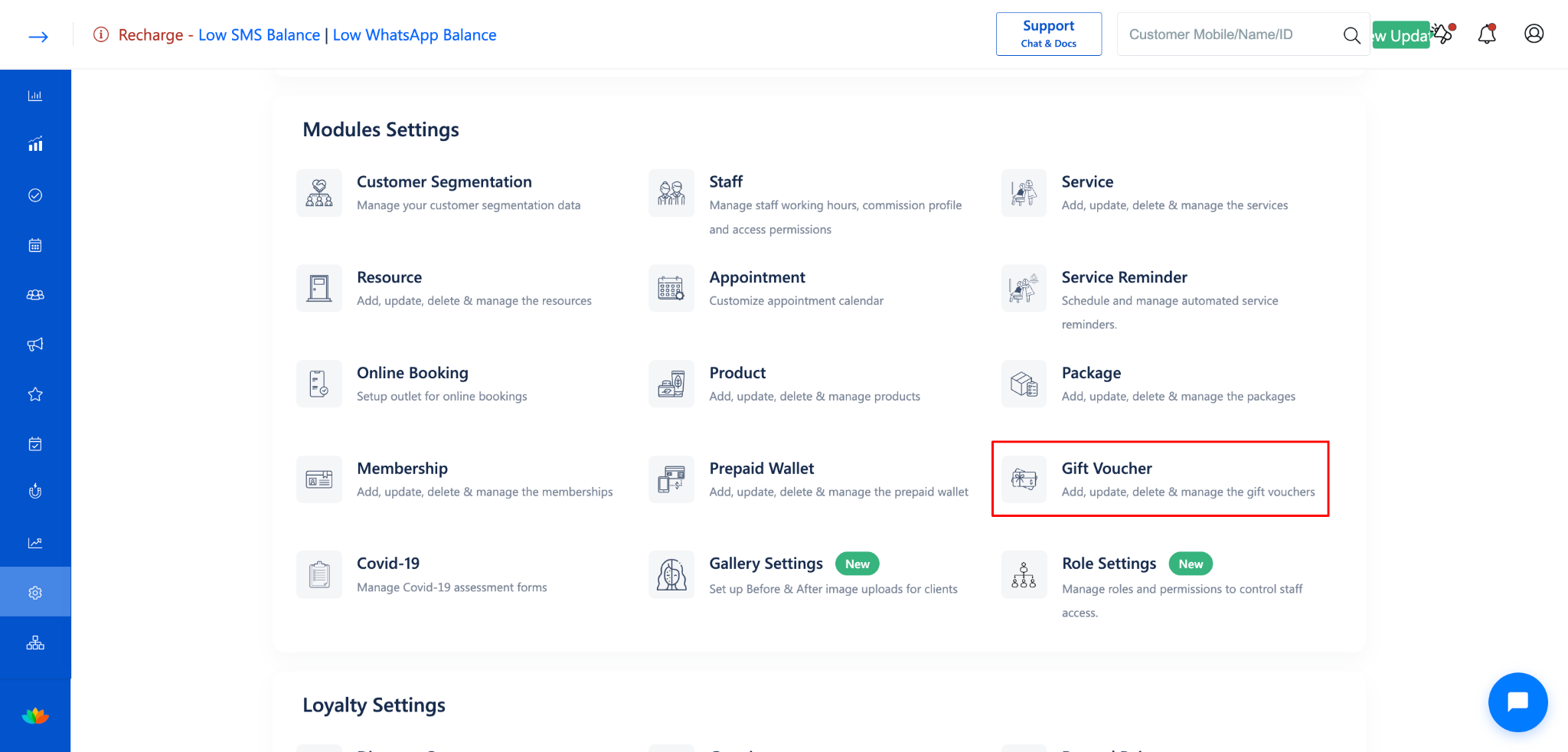
Click on Gift Voucher List from the left-side menu.
Step 2: Open the Gift Voucher
Click on the gift voucher you want to delete (e.g., Investors Gift Card) from the list.
The Update Gift Voucher form will open.
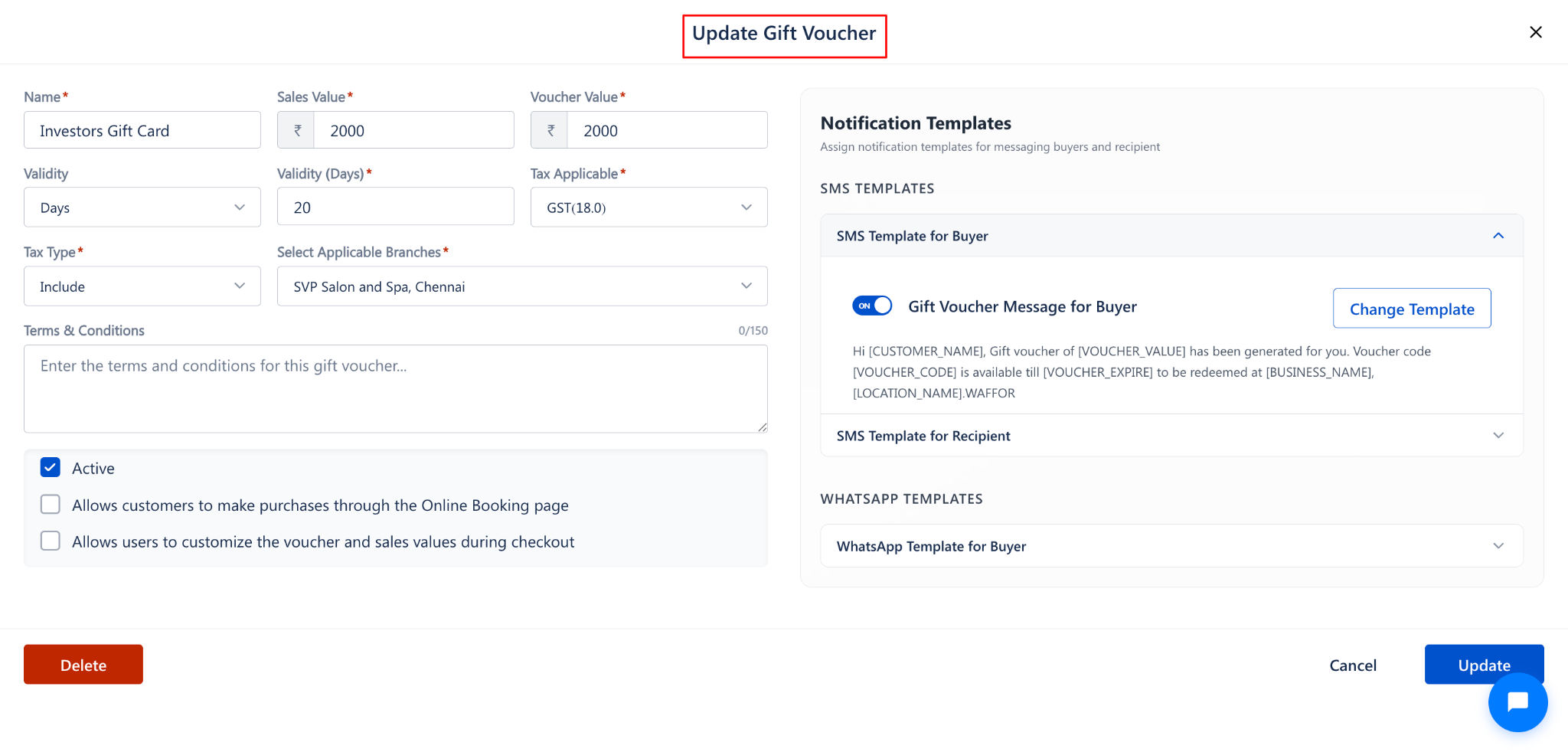
Step 3: Click the Delete Button
Click the Delete button at the bottom-left corner of the Update Gift Voucher form.
A confirmation dialog will appear.
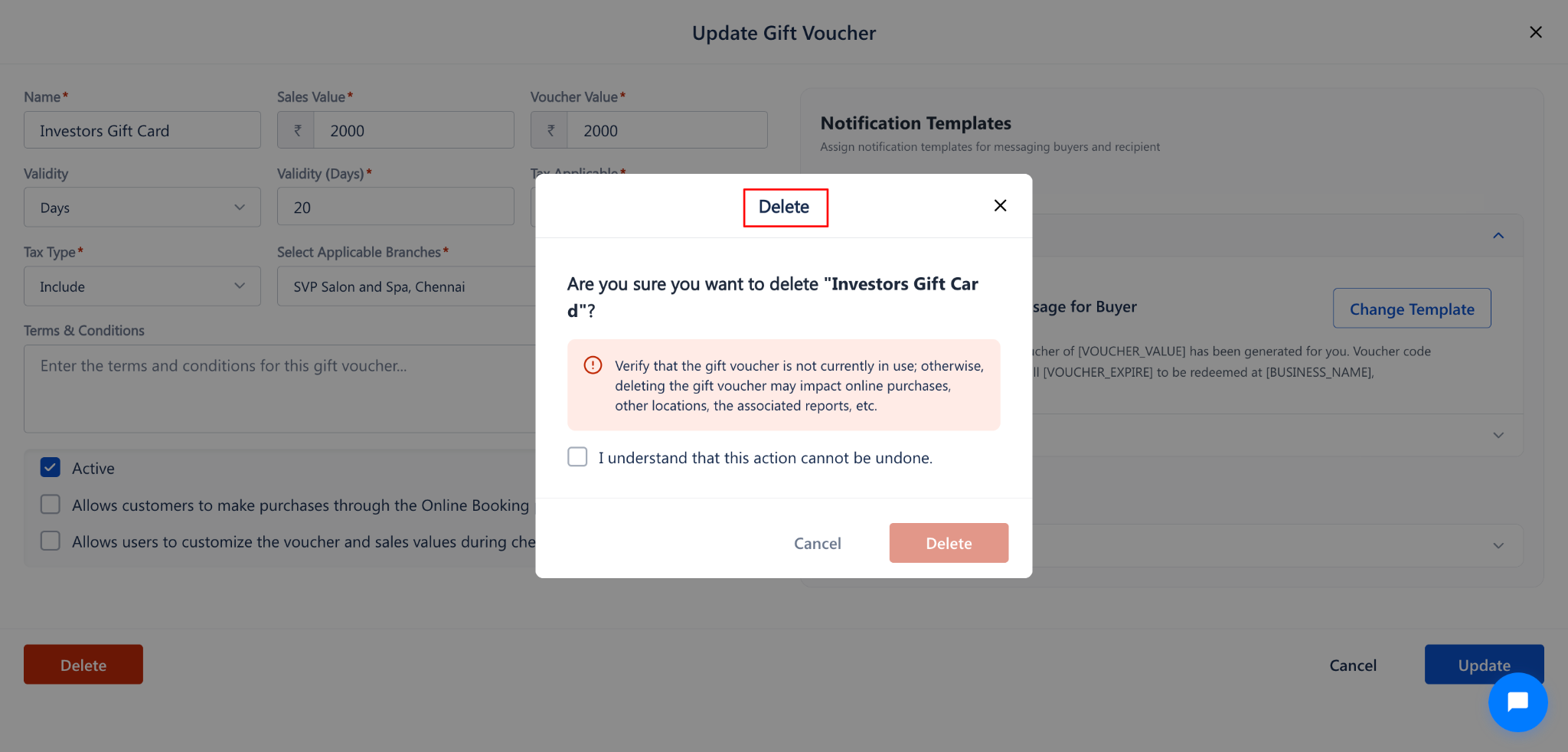
Step 4: Confirm the Deletion
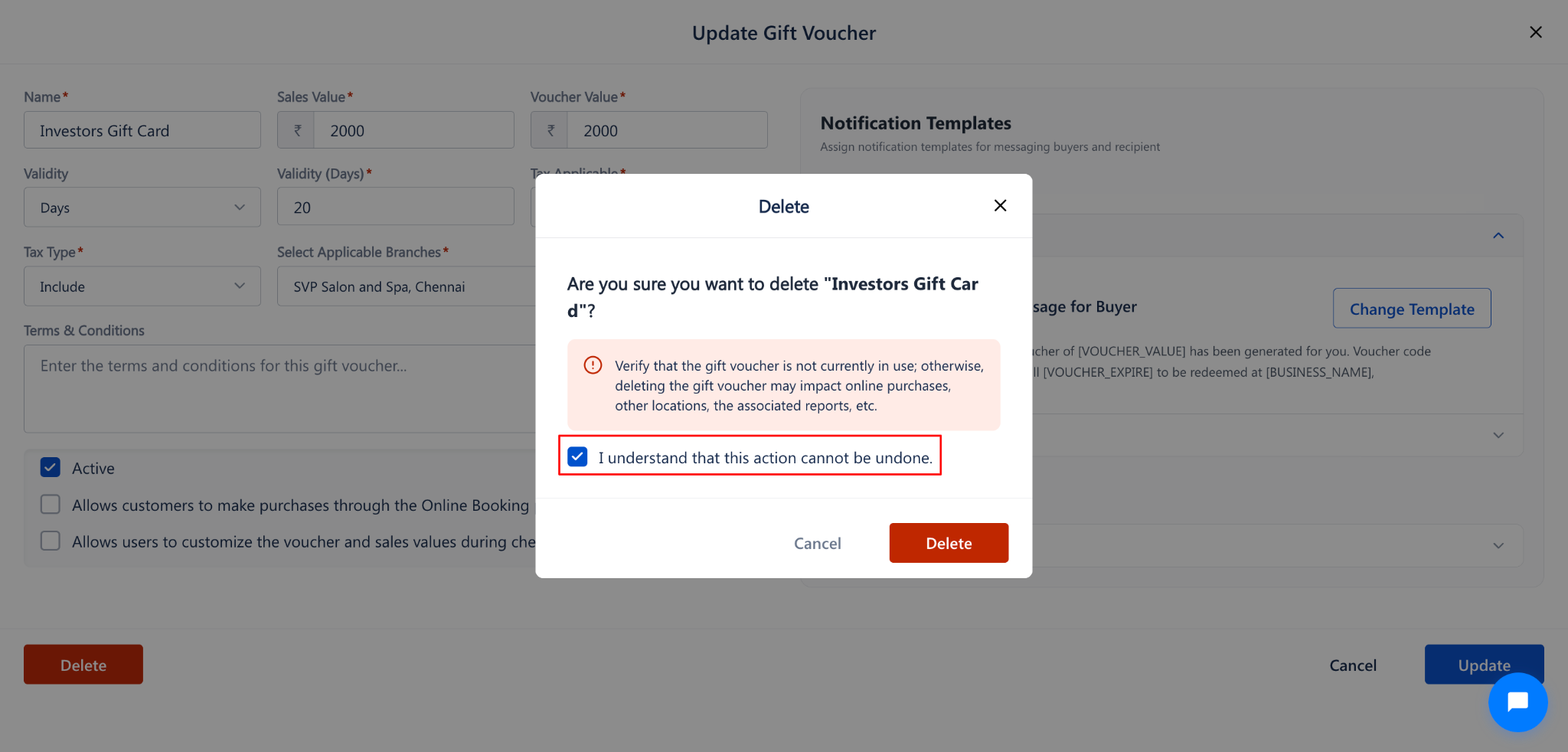
The confirmation dialog will display:
A message: "Are you sure you want to delete '[Gift Voucher Name]'?"
A warning: "Verify that the gift voucher is not currently in use; otherwise, deleting the gift voucher may impact online purchases, other locations, the associated reports, etc."
A checkbox: "I understand that this action cannot be undone."
To confirm:
Read the warning message carefully.
Check the checkbox "I understand that this action cannot be undone."
Click the Delete button to permanently delete the gift voucher.
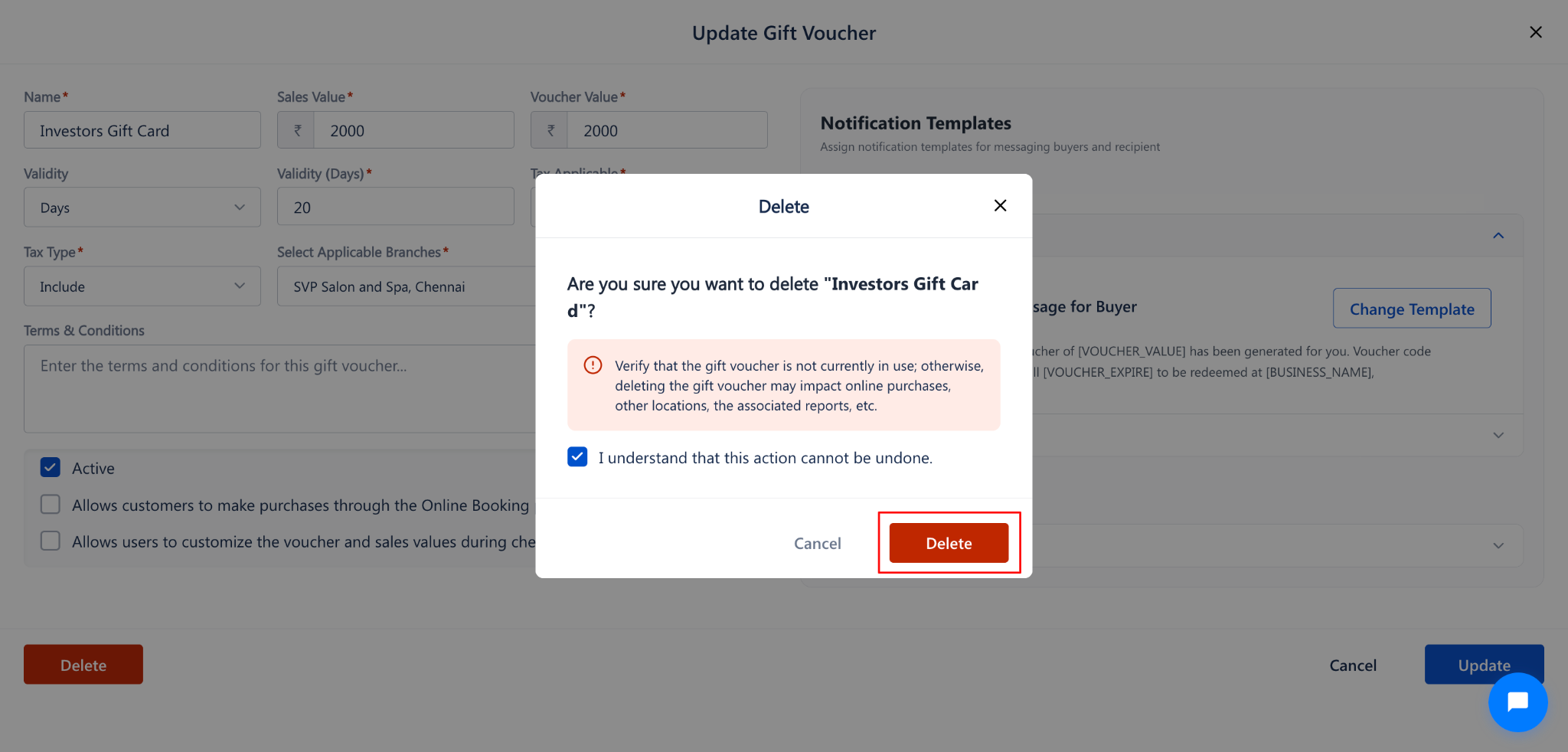
To cancel, click Cancel to close the dialog and return to the form.
Delete vs. Delete All: Comparison
Use Cases
Remove a gift voucher that was created during testing or by mistake.
Delete an outdated or expired voucher that is no longer relevant to your offerings.
Clean up the voucher list by removing discontinued promotional vouchers.
Benefits
Keeps the Gift Voucher List clean and organized with only active vouchers.
Prevents accidental use of outdated or incorrect vouchers during checkout.
Simplifies reporting by removing irrelevant voucher records from the system.
Was this article helpful?
That’s Great!
Thank you for your feedback
Sorry! We couldn't be helpful
Thank you for your feedback
Feedback sent
We appreciate your effort and will try to fix the article