Overview
Hourly packages in MioSalon allow salons and spas to sell prepaid time-based service packages where clients purchase a block of hours to redeem across services.
Businesses use hourly packages to offer flexible time bundles, promote wellness and spa therapies, and secure upfront revenue from clients.
Configuring redemption rules such as minimum durations and partial redemptions ensures smooth billing and transparent hour tracking.
Follow the guided step-by-step instructions below to create an hourly package in MioSalon.
Navigation Path
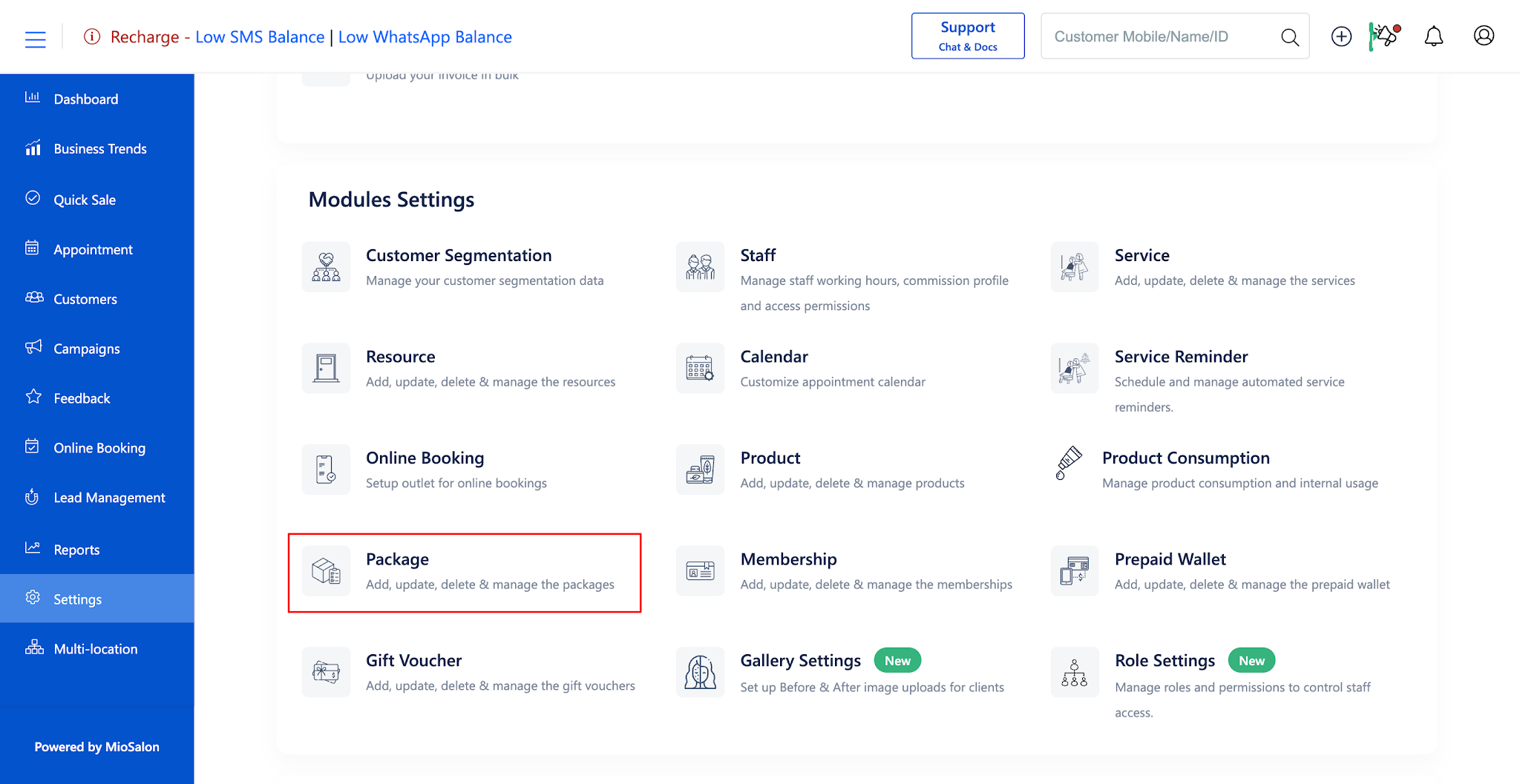
Settings → Modules Settings → Package → Package List
Steps to Create a Hourly Package
1. Navigate to the Settings module from the main left navigation bar and click on the Package card under the Modules Settings section.
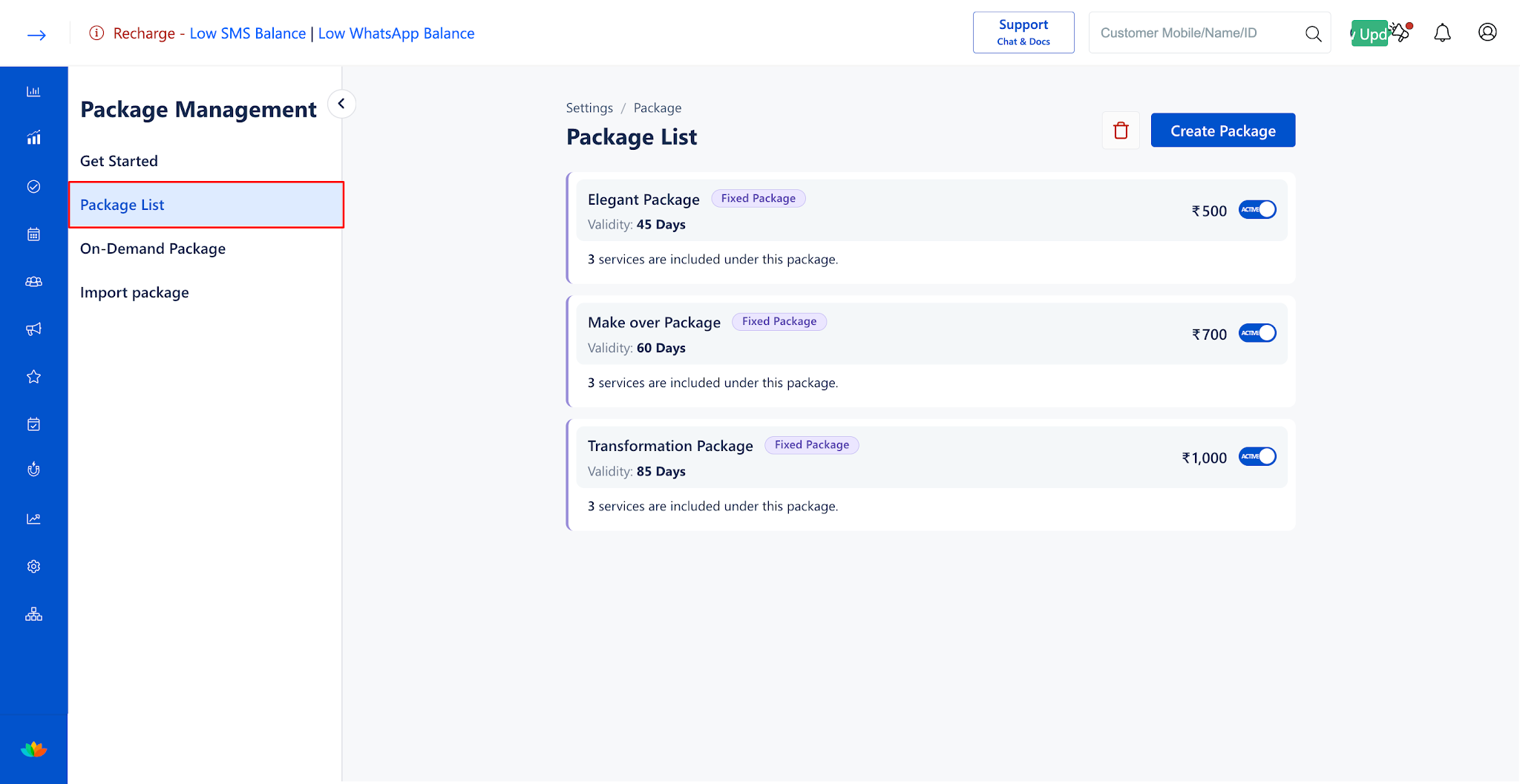
2. In the Package List tab, click on the Create Package button located in the top-right corner.
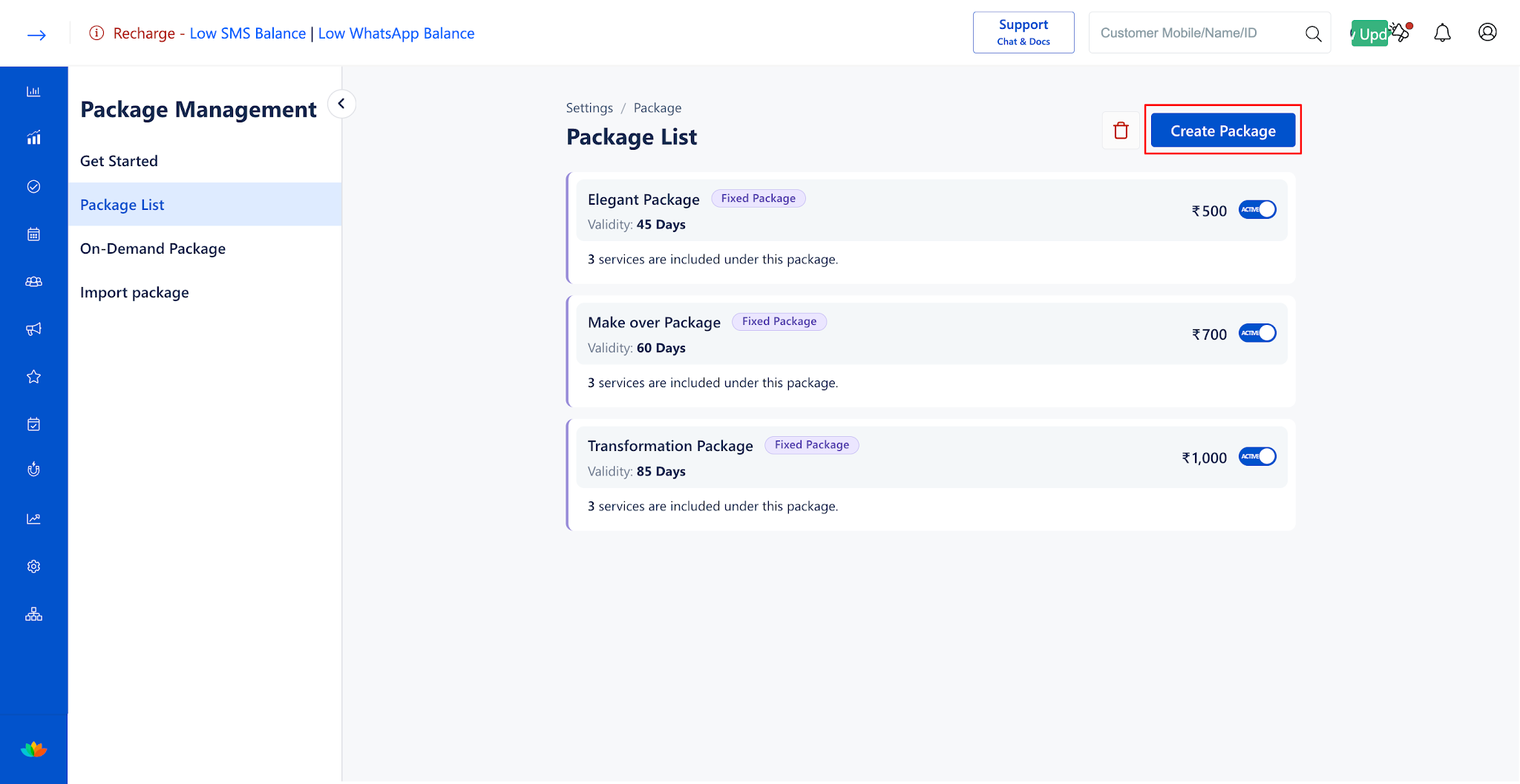
3. In the Package Type section, select Hourly Package from the Package Type dropdown menu.
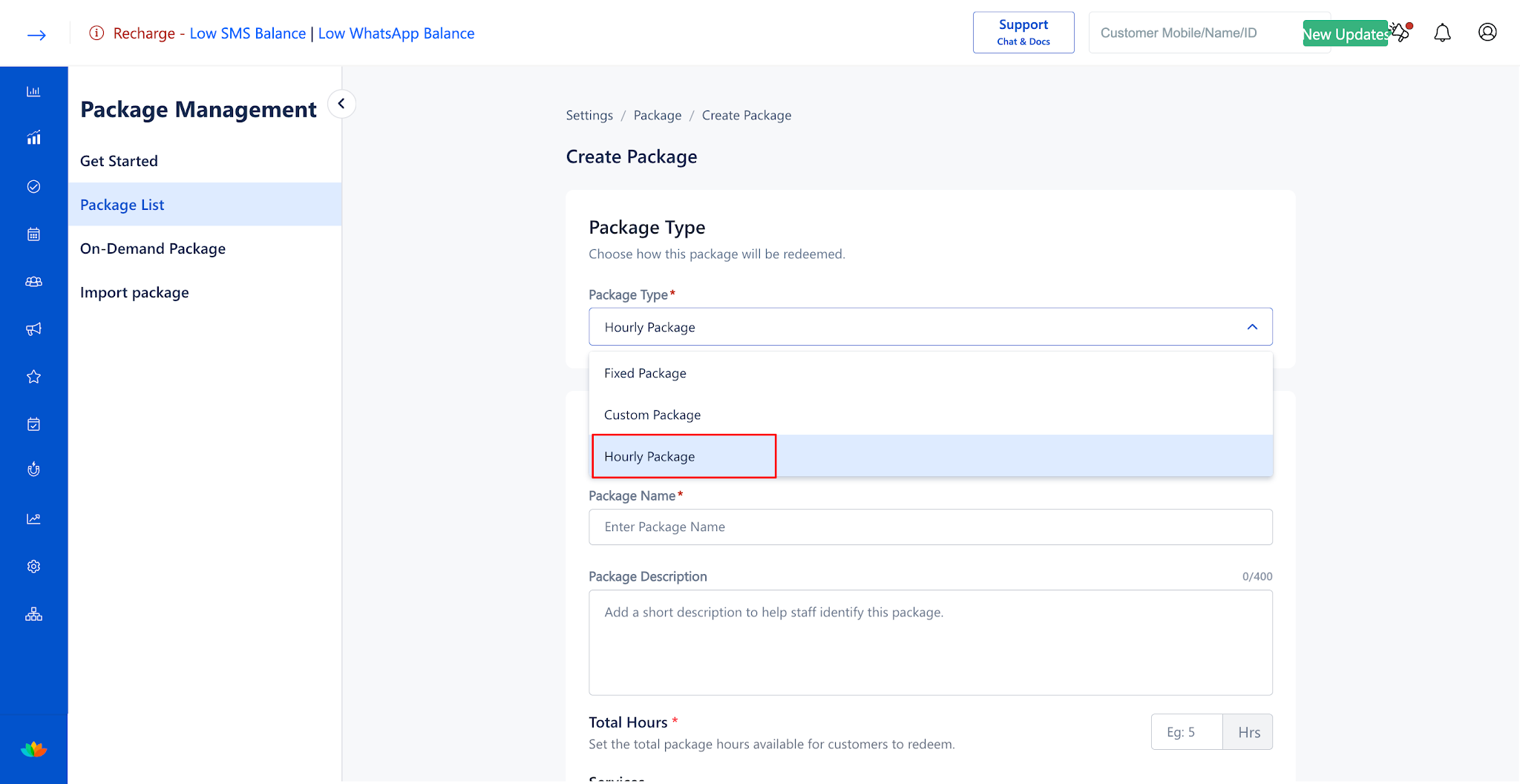
4. In the Package Details section, fill in the following information:
• Package Name: Enter a descriptive name for the hourly package. (E.g., 5 Hours Wellness Spa Pass)
• Package Description: Enter a brief summary to help staff identify package terms. (E.g., Prepaid 5-hour time bundle applicable across all body massages and skin treatments.)
5. In the Services section, choose whether customers can redeem package hours across all services or only selected services:
• Select Selected Services Only to choose specific eligible services.
• Select All Services to allow package hour redemption across all salon services.
• Total Hours: Enter the total number of package hours available for customers to redeem. (E.g., 5 Hrs)
6. In the Pricing & Tax section, configure the financial details:
• Selling Price: Enter the package selling price before tax. (E.g., 4000)
• Tax Applicable: Select the applicable tax rate from the dropdown. (E.g., GST(18.0))
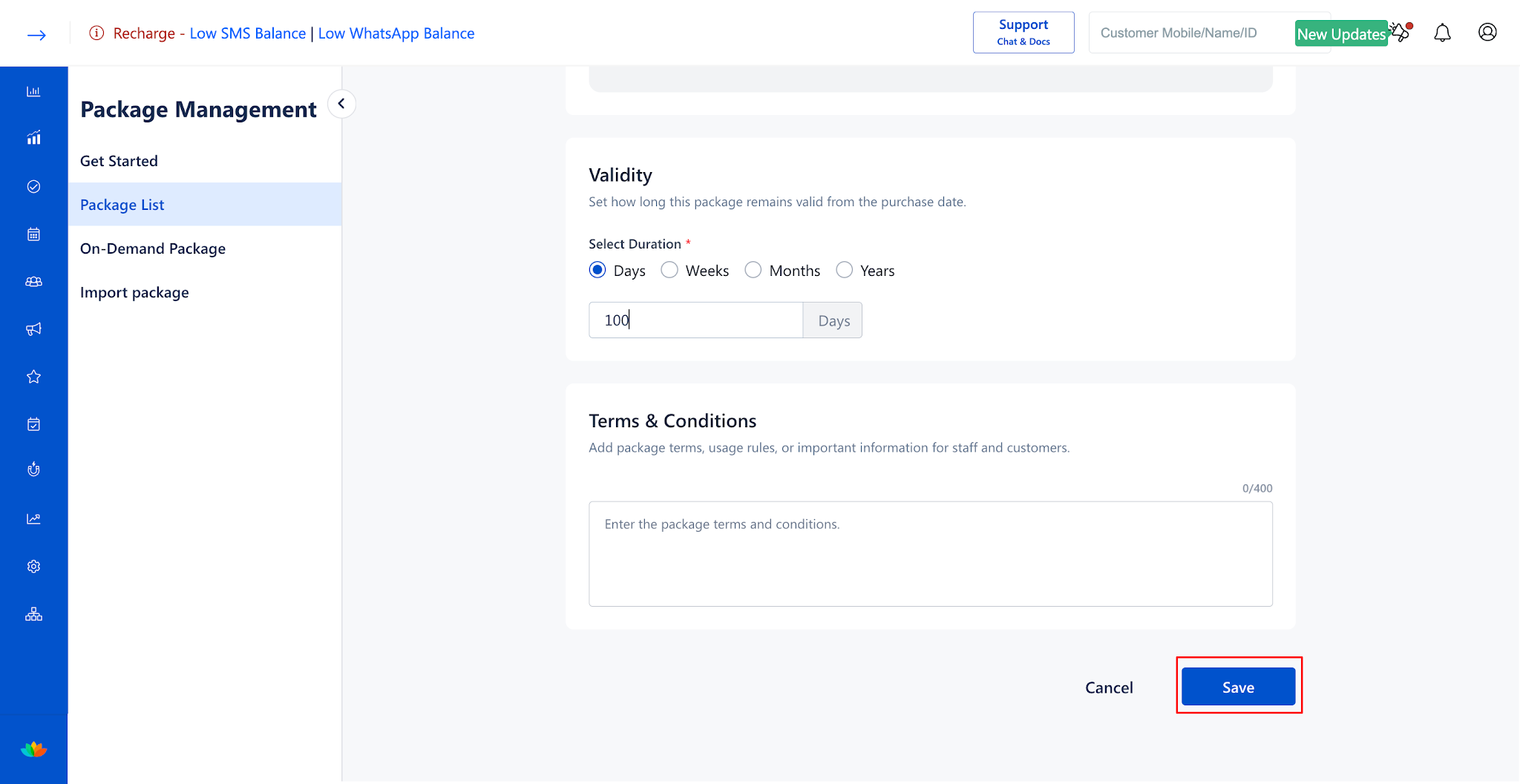
7. In the Validity section, set the expiration duration by choosing Days, Weeks, Months, or Years and entering the duration value. (E.g., 90 Days).
8. In the Redemption Rules section, configure how package hours are redeemed during service bookings:
• Minimum Redemption Duration: Toggle ON to set the minimum duration deductible in a single booking. (E.g., 15 Mins)
• Round-off Duration: Toggle ON to round up redeemed hours to the nearest interval. (E.g., 15 Mins)
• Partial Redemption: Toggle ON to allow customers to redeem the package service duration less than the service standard duration.
• Maximum Booking Limit: Toggle ON to restrict the number of bookings a customer can make using this package. (E.g., 10 Count
9. In the Terms & Conditions section, enter relevant usage guidelines or policies. (E.g., Prior booking required. Non-transferable.)
10. Click on the Save button to create and activate the hourly package.
Note
Hourly packages track customer balances in exact minutes.
Use Cases
1. Selling 10-Hour Spa Passes that clients can redeem across varying massage therapies.
2. Offering prepaid styling hours for frequent bridal makeup consultations and trials.
3. Designing corporate wellness packages with flexible time-based treatment allocations.
Benefits
1. Maximizes revenue by collecting upfront payment for multiple service hours.
2. Provides customers with ultimate booking flexibility across diverse salon treatments.
3. Automates minute-by-minute balance deductions with zero manual calculation errors.
Was this article helpful?
That’s Great!
Thank you for your feedback
Sorry! We couldn't be helpful
Thank you for your feedback
Feedback sent
We appreciate your effort and will try to fix the article