Overview
The Hourly Package On-Demand creation feature in MioSalon allows salons and spas to create time-based packages where customers purchase a block of hours redeemable across salon services.
Businesses use hourly packages for time-flexible memberships, spa wellness hours, or specialized therapy blocks where services are deducted by duration rather than session count.
Configuring hourly packages enables granular redemption rules including minimum redemption duration, duration round-off, partial redemptions, and maximum booking limits.
Follow the guided step-by-step instructions below to create an on-demand package for an hourly package in MioSalon.
Navigation Path
Navigation Bar → Quick Sale
Steps to create an On-Demand package for Hourly Package
1. Click on the Quick Sale icon from the main left navigation bar.
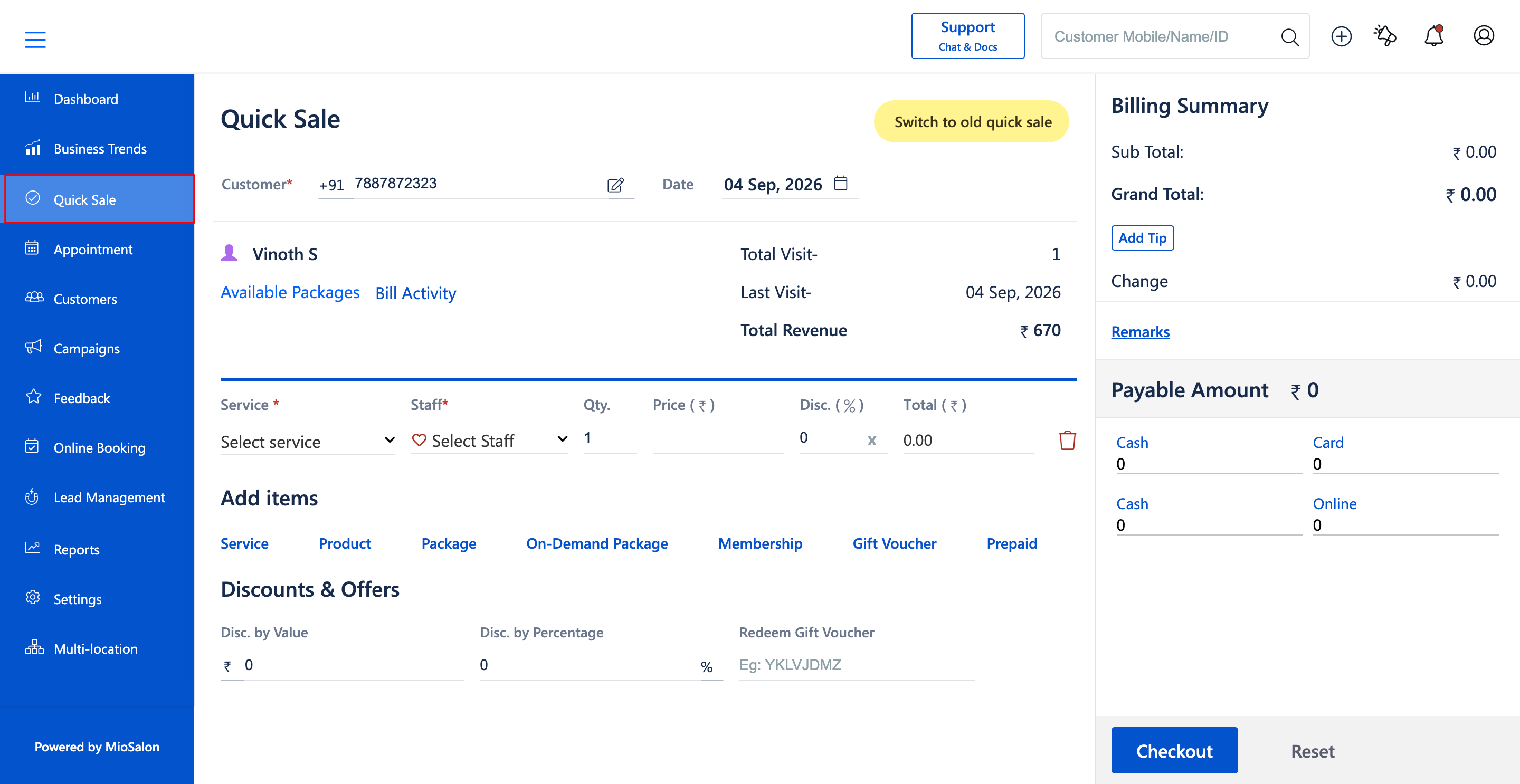
2. Select the customer by entering their mobile number or name (E.g., Vinoth S, +91 7887872323).
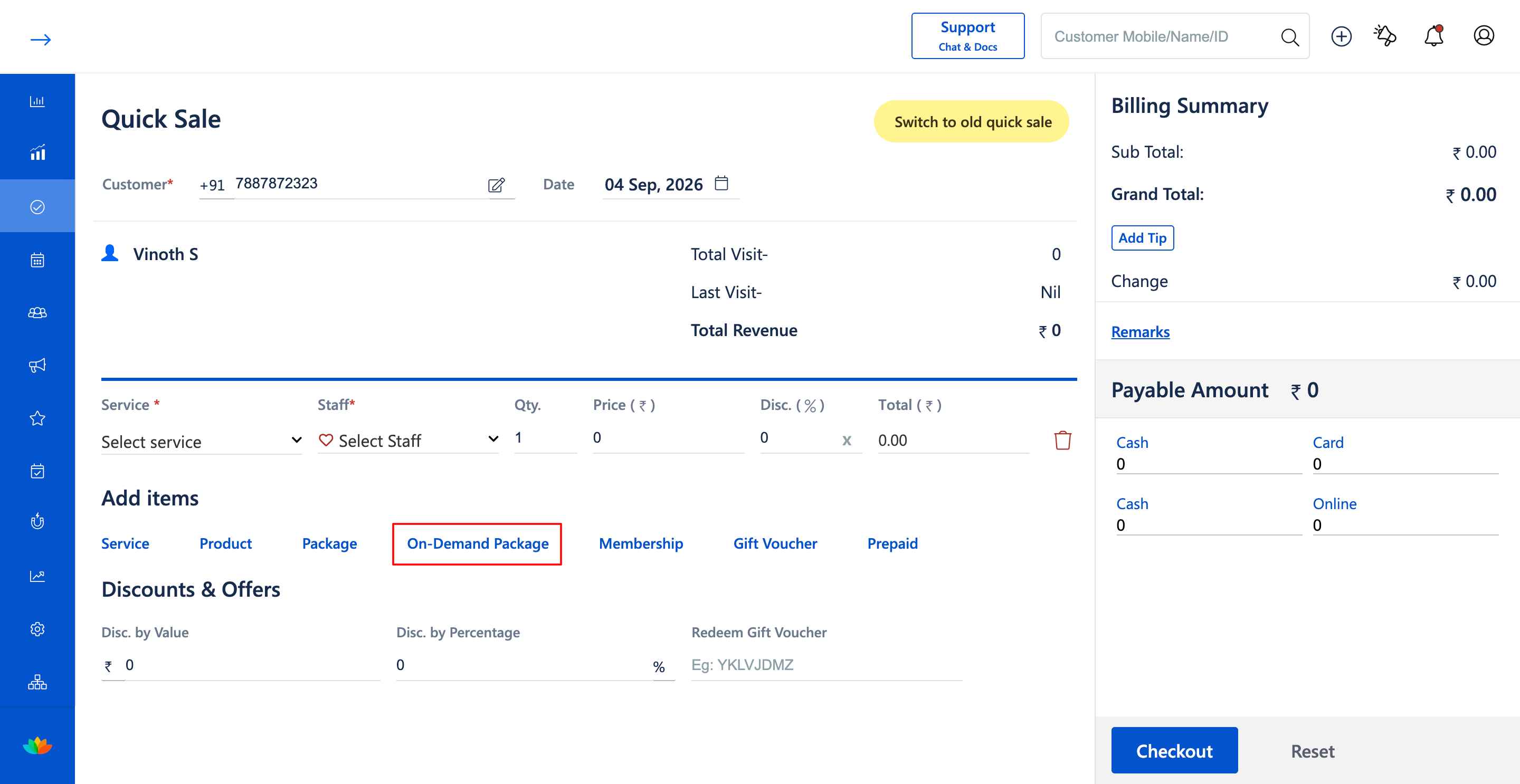
3. In the Add items section, click on the On-Demand Package button.
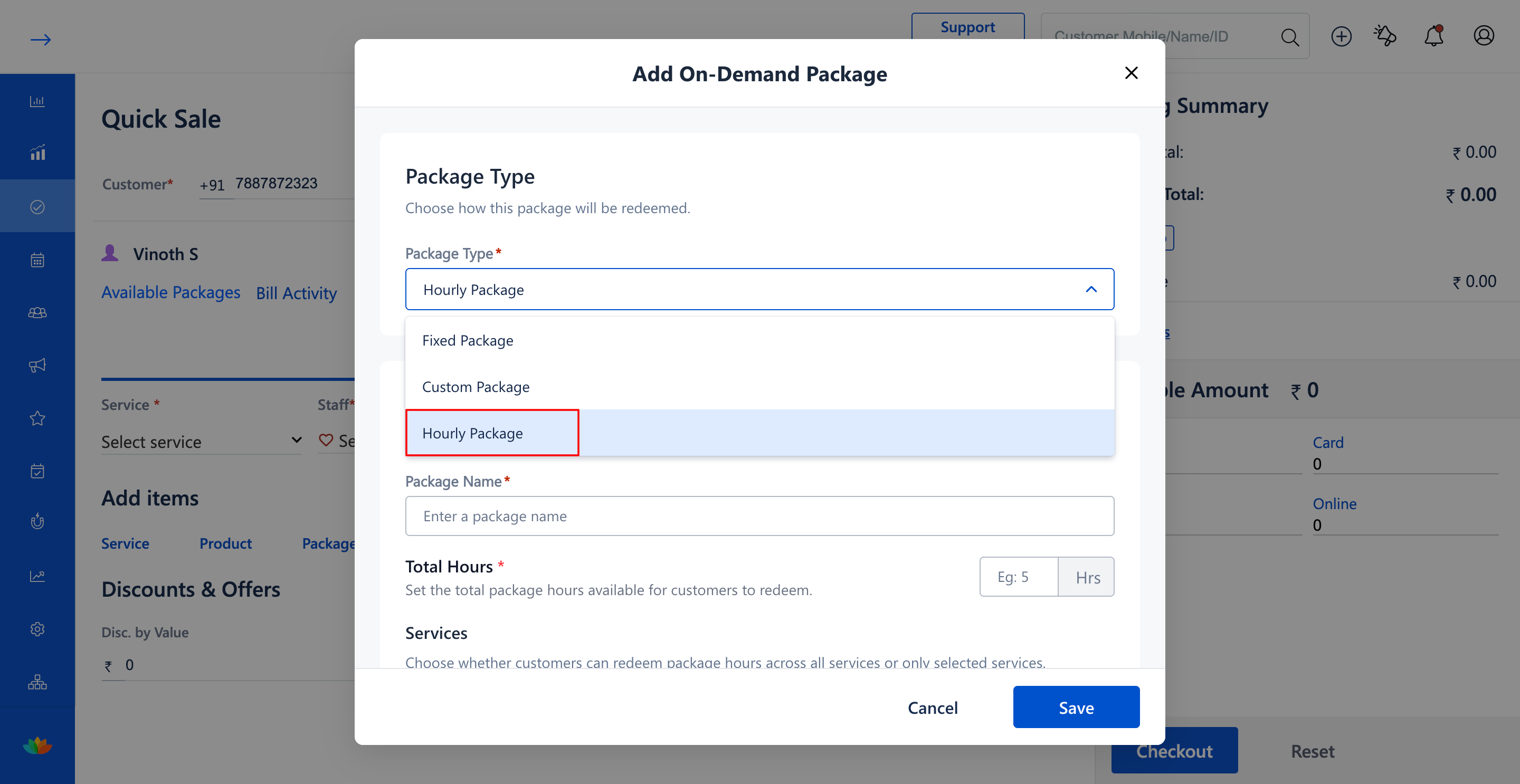
4. In the Add On-Demand Package pop-up window, select Hourly Package from the Package Type dropdown.
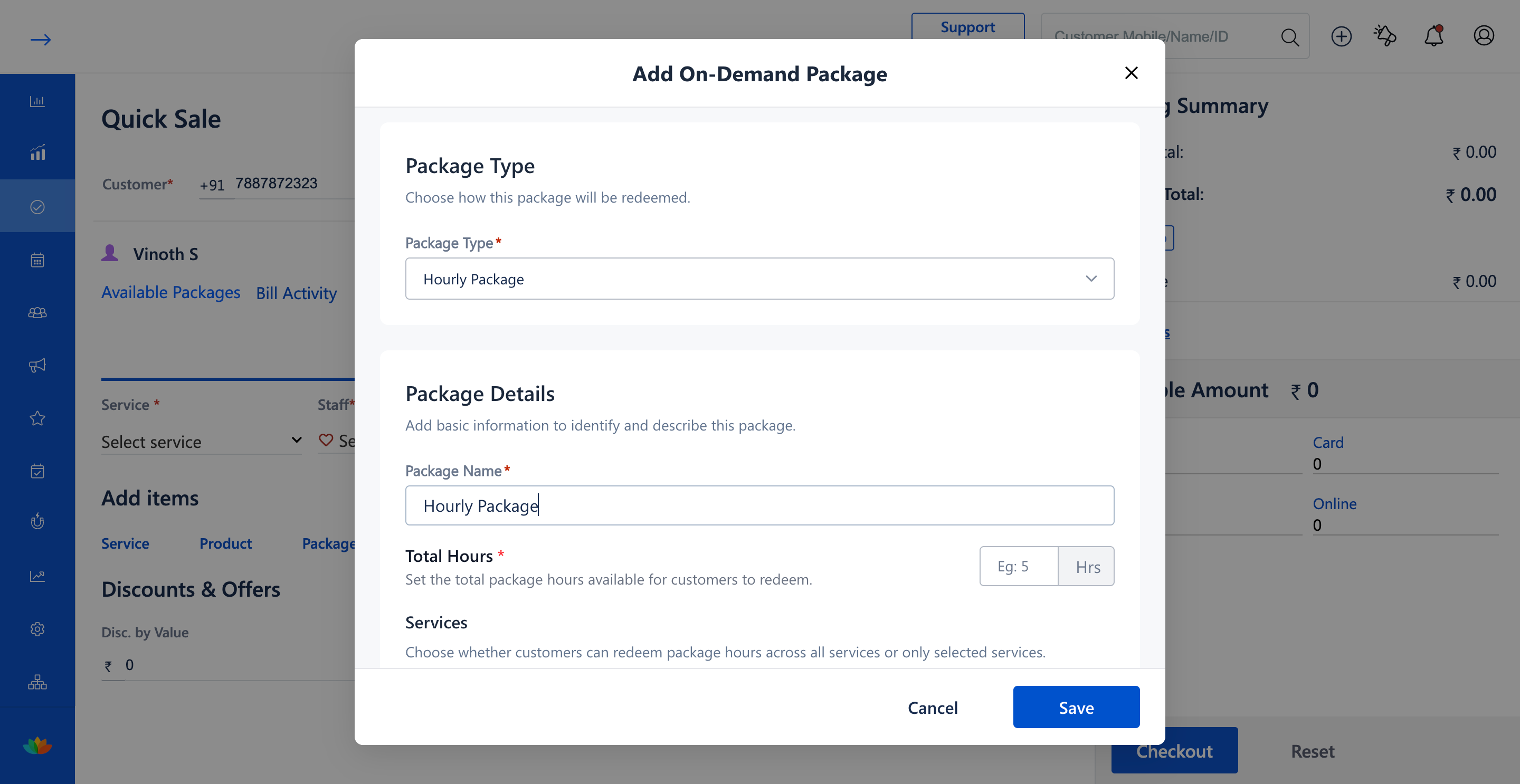
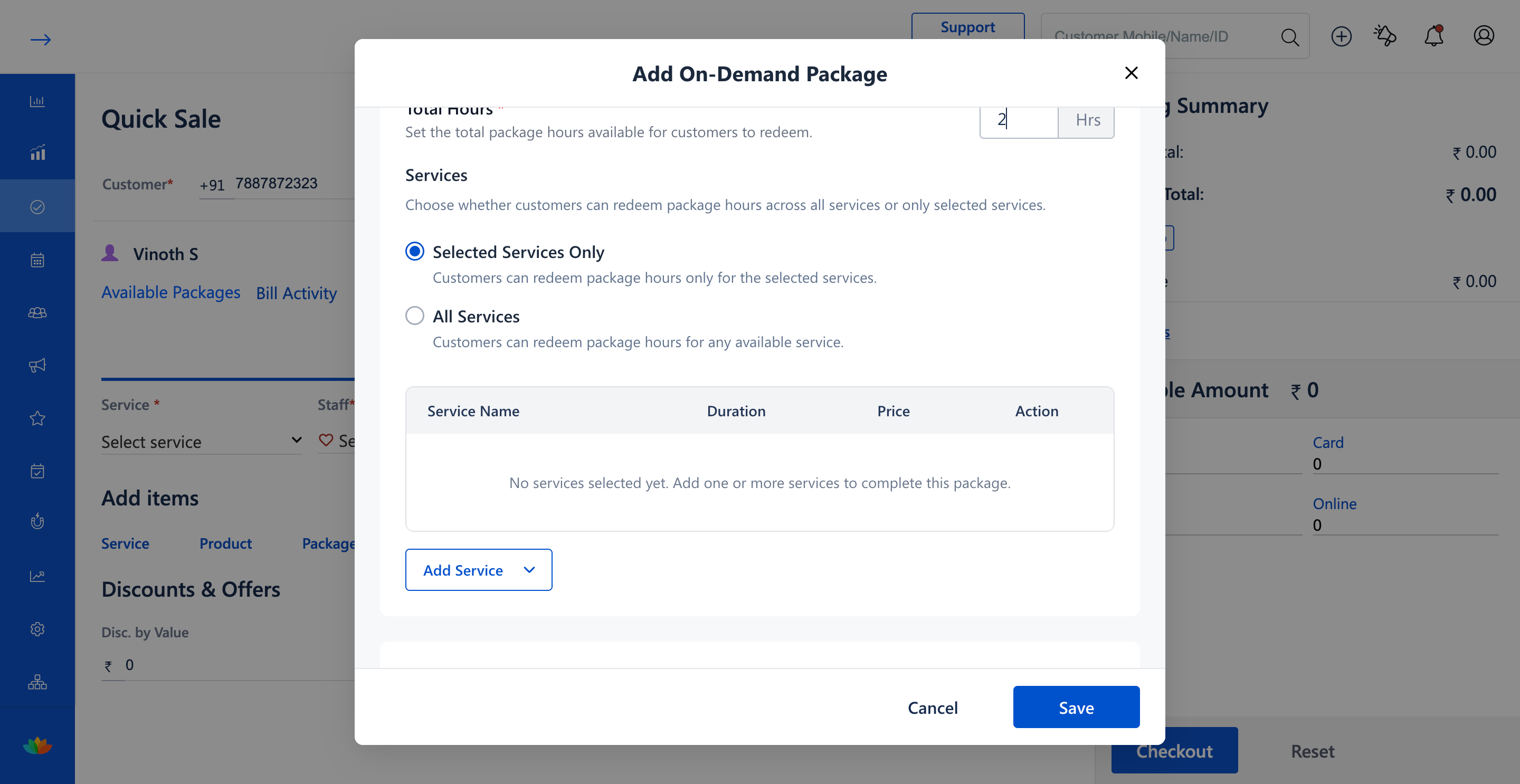
5. Enter the package name in the Package Name field (E.g., Hourly Package) and specify the total hours in the Total Hours field (E.g., 2 Hrs).
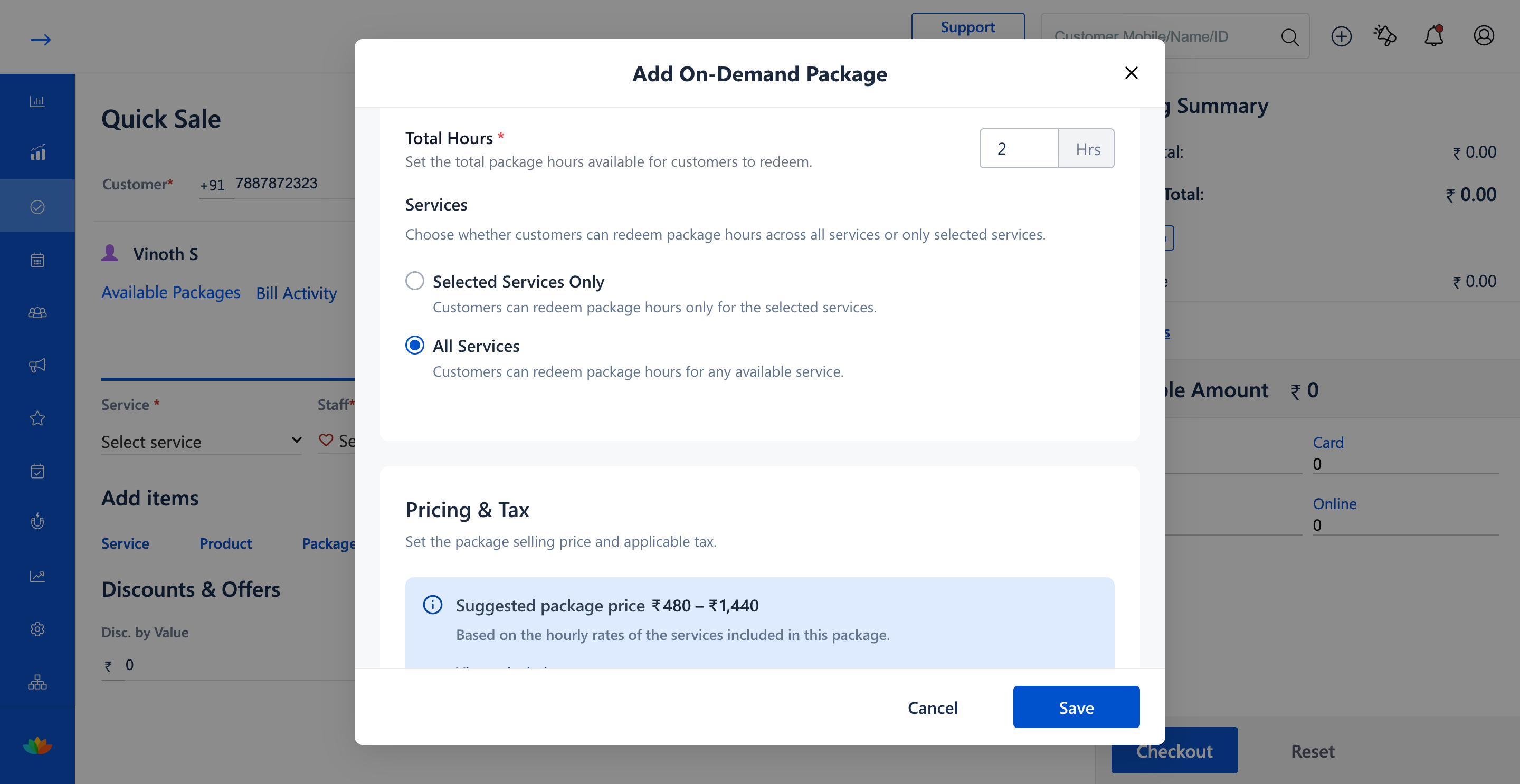
6. Under Services, choose between Selected Services Only to restrict hours to specific treatments or All Services to allow redemption across the entire salon service menu.
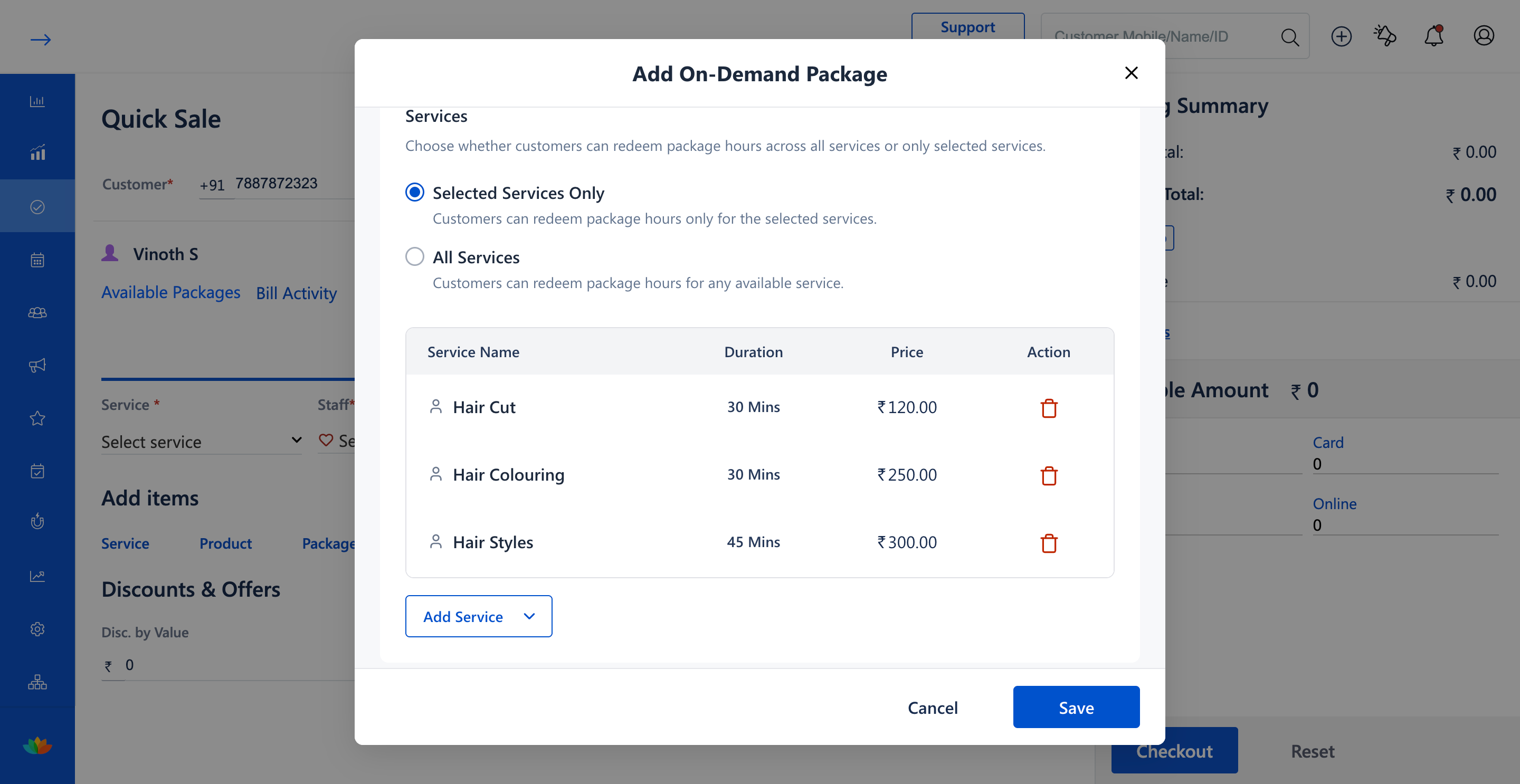
7. If selecting specific services, use Add Service to include treatments with their durations and rates (E.g., Hair Cut 30 Mins, Hair Colouring 30 Mins, Hair Styles 45 Mins).
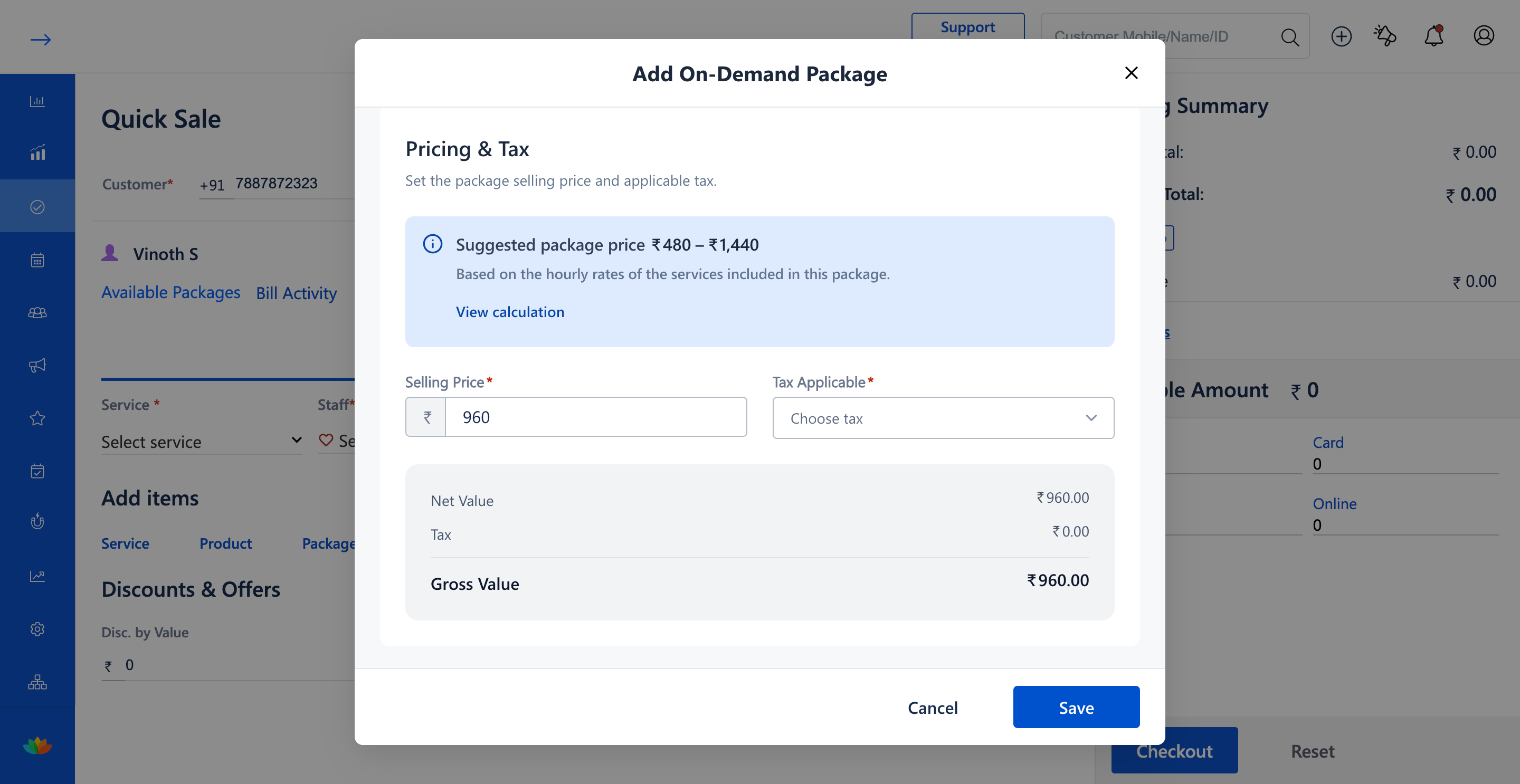
8. Review the Suggested package price range calculated from hourly rates (E.g., ₹480 - ₹1,440), enter the Selling Price (E.g., 960), and select the tax option.
9. Under Package Validity, select the validity unit and period (E.g., Days - 10 Days).
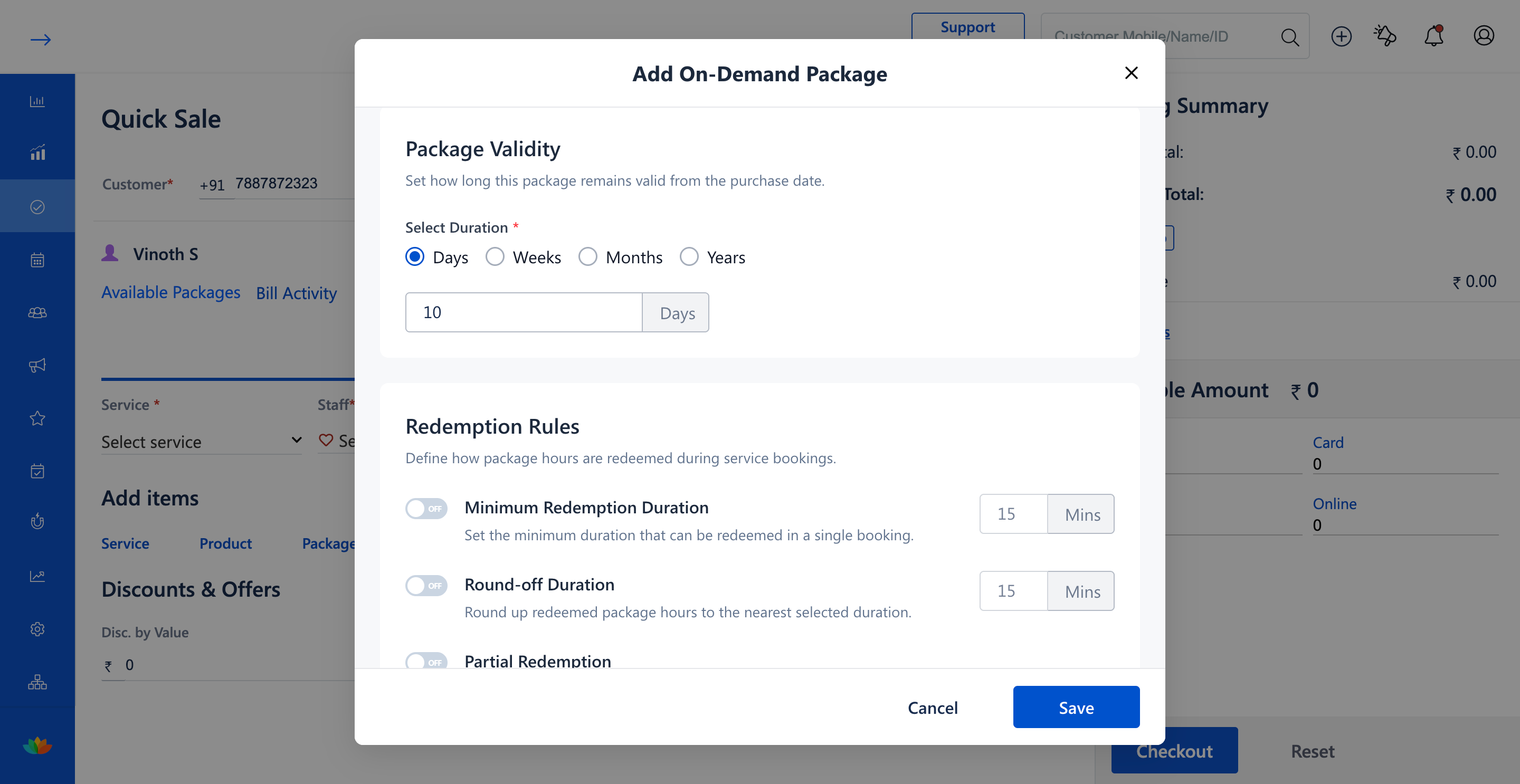
10. Under Redemption Rules, configure the operational controls as required:
• Minimum Redemption Duration: Toggle ON to enforce a minimum service time per visit (E.g., 15 Mins).
• Round-off Duration: Toggle ON to round up redeemed hours to the nearest interval (E.g., 15 Mins).
• Partial Redemption: Toggle ON to permit clients to redeem package hours for part of a service session.
• Maximum Booking Limit: Toggle ON to cap the maximum number of bookings allowed with this package (E.g., 10 Count).
11. Click on the Save button to proceed to the service selection modal.
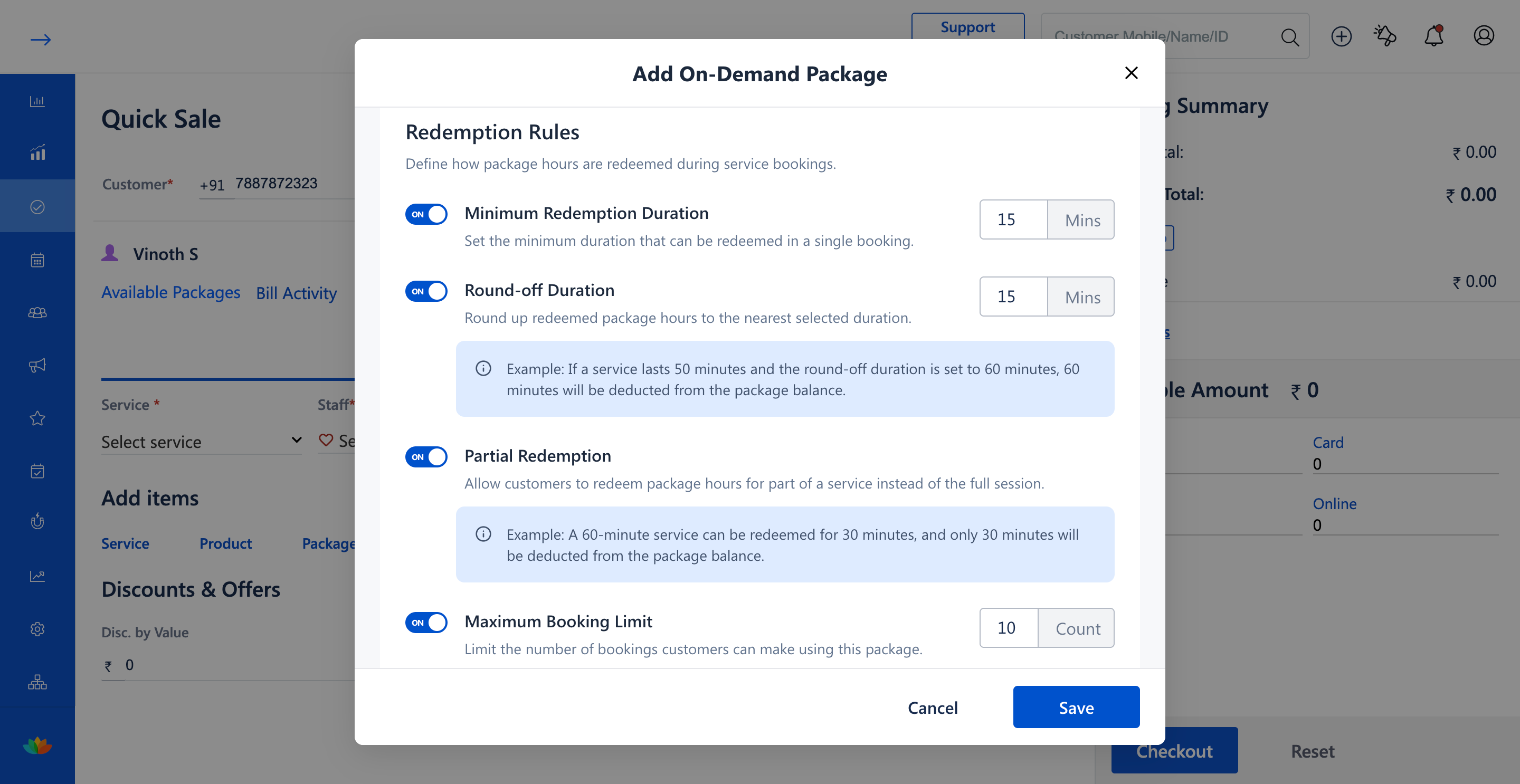
12. In the Select Service modal, review the package parameters (E.g., Total Duration: 2 hrs, Total Sessions: 10, Validity: 10 Days) and select the services to book.
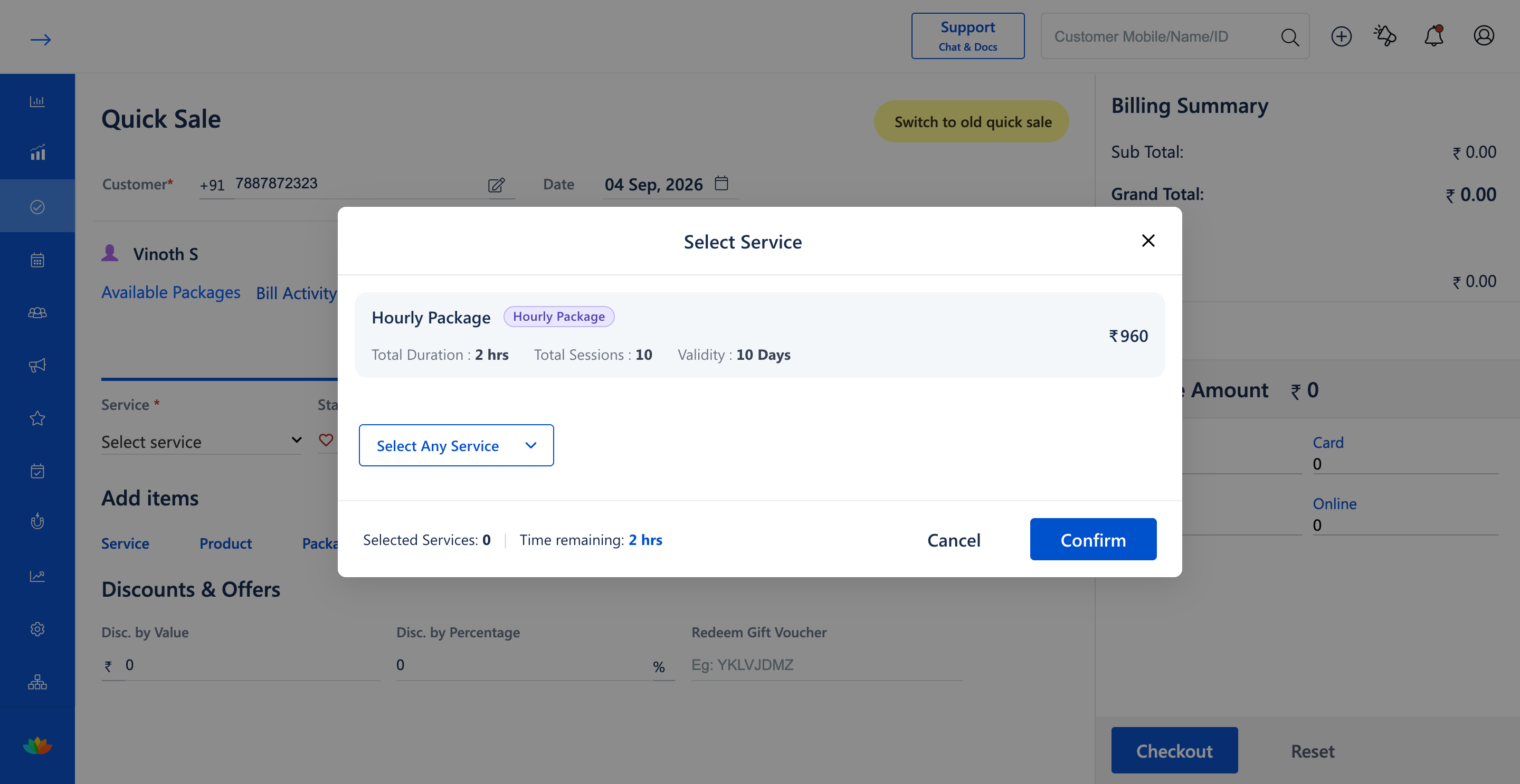
13. In the Edit Selected Service window, add the desired services with their allotted durations (E.g., Hair Cut 30 mins, Hair Colouring 30 mins) and verify remaining time (E.g., Selected Services: 2 | Time remaining: 1 hrs), then click on Confirm.
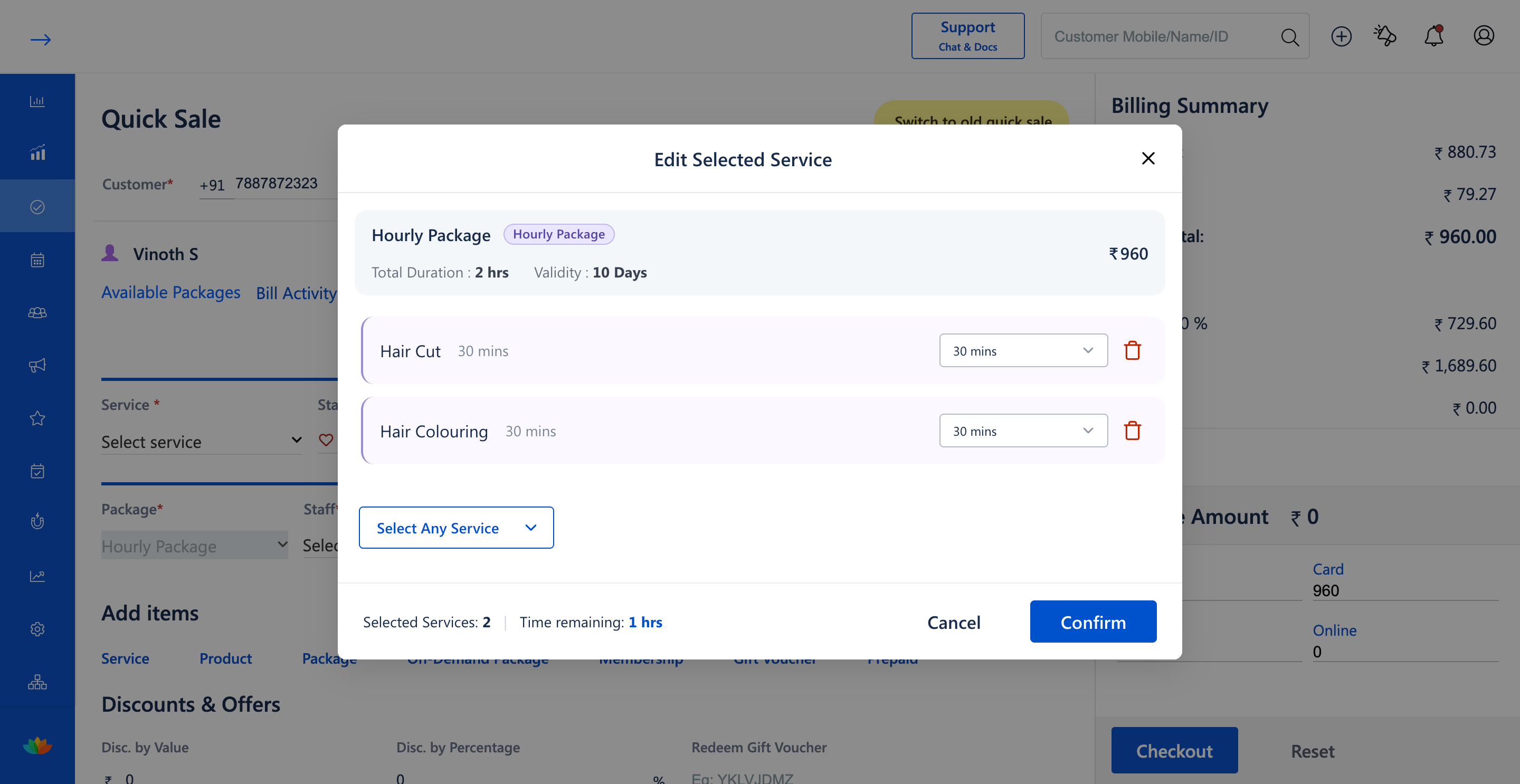
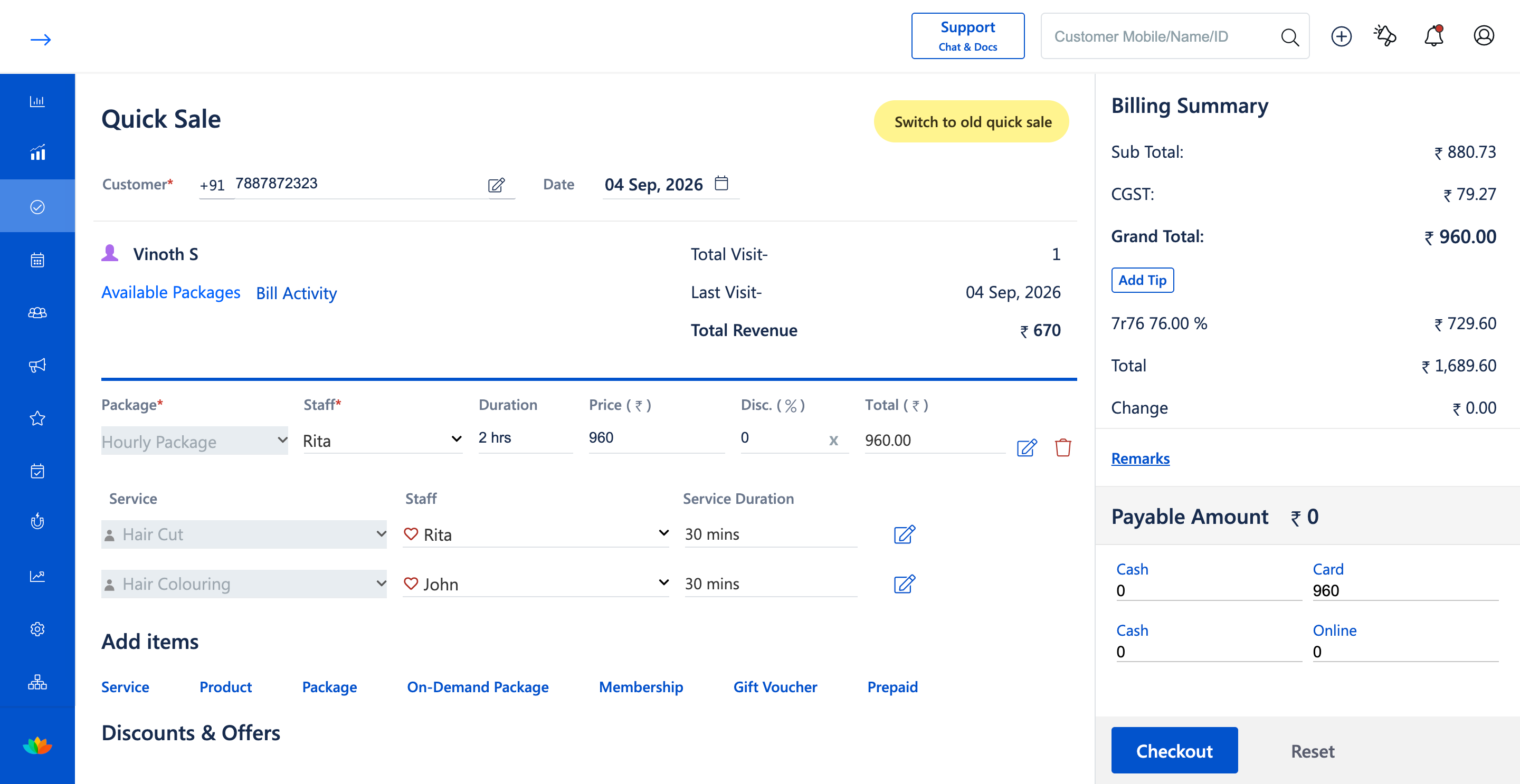
14. In the Quick Sale cart, review the Hourly Package (E.g., ₹960.00, 2 hrs), assign staff for each scheduled service (E.g., Hair Cut - Rita, Hair Colouring - John), and click on Checkout to complete the transaction.
Note
Hourly packages deduct time directly from the client's purchased hour balance based on actual service runtime. When Redemption Rules such as Round-off Duration or Minimum Redemption are enabled, deductions automatically align with your configured business rules.
Use Cases
1. Salons offering a 2-hour VIP grooming package allowing clients to book multiple hair and facial services within the allocated time.
2. Spas selling 5-hour wellness therapy passes where clients can book 30-minute or 60-minute massage sessions over multiple visits.
Benefits
1. Delivers maximum booking flexibility to clients while guaranteeing prepaid revenue.
2. Automates precise time-based deductions and prevents unbilled service runtime.
3. Enforces business guardrails through configurable round-off and booking limit rules.
Was this article helpful?
That’s Great!
Thank you for your feedback
Sorry! We couldn't be helpful
Thank you for your feedback
Feedback sent
We appreciate your effort and will try to fix the article