How to Delete the Anniversary Greetings in MioSalon ?
Overview
The Delete Anniversary Greetings feature in MioSalon allows administrators to remove obsolete or inactive anniversary greeting groups.
Businesses utilize this capability when discontinuing specific anniversary promotions, changing communication channels, or replacing older greeting configurations.
Removing unused greeting groups ensures clean administrative oversight and avoids unintended automated message dispatches.
Follow the guided step-by-step instructions below to delete anniversary greetings in MioSalon.
Navigation Path
Settings → Loyalty Settings → Greeting → Greetings Setup
Steps to Delete Anniversary Greetings
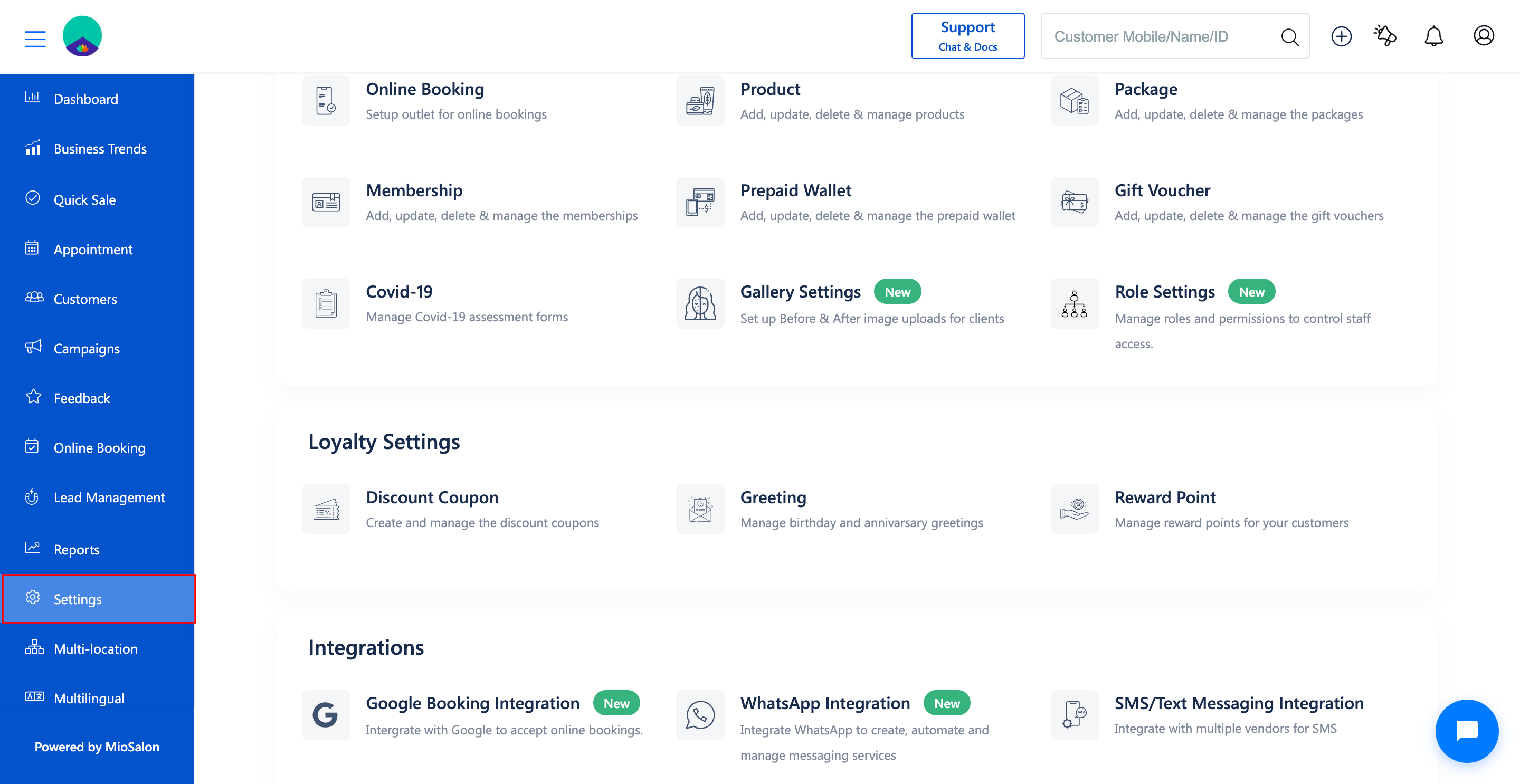
1. Navigate to the Settings module from the main left navigation bar.
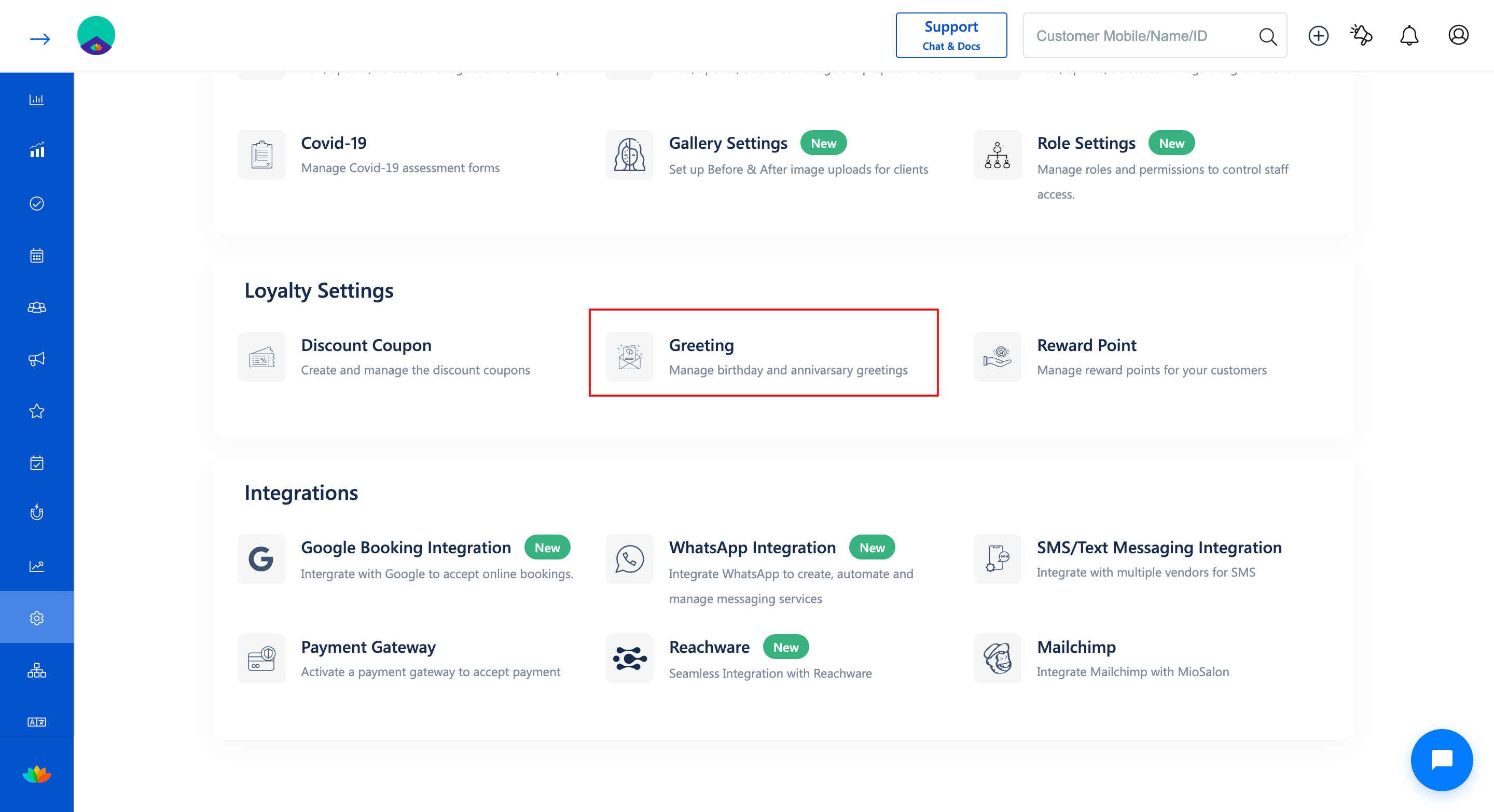
2. Under the Loyalty Settings section, click on the Greeting card.
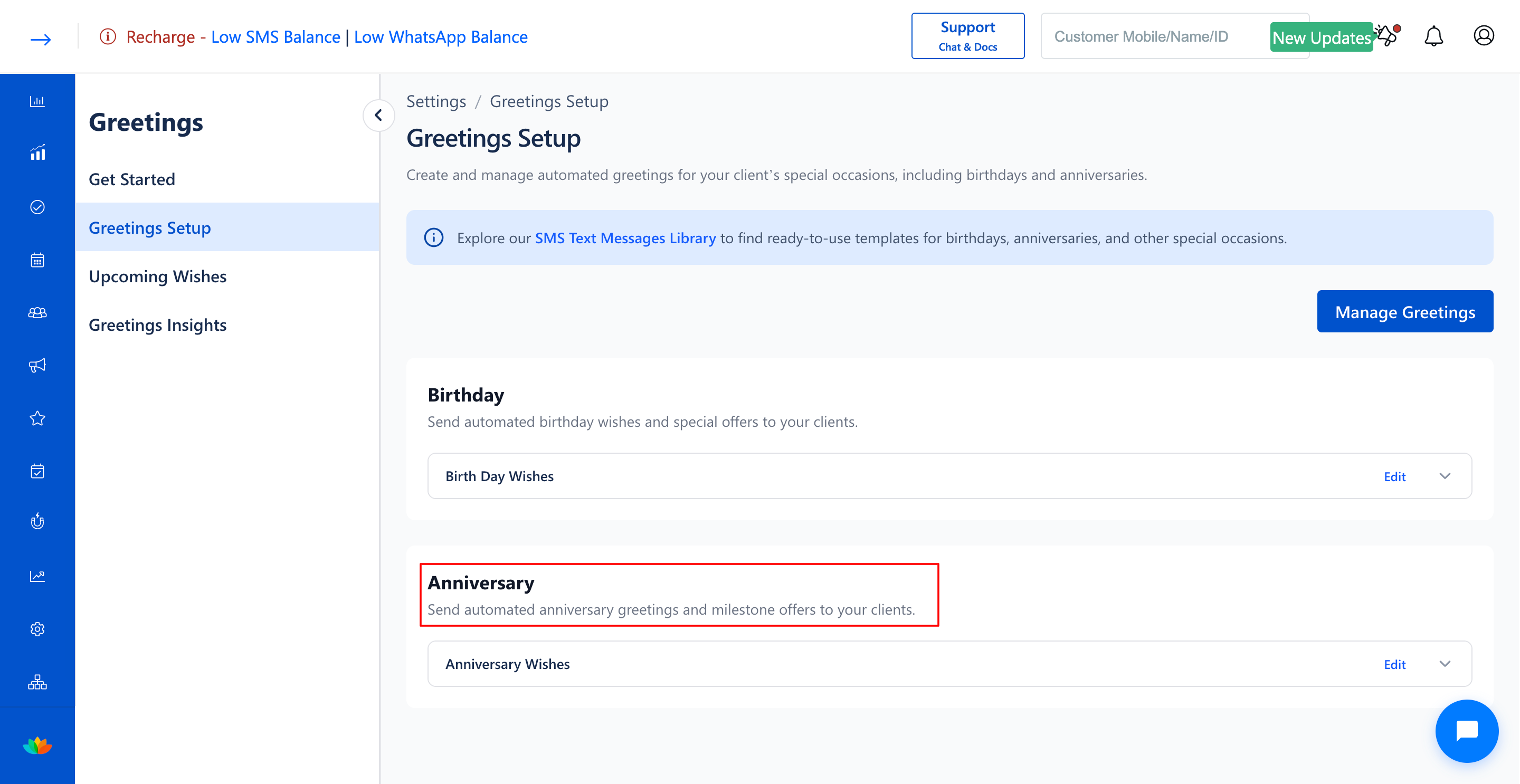
3. In the Greetings Setup page, locate the greeting group you wish to remove under the Anniversary section (E.g., Anniversary Wishes).
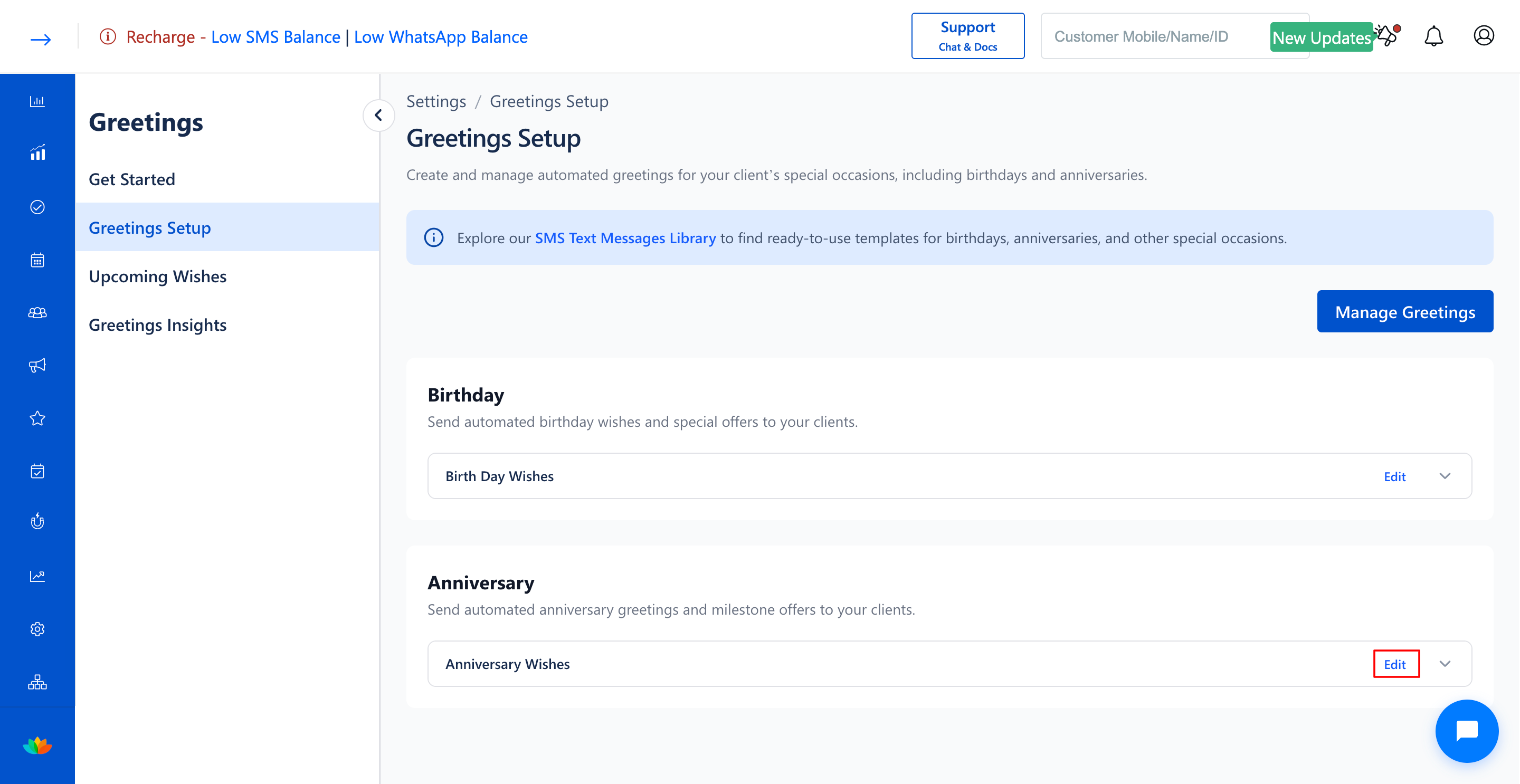
4. Click on the Edit button next to the anniversary greeting group name.
5. In the Configure Greeting pop-up window, click on the red Delete button located at the bottom left.
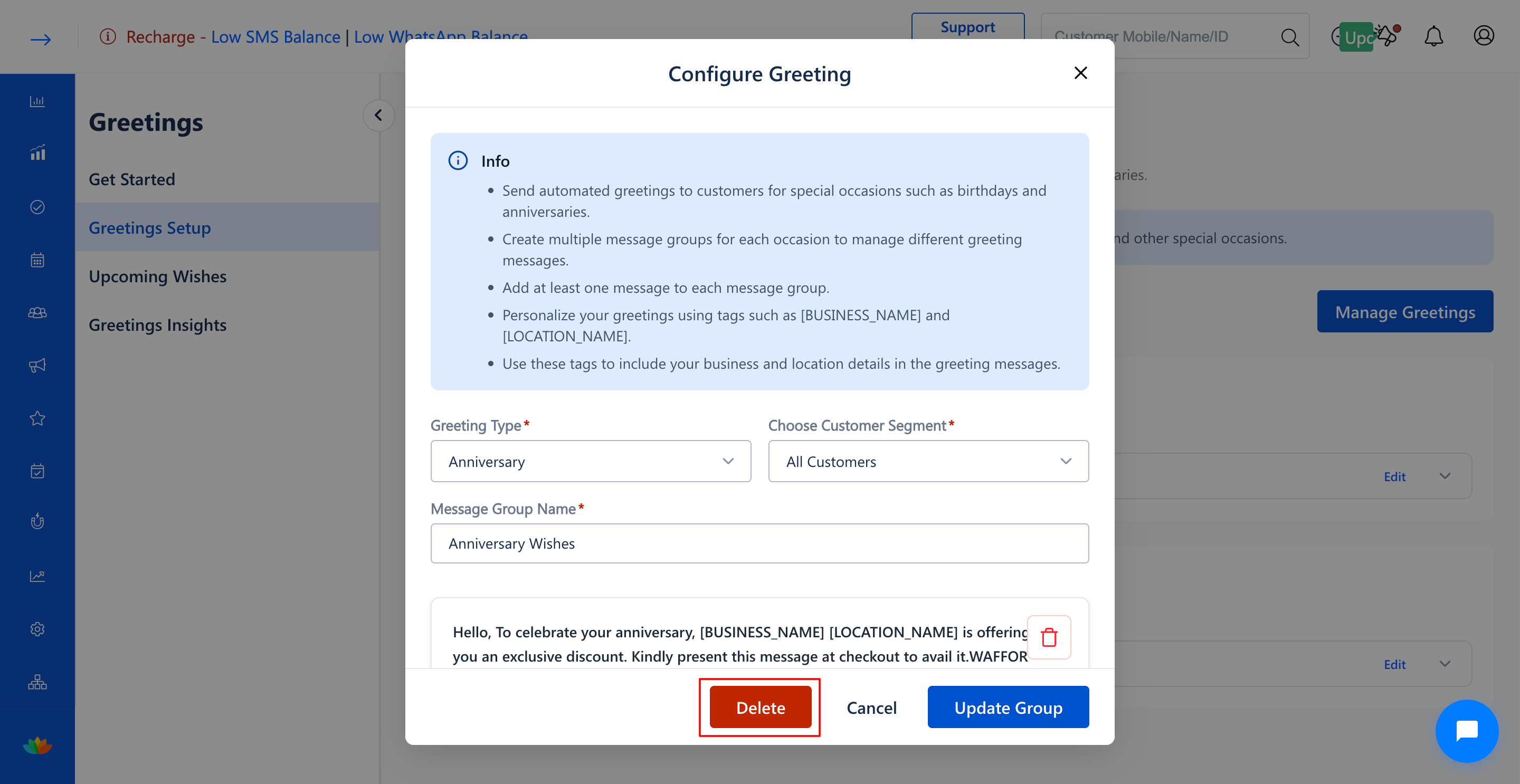
6. In the confirmation dialog, confirm the deletion to permanently remove the anniversary greeting group.
Note
Deleting an anniversary greeting group will immediately cease all upcoming scheduled anniversary SMS messages for that group.
Use Cases
1. Remove expired anniversary discount campaigns at the end of a promotional period.
2. Eliminate redundant anniversary message groups after merging multiple audience segments.
Benefits
1. Prevents conflicting or unauthorized automated SMS messages from being delivered to clients.
2. Streamlines loyalty management by retaining only active, approved greeting workflows.
3. Protects SMS wallet credits by avoiding unintended message dispatches.
Was this article helpful?
That’s Great!
Thank you for your feedback
Sorry! We couldn't be helpful
Thank you for your feedback
Feedback sent
We appreciate your effort and will try to fix the article