How to Delete the Birthday Greetings in MioSalon ?
Overview
The Delete Birthday Greetings feature in MioSalon enables administrators to permanently remove inactive or obsolete birthday greeting message groups.
Salons use this option when restructuring marketing strategies, replacing older greeting groups, or disabling automated birthday messages.
Deleting redundant greeting groups keeps your greetings setup clean and prevents duplicate or conflicting message dispatches.
Follow the guided step-by-step instructions below to delete birthday greetings in MioSalon.
Navigation Path
Settings → Loyalty Settings → Greeting → Greetings Setup
Steps to Delete Birthday Greetings
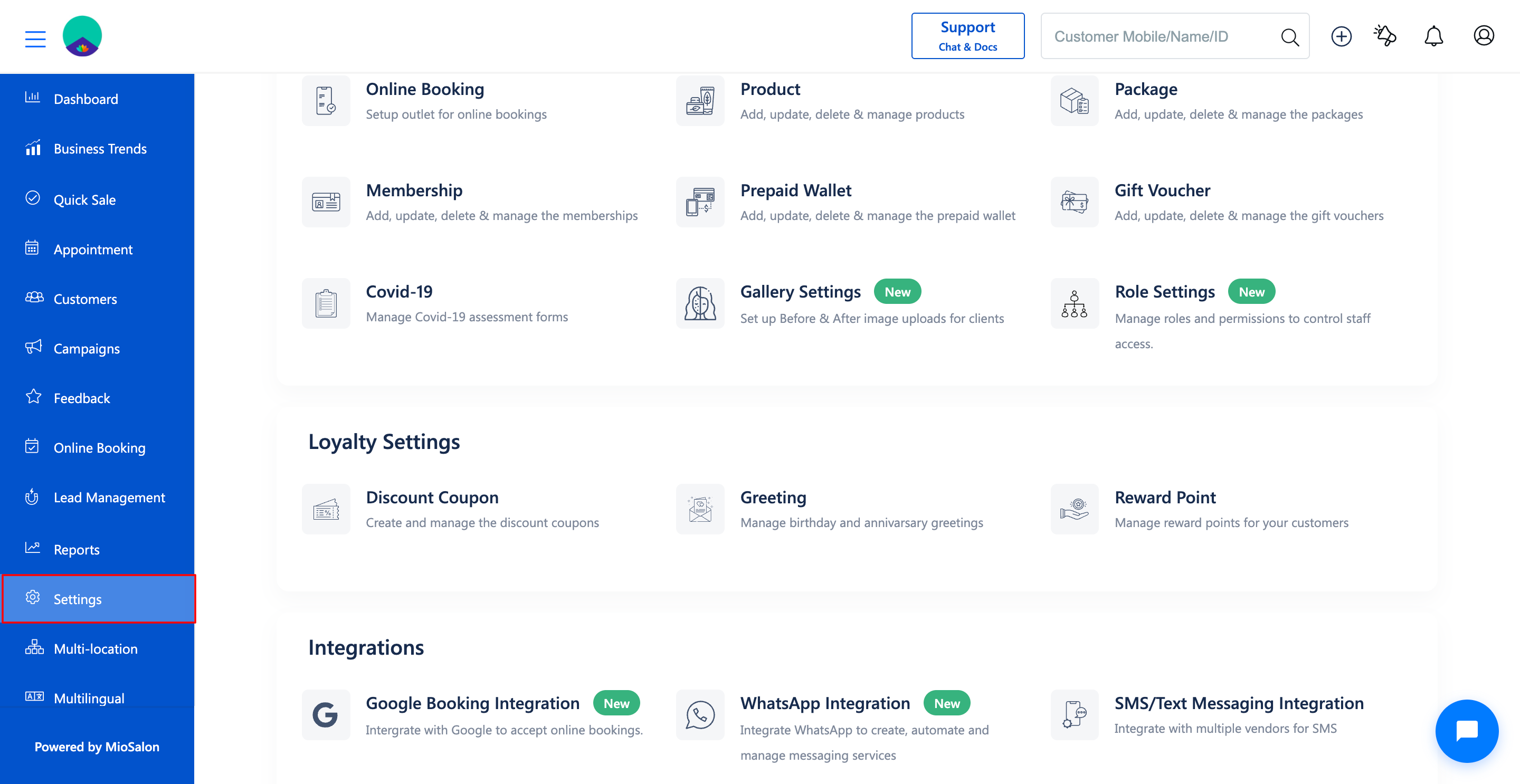
1. Navigate to the Settings module from the main left navigation bar.
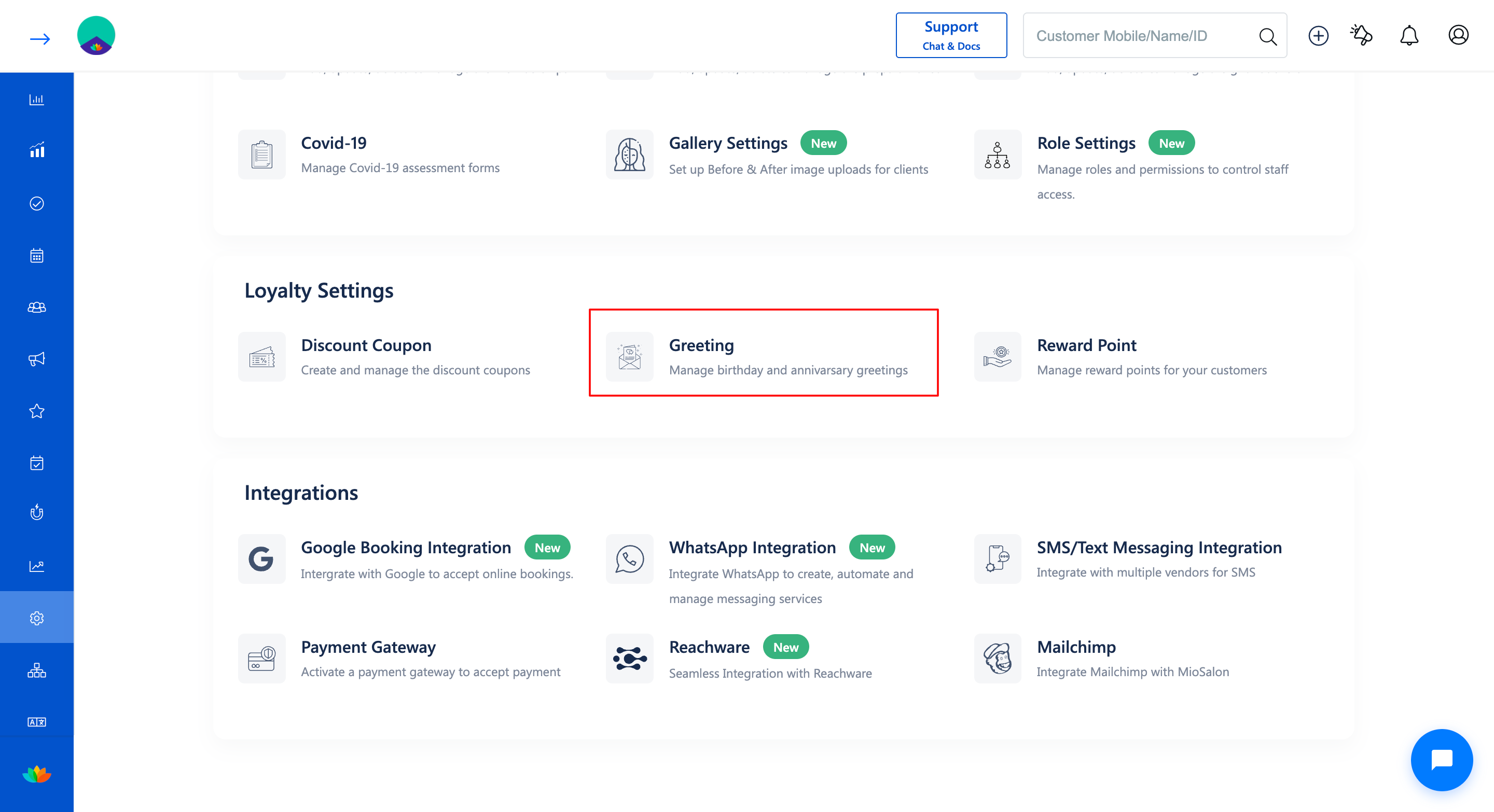
2. Under the Loyalty Settings section, click on the Greeting card.
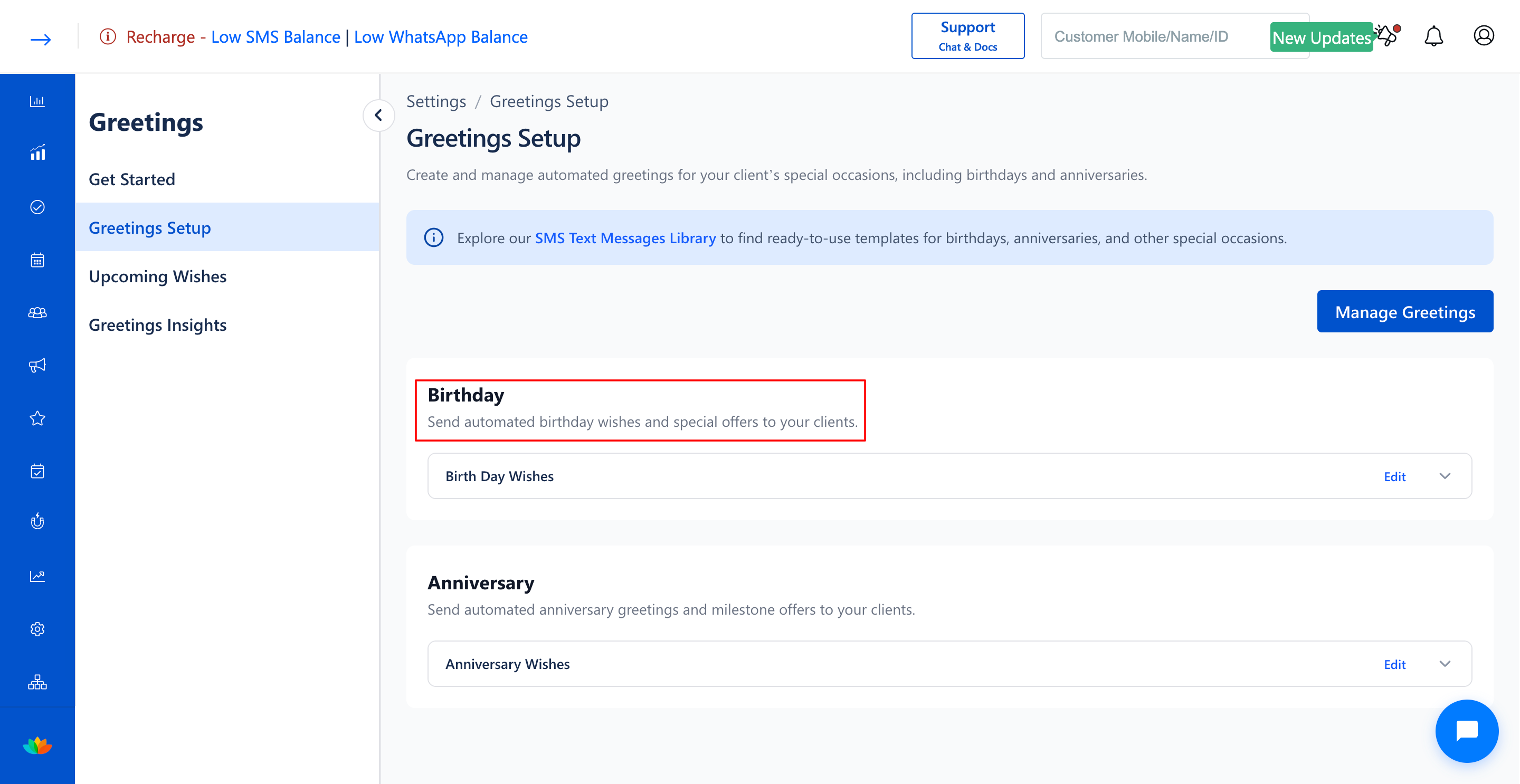
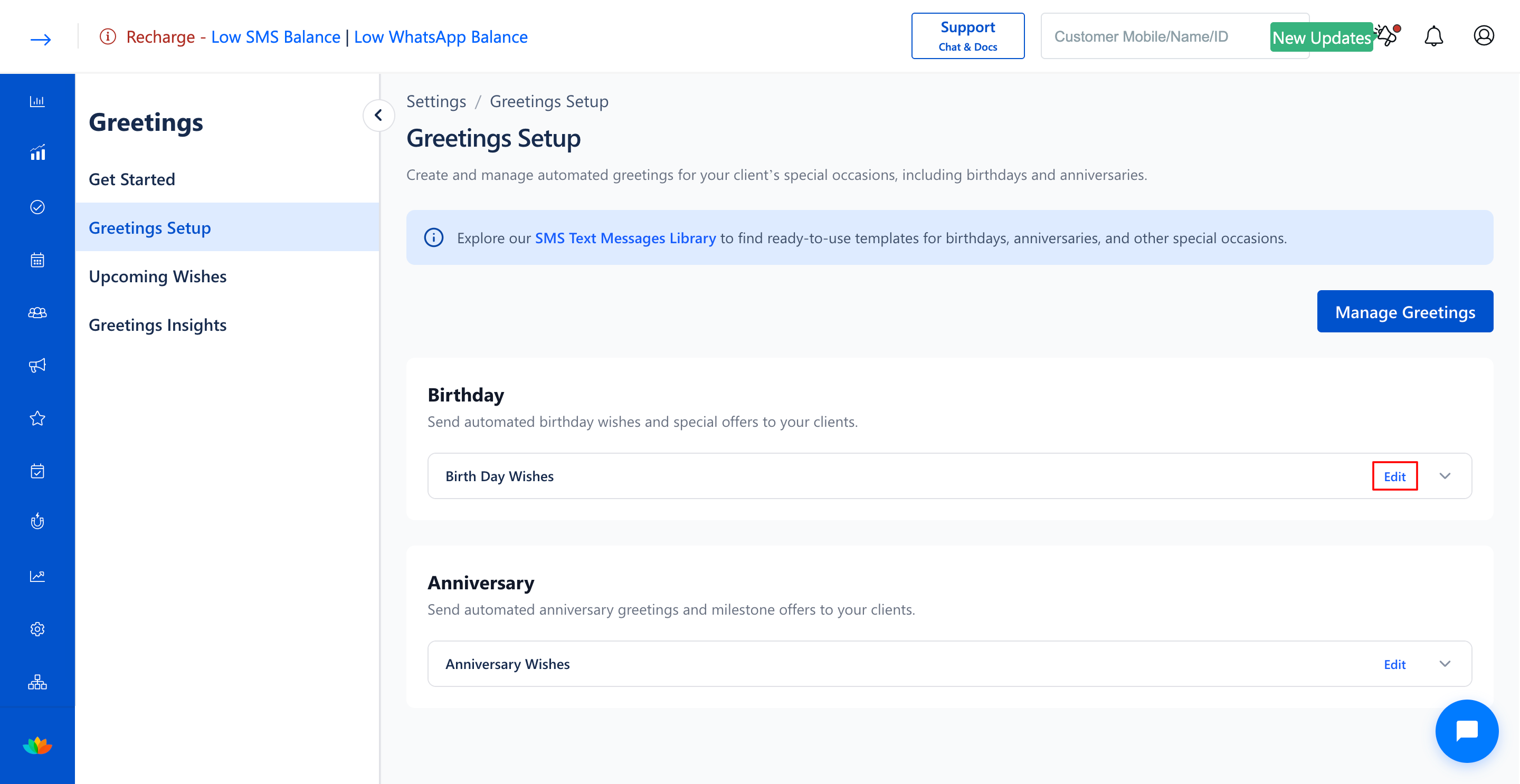
3. In the Greetings Setup page, locate the birthday greeting group you wish to remove under the Birthday section (E.g., Birth Day Wishes).
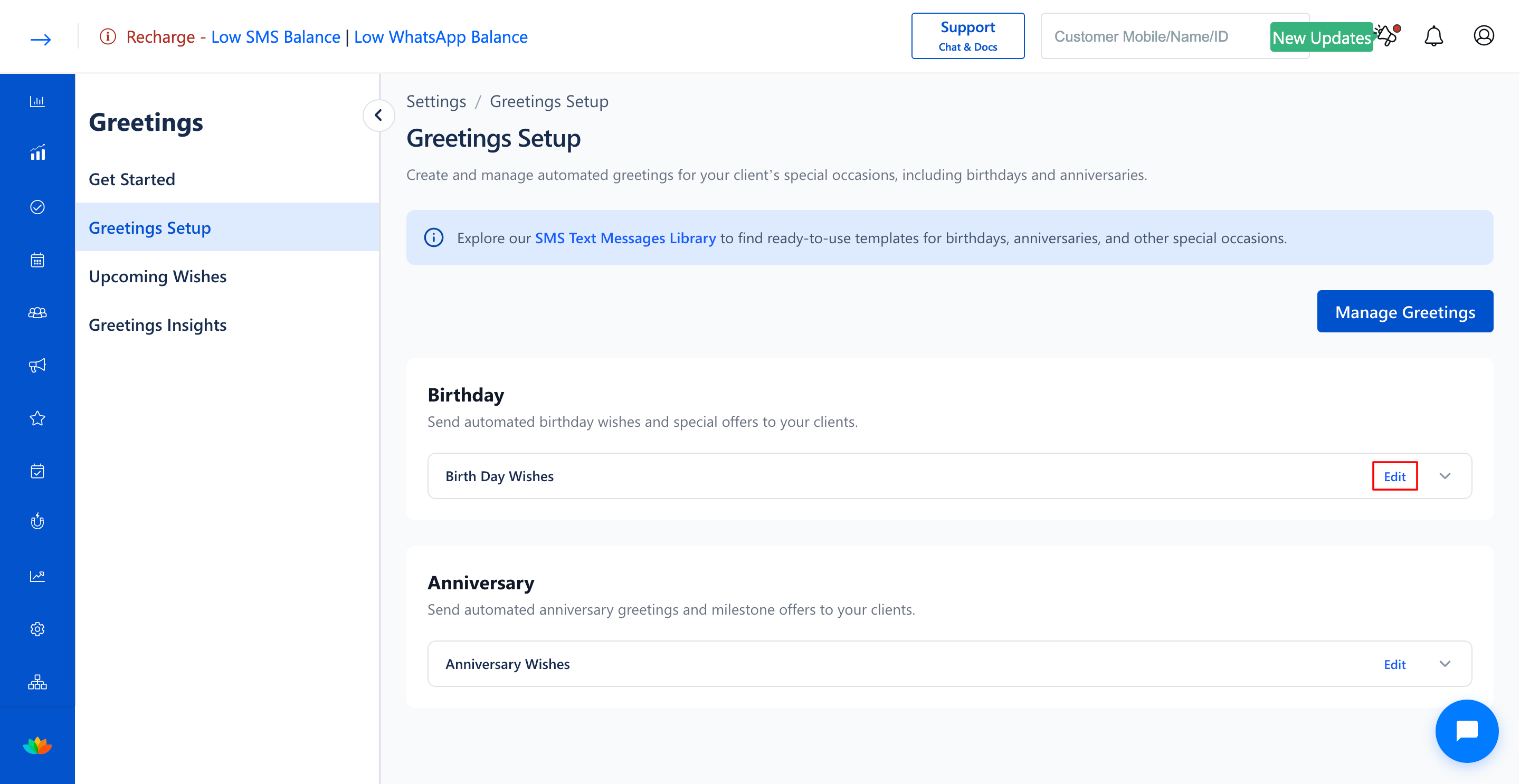
4. Click on the Edit button next to the birthday greeting group name.
5. In the Configure Greeting pop-up window, click on the red Delete button located at the bottom left.
6. In the confirmation dialog, confirm the deletion to permanently remove the birthday greeting group.
Note
Deleting a birthday greeting group stops all automated birthday SMS dispatches associated with that group immediately. If you wish to resume automated birthday greetings in the future, you must configure a new message group.
Use Cases
1. Delete outdated birthday greeting groups when transitioning to a consolidated multi-branch campaign.
2. Remove temporary or seasonal birthday promotional groups after the campaign concludes.
Benefits
1. Prevents accidental dispatches of deprecated marketing templates or invalid coupon codes.
2. Maintains an uncluttered, easy-to-manage loyalty setup.
3. Ensures full administrative control over automated customer communications.
Was this article helpful?
That’s Great!
Thank you for your feedback
Sorry! We couldn't be helpful
Thank you for your feedback
Feedback sent
We appreciate your effort and will try to fix the article