How to Update the Anniversary Greetings in MioSalon ?
Overview
The Update Anniversary Greetings feature in MioSalon allows salon administrators to modify existing anniversary message groups and delivery parameters.
Businesses use this capability to refresh anniversary offers, update messaging copy, adjust dispatch lead times, or refine customer segmentation rules.
Regularly updating anniversary greetings ensures promotions stay competitive and aligned with current salon marketing initiatives.
Follow the guided step-by-step instructions below to update anniversary greetings in MioSalon.
Navigation Path
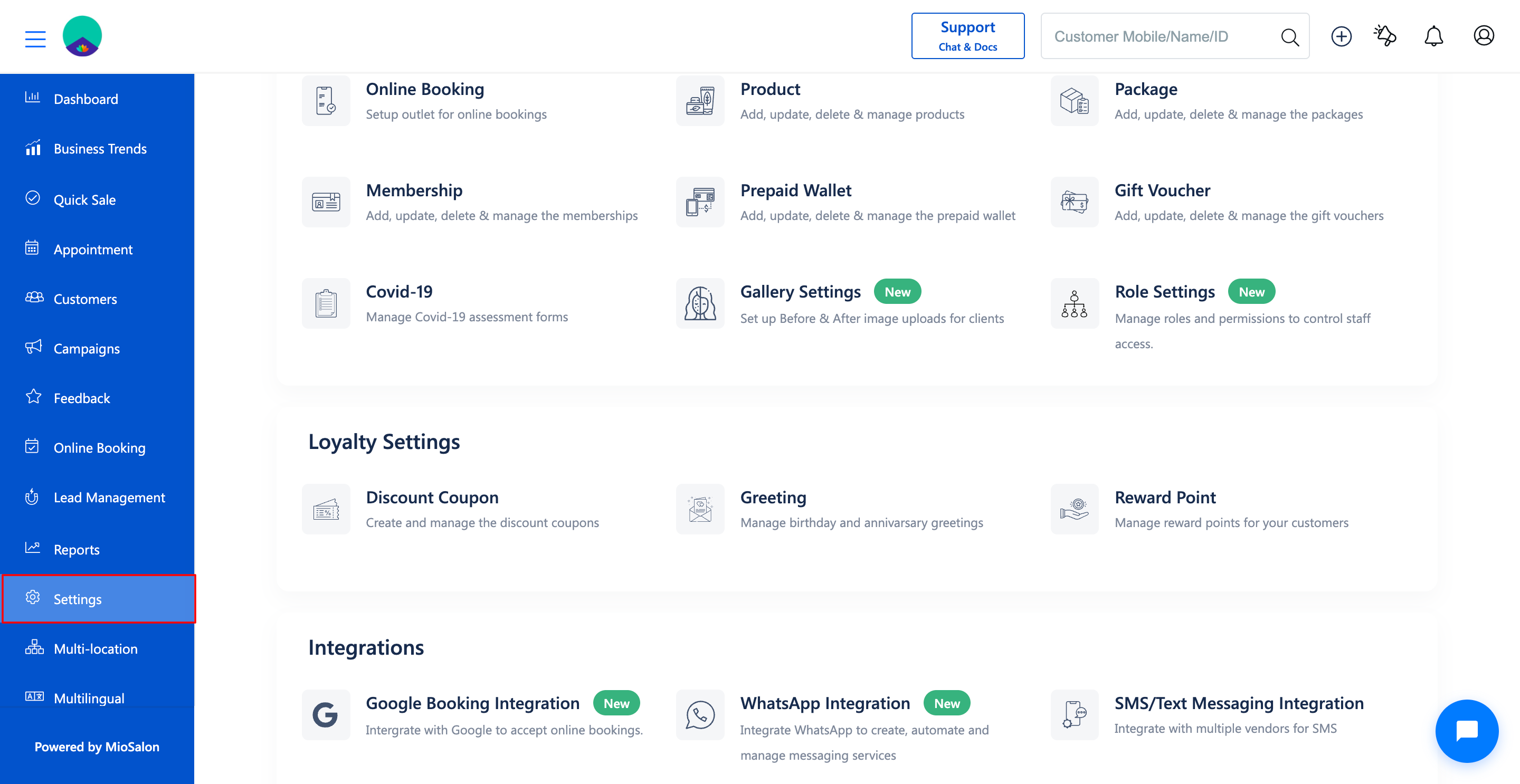
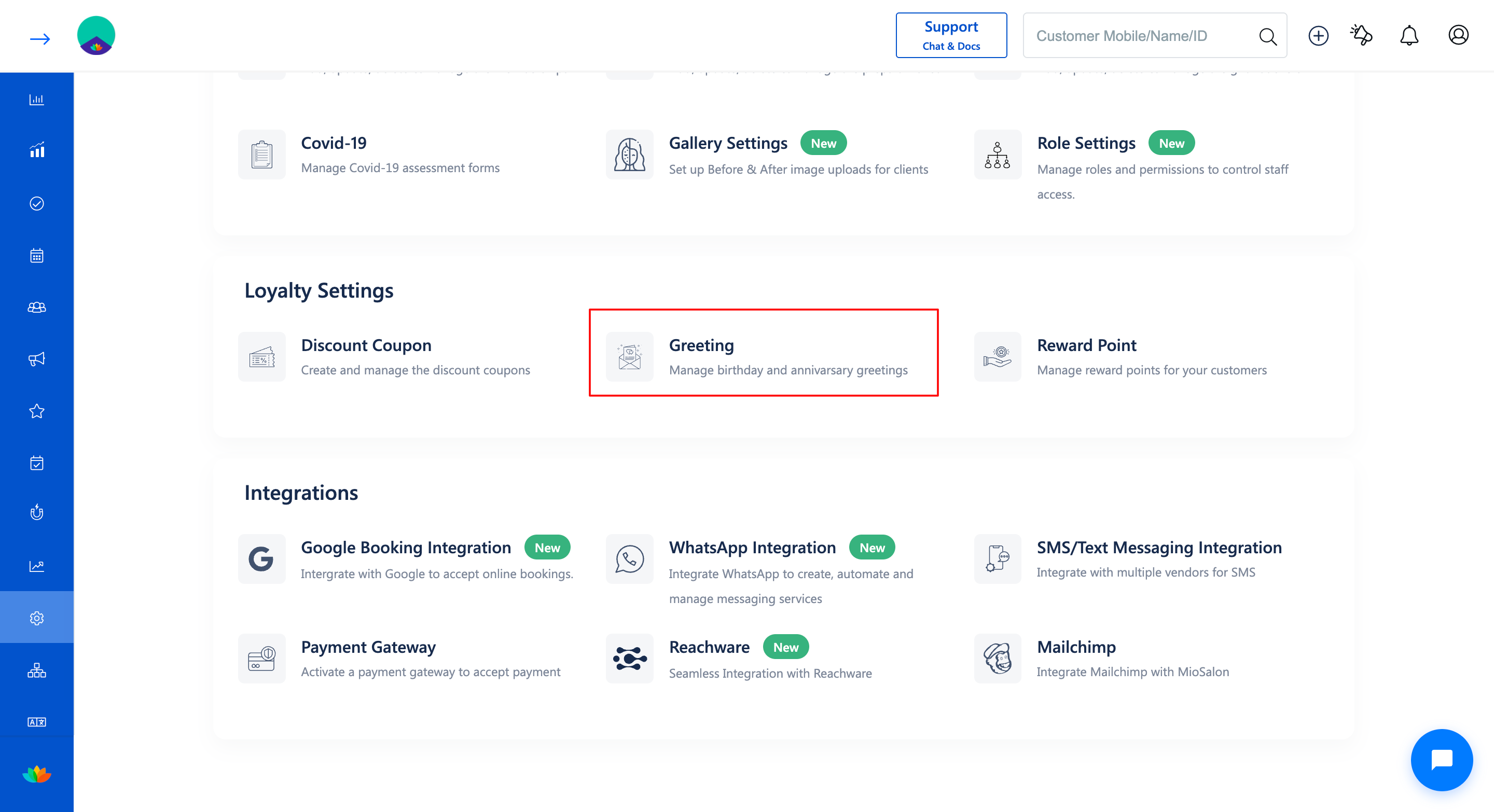
Settings → Loyalty Settings → Greeting → Greetings Setup
Steps to Update Anniversary Greetings
1. Navigate to Settings → Loyalty Settings → Greeting.
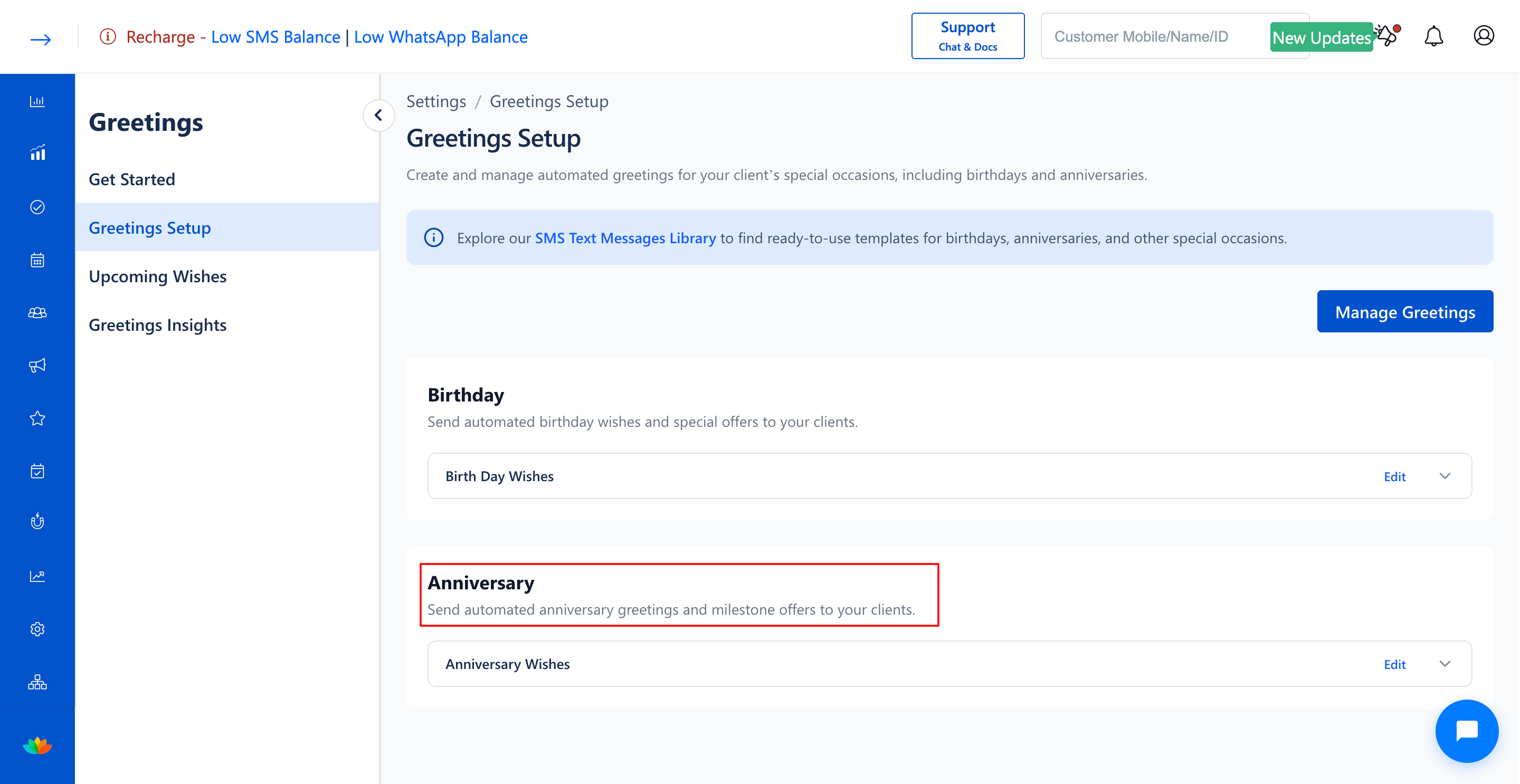
2. In the Greetings Setup page, locate the greeting group under the Anniversary section (E.g., Anniversary Wishes).
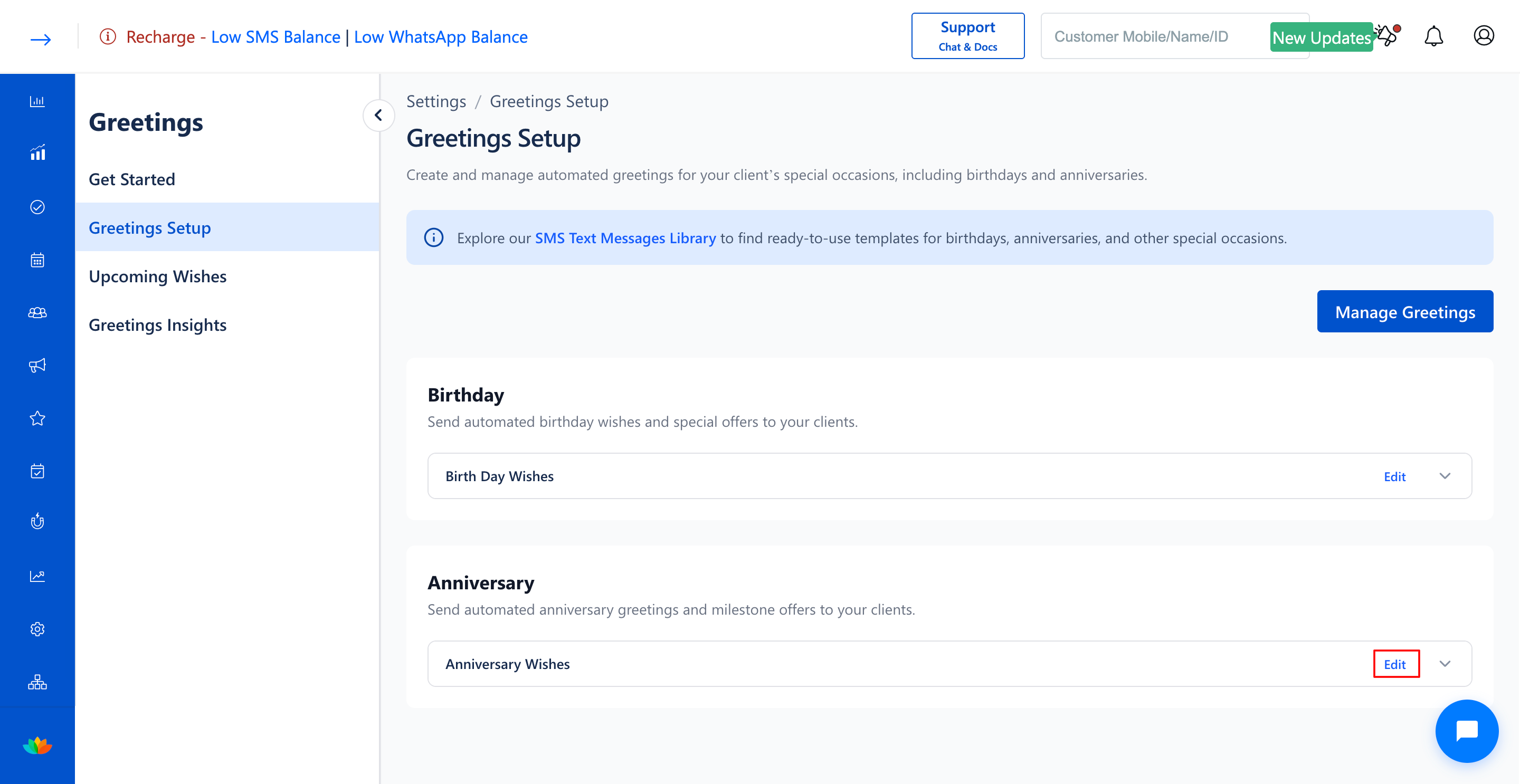
3. Click on the Edit button adjacent to the anniversary greeting group.
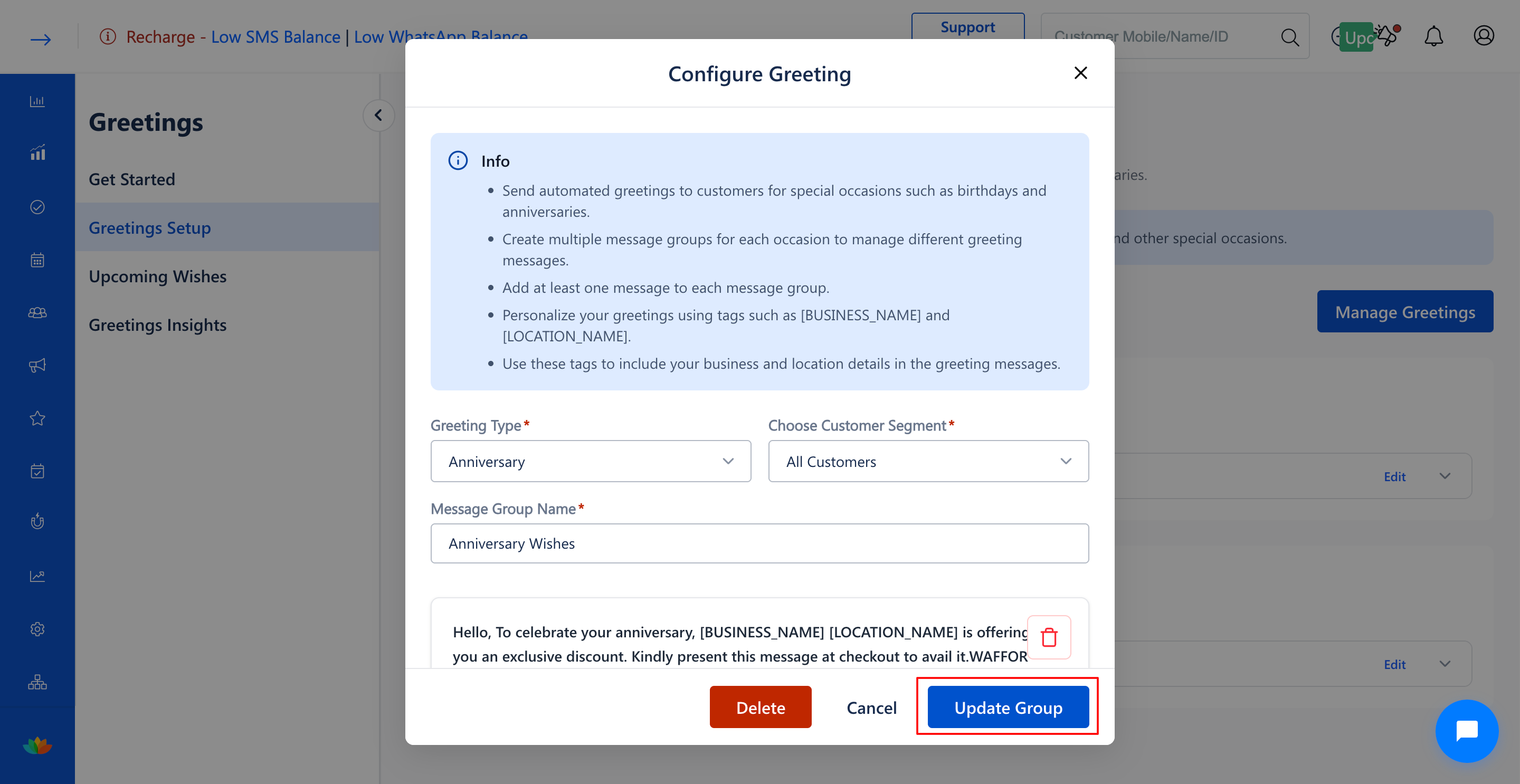
4. In the Configure Greeting pop-up window, adjust any required settings:
• Update the Choose Customer Segment* dropdown to change the target audience.
• Modify the Message Group Name* field (E.g., Anniversary Wishes).
• Click on Change Greeting Template to choose a different anniversary template.
• Update the Send this message before days value (E.g., 5 Days).
5. Click on the Update Group button to apply the modifications.
Note
Ensure that any modified template conforms to telecom regulatory guidelines and contains appropriate branch personalization tags.
Use Cases
1. Revise anniversary discount percentages or coupon terms for holiday season marketing.
2. Adjust advance send days from 5 days to 3 days based on client booking lead times.
Benefits
1. Allows instant updates to marketing messages without interrupting automated scheduling.
2. Keeps anniversary promotions relevant and aligned with current service offerings.
3. Ensures high engagement through refreshed anniversary marketing copy.
Was this article helpful?
That’s Great!
Thank you for your feedback
Sorry! We couldn't be helpful
Thank you for your feedback
Feedback sent
We appreciate your effort and will try to fix the article