How to Set the Anniversary Greetings in MioSalon ?
Overview
The Anniversary Greetings feature in MioSalon allows salons and spas to send automated congratulatory messages and celebratory offers to clients on their anniversaries.
Businesses configure anniversary greetings to build strong customer relationships, acknowledge client milestones, and drive couple or pampering service bookings.
Automating anniversary messages ensures consistent, professional communication without requiring staff to manually remember customer anniversary dates.
Follow the guided step-by-step instructions below to set anniversary greetings in MioSalon.
Navigation Path
Settings → Loyalty Settings → Greeting → Greetings Setup
Steps to Set Anniversary Greetings
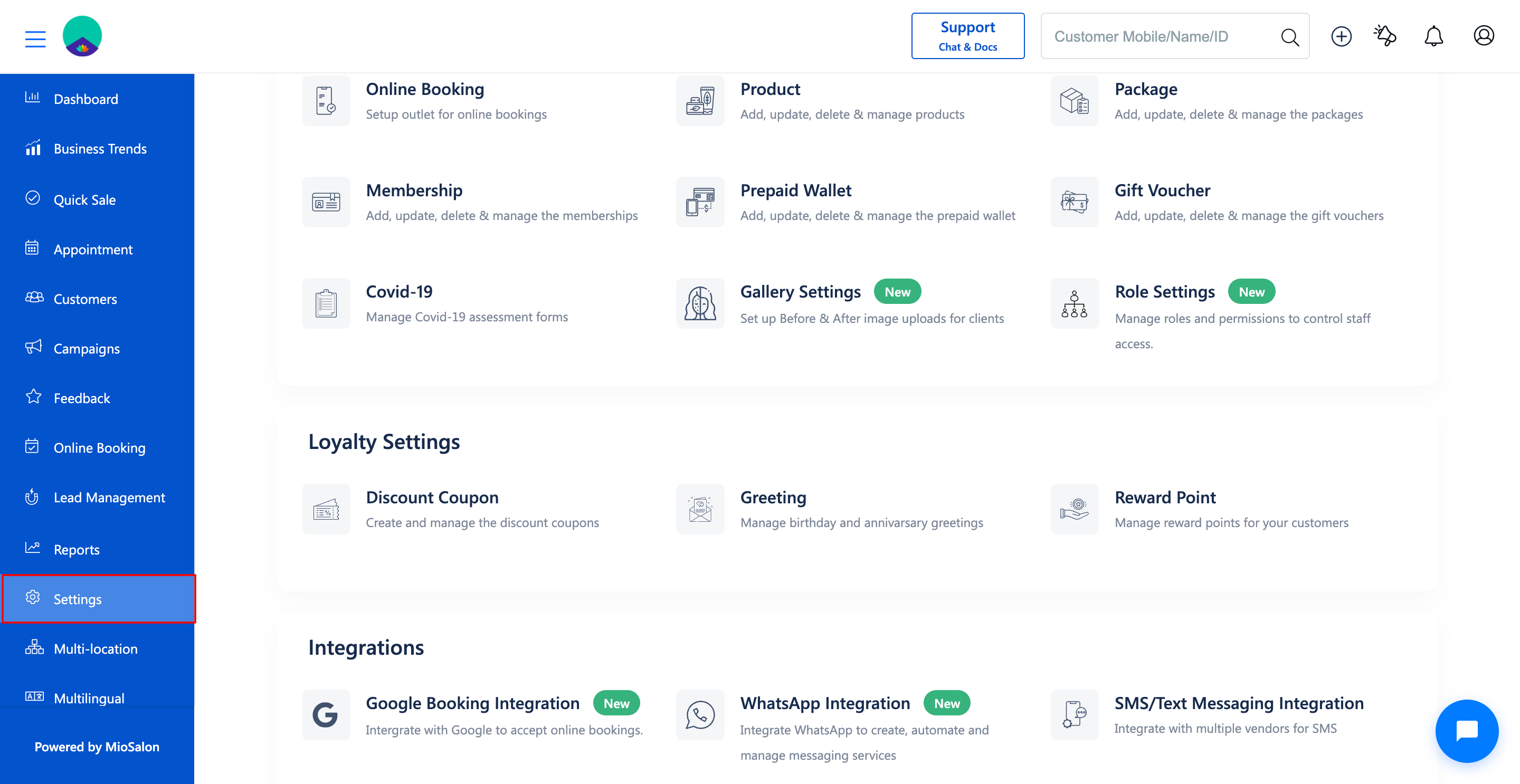
1. Navigate to the Settings module from the main left navigation bar.
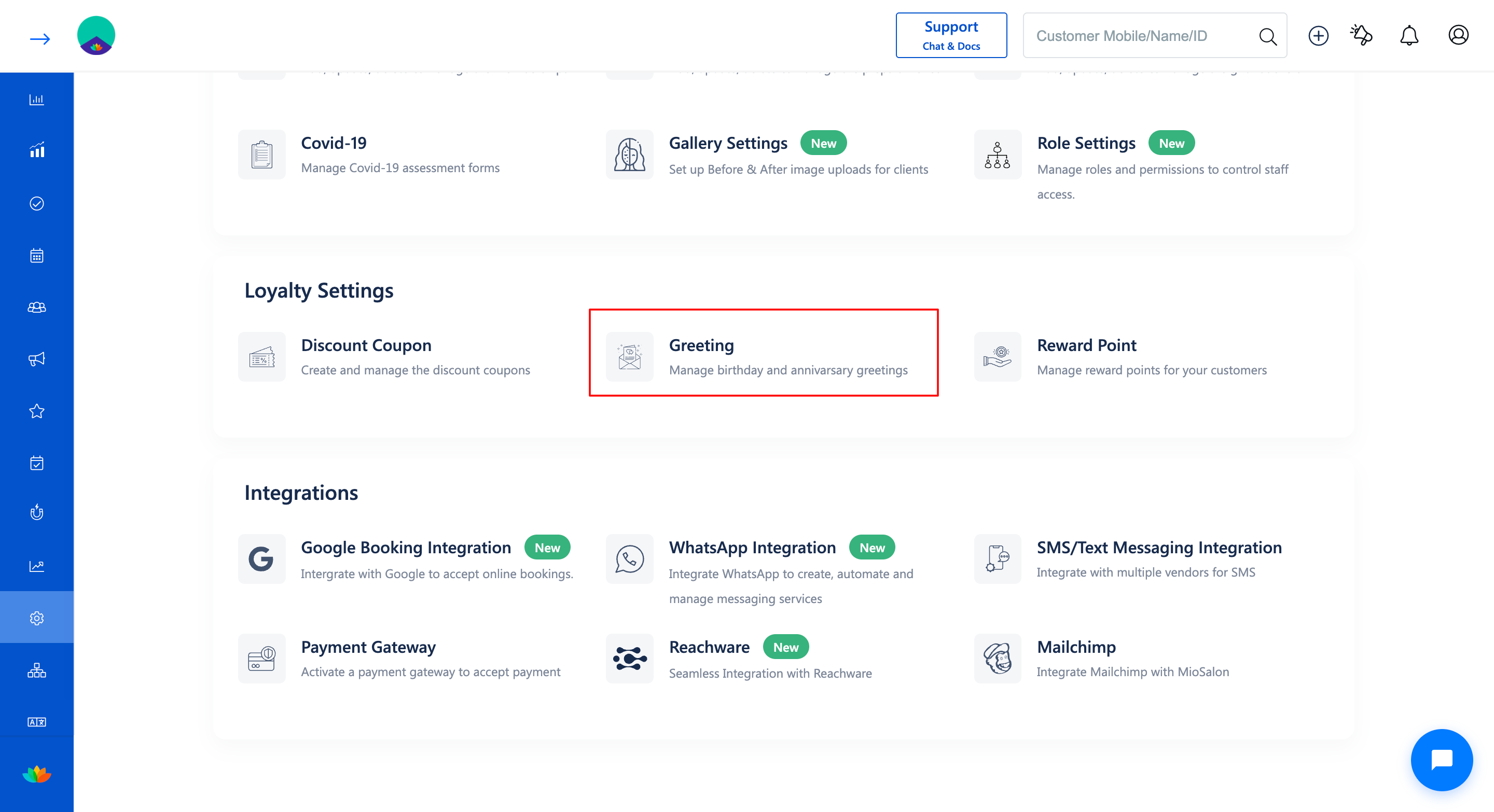
2. Under the Loyalty Settings section, click on the Greeting card.
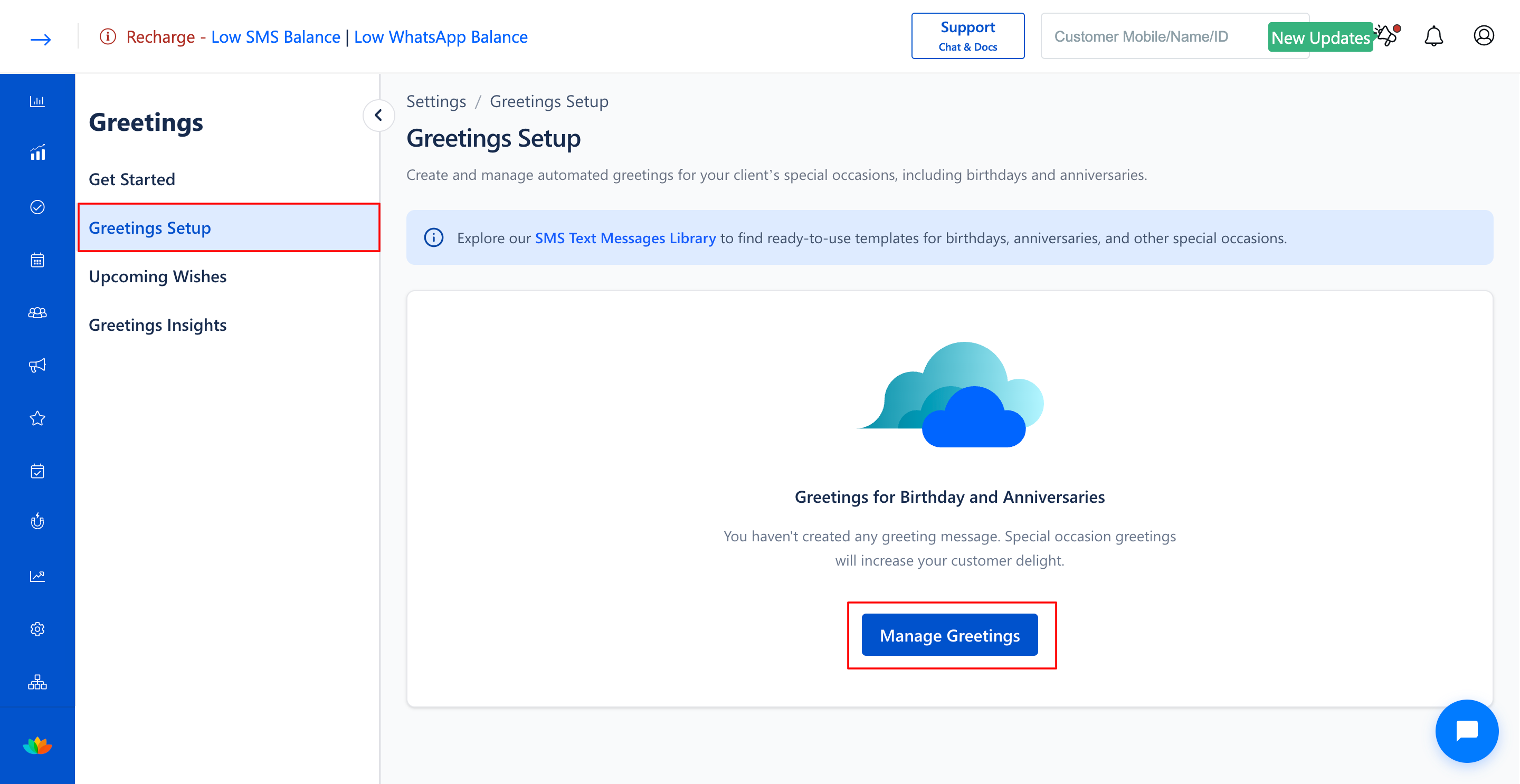
3. In the Greetings Setup page, click on the Manage Greetings button located at the top right corner.
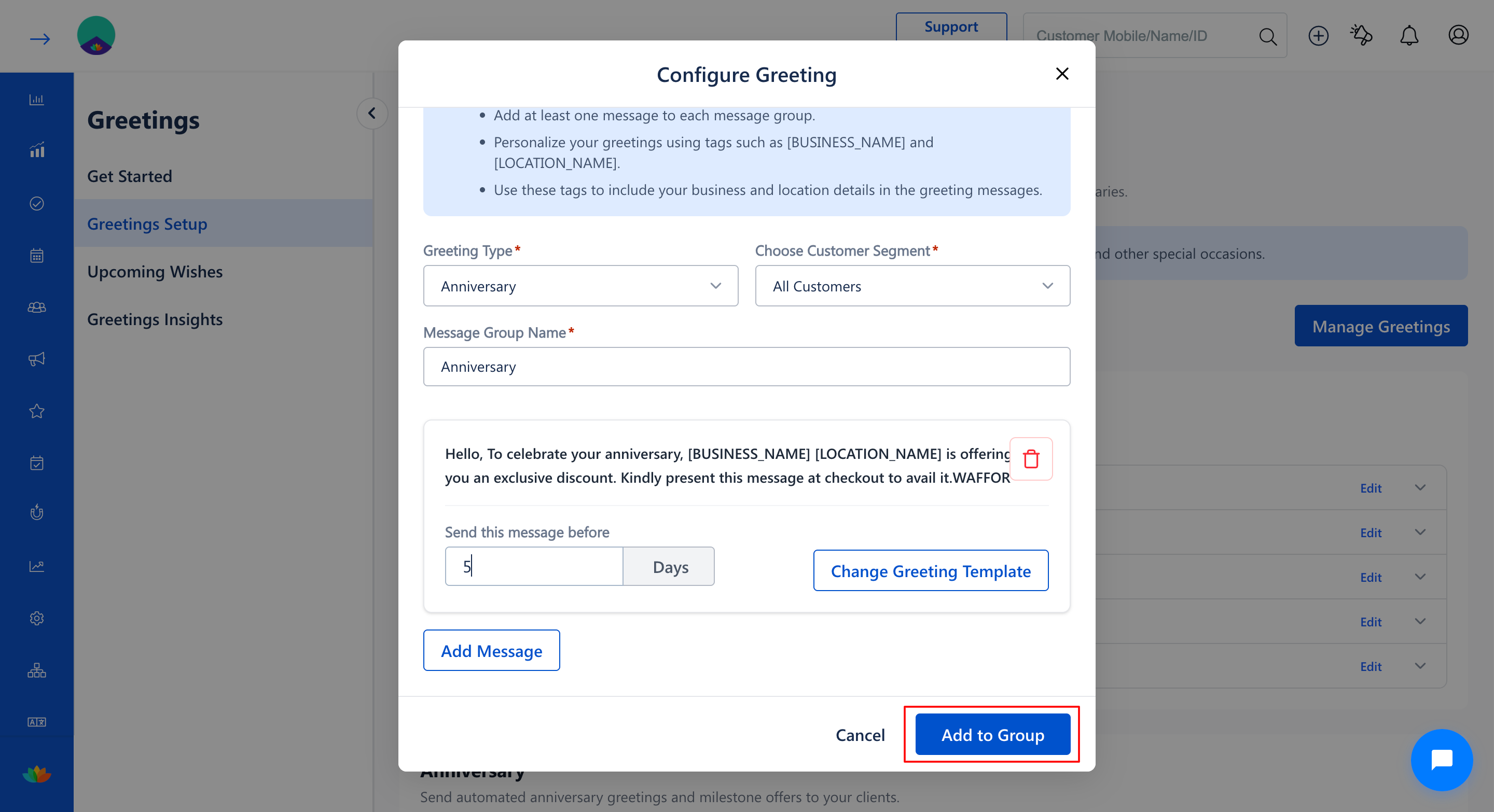
4. In the Configure Greeting pop-up window, click the Greeting Type* dropdown and select Anniversary.
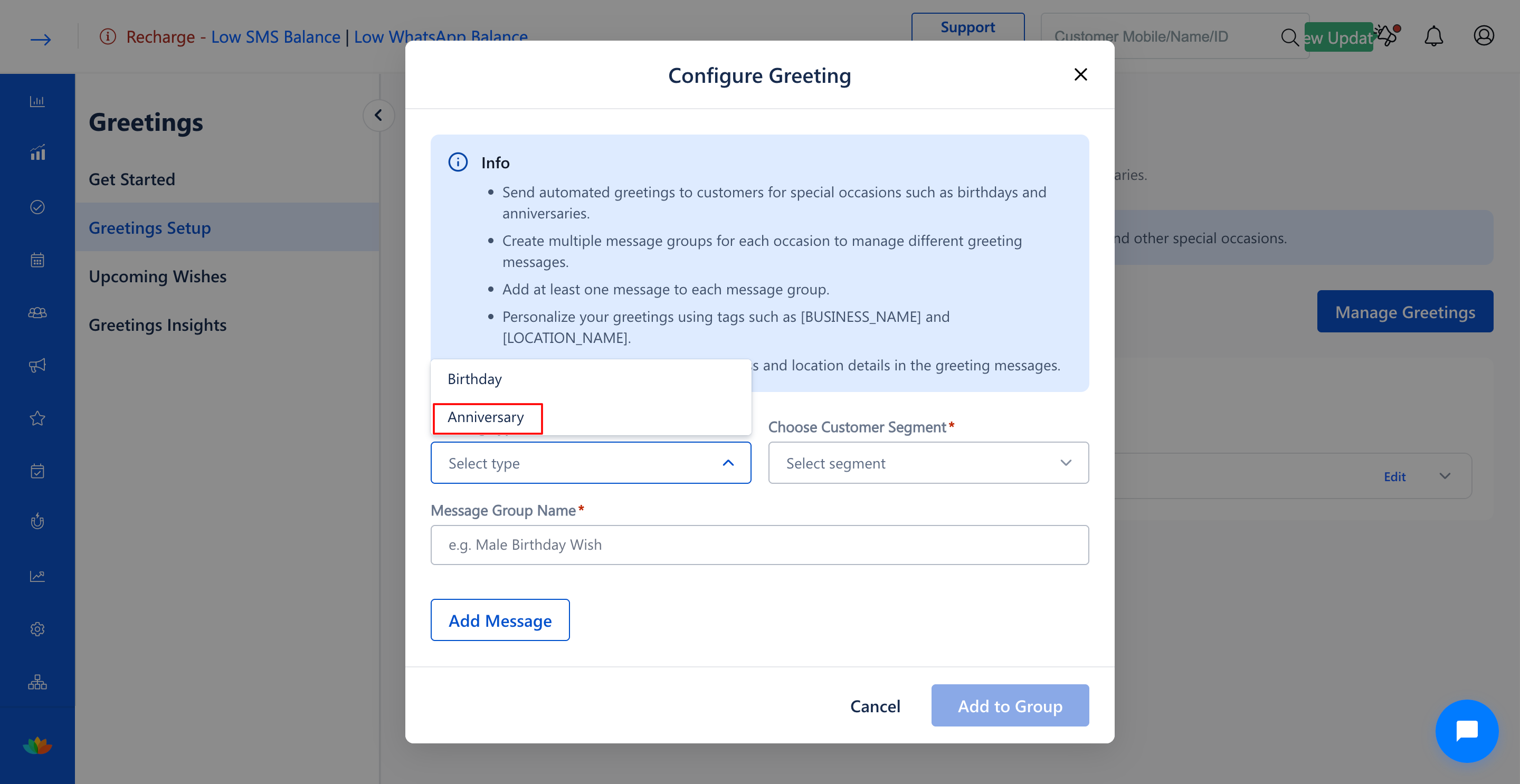
5. Select the target customer segment from the Choose Customer Segment* dropdown (E.g., All Customers).
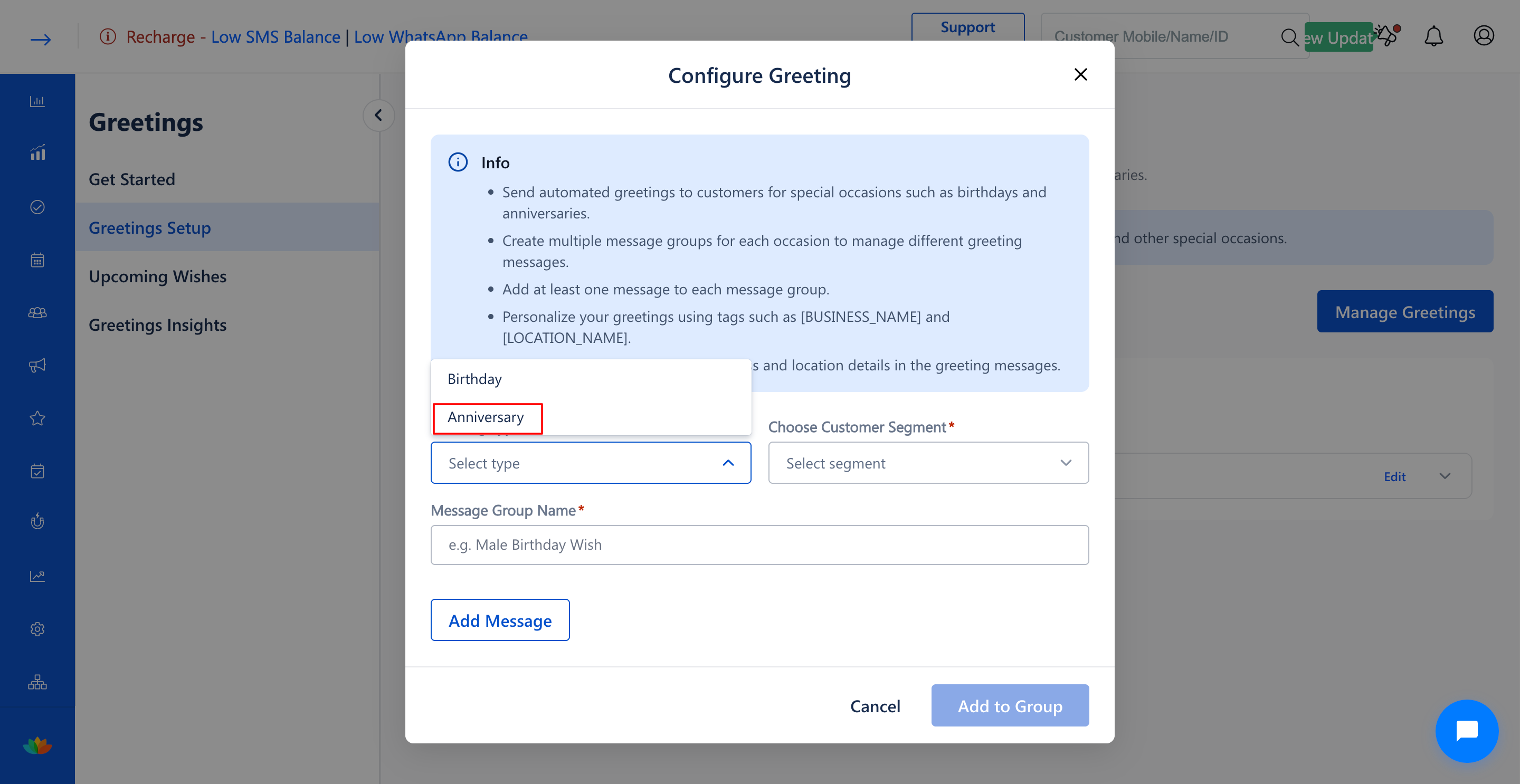
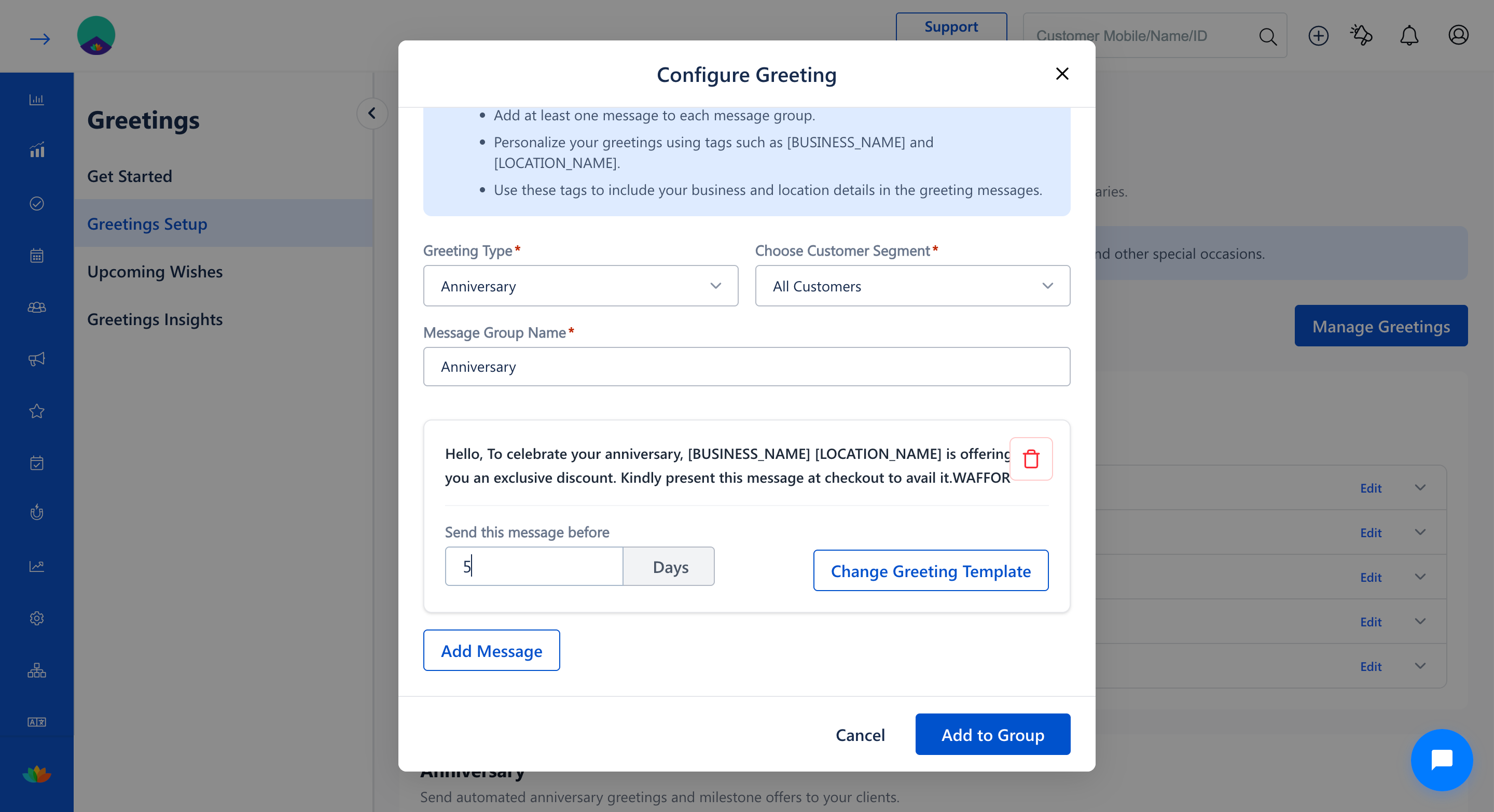
6. In the Message Group Name* field, enter a name for the anniversary greeting group (E.g., Anniversary Wishes).
7. Click on the Add Message button, then click on Add a New Greeting Template.
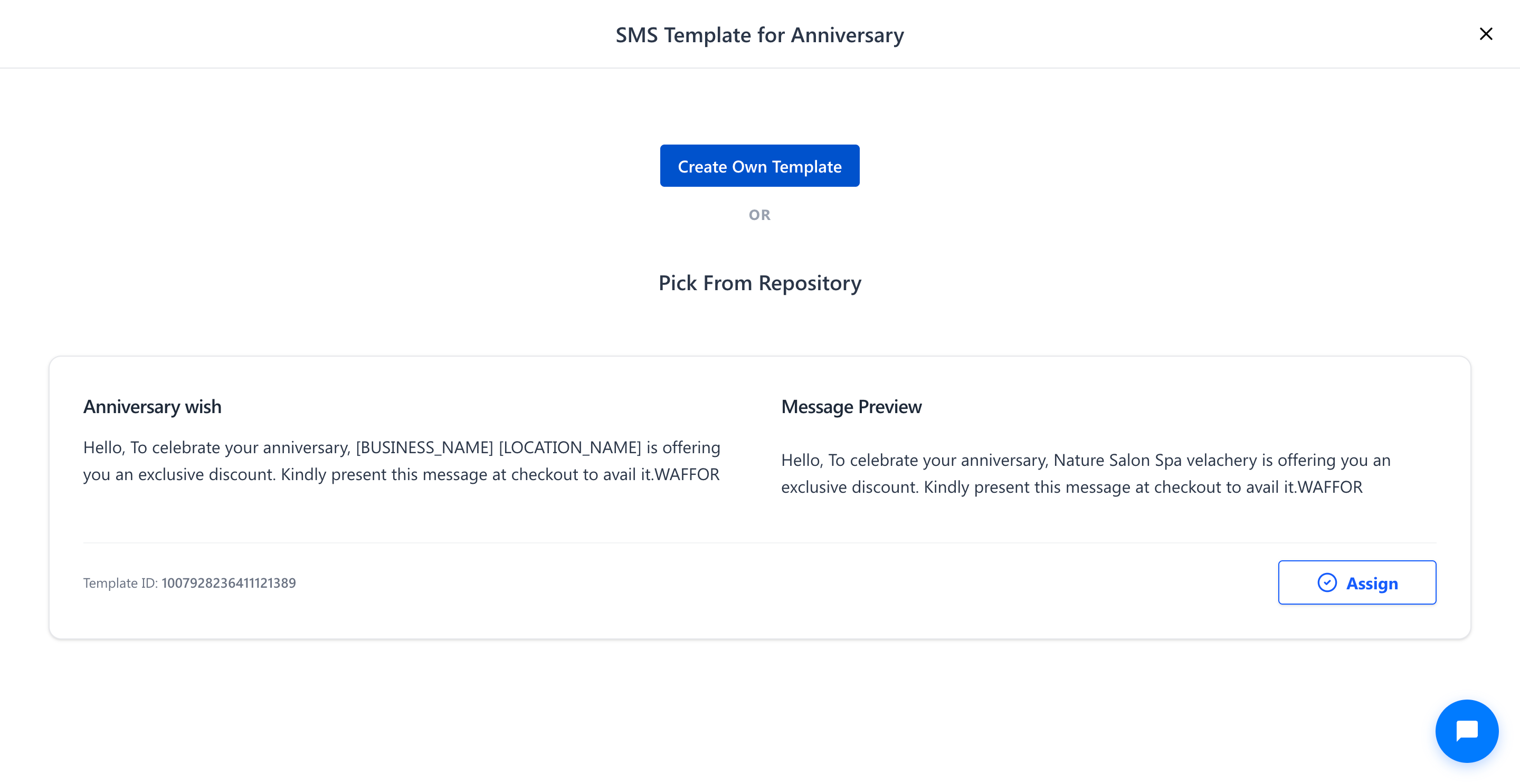
8. In the SMS Template for Anniversary window, select Pick From Repository to browse approved anniversary templates.
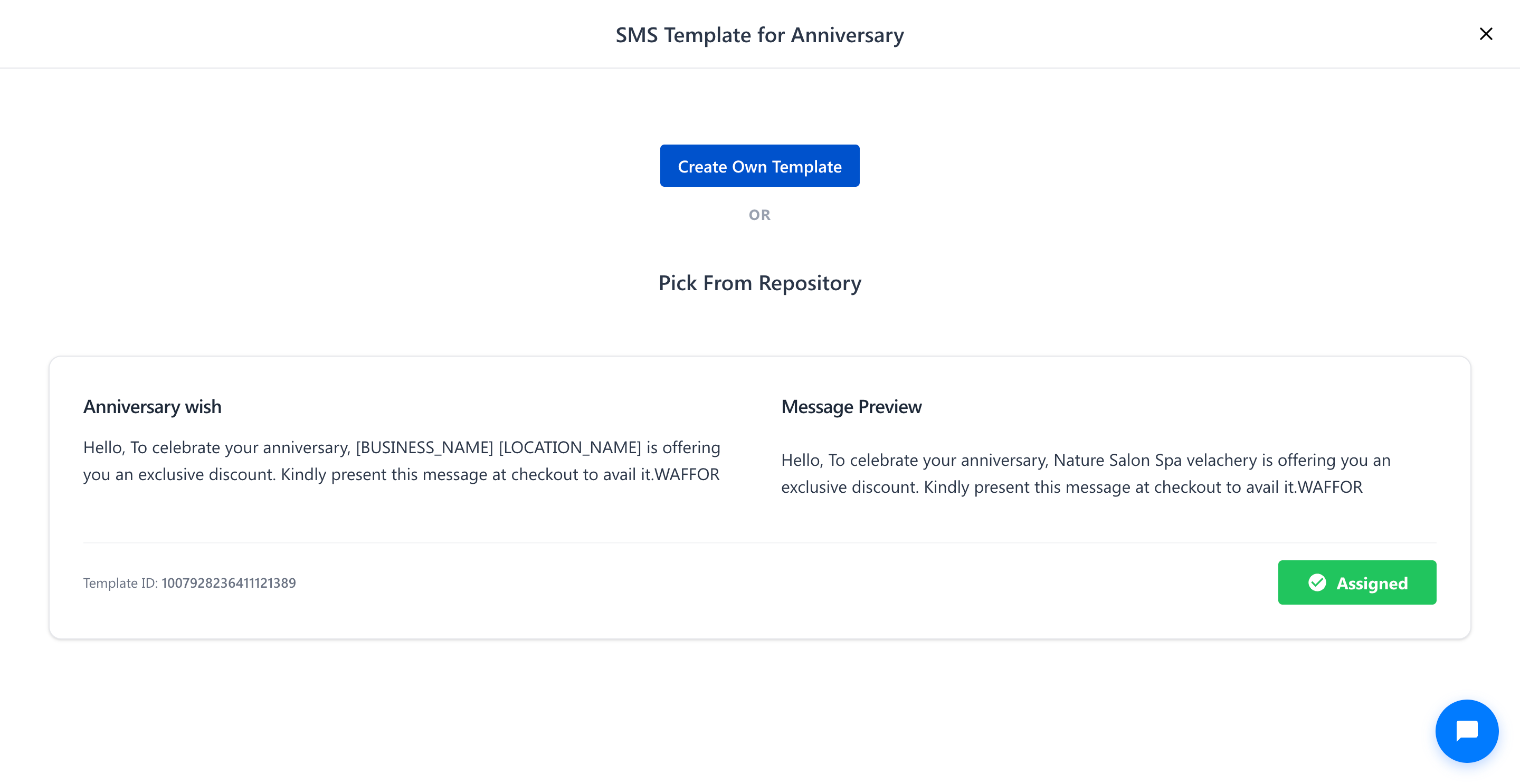
9. Locate the desired template card (E.g., Template ID: 1007928236411121389) and click on the Assign button.
10. The template button will update to Assigned with a green confirmation badge.
11. In the Send this message before field, enter the number of days prior to the anniversary when the SMS should be sent (E.g., 5 Days).
12. Click on the Add to Group button to save the configuration.
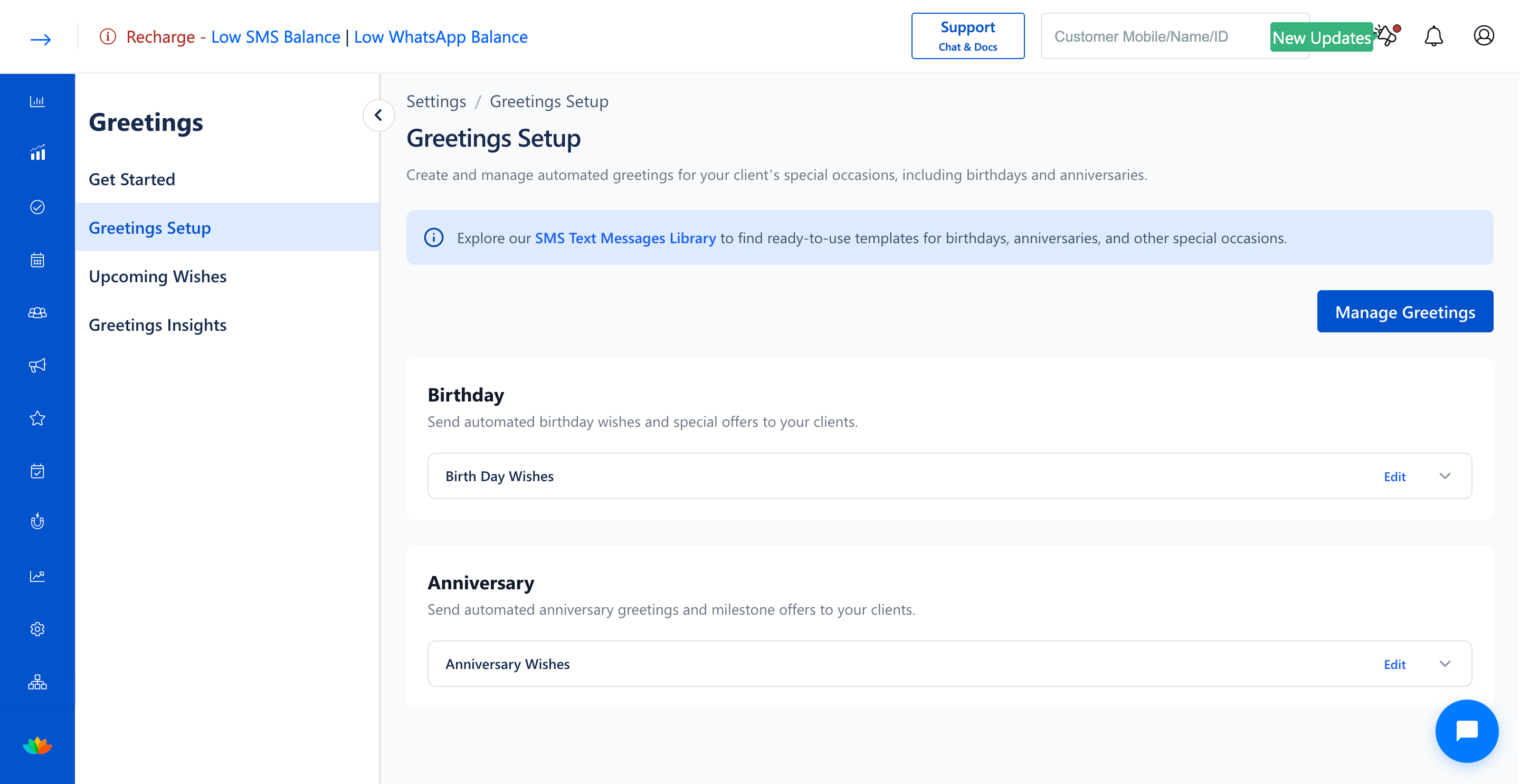
13. The new anniversary greeting group will now be displayed under the Anniversary section on the Greetings Setup page.
Note
Personalization tags like [BUSINESS_NAME] and [LOCATION_NAME] are automatically populated based on your branch settings. You can create multiple message groups targeting different customer segments for customized messaging.
Use Cases
1. Automatically send anniversary couples discounts or complimentary refreshments 5 days prior to anniversary dates.
2. Reconnect with past clients by delivering milestone celebration offers.
Benefits
1. Enhances client retention by acknowledging personal customer milestones.
2. Saves staff time through automated anniversary tracking and SMS delivery.
3. Drives higher average invoice values through couple and celebration package bookings.
Was this article helpful?
That’s Great!
Thank you for your feedback
Sorry! We couldn't be helpful
Thank you for your feedback
Feedback sent
We appreciate your effort and will try to fix the article