How to Set the Birthday Greetings in MioSalon ?
Overview
The Birthday Greetings feature in MioSalon enables businesses to automatically send personalized greeting messages and special celebratory offers to clients on their birthdays.
Salons and spas configure birthday greetings to delight customers on their special day, strengthen emotional connections, and encourage repeat visits through exclusive birthday discounts.
Setting up automated birthday greetings eliminates the need for manual daily tracking while ensuring consistent, timely communication.
Follow the guided step-by-step instructions below to set birthday greetings in MioSalon.
Navigation Path
Settings → Loyalty Settings → Greeting → Greetings Setup
Steps to Set Birthday Greetings
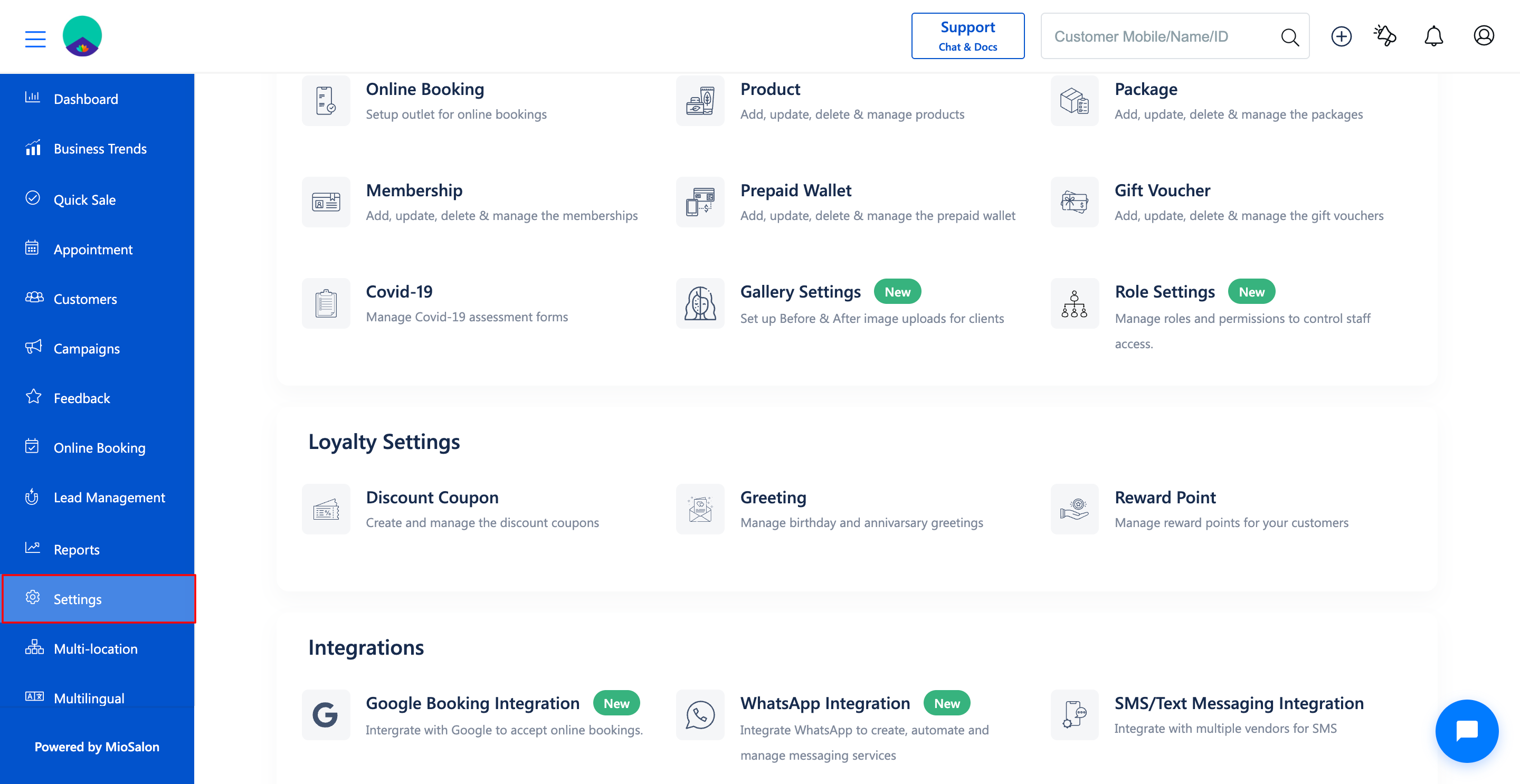
1. Navigate to the Settings module from the main left navigation bar.
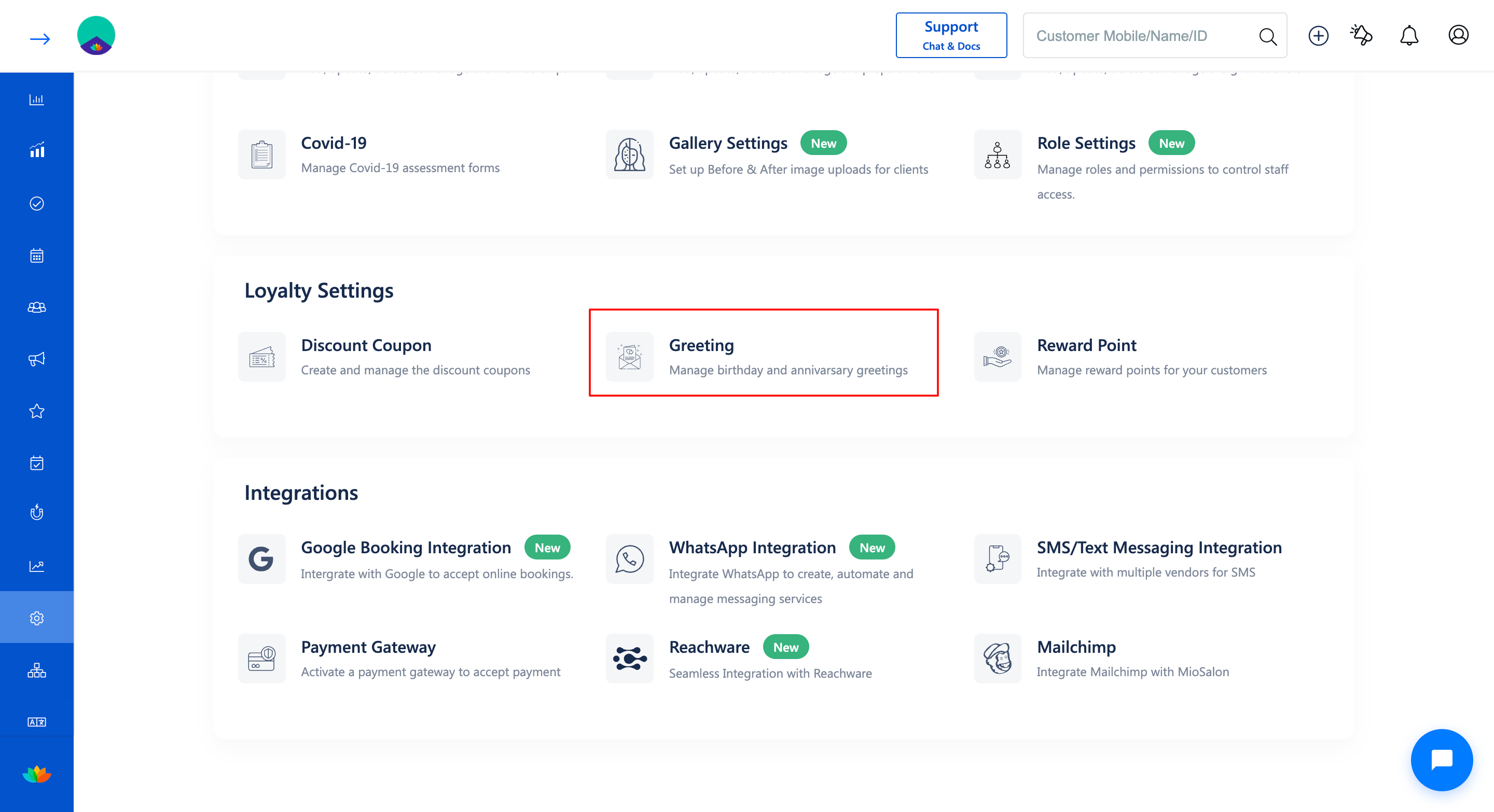
2. Under the Loyalty Settings section, click on the Greeting card.
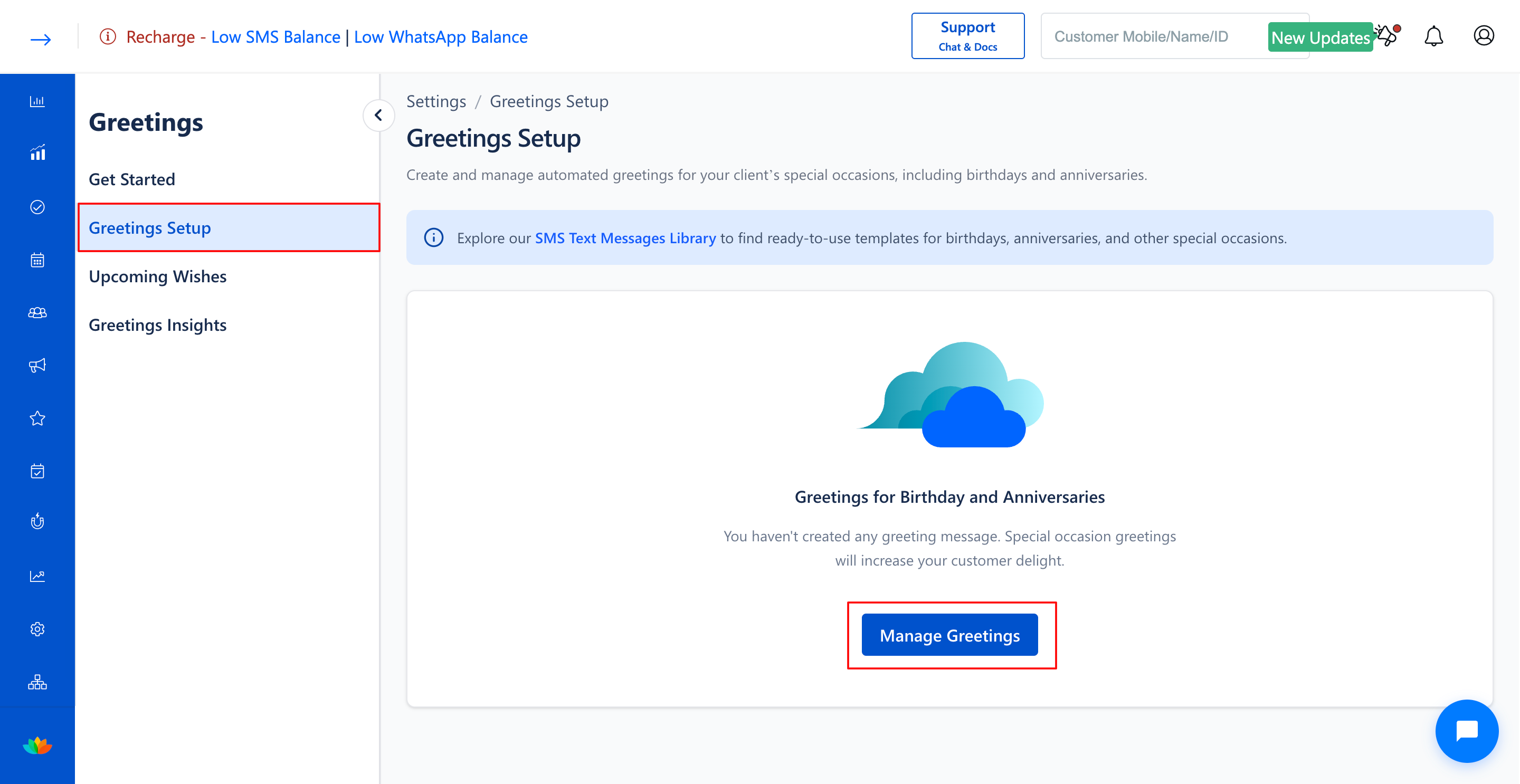
3. On the Greetings landing page, click on the Get Started button or select Greetings Setup from the left sub-navigation menu.
4. In the Greetings Setup page, click on the Manage Greetings button.
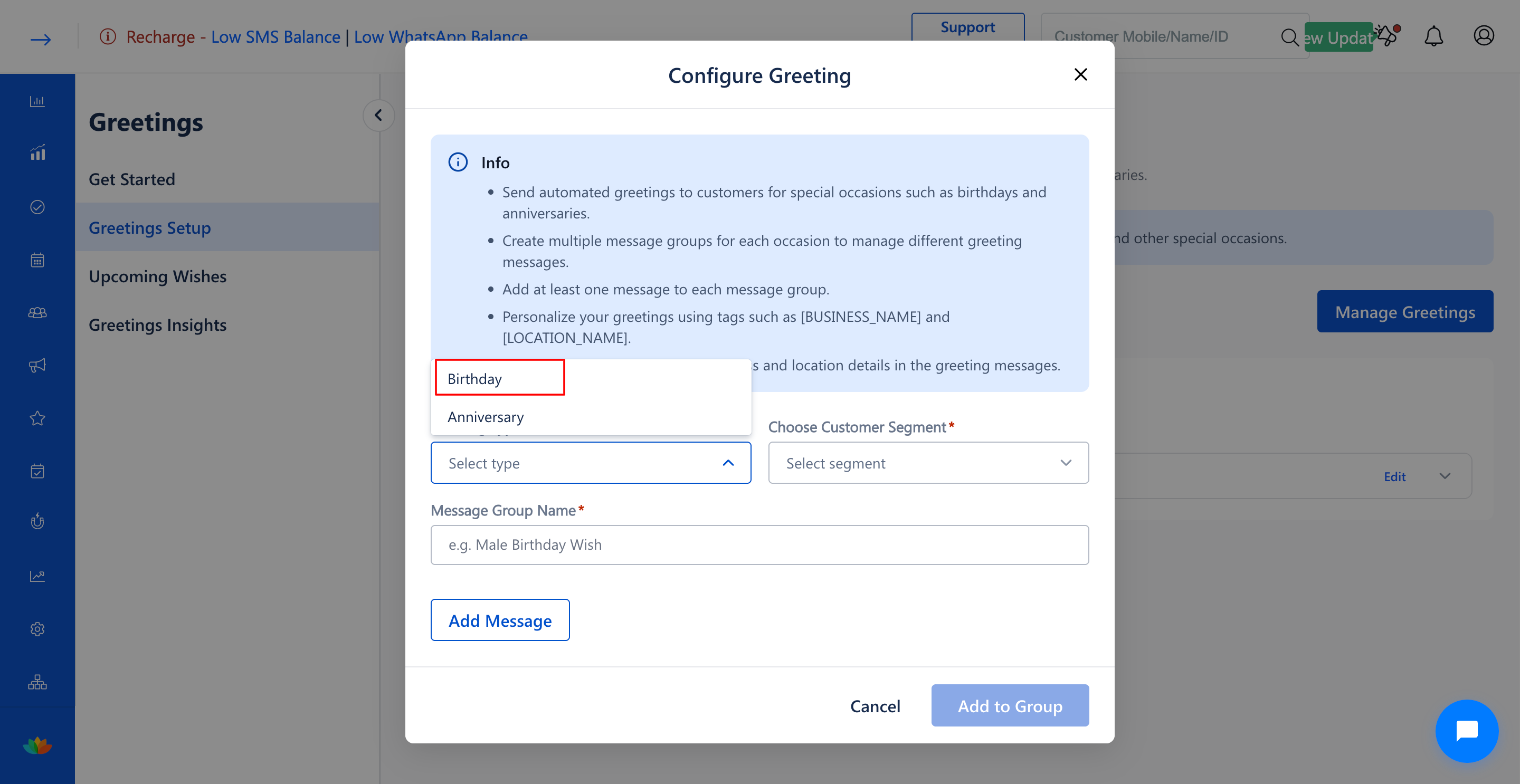
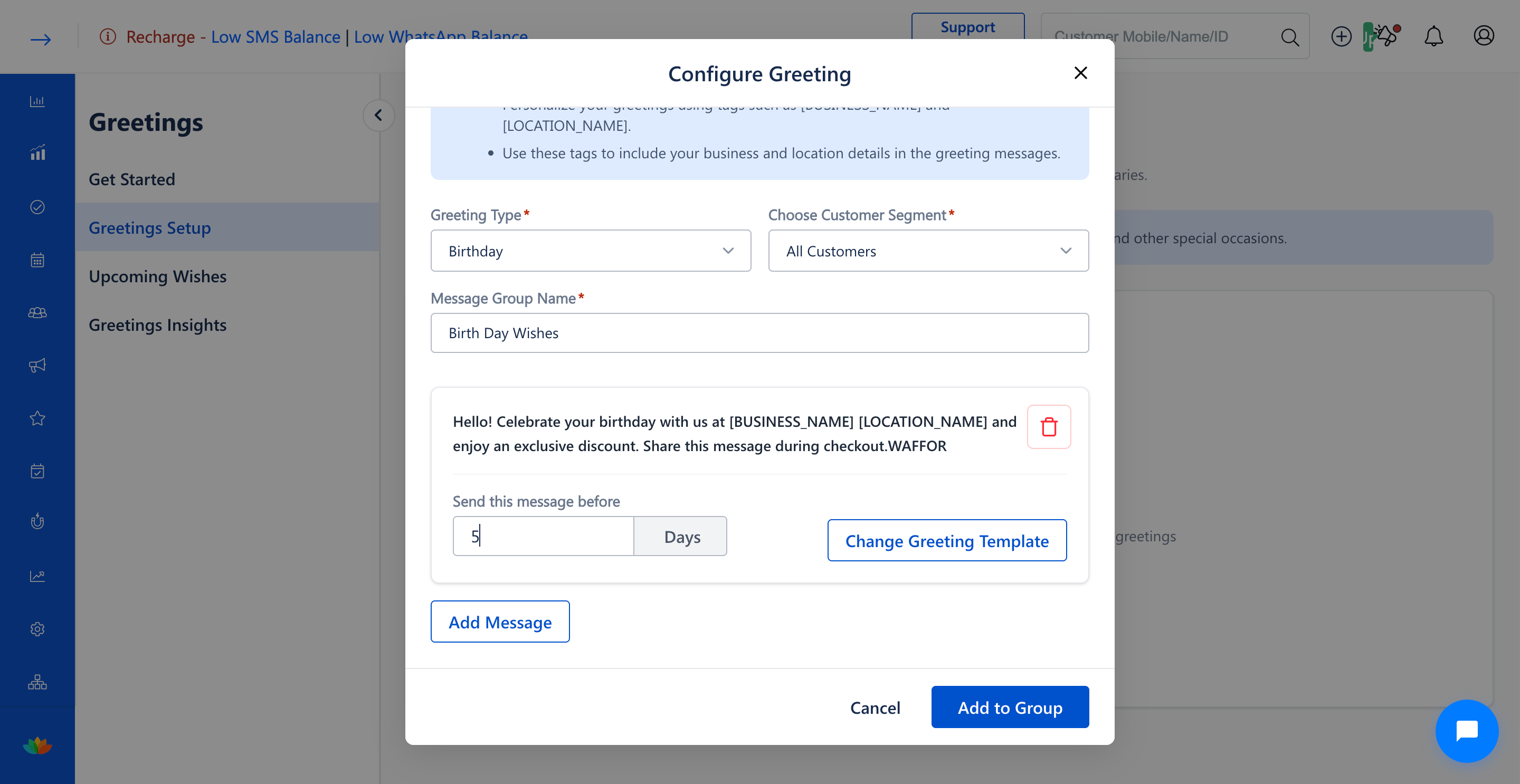
5. In the Configure Greeting pop-up window, select Birthday from the Greeting Type* dropdown.
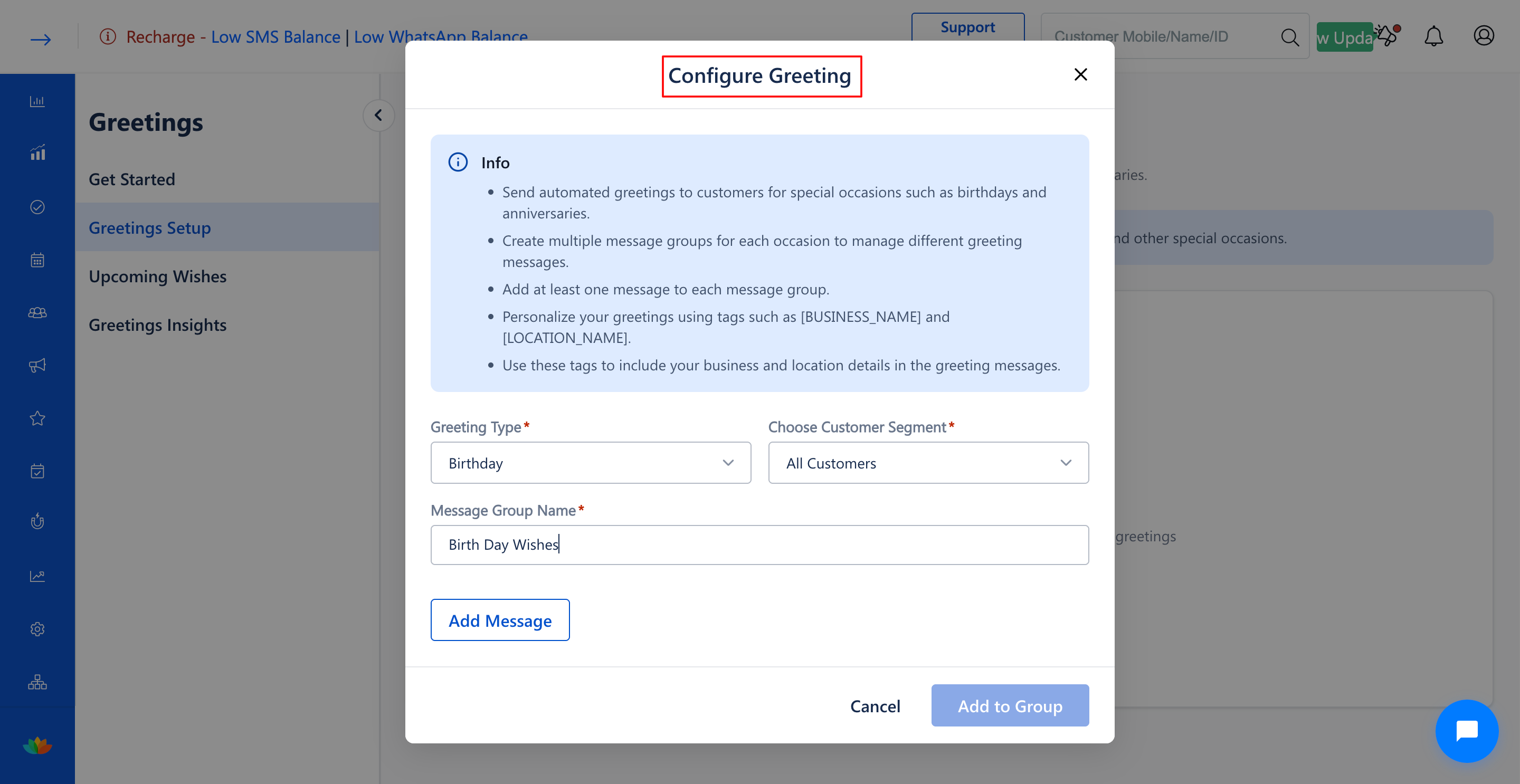
6. Click on the Choose Customer Segment* dropdown to select the target audience for the birthday greeting:
• All Customers: Dispatches greetings to all clients with registered birthday dates.
• By Gender and age: Targets customers based on specific gender and age demographics.
• Returning Customers: Sends birthday wishes exclusively to repeat clients.
• Non-Returning Customers: Re-engages dormant customers with a special birthday offer.
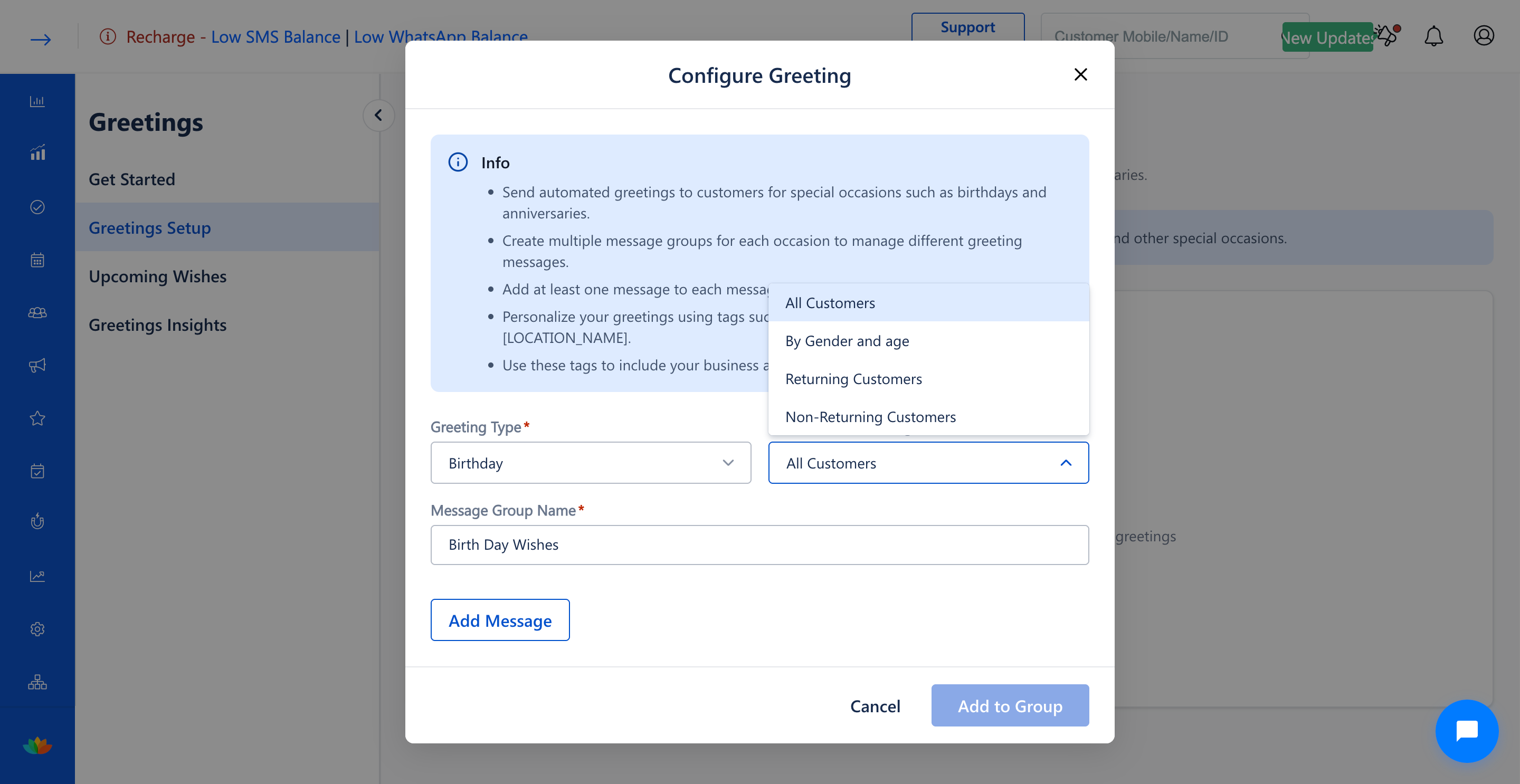
7. In the Message Group Name* field, enter a descriptive title for this greeting group (E.g., Birth Day Wishes)
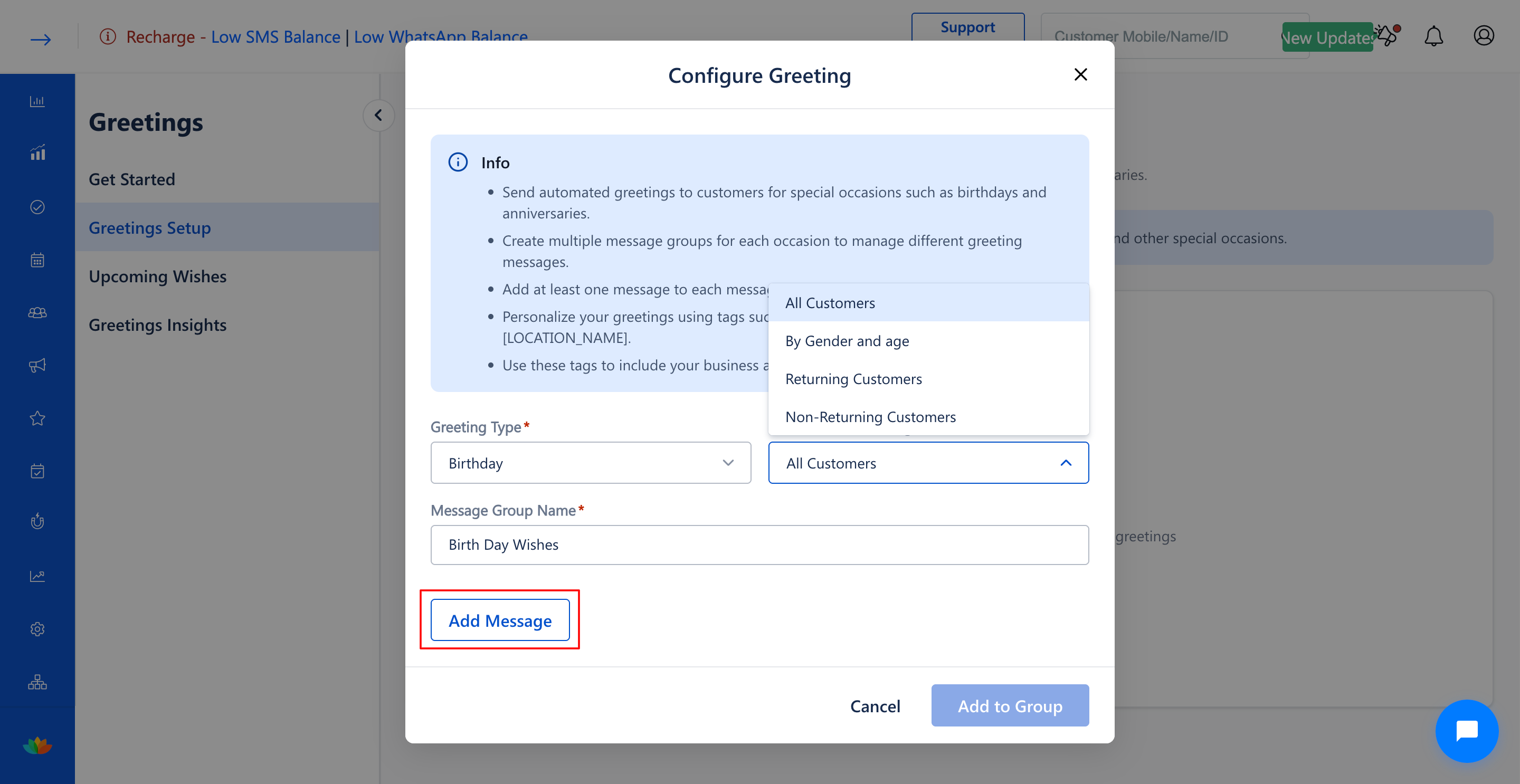
8. Click on Add a New Greeting Template to choose or create a message template.
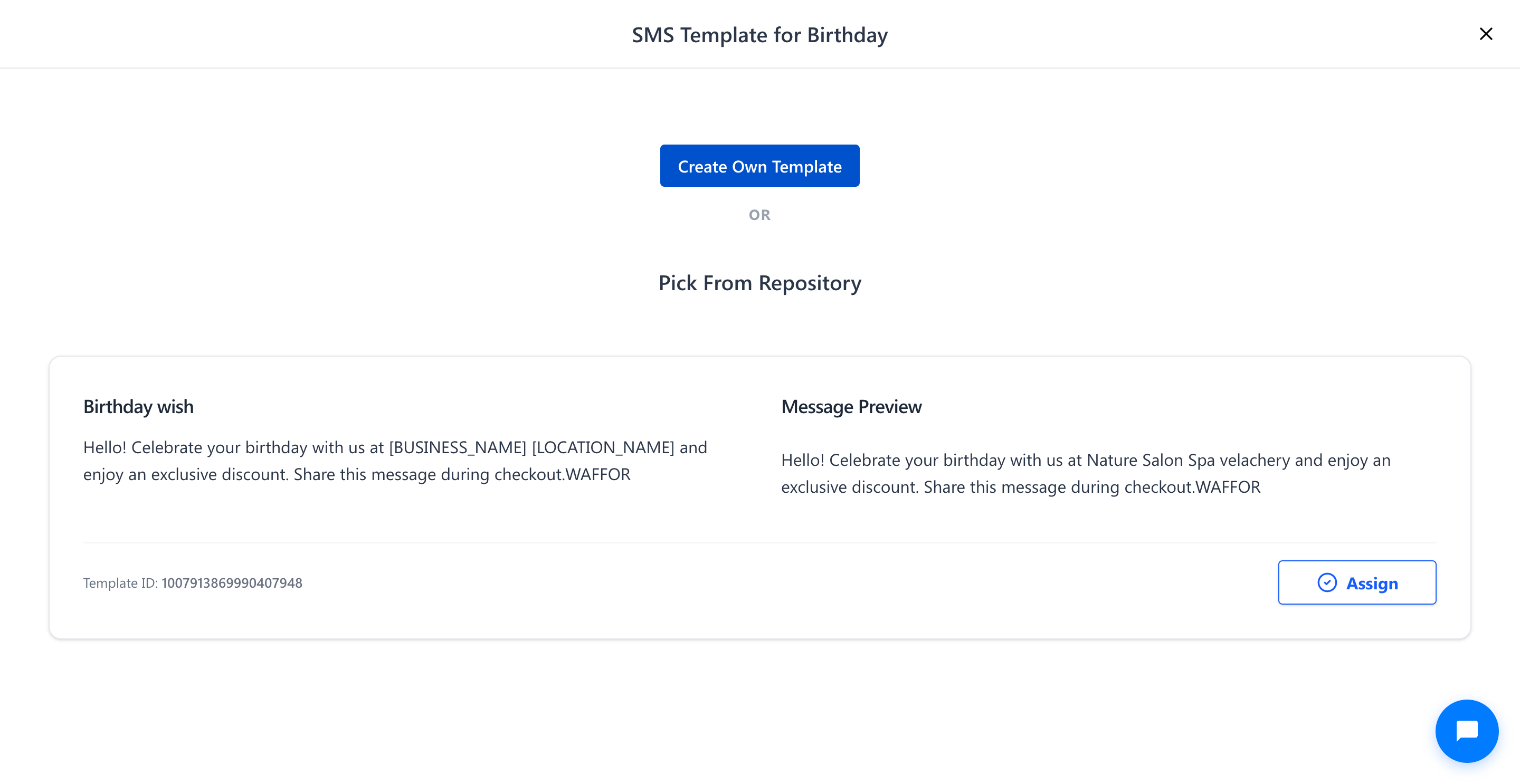
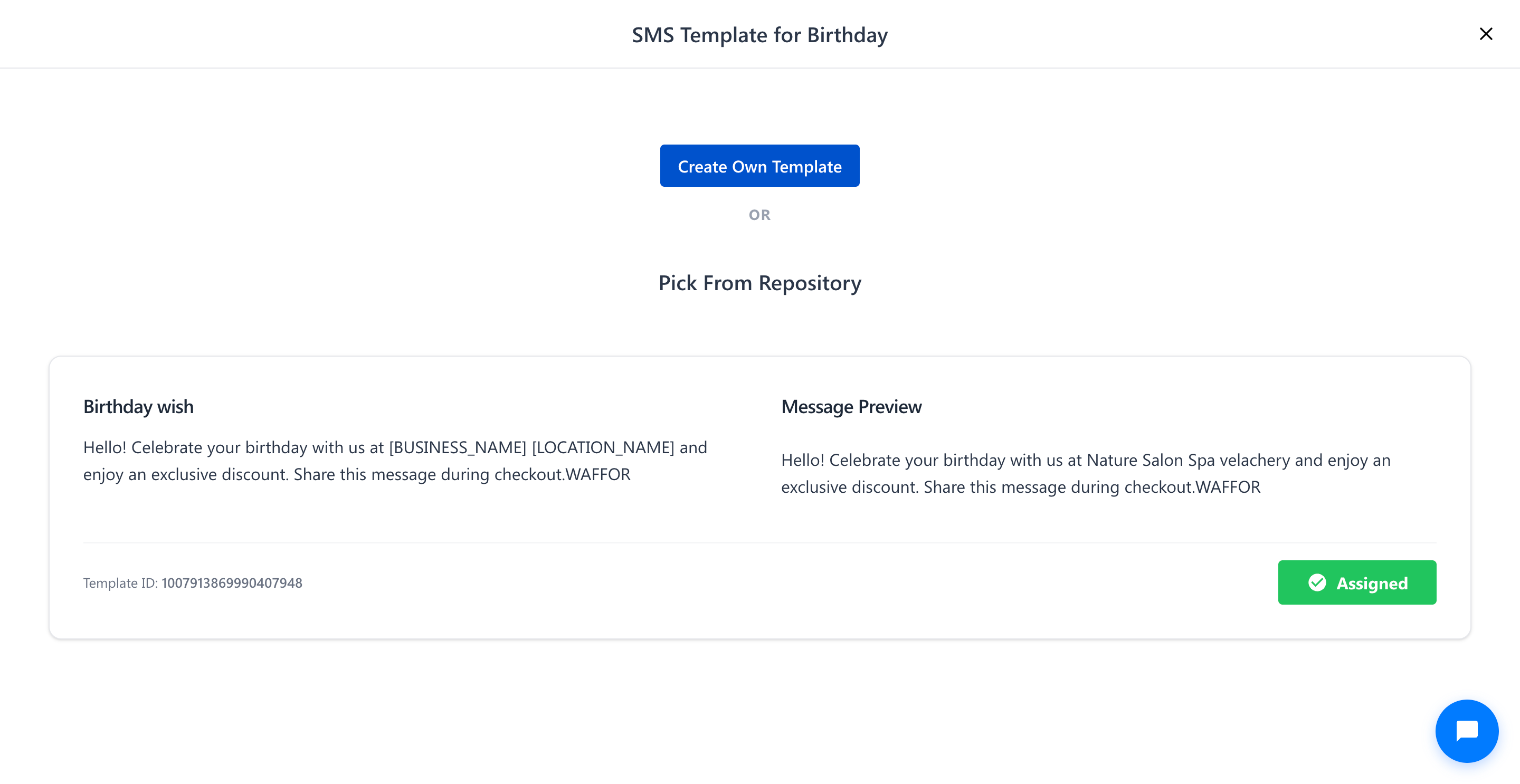
9. In the SMS Template for Birthday window, select Pick From Repository to browse pre-approved templates (or select Create Own Template to create a custom SMS).
10. Locate your preferred template card (E.g., Template ID: 1007913869990407948) and click on the Assign button.
11. Once assigned, the button status updates to Assigned with a green checkmark.
12. In the Send this message before field, enter the number of days prior to the client's birthday when the message should be delivered (E.g., 5 Days).
13. Click on the Add to Group button to save and activate the birthday greeting.
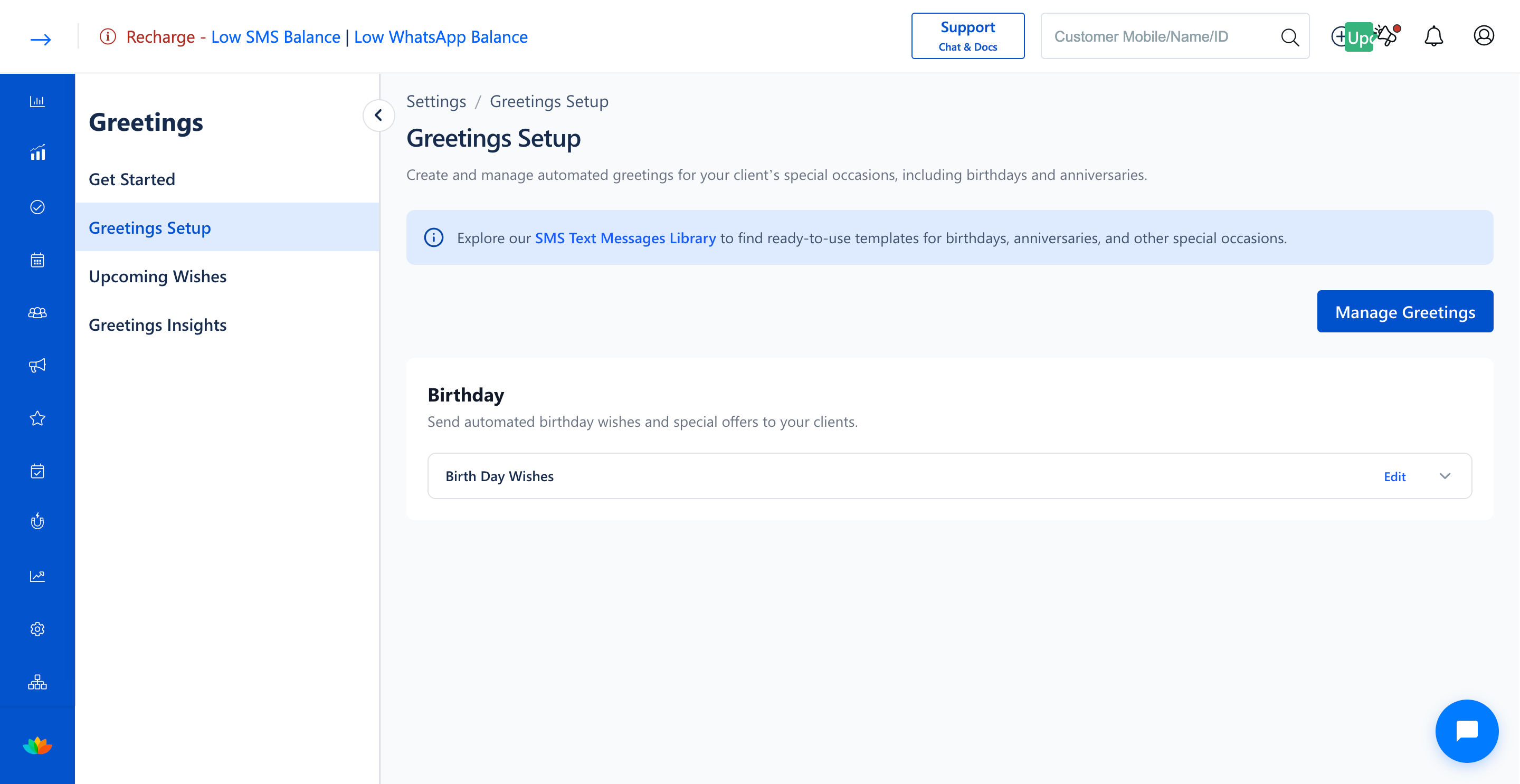
14. The configured birthday greeting group will now appear under the Birthday section on the Greetings Setup page.
Note
Automated SMS greetings utilize dynamic personalization tags such as [BUSINESS_NAME] and [LOCATION_NAME] to automatically insert your outlet details into the dispatched text message. Ensure that your salon SMS balance is adequately maintained to prevent delivery failures.
Use Cases
1. Salons can automatically deliver birthday discount vouchers 5 days in advance, encouraging clients to book birthday makeover appointments.
2. Spas can offer exclusive complimentary add-on services on birthdays to strengthen customer loyalty and repeat visits.
Benefits
1. Eliminates manual tracking of customer birthdays through fully automated scheduling and dispatching.
2. Enhances customer retention and brand loyalty by making clients feel valued on their special day.
3. Drives incremental sales revenue through promotional birthday coupon redemptions.
Was this article helpful?
That’s Great!
Thank you for your feedback
Sorry! We couldn't be helpful
Thank you for your feedback
Feedback sent
We appreciate your effort and will try to fix the article