How to Delete a Custom Package in MioSalon ?
Overview
Deleting a custom package in MioSalon allows administrators to permanently remove discontinued custom packages from the active catalog.
Salons delete custom packages when changing promotional menus or retiring outdated service combinations.
Removing redundant custom packages maintains an organized booking interface for receptionists and billing staff.
Follow the guided step-by-step instructions below to delete a custom package in MioSalon.
Navigation Path
Settings → Modules Settings → Package → Package List
Steps to Delete a Custom Package
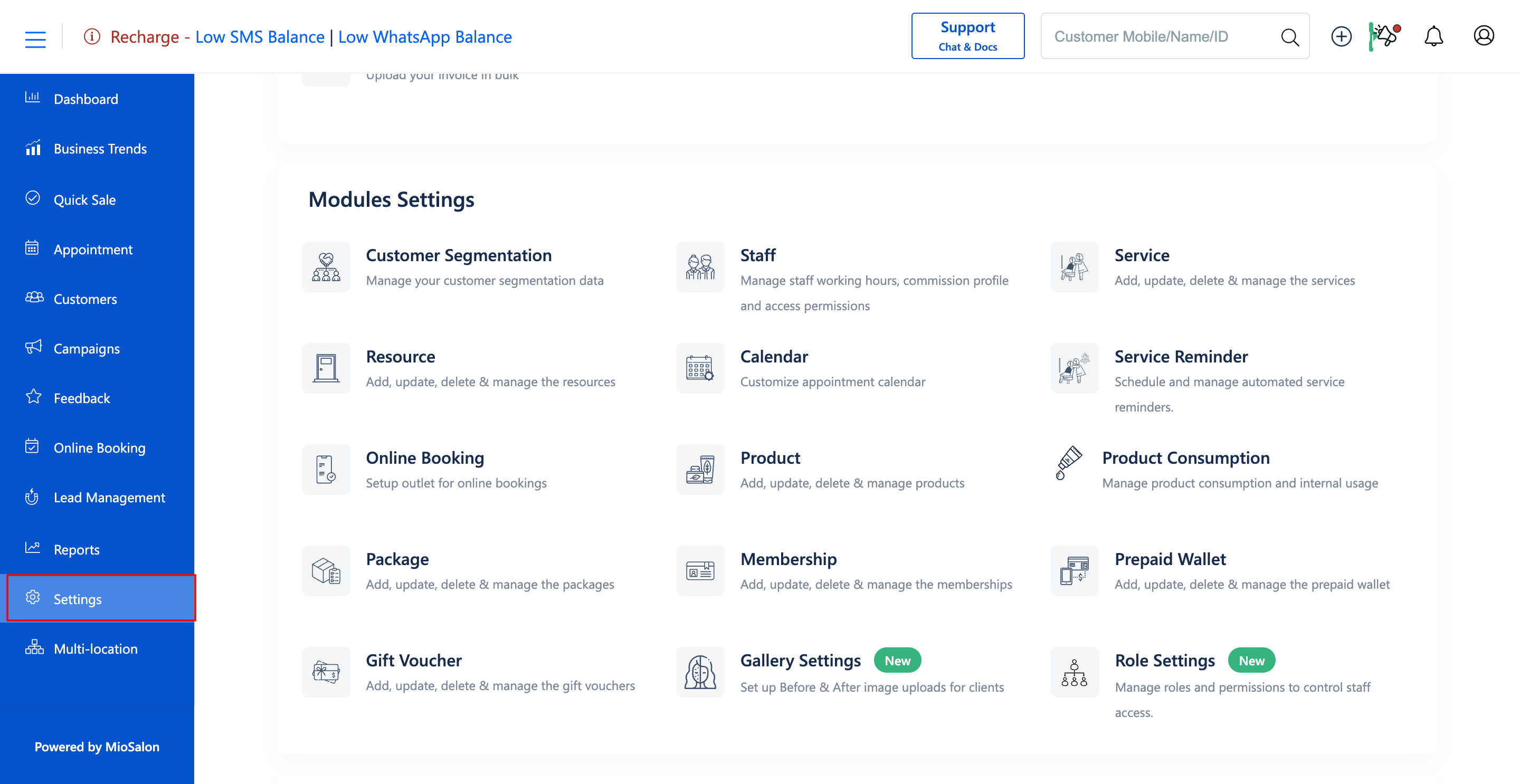
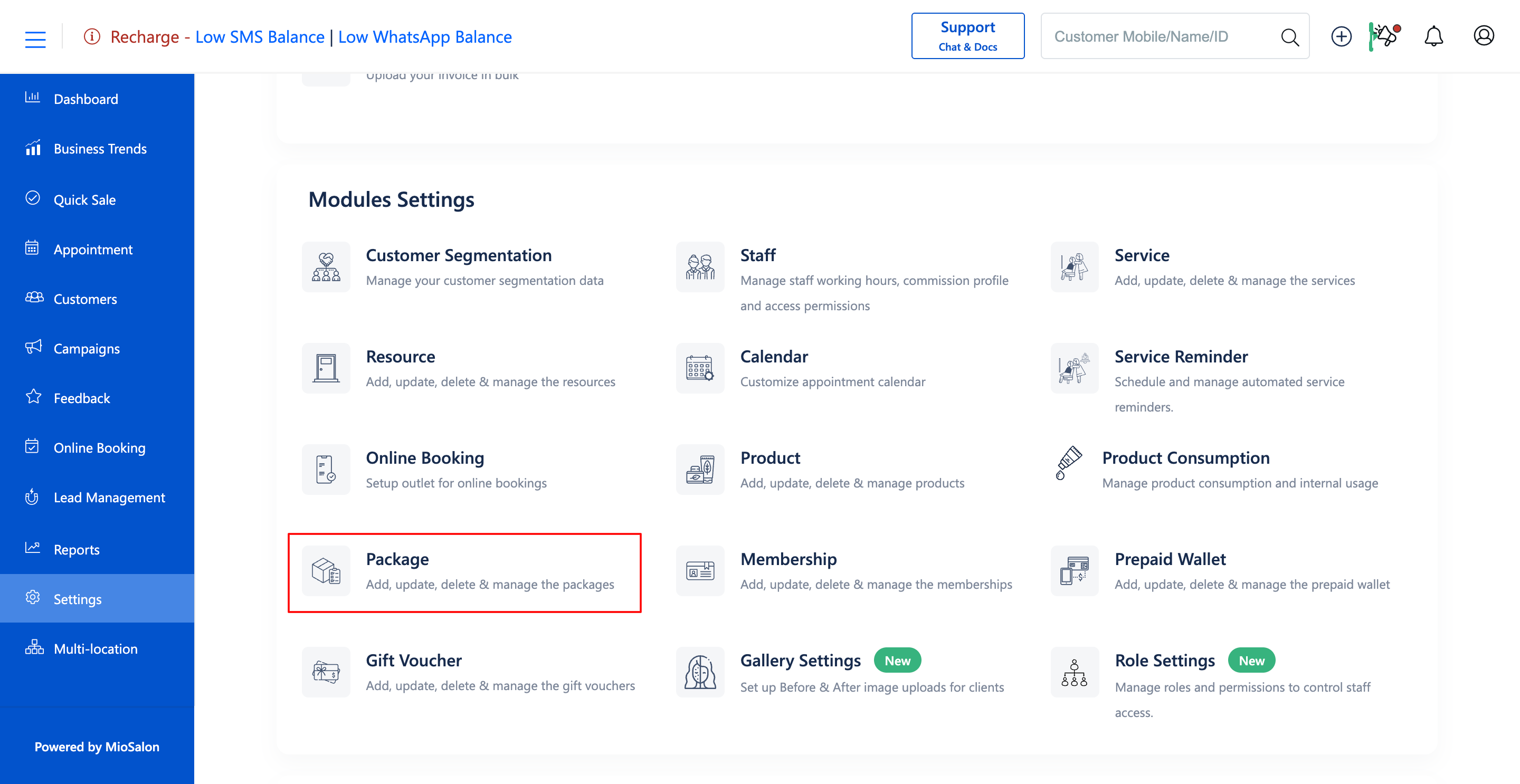
1. Navigate to the Settings module from the main left navigation bar and click on the Package card under the Modules Settings section.
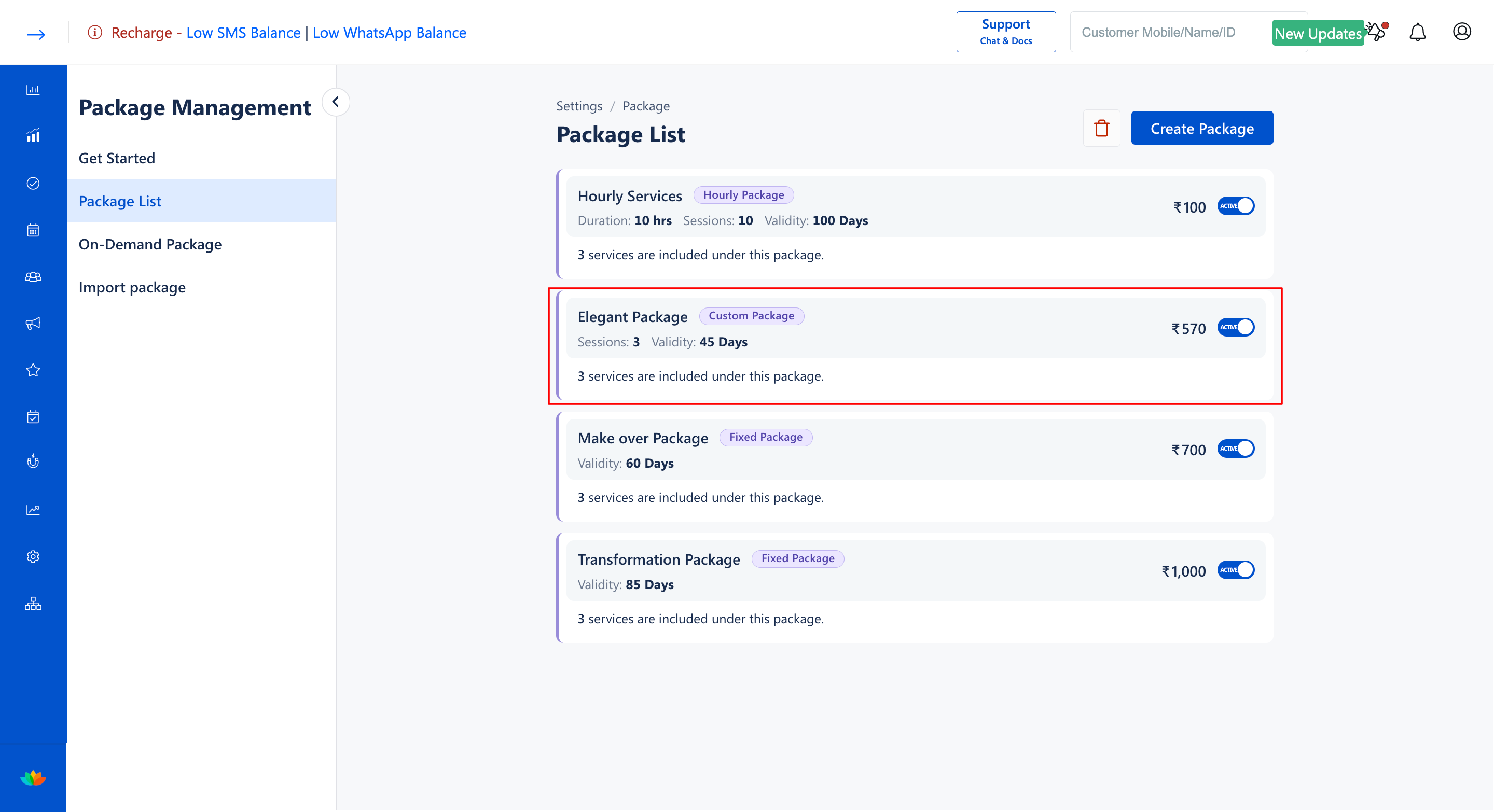
2. Select the Package List tab from the left sub-navigation menu.
3. Locate the target custom package and click on the package card to open the Update Package page.
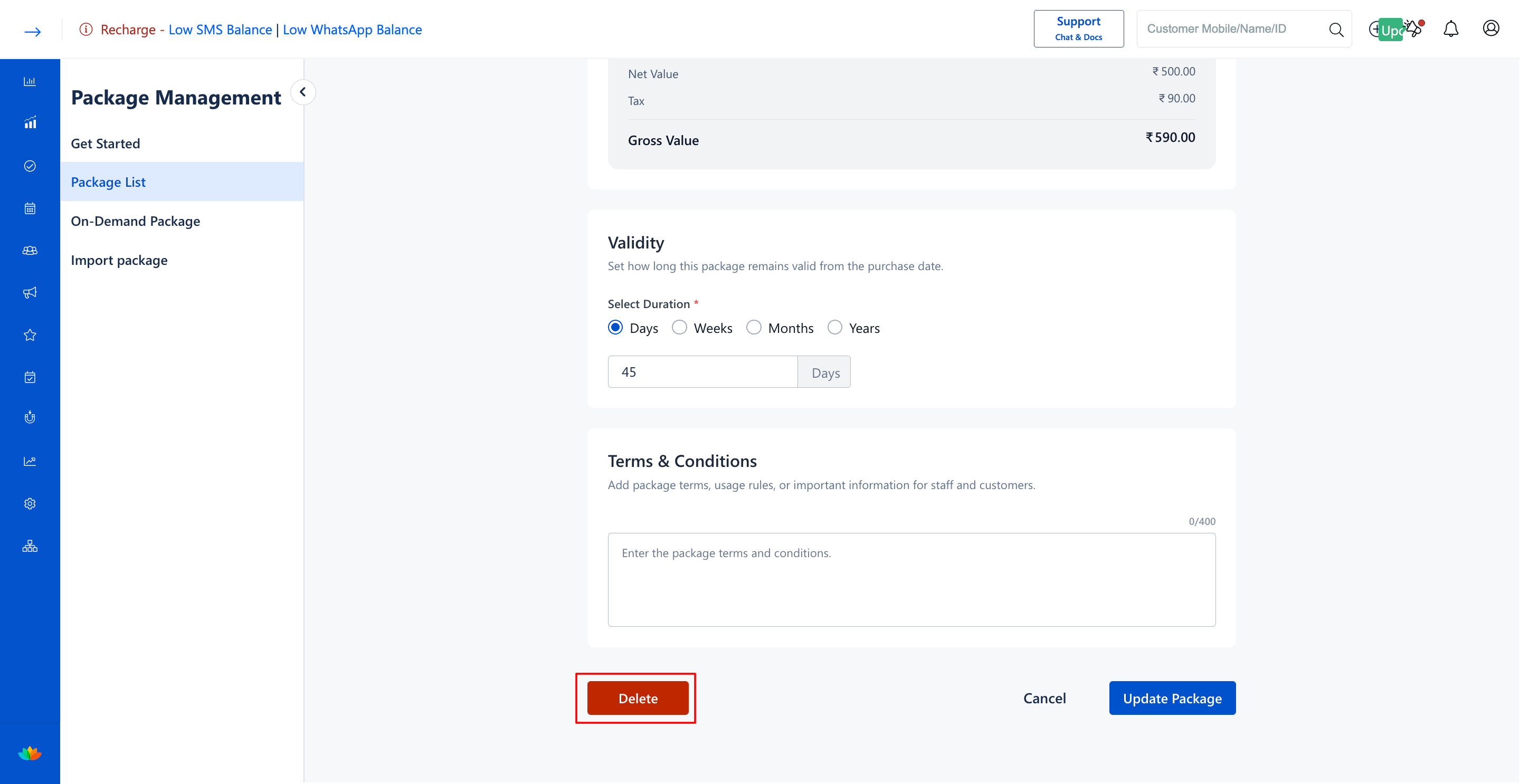
4. Scroll down to the bottom of the page and click on the red Delete button located on the bottom-left corner.
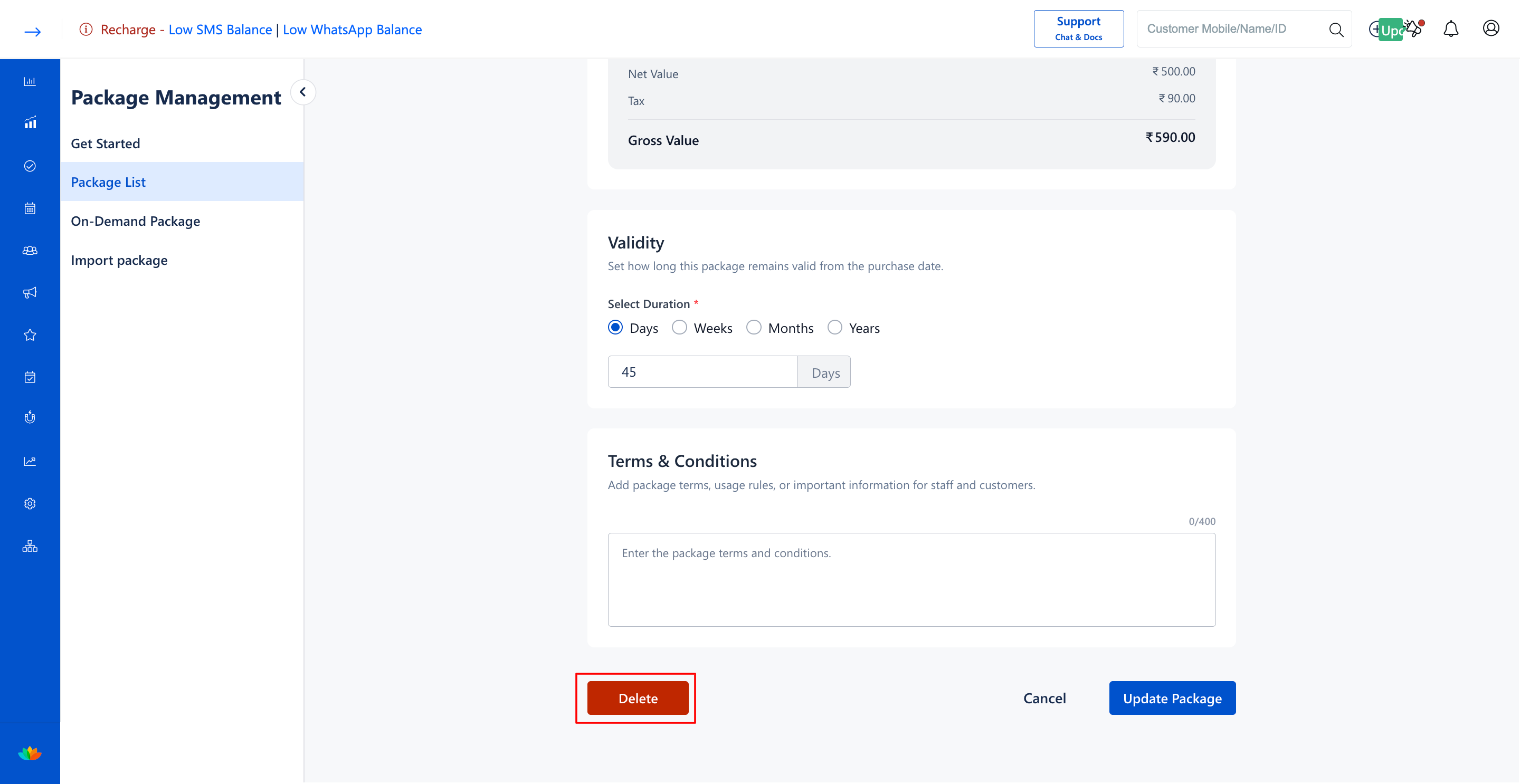
5. If performing a bulk deletion of all packages, click the trash can icon in the Package List header, enter your account password in the Enter your password field, check the I understand that this action cannot be undone box, and click on Delete.
Note
Once a custom package is deleted, it cannot be restored. Verify that all active client packages have completed their redemption cycles prior to deletion.
Use Cases
1. Retiring seasonal custom packages after limited-time promotional windows end.
2. Removing custom packages associated with discontinued brands or treatment products.
3. Purging obsolete test packages created during staff onboarding.
Benefits
1. Prevents frontline staff from mistakenly selling inactive or outdated custom packages.
2. Streamlines the Quick Sale checkout interface by displaying only active packages.
3. Enforces strict administrative oversight over the salon package catalog.
Was this article helpful?
That’s Great!
Thank you for your feedback
Sorry! We couldn't be helpful
Thank you for your feedback
Feedback sent
We appreciate your effort and will try to fix the article