How to Update a Custom Package in MioSalon ?
Overview
Updating custom packages in MioSalon allows salon managers to revise total service counts, add or remove eligible services, and adjust pricing.
Businesses need to update custom packages when introducing new service lines or adjusting promotional bundle limits.
Modifying custom package configurations keeps your salon service menu fresh and adaptable to changing client demands.
Follow the guided step-by-step instructions below to update a custom package in MioSalon.
Navigation Path
Settings → Modules Settings → Package → Package List
Steps to Update a Custom Package
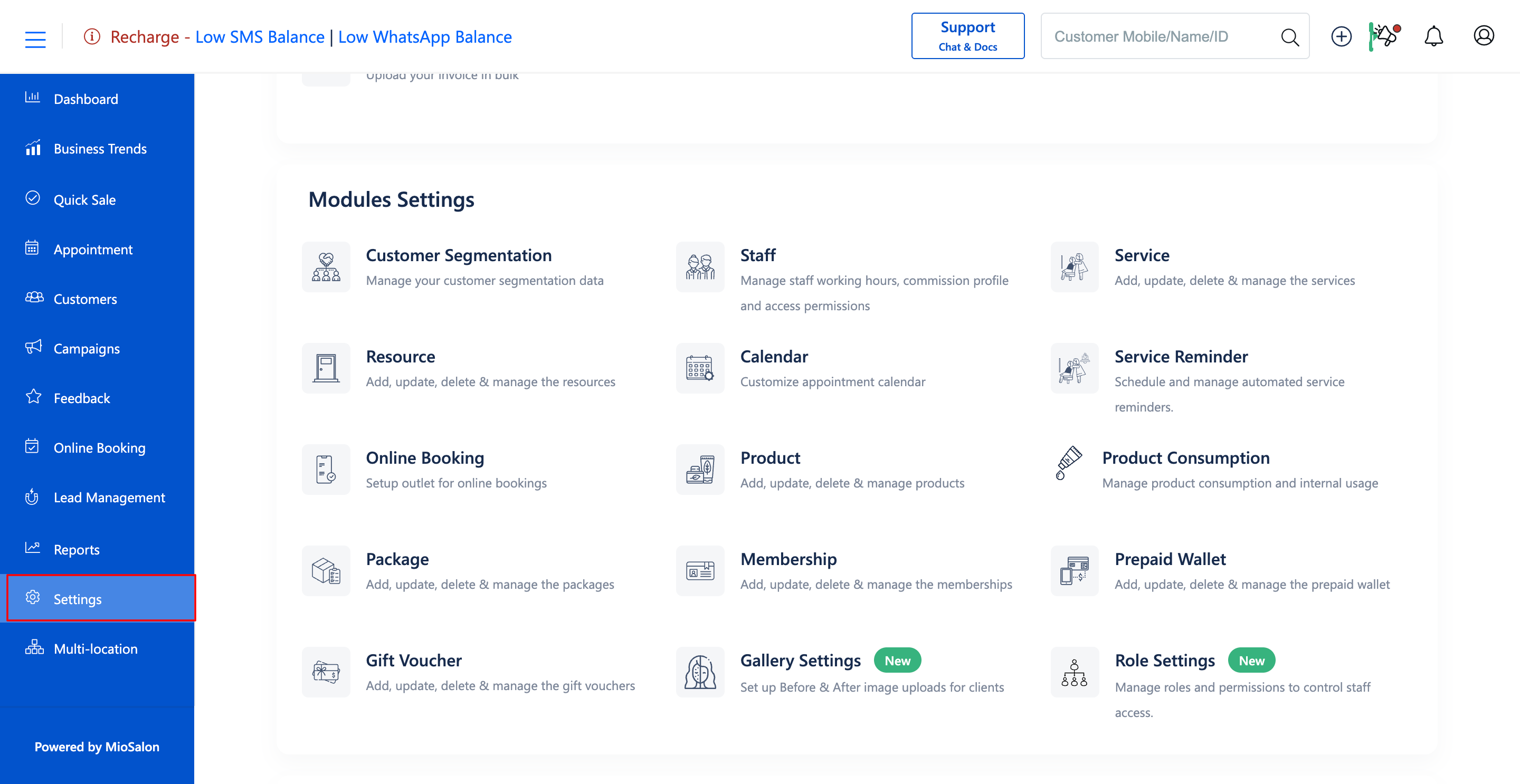
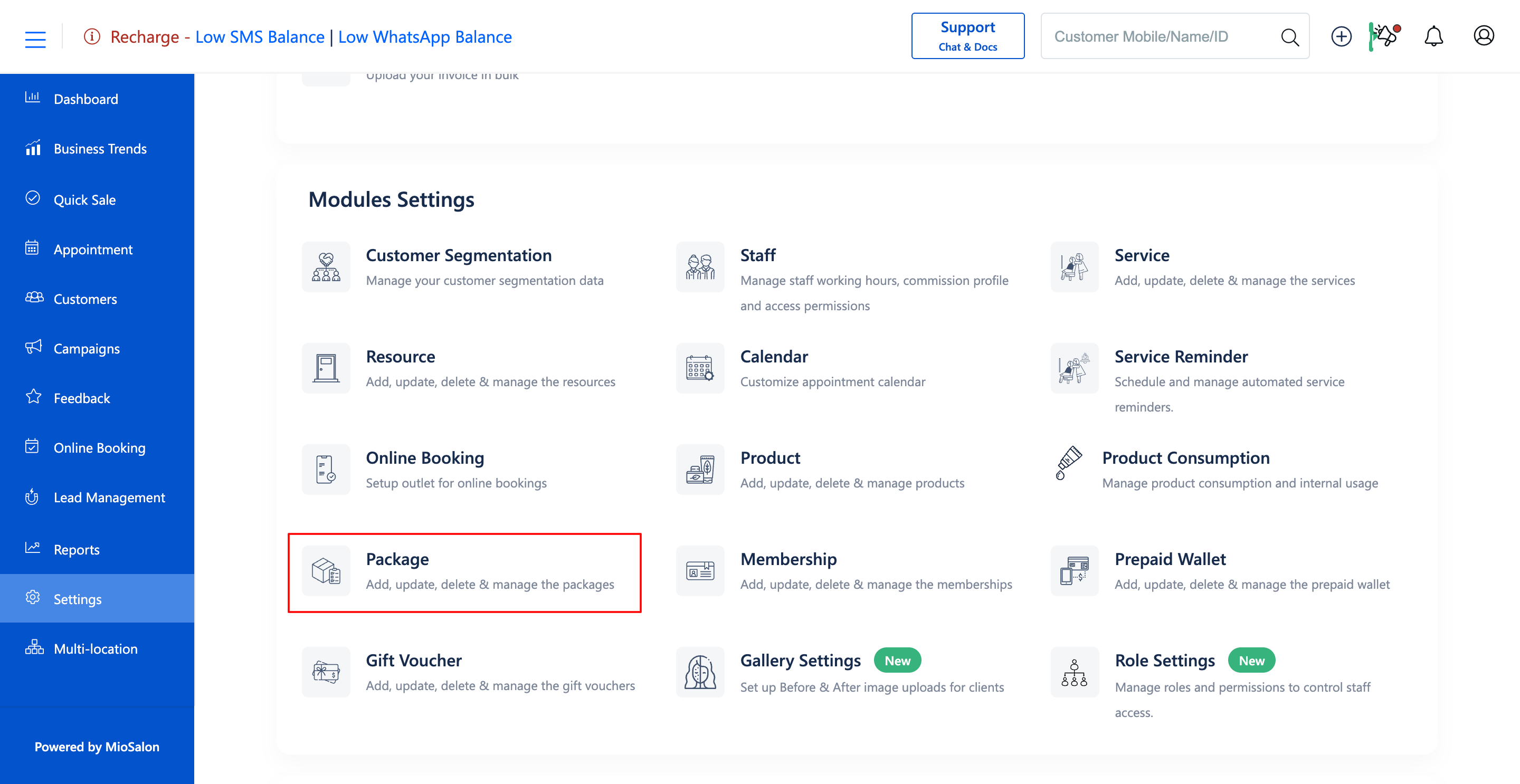
1. Navigate to the Settings module from the main left navigation bar and click on the Package card under the Modules Settings section.
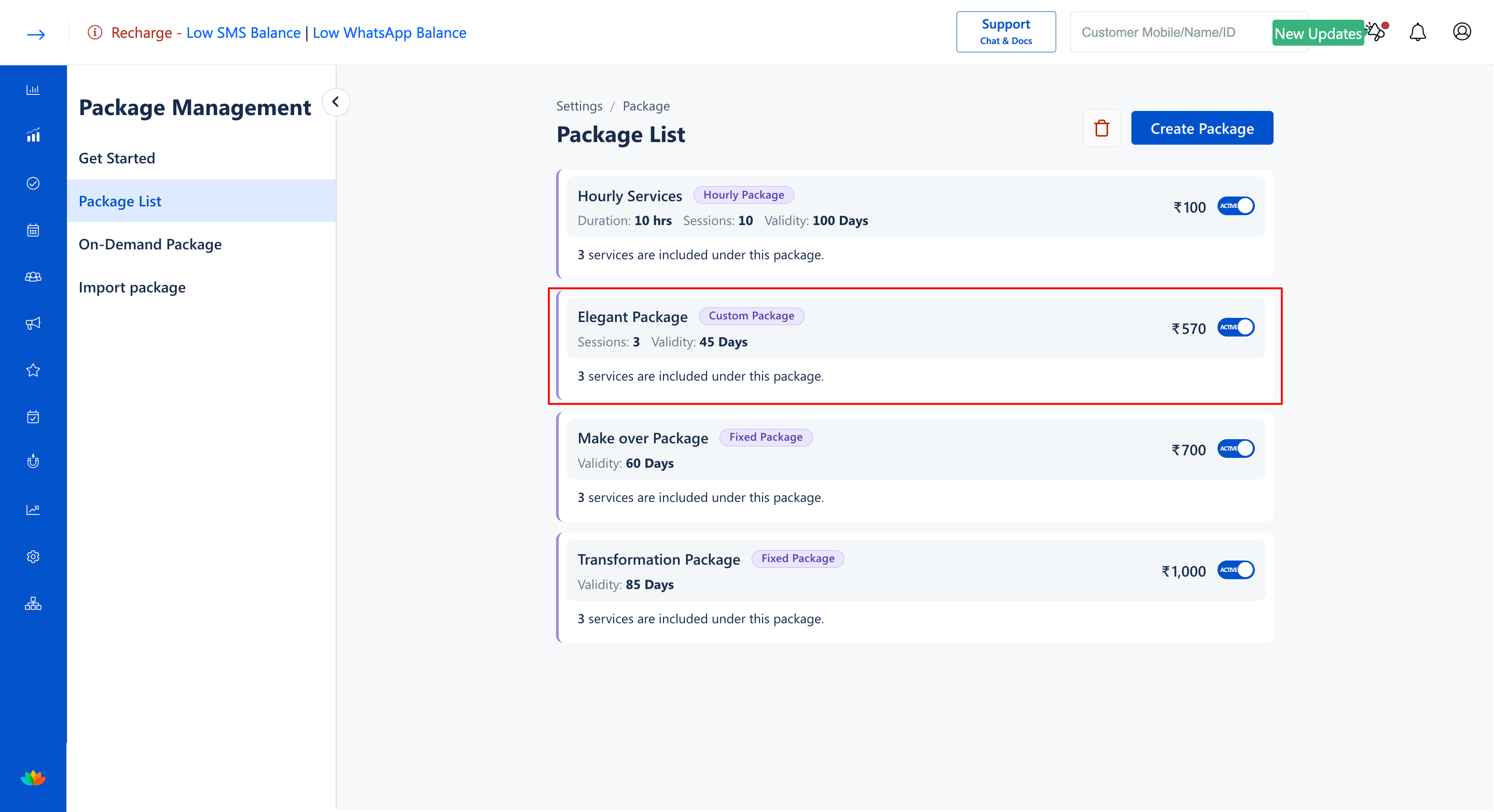
2. In the Package List tab, locate the custom package you want to modify and click on the package card.
3. In the Package Details section, update the Package Name*, Package Description, or Total Service Count* value. (E.g., 6 Count)
4. In the Services section, manage the list of eligible services:
• Click on Add Service to add newly available treatments to the package.
• Click the delete icon next to any service to remove it from the eligible pool.
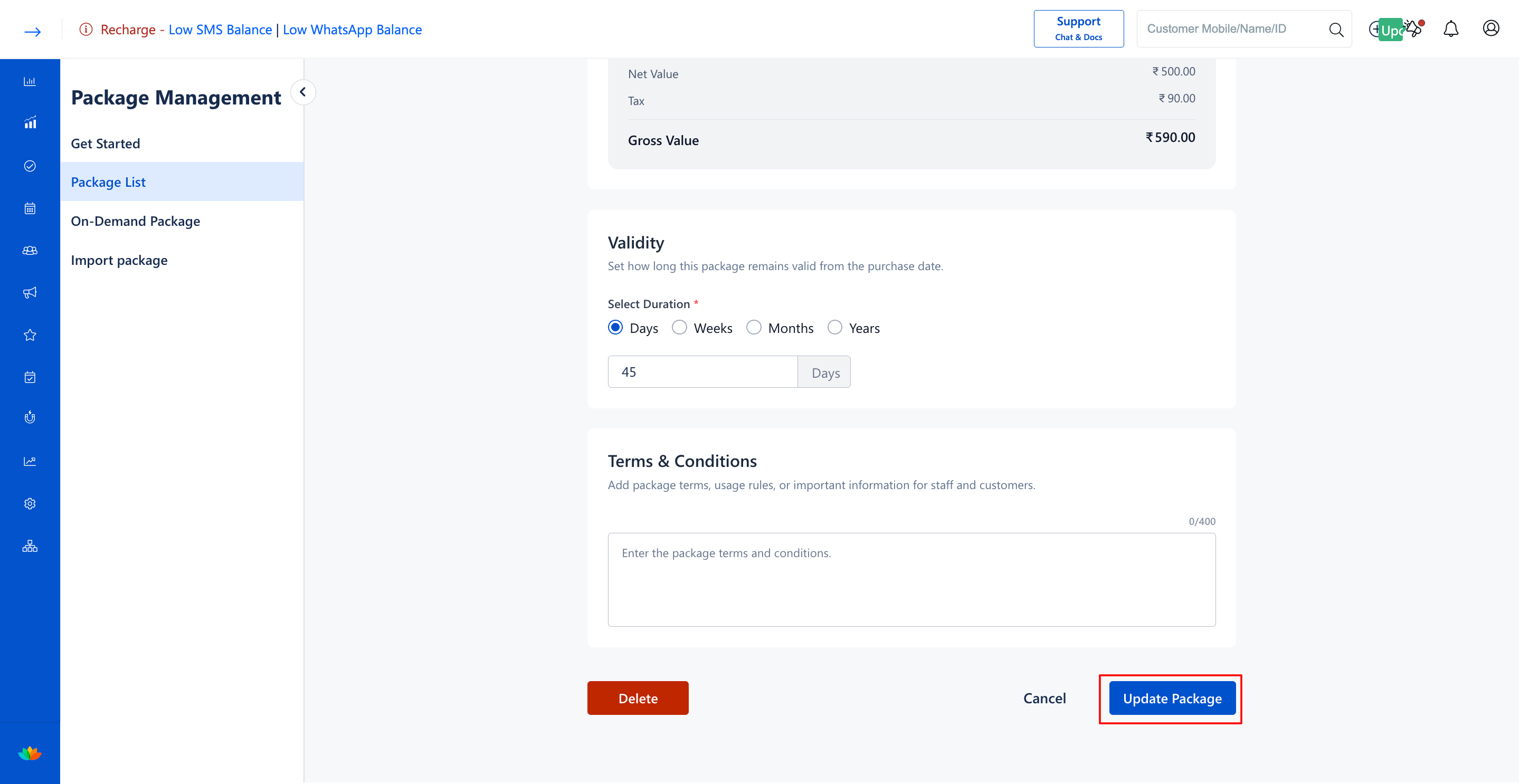
5. In the Pricing & Tax, Validity, and Terms & Conditions sections, adjust the selling price (E.g., 3500), duration, and redemption policies as required.
6. Click on the Update Package button at the bottom-right to apply and save your changes.
Note
Updating total service counts or eligible service pools applies exclusively to future package purchases. Previously purchased custom packages will retain their original limits and terms.
Use Cases
1. Adding newly launched salon treatments to existing custom service pools.
2. Updating custom package rates to align with seasonal pricing adjustments.
3. Increasing the total allowed service count during special anniversary promotions.
Benefits
1. Ensures full agility in adapting package inclusions to customer feedback and service trends.
2. Avoids disruption to clients who have already purchased custom packages.
3. Maintains centralized pricing and discount governance across all salon terminals.
Was this article helpful?
That’s Great!
Thank you for your feedback
Sorry! We couldn't be helpful
Thank you for your feedback
Feedback sent
We appreciate your effort and will try to fix the article