How to Delete All the Packages from MioSalon ?
Overview
The bulk package deletion feature in MioSalon allows administrators to permanently delete all packages across fixed, custom, and hourly types simultaneously.
Salons use bulk deletion when conducting a complete overhaul of their service menu or resetting catalog configurations after onboarding tests.
To safeguard business operations, bulk deletion requires administrator password verification and explicit confirmation before executing.
Follow the guided step-by-step instructions below to delete all packages from MioSalon.
Navigation Path
Settings → Modules Settings → Package → Package List
Steps to Delete All Packages
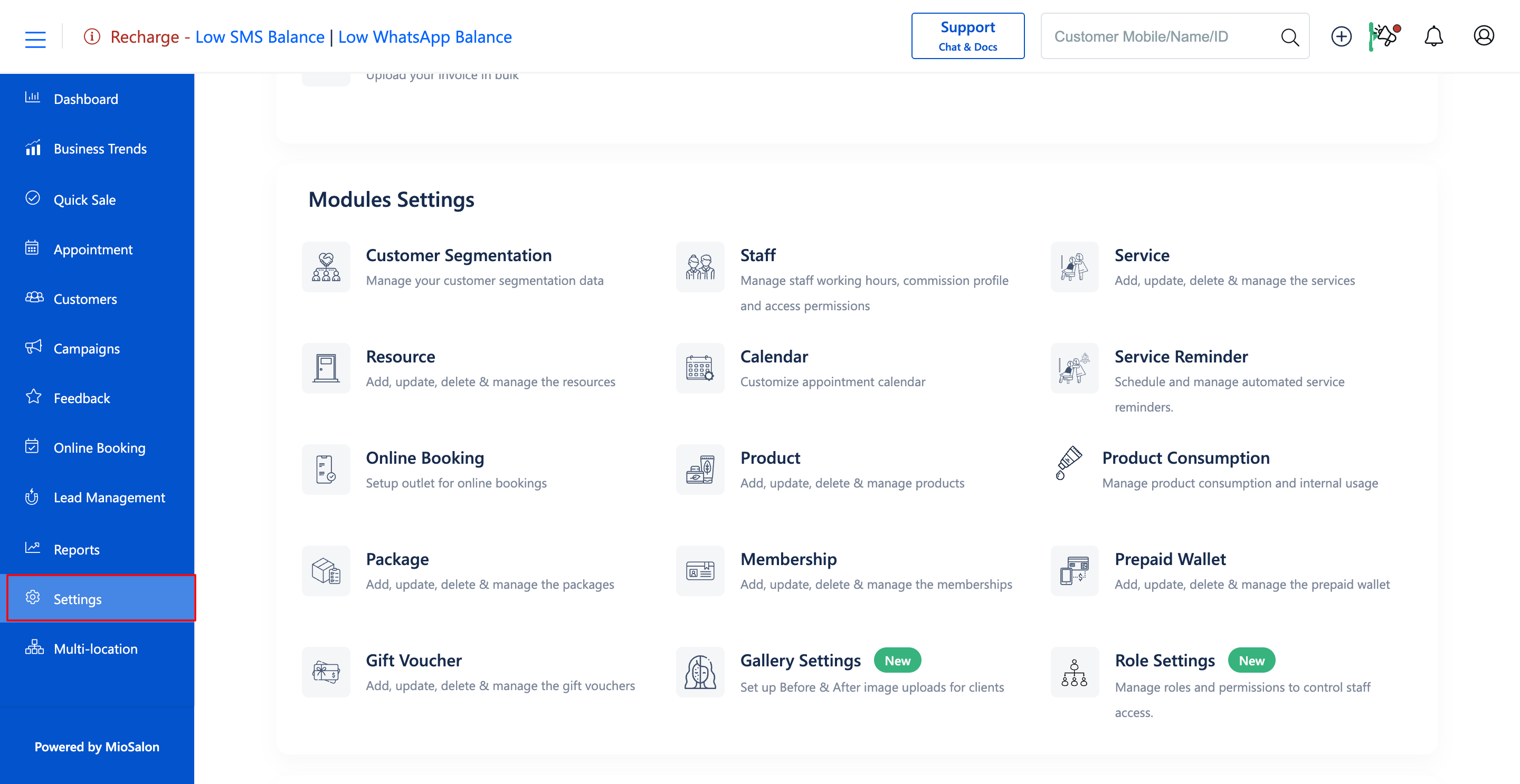
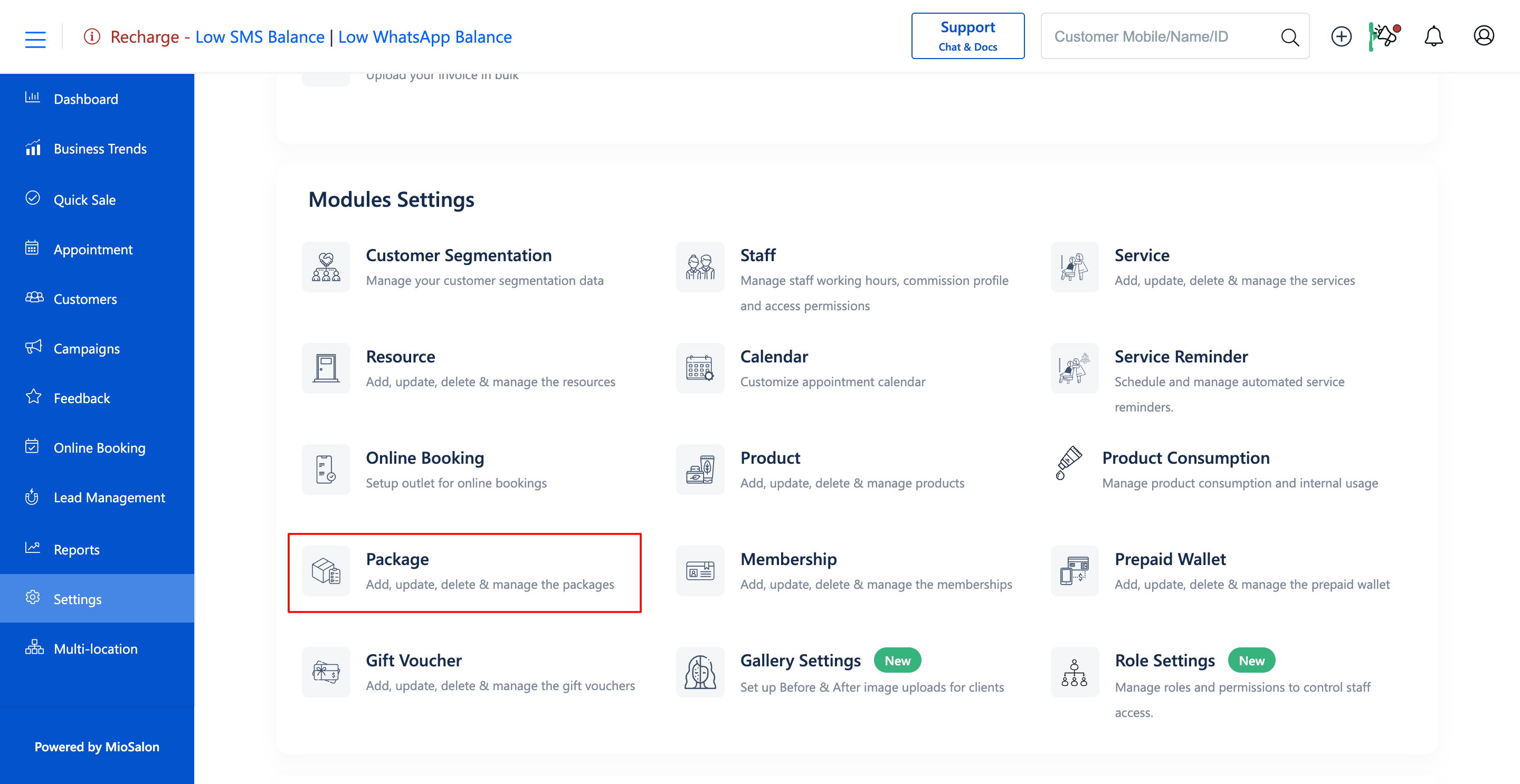
1. Navigate to the Settings module from the main left navigation bar and click on the Package card under the Modules Settings section.
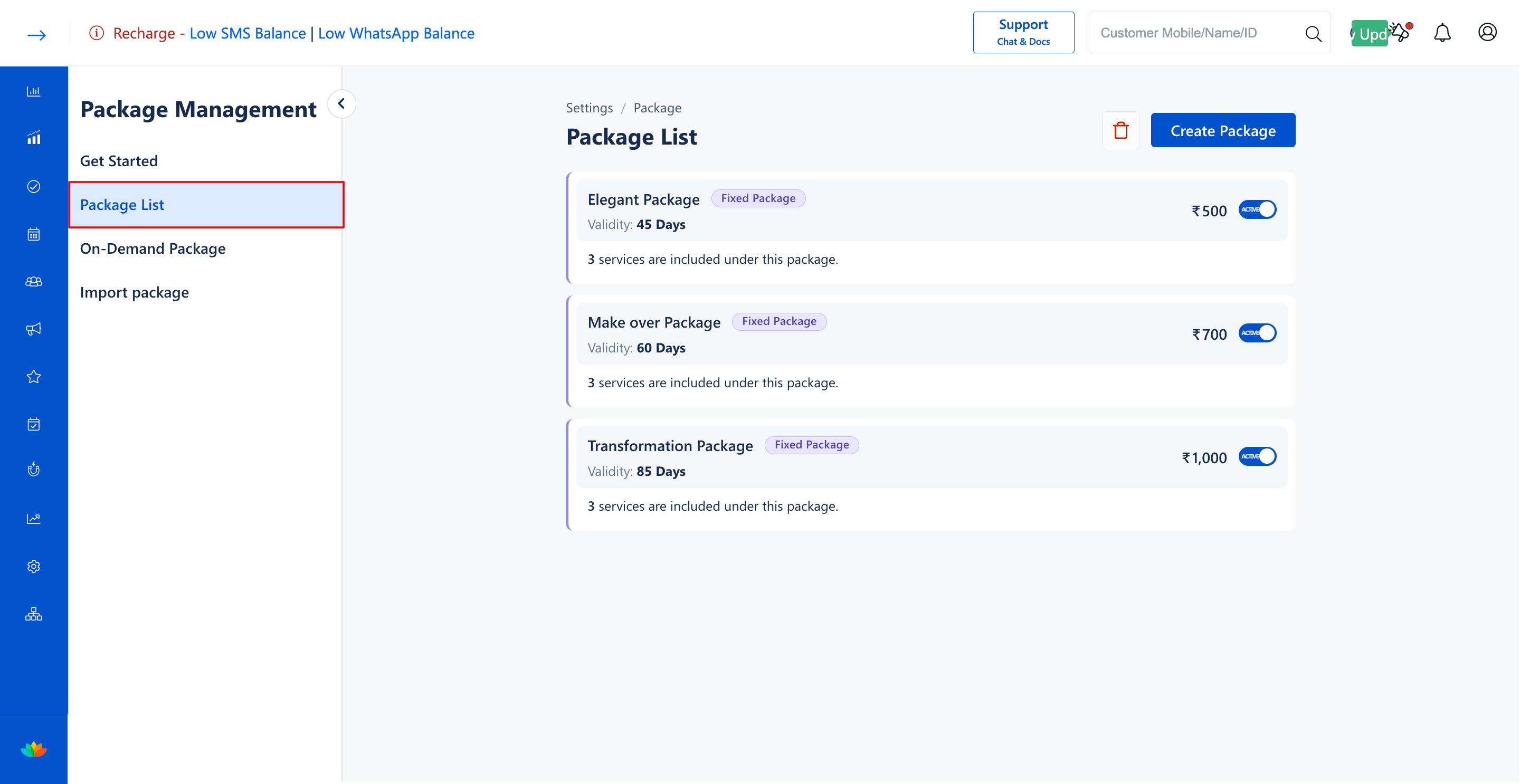
2. Select the Package List tab from the left sub-navigation menu.
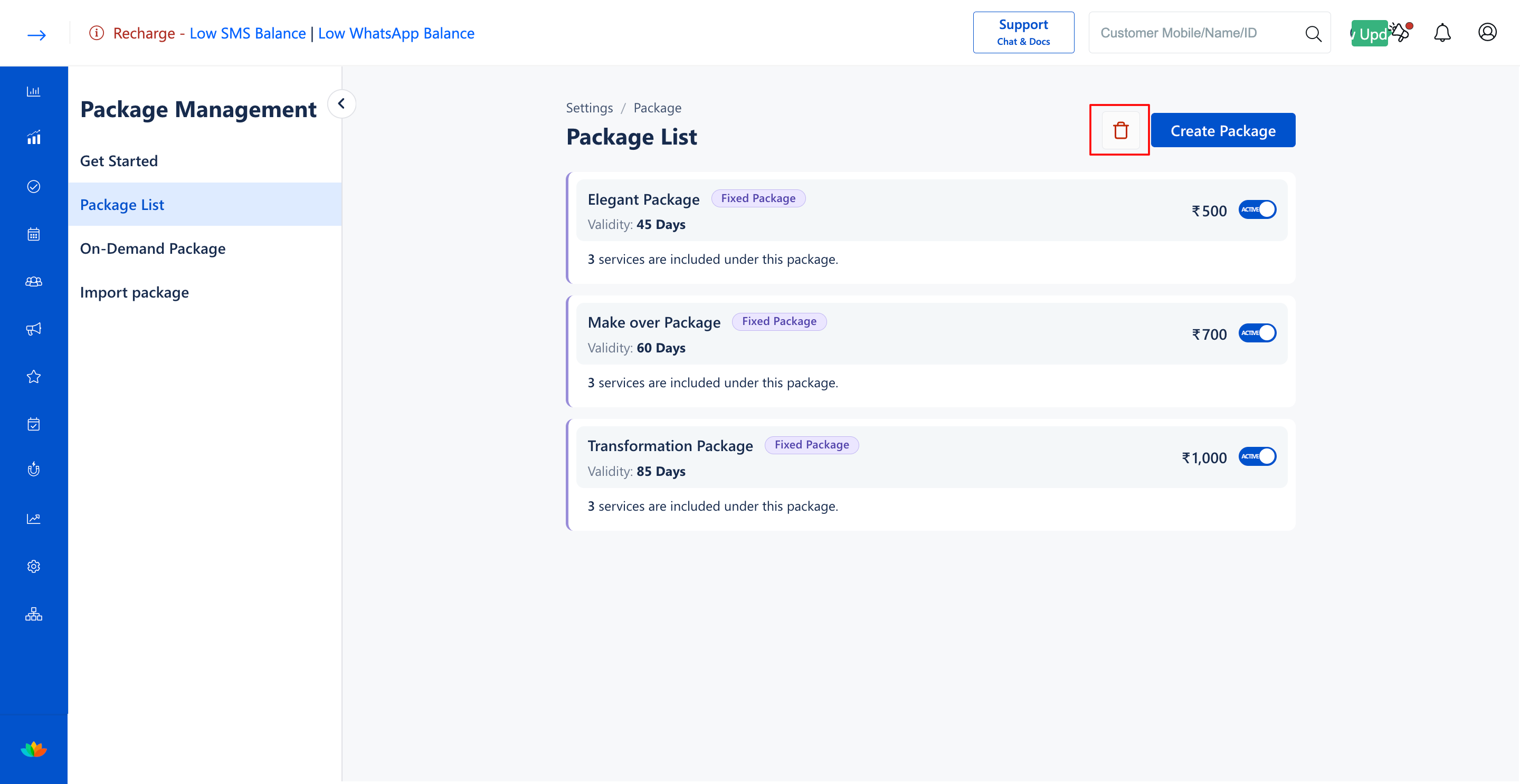
3. Click on the red Delete (trash can) icon located next to the Create Package button in the top-right header.
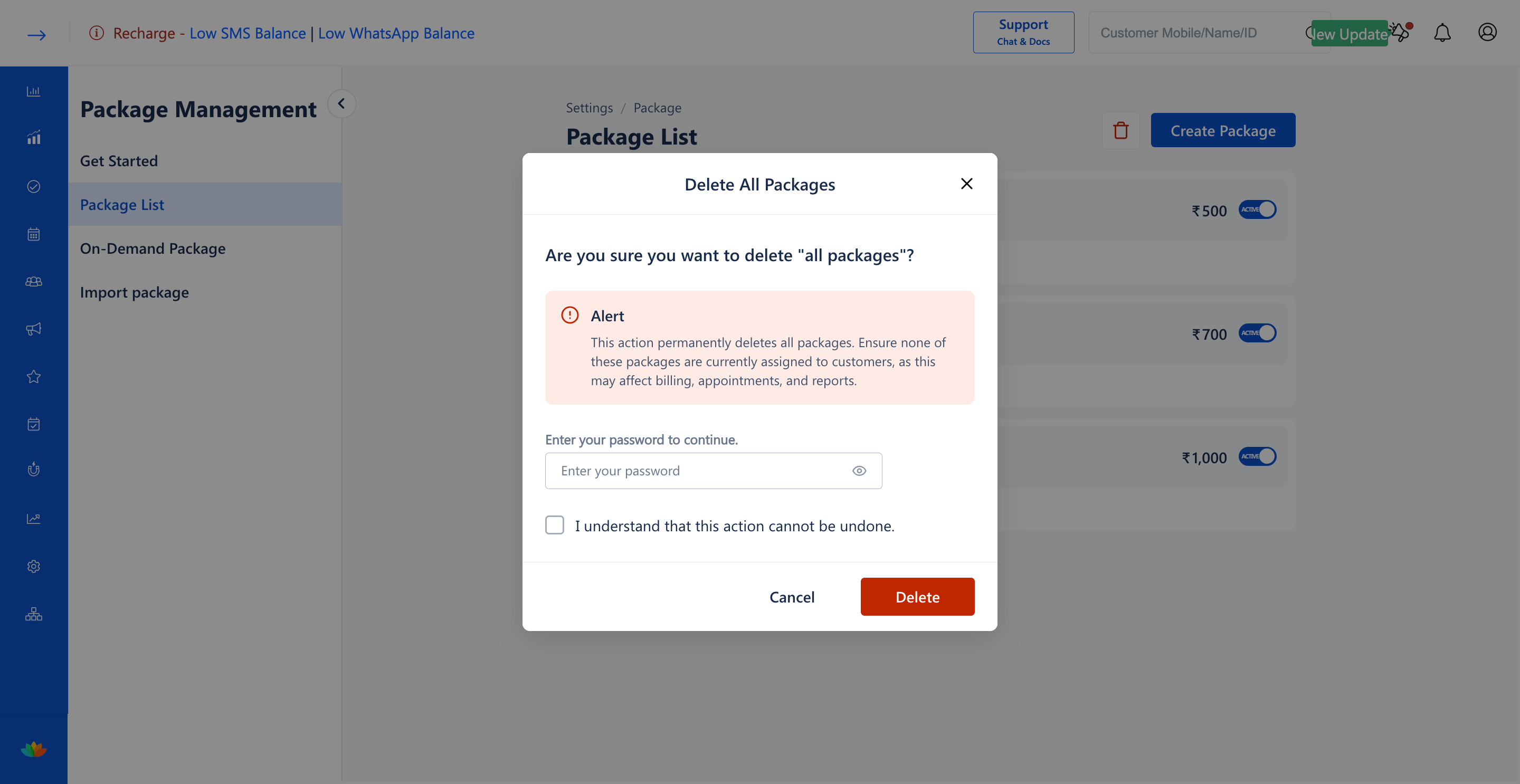
4. In the Delete All Packages modal, carefully read the alert notice regarding permanent catalog removal and impact on client billing.
5. Enter your administrative account password in the Enter your password field. (E.g., AdminPass@2026)
6. Check the mandatory confirmation checkbox labeled I understand that this action cannot be undone.
7. Click on the red Delete button to permanently delete all packages from your MioSalon account.
Note
Deleting all packages is permanent and cannot be undone. Ensure that none of the packages are currently assigned to active customers, as this may affect billing, appointments, and reports.
Use Cases
1. Clearing all temporary packages created during onboarding or staff training phases.
2. Performing a complete package catalog reset before launching a brand-new menu structure.
3. Purging obsolete multi-branch package packages during salon brand re-alignment.
Benefits
1. Saves administrative time by clearing the entire package catalog in a single action.
2. Enforces strong security with password verification to prevent accidental deletions.
3. Provides a clean slate for creating restructured service packages.
Was this article helpful?
That’s Great!
Thank you for your feedback
Sorry! We couldn't be helpful
Thank you for your feedback
Feedback sent
We appreciate your effort and will try to fix the article