How to Change the Staff Email ID in MioSalon ?
Overview
Staff email IDs serve as individual login usernames and primary communication channels for service providers and front-desk staff in MioSalon.
Business owners and managers need to update staff email IDs when staff members transition to official company emails or correct onboarding details.
Keeping staff email addresses accurate ensures employees receive appointment notifications, schedule updates, and system alerts without disruption.
Follow the guided step-by-step instructions below to change a staff email ID in MioSalon.
Navigation Path
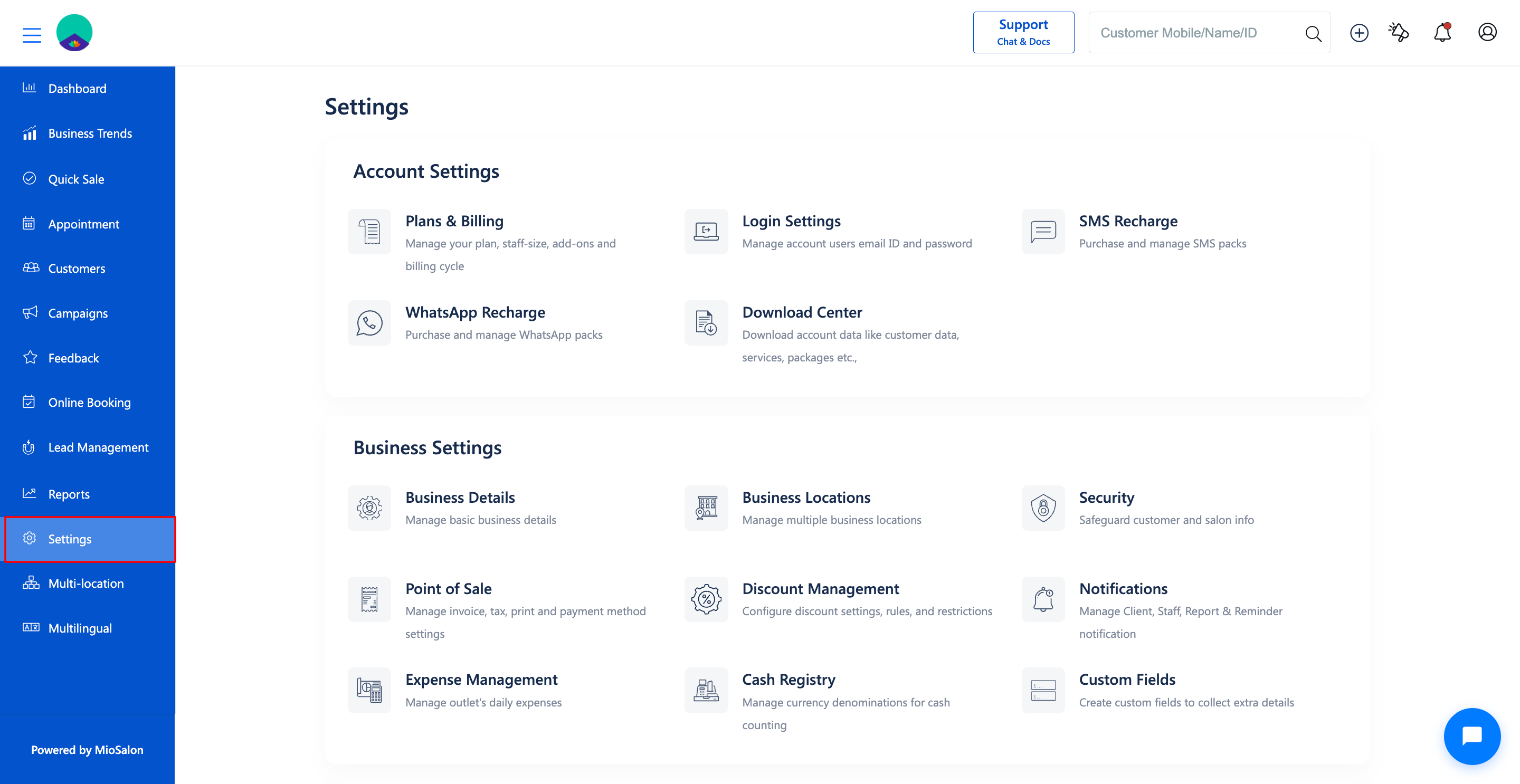
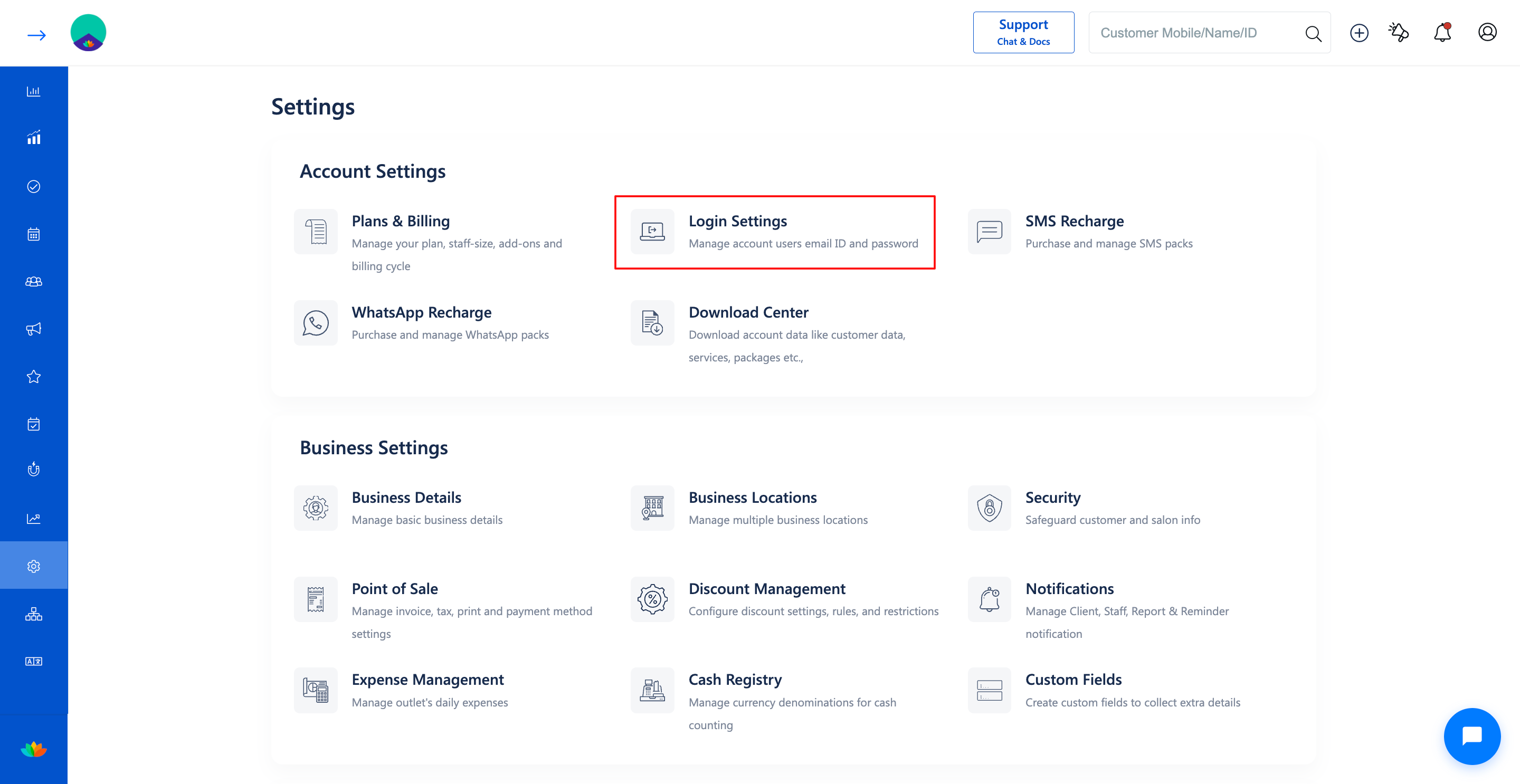
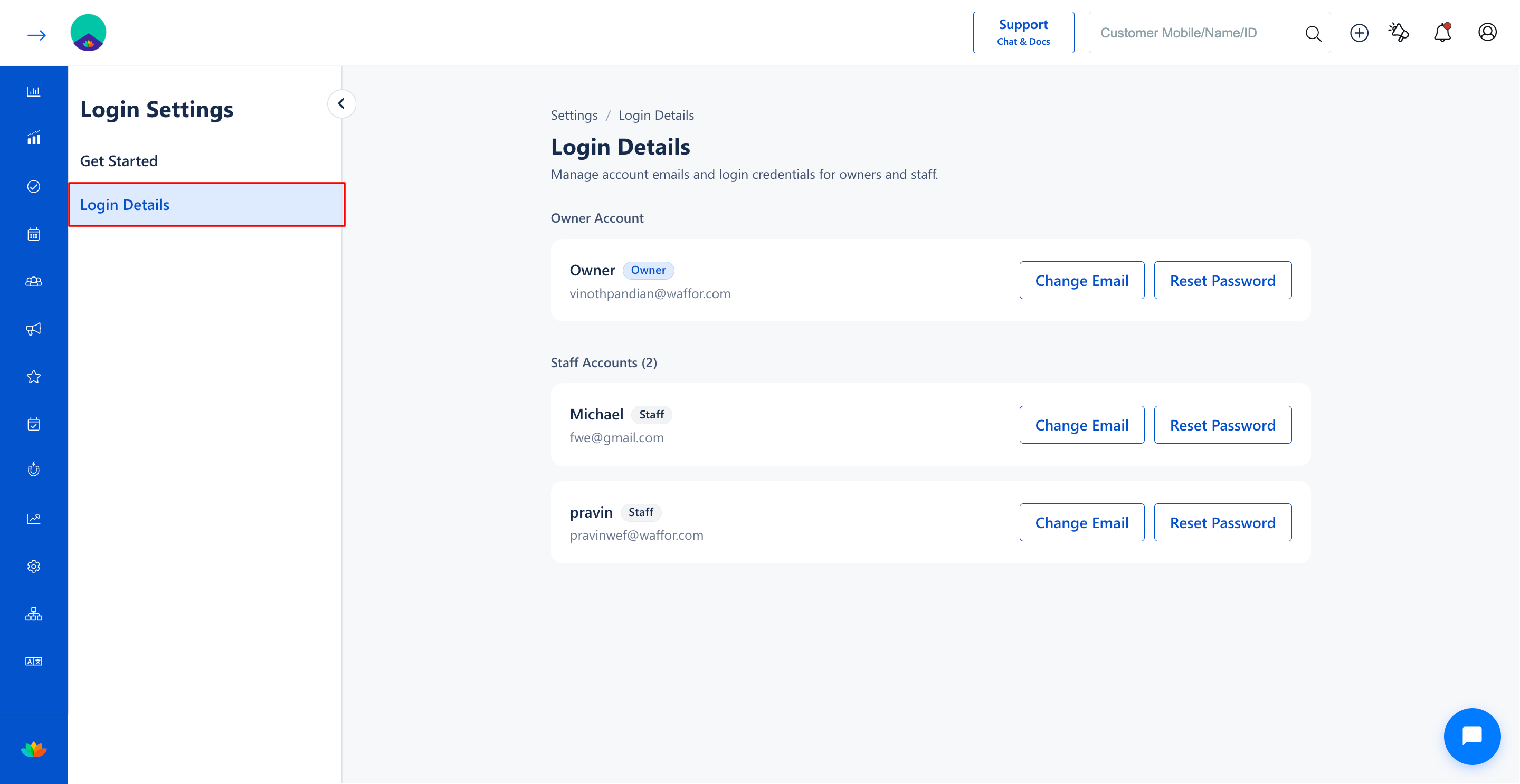
Settings → Account Settings → Login Settings → Login Details
Steps to Change the Staff Email ID
1. Navigate to the Settings module from the main left navigation bar.
2. Click on the Login Settings card located under the Account Settings section.
3. Select the Login Details tab from the left sub-navigation menu.
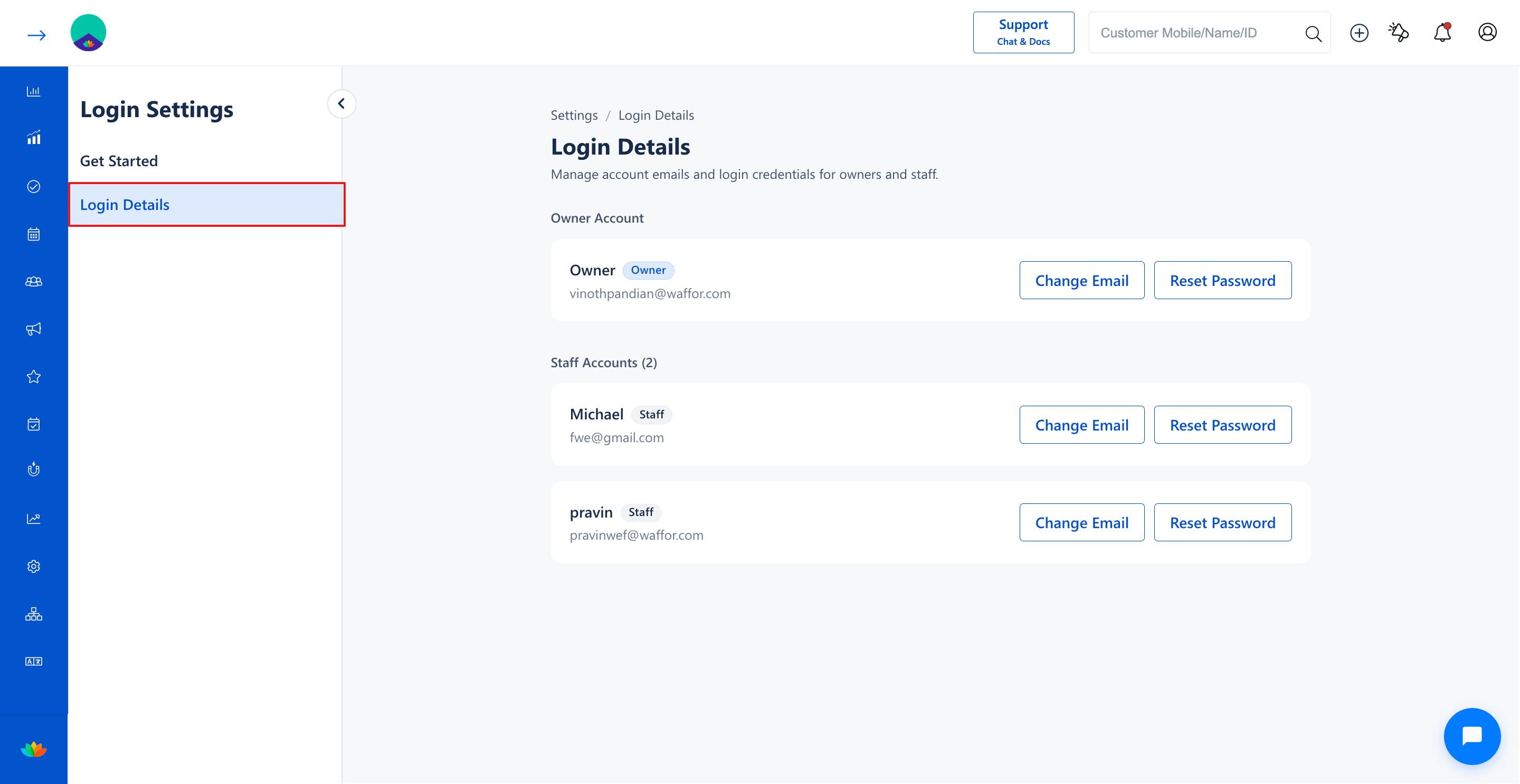
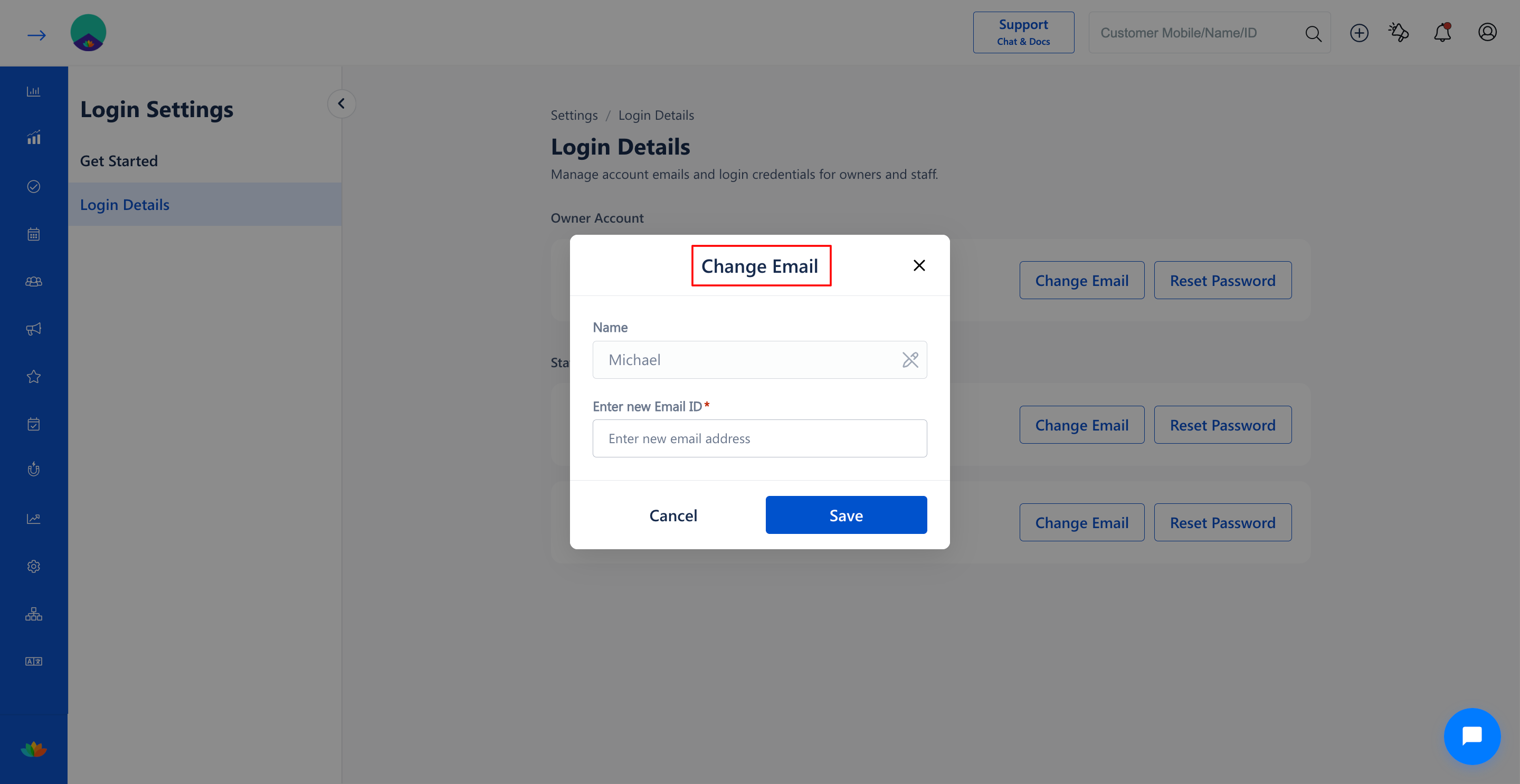
4. In the Staff Accounts section, locate the target staff member and click on the Change Email button next to their profile.
5. In the Change Email pop-up window, review and update the staff email details:
• Name: Displays the staff member name. (E.g., Michael)
• Enter new Email ID*: Enter the updated email address for the staff member. (E.g., michael.hair@example.com)
6. Click on the Save button to apply the changes and update the staff email ID.
Note
Only authorized administrators and salon owners have the permission to update staff login email addresses. After saving, inform the staff member to use the new email address for future logins.
Use Cases
1. Assigning official domain email addresses to newly confirmed staff members.
2. Correcting spelling mistakes or outdated email IDs entered during staff profile creation.
3. Updating employee contact details following staff communication restructuring.
Benefits
1. Ensures staff members receive automated schedule updates and service assignments on time.
2. Simplifies employee account management across single and multi-branch salon locations.
3. Eliminates login issues caused by invalid or decommissioned employee email accounts.
Was this article helpful?
That’s Great!
Thank you for your feedback
Sorry! We couldn't be helpful
Thank you for your feedback
Feedback sent
We appreciate your effort and will try to fix the article