How to Change the Owner Email ID in MioSalon ?
Overview
The owner email ID serves as the primary administrative credential for accessing and managing your MioSalon business account.
Salon owners need to update their registered email address whenever business ownership transitions, contact emails change, or official domain addresses are updated.
Keeping the owner email ID current ensures continuous access to master settings, subscription billing invoices, and critical security alerts.
Follow the guided step-by-step instructions below to change the owner email ID in MioSalon.
Navigation Path
Settings → Account Settings → Login Settings → Login Details
Steps to Change the Owner Email ID
1. Navigate to the Settings module from the main left navigation bar.
x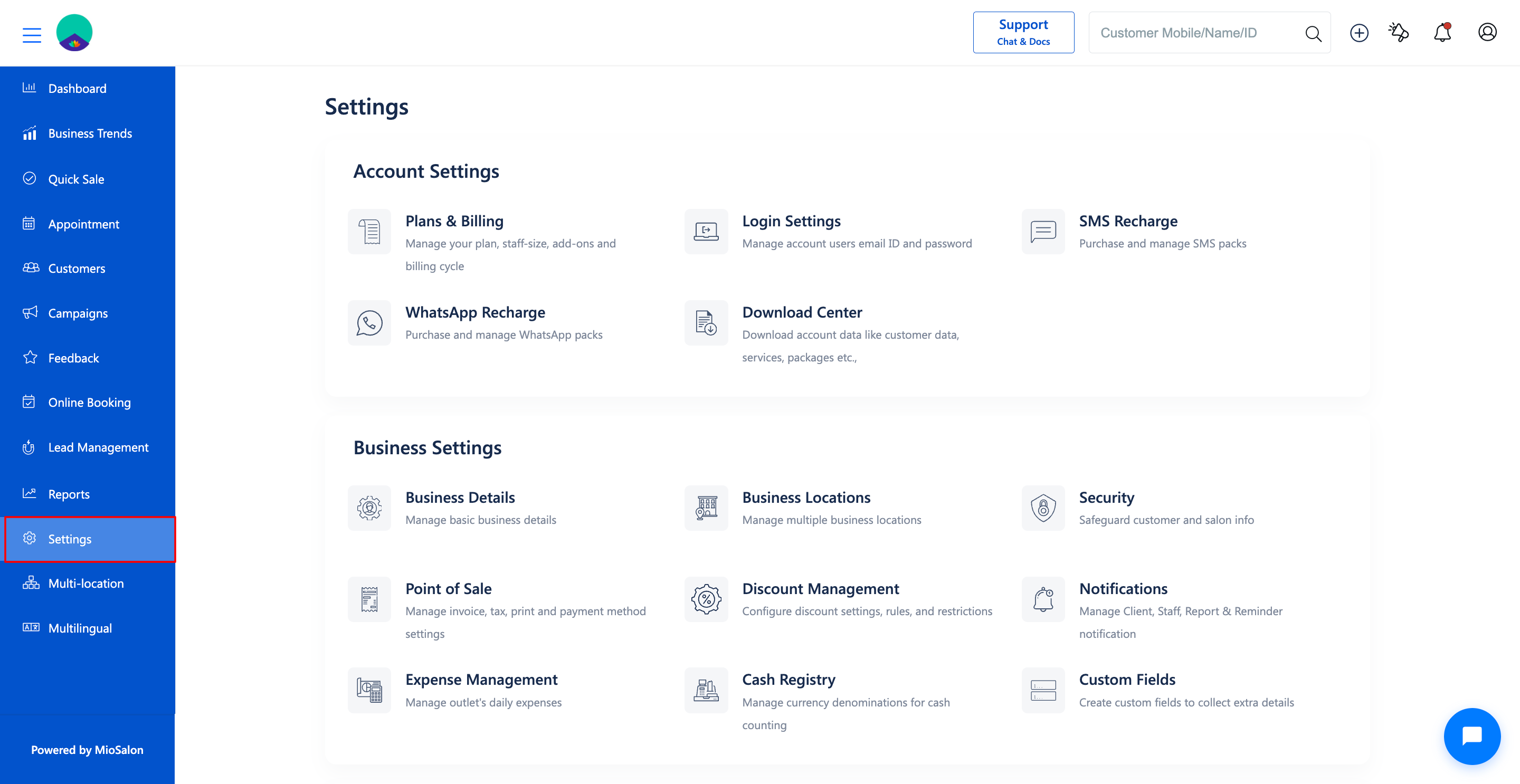
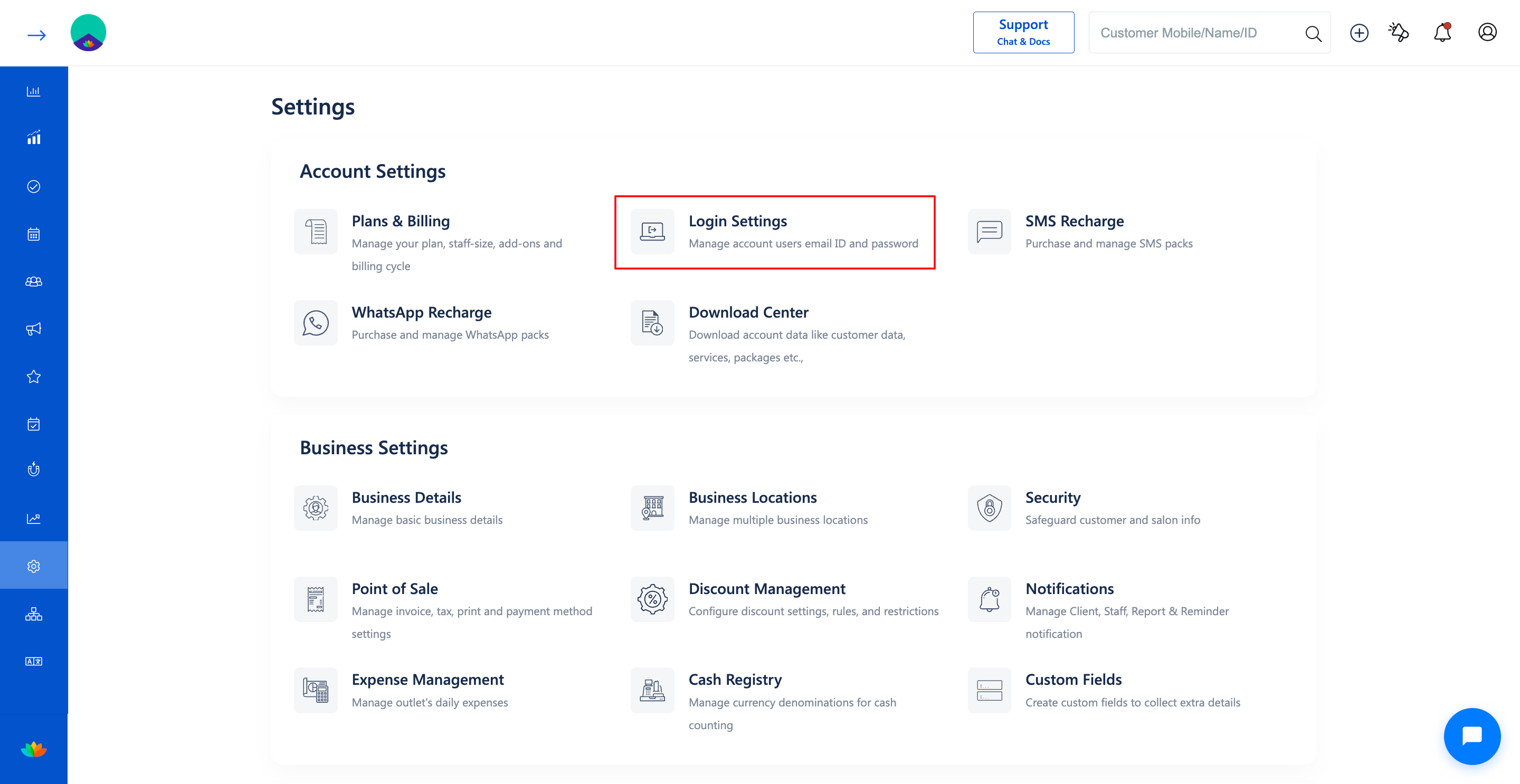
2. Click on the Login Settings card located under the Account Settings section.
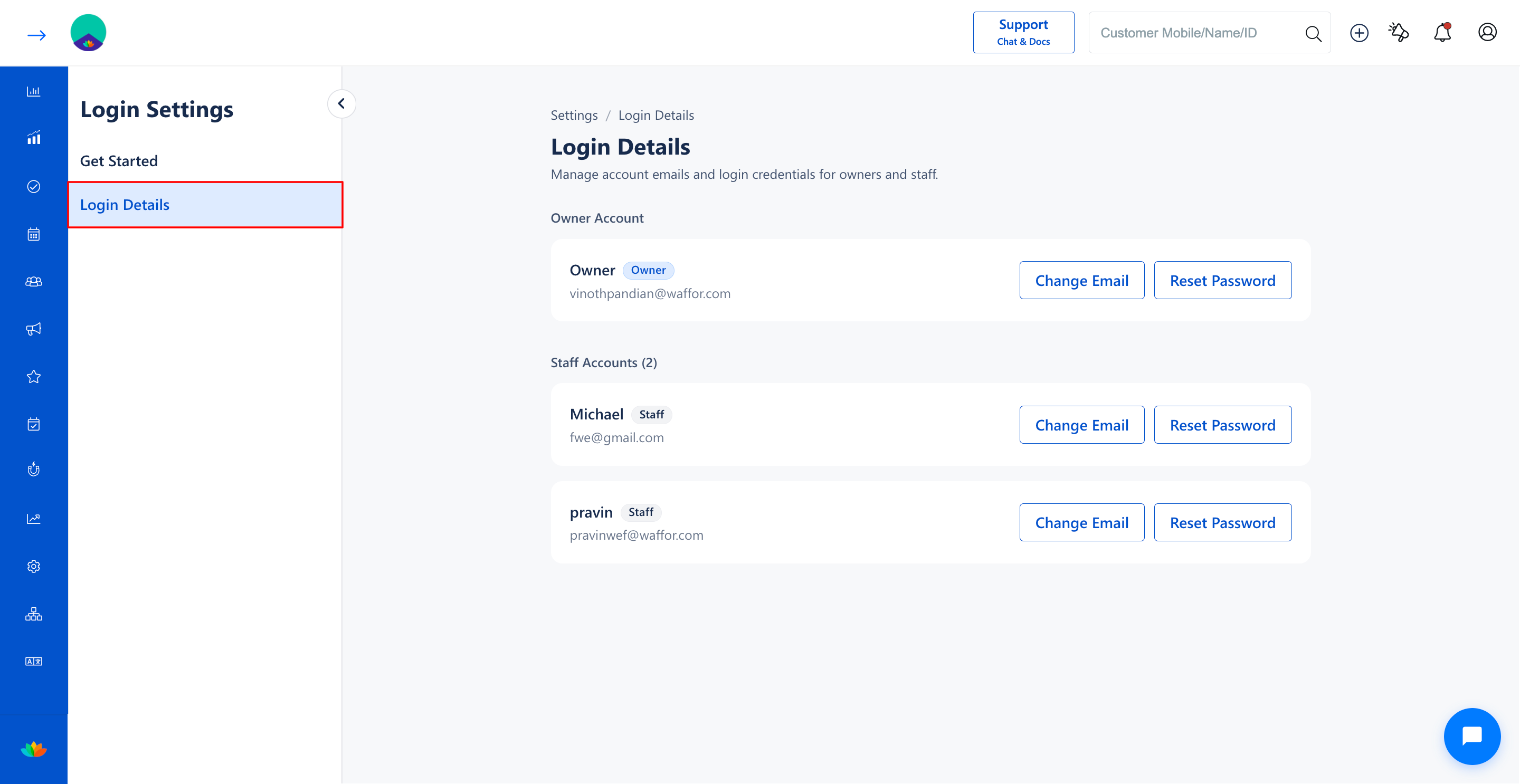
3. Select the Login Details tab from the left sub-navigation menu.
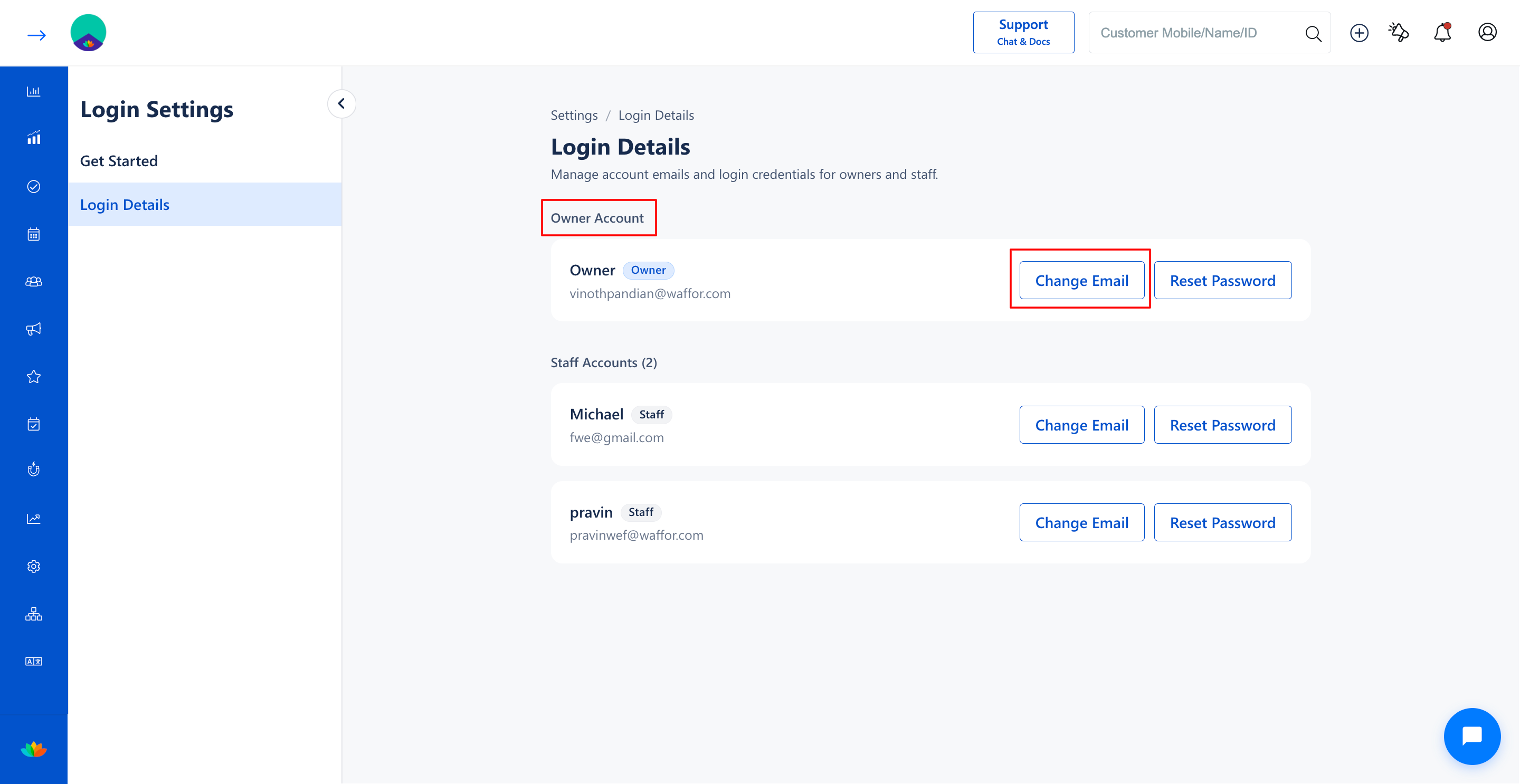
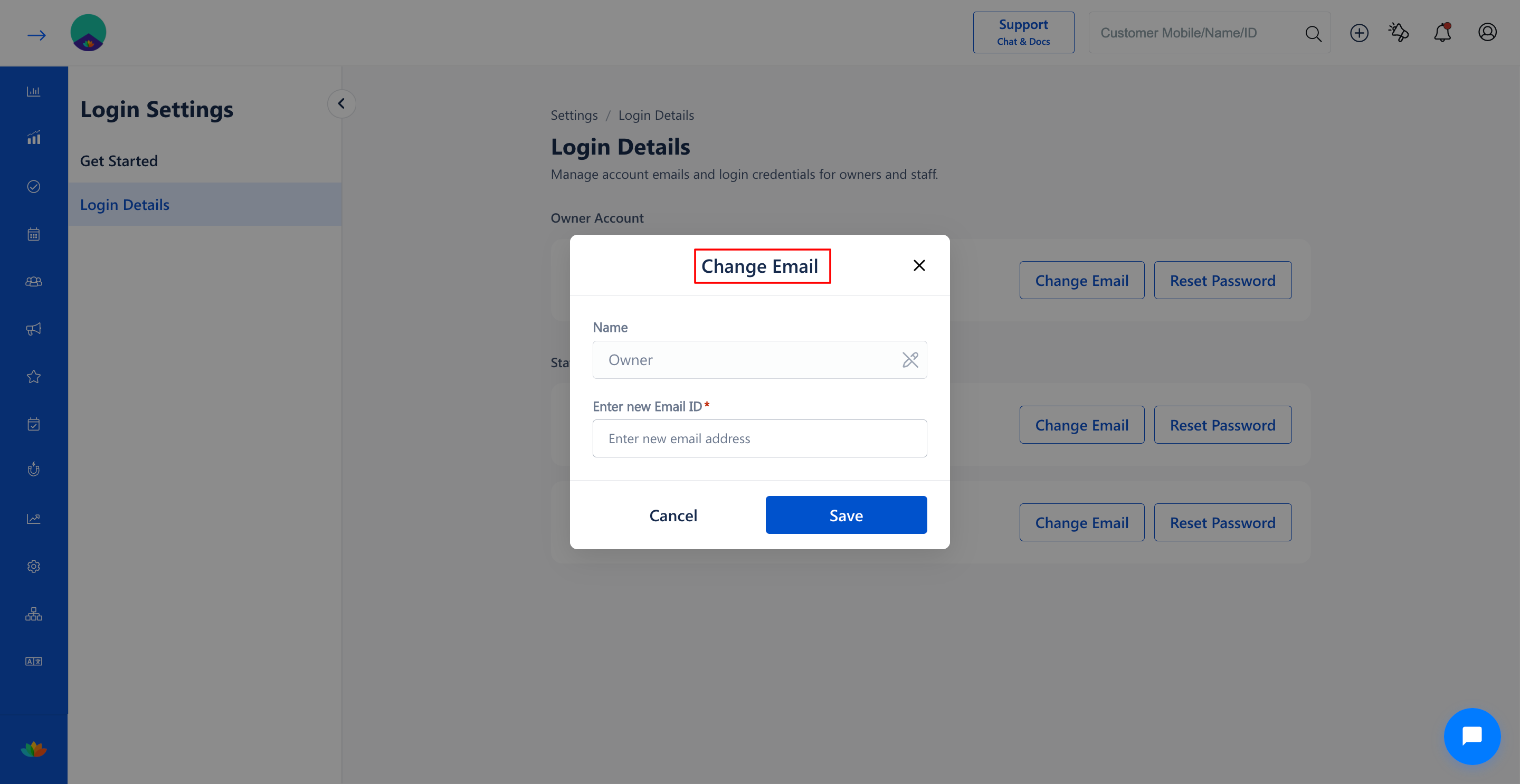
4. In the Owner Account section, locate the owner profile and click on the Change Email button.
5. In the Change Email pop-up window, review and update the required fields:
• Name: View or modify the owner name if needed. (E.g., Owner)
• Enter new Email ID*: Enter the updated email address for the owner account. (E.g., owner.business@example.com)
6. Click on the Save button to update the owner email ID.
Note
Updating the owner email ID alters the primary login username for your MioSalon account. Ensure you have active access to the new email address to receive future verification codes and account notifications.
Use Cases
1. Updating login credentials when salon ownership is transferred to a new proprietor.
2. Migrating from a personal email address to an official business domain email.
3. Restoring access when the previous owner email inbox is deactivated or inaccessible.
Benefits
1. Guarantees uninterrupted access to master salon configuration and administrative controls.
2. Directs subscription invoices, renewal alerts, and system notifications to the active owner email.
3. Preserves centralized account ownership security and administrative control.
Was this article helpful?
That’s Great!
Thank you for your feedback
Sorry! We couldn't be helpful
Thank you for your feedback
Feedback sent
We appreciate your effort and will try to fix the article