How to Change the Owner Password in MioSalon ?
Overview
The owner password safeguards master administrative privileges, financial records, and operational settings in your MioSalon account.
Salon owners should update their account password regularly or immediately after personnel transitions to maintain high security standards.
Maintaining strong and updated passwords prevents unauthorized access and protects sensitive client and business data.
Follow the guided step-by-step instructions below to change the owner password in MioSalon.
Navigation Path
Settings → Account Settings → Login Settings → Login Details
Steps to Change the Owner Password
1. Navigate to the Settings module from the main left navigation bar.
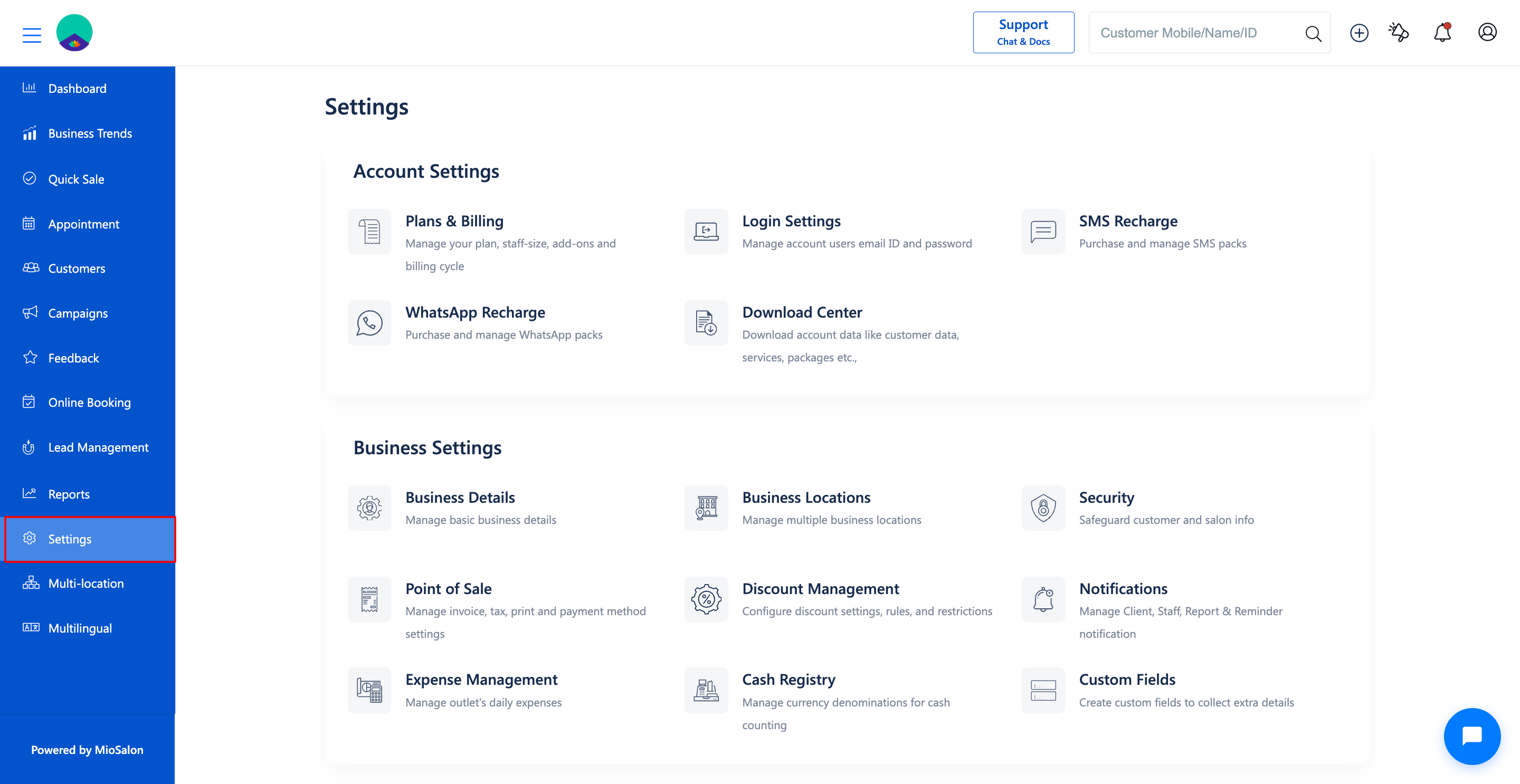
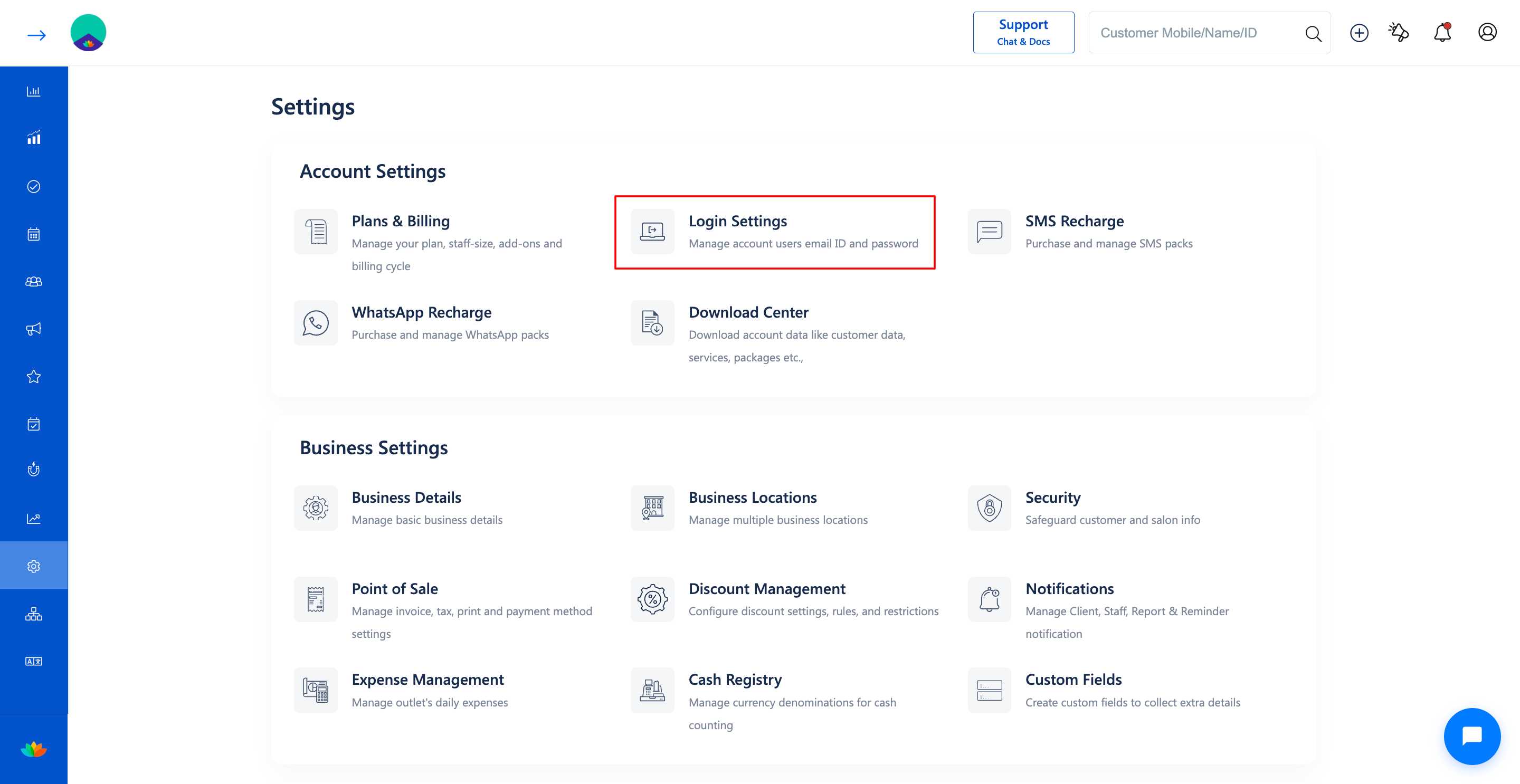
2. Click on the Login Settings card located under the Account Settings section.
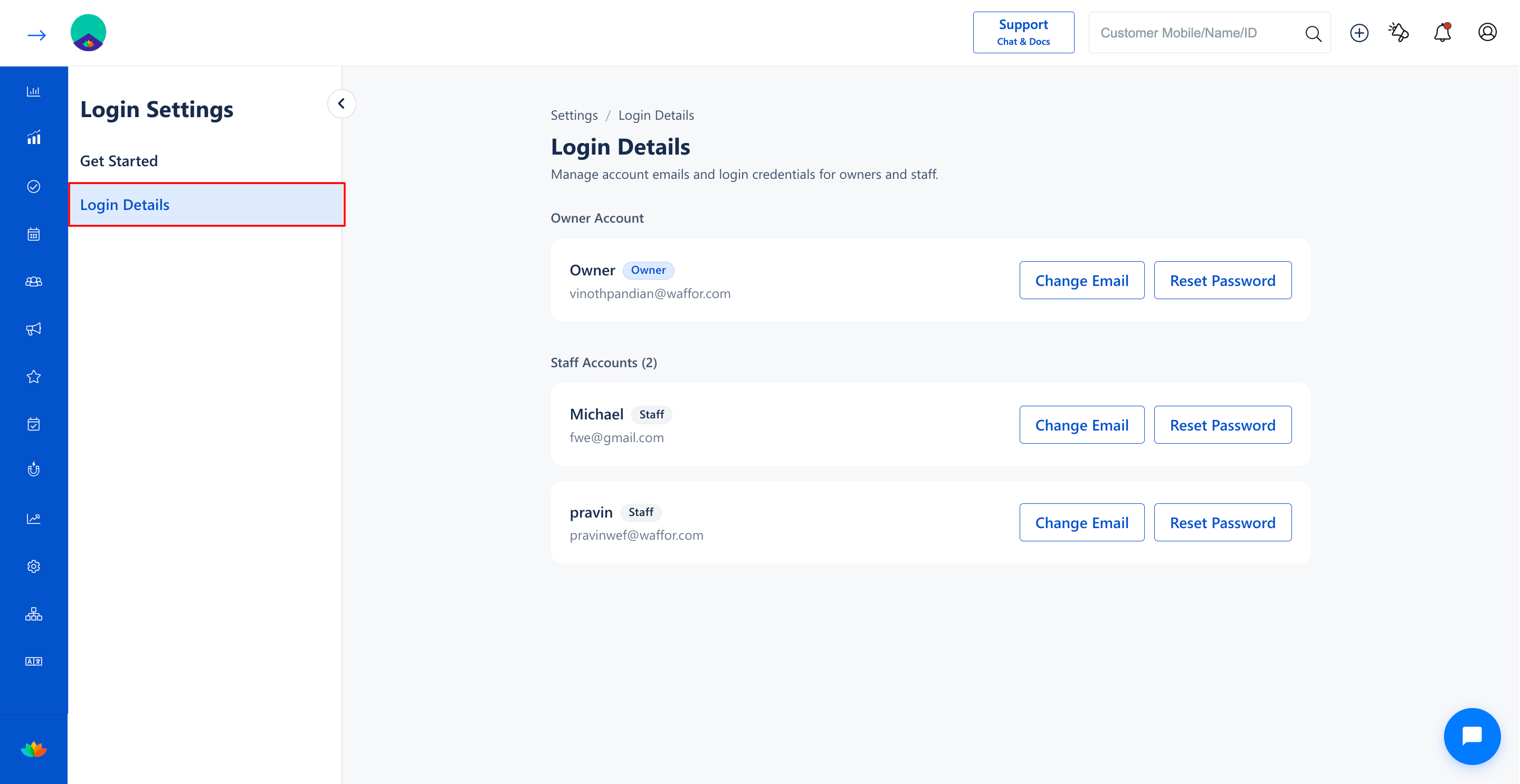
3. Select the Login Details tab from the left sub-navigation menu.
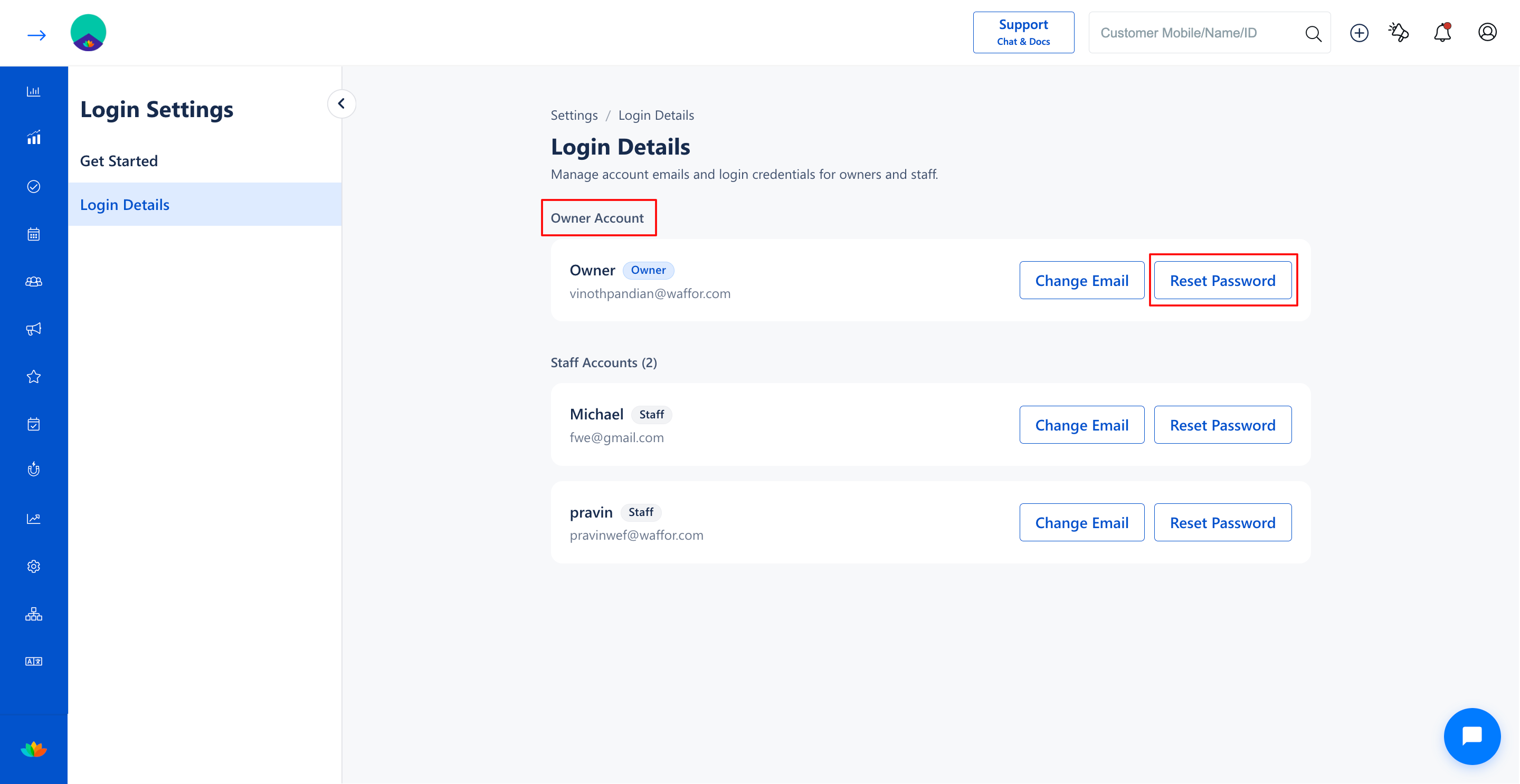
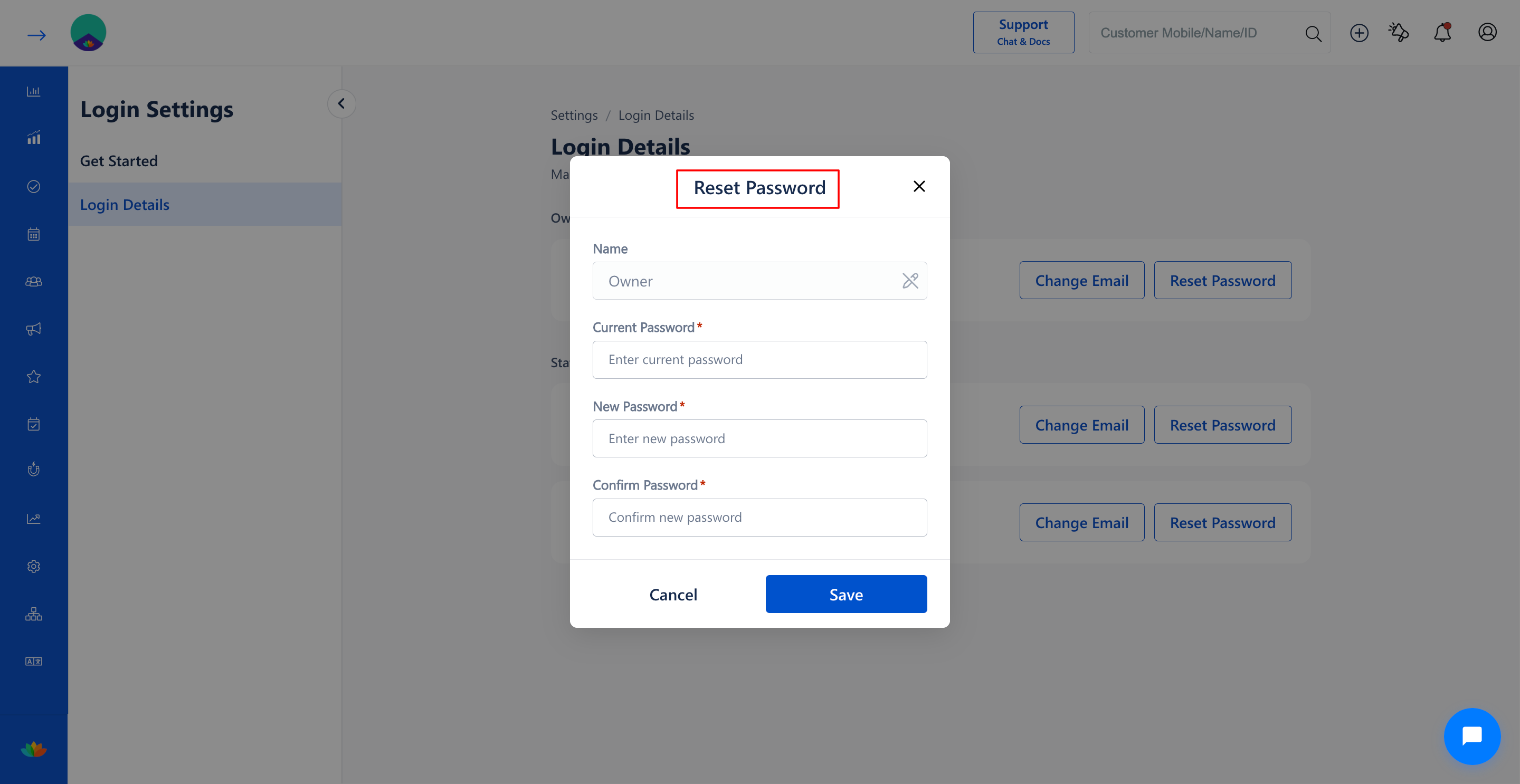
4. In the Owner Account section, locate the owner profile and click on the Reset Password button.
5. In the Reset Password pop-up window, fill in the required password credentials:
• Name: Displays the owner account name. (E.g., Owner)
• Current Password*: Enter the current active password for the owner account. (E.g., OldPass@2025)
• New Password*: Enter the new secure password. (E.g., OwnerSecure#2026)
• Confirm Password*: Re-enter the new password to confirm. (E.g., OwnerSecure#2026)
6. Click on the Save button to update the owner account password.
Note
For security verification, the current password must be entered before setting a new owner password. Create a strong password containing a combination of uppercase letters, lowercase letters, numbers, and symbols.
Use Cases
1. Routine security updates to maintain compliance with salon data protection standards.
2. Resetting administrative credentials after temporary management or delegation periods.
3. Protecting master account access when credential compromise is suspected.
Benefits
1. Protects high-level business reports, client records, and financial transaction data.
2. Prevents unauthorized administrative access to salon configurations and staff settings.
3. Reinforces business cybersecurity and account access integrity.
Was this article helpful?
That’s Great!
Thank you for your feedback
Sorry! We couldn't be helpful
Thank you for your feedback
Feedback sent
We appreciate your effort and will try to fix the article