How to Update a Resource to a Resource Group in MioSalon ?
Overview
Updating a resource in MioSalon allows salon administrators to modify individual room names, chair numbers, equipment titles, and descriptive specifications.
Keeping resource details current ensures front-desk staff and service providers have accurate information about room capabilities and equipment readiness.
Updates take effect immediately across appointment booking screens and service mapping registries without unlinking existing service connections.
Follow the guided step-by-step instructions below to update a resource in MioSalon.
Navigation Path
Settings → Modules Settings → Resource → Resource List
Steps to Update a Resource to a Resource Group
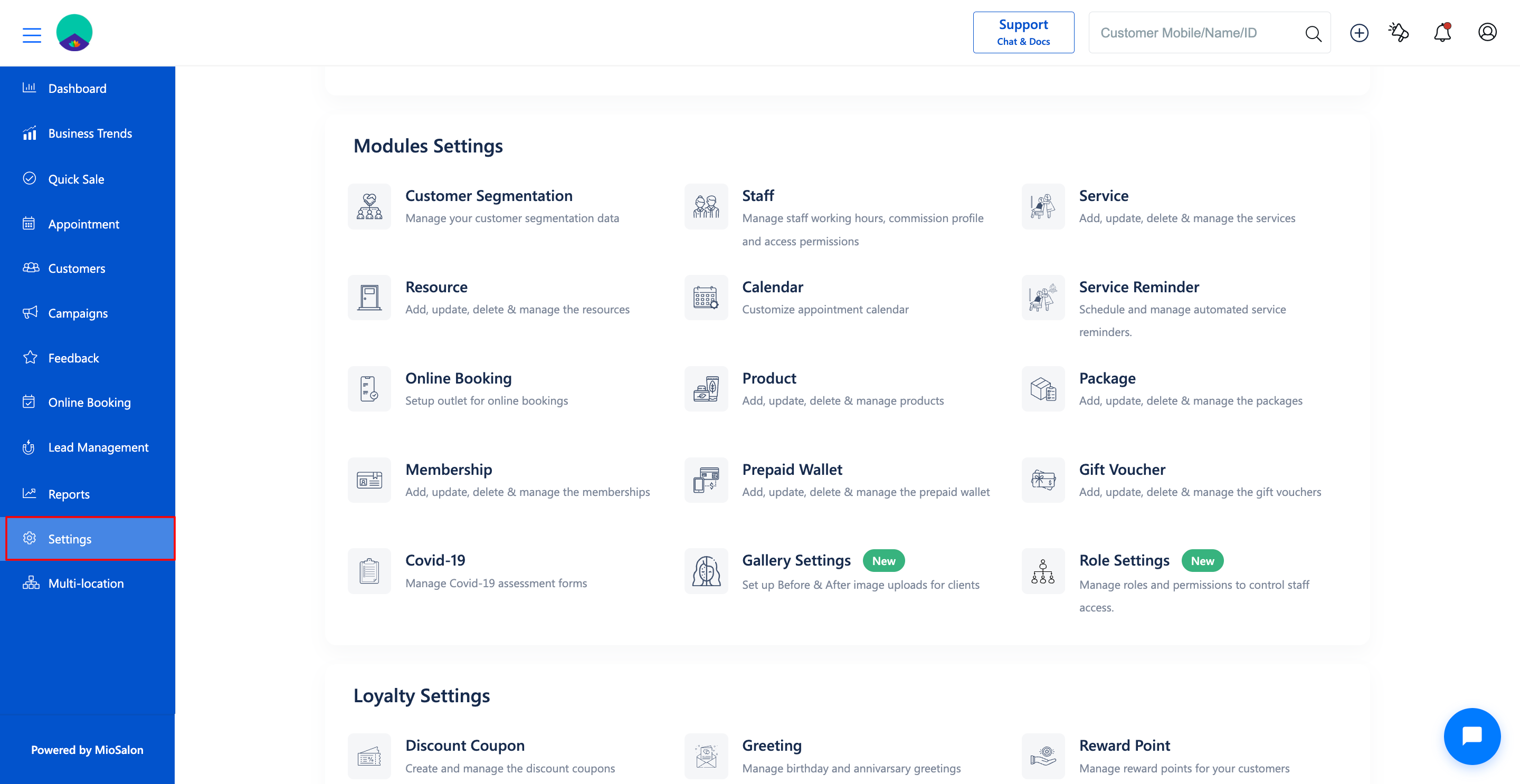
1. Navigate to Settings from the main navigation panel and select Resource under Modules Settings.
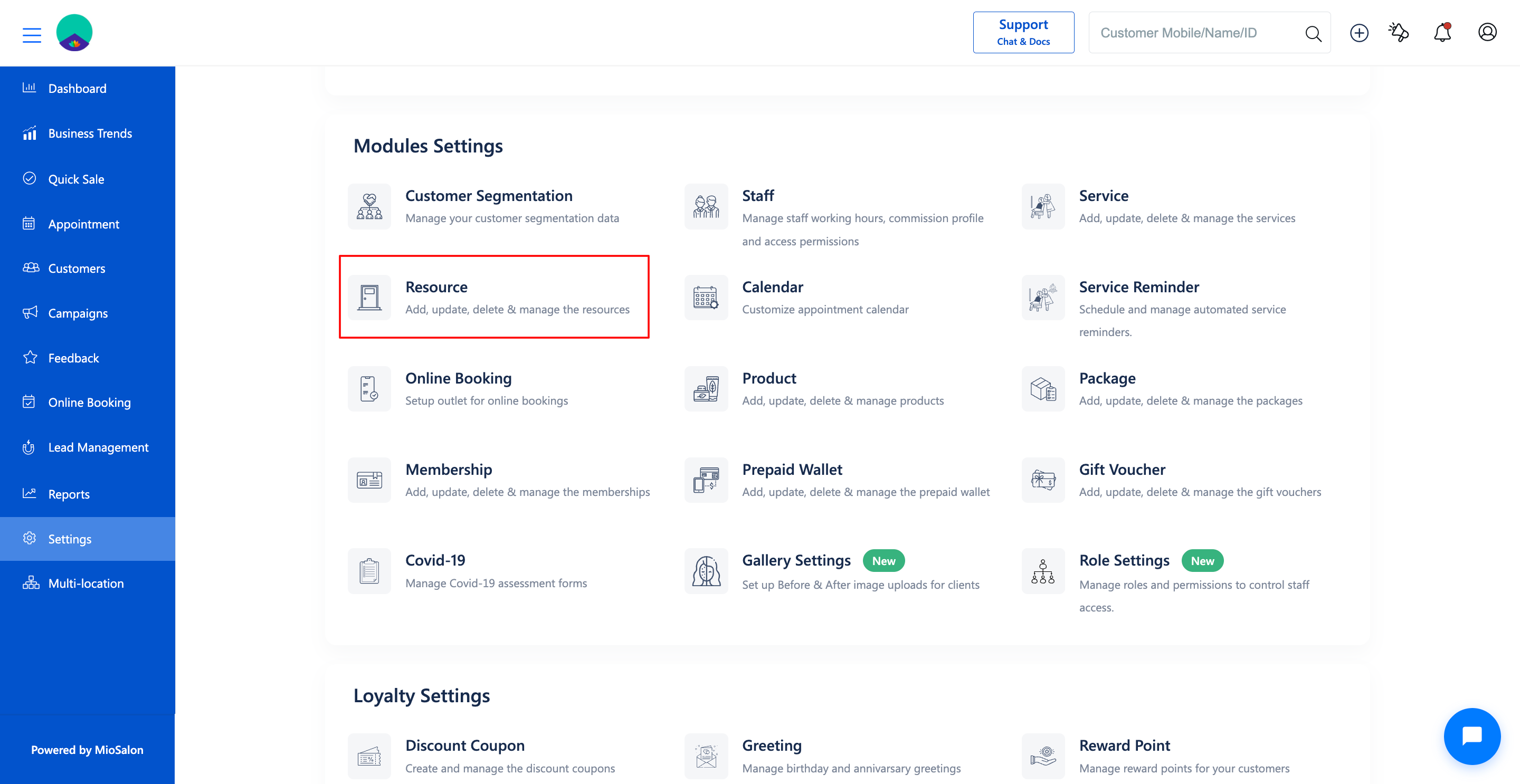
2. Click on the Resource List tab in the left sub-navigation menu.
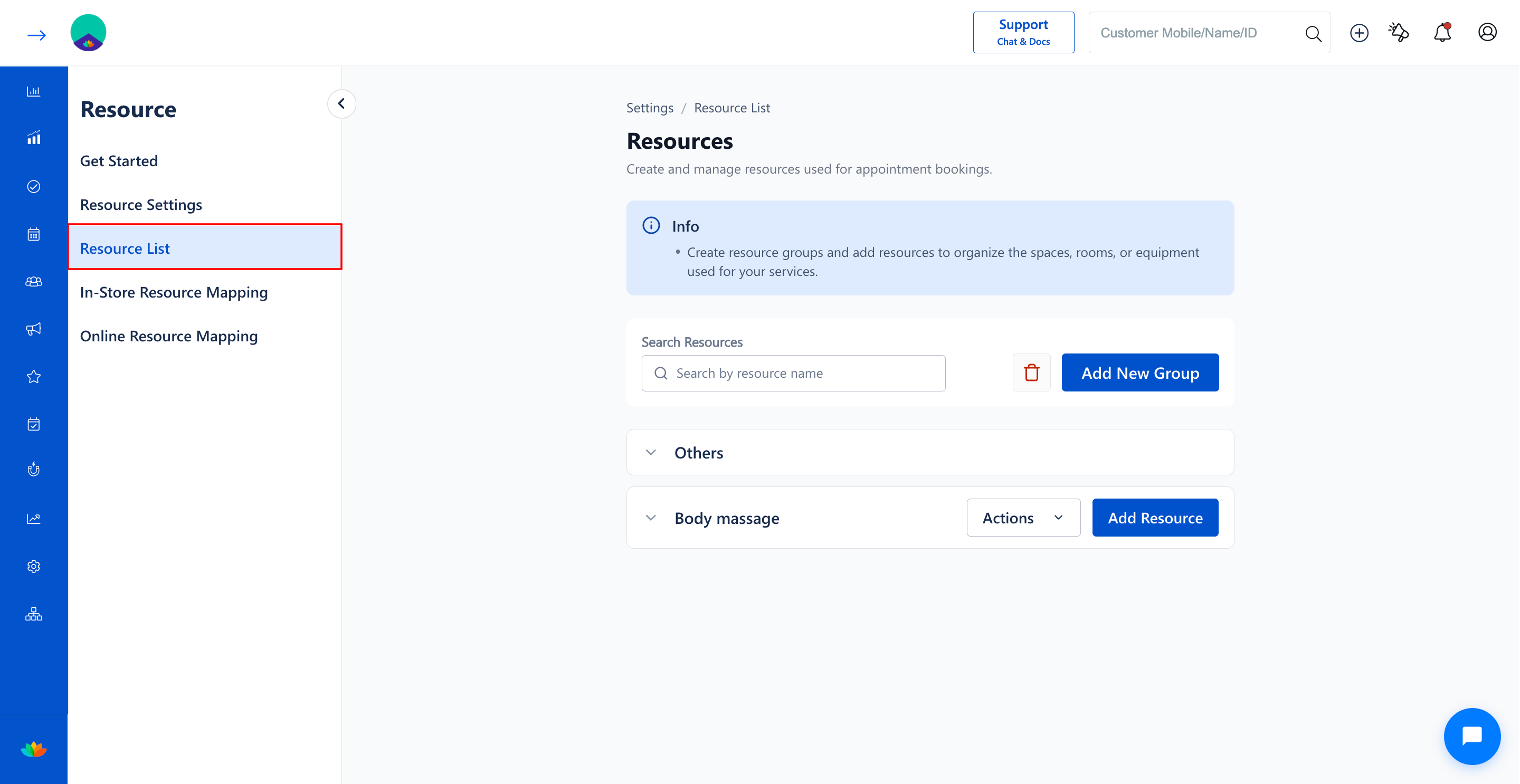
3. Click on the resource group accordion (E.g., Body massage) to expand and view the list of resources.
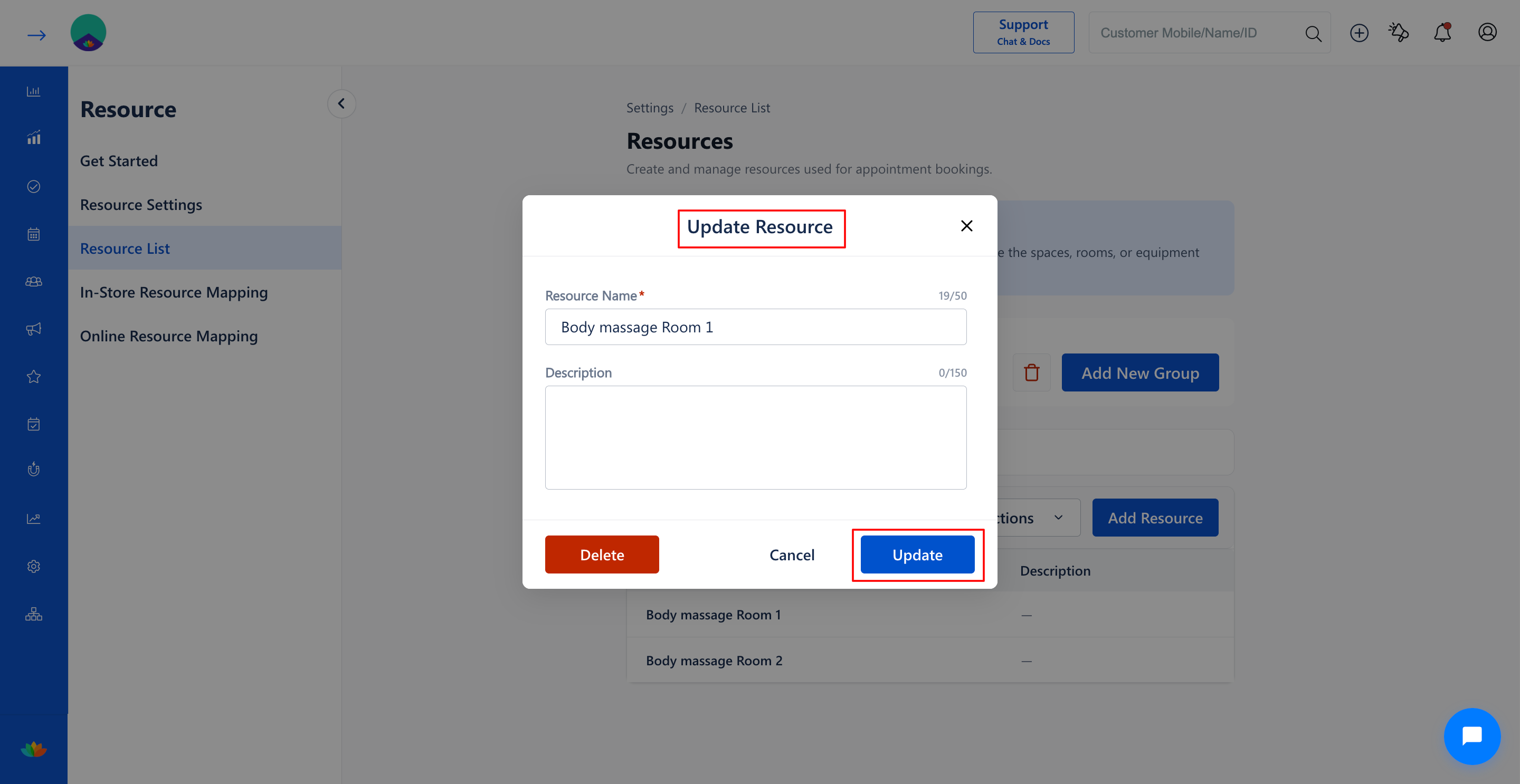
4. Locate the specific resource you want to modify (E.g., Body massage Room 1) and click on the edit option on that resource row.
5. In the edit resource modal window, update the necessary information:
• Resource Name*: Update the unique identification name. (E.g., VIP Body Massage Suite 1). Note: Maximum 50 characters allowed.
• Description: Update facility notes or equipment specifications. (E.g., Upgraded with heated electric massage bed and private shower cabin). Note: Maximum 150 characters allowed.
6. Click on the Save or Update button to store the updated resource details.
Note
Changing a resource name preserves all existing service mappings and historical appointment records associated with that resource ID.
Use Cases
1. Renaming standard treatment rooms to upgraded suite titles following salon interior renovation.
2. Updating equipment specifications after replacing or upgrading salon machinery.
3. Correcting typos or clarifying room numbers to improve front-desk coordination.
Benefits
1. Ensures front-desk receptionists have crystal-clear visibility into room amenities and setup.
2. Prevents staff miscommunication when coordinating multi-service client bookings.
3. Maintains up-to-date salon inventory documentation effortlessly.
Was this article helpful?
That’s Great!
Thank you for your feedback
Sorry! We couldn't be helpful
Thank you for your feedback
Feedback sent
We appreciate your effort and will try to fix the article