How to Delete the HSN/SAC Code in MioSalon
Overview
If a product line is discontinued or a specific classification is no longer relevant, you can delete its HSN/SAC Code.
Removing obsolete HSN/SAC Codes keeps your settings organized and prevents staff from accidentally applying the wrong code.
In MioSalon, you can securely remove an HSN/SAC Code from the active list when it is no longer required.
Follow the steps below to permanently delete an HSN/SAC Code from your business settings.
Navigation Path
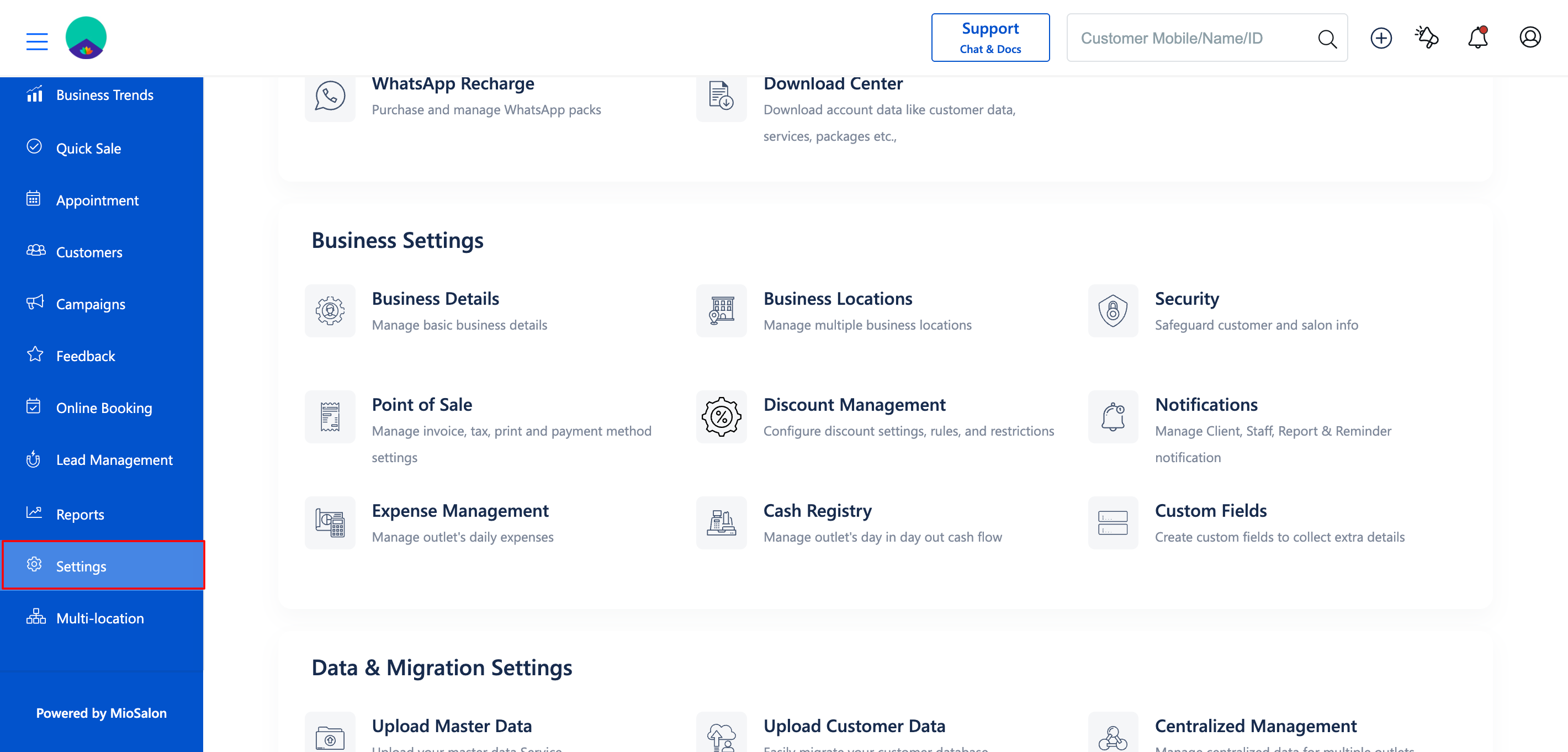
Settings → Point of Sale → HSN/SAC Code
Steps to Delete an HSN/SAC Code
1. Log in to your MioSalon account and navigate to Settings → Point of Sale → HSN/SAC Code.
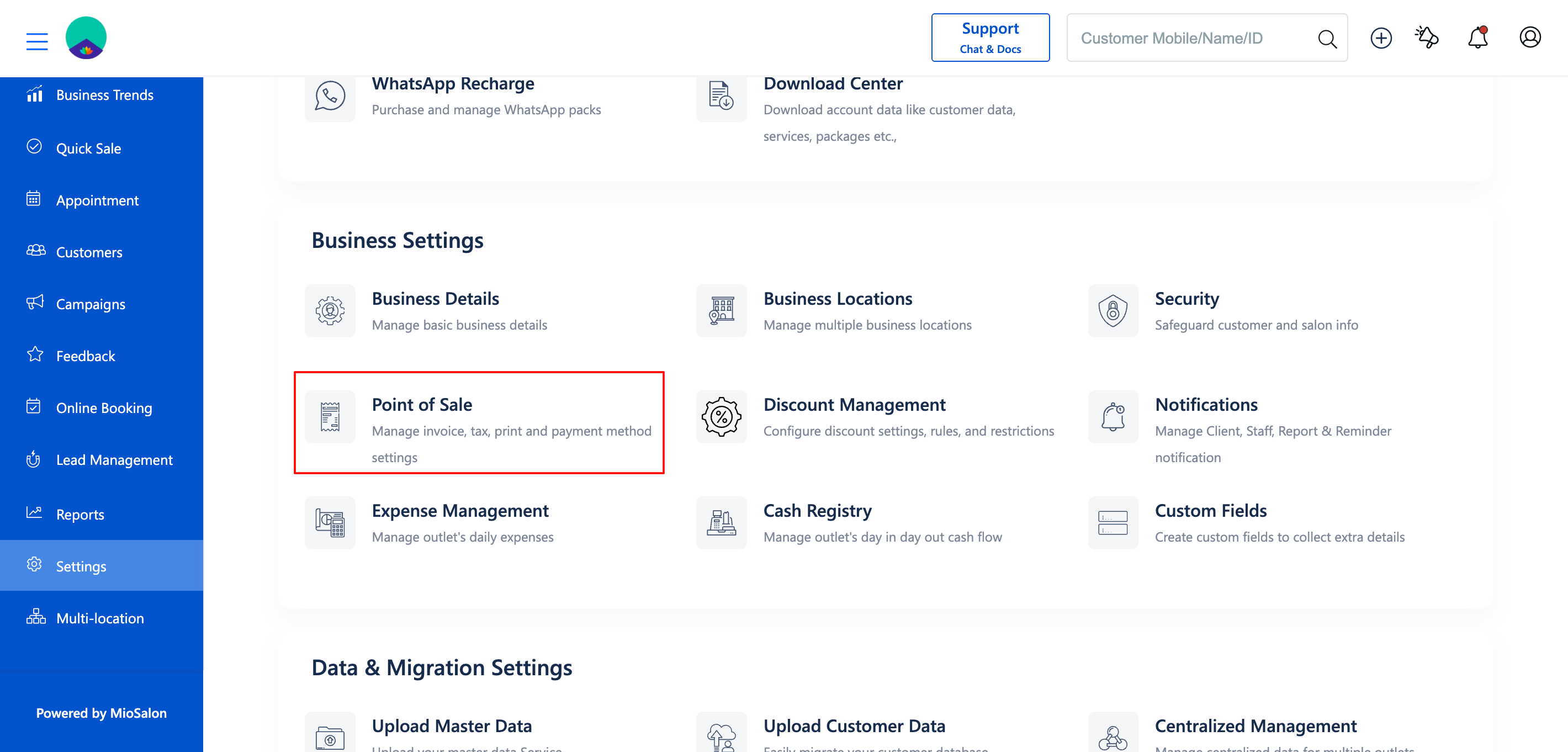
2. Review the list and locate the HSN/SAC Code that needs to be removed.
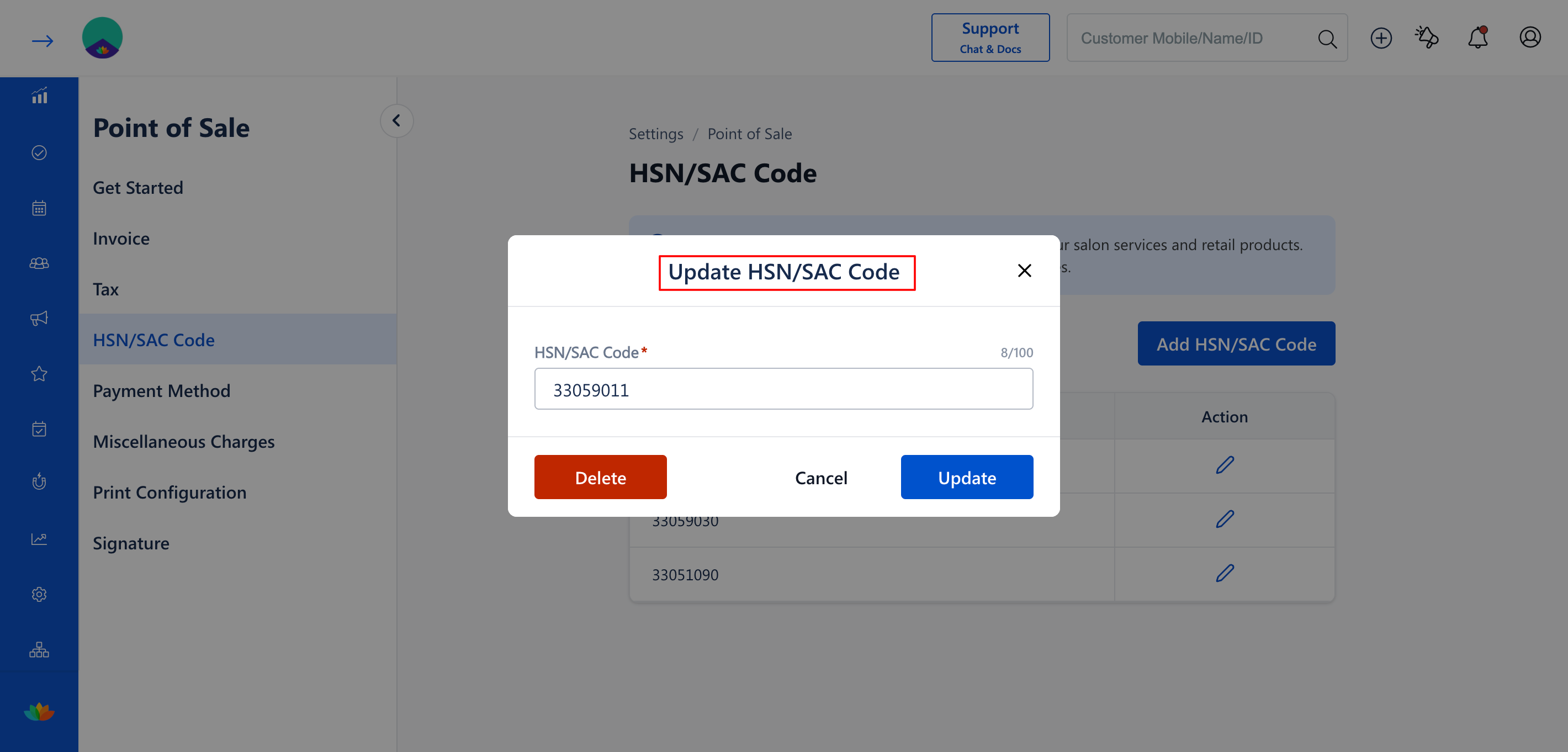
3. Click the Edit icon corresponding to that specific HSN/SAC Code.
4. The Update HSN/SAC Code popup will appear. Click the Delete button inside the popup.
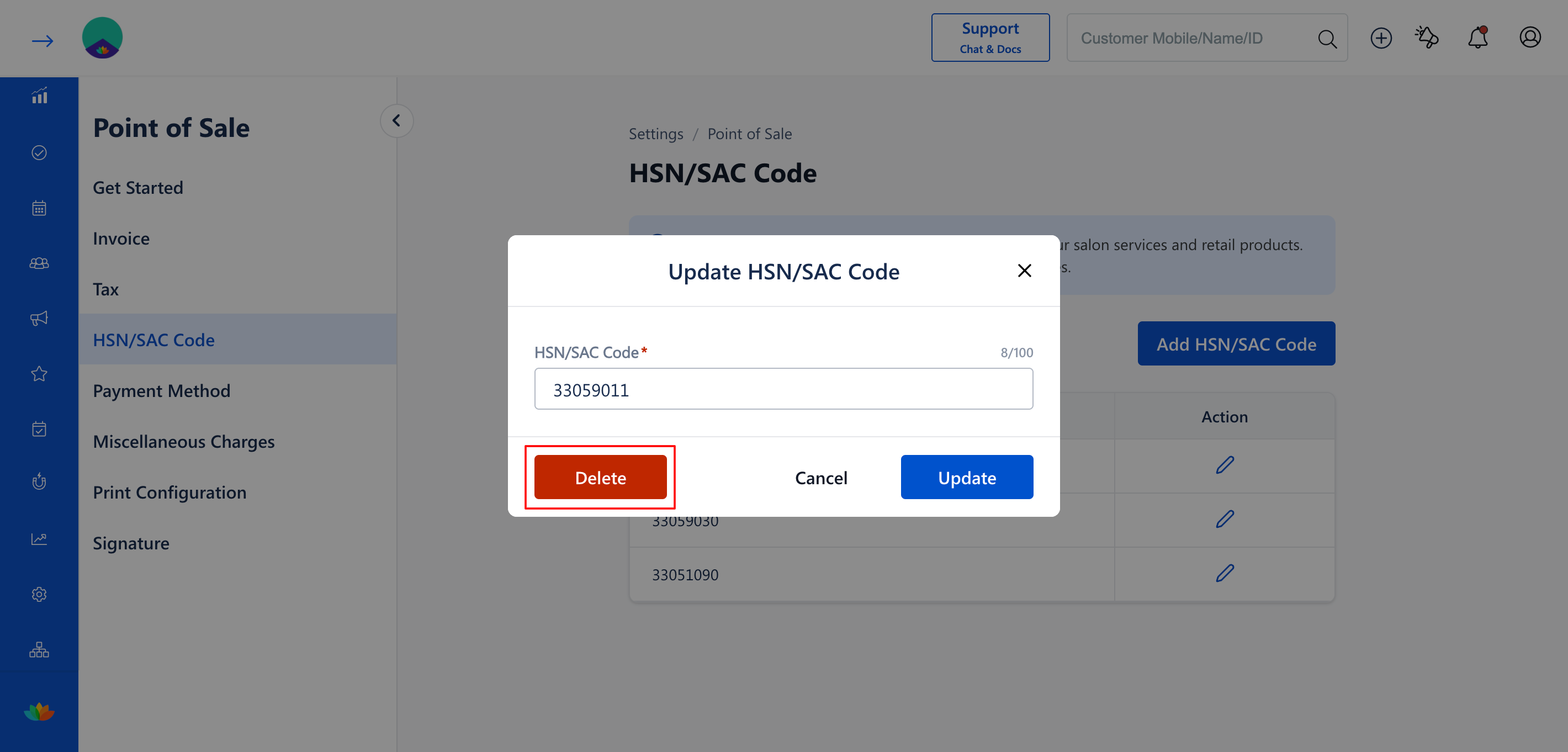
5. A Delete Confirmation prompt will appear on the screen asking you to verify the deletion.
6. Click Delete again to permanently remove the HSN/SAC Code from the system.
Use Cases
1. Removing a code for a product category that the salon has permanently stopped selling.
2. Deleting duplicate or accidentally created HSN/SAC Codes during the initial configuration.
3. Cleaning up the configuration list to remove outdated structures for better Service and Product Tracking.
Benefits
1. Streamlines the tracking and billing process by reducing the number of unnecessary options available to staff.
2. Minimizes human error by ensuring only active and correct codes can be selected.
3. Maintains a clean, organized, and easily manageable backend system for the business owner.
Note
Deleting an HSN/SAC Code is a permanent action. Ensure that no active products or services are currently linked to this code before attempting to delete it.
Was this article helpful?
That’s Great!
Thank you for your feedback
Sorry! We couldn't be helpful
Thank you for your feedback
Feedback sent
We appreciate your effort and will try to fix the article