Overview
Resetting the Invoice Sequence allows you to restart invoice numbering in MioSalon, either instantly or automatically at defined intervals. This is useful for maintaining clean invoice records, aligning with financial years, or restarting numbering after testing or setup changes.
You can reset invoice numbers manually at any time or configure them to reset automatically on a monthly or yearly basis.
To reset invoice sequence automatically
Log in to your MioSalon account.
Navigate to Settings → Point of Sale → Business Setting → Invoice.
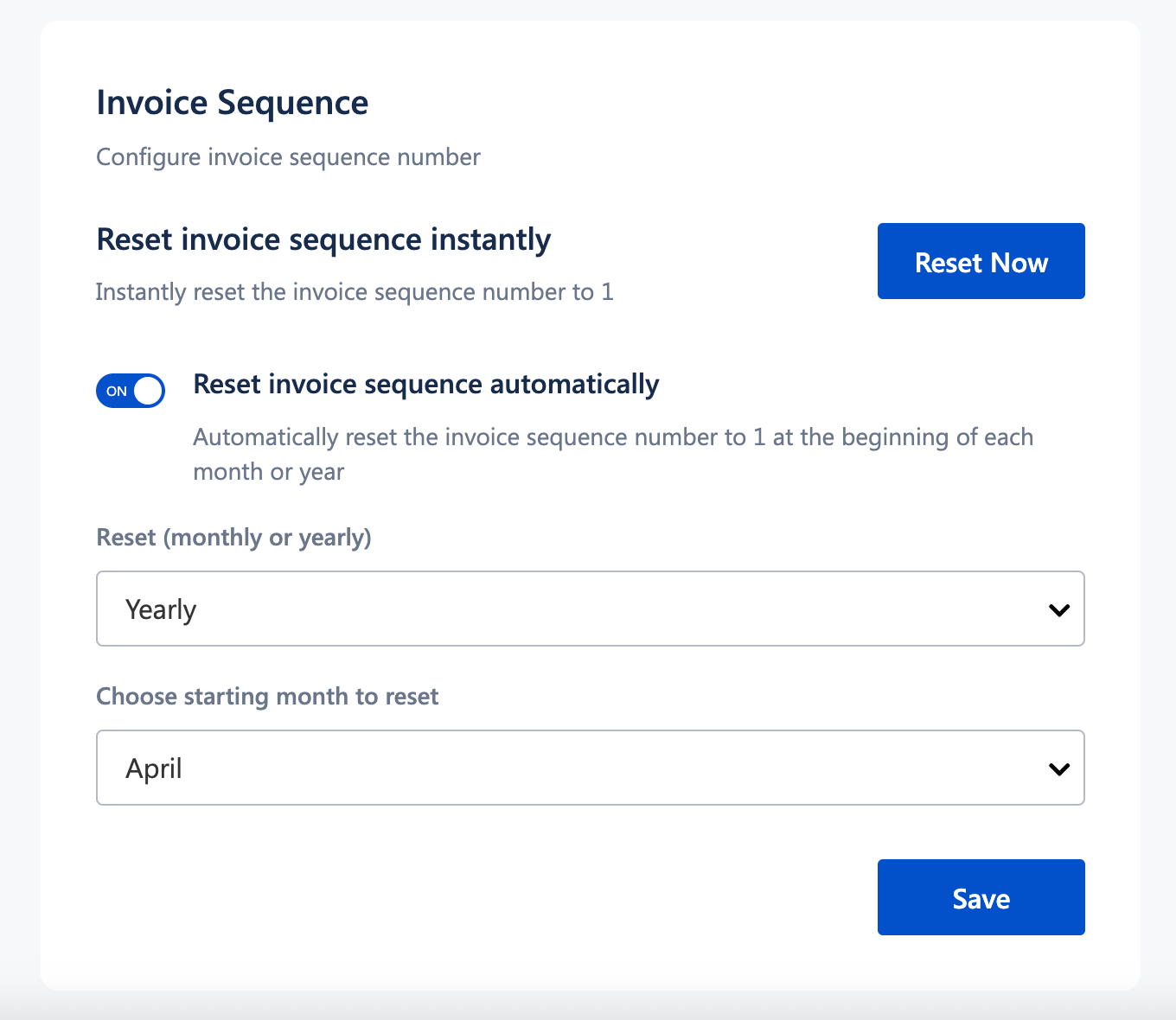
Under Invoice Sequence, enable Reset invoice sequence automatically.
Choose the reset frequency:
Monthly or
Yearly
If Yearly is selected, choose the starting month for the reset (for example, April).
Click Save.
Invoice numbers will now reset automatically based on the selected configuration.
Important Notes
Resetting the invoice sequence affects only future invoices.
Existing invoices remain unchanged.
It is recommended to configure invoice sequence settings before regular billing begins.
Automatic reset is commonly used to align with financial year or monthly accounting cycles.
Use Cases
Financial year alignment
Reset invoice numbers at the start of a new financial year for cleaner accounting.Post-testing cleanup
Restart invoice numbering after generating test invoices during setup.Multi-period reporting
Use monthly resets to simplify invoice tracking and reconciliation.Audit and compliance clarity
Maintain a structured invoice sequence that is easy to review and audit.
Was this article helpful?
That’s Great!
Thank you for your feedback
Sorry! We couldn't be helpful
Thank you for your feedback
Feedback sent
We appreciate your effort and will try to fix the article