Overview
Adding a Reason for Invoice Deletion helps maintain accountability and audit clarity when invoices or receipts are deleted in MioSalon. These reasons appear as mandatory selections whenever a user attempts to delete an invoice, ensuring that all deletions are properly documented.
This feature is especially useful for internal controls, reporting, and compliance reviews.
Canonical Guided Steps
To add a reason for invoice or receipt deletion
Log in to your MioSalon account.
From the left-side menu, click Settings and scroll down to Business Settings.
Select Point of Sale.
Click Invoice.
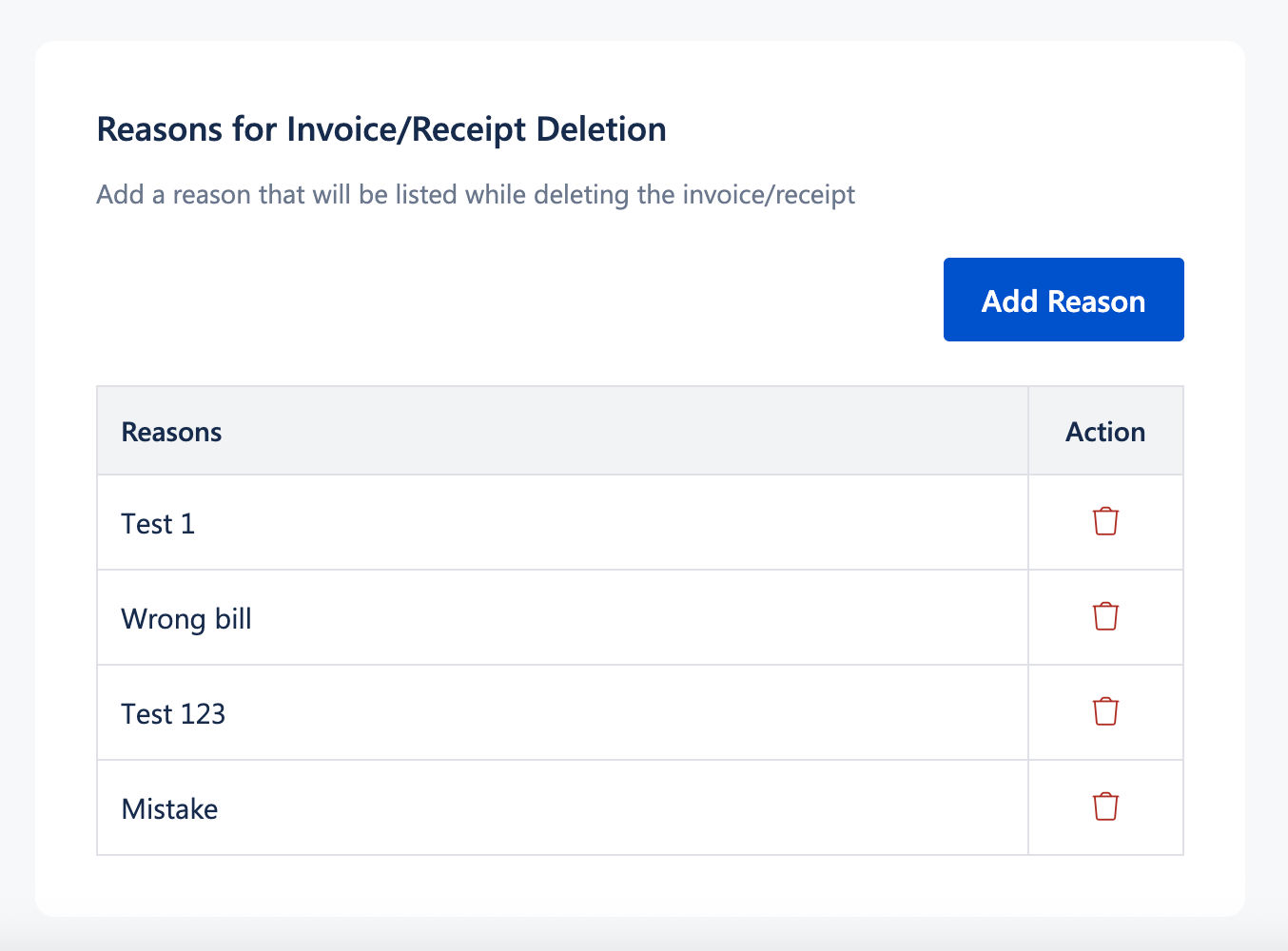
Scroll to the Reasons for Invoice/Receipt Deletion section.
Click Add Reason.
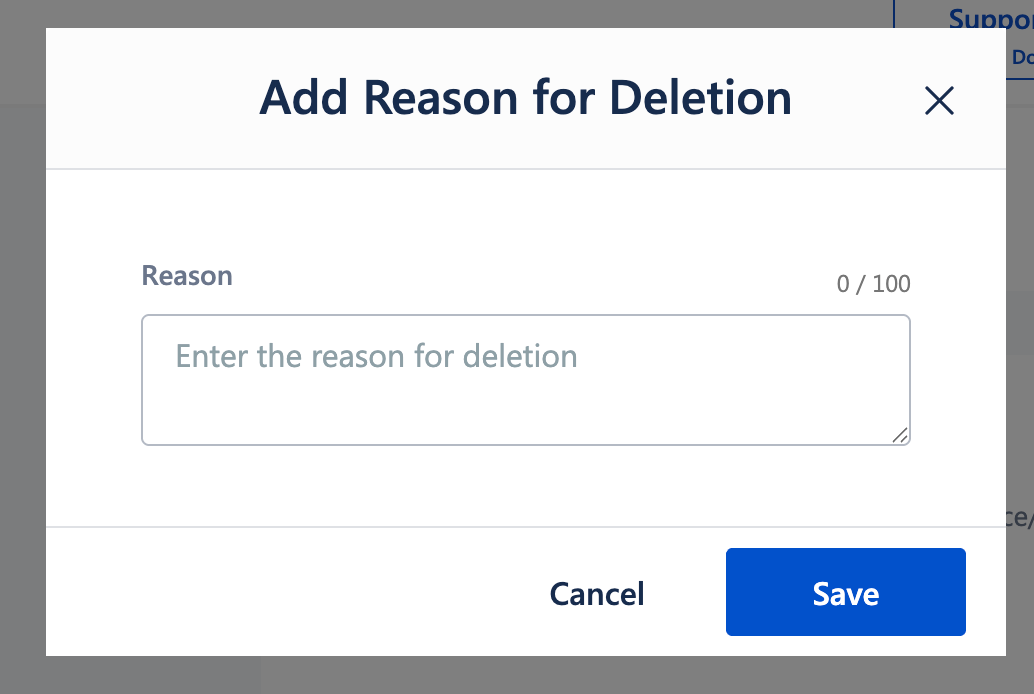
Enter the reason for deletion
(for example: Wrong bill, Duplicate invoice, Customer cancellation).Click Save.
The added reason will now appear as a selectable option whenever an invoice or receipt is deleted.
Important Notes
Selecting a deletion reason is mandatory when deleting an invoice or receipt.
Added reasons are available across all locations under the same account.
Reasons can be removed if no longer required.
Existing invoices are not affected by adding or removing reasons.
Use Cases
Audit and compliance tracking
Ensure every invoice deletion is recorded with a clear justification.Internal accountability
Track why invoices are deleted by staff members.Error correction transparency
Clearly document deletions caused by billing or data entry errors.Management review
Analyze deletion patterns to identify training or process gaps.
Was this article helpful?
That’s Great!
Thank you for your feedback
Sorry! We couldn't be helpful
Thank you for your feedback
Feedback sent
We appreciate your effort and will try to fix the article