How to Add the HSN/SAC Code in MioSalon
Overview
The HSN/SAC Code is a standardized classification system used globally for goods and services.
In MioSalon, adding an HSN/SAC Code allows businesses to correctly classify their products and services for taxation and tracking purposes. The assigned code is automatically displayed on invoices.
Follow the steps below to navigate to the Point of Sale settings and add a new HSN/SAC Code to your system.
Navigation Path
Settings → Point of Sale → HSN/SAC Code
Steps to Add an HSN/SAC Code
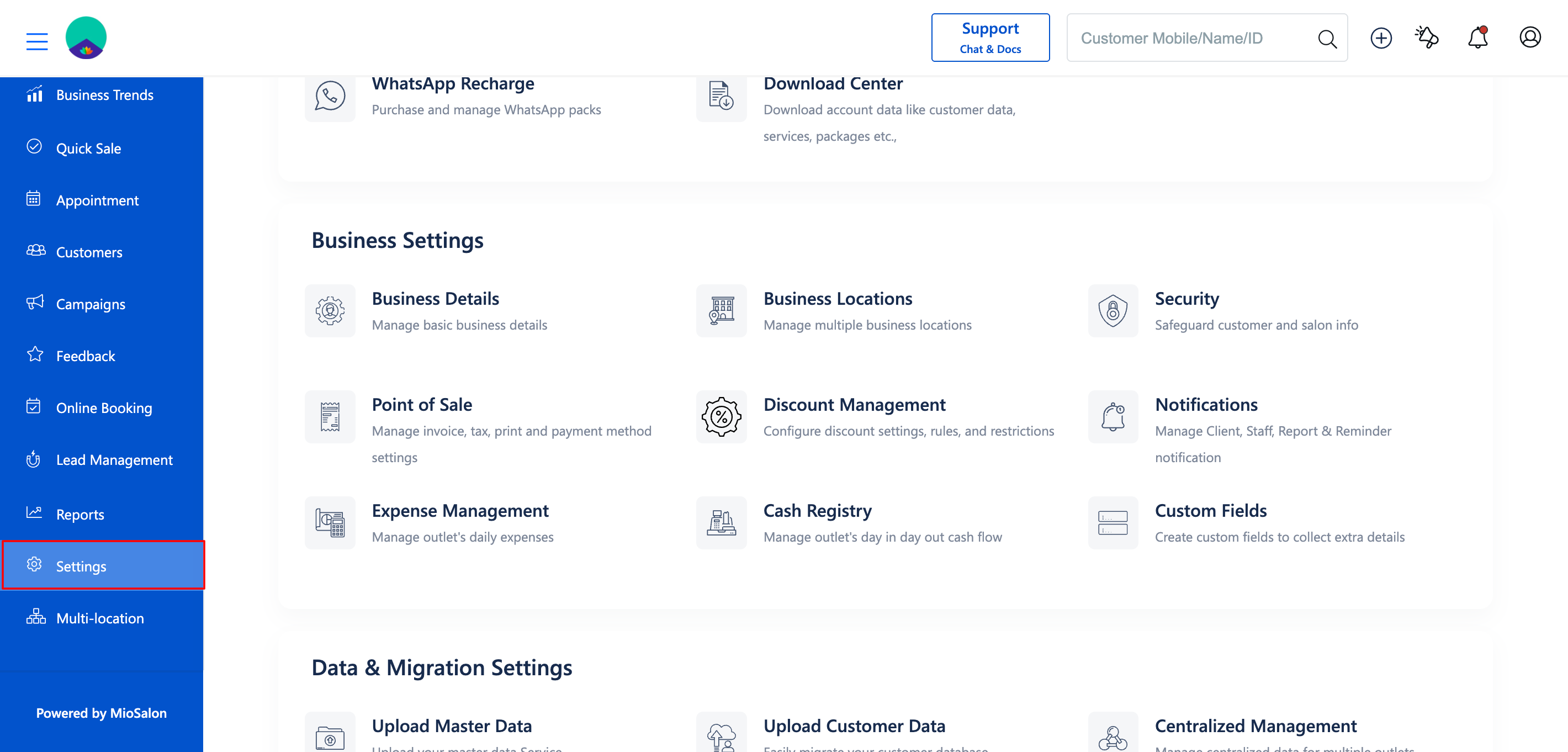
1. Log in to your MioSalon account and click on Settings from the main sidebar menu.
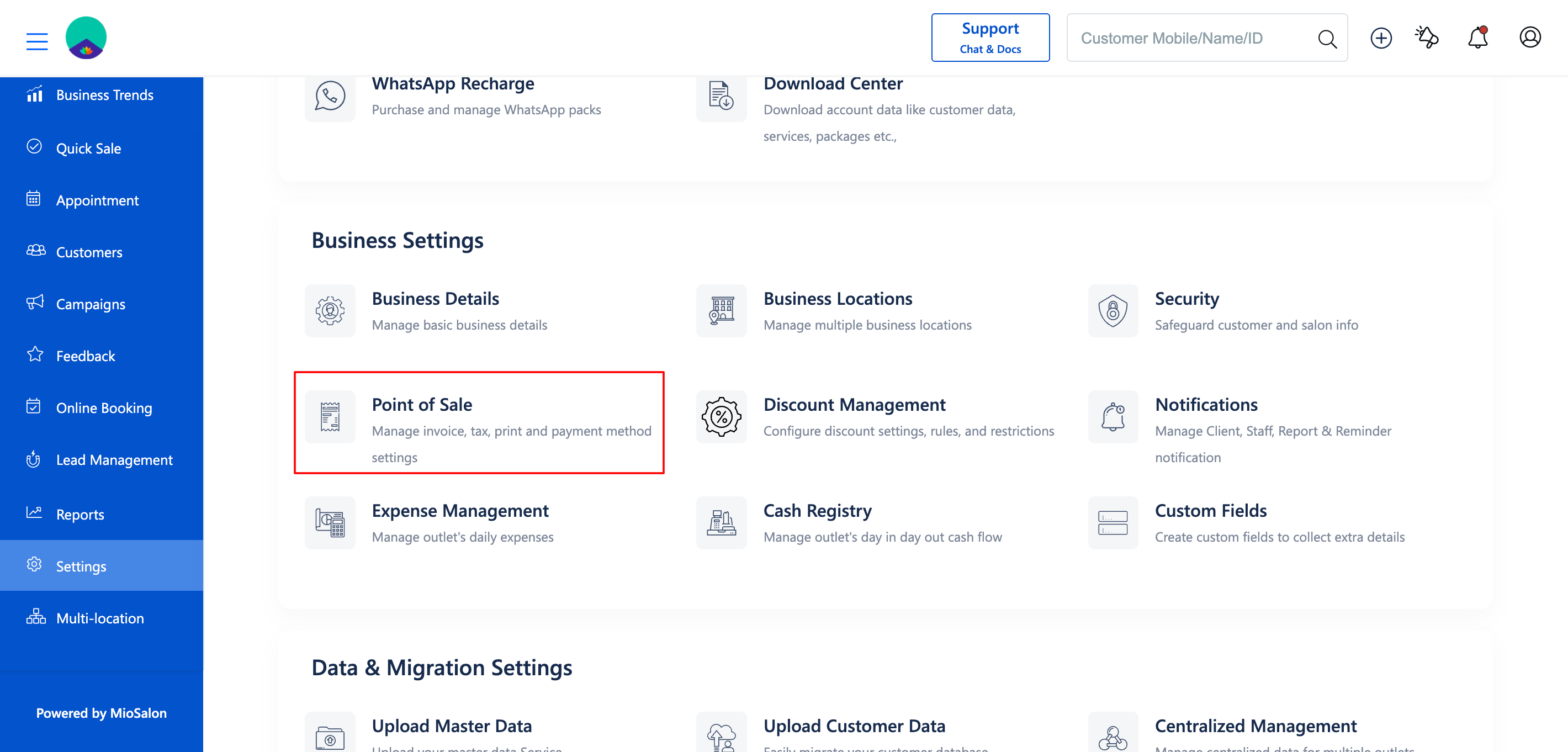
2. Under Business Settings, select the Point of Sale module.
3. From the left menu, select HSN/SAC Code.
4. Click the Add HSN/SAC Code button located on the screen.
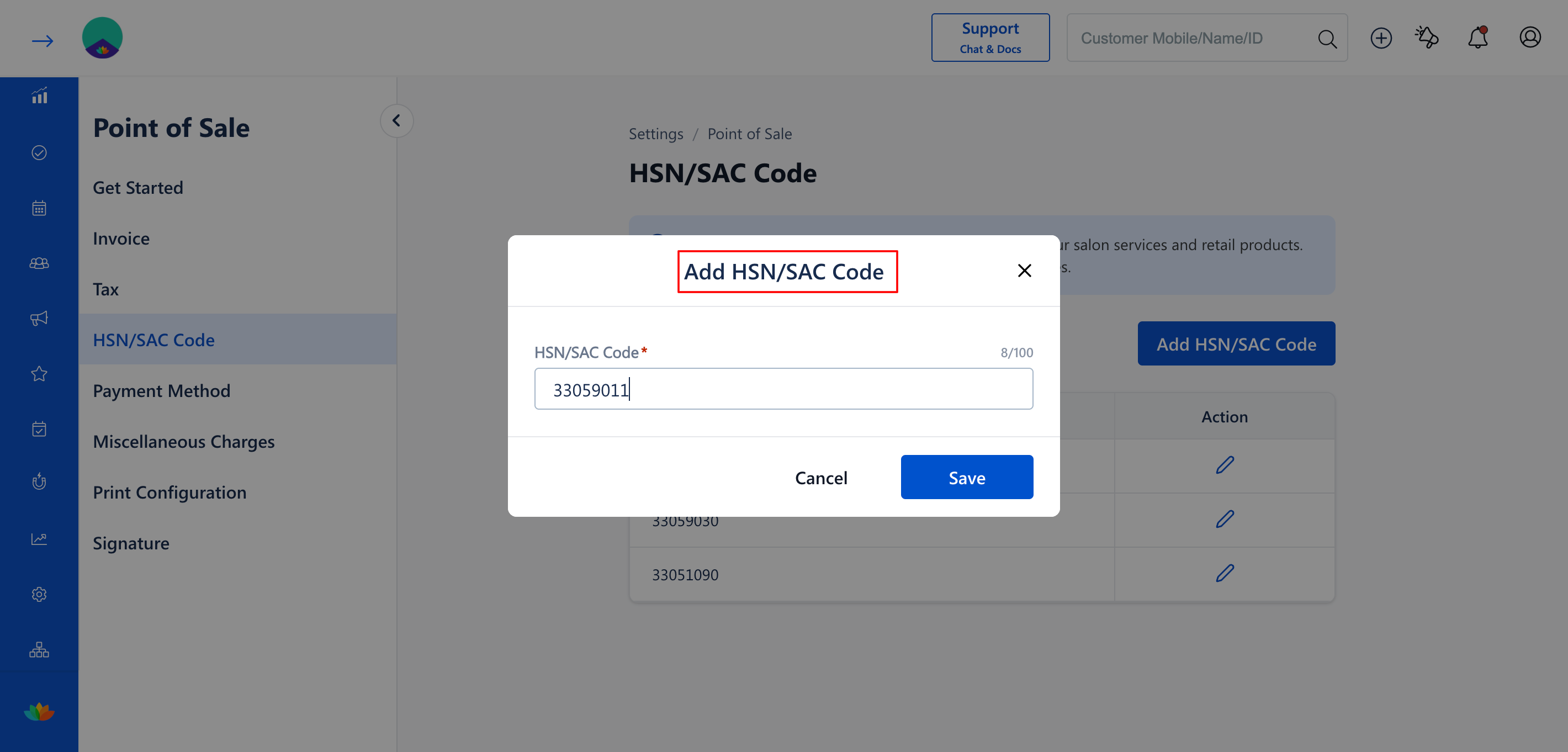
5. A popup titled Add HSN/SAC Code will appear. Enter the required HSN/SAC Code in the provided field.
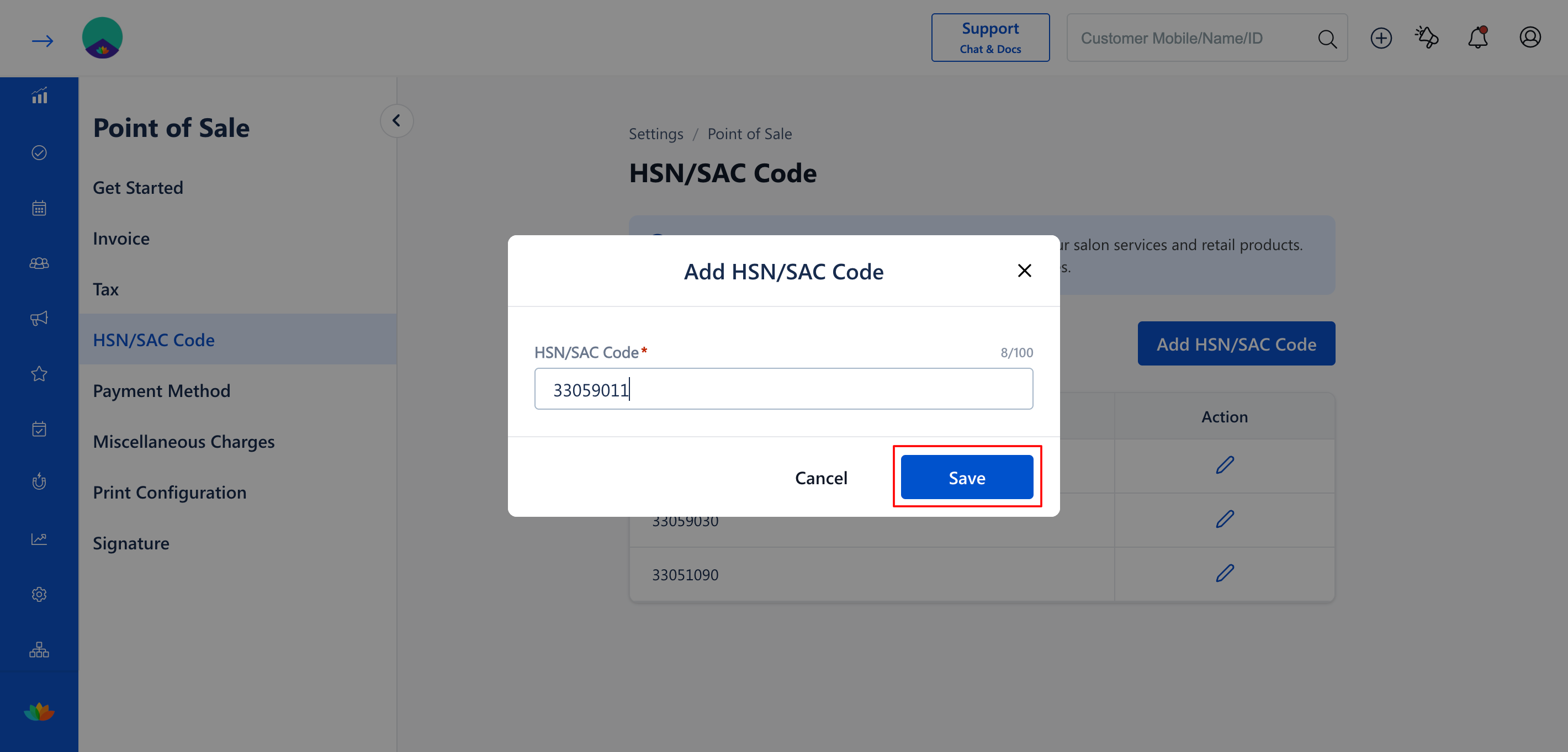
6. Click Save to successfully add the HSN/SAC Code to your system. The new code will appear in the list.
Use Cases
1. Setting up the system for the first time and configuring codes for various retail products.
2. Expanding the salon's offerings to include new goods that fall under a different tax classification.
3. Ensuring invoices clearly display the correct codes required by authorities.
Benefits
1. Keeps the business fully compliant with regional and national laws.
2. Helps with precise Service and Product Tracking.
3. Automates the application of correct codes during the checkout process and displays them on printed receipts.
Note
Make sure to consult with a professional to obtain the correct HSN/SAC Codes for your specific products and services before adding them to MioSalon.
Was this article helpful?
That’s Great!
Thank you for your feedback
Sorry! We couldn't be helpful
Thank you for your feedback
Feedback sent
We appreciate your effort and will try to fix the article