How to Remove the Signature in MioSalon
Overview
If you no longer need a signature on your billing documents, you can remove it from any branch through the Signature settings.
The Remove option is available for branches that have an active signature uploaded, indicated by the green Signature uploaded status.
Once removed, the signature no longer appears on invoices or printed receipts generated from that branch.
Removing a signature from one branch does not affect signatures uploaded to other branches.
You can re-upload a new signature at any time after removing the existing one.
Follow the steps below to remove an existing signature from a specific branch in your business.
Navigation Path
Settings → Business Settings → Point of Sale → Signature
Steps to Remove a Signature
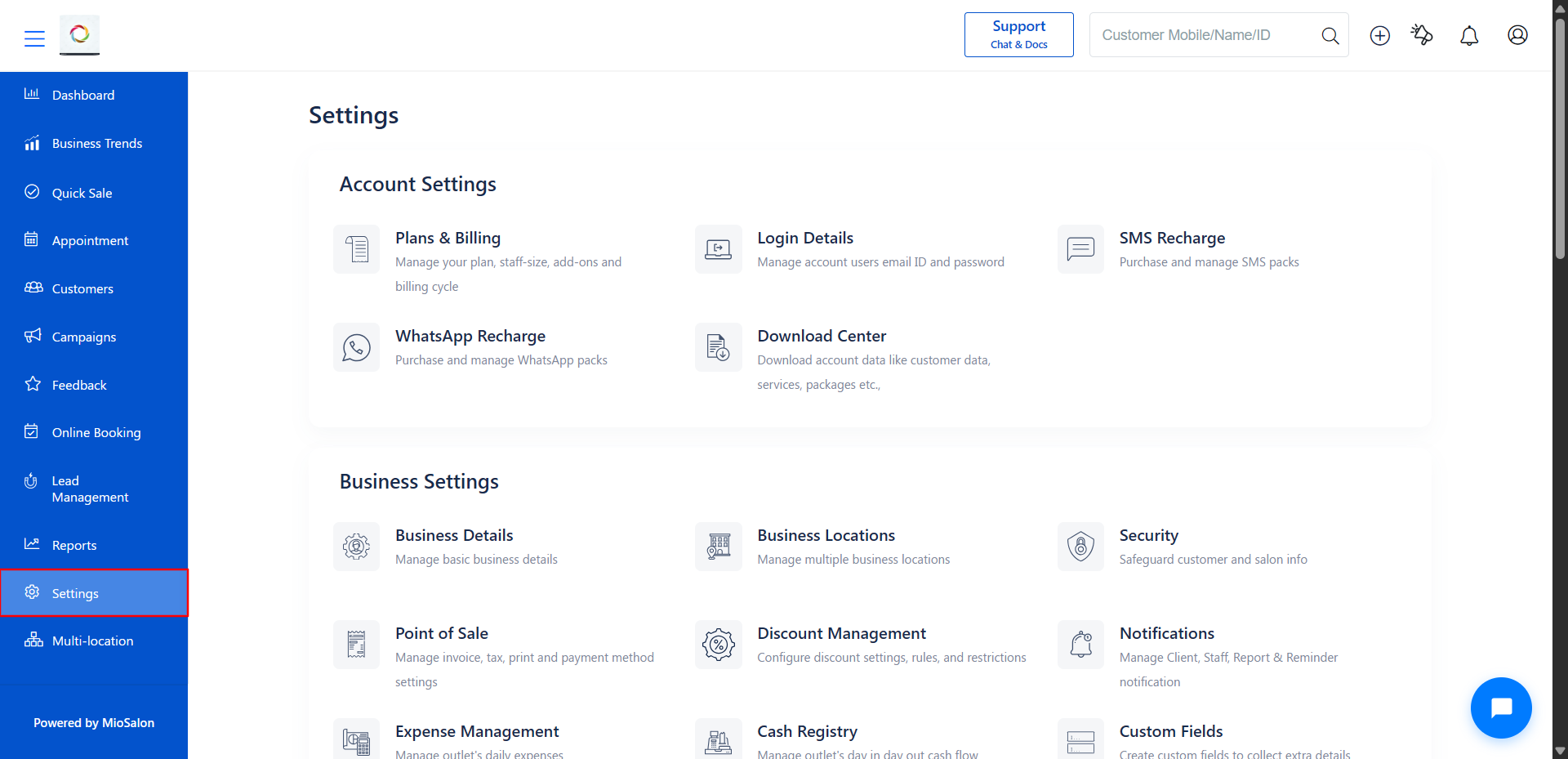
1. Log in to your MioSalon account and click on Settings from the left sidebar menu.
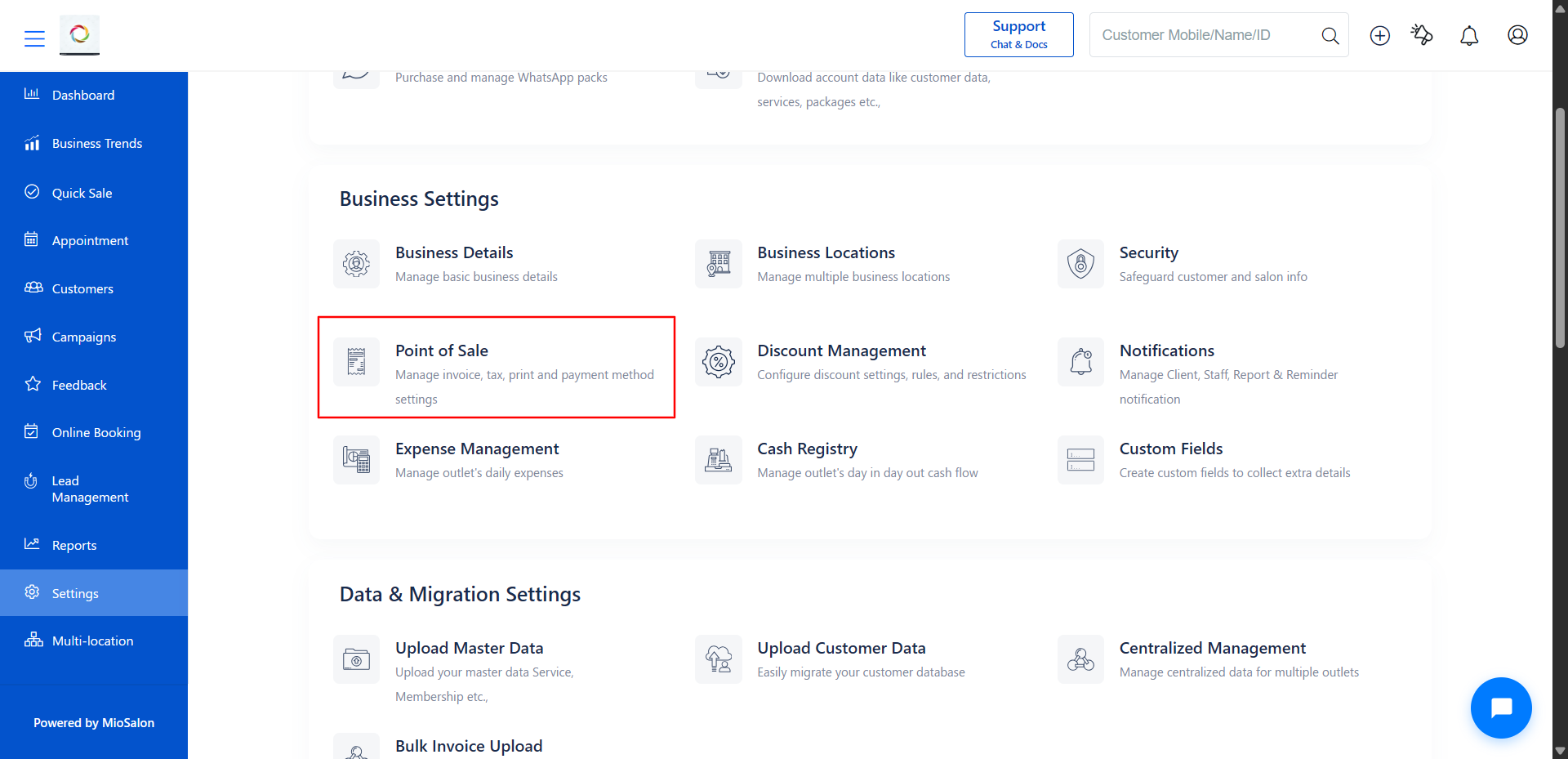
2. Under Business Settings, click on Point of Sale.
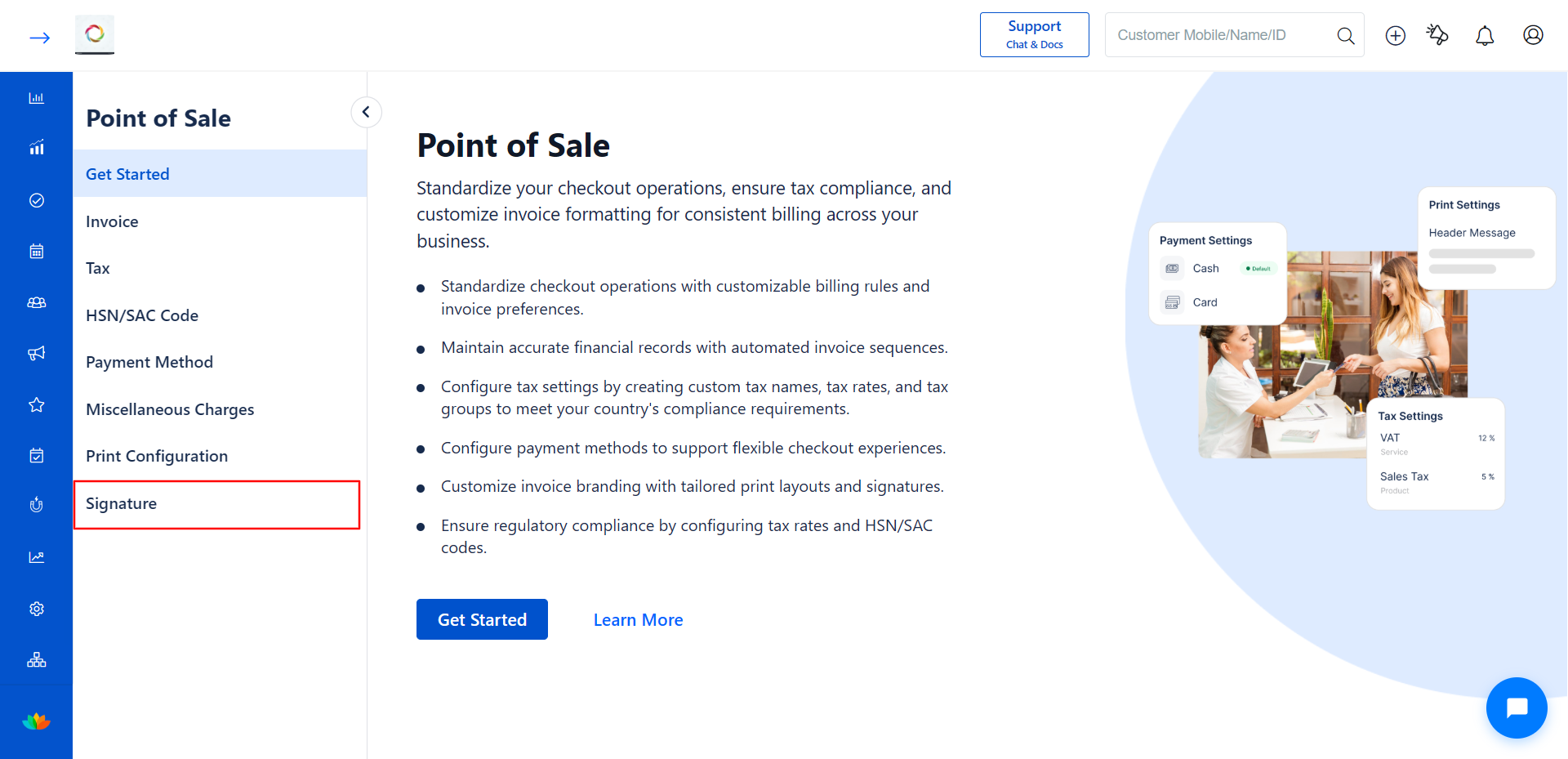
3. From the left sidebar inside Point of Sale, click on Signature.
4. The Signature page displays all your branches. Identify the branch with the green Signature uploaded status and click on it.
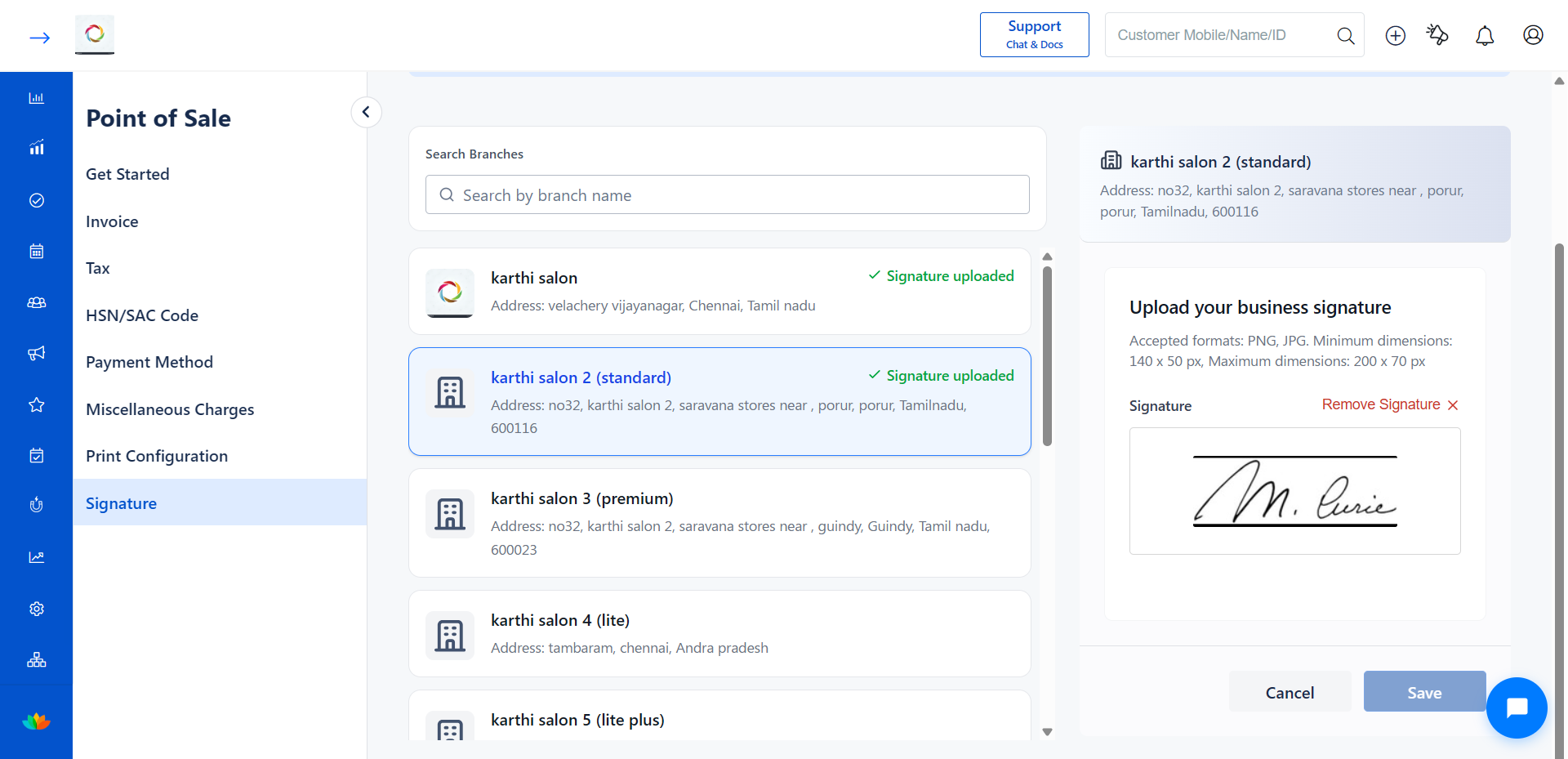
5. On the right panel, the current signature is displayed along with the Remove Signature ( Cross Icon) icon.
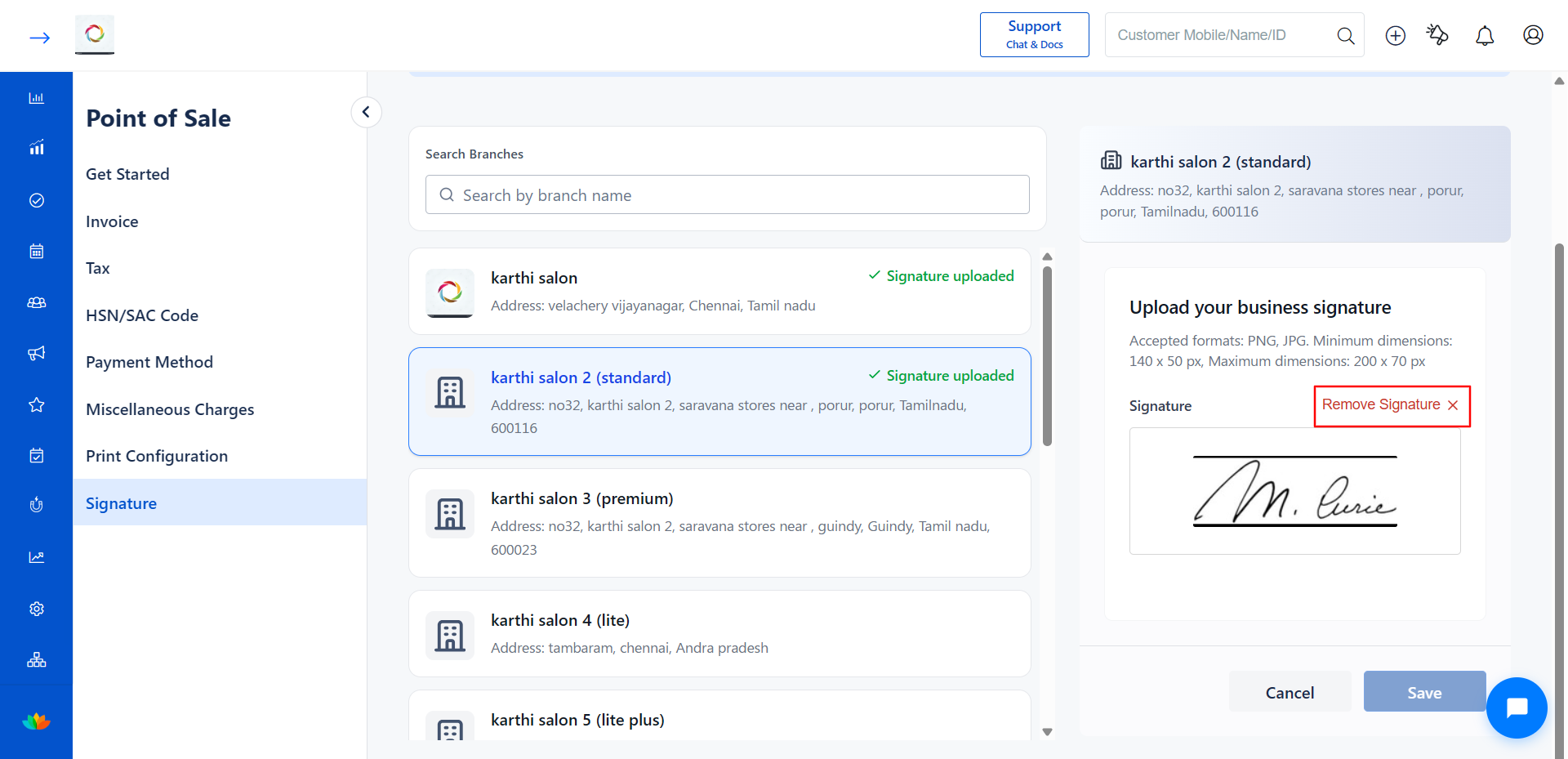
6. Click the Remove Signature ( Cross Icon) to delete the signature from the selected branch.
7. After removing, the right panel returns to the Upload state, indicating no signature is currently set for this branch.
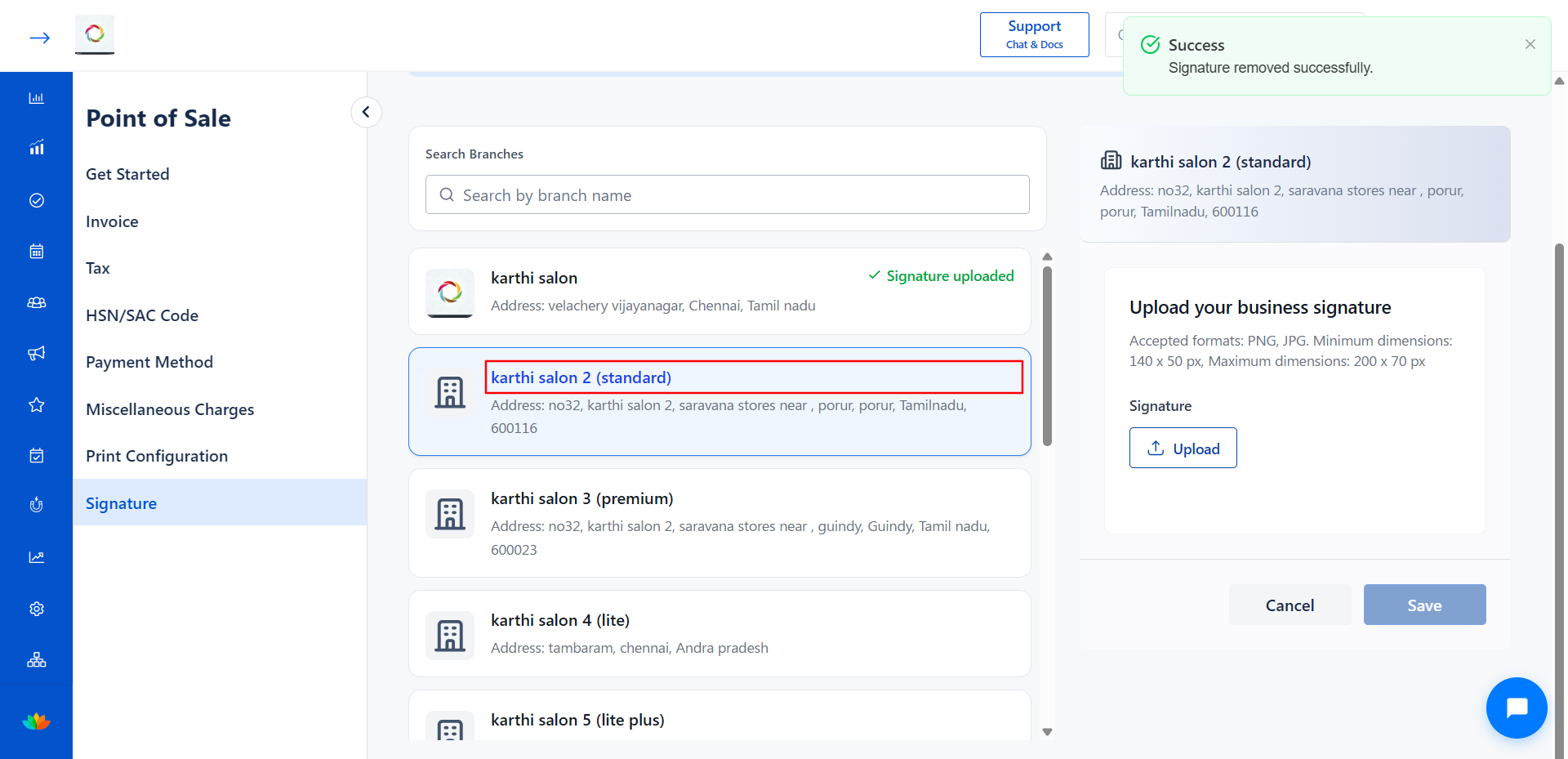
8. The green Signature uploaded status is removed from the branch in the branch list.
Use Cases
1. Removing a signature when the authorized signatory is no longer associated with the branch.
2. Temporarily disabling the signature from invoices for a specific branch.
3. Clearing the existing signature before uploading a completely new one.
Benefits
1. Provides flexibility to manage signature visibility on billing documents per branch.
2. Keeps your invoices accurate by removing outdated or incorrect signatures.
3. Allows you to quickly clear and re-upload a new signature when needed.
Note
Removing the signature only affects the selected branch. Other branches with uploaded signatures remain unchanged. You can upload a new signature to the same branch at any time after removal.
Was this article helpful?
That’s Great!
Thank you for your feedback
Sorry! We couldn't be helpful
Thank you for your feedback
Feedback sent
We appreciate your effort and will try to fix the article