How to Add the Signature in MioSalon
Overview
The Signature feature lets you upload a digital signature for each branch in your business.
Once uploaded, the signature automatically appears on invoices and printed billing documents generated from that branch.
This helps authenticate your business receipts and creates a professional, branded appearance for your customers.
Each branch can have its own unique signature, giving you complete control across multiple locations.
You can manage signatures independently for every branch, so each location maintains its own branding.
Follow the steps below to navigate to the Signature settings, upload your signature image, and activate it for a branch.
Navigation Path
Settings → Business Settings → Point of Sale → Signature
Steps to Add a Signature
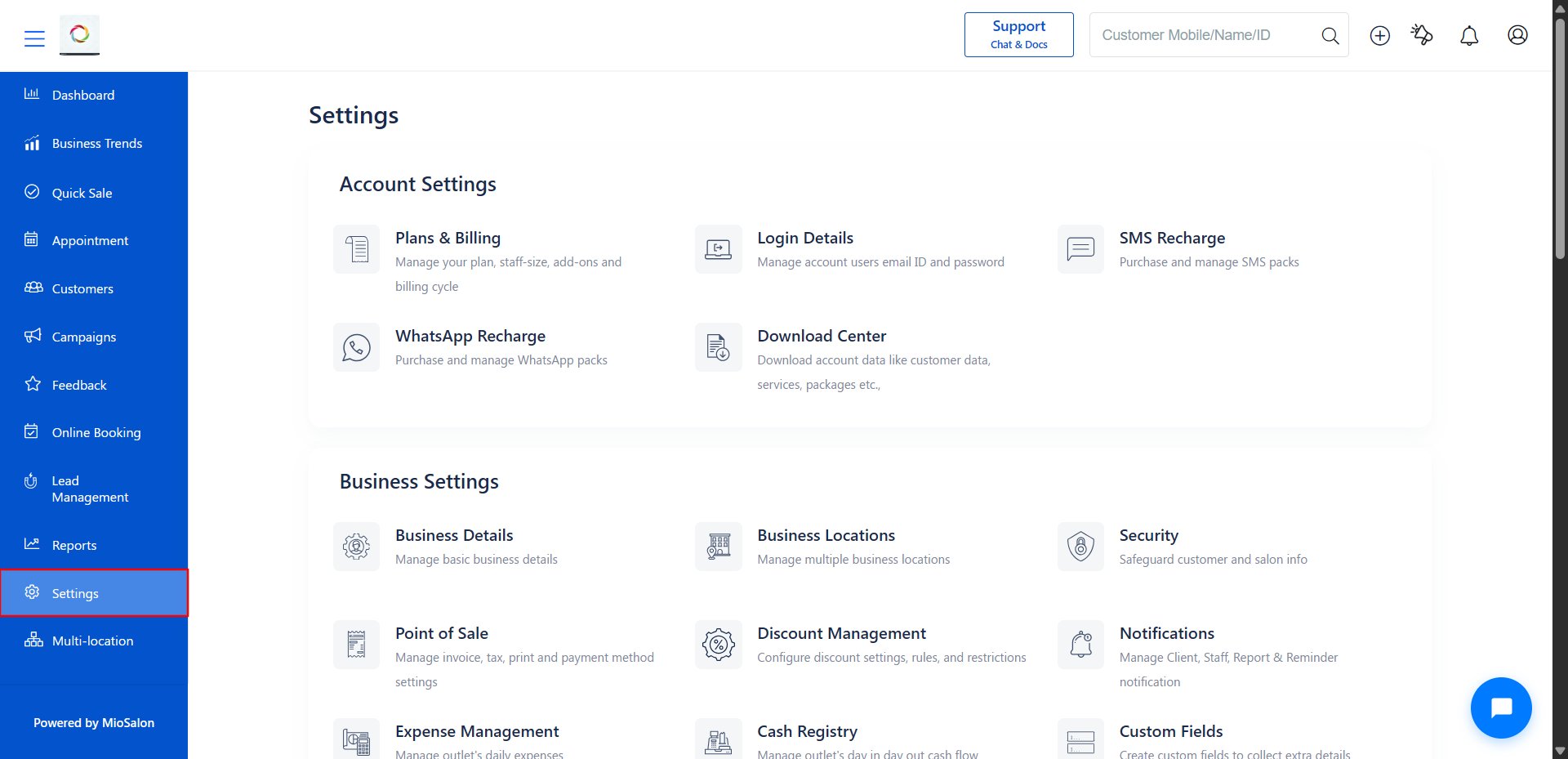
1. Log in to your MioSalon account and click on Settings from the left sidebar menu.
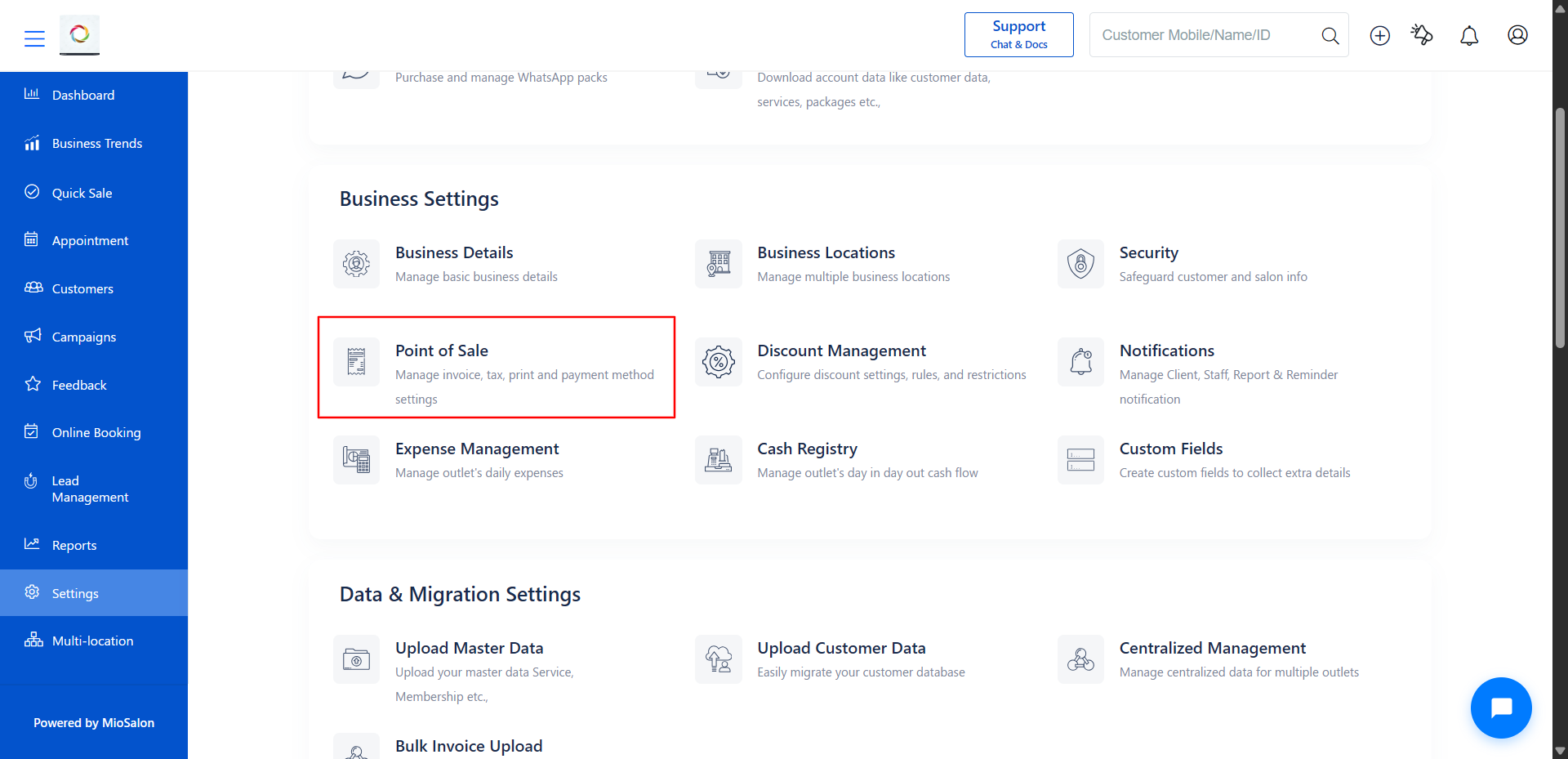
2. Under Business Settings, click on Point of Sale to access billing configurations.
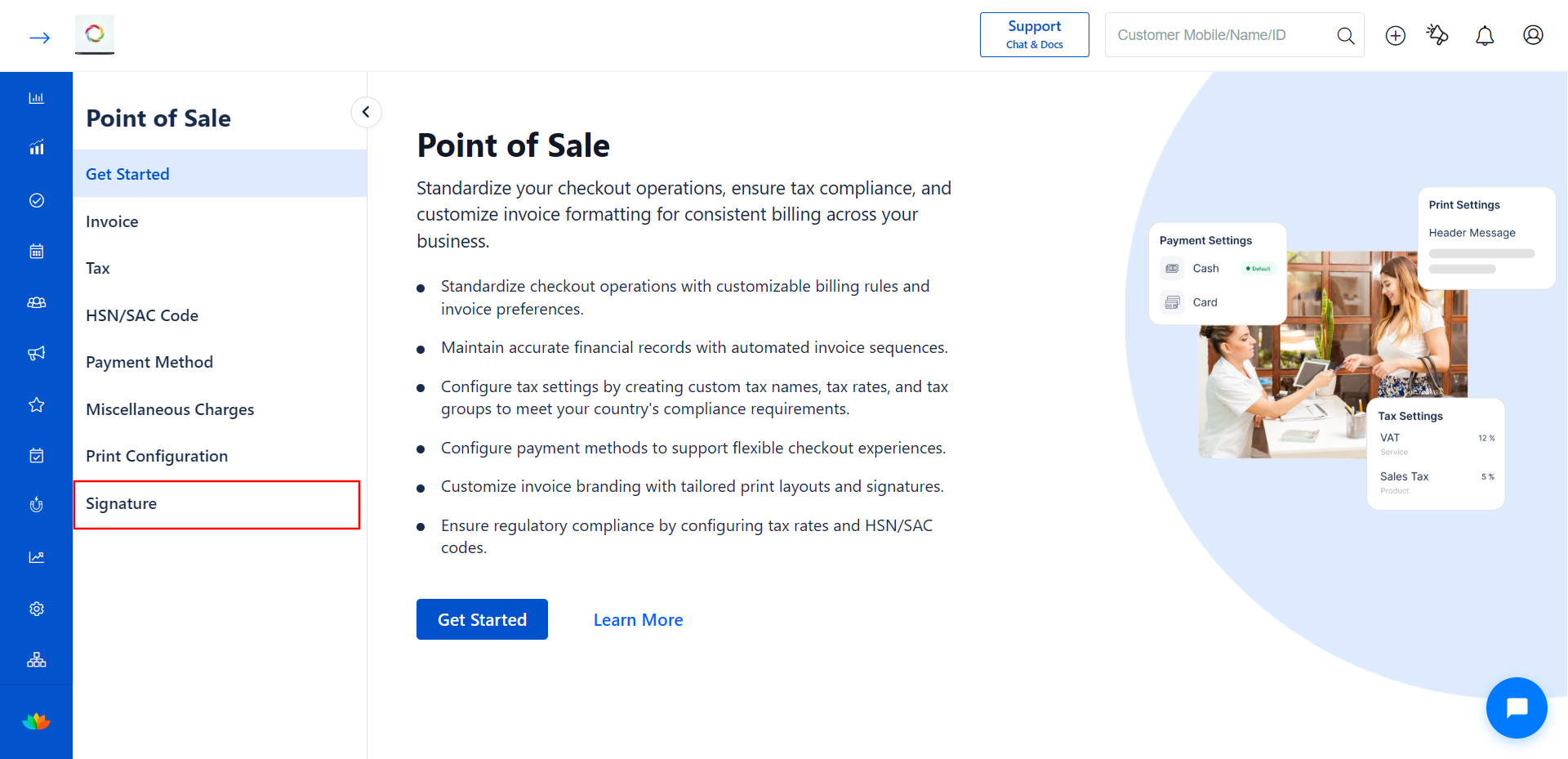
3. From the left sidebar inside Point of Sale, click on Signature.
4. The Signature page displays a list of all your branches. Select the branch where you want to add a signature by clicking on it.
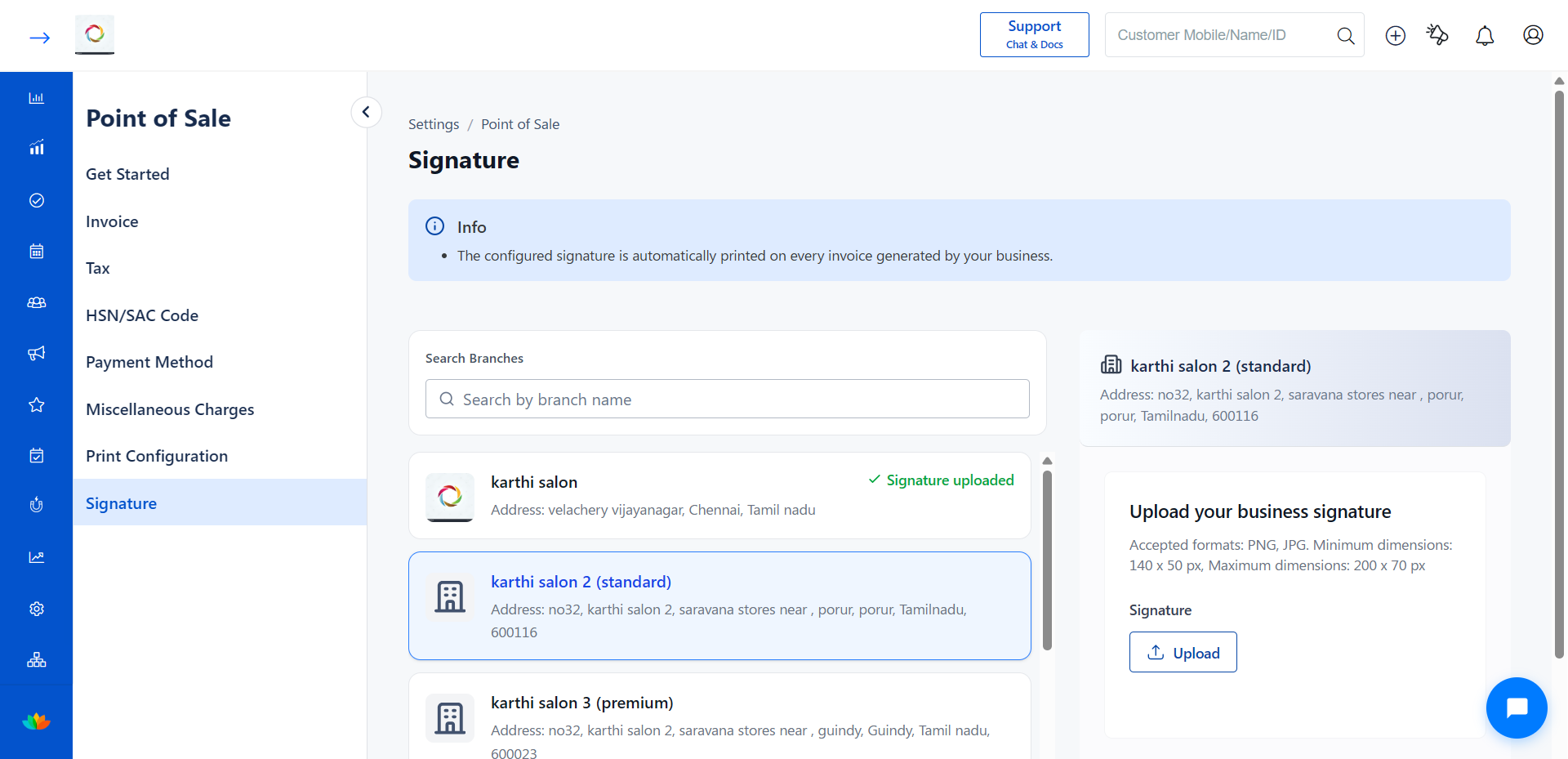
5. On the right panel, the Upload your business signature section appears. Review the image requirements before uploading.
Image Requirements
| Field | Requirement |
|---|---|
| Accepted Formats | PNG, JPG |
| Minimum Image Dimension | 140 x 50 pixels |
| Maximum Image Dimension | 200 x 70 pixels |
6. Click the Upload button to select your signature image file from your computer.
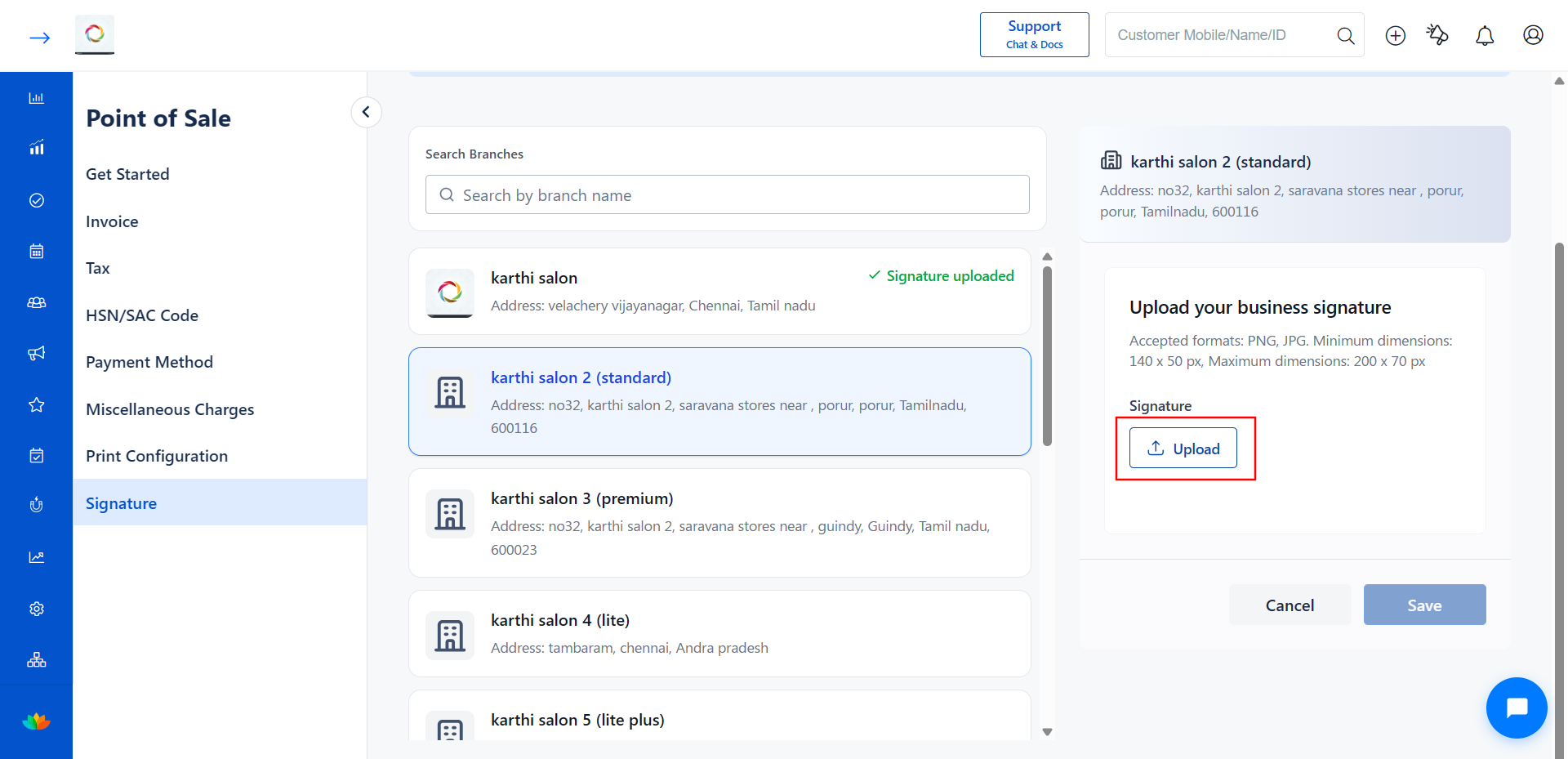
7. After uploading, preview the signature in the right panel to confirm it displays correctly.
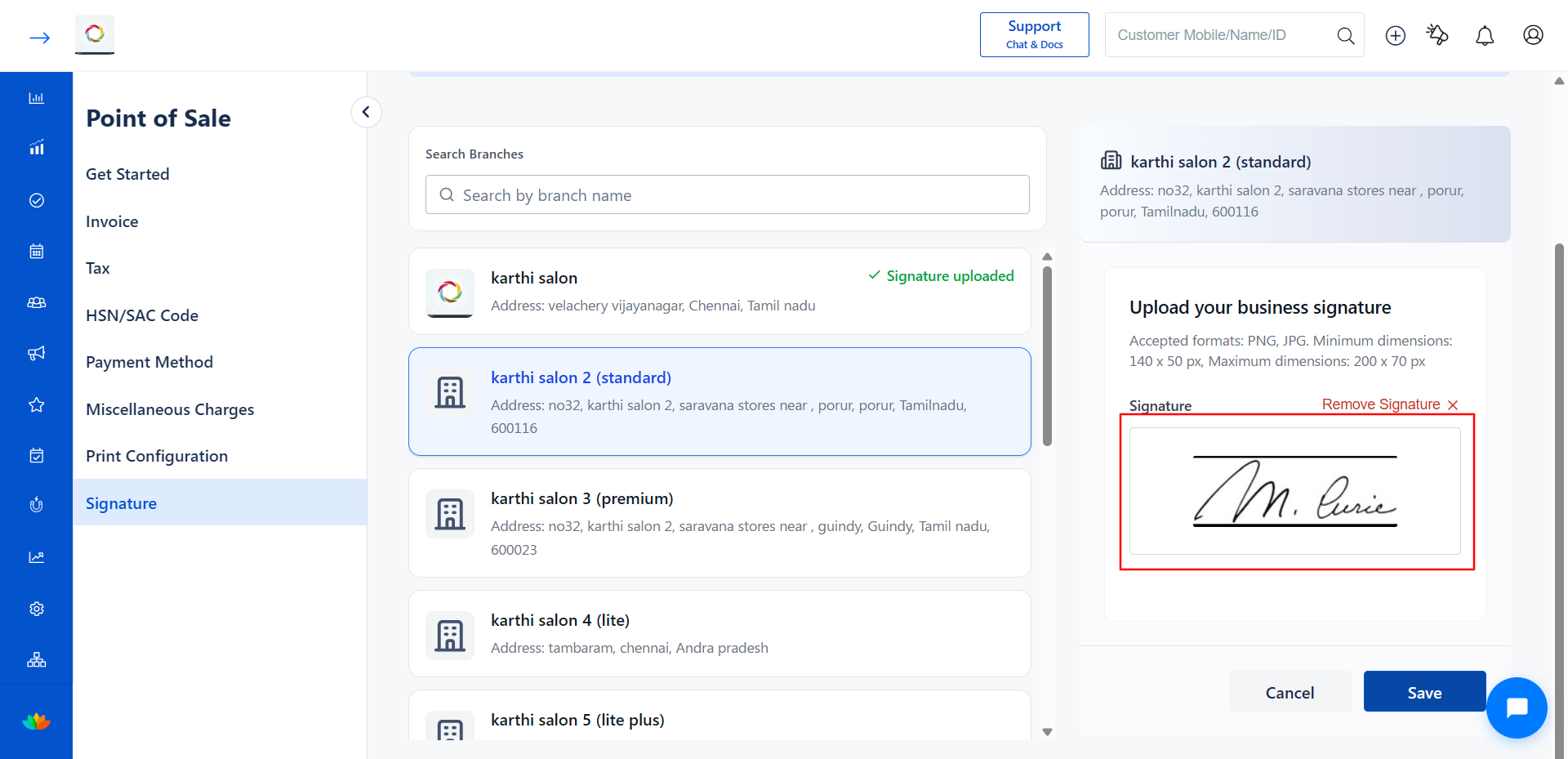
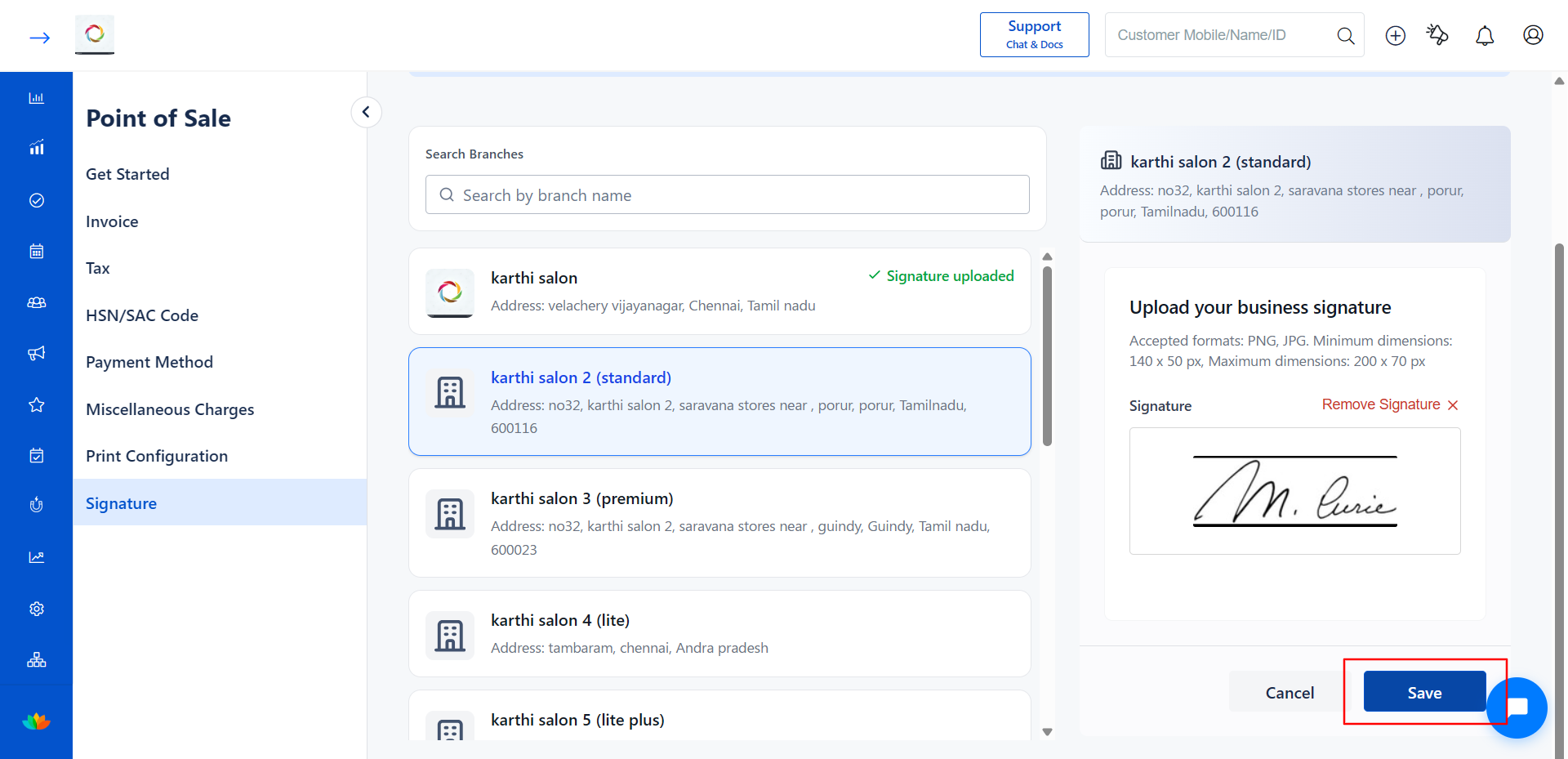
8. Click Save to apply the signature to the selected branch.
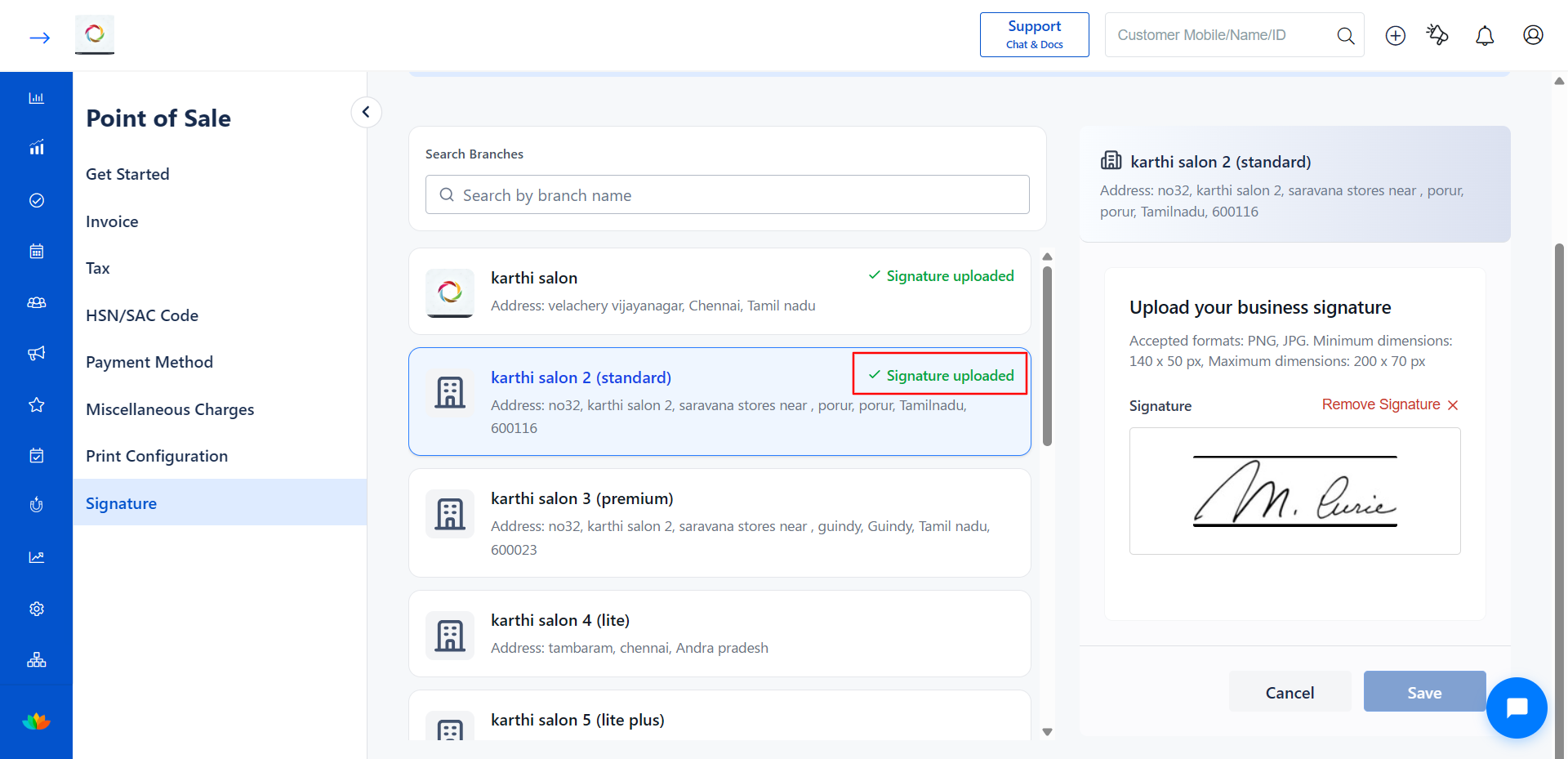
9. Once saved, the branch shows a green Signature uploaded status next to the branch name, confirming the signature is active.
Use Cases
1. Adding an authorized signature to printed invoices for customer-facing transactions.
2. Authenticating digital receipts sent to customers via email or SMS.
3. Setting up unique signatures for each branch in a multi-location business.
4. Complying with local regulations that require a visible signature on billing documents.
Benefits
1. Enhances the professional appearance of your invoices and receipts.
2. Reduces manual effort by automatically applying the signature to every billing document.
3. Builds customer trust through authenticated and branded invoices.
4. Supports branch-level configuration for businesses with multiple locations.
Note
Use a high-resolution image with a transparent background for the best results. Ensure the file meets the accepted format (PNG or JPG) and dimension requirements before uploading.
Was this article helpful?
That’s Great!
Thank you for your feedback
Sorry! We couldn't be helpful
Thank you for your feedback
Feedback sent
We appreciate your effort and will try to fix the article