Overview
Downloading the gift voucher report gives you an offline copy of all issued voucher data, including purchase details, expiry dates, values, and redemption status.
This is useful for sharing voucher performance data with your team, conducting offline analysis, maintaining financial records, or preparing reports for management review.
You can apply filters before downloading to get a focused report based on specific criteria.
Navigation Path
Settings > Gift Voucher > Gift Voucher Insights > Download Gift Voucher
Steps to Download the Gift Voucher Report
Step 1: Navigate to Gift Voucher Insights
From the left sidebar, click on Settings.
Under Settings, select Gift Voucher.
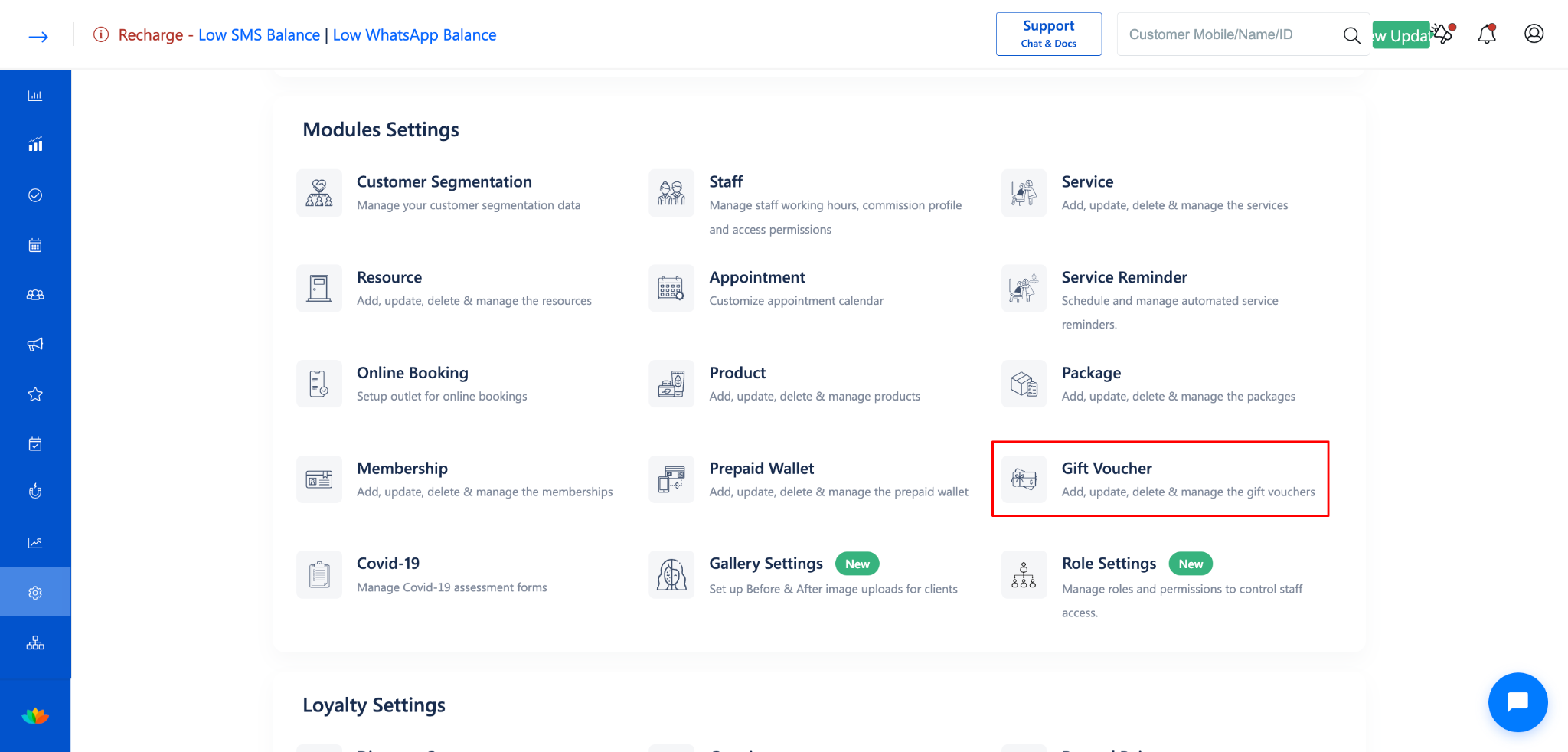
Click on Gift Voucher Insights from the left-side menu.
The Gift Voucher Insights page will open.
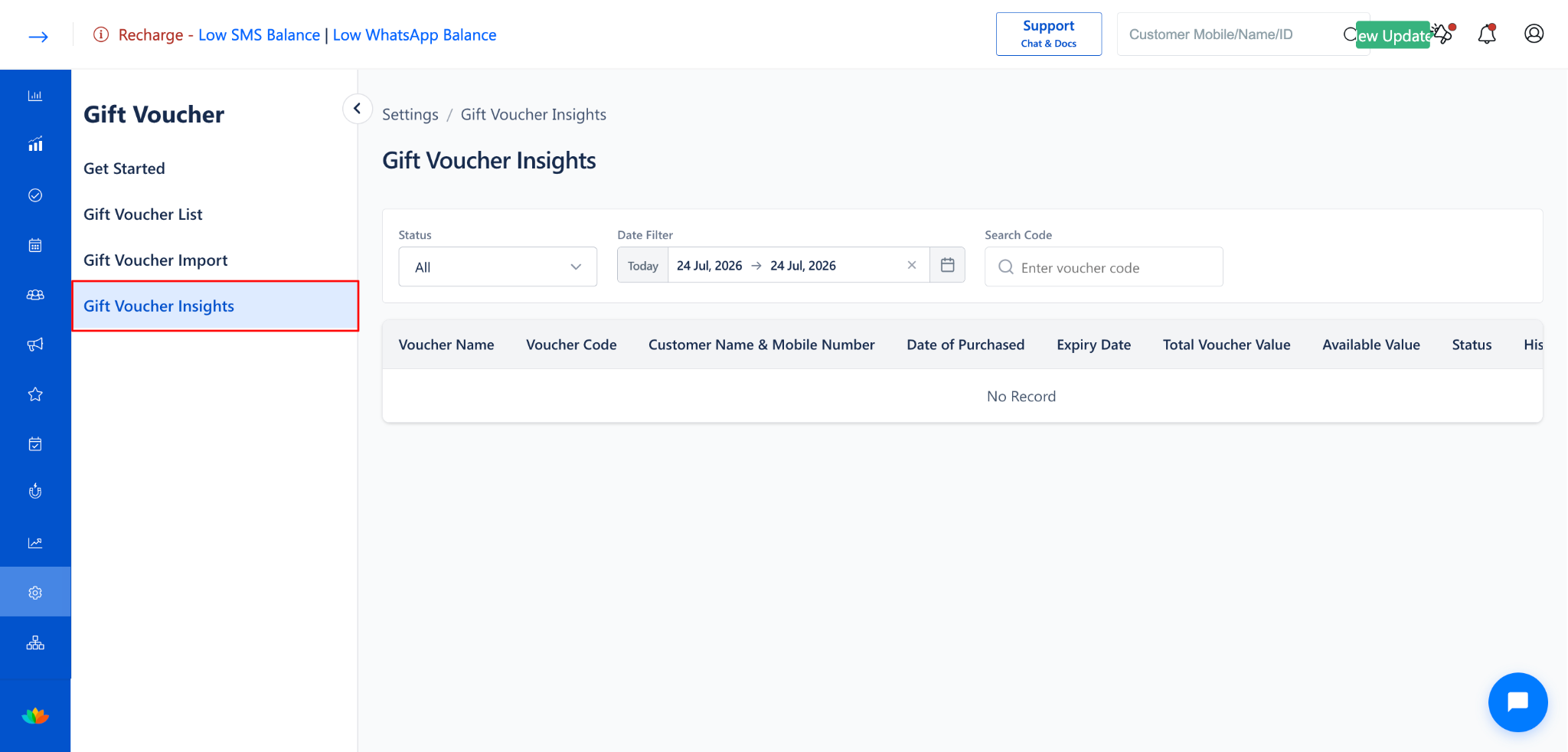
Step 2: Apply Filters (Optional)
Before downloading, apply filters to download a specific subset of the report:
NOTE
Apply the desired filters before downloading to get a focused report. If no filters are applied, the report will include all vouchers for the selected date range.
Step 3: Click "Download Gift Voucher"
Click the Download Gift Voucher button at the top-right corner of the Gift Voucher Insights page.
The report will be downloaded to your computer.
Step 4: Open the Downloaded Report
Locate the downloaded file on your computer.
Open the file to review the gift voucher data.
The downloaded report contains the following details for each voucher:
Use Cases
Share voucher performance data with business partners or management for review.
Maintain offline records of all gift voucher transactions for auditing purposes.
Analyze voucher redemption patterns to plan future promotions.
Export filtered data for specific date ranges or voucher statuses for targeted analysis.
Benefits
Provides an offline copy of voucher data for record-keeping and compliance.
Enables detailed analysis of voucher performance outside the application.
Supports filtered downloads for focused, actionable reports.
Simplifies data sharing with team members who may not have system access.
Was this article helpful?
That’s Great!
Thank you for your feedback
Sorry! We couldn't be helpful
Thank you for your feedback
Feedback sent
We appreciate your effort and will try to fix the article