Overview
Over time, your business may need to update the notification messages sent to gift voucher buyers and recipients.
Instead of creating a new voucher, you can simply reassign a different SMS or WhatsApp template to an existing gift voucher.
This ensures your communication stays relevant and aligned with current promotions, branding, or operational requirements.
The process works by selecting a new template from the repository or from your custom templates, replacing the previously assigned one.
Navigation Path
Settings → Gift Voucher → Gift Voucher List → Select Gift Voucher → Notification Templates
Steps to Change the Assigned SMS Template
Step 1: Open the Gift Voucher
Navigate to Settings → Gift Voucher → Gift Voucher List.
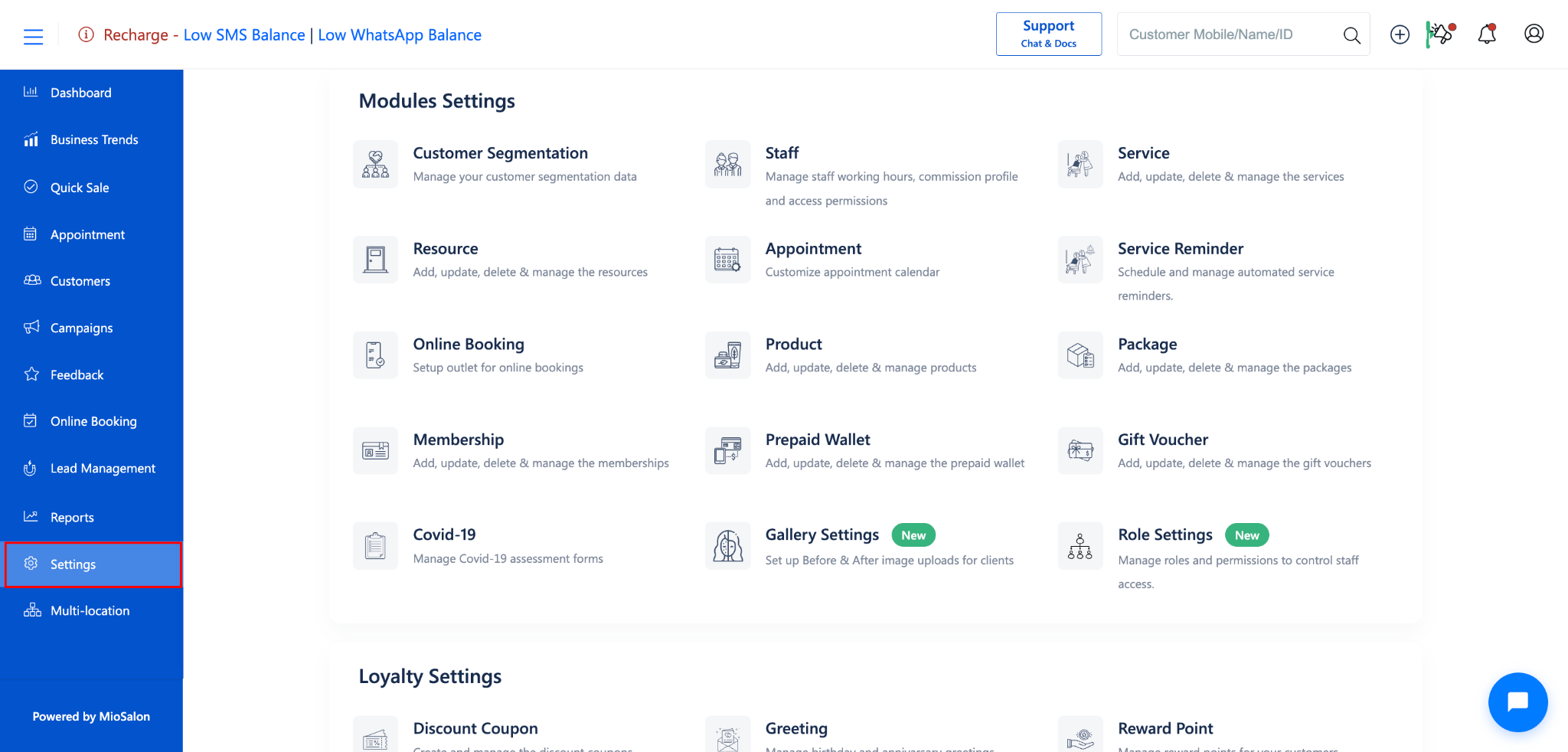
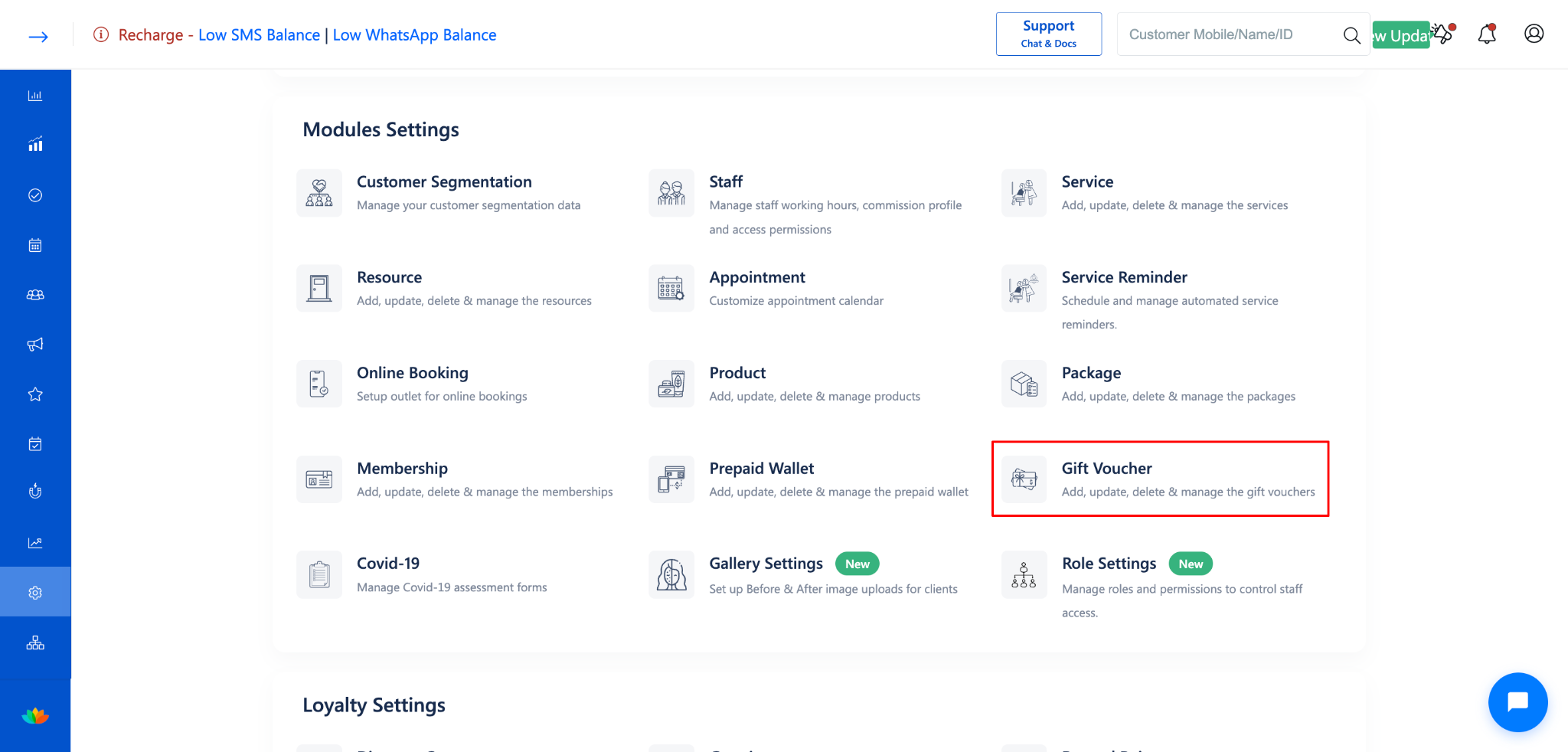
Click on the gift voucher whose template you want to change.
The Update Gift Voucher form will open.
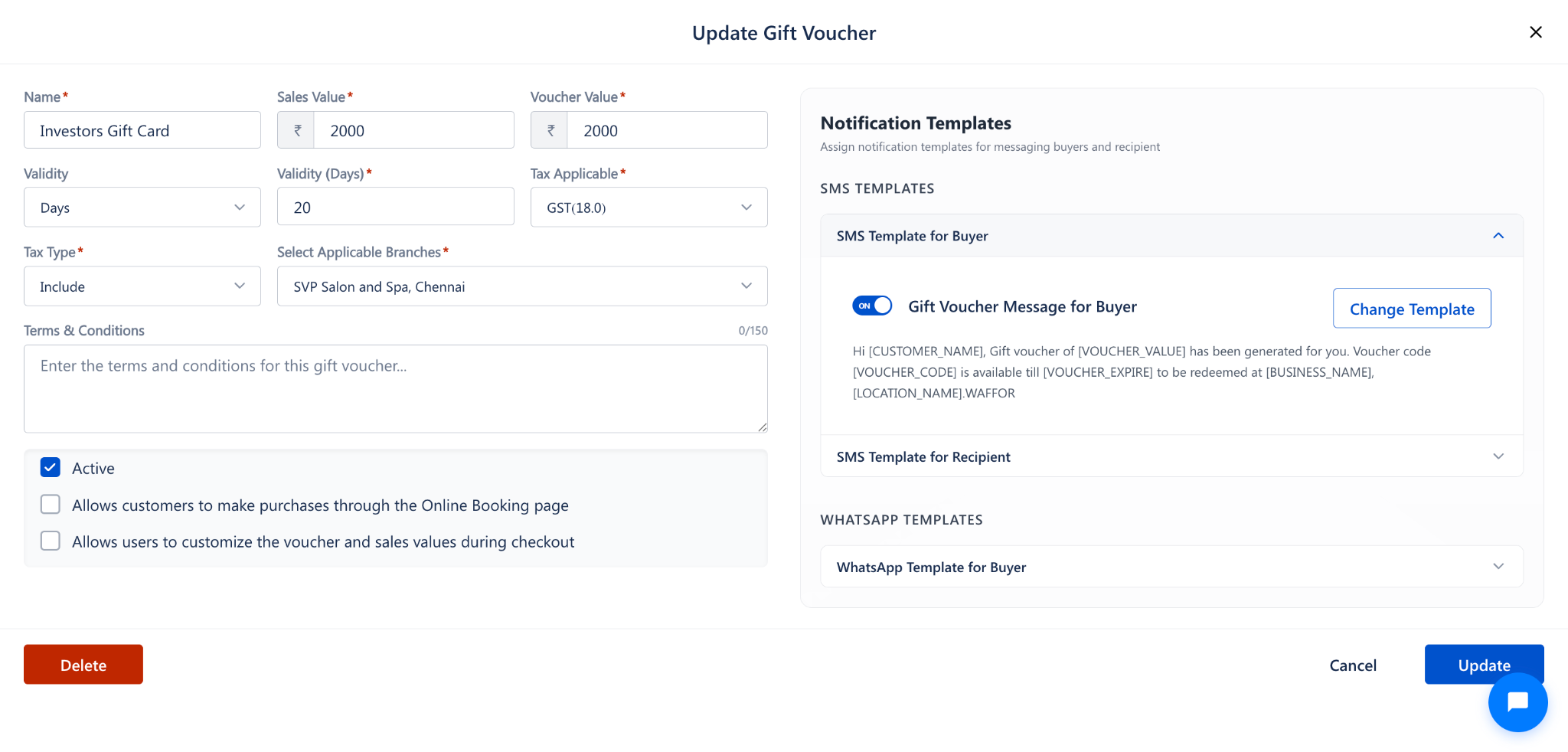
Step 2: Expand the SMS Template Section
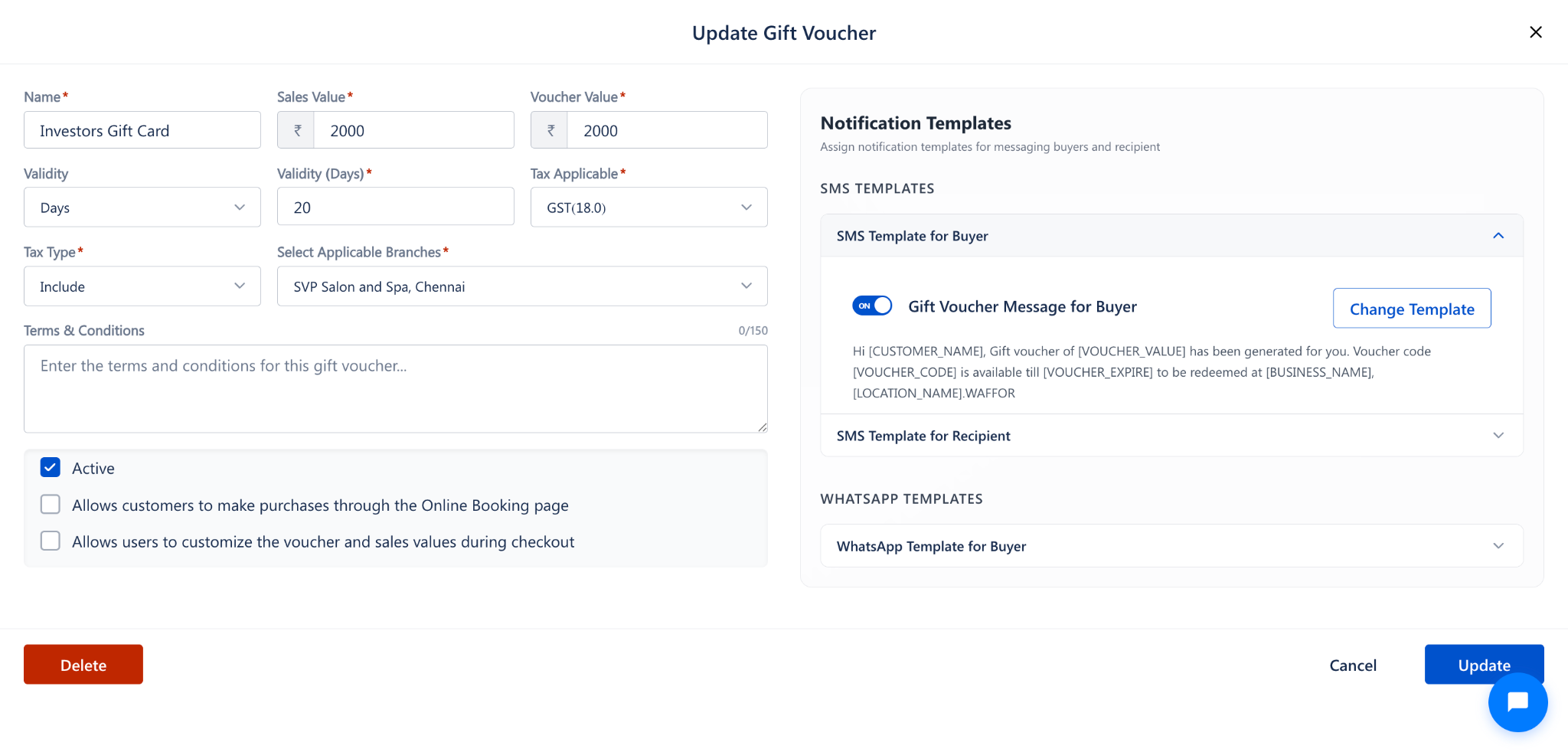
On the right side of the form, locate the Notification Templates panel.
Under SMS TEMPLATES, click on SMS Template for Buyer or SMS Template for Recipient to expand the section.
Step 3: Assign a New Template
Click the Change Template button.
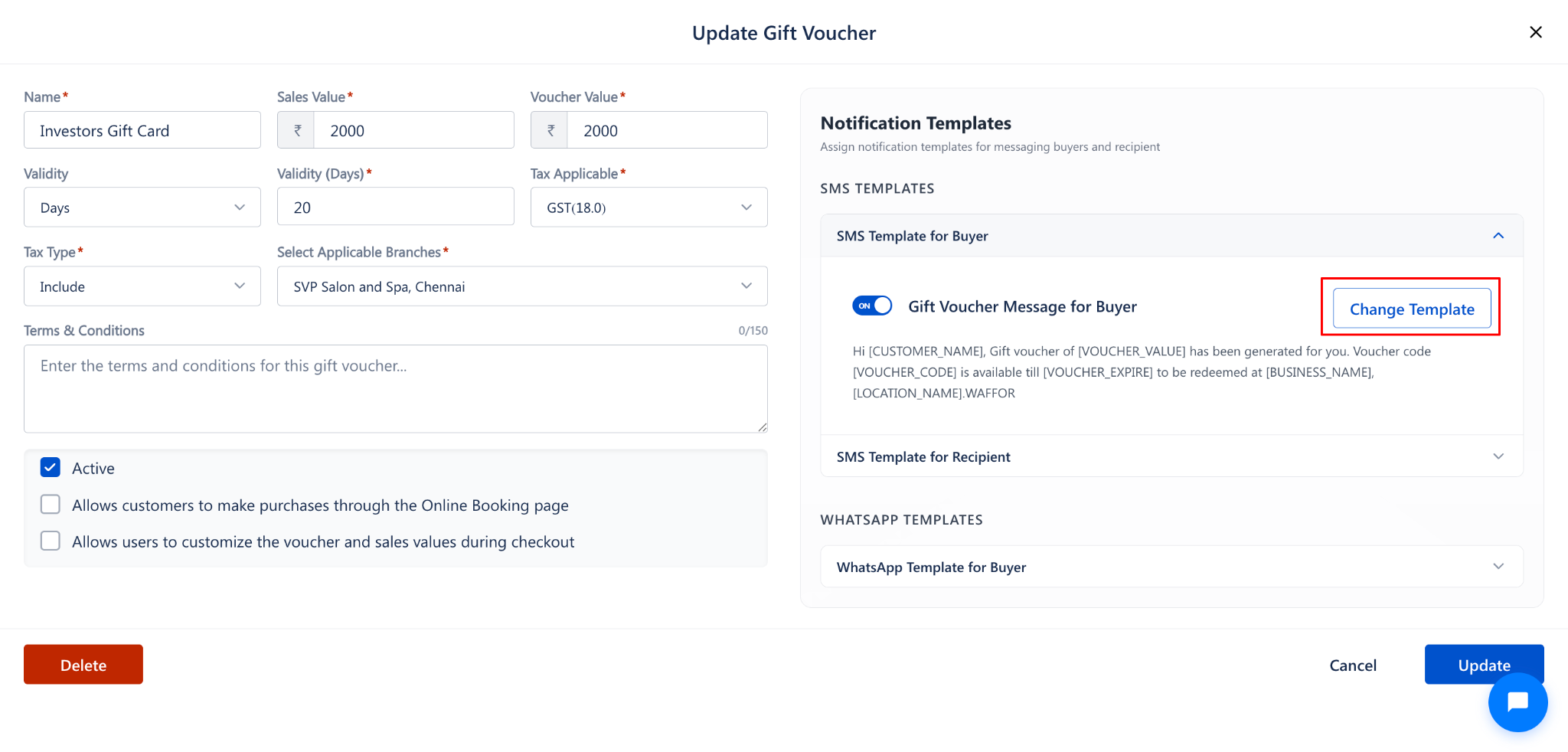
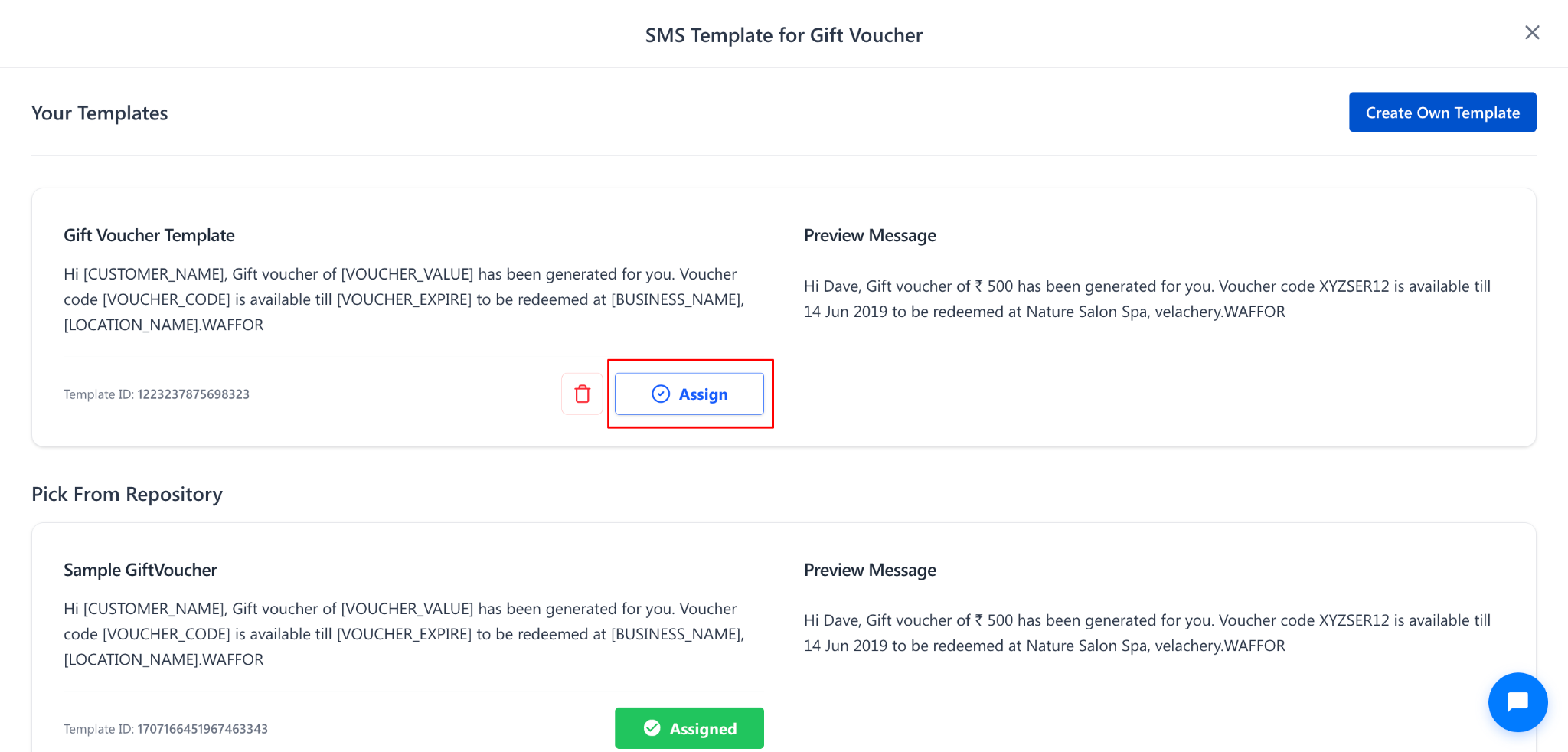
The SMS Template for Gift Voucher popup will open.
You will see two sections:
Your Templates: Custom templates you have created.
Pick From Repository: Default templates available in the system.
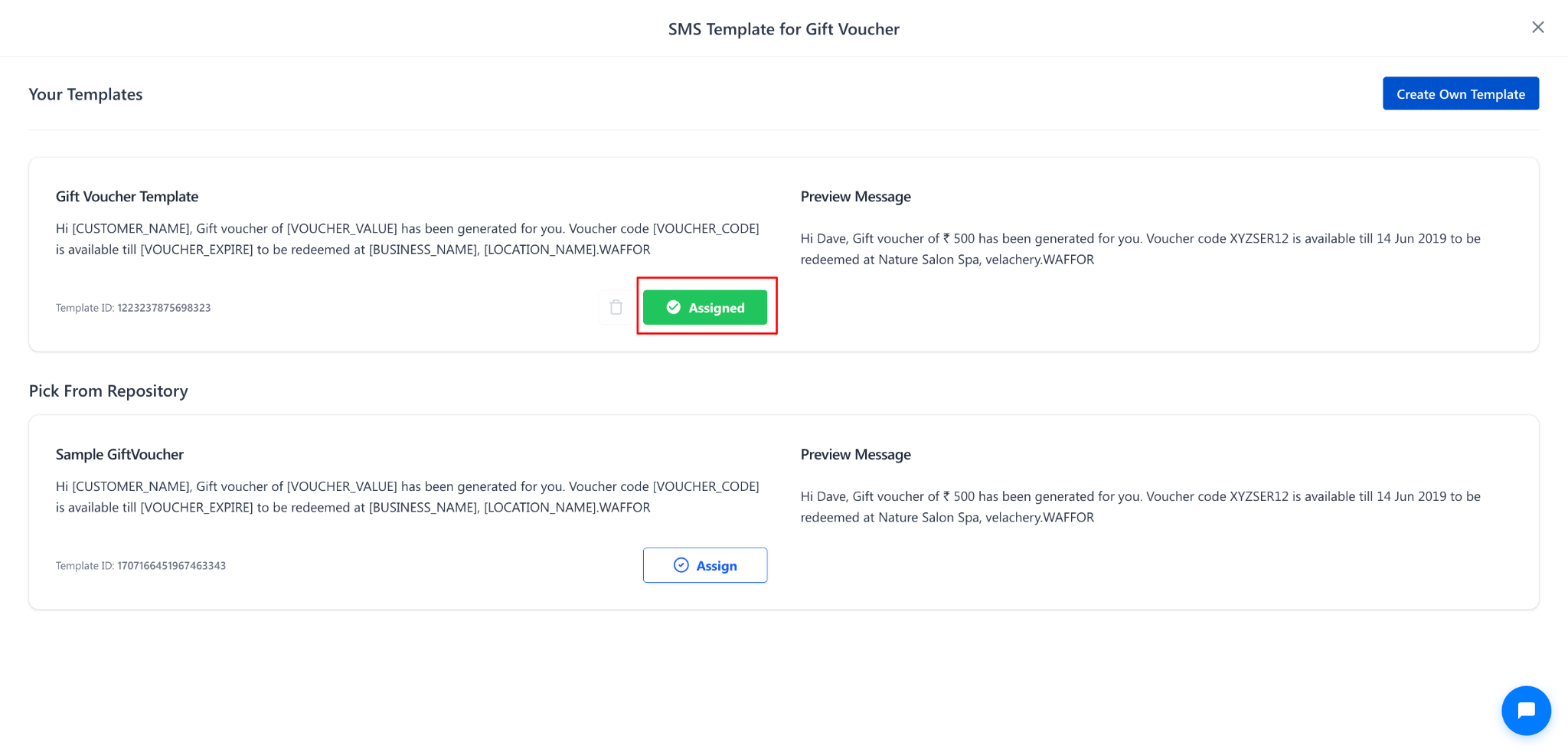
Click the Assign button next to the new template you want to use.
This will replace the previously assigned template.
Steps to Change the Assigned WhatsApp Template
Step 1: Expand the WhatsApp Template Section
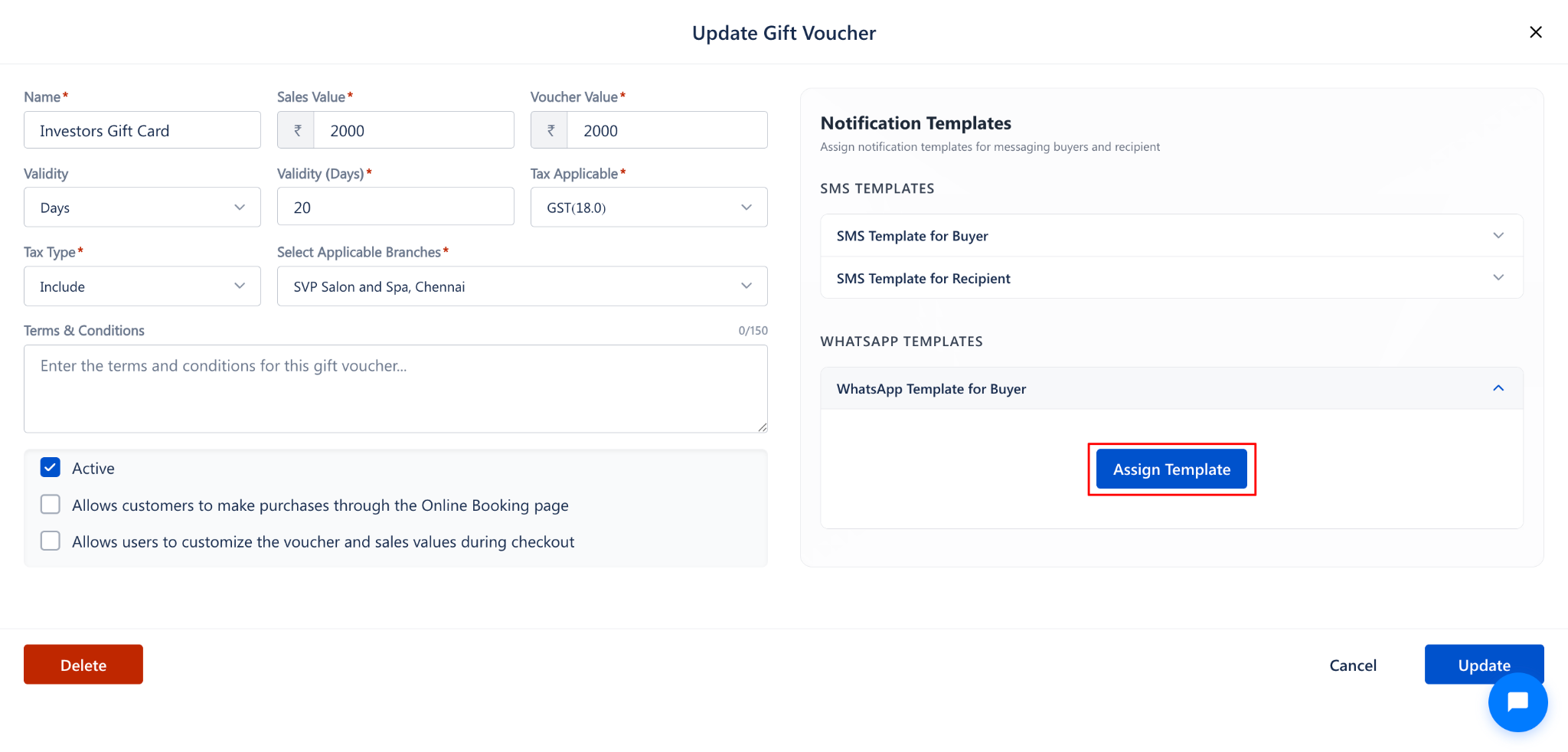
In the Notification Templates panel, scroll down to the WHATSAPP TEMPLATES section.
Click on WhatsApp Template for Buyer to expand it.
Step 2: Assign a New Template
Click the Assign Template button.
The WhatsApp Template for Gift Voucher popup will open.
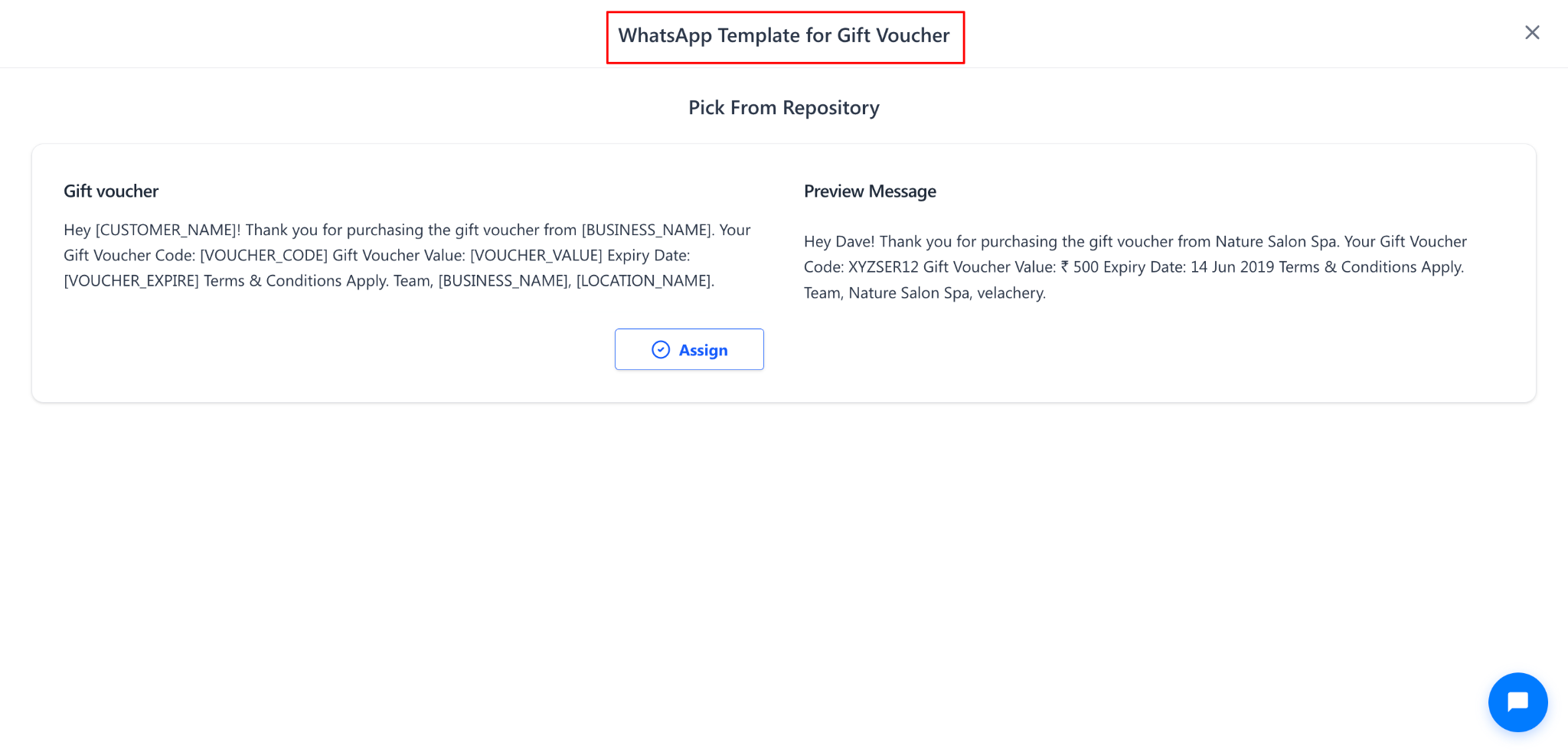
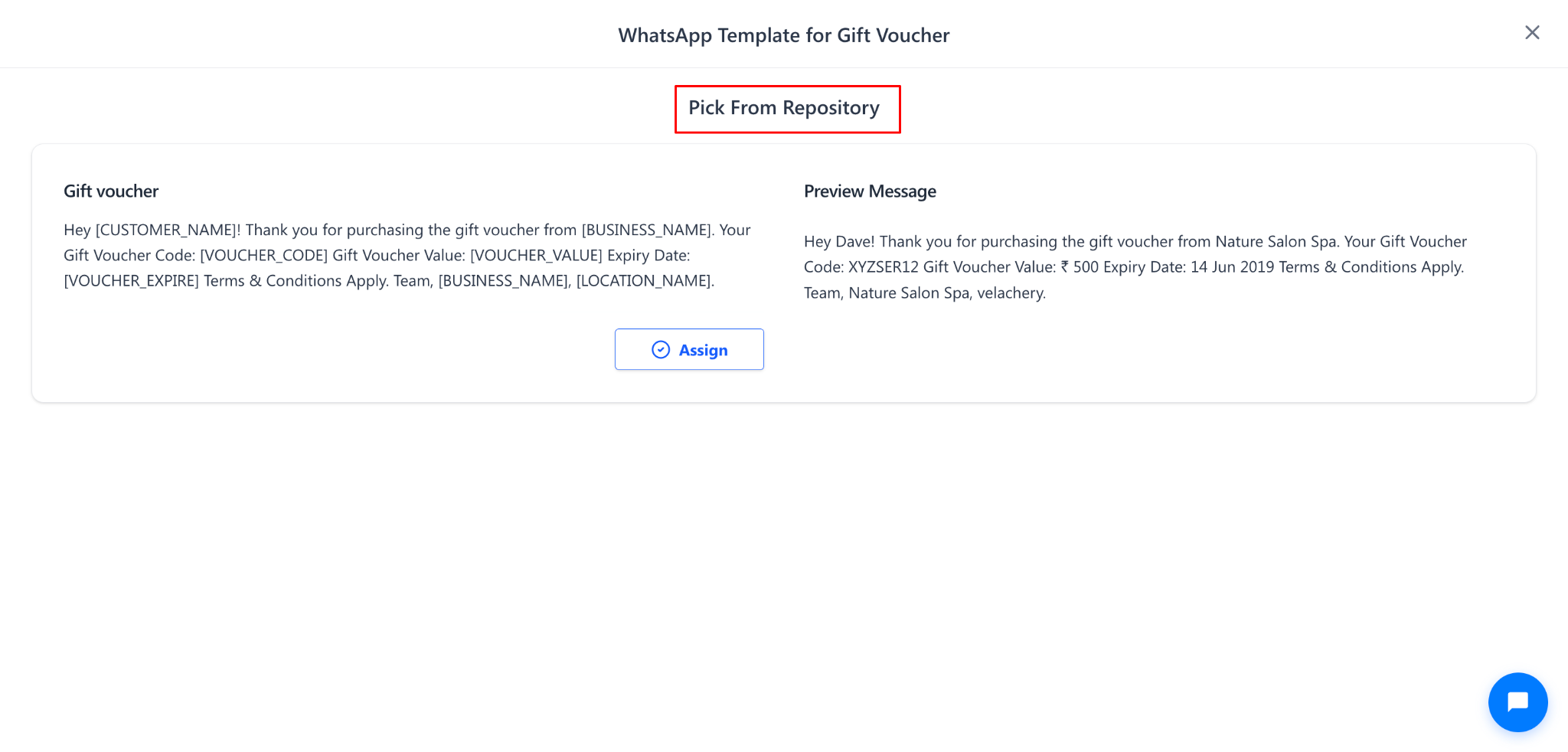
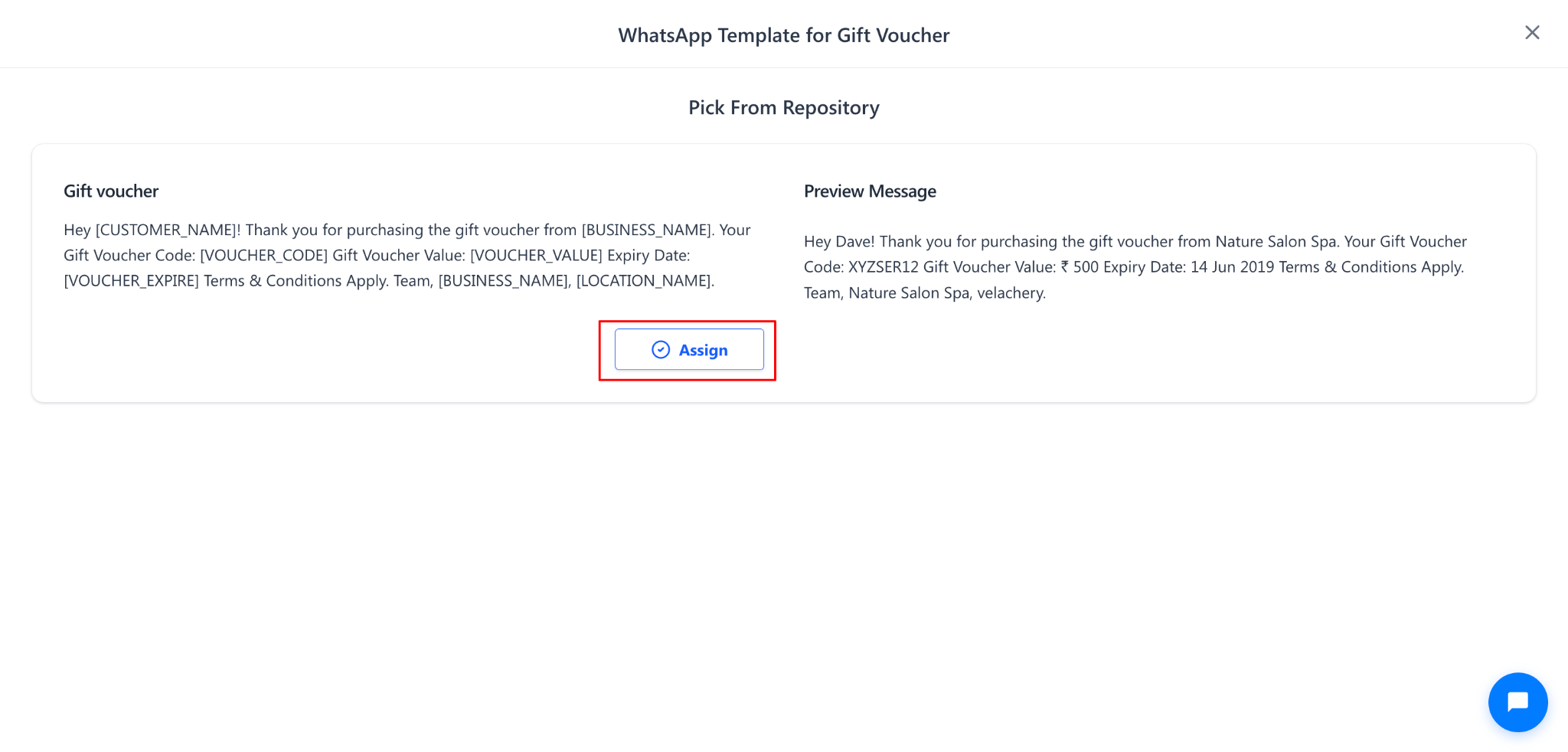
Under Pick From Repository, click Assign next to the template you want to use.
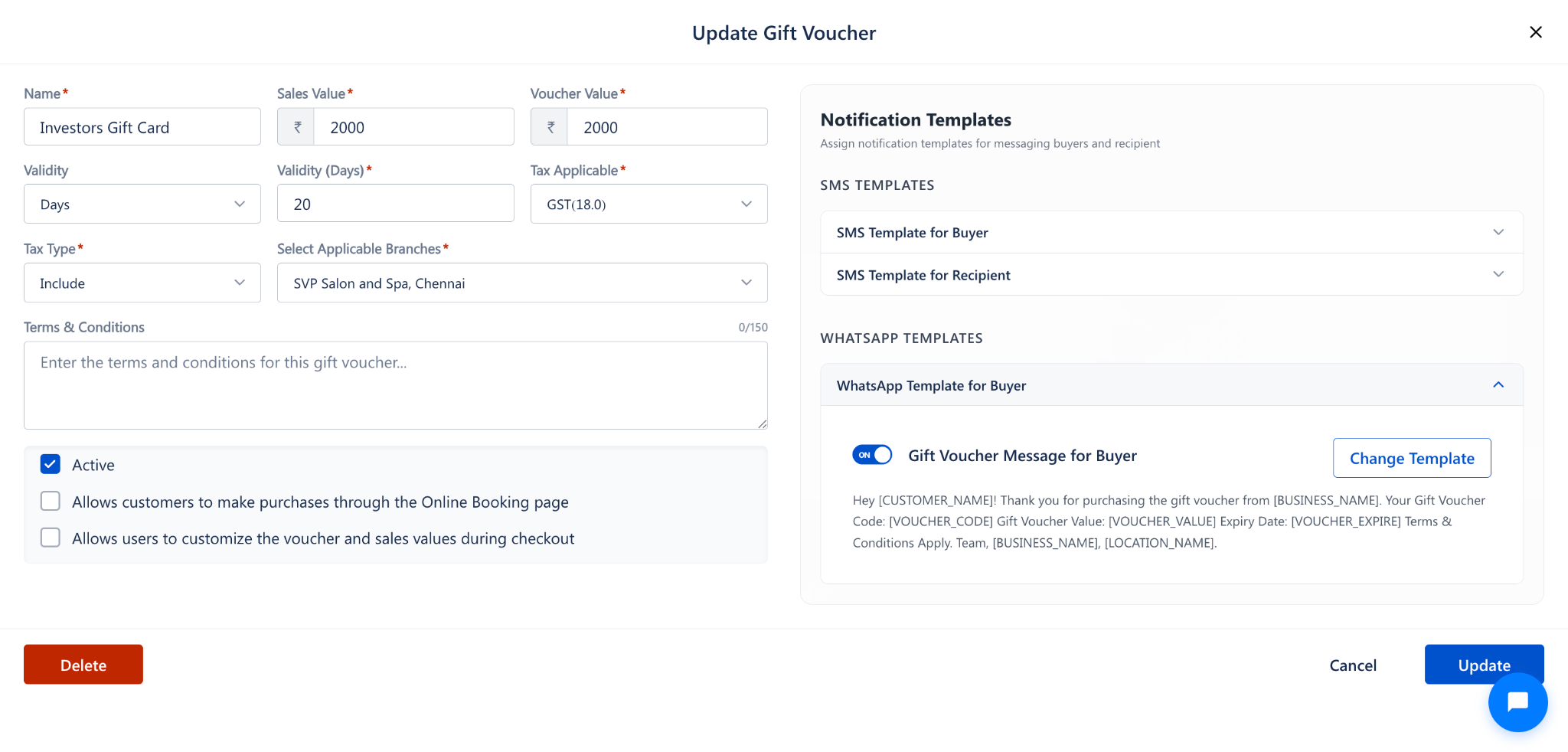
Step 3: Save the Changes
After assigning the new templates, click Update at the bottom-right corner of the form to save the changes.
NOTE:
Changing the assigned template will affect all future notifications for this gift voucher. Notifications already sent will not be affected.
Use Cases
Update the notification message to reflect a new seasonal promotion or campaign.
Switch from a generic template to a custom branded template for better customer engagement.
Replace a template that contains outdated business information or terms.
Test different message formats to identify which template drives better customer response.
Benefits
Keeps gift voucher notifications current without needing to recreate the voucher.
Enables quick adaptation to changing marketing strategies and brand messaging.
Provides flexibility to choose from repository templates or custom-created templates.
Maintains a consistent and professional customer communication experience.
Was this article helpful?
That’s Great!
Thank you for your feedback
Sorry! We couldn't be helpful
Thank you for your feedback
Feedback sent
We appreciate your effort and will try to fix the article