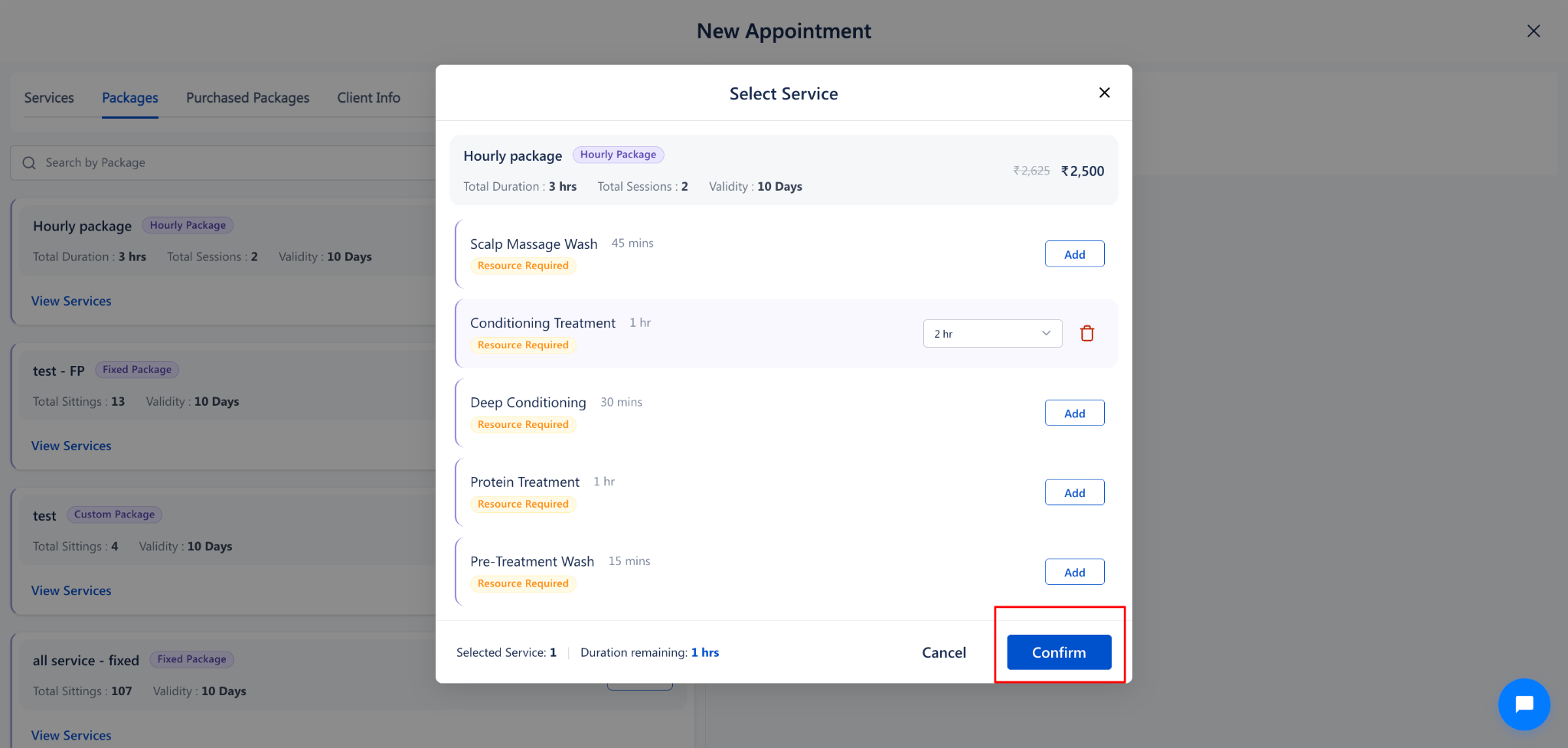
7. The Select Service modal opens automatically, displaying the package price (E.g., ₹1,400) and all eligible salon services
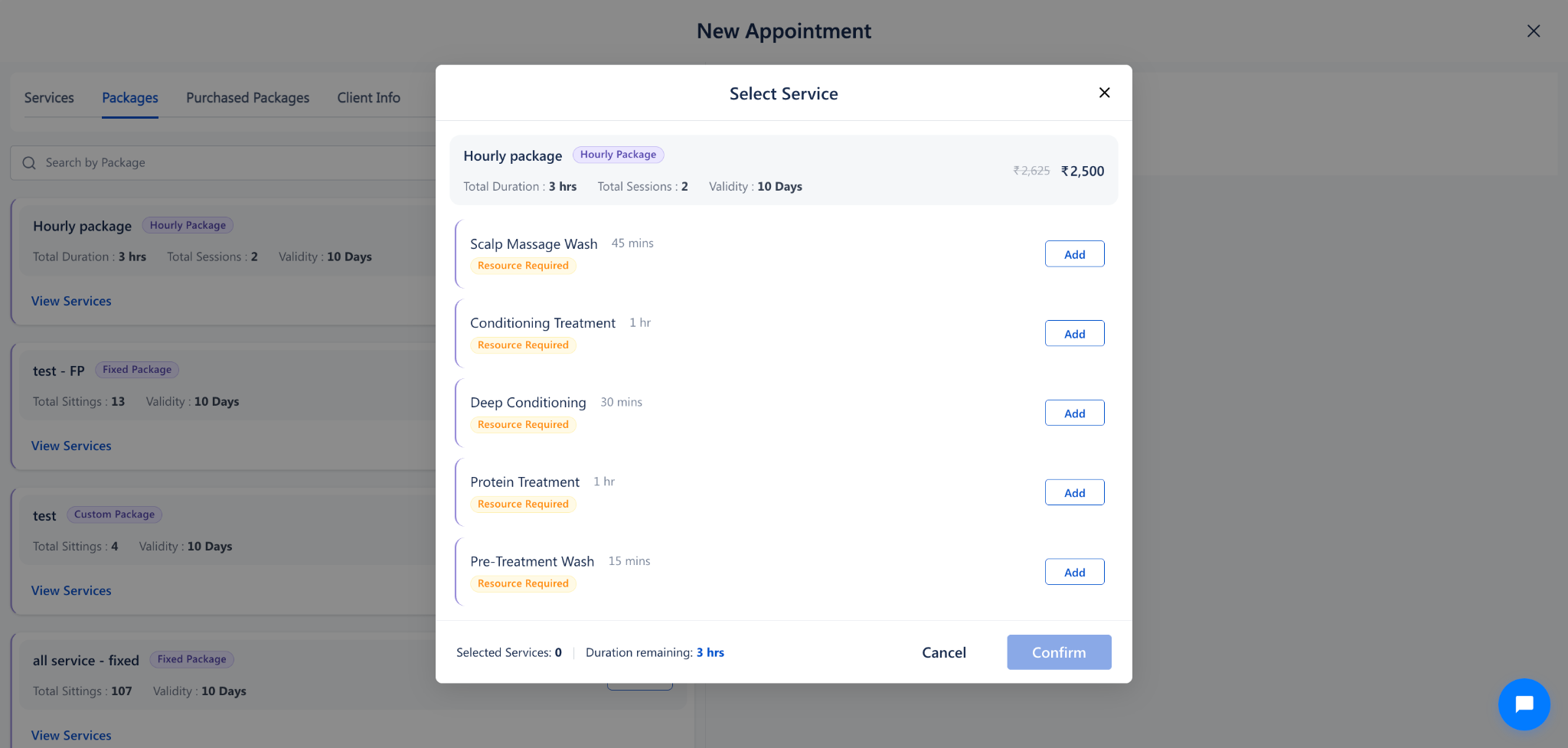
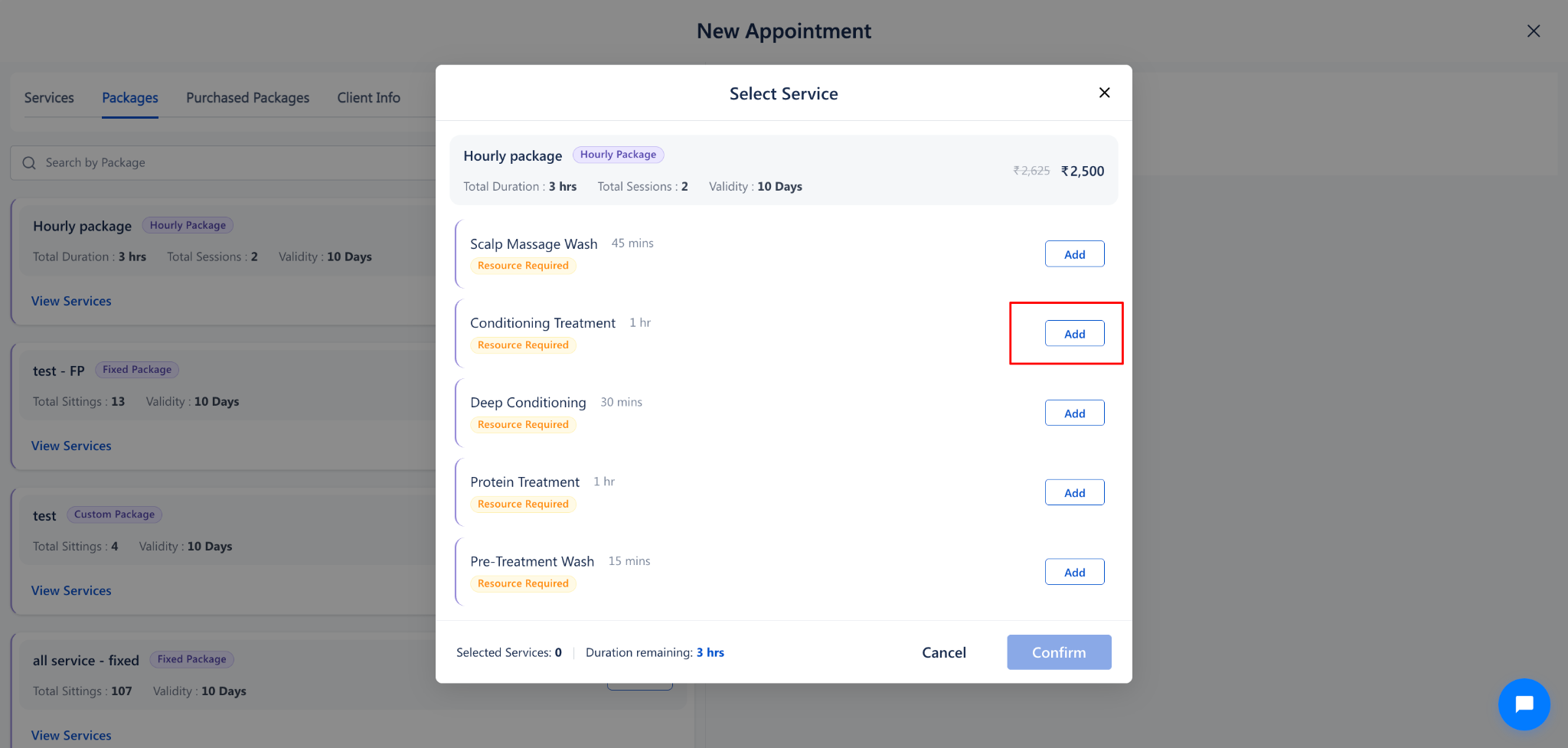
8. Locate the service the guest wants to schedule today (E.g., Conditioning Treatment) and click on Add.
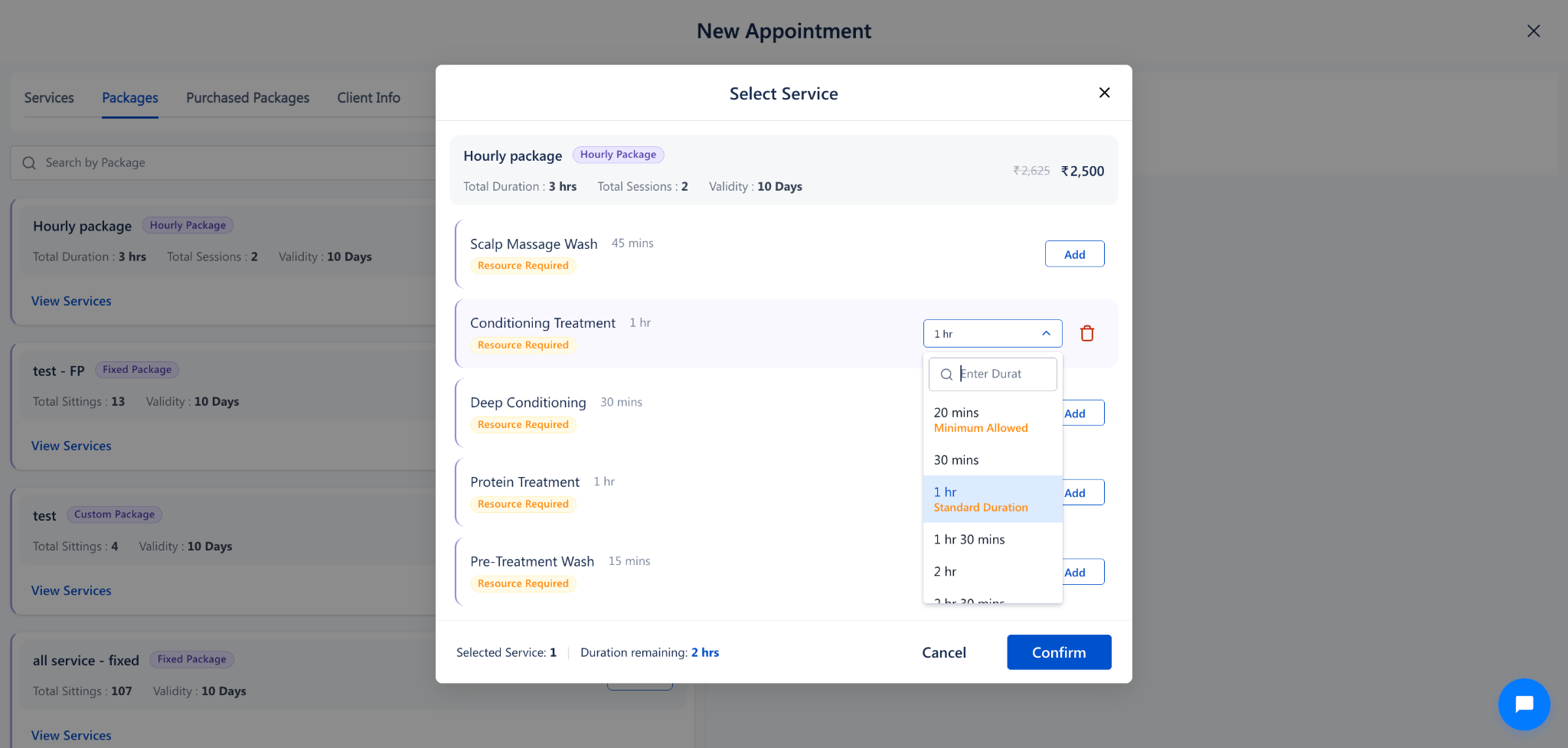
9. The Add button transforms into an interactive duration dropdown showing the Minimum Allowed duration (E.g., 20 mins) and Standard Duration (E.g., 1 hr)
10. Choose the session duration for this visit (E.g., Select 2 hr from the list) and verify that the counter updates to Selected Service: 1 | Duration remaining: 1 hrs
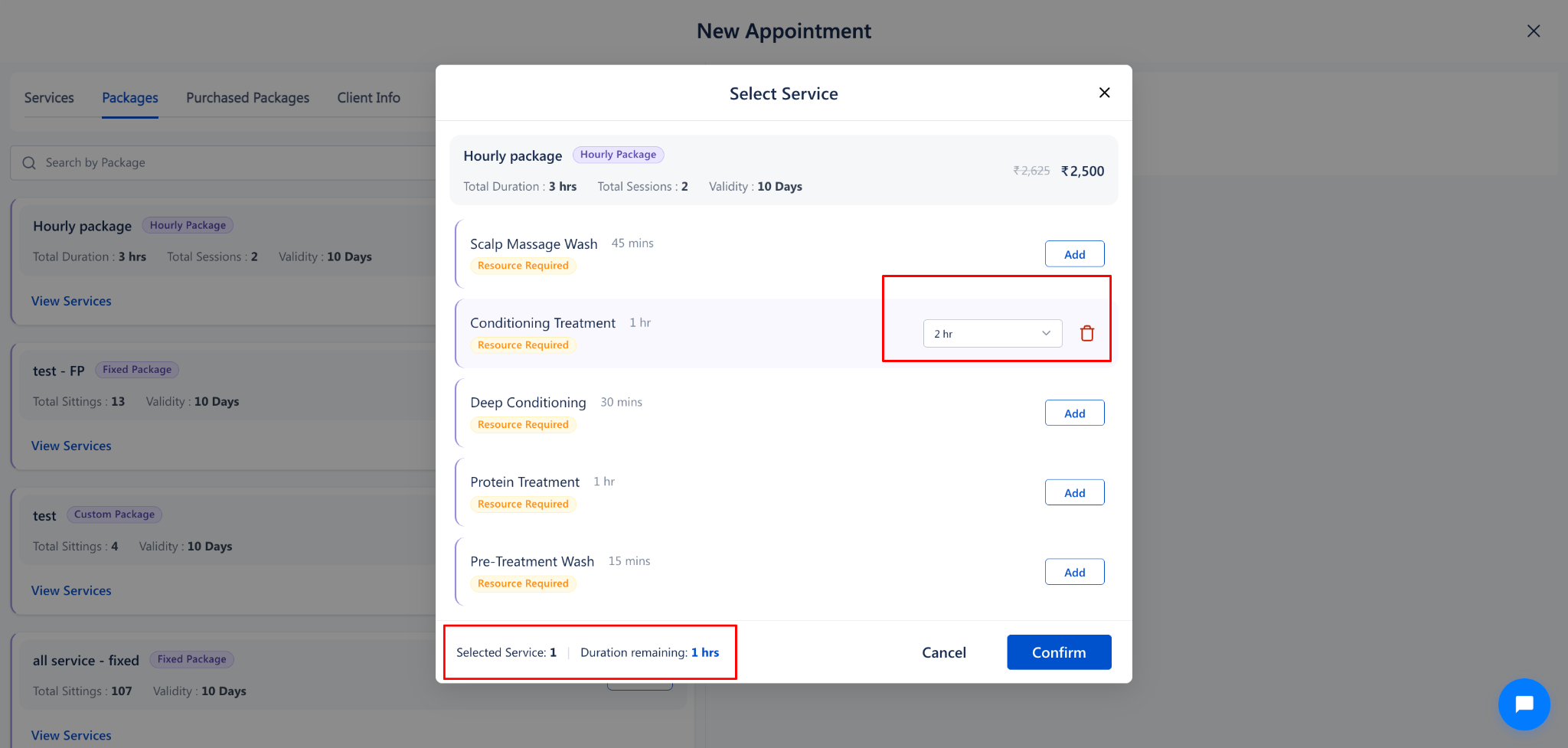
11. Click on the Confirm button to add the service to the appointment schedule on the right panel
12. On the right appointment panel, enter service and staff details:
• Sales by: Select the staff member credited with the package sale (E.g., Staff 8).
• Service Staff: Assign the primary stylist or therapist delivering the service.
• Select Resource: Assign any required salon equipment or treatment room.
• Buffers: Review or adjust therapist setup buffer (E.g., 20 mins) and client relaxation buffer (E.g., 15 mins).
• Add More Services: Click on + Add more package services if the client wishes to book additional services in the same visit.
13. Click on the Proceed Appointment button to book the appointment on the calendar.
Handling Rule Violations When Selling Packages in Appointments
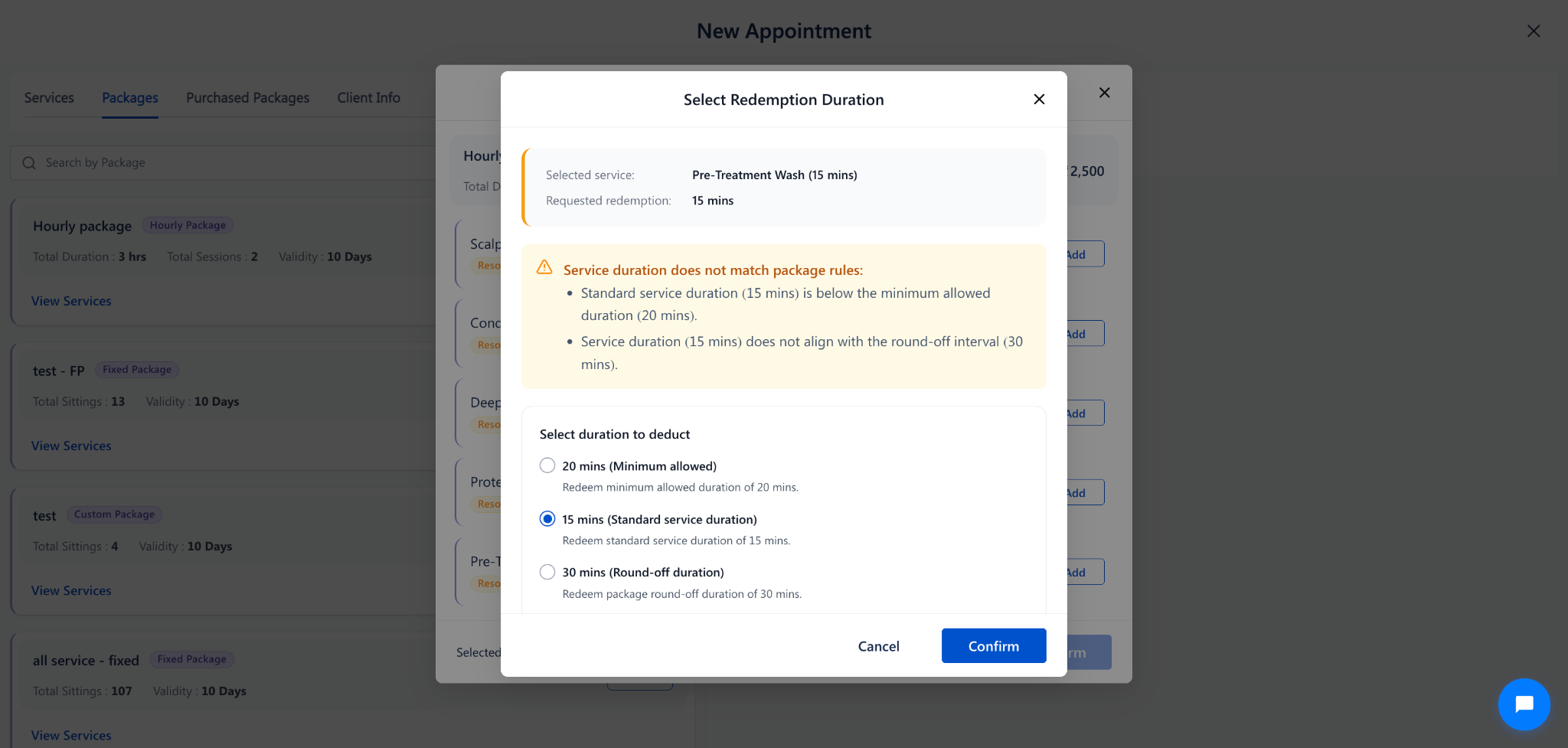
1. Service Duration Below Minimum or Round-Off Mismatch: If the selected service standard time conflicts with package round-off rules (E.g., Pre-Treatment Wash standard 15 mins vs 30 mins package round-off), the Select Redemption Duration popup opens prompting staff to choose between 20 mins (Minimum allowed) or 15 mins (Standard service duration)
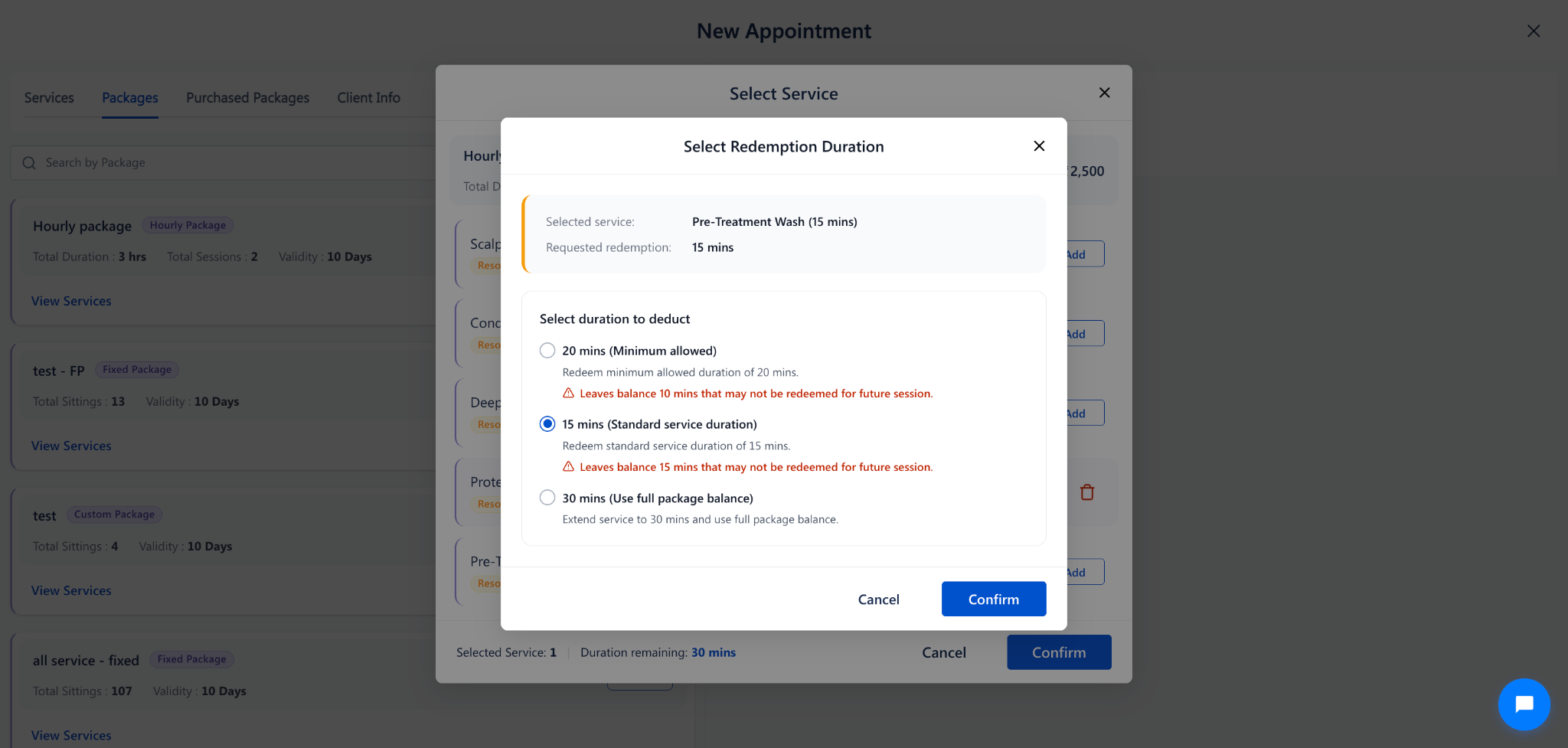
2. Leftover Balance Warning (Next Visit Alert): If booking a service leaves an unusable balance (E.g., deducting 15 mins leaves 15 mins below the 20 mins package minimum rule), the popup warns: Leaves balance 15 mins that may not be redeemed for future session. Staff can choose 30 mins (Use full package balance) to avoid wasting paid minutes
Note
1. The package selling price is charged to the customer at final appointment checkout. The booked service duration is automatically credited against the newly purchased package balance.
2. On the left package card, the quantity selector displays 1 once services are scheduled. Staff can increment package count if the client purchases multiple identical packages.
3. Pre-service therapist preparation time and post-service client cleanup time automatically block the calendar to prevent double-booking.
Use Cases
1. First-Visit Package Sales: Selling a 3-hour hair transformation package and scheduling the first 2-hour color treatment in the same calendar action.
2. Custom Session Timing: Tailoring service duration directly from the calendar based on client hair length or therapy preferences.
3. Preventing Unused Minutes: Selecting full balance extension when a client remaining package balance is close to expiration.
Benefits
1. Unified Appointment Flow: Combines package sales, service scheduling, and therapist allocation into one seamless step.
2. Automated Time Calculations: Eliminates front-desk manual math by tracking duration deductions in real time.
3. Room and Equipment Protection: Automatically locks treatment rooms and equipment while booking package services.
4. Prevents Booking Mistakes: Offers clear, guided choices whenever service times do not align with package rules.
Was this article helpful?
That’s Great!
Thank you for your feedback
Sorry! We couldn't be helpful
Thank you for your feedback
Feedback sent
We appreciate your effort and will try to fix the article