How to Upload the Package in MioSalon ?
Overview
The package upload and import feature in MioSalon allows salon businesses to bulk import customer package balances and package configurations using a standardized spreadsheet.
Businesses use this feature during data migration from previous software or when onboarding existing clients with pre-sold packages.
Bulk uploading packages eliminates manual data entry, prevents migration errors, and ensures clients retain their active package balances seamlessly.
Follow the guided step-by-step instructions below to upload and import packages in MioSalon.
Navigation Path
Settings → Modules Settings → Package → Import package
Steps to Upload Packages
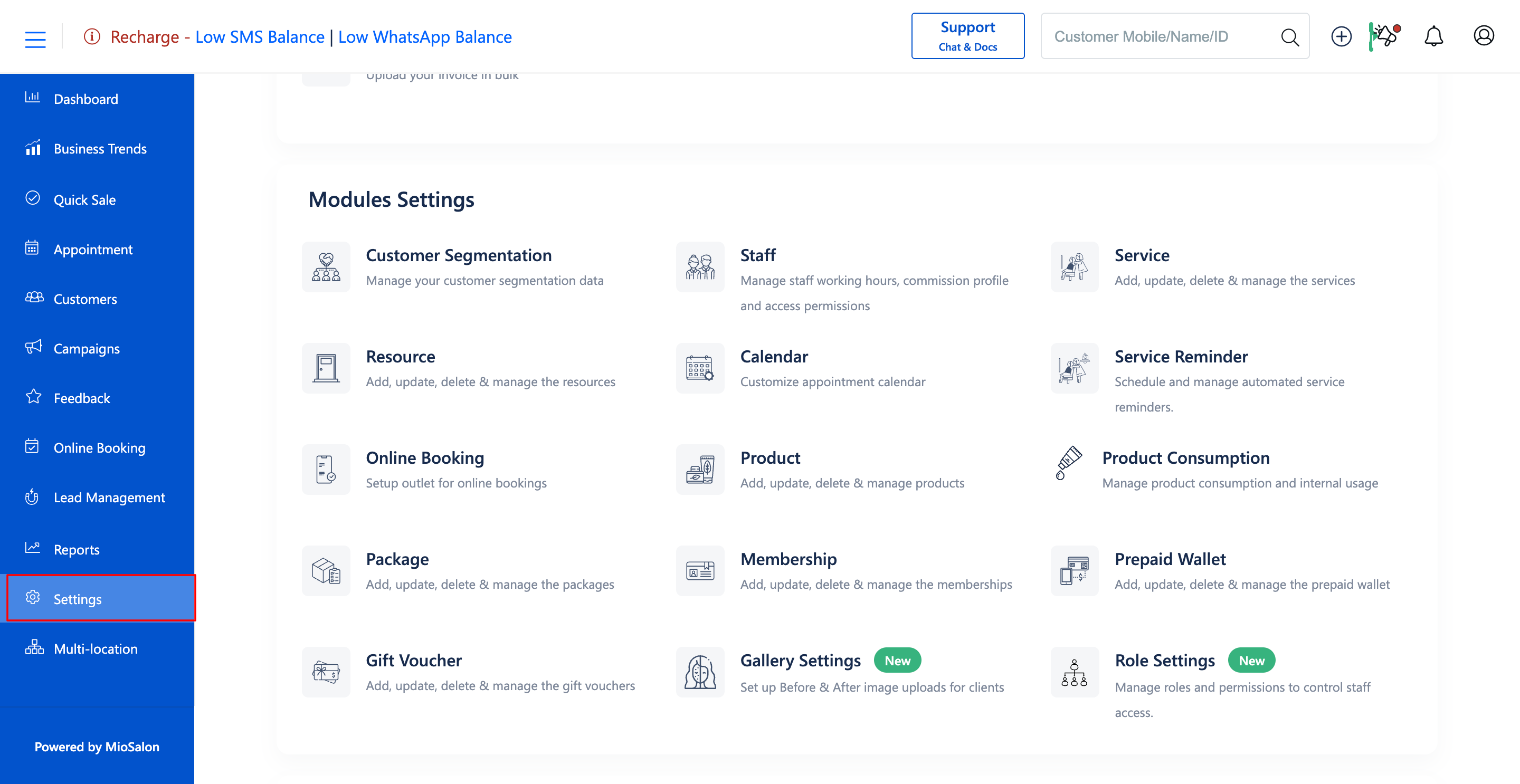
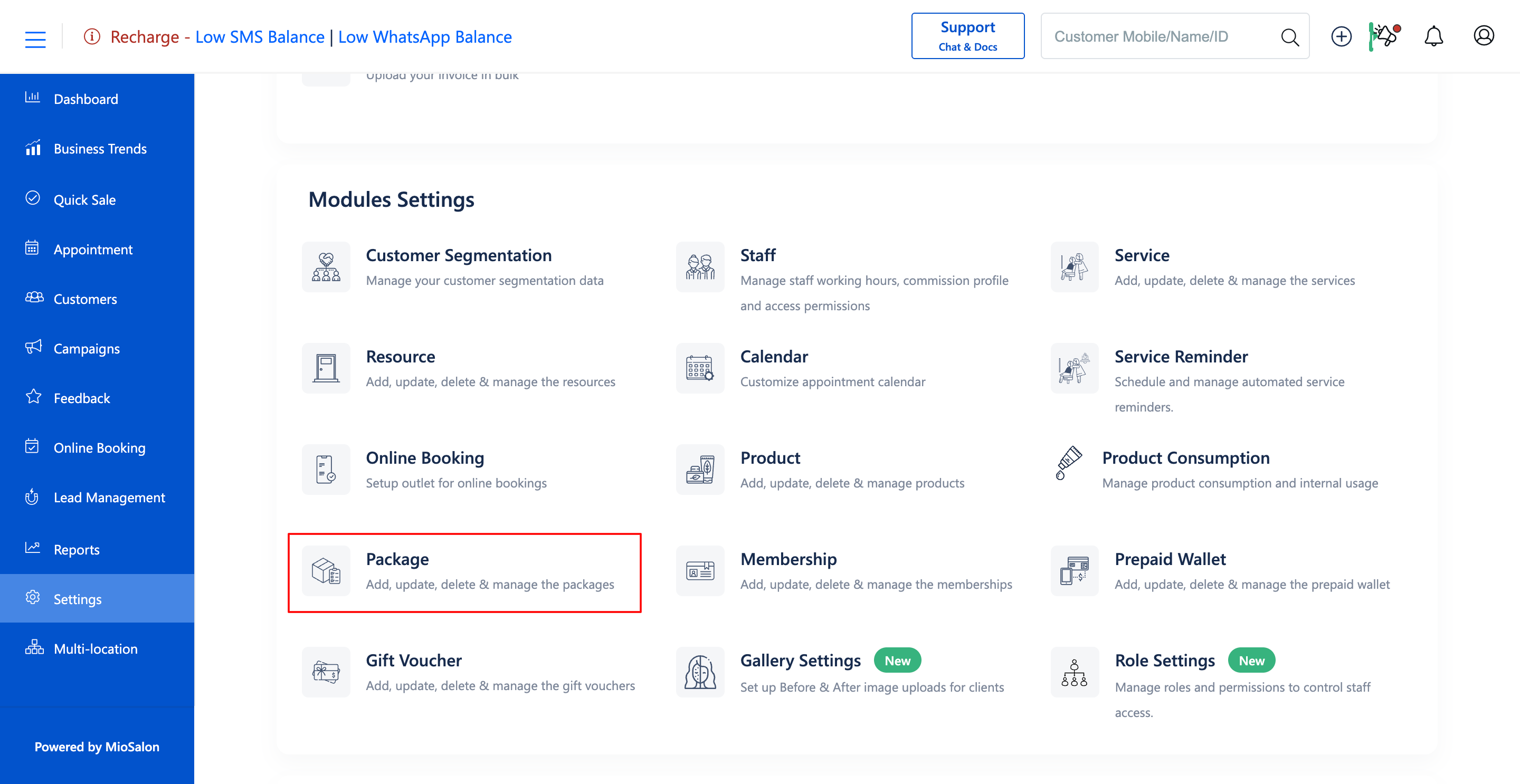
1. Navigate to the Settings module from the main left navigation bar and click on the Package card under the Modules Settings section.
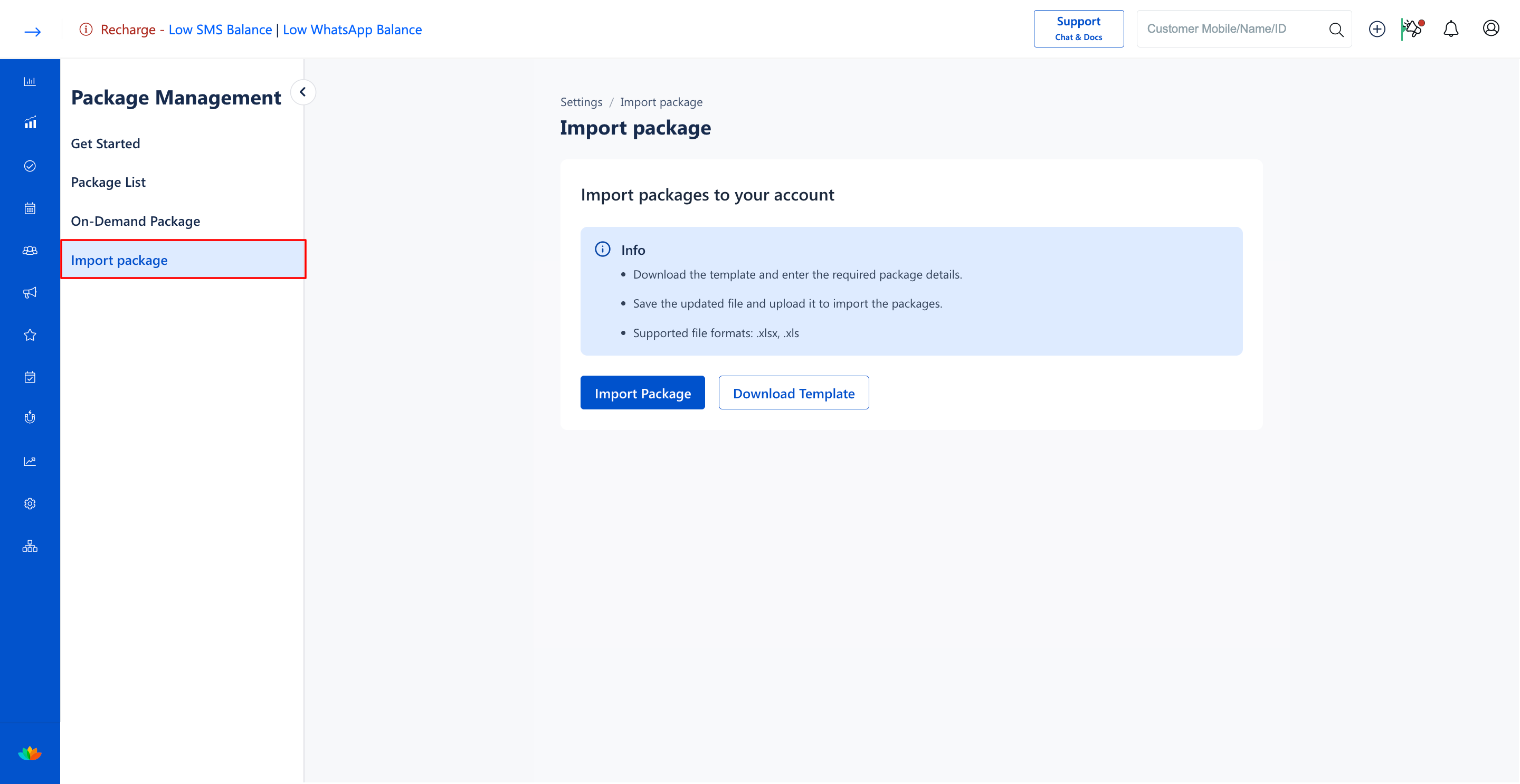
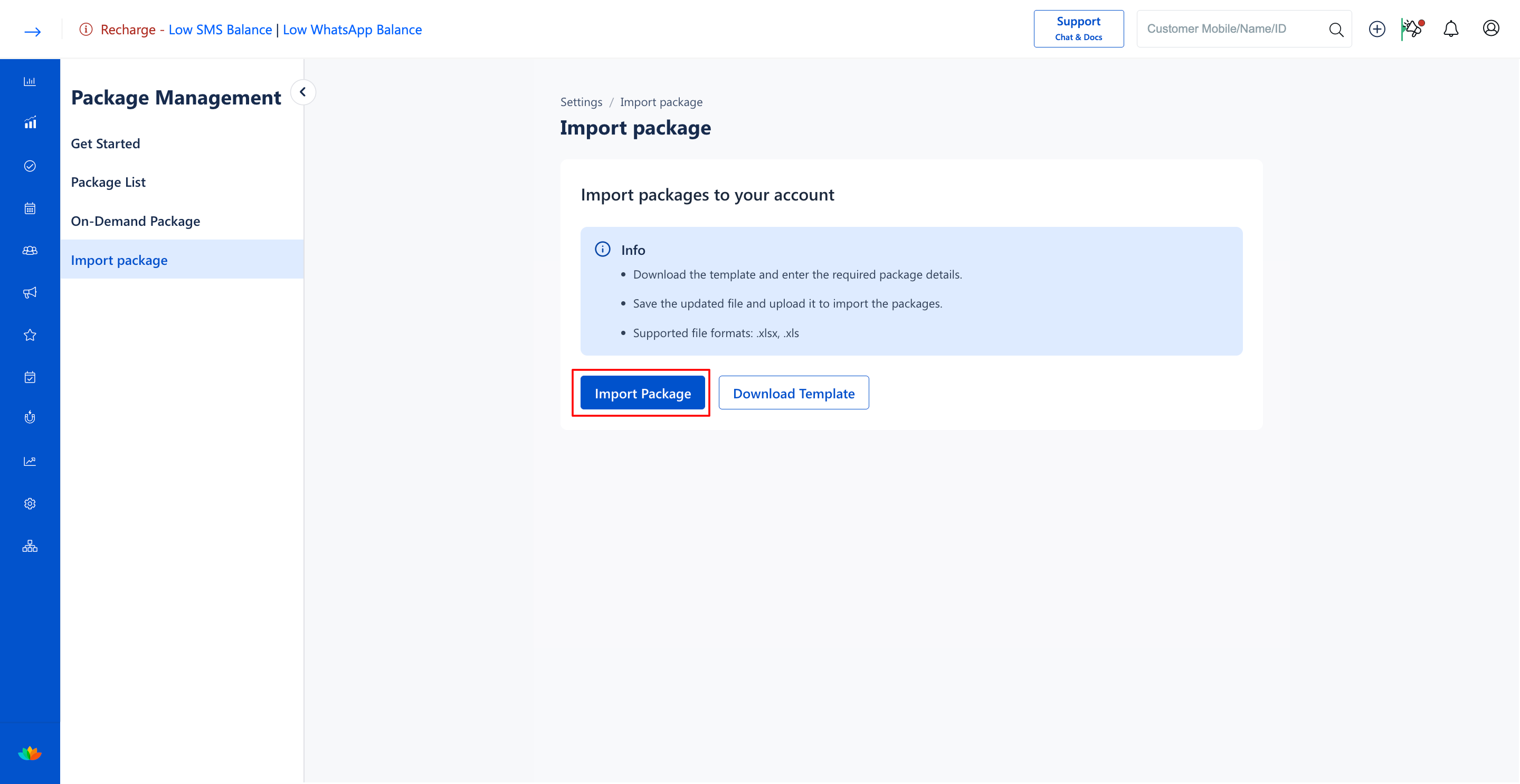
2. Select the Import package tab from the left sub-navigation menu.
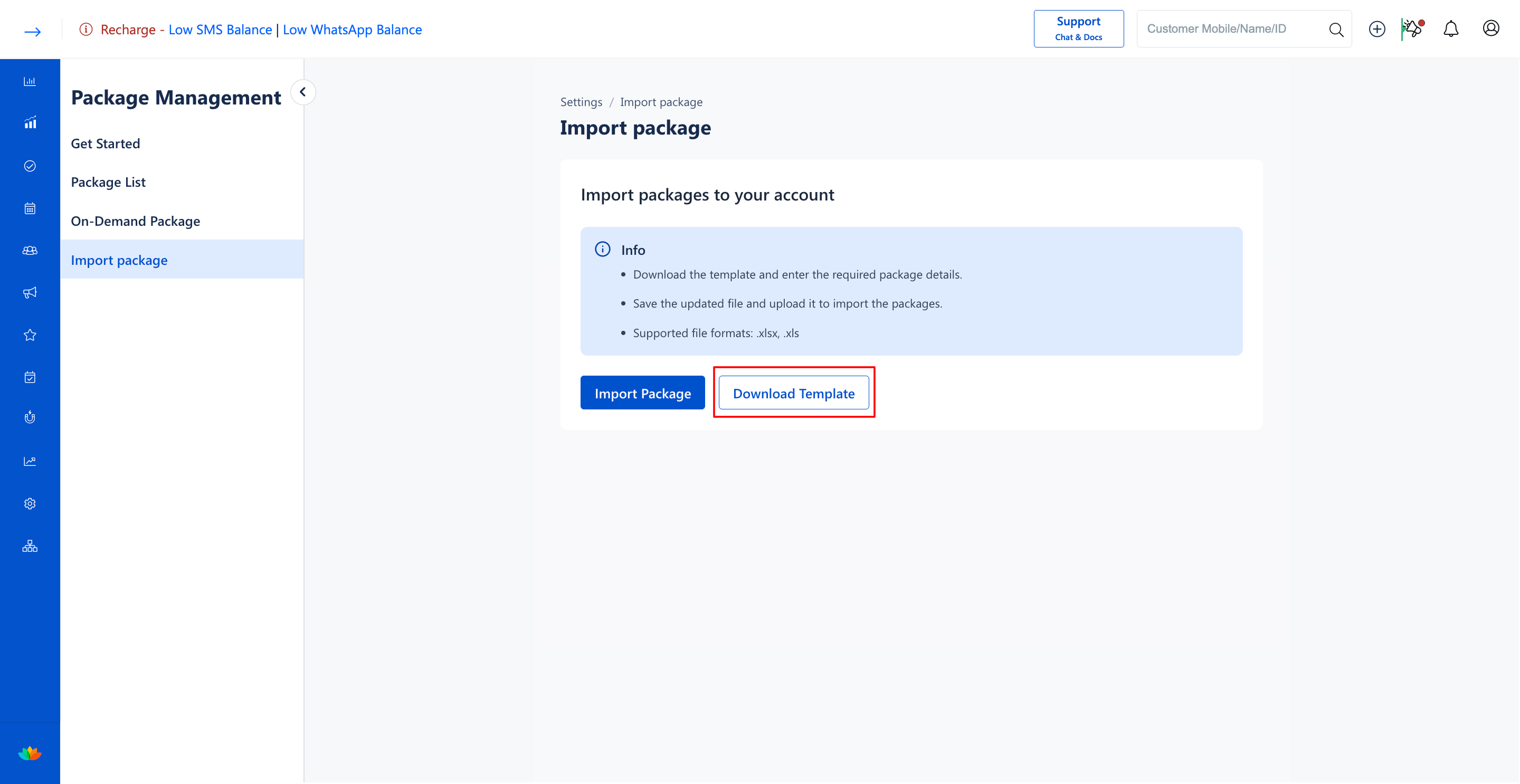
3. In the Import packages to your account section, click on the Download Template button to download the sample spreadsheet.
4. Open the downloaded Excel template and populate the required package columns:
• Mobile number*: Enter the registered customer mobile number. (E.g., 9876543210)
• Country Code*: Enter the country dial code. (E.g., +91)
• Package Name*: Enter the exact name of the package. (E.g., Bridal Glow Package)
• Service id*: Enter the unique system ID of the service. (E.g., 94975)
• Total Sittings*: Enter the total number of sittings included in the package. (E.g., 5)
• Available Sitting*: Enter the remaining number of unredeemed sittings. (E.g., 3)
• Expiry date*: Enter the package expiration date in DD/MM/YYYY format. (E.g., 20/06/2030)
• Total Duration(mins)*: Enter the total duration in minutes. (E.g., 180)
• Available Duration(mins)*: Enter the remaining available duration in minutes. (E.g., 120)
5. Save the populated spreadsheet in supported .xlsx or .xls file format.
6. Return to the Import package screen and click on the Import Package button to upload the completed file.
Note
Ensure customer mobile numbers and service IDs match existing customer records and service catalog entries in MioSalon to avoid data import failures.
Use Cases
1. Migrating existing customer package balances from a legacy POS system to MioSalon.
2. Importing pre-sold holiday gift packages in bulk at the start of a business quarter.
3. Consolidating multi-outlet customer package data during salon acquisitions.
Benefits
1. Saves hours of manual administrative data entry by importing hundreds of customer packages in seconds.
2. Guarantees 100% data fidelity for client session balances and expiry dates.
3. Delivers a frictionless transition for clients during salon software migration.
Was this article helpful?
That’s Great!
Thank you for your feedback
Sorry! We couldn't be helpful
Thank you for your feedback
Feedback sent
We appreciate your effort and will try to fix the article