Overview
The Delete Fixed Package On-Demand feature in MioSalon allows front-desk users to remove an added fixed package and its associated scheduled appointment services from the Quick Sale cart.
Salon staff use package deletion when a client changes their mind, decides on individual services instead of a bundle, or requests a different package type.
Deleting an on-demand fixed package immediately clears the package price, removes linked zero-cost service sessions, and recalculates the billing summary in real time.
Follow the guided step-by-step instructions below to delete an on-demand package for a fixed package in MioSalon.
Navigation Path
Navigation Bar → Quick Sale
Steps to Delete an On-Demand package for Fixed Package
1. Click on the Quick Sale icon from the main left navigation bar.
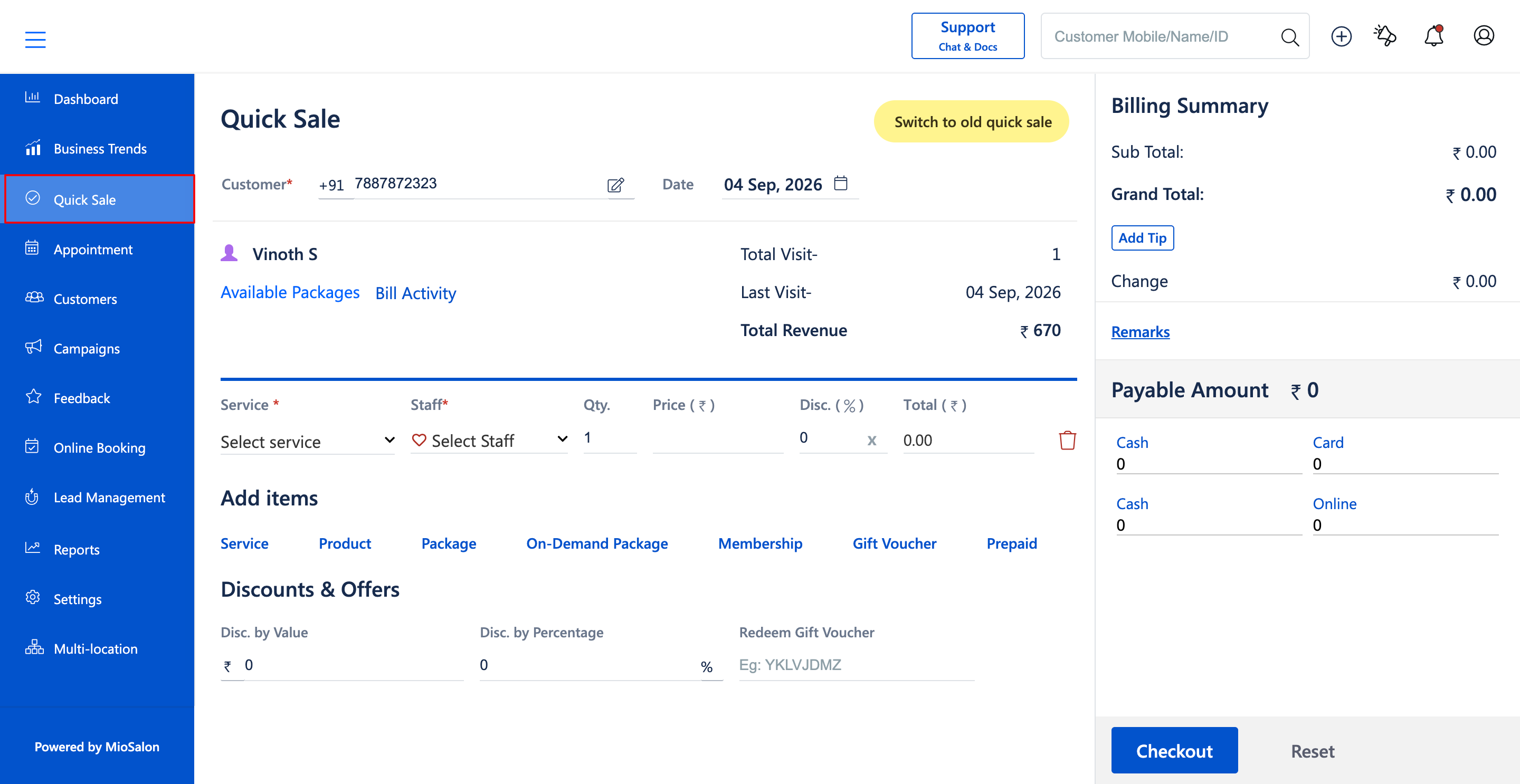
2. In the Quick Sale cart, locate the added Fixed package line item (E.g., Fixed package - Price ₹670.00).
3. Click on the Delete icon (red trash can icon) located on the right side of the Fixed package row.
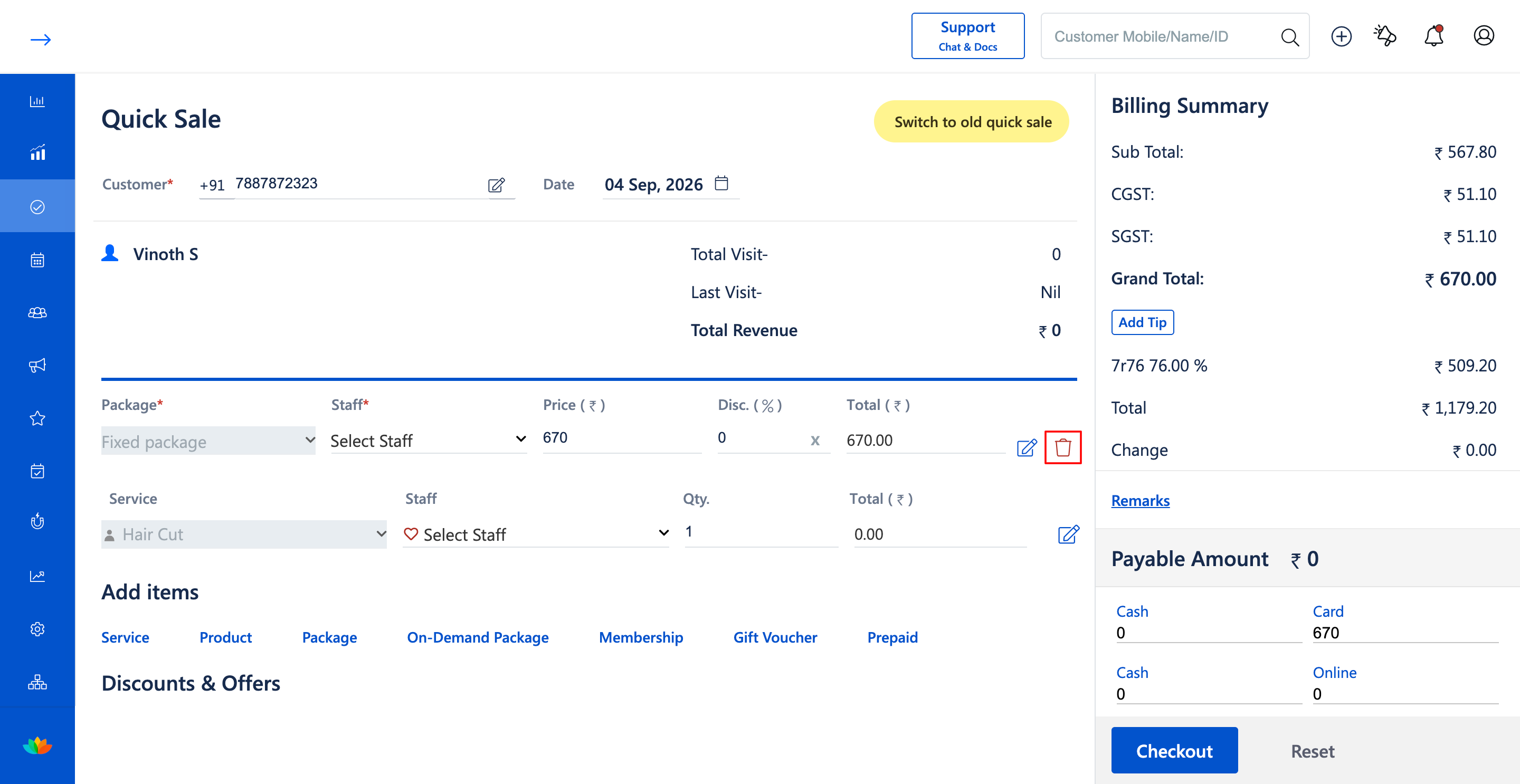
4. If prompted with a confirmation dialog, confirm the removal of the fixed package from the transaction.
5. Notice that the fixed package and any associated zero-cost appointment service sessions (E.g., Hair Cut ₹0.00) are removed from the cart.
6. Confirm that the Billing Summary (Sub Total, Taxes, and Grand Total) recalculates to reflect the updated cart state.
Note
Deleting an on-demand fixed package from the cart completely cancels the package purchase and removes all associated complimentary service bookings linked to that package in the current sale.
Use Cases
1. A customer deciding to pay for a single service instead of purchasing a multi-session fixed package.
2. Staff members correcting accidental package additions prior to taking client payment.
Benefits
1. Prevents incorrect package sales and erroneous inventory or sitting deductions.
2. Clears both the package fee and zero-cost appointment services in a single click.
3. Instantly restores the cart to an accurate billing balance.
Was this article helpful?
That’s Great!
Thank you for your feedback
Sorry! We couldn't be helpful
Thank you for your feedback
Feedback sent
We appreciate your effort and will try to fix the article