How to Edit a On-Demand package for Fixed Package?
Overview
The Edit Fixed Package On-Demand feature in MioSalon allows front-desk users to update package details, pricing, validity, or sittings for an on-demand fixed package before completing the sale.
Staff members utilize the edit capability to correct client selections, apply custom price adjustments, or modify validities without recreating the entire package from scratch.
Editing fixed packages on-demand ensures immediate updates in the Quick Sale cart while maintaining accurate tax calculations and service booking records.
Follow the guided step-by-step instructions below to edit an on-demand package for a fixed package in MioSalon.
Navigation Path
Navigation Bar → Quick Sale
Steps to Edit an On-Demand package for Fixed Package
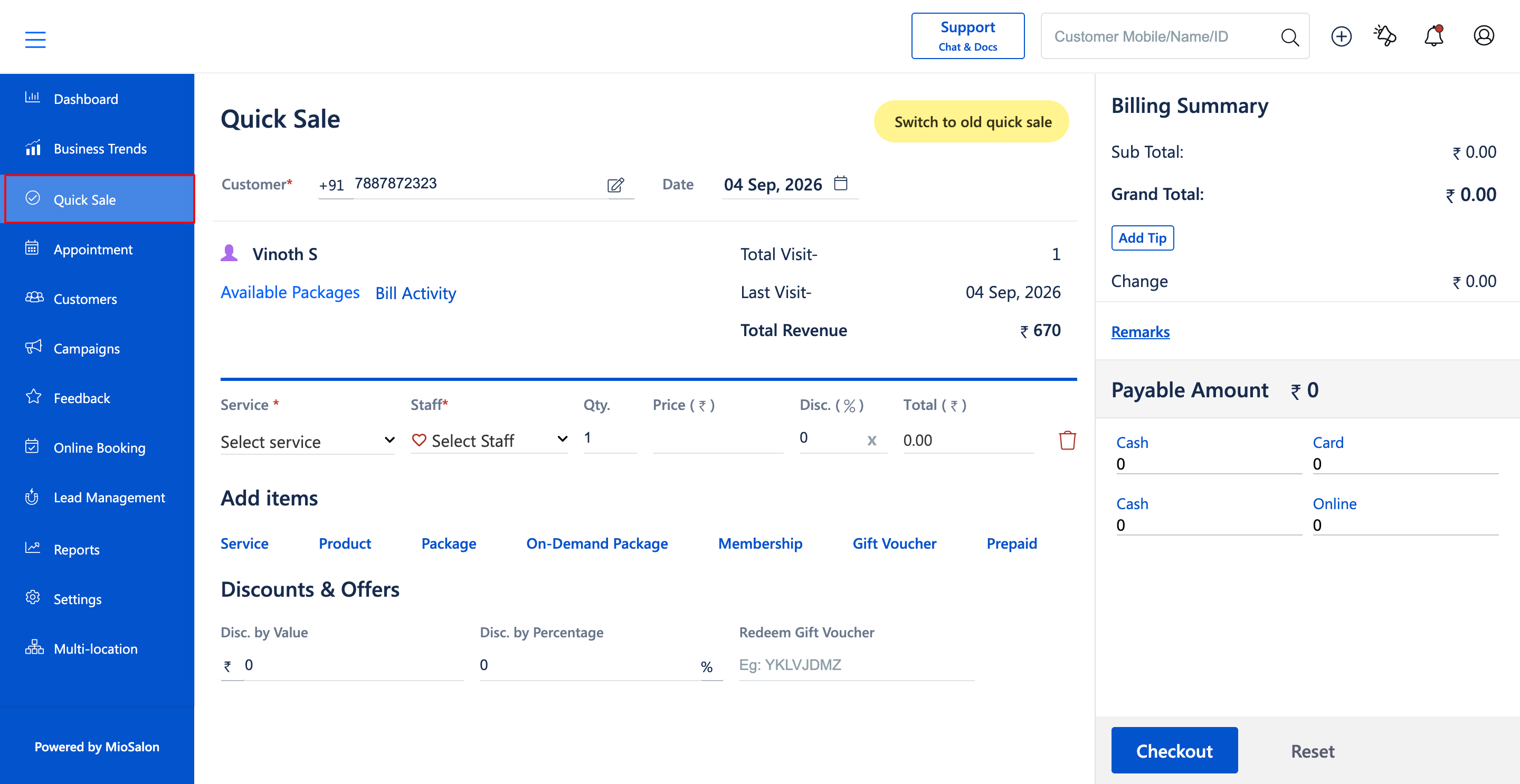
1. Click on the Quick Sale icon from the main left navigation bar.
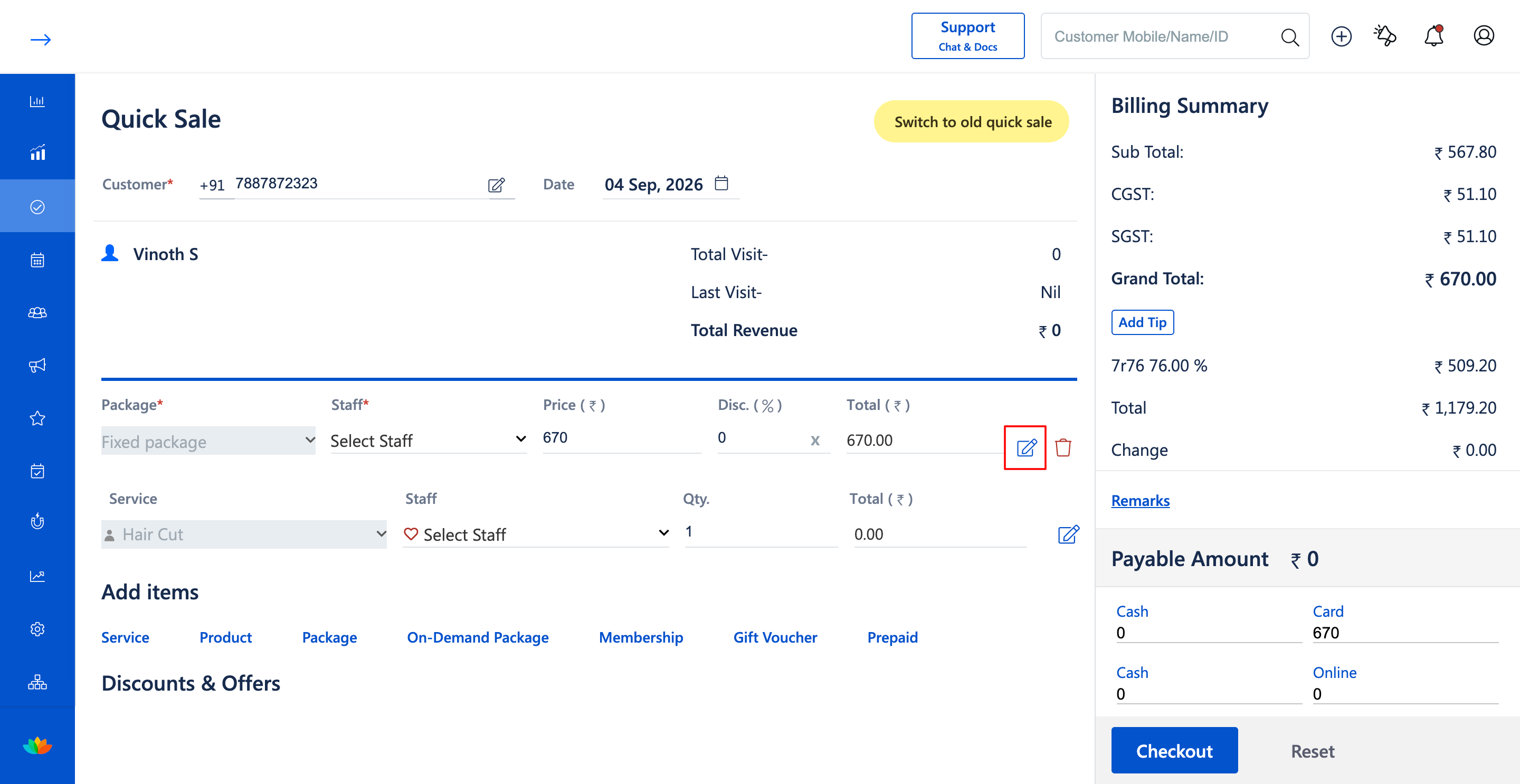
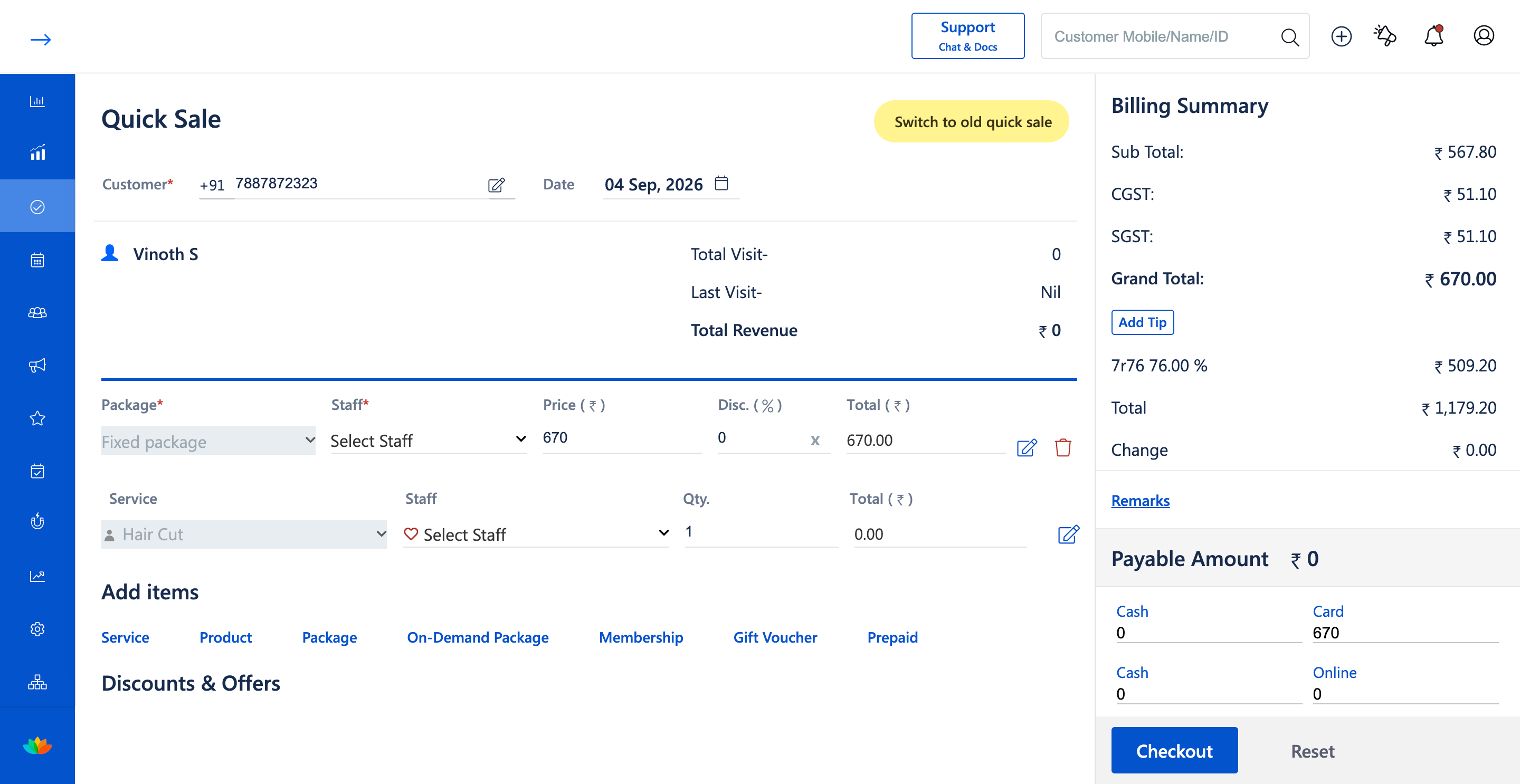
2. In the Quick Sale cart, locate the added Fixed package line item.
3. Click on the Edit icon (pencil icon) located on the right side of the Fixed package row.
4. In the Edit On-Demand Package drawer, update the package details as needed such as Package Name (E.g., Fixed package), Selling Price (E.g., 670), or Tax Applicable.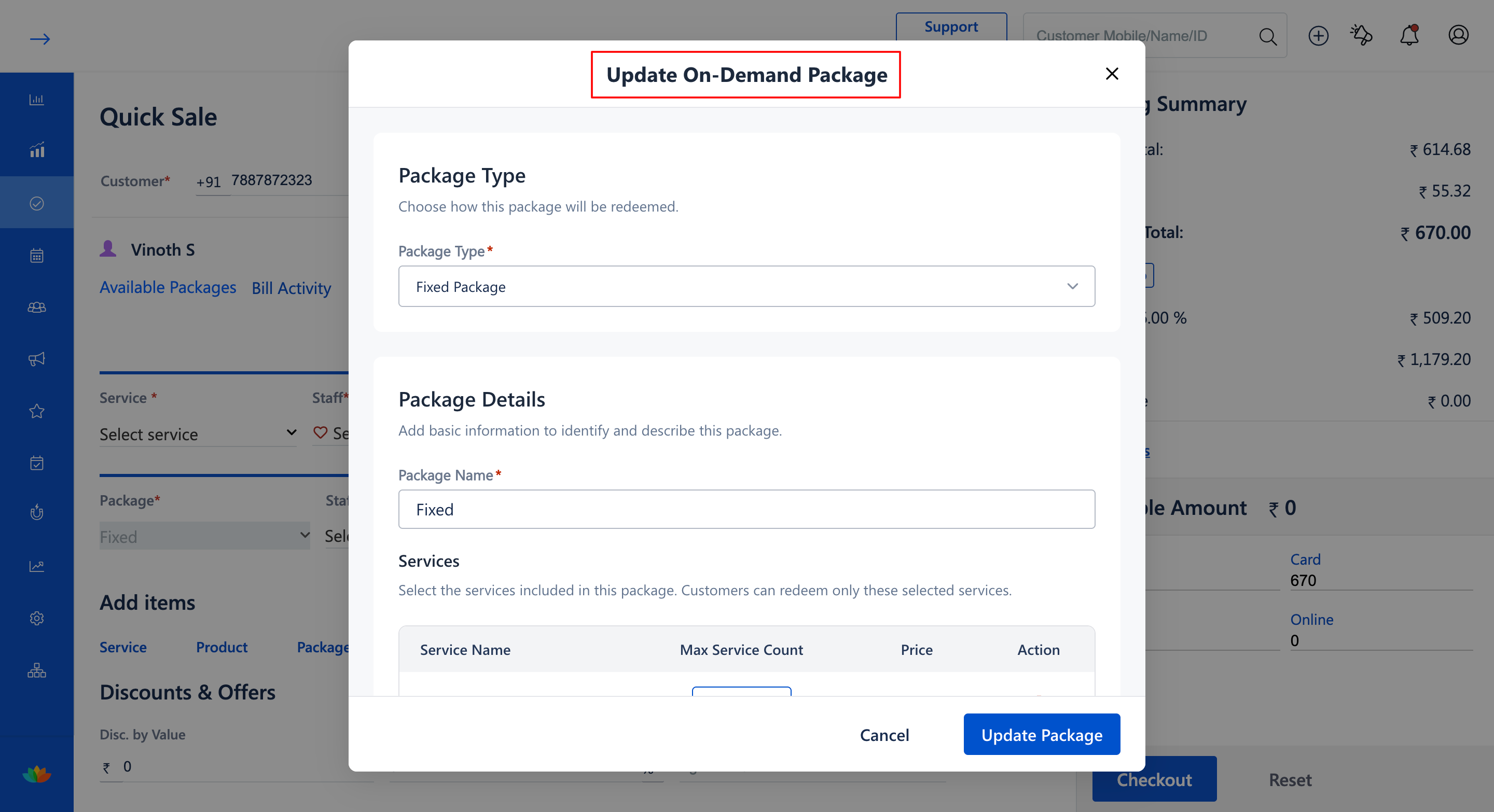
5. Modify the validity duration under the Package Validity section if required (E.g., 100 Days), and click on Save or Update Package.
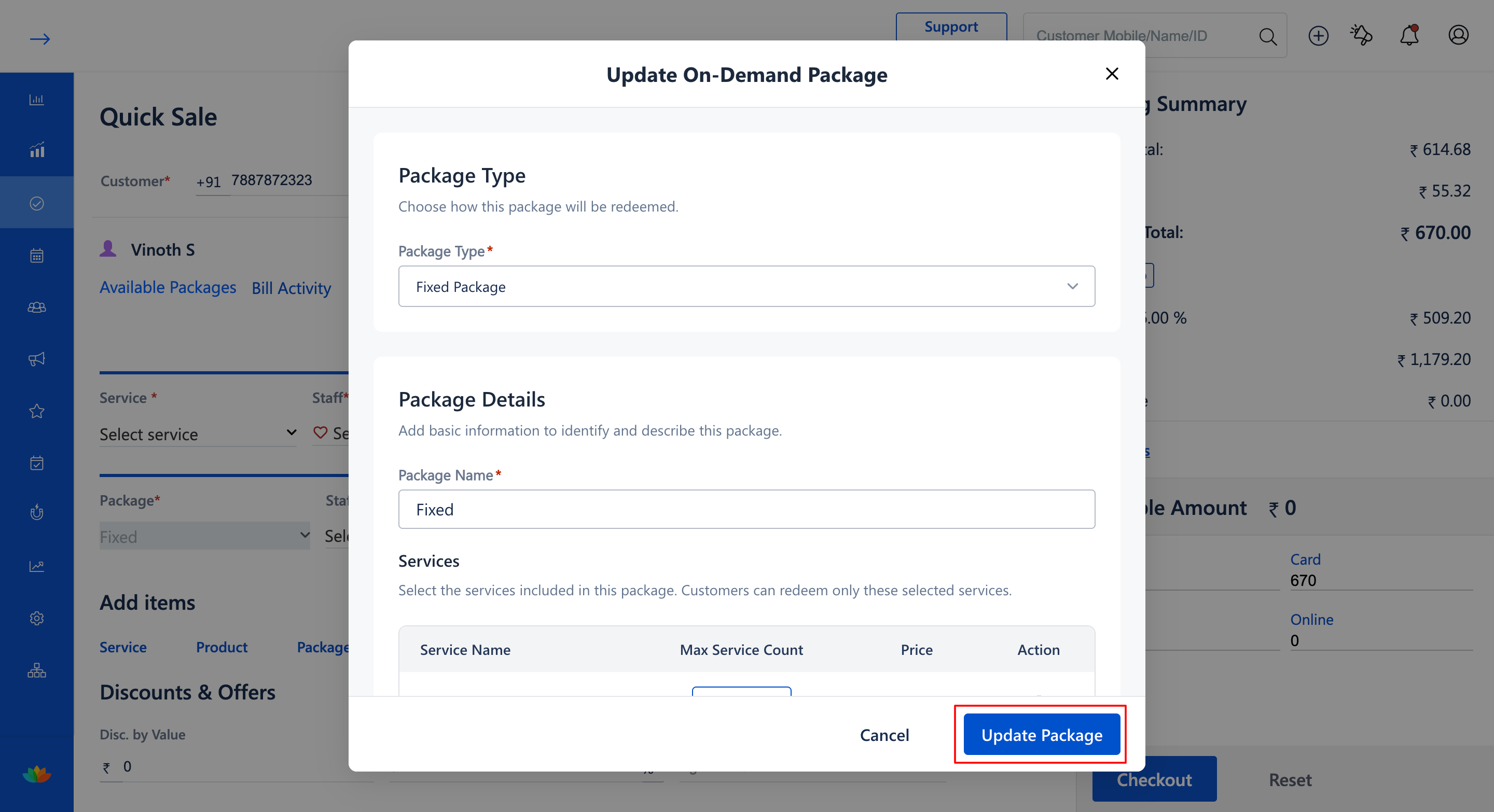
6. If you need to change the scheduled service sittings, click the Edit icon next to the service item to open the service selection modal, adjust your service choices (E.g., Hair Cut 30 mins), and click Confirm.
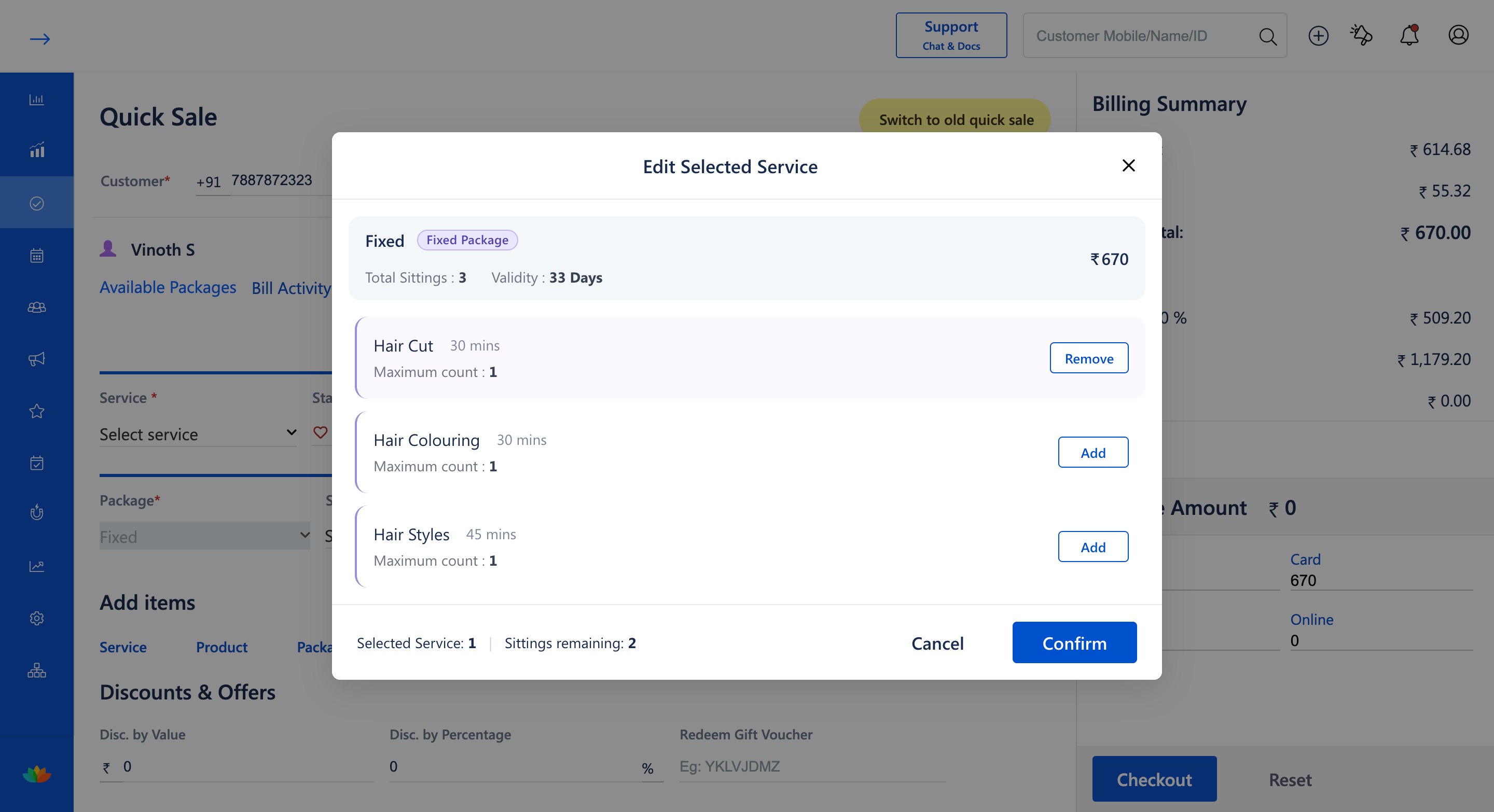
7. Verify the updated package details and recalculations in the Billing Summary before proceeding to Checkout.
Note
Modifications made to an on-demand fixed package during Quick Sale take effect immediately for the current transaction. Ensure all pricing, tax rates, and validity settings are reviewed before finalizing checkout.
Use Cases
1. Front-desk staff modifying package pricing or tax application based on special client discounts.
2. Updating the validity period or package name requested by the customer during initial purchase.
Benefits
1. Eliminates the need to delete and re-enter packages when simple modifications are needed.
2. Accelerates front-desk service by allowing inline editing of package parameters.
3. Guarantees accurate invoice totals and synchronized service sittings.
Was this article helpful?
That’s Great!
Thank you for your feedback
Sorry! We couldn't be helpful
Thank you for your feedback
Feedback sent
We appreciate your effort and will try to fix the article