How to Create and Delete Denominations in MioSalon ?
Overview
The Denominations Settings feature in MioSalon allows you to configure the currency denominations used for cash counting in your salon or spa.
By setting up denominations, you standardize how cash is counted during opening and closing shifts, ensuring accuracy and consistency across all staff members.
This eliminates manual errors in cash handling and makes the reconciliation process faster and more reliable.
Once configured, these denominations automatically appear in the Add Cash Registry form, where staff can enter the count for each denomination to calculate the total cash balance.
Navigation Path
Settings → Cash Registry → Denominations Settings
Steps to Create a Denomination
1. Log in to your MioSalon account.
2. Navigate to Settings from the left-side menu.
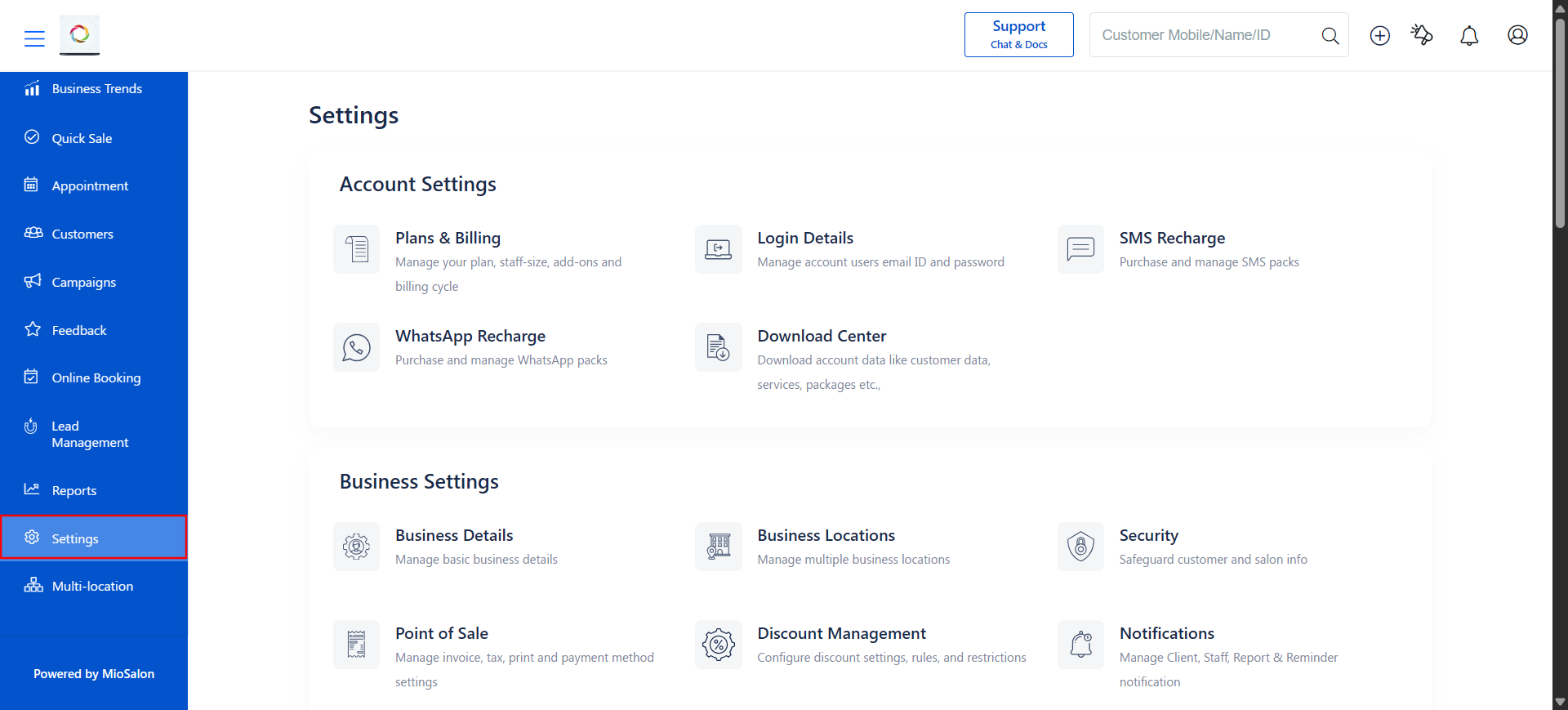
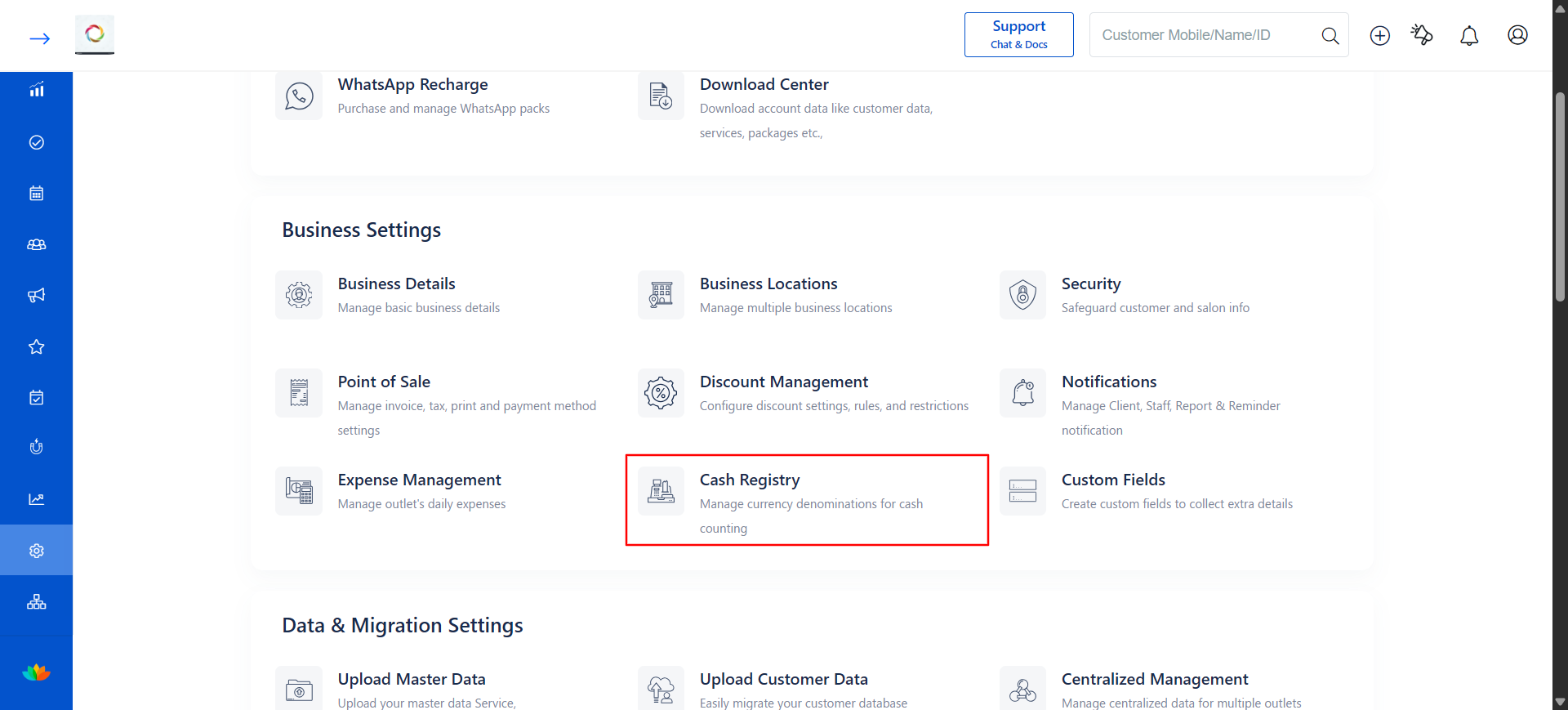
3. Under Business Settings, click on Cash Registry.
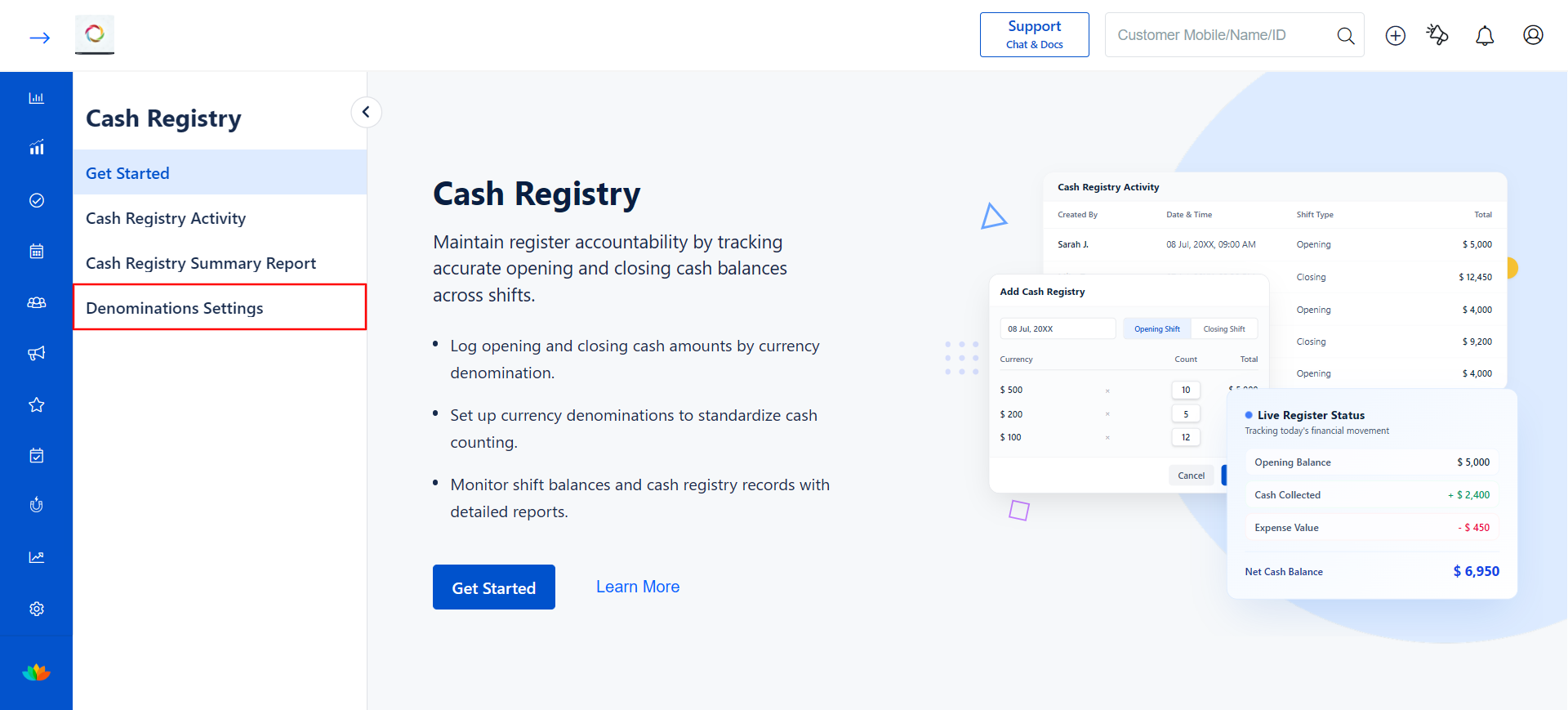
4. On the Cash Registry page, click on Get Started if you are accessing it for the first time, or click on Denominations Settings from the left-side sub-menu.
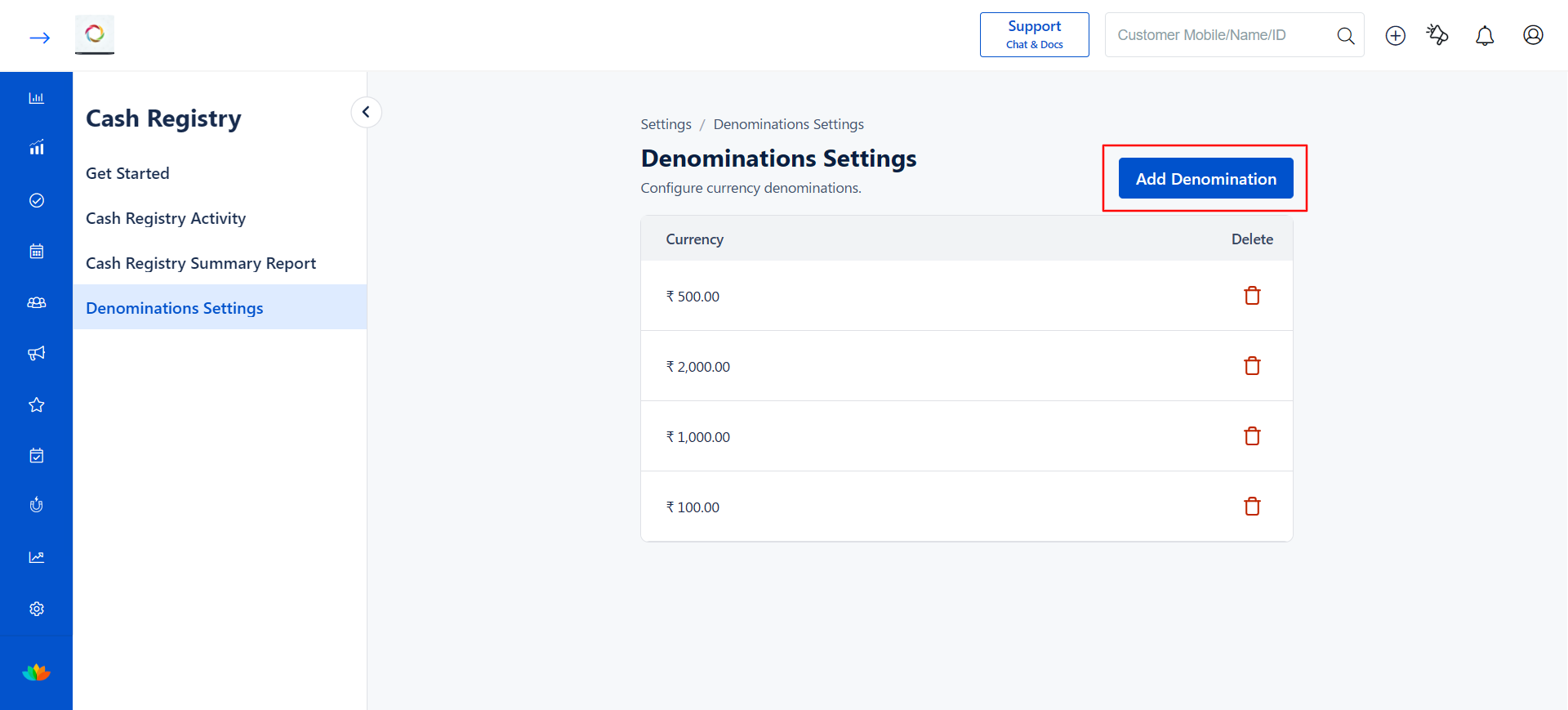
5. On the Denominations Settings page, you will see a list of existing currency denominations (if any) along with the Add Denomination button in the top-right corner.
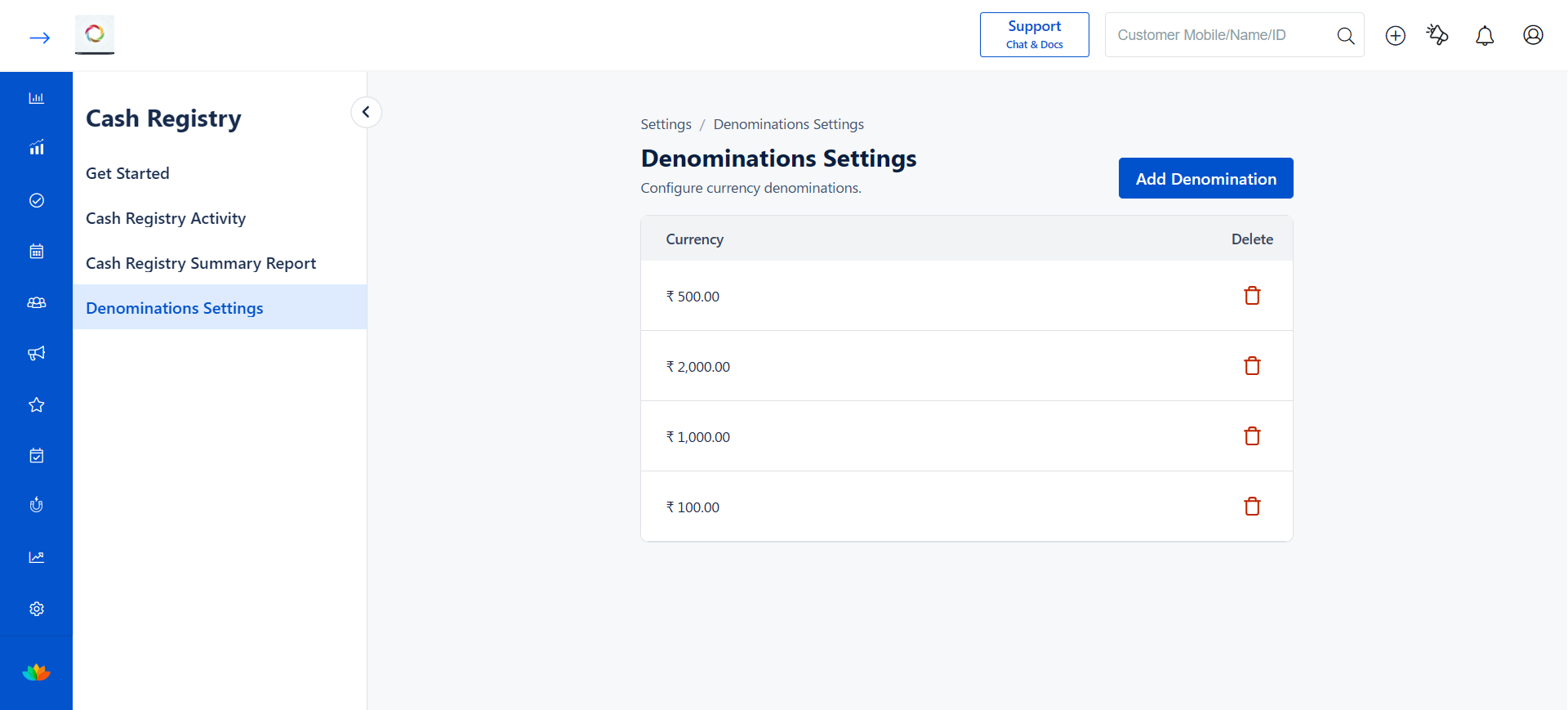
6. Click on the Add Denomination button. A pop-up dialog will appear.
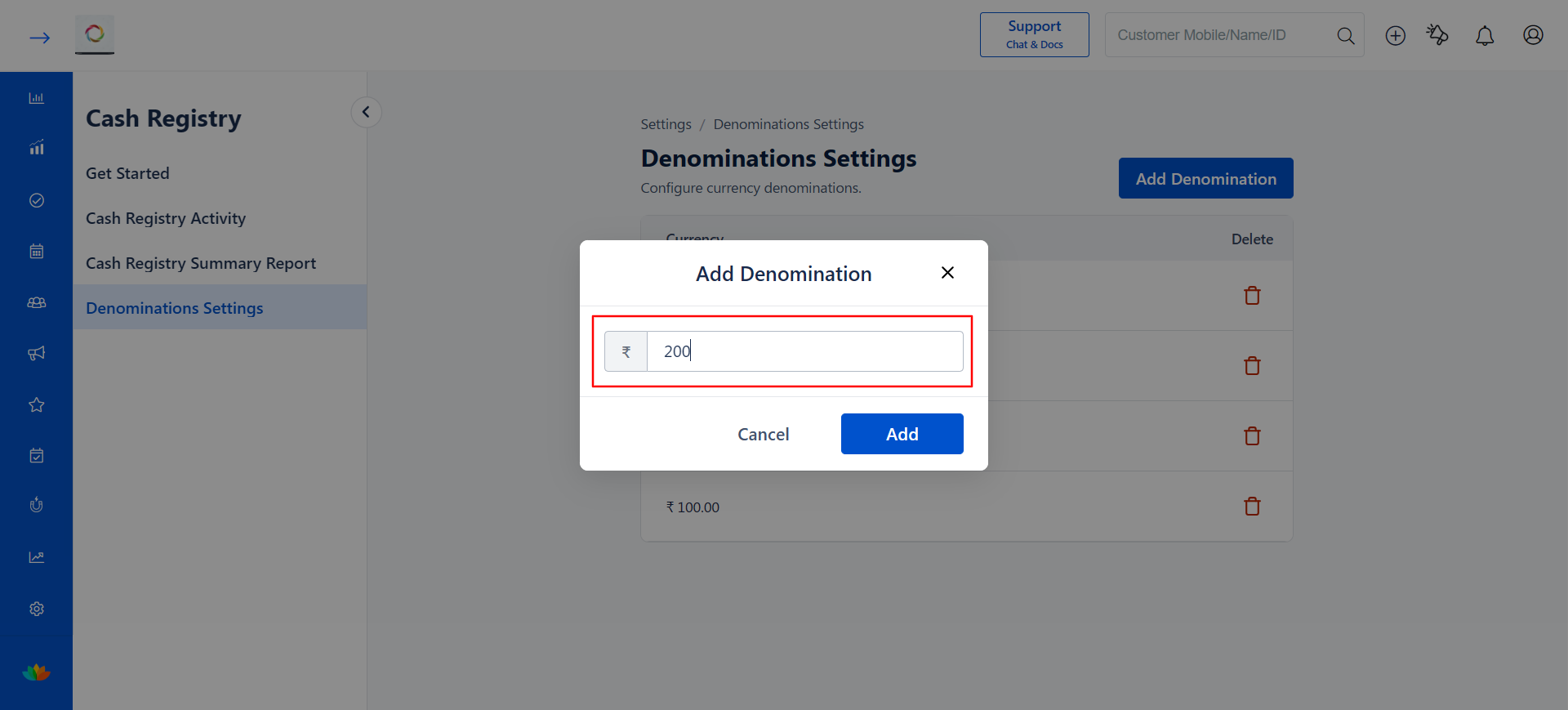
7. Enter the currency denomination value in the input field (E.g., 200).
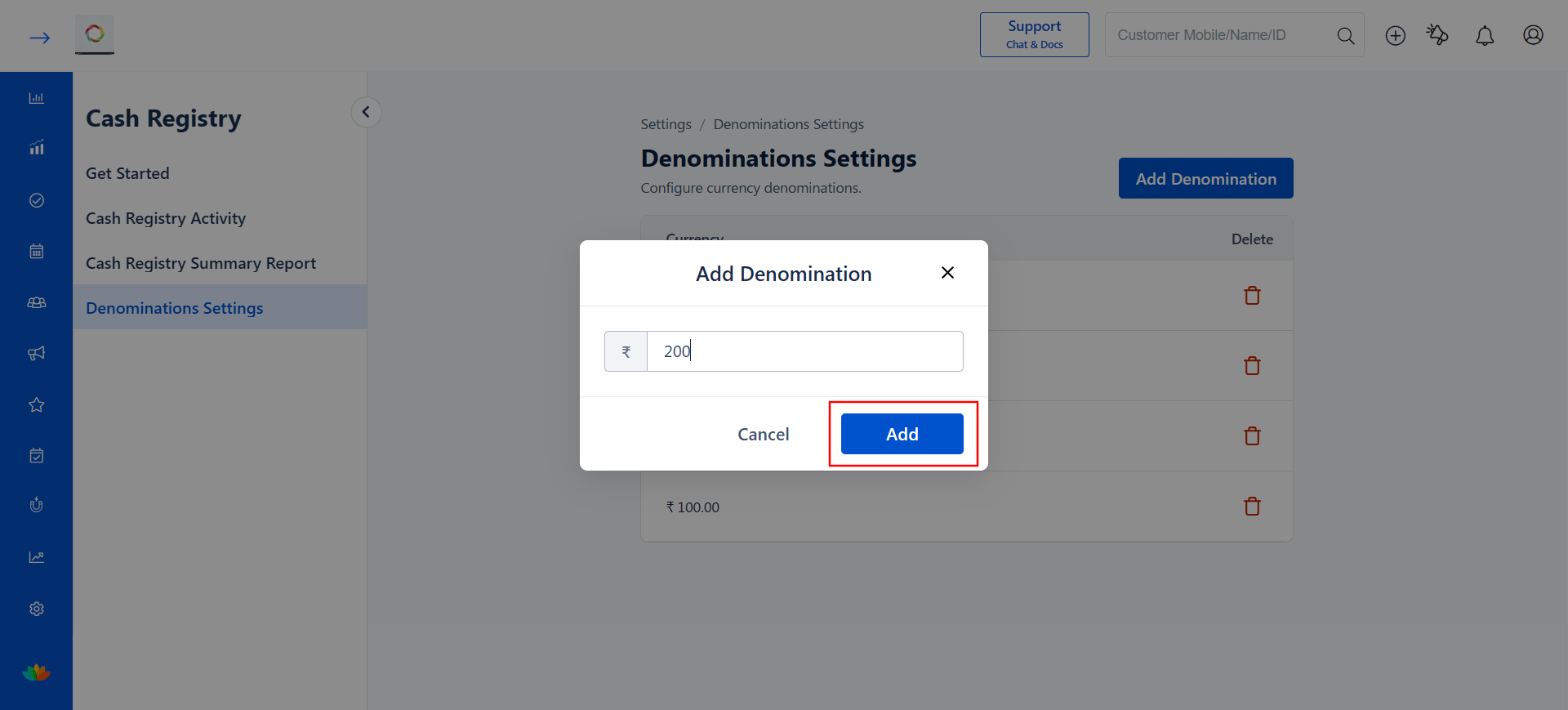
8. Click the Add button to save the denomination.
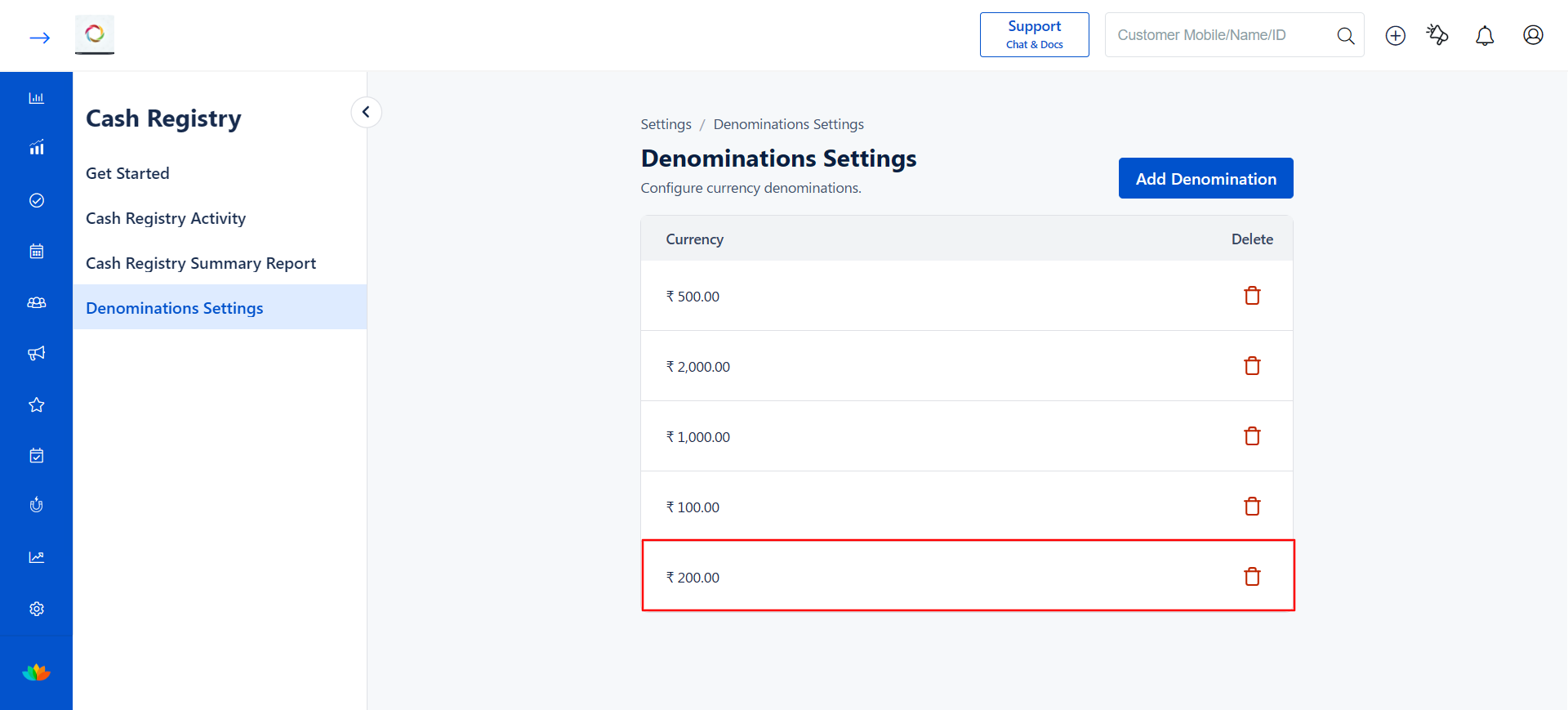
9. A success message Currency is Added Successfully! will appear, and the new denomination will be listed in the Denominations Settings table.
Steps to Delete a Denomination
1. Navigate to Settings → Cash Registry → Denominations Settings.
2. In the Denominations Settings table, locate the denomination you want to remove.
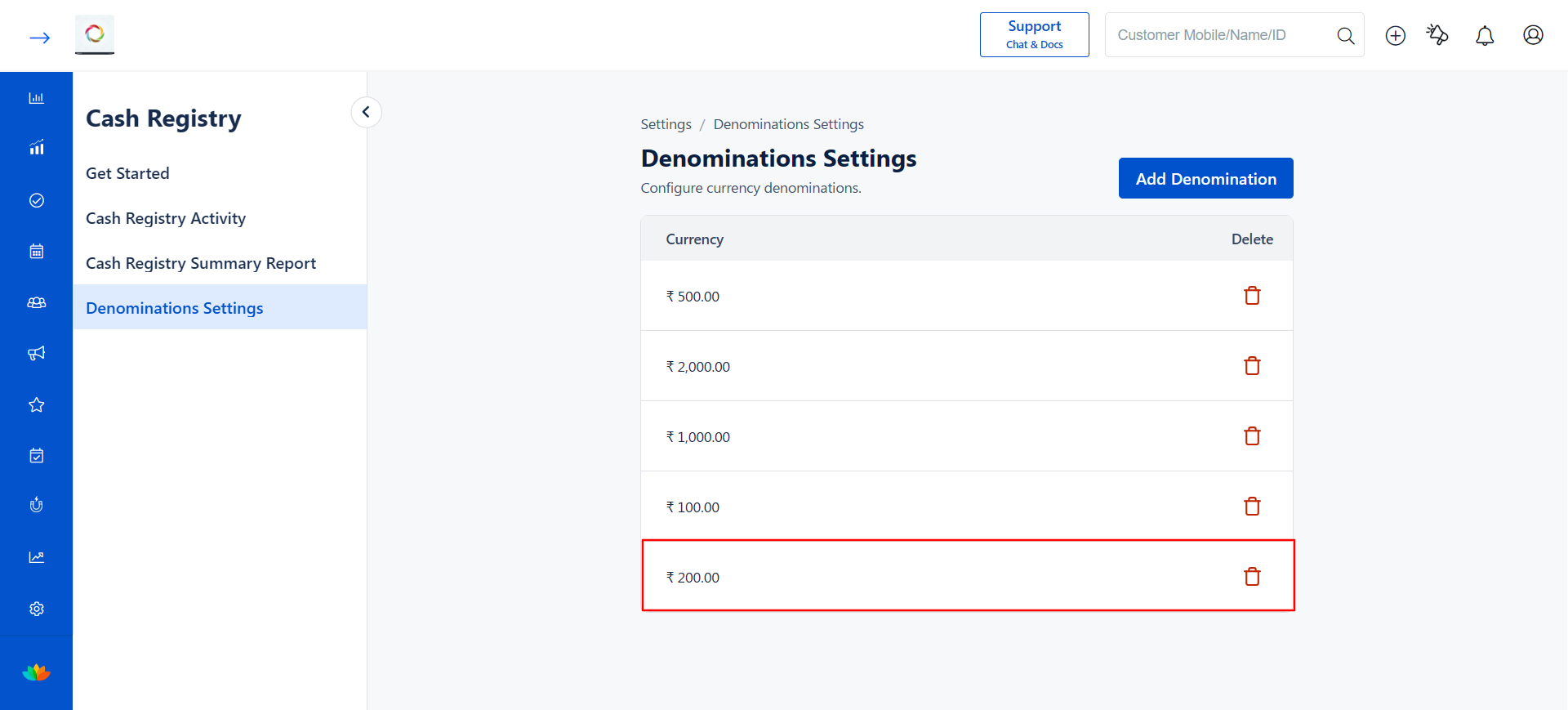
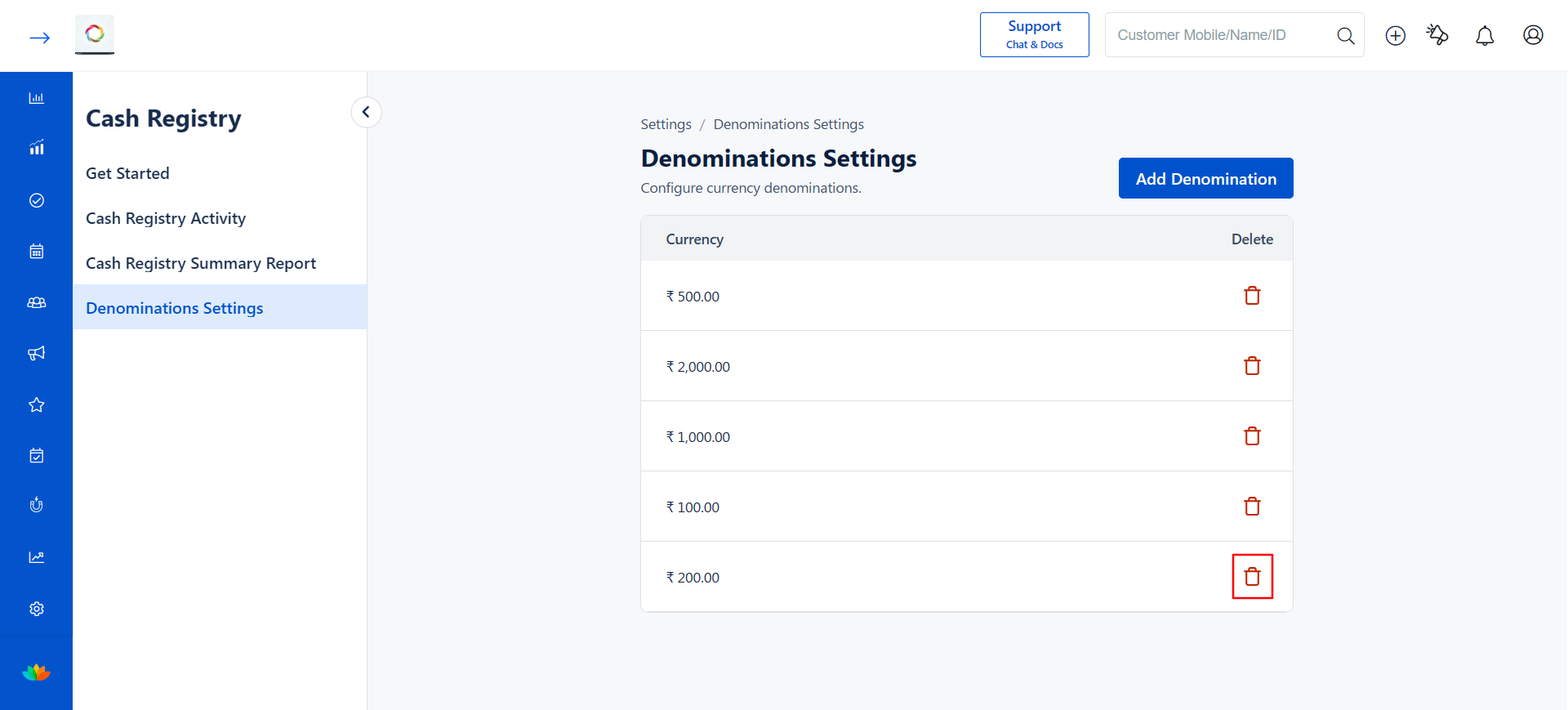
3. Click the Delete icon (delete icon) next to the denomination you want to delete.
4. A Delete Confirmation pop-up will appear asking Sure you want to delete this currency?
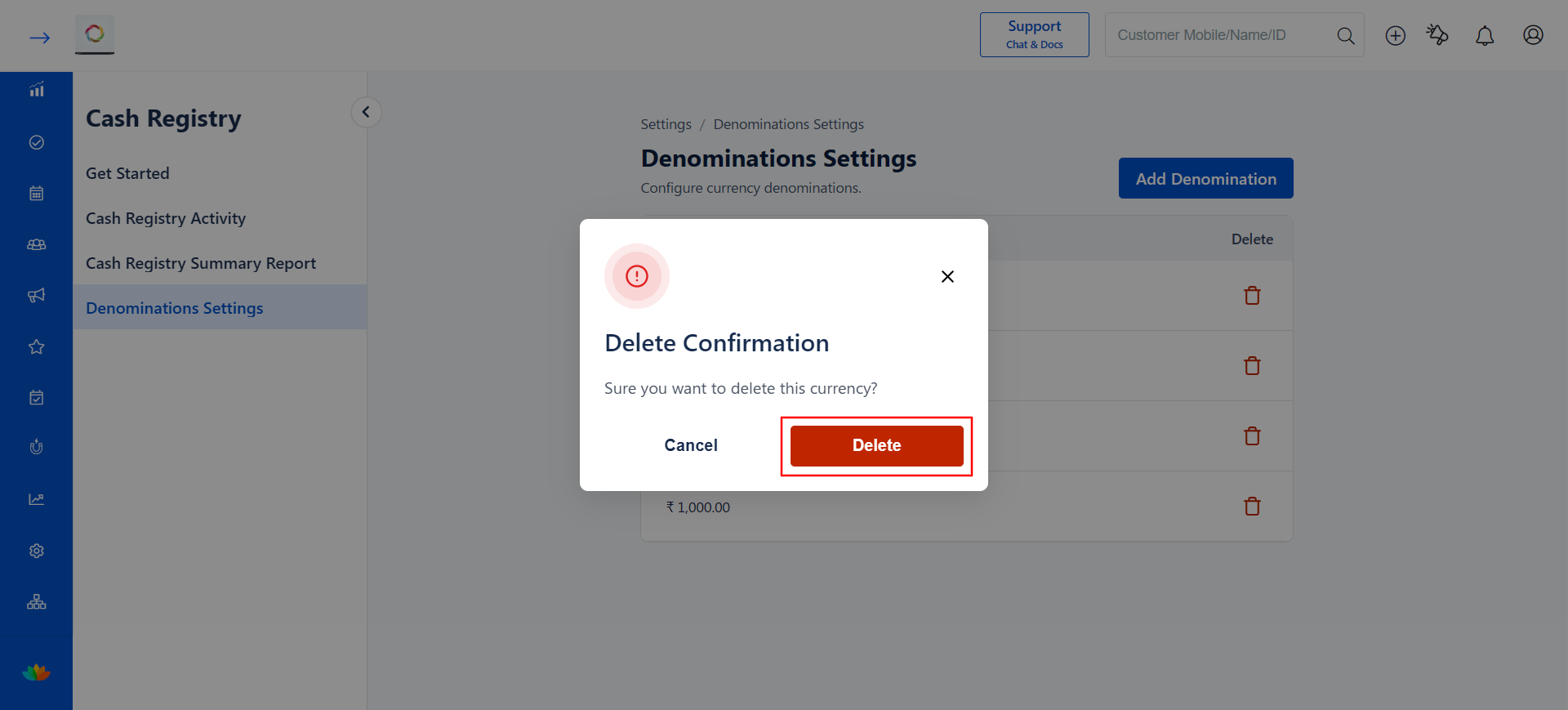
5. Click Delete to confirm the deletion, or click Cancel to go back without deleting.
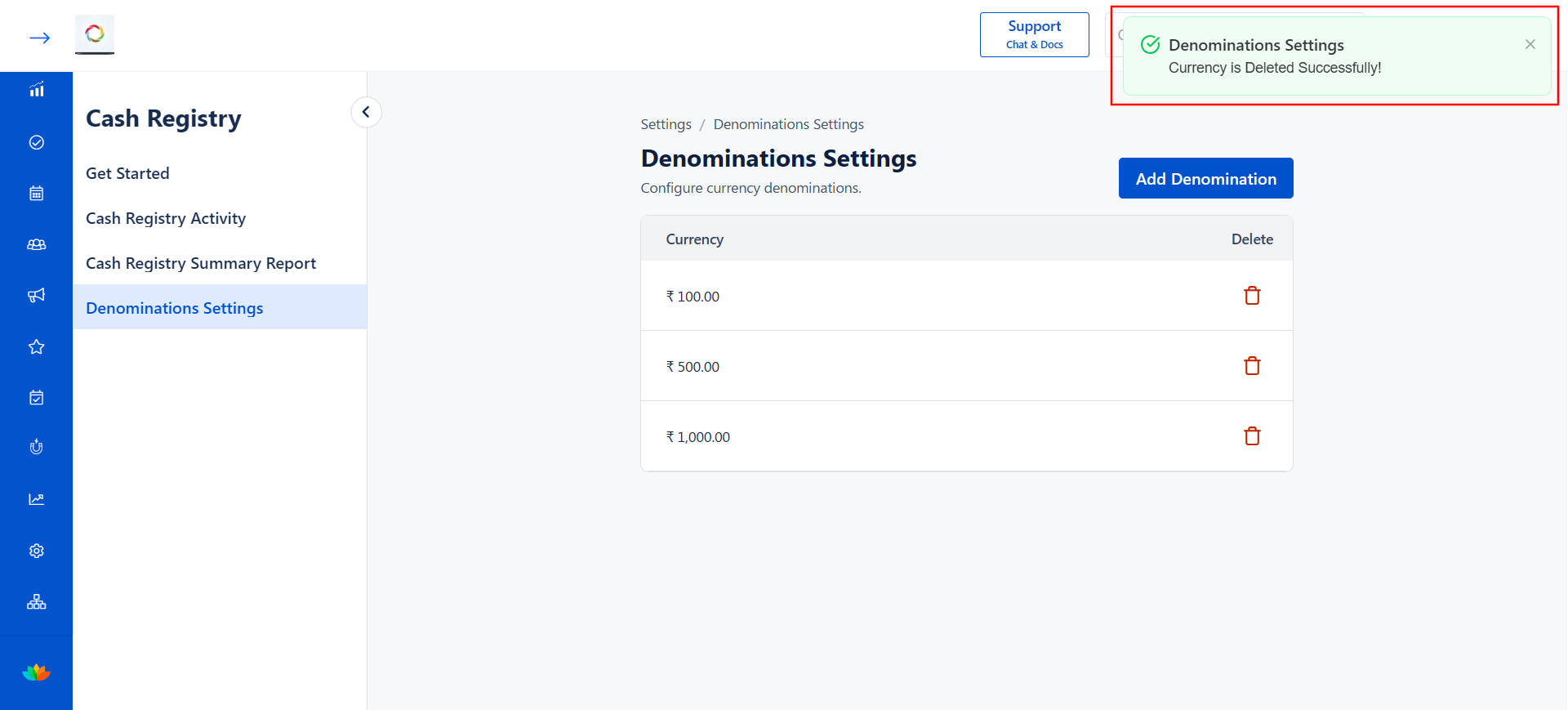
6. A success message Currency is Deleted Successfully! will appear, and the denomination will be removed from the list.
Use Cases
1. A salon owner wants to add all currency notes used in their country (E.g., 10, 20, 50, 100, 200, 500, 1000) so that staff can quickly count the cash in the register by entering only the count for each denomination.
2. A business removes a denomination that is no longer in circulation or is rarely used, keeping the cash counting form clean and relevant.
3. A multi-location salon sets up location-specific denominations to match the currencies handled at each branch.
Benefits
1. Ensures consistent and standardized cash counting across all staff and shifts.
2. Reduces manual errors in cash reconciliation by using structured denomination-based counting.
3. Speeds up the opening and closing shift process for front-desk staff.
4. Provides flexibility to add or remove denominations as currency needs change.
5. Improves financial accountability by maintaining a clear record of how cash was counted.
Note
Deleting a denomination will not affect any previously saved Cash Registry records that used that denomination. It will only remove the denomination from future cash counting forms.
Was this article helpful?
That’s Great!
Thank you for your feedback
Sorry! We couldn't be helpful
Thank you for your feedback
Feedback sent
We appreciate your effort and will try to fix the article