Overview
Configuring Payment Modes / Methods in MioSalon allows you to control how customers pay during billing. You can enable or disable payment options, add new payment methods, and configure location-specific payment modes to ensure smooth and accurate checkout at the Point of Sale.
Once configured, only the enabled payment methods appear during invoice creation and payment collection.
To access Payment Method settings
Log in to your MioSalon account.
From the left-side menu, click Settings.
Under Settings, click Business Settings.
Scroll down and select Point of Sale.
Click Payment Method.
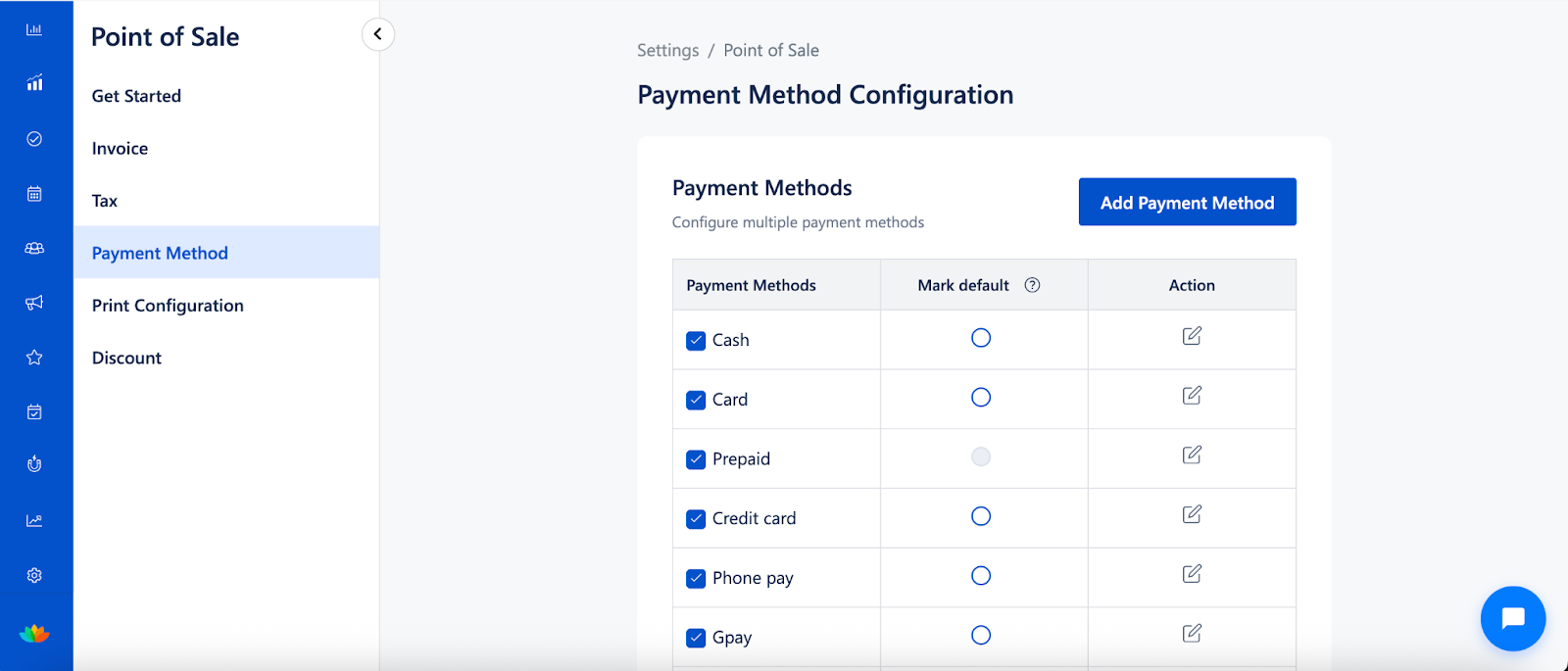
To add a payment method
Navigate to Settings → Business Settings → Point of Sale → Payment Method.
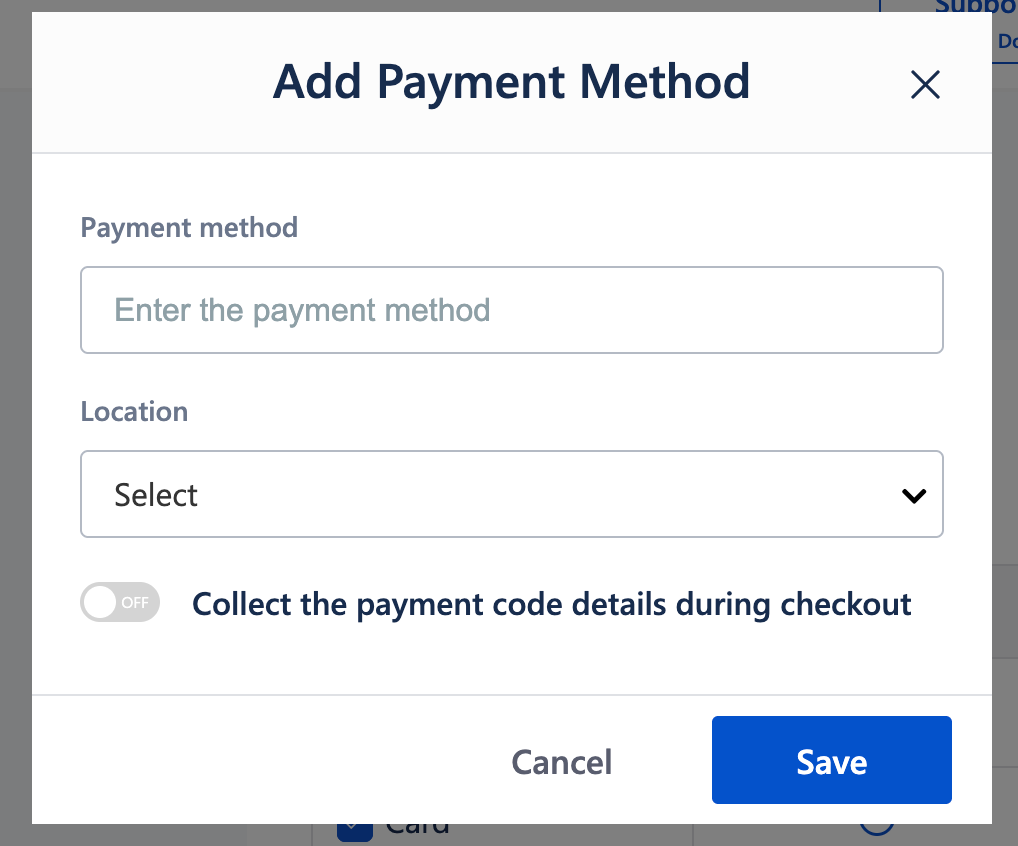
Click Add Payment Method.
Enter the Payment method name
(for example: Cash, Card, UPI, Wallet).Select the Location where this payment method should be available.
Optionally enable Collect the payment code details during checkout.
Make it mandatory
When enabled, entering the payment code becomes compulsory and billing cannot be completed without it.
6. Click Save.
The payment method will now be available during billing for the selected location.
To enable or disable a payment method
Go to Settings → Business Settings → Point of Sale → Payment Method.
Locate the required payment method.
Use the toggle to enable or disable the payment method.
Disabled payment methods will not appear during checkout.
Important Notes
Payment methods can be configured per location.
Only enabled payment methods appear during invoice payment.
Payment code details are useful for tracking reference numbers for digital payments.
Changes apply only to new billing transactions.
Existing invoices remain unaffected.
Use Cases
Multiple payment options
Enable Cash, Card, UPI, and Wallet payments to offer flexibility to customers.Location-specific payment methods
Enable different payment modes for different outlets.Digital payment tracking
Capture payment reference codes for UPI or wallet transactions.Operational control
Disable unused or temporarily unavailable payment methods.Faster checkout
Reduce billing errors by showing only relevant payment options.
Was this article helpful?
That’s Great!
Thank you for your feedback
Sorry! We couldn't be helpful
Thank you for your feedback
Feedback sent
We appreciate your effort and will try to fix the article