Overview
Configuring GST Settings allows you to manage your business GST registration details in MioSalon so that the correct GST number appears on invoices and POS bills. MioSalon supports one active GST number per business location to ensure tax compliance and accurate billing.
You can add, activate, or deactivate GST numbers based on your business requirements.
Canonical Guided Steps
To add or manage GST settings
Log in to your MioSalon account.
From the left-side menu, click Settings.
Under Settings, click Business Settings.
Scroll down and select Point of Sale.
Click Tax.
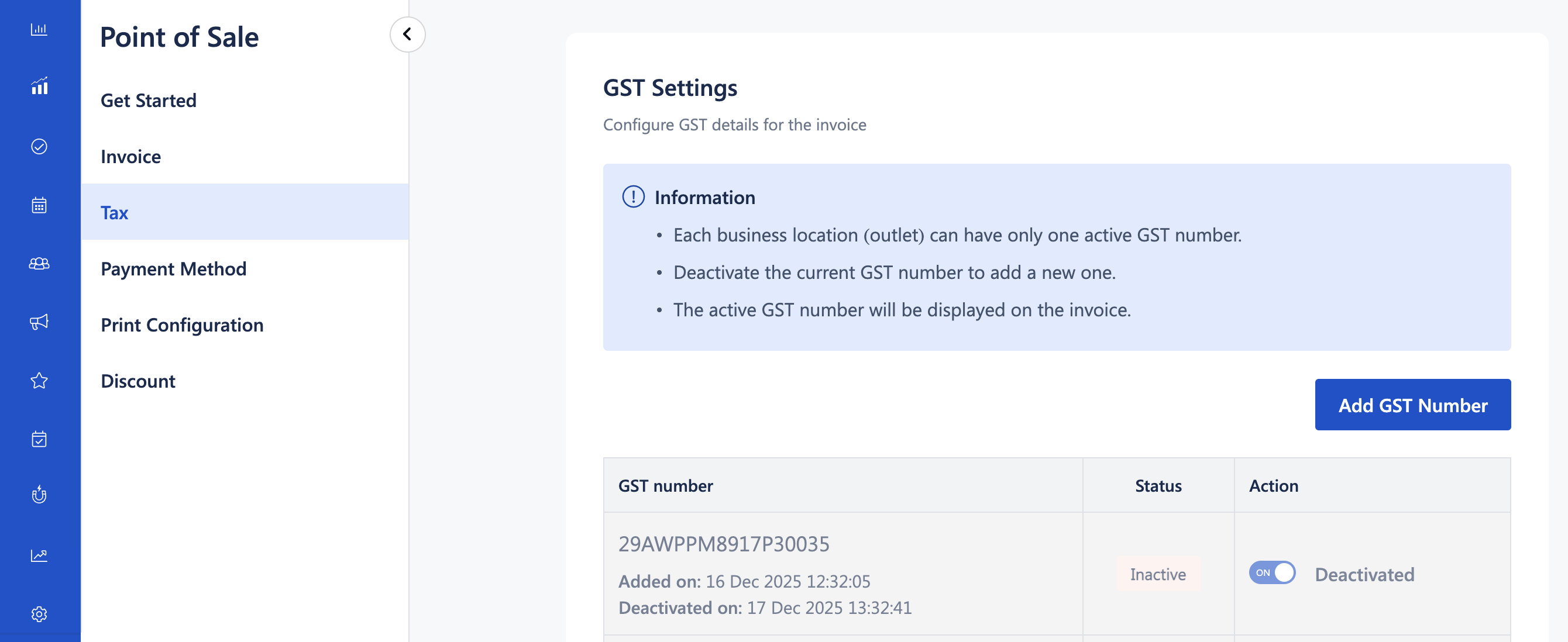
Navigate to the GST Settings section.
Perform one of the following actions:
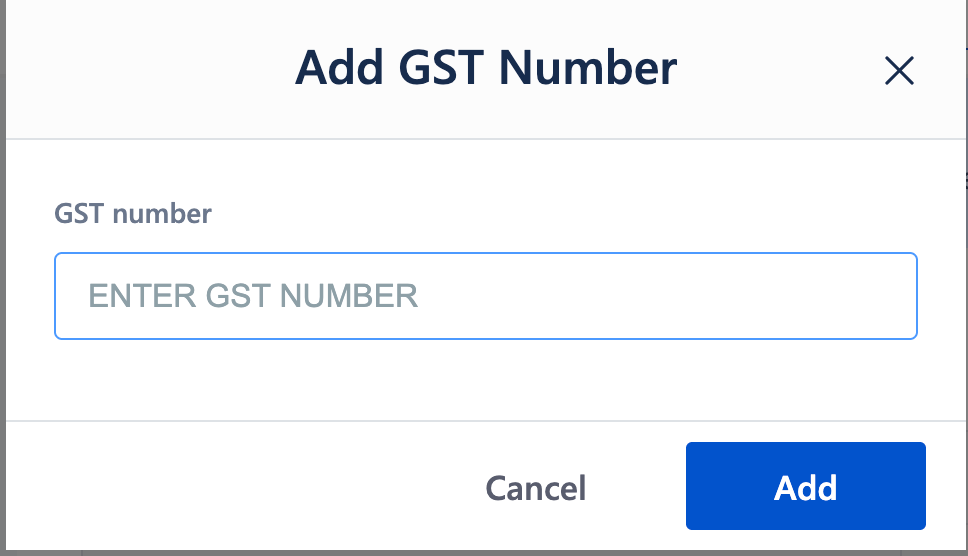
Click Add GST Number to add a new GST number, or
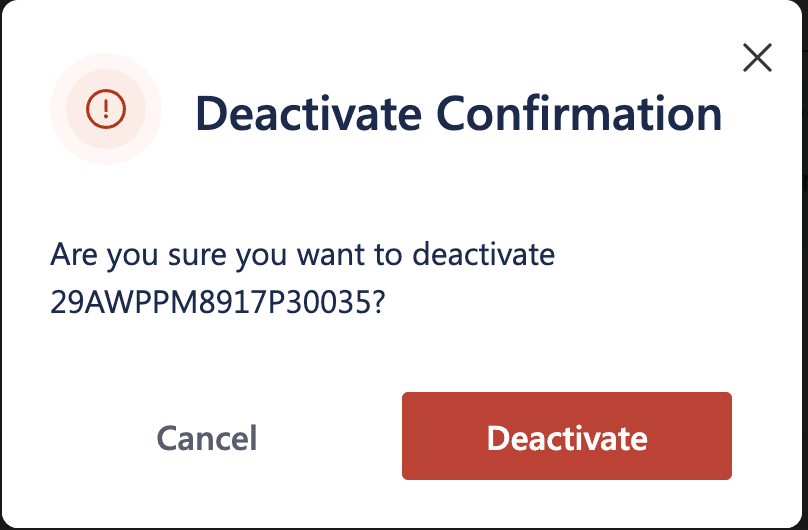
Activate or deactivate an existing GST number as required.
Ensure that only one GST number is marked as Active.
Click Save, if applicable.
The active GST number will now be reflected on all newly generated invoices and POS bills.
Important Notes
Only one GST number can be active per location at any time.
To add a new GST number, the existing active GST number must be deactivated.
GST settings apply only to future invoices and do not affect previously generated bills.
Ensure the GST number entered is valid, as it appears on customer-facing invoices.
Use Cases
GST-compliant invoicing
Ensure invoices display the correct GST number as required by tax authorities.Business relocation or registration updates
Update GST details when your business registration changes.Multi-location businesses
Manage GST numbers separately for each business location.Audit and reporting accuracy
Maintain correct GST details for smooth tax filing and compliance checks.
Was this article helpful?
That’s Great!
Thank you for your feedback
Sorry! We couldn't be helpful
Thank you for your feedback
Feedback sent
We appreciate your effort and will try to fix the article