How to Change the Business (Salon, Spa, etc) Images in MioSalon ?
Overview
The Change Business Images feature in MioSalon allows salon and spa administrators to update photo titles, edit descriptions, and manage image galleries for any branch location.
Business teams use image editing to refresh existing storefront pictures, update captions, or add newly renovated facility photos to their online booking page.
Maintaining up-to-date business images ensures prospective customers view accurate salon facilities and enhances online brand presentation.
Follow the guided step-by-step instructions below to change business images in MioSalon.
Navigation Path
Online Booking → Business Images
Steps to Change the Business (Salon, Spa, etc) Images
1. Click on the Online Booking module from the main left navigation menu.
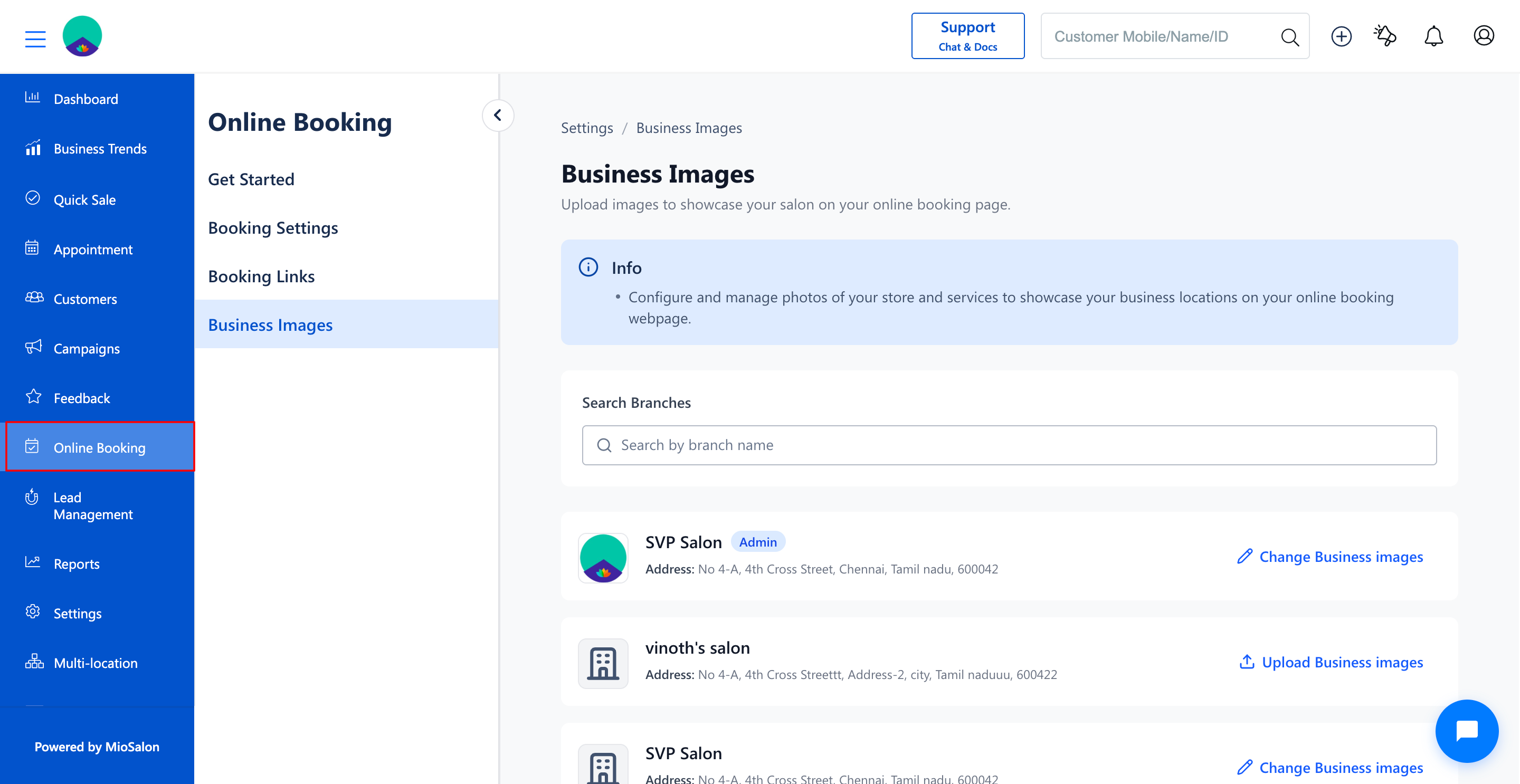
2. In the secondary left menu, click on Business Images.
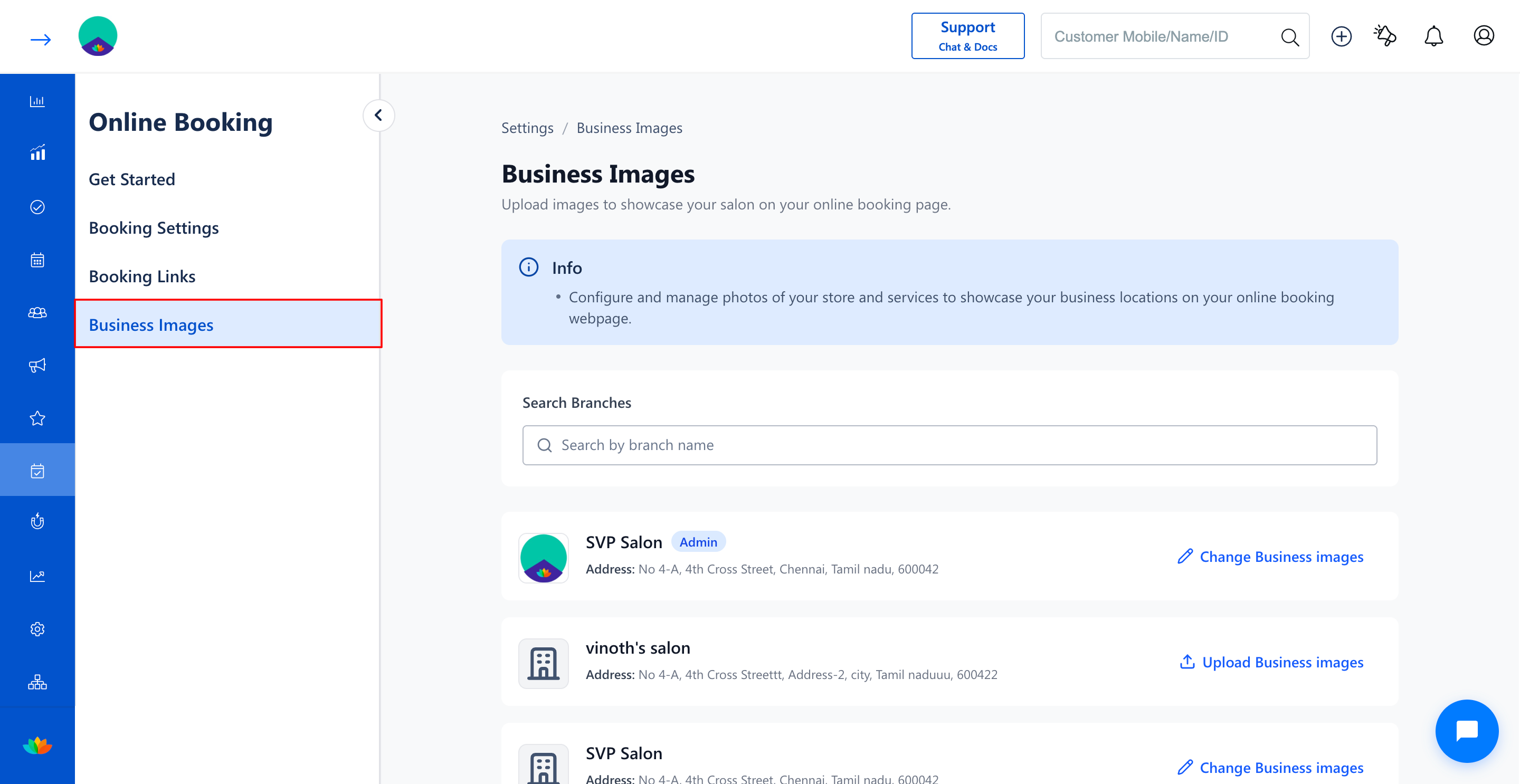
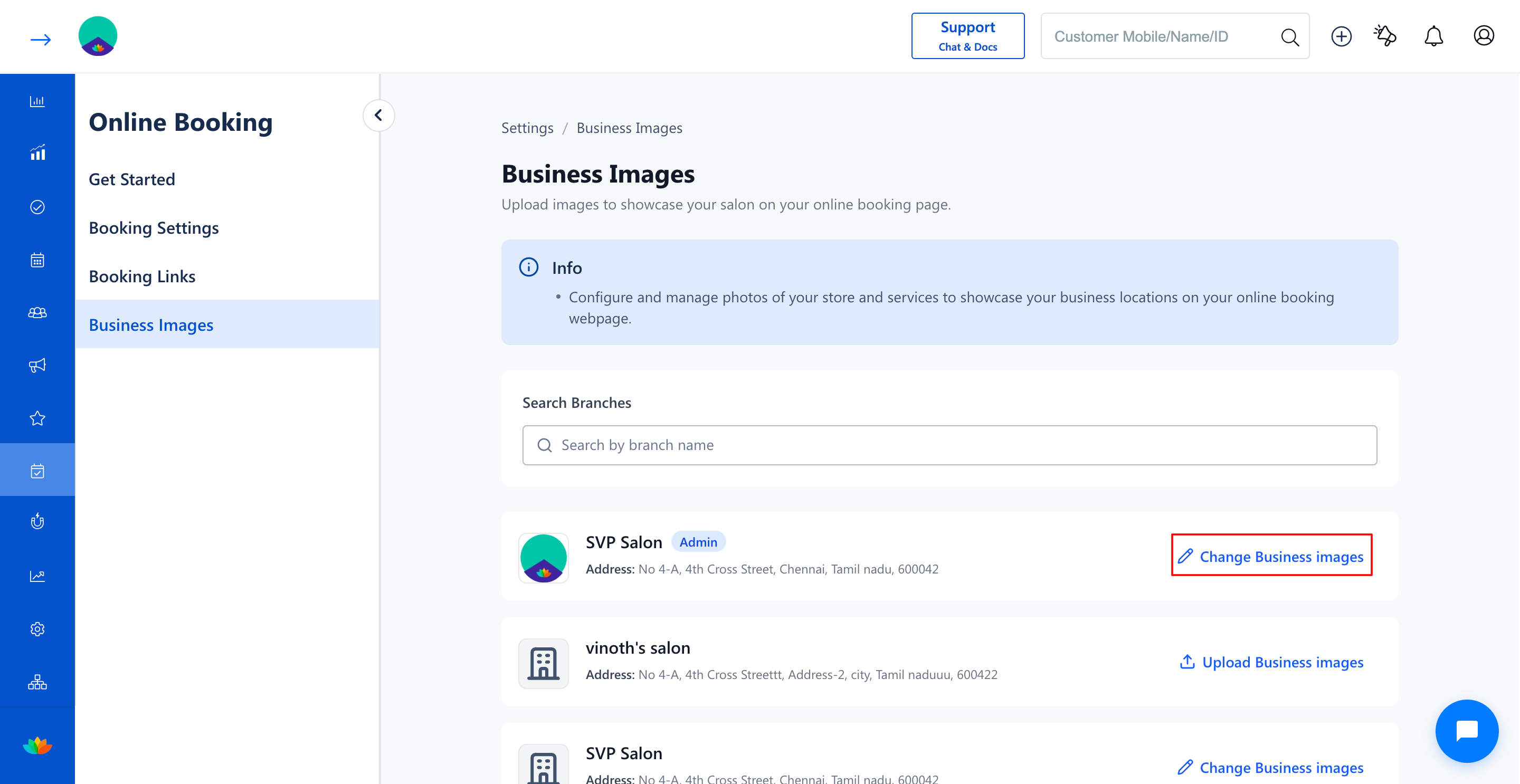
3. Locate the branch whose images you want to modify (E.g., SVP Salon).
4. Click on the Change Business images button on the branch card.
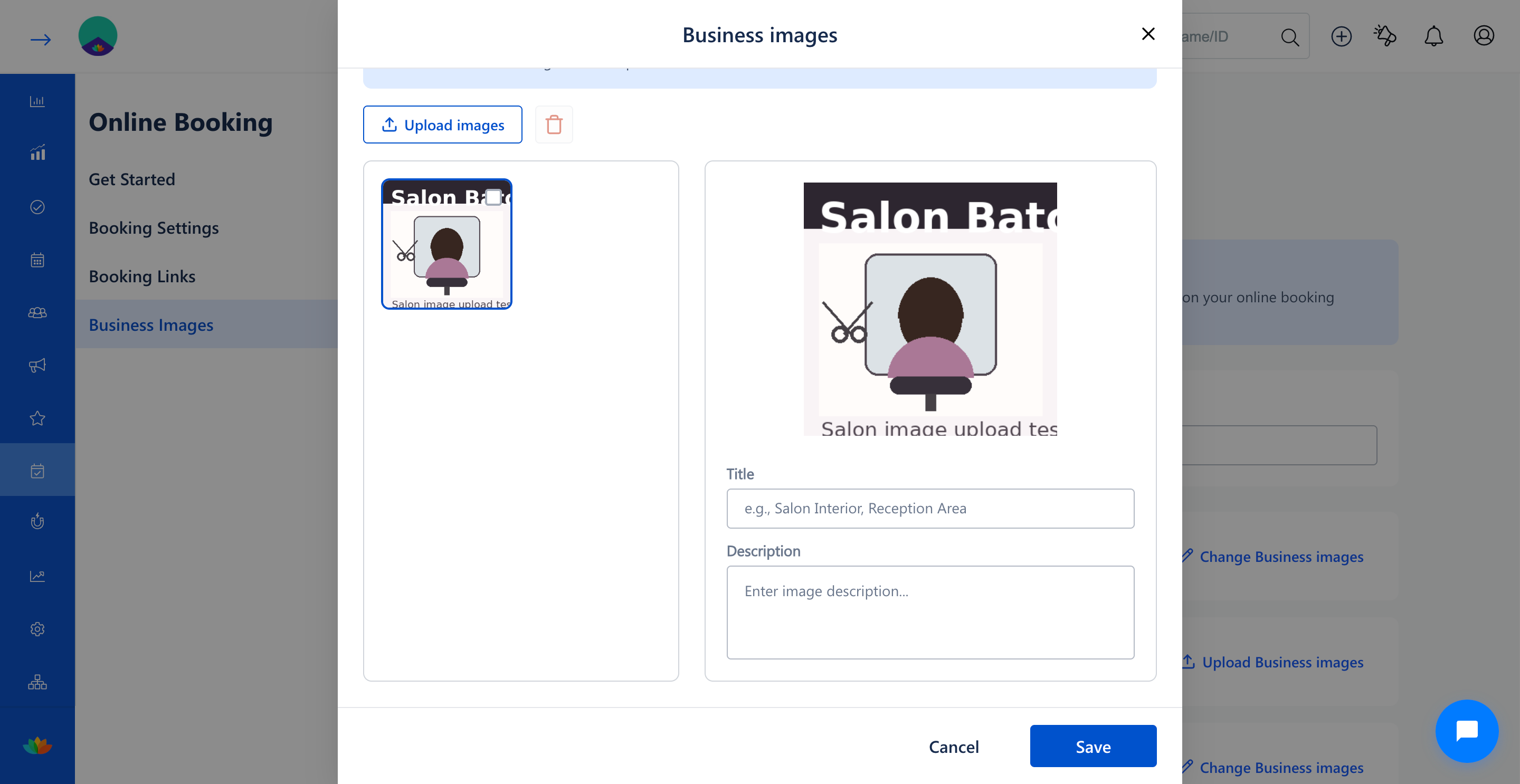
5. In the Business images popup window, click on the specific image thumbnail you want to edit.
6. In the right-hand panel, modify the Title field (E.g., Reception Lounge) and update the Description field (E.g., Comfortable client waiting area with beverage bar).
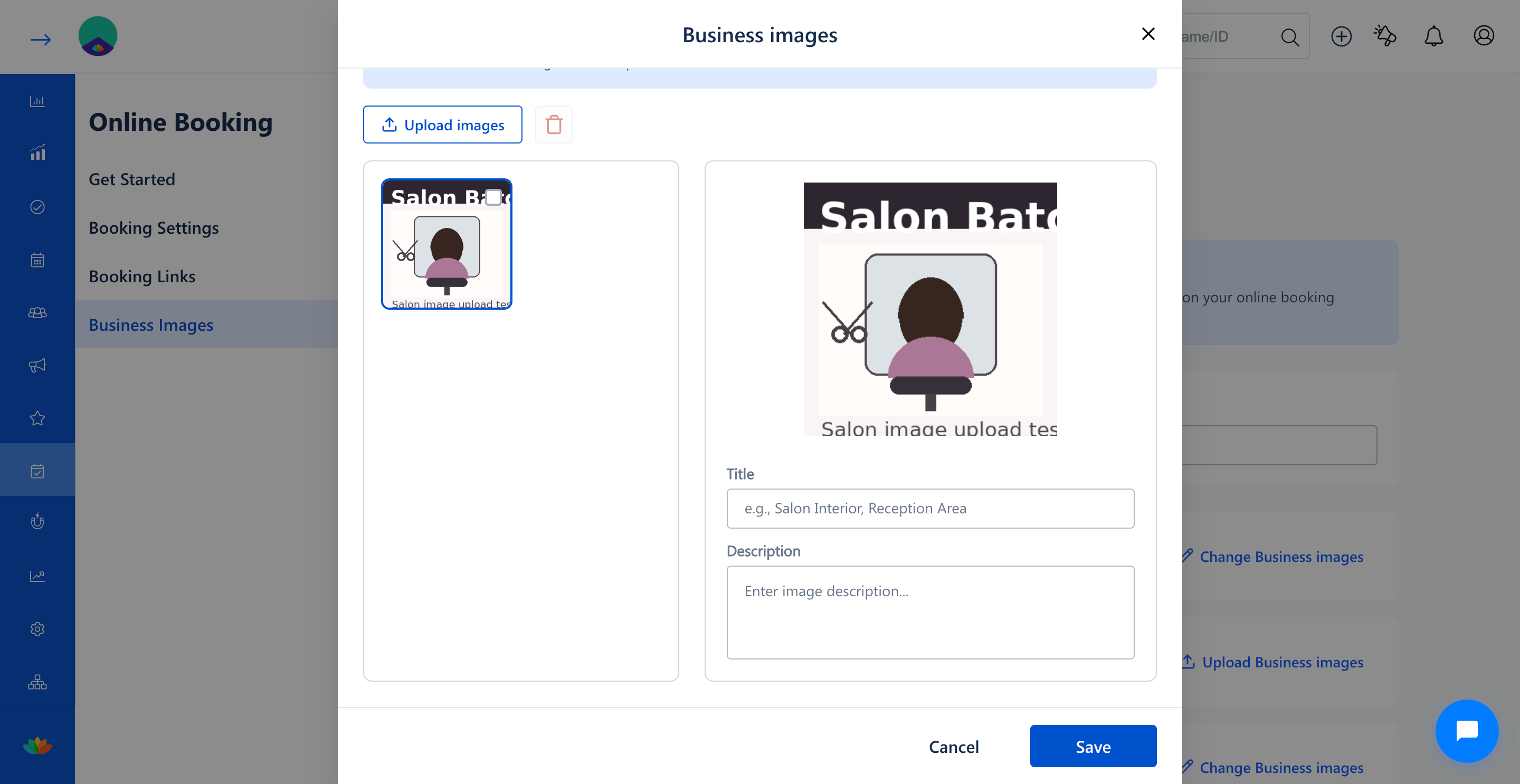
7. To upload additional photos to the gallery, click on the Upload images button and choose an image file (E.g., Treatment Room.jpg).
8. Review the updated image gallery and click on the Save button to apply all changes.
9. Verify on your online booking page that the revised image titles and descriptions are displayed accurately.
Note
Image titles and descriptions appear directly on your online booking portal to give clients helpful context about each area of your facility. Keep titles clear, concise, and representative of your salon services.
Use Cases
1. Salons updating room descriptions after renovating styling chairs or nail spa stations.
2. Spas adding descriptive captions to therapy room photos to highlight specialized massage beds and ambient lighting.
Benefits
1. Enables quick image adjustments without requiring third-party web developer intervention.
2. Keeps online booking visuals continuously aligned with current salon decor and branding.
3. Improves client browsing experience with detailed descriptions of facility amenities.
Was this article helpful?
That’s Great!
Thank you for your feedback
Sorry! We couldn't be helpful
Thank you for your feedback
Feedback sent
We appreciate your effort and will try to fix the article