Overview
The Custom Package selling feature in MioSalon allows salons and spas to sell flexible service bundles where clients can pick from a curated pool of services across multiple sittings.
Businesses use custom packages to offer clients the freedom to choose their preferred treatments per visit while securing upfront revenue and ensuring long-term customer retention.
Selling custom packages directly through Quick Sale streamlines checkout, enables initial session redemption, and automatically tracks remaining sittings.
Follow the guided step-by-step instructions below to sell a custom package in MioSalon.
Navigation Path
Main Menu → Quick Sale
Steps to Sell the Custom Package
1. Click on the Quick Sale icon from the main left navigation bar.
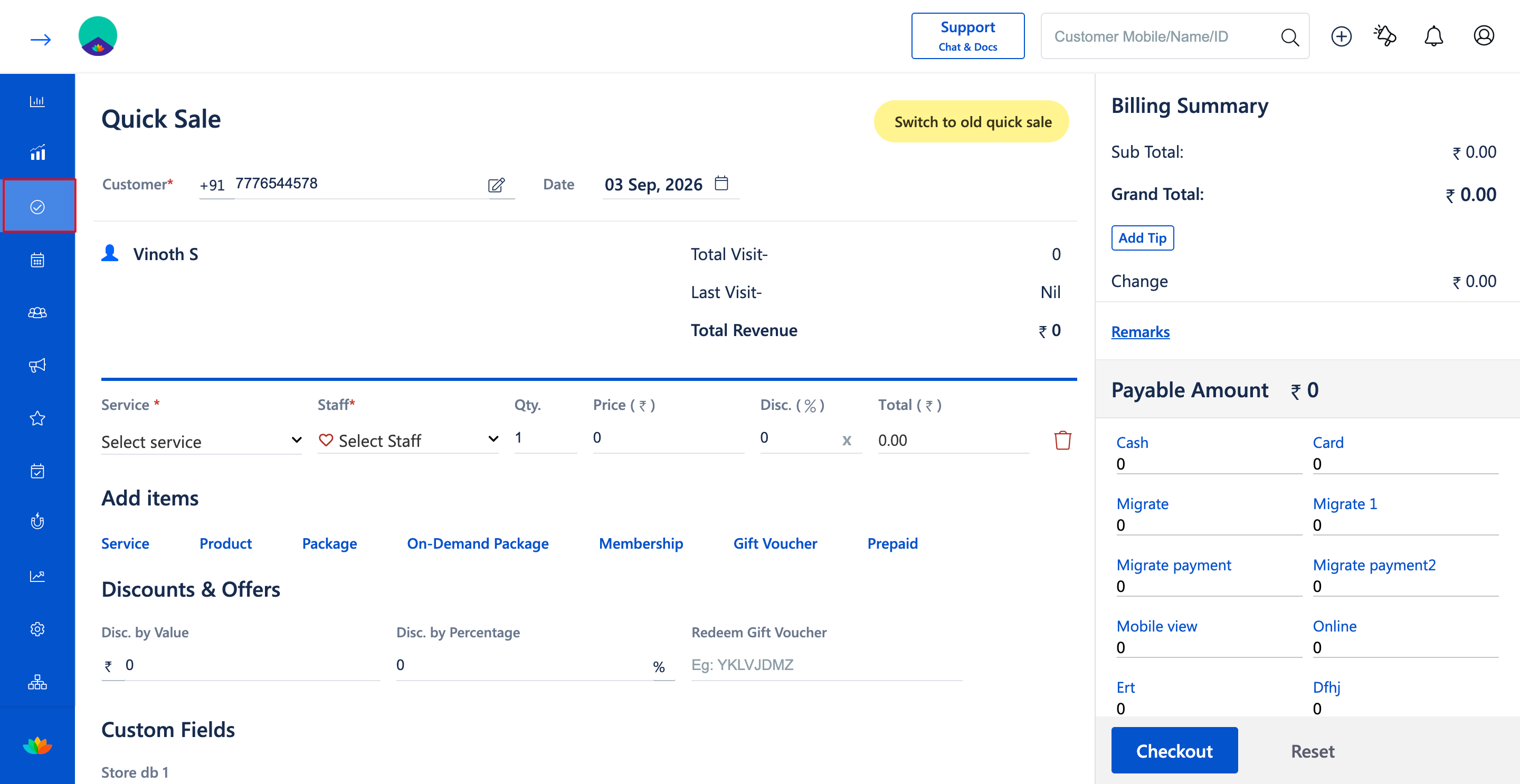
2. Select or search the customer by entering their mobile number or name in the Customer* field (E.g., 7776544578 - Vinoth S).
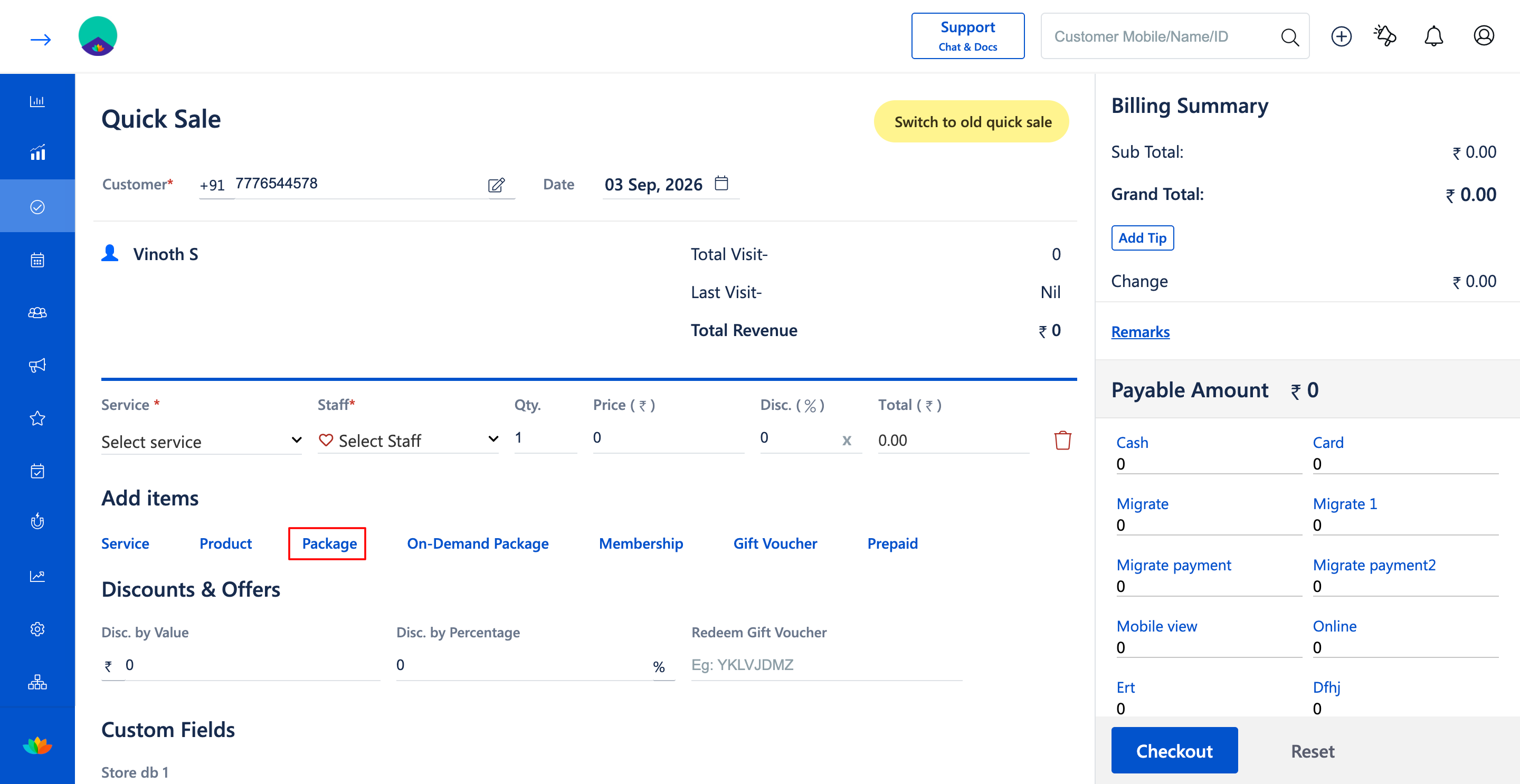
3. Under the Add items section, click on the Package option.
4. In the Sell Package pop-up window, locate the desired custom package (E.g., Make over Package - Custom Package, Total Sittings: 3, Validity: 60 Days).
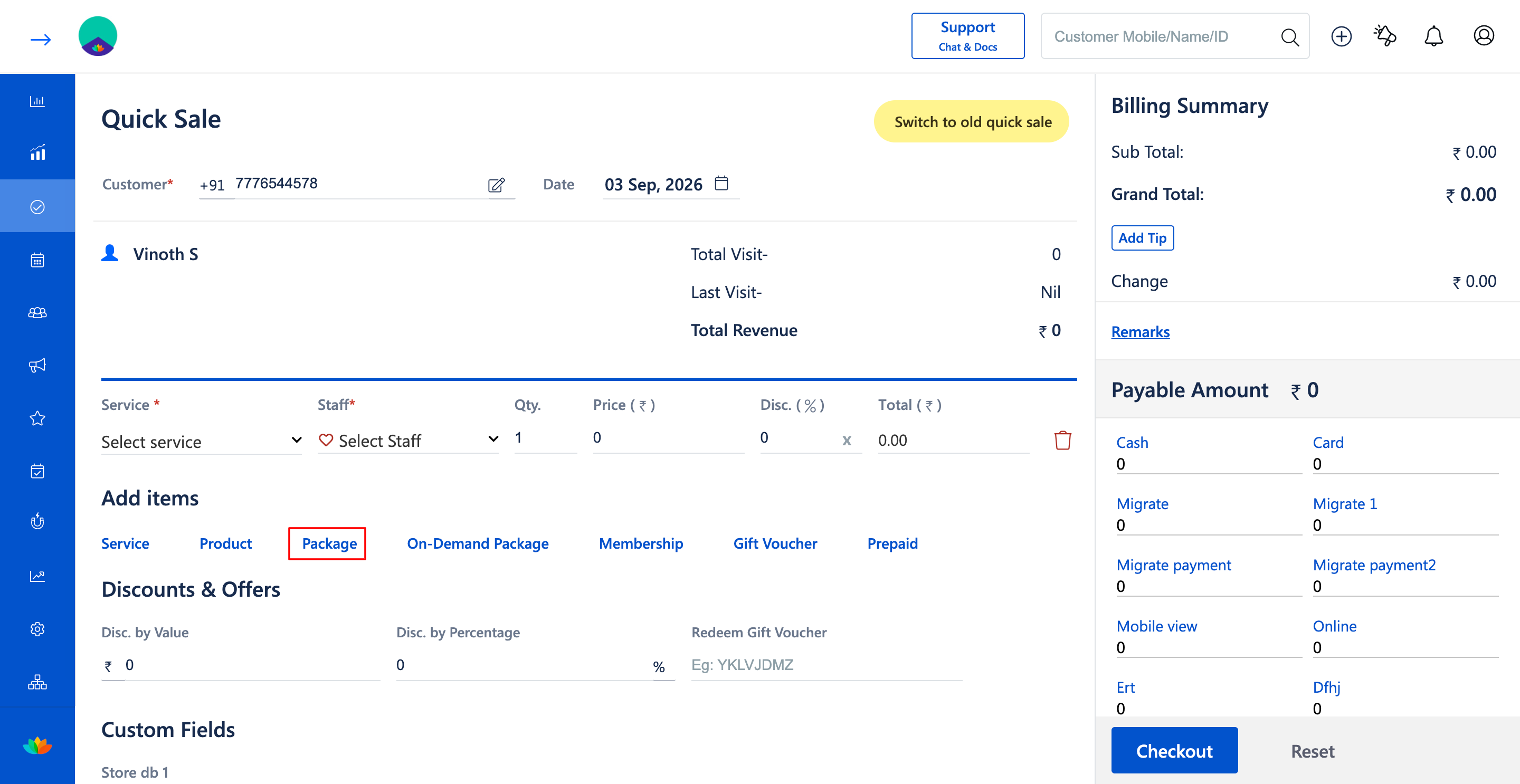
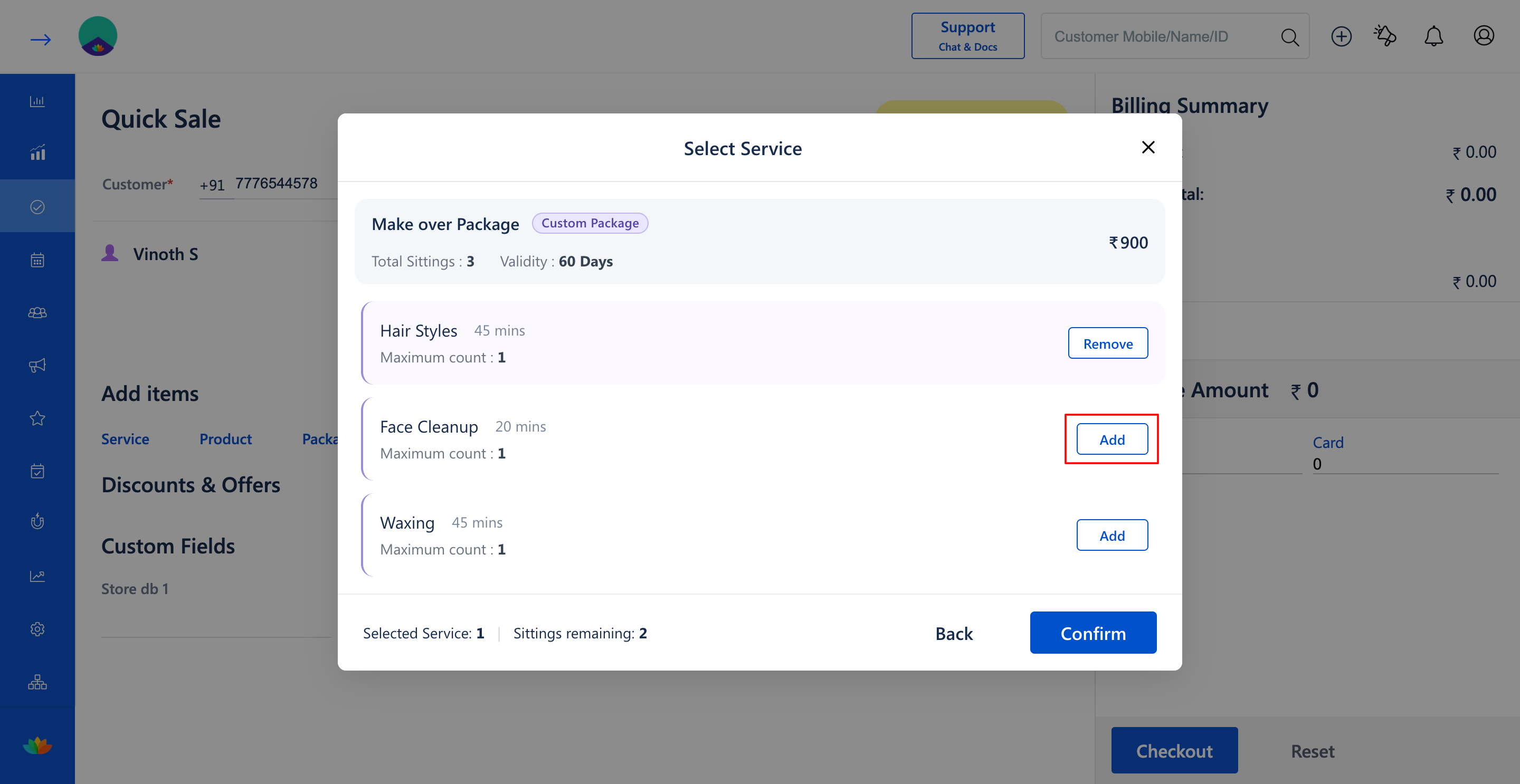
5. Click on the Add button next to the custom package.
6. In the Select Service window, review the eligible services (E.g., Hair Styles 45 mins, Face Cleanup 20 mins, Waxing 45 mins) and click Add next to the service availed during the current visit (E.g., Hair Styles 45 mins).
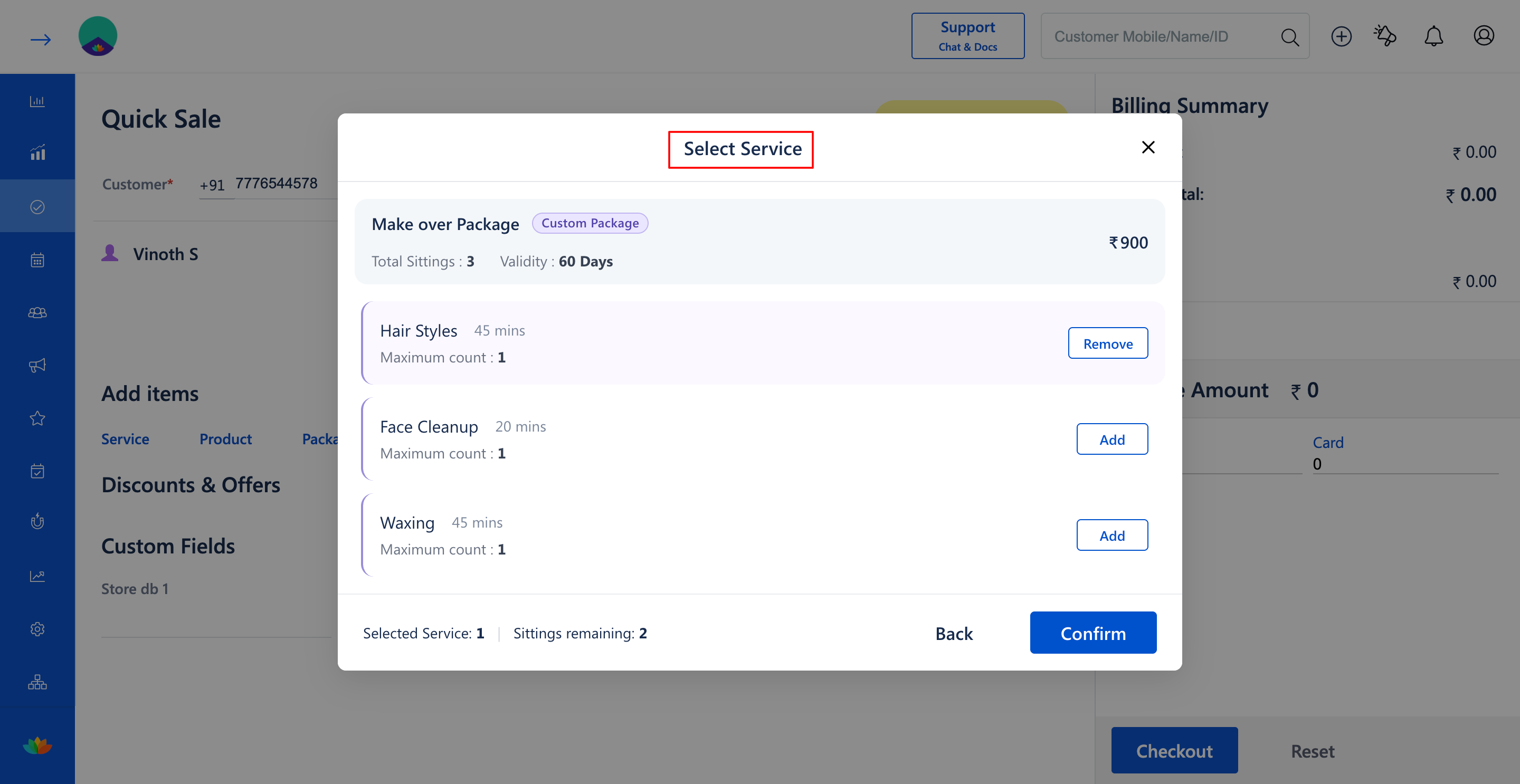
7. Verify the selected service count and remaining package sittings (E.g., Selected Service: 1, Sittings remaining: 2).
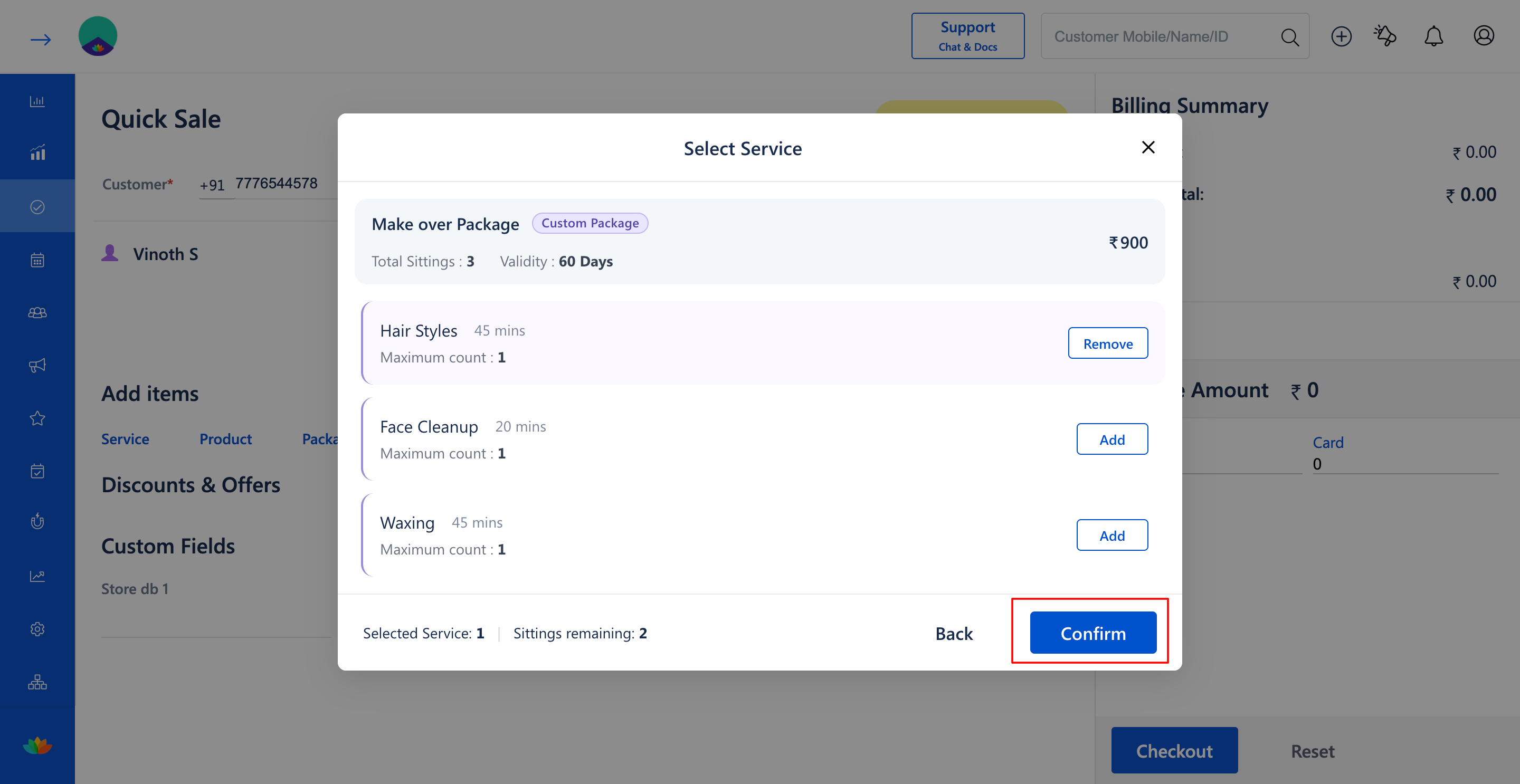
8. Click on the Confirm button to add the package and the initial redeemed service to the Quick Sale screen.
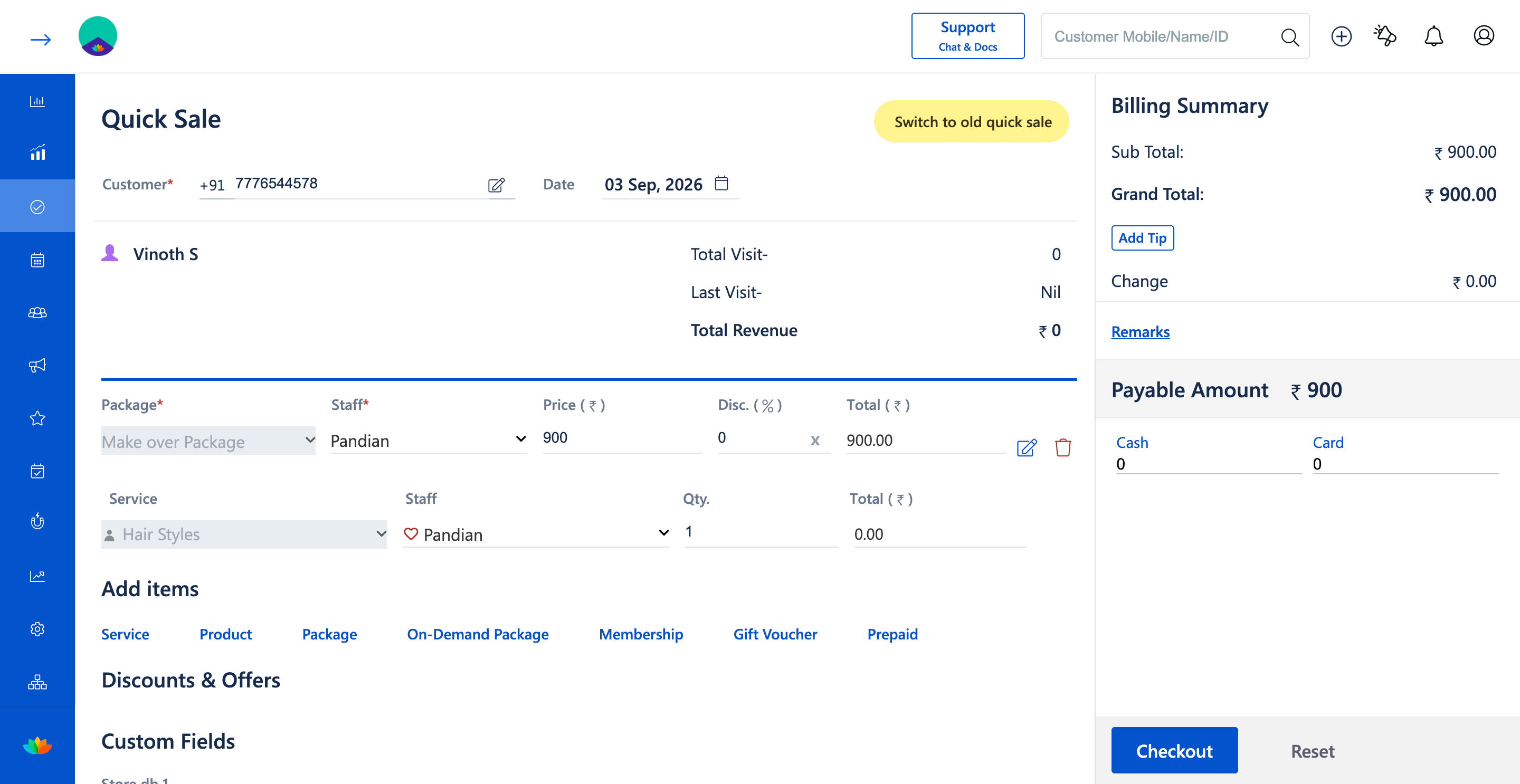
9. In the Quick Sale billing table, assign the performing Staff* for the package sale and for the individual service (E.g., Staff: Pandian).
10. Review the Billing Summary showing the package total (E.g., Sub Total: ₹900.00, Grand Total: ₹900.00).
11. Select the payment method under Payable Amount (E.g., Cash, Card, or Online) and click on Checkout to complete the sale.
Note
When selling a custom package in Quick Sale, selecting a service deducts the first sitting immediately upon checkout. If the customer is only purchasing the package without availing a service today, you can proceed directly to checkout.
Use Cases
1. Offer makeover packages where clients can choose between haircuts, cleanups, or waxing during each visit.
2. Sell seasonal beauty bundles that give clients the flexibility to redeem any combination of eligible services within 60 days.
Benefits
1. Delivers maximum flexibility to clients, increasing package purchase conversion rates.
2. Secures upfront revenue while ensuring repeat visits over the package validity period.
3. Simplifies session balance management with automated sitting deduction at checkout.
Was this article helpful?
That’s Great!
Thank you for your feedback
Sorry! We couldn't be helpful
Thank you for your feedback
Feedback sent
We appreciate your effort and will try to fix the article