Overview
The Purchased Package History feature in MioSalon provides complete visibility into all active, expired, and redeemed packages associated with a customer.
Salon receptionists and managers use package history to verify remaining sittings, check expiry dates, and review past service redemption timestamps.
Having immediate access to package history resolves customer queries instantly and ensures transparent client account management.
Follow the guided step-by-step instructions below to view purchased package history in MioSalon.
Navigation Path
Main Menu → Customers → Customer Profile → Packages
Steps to View the Purchased Package History
1. Navigate to the Customers module from the main left navigation bar (or view client details directly in Quick Sale).
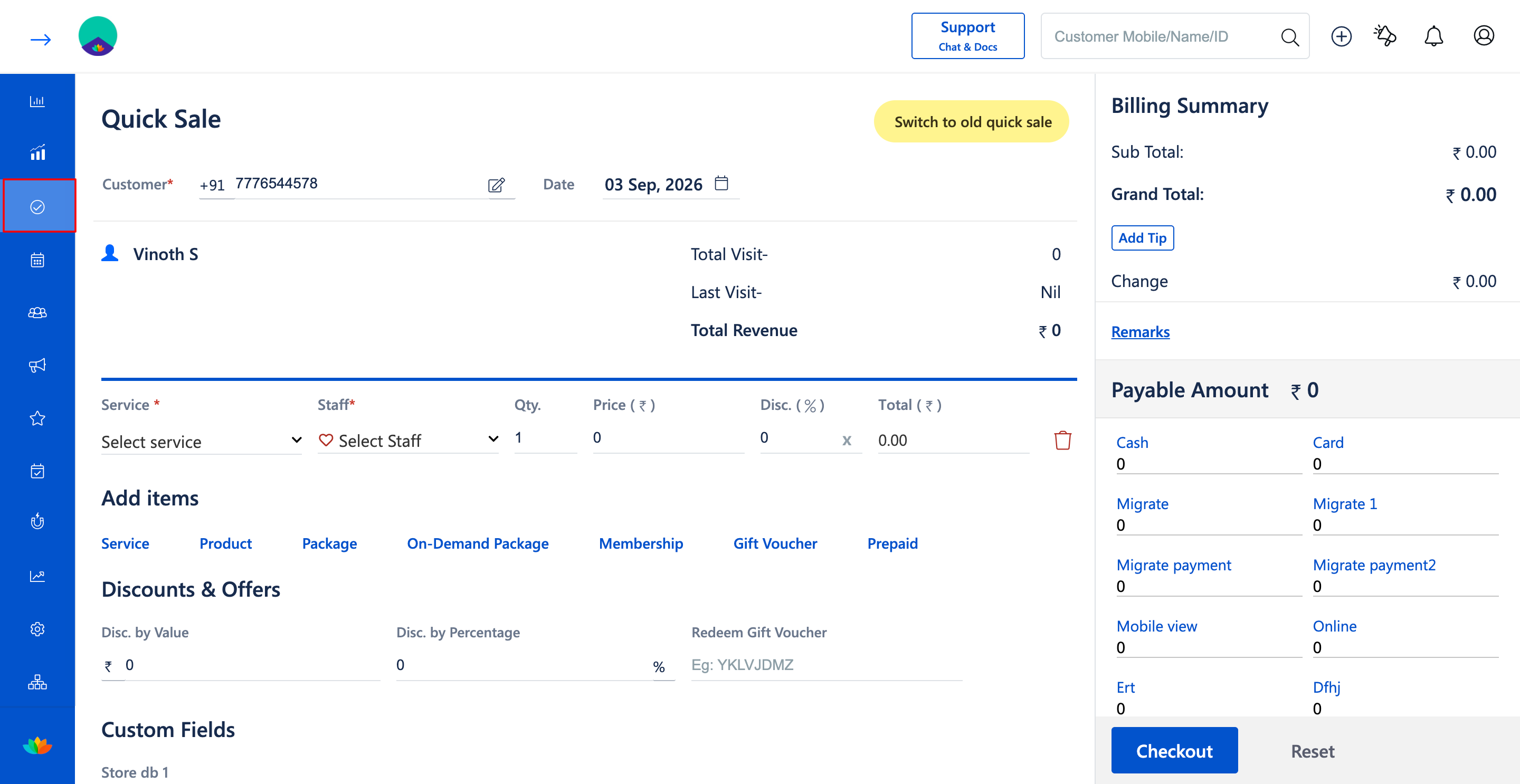
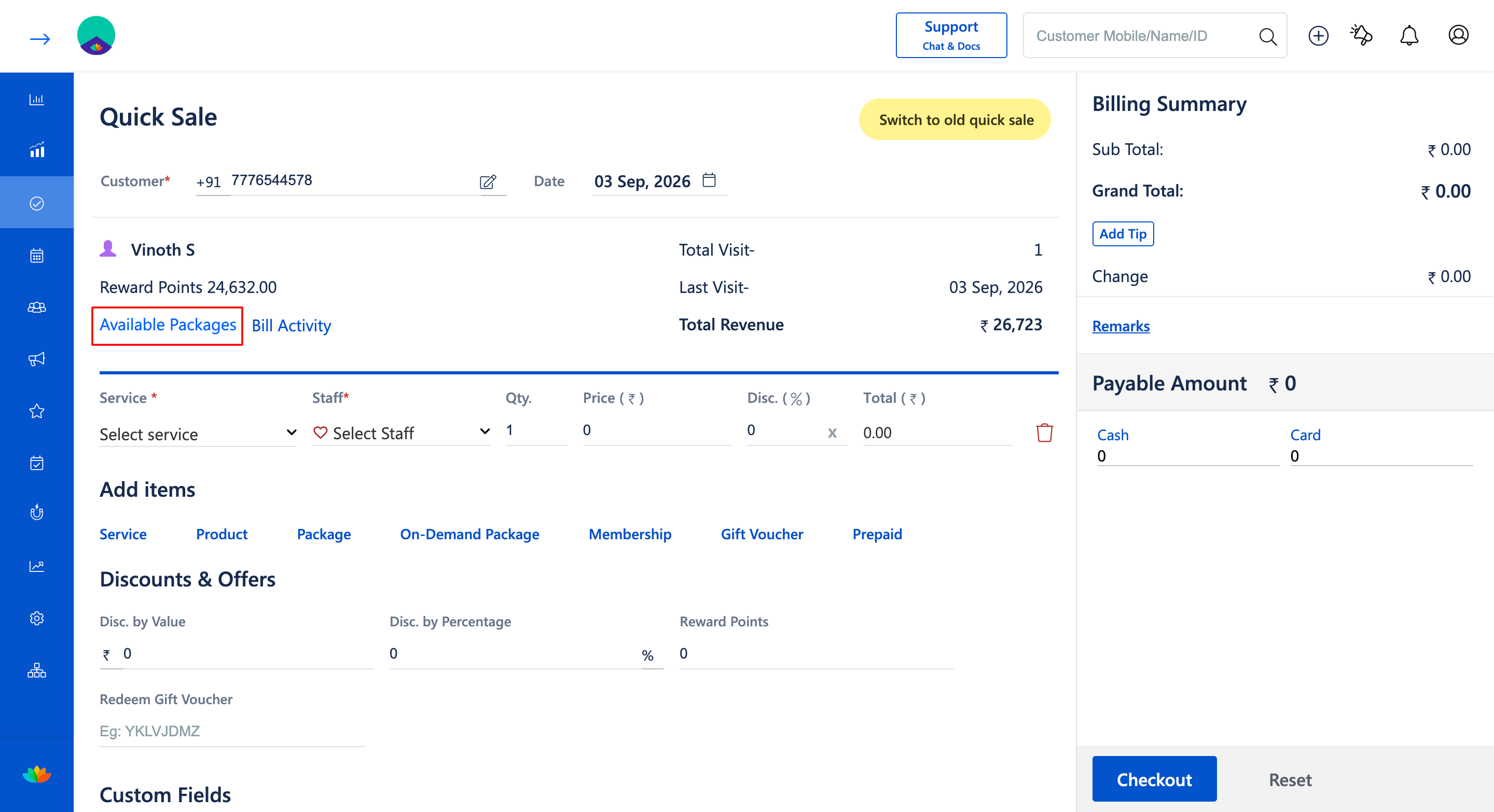
2. Search for the desired customer by entering their name or mobile number in the search bar (E.g., 7776544578 - Vinoth S).
3. Click on the Available package option in the page.
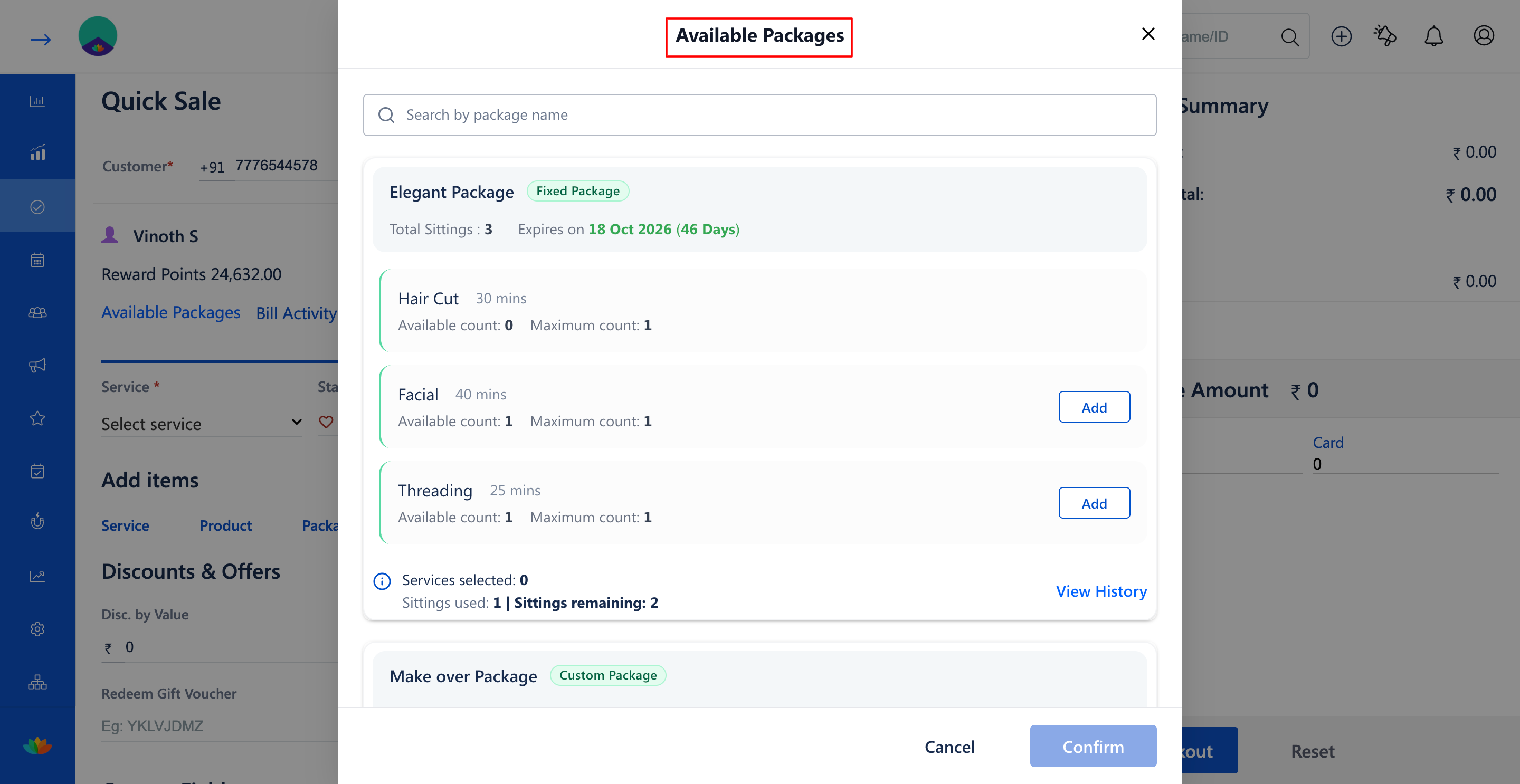
4. Review the comprehensive package summary cards displaying customer package details:
• Package Name: Name and type of package (E.g., Elegant Package - Fixed Package, Make over Package - Custom Package, Hourly package - Hourly Package).
• Total Sittings / Duration: Total sessions or hours originally purchased (E.g., 3 Sittings, 3 hrs).
• Remaining Balance: Number of active sittings or hours available for redemption.
• Validity: Package validity period and expiration date (E.g., 45 Days, 60 Days, 33 Days).
• Package Status: Current active, expired, or fully consumed status.
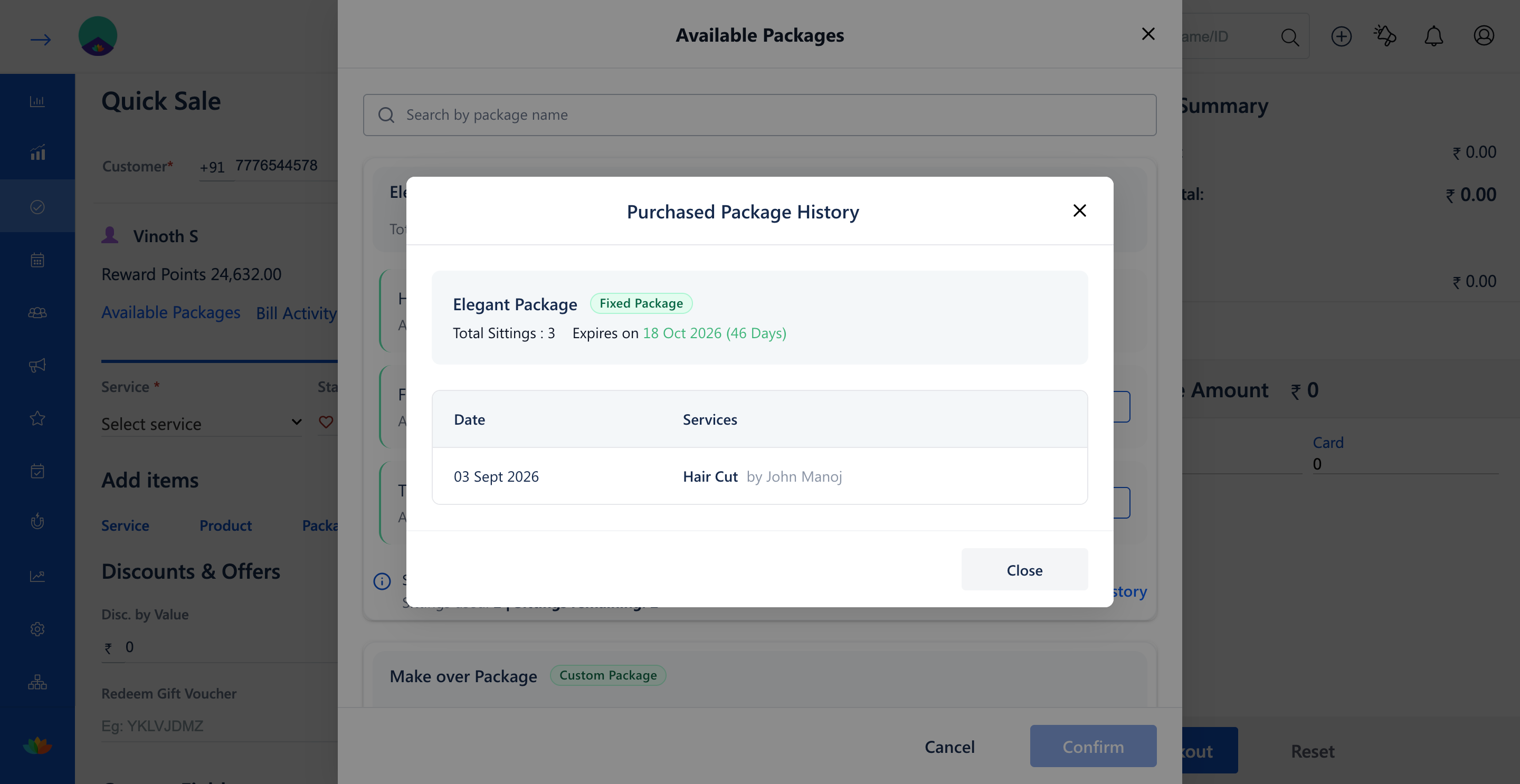
6. Click on View Services on any package card to view the list of included treatments and past redemption dates.
Note
Package history records are automatically updated in real time whenever a package is sold, redeemed, or refunded in Quick Sale.
Use Cases
1. Check how many haircut sittings remain on a customer's package before scheduling their next appointment.
2. Verify package expiration dates to notify clients with expiring package balances.
Benefits
1. Provides transparent, immediate answers to client queries regarding package balances.
2. Prevents disputes by maintaining full redemption logs with timestamps and staff details.
3. Facilitates proactive re-selling when client packages are nearing completion or expiration.
Was this article helpful?
That’s Great!
Thank you for your feedback
Sorry! We couldn't be helpful
Thank you for your feedback
Feedback sent
We appreciate your effort and will try to fix the article